Do you ever look at that long, confusing document about how your business works and instantly feel lost? Most companies are bothered by slow workflows that are lagging and full of errors. The confusing complexities are slowing everybody down while making the training of new people a real headache. But what if there was an easy way to clean all that clutter in a visually oriented manner, making every process crystal clear? The key lies in the strategic application of smart flowcharts. This guide will take the most complicated procedures and turn them into clear, actionable maps that anyone can easily follow.
Why Smart Flowcharts are Integral in Simplification
Smart mapping begins with the realization that a flowchart is so much more than boxes and arrows; it’s actually a very serious process mapping tool. It works immediately where words fail to explain, in a linear and straightforward manner, a series of actions, decisions, and outcomes. Operating within this context, the word “smart” lets modern diagramming tools automate and facilitate collaboration to make the mapping easy to begin with.
The Problem with Complex Workflows
Over time, business processes tend to accumulate redundancies, additions of steps, and exceptions, leading to a complex workflow that is slow and only troublesome when things, as they most usually do, go wrong. Where the procedure is in text form, this means having to wade through pages of text just to find what is relevant to the situation at hand. Using heavy amounts of text creates inconsistencies between teams and often leads to costly mistakes.
The Power of Visual Communication

Visual information is processed by the human brain far more quickly than text. These could be bottlenecks, superfluous steps, or critical decision points in processes instantly evident with a smart flowchart and thus much easier to understand. In fact, this allows teams to seek out opportunities for simplification with ease. It changes from tedious reading to quick seeing, hence enabling effective analysis and collaborative problem solving.
Choosing a Flowchart Type to Fit Your Needs
Not all flowcharts are created equal, and, as a matter of fact, the best chart is a function of what you need to show. The right type will keep your process mapping focused and clear. The correct choice of visual format contributes to the overall simplification of complex workflows.
Standard Process Flowcharts
This is the most common form and is best used to illustrate basic steps and sequences of a single activity from start to finish. If your objective is to show in what order tasks are performed by one person or team, the simple diagram often is your best choice. It is ideal for basic documentation of small, localized processes.
Swimlane Flowcharts Cross-Functional
You need a swimlane diagram when your workflow crosses more than one department or job role. Using parallel lines separating the steps by ‘who’ does them, a swimlane diagram looks much like the lanes in a swimming pool. It is a great tool to help improve responsibility and communication between functional teams.
How to Create Smart Flowcharts: Step by Step
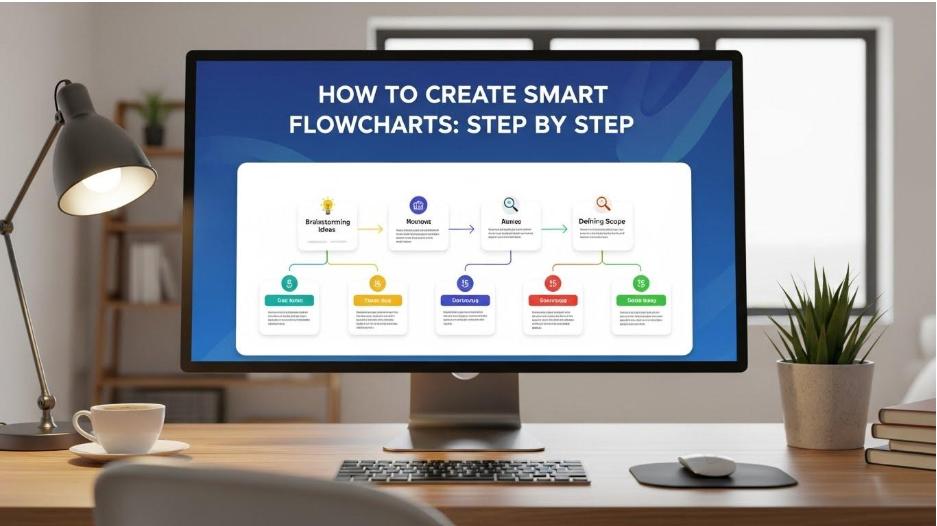
Creating a valid flowchart requires as much visual communication as it does reasoning. You can ensure that your diagram is clear, maintainable, and correctly reflects reality by following these steps. It’s the basis upon which you should work in mastering process mapping.
Step 1: Define your scope
Before you actually start designing a single form, you should have crystal clarity on the scope of your workflow, like what the end deliverable or endpoint is and what the exact beginning event is that starts this process. The scopes must be well defined so that any simplification can be effectively done without making the chart too overwhelming and complex. This helps in keeping you focused on the process that you want to outline.
Step 2: Identify Key Activities and Sequencing
List down all major necessary activities or actions done between your identified start and end points, keeping in mind the correct and logical sequence through which these should have been executed. This preliminary list forms the basis of your smart flowchart and must represent the steps taken by the actual team.
Step 3: Map Decision Points and Alternatives
This is where flowcharts actually come into their own: moving from a simple list into true process mapping. Any time there’s a split in the path of your process, you want to use a decision symbol. These are points that represent some sort of decision or condition that is met to take it to the next step, such as an approval or rejection condition. It should clearly label the paths for “Yes” and “No” to take the reader through the whole complex workflow.
Starting and Ending the Process
A rounded rectangle, or terminator, is used to show an absolute beginning and end of a process. It visually shows where this flow starts and stops.
Identifying Actions and Steps
Every major step or action in the process uses a rectangle. Each of these rectangles should contain one and only one verb-noun phrase, such as “Approve Request” or “Send Confirmation Email.” This will keep the labels short and perhaps make the flowchart neat and easy to read.
Clearly indicating decisions
A diamond is used for only two answer questions, usually yes or no. The path out of the diamond must be clearly labeled since the outcome should direct the flow to the next appropriate step or action.
Step 4: Refine, Review, and Implement Automation
When the first smart flowchart is ready, revisit it with the performers of the workflow. They are the experts, and they will immediately point out steps that are missing or inaccuracies that might pass you by. When the flow is validated, look for means of introducing efficiencies into the process. Modern diagramming tools will let you introduce partial automation based on the completed flow or even color-code it clearly to denote the responsible party.
Conclusion
Learn to simplify things with a clear picture. With this step-by-step and methodical technique, take a smart flowchart through the deconstruction of even the most intimidating and complicated operations. These diagrams become living, breathing instruments for analysis, training, and ongoing development that result in increased productivity and fewer errors across your entire company. Map your processes today and unlock the real power of visual communication.Just as smart flowcharts help streamline complicated workflows, tools like a smart image resizer can speed up daily tasks by making visual files easier to manage. Adding these small automations into your workflow leads to cleaner documentation, faster work, and fewer errors.
FAQs
What is the main advantage of using the smart flowchart compared with using a document?
Smart flowcharts can convey, at a glance, a picture of complicated workflows, offering problem identification and opportunities for simplification so much more easily than by reading voluminous text.
How often should the process map or flowchart be updated?
Whenever a major change happens in the flow that a process mapping diagram depicts, it must be updated. This means the chart needs to be refreshed so that all users depending on it get accurate documentation.
Is this something flowcharts would be able to handle for multi-team processes?
Yes, smart flowcharts use swim lanes to denote the workflow between various departmental teams or roles and to divide the tasks visibly.
What’s the difference between a workflow and a process?
While the process is the sum of activities that are needed with the purpose of achieving a major goal, the workflow is the sequence of phases and activities within this process.
How might a flowchart help in training the team?
Smart flowcharts provide the novice with an easy-to-follow diagram through which they can immediately perceive the flow in the workflow, rather than doing much reading or shadowing.
Author Bio
Sabir Ali is an Outreach Specialist at saasgains, specializing in link building, partnerships, and content collaborations within the SaaS industry. He focuses on creating high-quality connections that help brands grow their authority and organic reach.