Network Diagram Online
Map Networks Faster. Document Better.
Plan, document, and explain your network setup with clear diagrams that show devices, connections, traffic flow, and infrastructure details in one place.
Start quickly with customizable network diagram templates
Map routers, switches, servers, firewalls, cloud systems, and endpoints clearly
Keep IP details, requirements, notes, and files connected to each device



 Diagramming Visual Collaboration Org Chart


How to Create a Network Diagram in Creately?
Start With a Network Diagram Template or Blank Canvas
Choose a ready-made network diagram template or open a blank workspace based on the type of network you need to plan, document, or explain.
Add Network Devices and Infrastructure Components
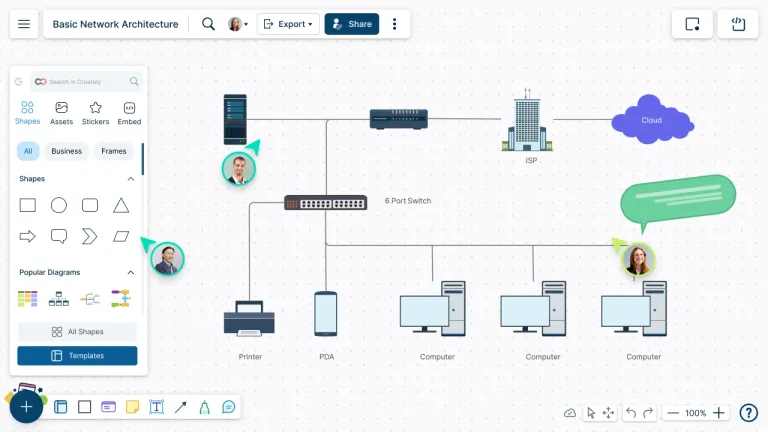
Drag and drop routers, switches, servers, firewalls, databases, cloud services, endpoints, and other network symbols onto the canvas.
Connect Devices and Label the Network Flow
Use connectors, arrows, labels, and line styles to show wired connections, wireless links, dependencies, traffic flow, subnets, VLANs, or security boundaries.
Add IP Details, Notes, Files, and Context
Attach IP addresses, device specs, configuration notes, screenshots, links, and related documentation directly to shapes so important details stay connected to the diagram.
Review, Share, Present, or Export
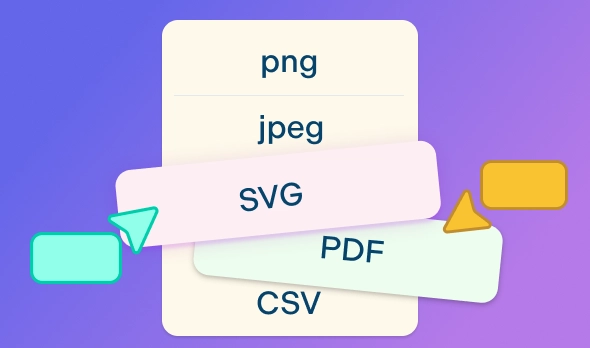
Invite others to review the diagram with comments and shared access, present the network layout with frames, or export it as a PDF, PNG, SVG, or JPEG for documentation and handover.
Watch this quick video walkthrough to see how to create a network diagram in Creately, use network symbols and connectors, add details to devices, and share your diagram with others.
Map Complex Networks Without the Manual Mess

Network diagrams get messy fast when devices, IPs, dependencies, and zones are tracked in separate notes or outdated files. Create a clean visual layout that shows how your infrastructure is connected and what each part does.
Start with editable templates for LAN, WAN, cloud, security, and office networks.
Use standard network symbols for routers, switches, servers, firewalls, databases, endpoints, and cloud services.
Connect devices with smart connectors, labels, arrows, and line styles to show traffic flow and dependencies.
Build cloud and architecture diagrams with AWS, Azure, GCP, Cisco, and Kubernetes shape libraries.
Add shape data to capture IP addresses, ownership, requirements, configuration notes, and device details.

Review Network Designs With Everyone in Context
Network diagrams need feedback from engineers, admins, security teams, clients, and stakeholders. Keep comments, questions, and updates tied to the exact device, connection, or zone being reviewed.
Collaborate in real time while planning, documenting, or troubleshooting network layouts.
Use comments and @mentions to discuss specific devices, links, IP details, or security zones.
Share diagrams with edit, review, or view access based on each person’s role.
Use version history to track changes and restore earlier diagram states when needed.
Keep teams aligned before network changes, audits, client reviews, or handovers.
Turn Network Diagrams Into Working Documentation

A network diagram should be useful long after it is drawn. Keep technical context, supporting files, and sharing options connected to the diagram so it can support troubleshooting, audits, presentations, and future updates.
Attach notes, files, links, and shape data directly to devices and connections.
Use frames to present large network diagrams section by section.
Embed diagrams in internal docs, wikis, project pages, and client portals.
Share diagrams through links, email invites, or secure workspace access.
Export diagrams as PDF, PNG, SVG, or JPEG for reports, presentations, audits, and offline documentation.
What Can You Create With Creately’s Network Diagram Software?
Office Network Diagrams
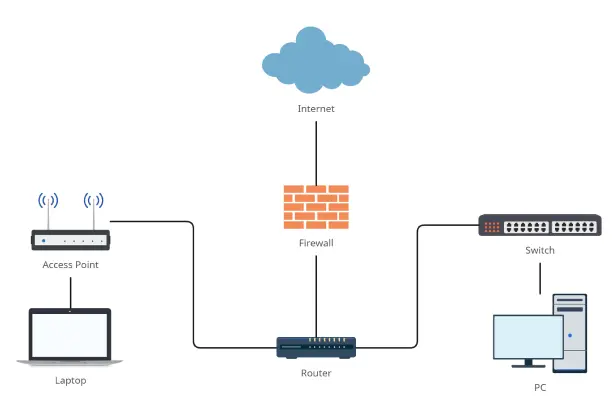
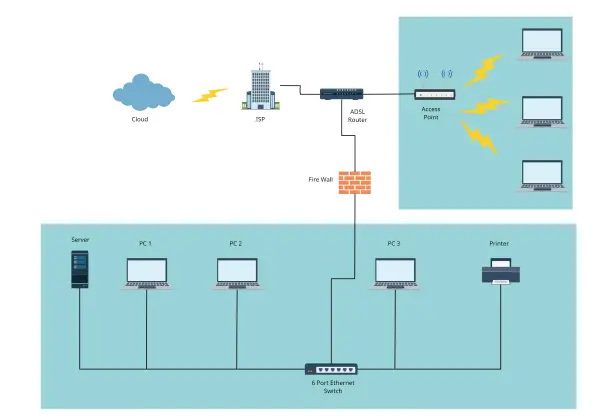
Create diagrams that show computers, printers, access points, switches, routers, and servers across an office or branch location.
LAN and WAN Diagrams
Map local and wide area networks with devices, subnets, connections, and network boundaries.
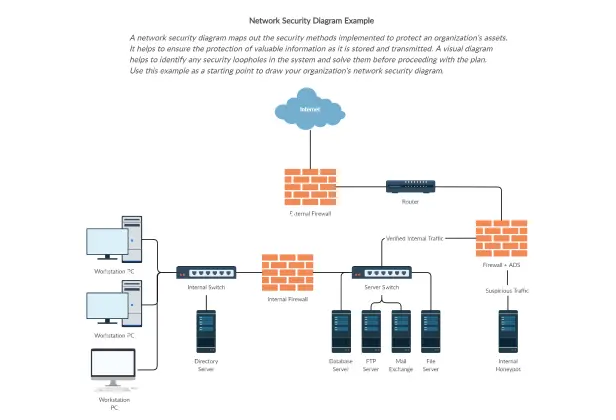
Network Security Diagrams
Show firewalls, DMZs, access controls, security zones, VPNs, and traffic paths for security reviews and documentation.
Cloud Network Diagrams
Visualize AWS, Azure, Google Cloud, Kubernetes, and hybrid cloud architecture with cloud service symbols and grouped components.
Data Center Network Diagrams
Document racks, servers, switches, storage, firewalls, and interconnections across physical or virtual infrastructure.
Wireless Network Diagrams
Plan Wi-Fi coverage, access points, routers, connected devices, and network zones for homes, offices, campuses, or public spaces.
Network Topology Diagrams
Create star, mesh, bus, ring, tree, hybrid, and logical topology diagrams to explain how network components are arranged.
Troubleshooting and Change Planning Diagrams
Map current setups, compare proposed changes, identify gaps, and explain network updates before implementation.
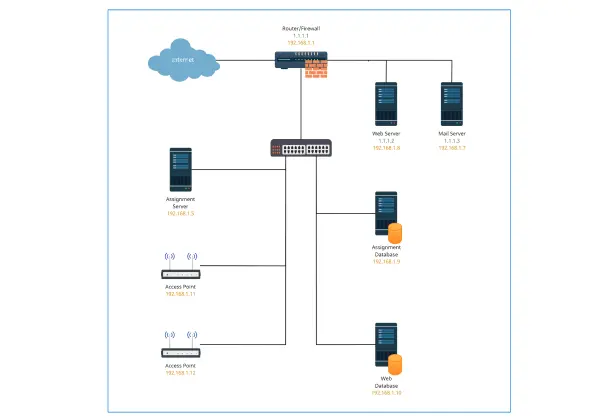
Create Your Network Diagram Online with Editable Templates
FAQs About the Network Diagram Maker
What are Creately’s network diagram online pricing plans?
- Free Plan — $0/month for basic network diagram creation and collaboration
- Starter & Team Plans — $8/month or $5/month billed annually
- Business Plan — $149/month or $89/month billed annually
Annual billing helps you save more while unlocking advanced collaboration, workspace management, and enhanced network diagram features. You can compare all available plans and features on the Creately Pricing Page.
How can you create network diagrams faster?
Are there templates for different network diagram use cases?
Can teams collaborate on network diagrams?
Can I add notes, data, and files?
Can I share, present, or export network diagrams?
What is a network diagram?