People, positions, departments, tenure, skills, and the fields your organization needs.
CSV · HRIS · manual editing Creately Atlas · Organization intelligence Live · Built for People Ops
Organization planning that shows how everything fits together — before you change it.
Atlas turns people and reporting data into a living model of roles, skills, capacity, cost, and risk. Ask structural questions, surface gaps, and compare a proposed reorganization while the live organization stays untouched.
Connected organization dataPeople, positions, reporting lines, skills, plans, and history
Questions answered in contextAI surfaces span, capacity, succession, and structural issues
Changes stay controlledScenarios remain separate until your team reviews and applies them
The full picture of the organization
An org chart shows who reports to whom. Atlas shows what that structure means.
Roles, reporting lines, capacity, skills, succession, and planned work belong to the same organization. Atlas keeps those connections visible so a person — or an AI agent — can reason across them without reducing the answer to a chat transcript.
Reporting lines, teams, roles, vacancies, successors, projects, and ownership.
Source-backed and versionedPurpose-built views and questions over the same connected organizational context.
Inspectable by people and AIAsk across the organization
Questions that usually take three exports and a meeting.
Atlas resolves the people, reporting, skills, and planning context first — then shows the answer on the organization itself.
ASK ATLAS
“Which teams become overloaded if the customer migration starts in Q4?”
Source-backed findingSecurity Operations crosses its planned capacity by 18%.
Four people are already committed to Identity Modernization. The proposed migration adds two critical-path activities owned by the same team.
Team allocation · updated todayQ4 migration scenario · draft4 connected sources
Purpose-built views
Change the view. Keep the organization underneath.
A view does not create another copy of the org. It changes what the same model emphasizes — so People Ops, HRBPs, and leadership can inspect the question in front of them.
ATLAS VIEWS151 people · sample organization
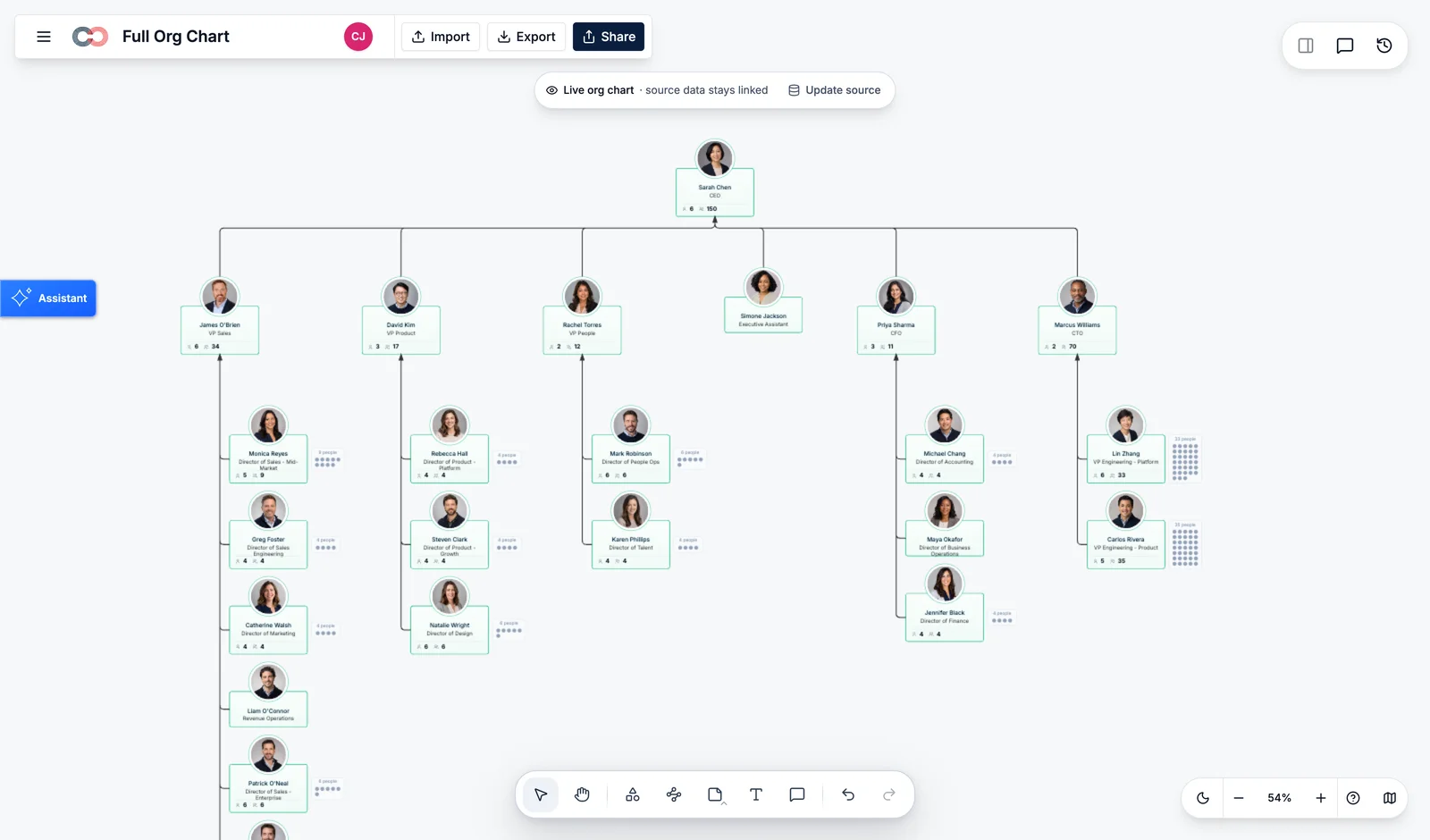
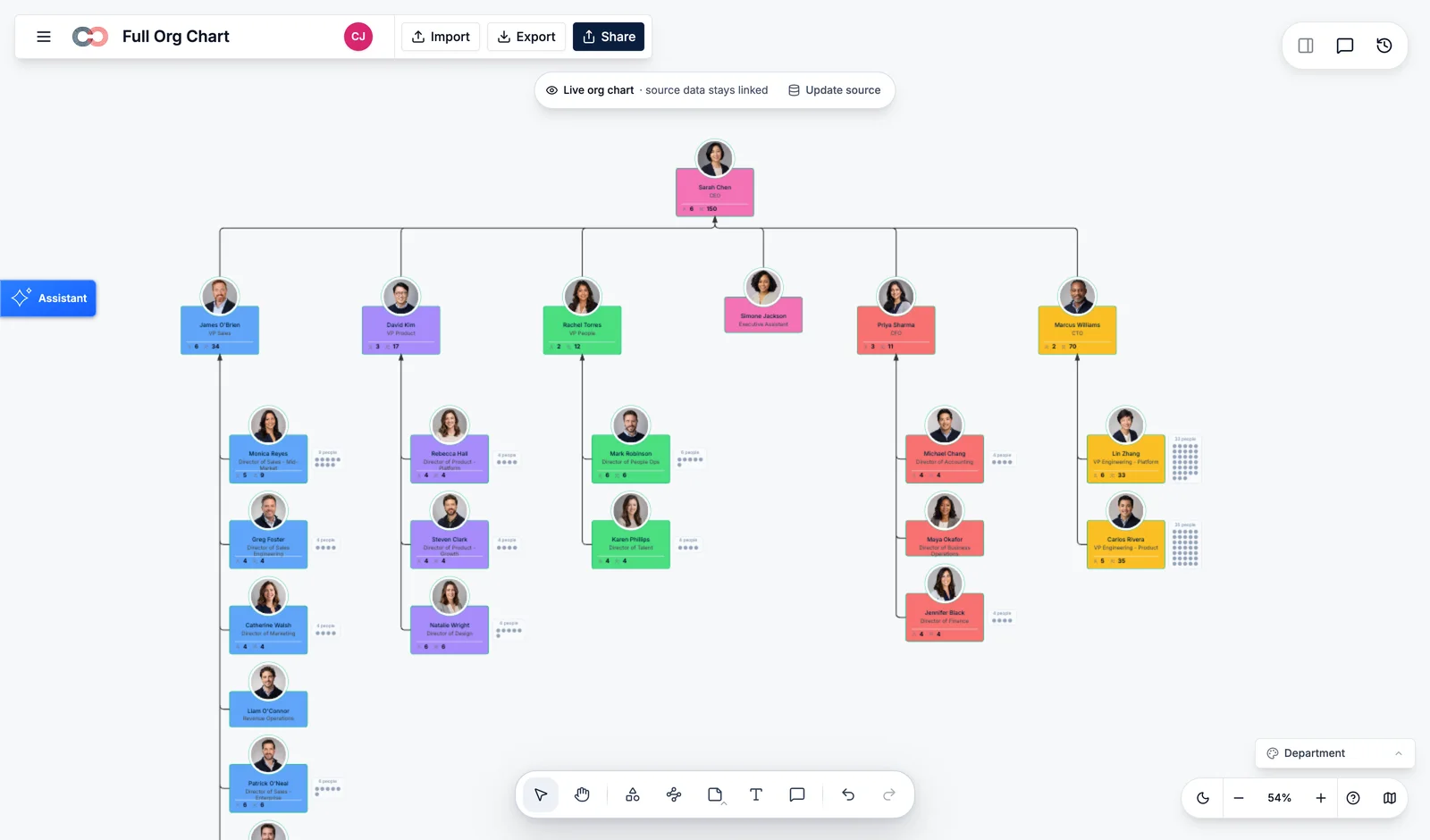
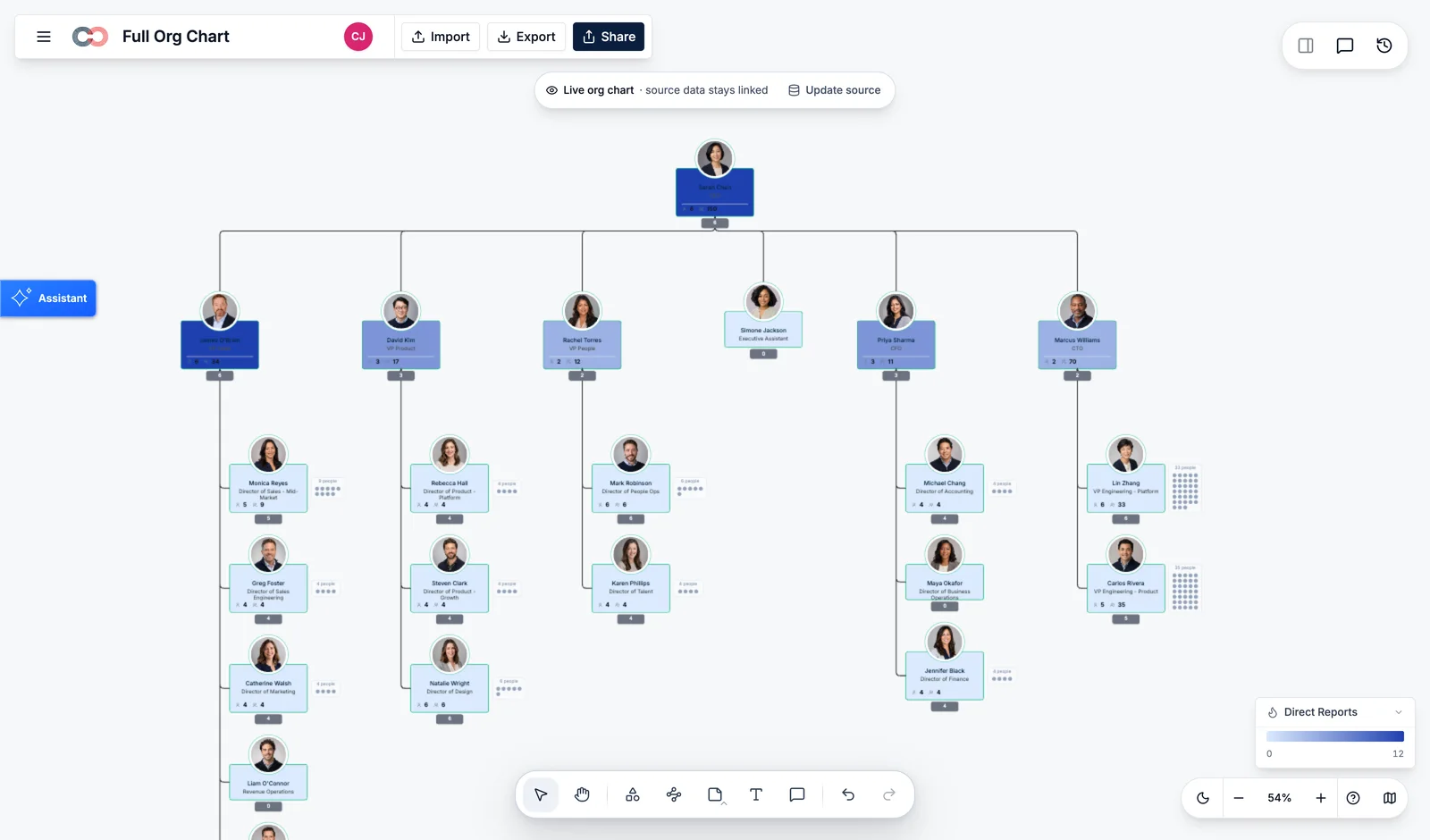
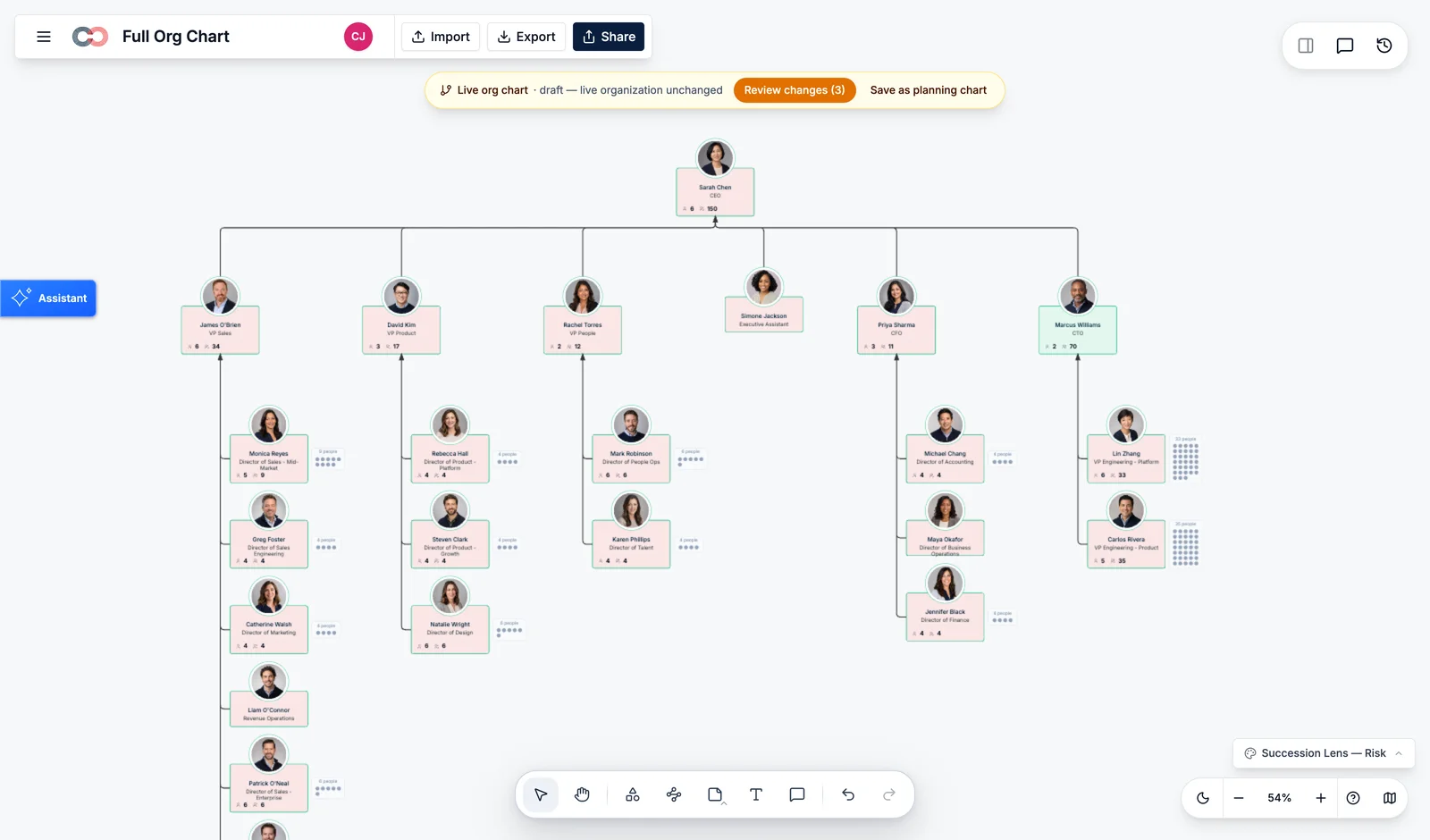
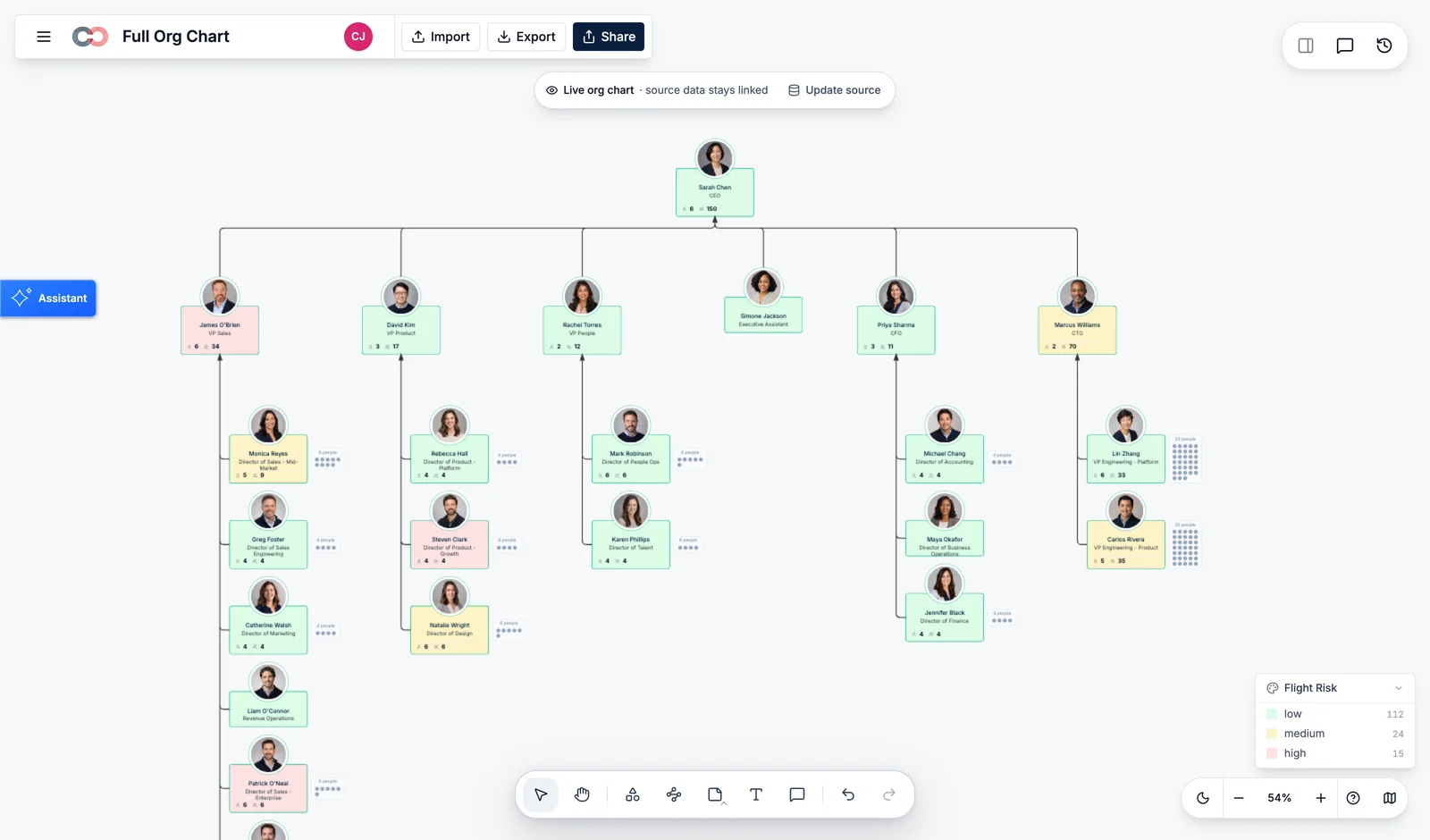
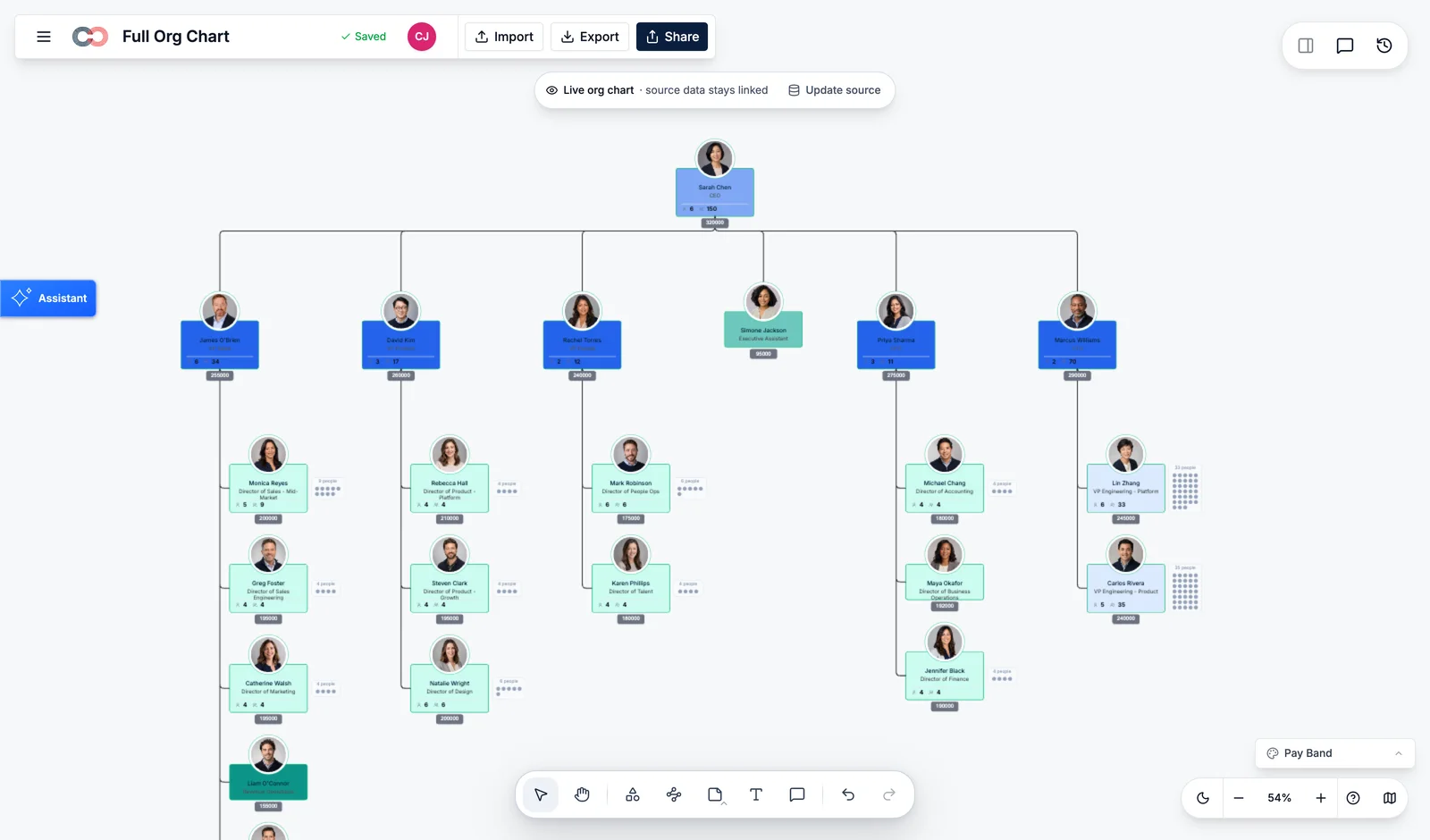
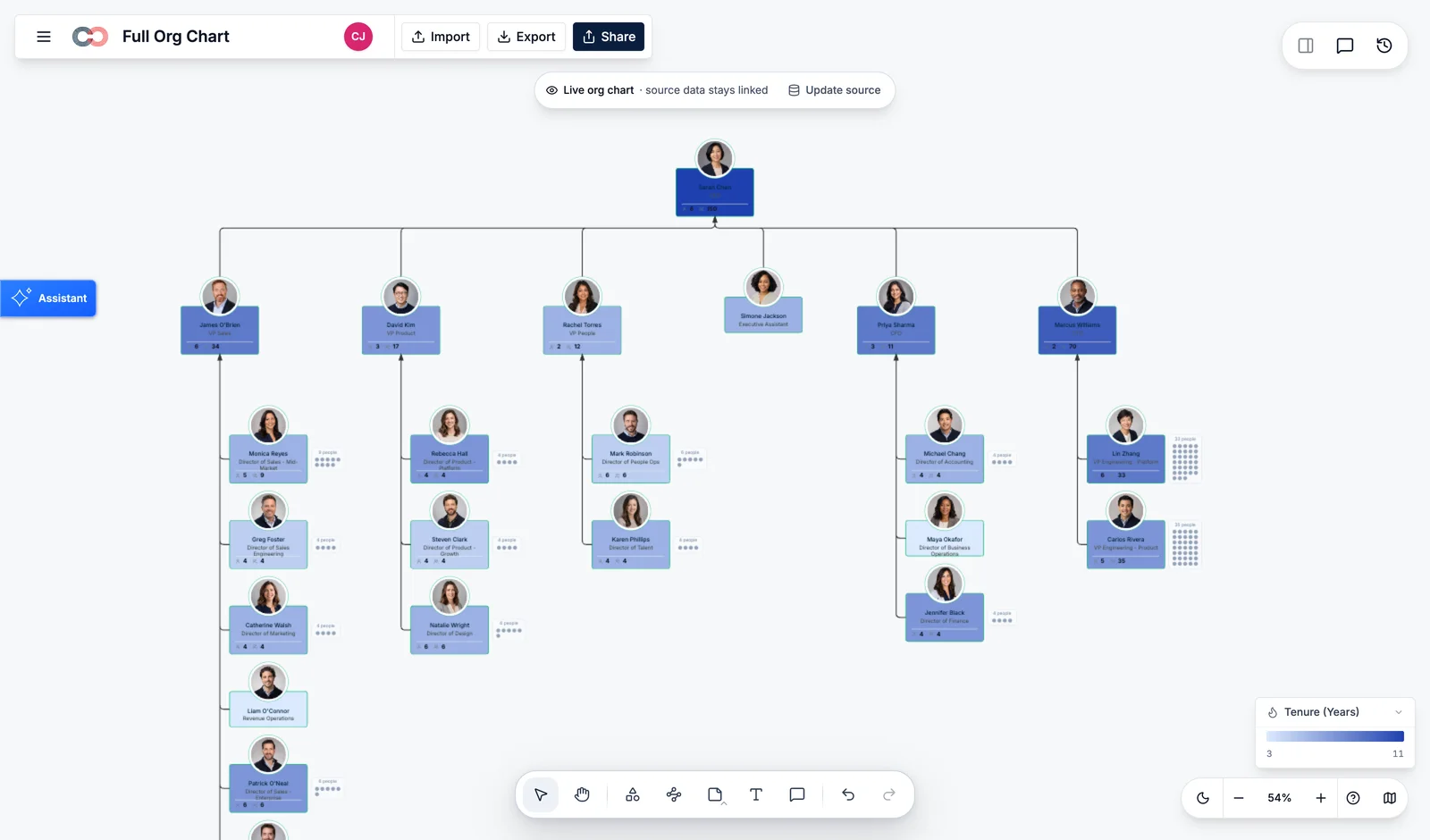
LocationBandCost centerManagement levelWorkload & commitmentsTime travel · as-of date
Plan without touching the live organization
Model the change. See the impact. Decide together.
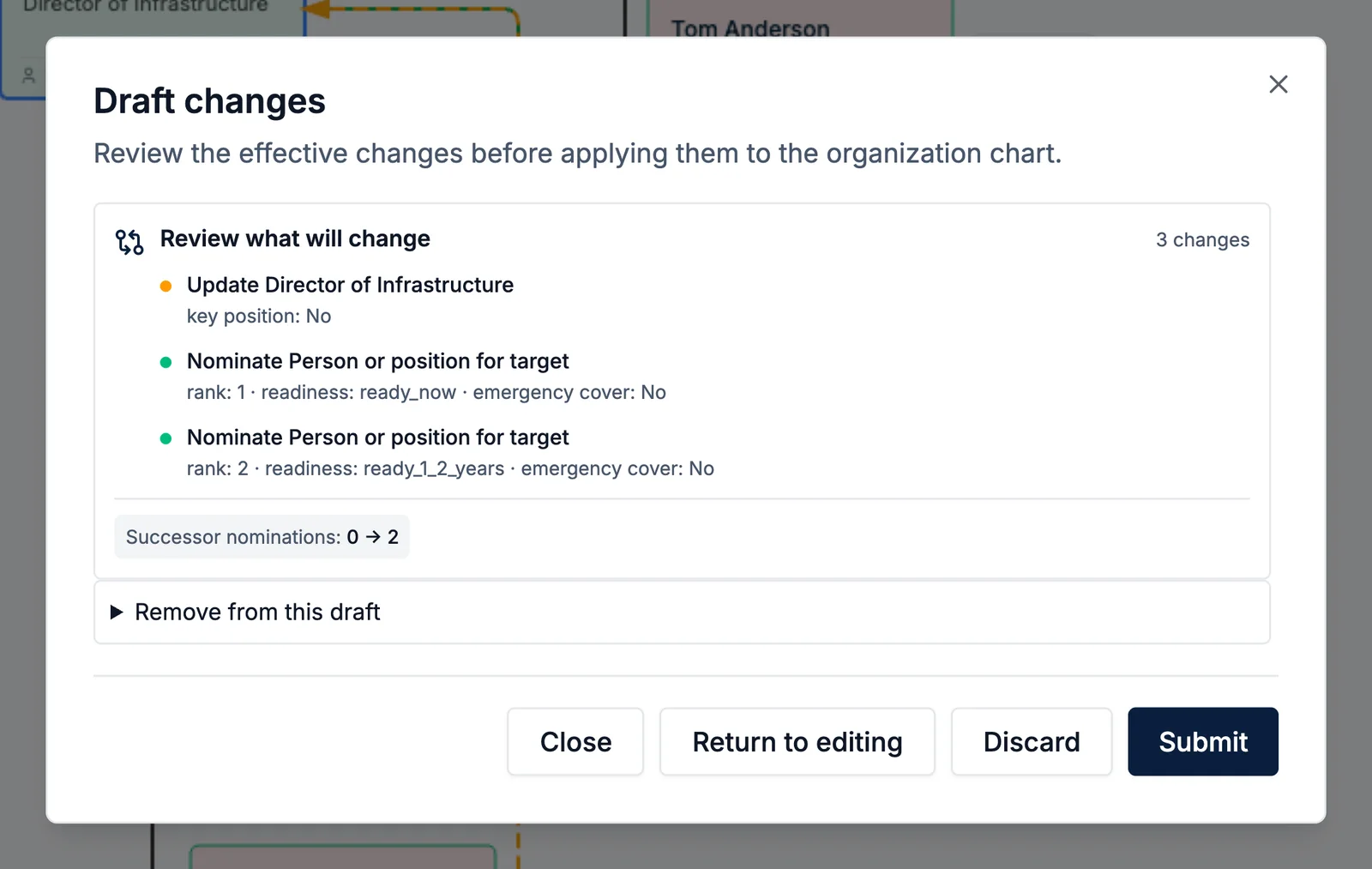
A scenario records proposed additions, removals, moves, and field changes as deltas from the live organization. Compare structure, span, cost, capacity, and risk before anything becomes real.
01
Describe or make the changeMove a team, add roles, remove a layer, or ask Atlas to draft the scenario.
02
Inspect what changedEvery affected person, relationship, and impact stays visible.
03
Apply only when readyCompare, share, edit, or discard. The live model remains untouched.
Start with the data you have
Bring people data in. Keep its source and history attached.
Upload a CSV, connect an available people-data source, or build manually. Atlas helps map fields, catches reporting cycles and missing managers, and shows what will change before the organization model updates.
SOURCESPeople and position dataCSV imports · HRIS connections · controlled manual changes
→AI-ASSISTED MAPPINGReview before importSuggested fields · validation issues · created / changed / deactivated preview
→ATLASOne current modelSource, mapping, history, and undo remain visible
AI suggests where fields belong; a person confirms or changes the mapping.
Missing IDs, unknown managers, duplicate rows, and reporting cycles surface before import.
The organization update remains one reversible operation rather than hundreds of hidden edits.
Sensitive context stays controlled
The same organization. A view appropriate to each person.
Compensation, succession, and demographic context should never become casually visible because it exists in the model.
Executive viewStructure, risks, and approved scenariosDecision-ready context without exposing every underlying field.
HR confidentialSuccession and compensation contextRestricted to explicitly authorized People leadership.
Manager viewTeam structure and relevant people contextOnly the fields needed to understand and manage the team.
Shared organizationNames, roles, departments, and reporting linesA clear organization view without hints that hidden fields exist.
The bridge from Creately’s roots
Start with an org chart. Grow into the full picture of the organization.
The familiar visual structure remains. Atlas adds connected data, purpose-built views, questions, history, and scenarios — without making people abandon the picture they already understand.
THENA chart of reporting linesUseful, visual, and shared.
→NOWA model people and AI can work fromConnected, inspectable, and controlled.
Common questions from HR and People leaders
What teams ask before planning their organization.
- What is Creately Atlas?
- Creately Atlas is an organization planning and people discovery product. It connects people, positions, reporting lines, skills, and workforce data in a visual model so HR, Finance, and leadership teams can understand their organization and plan changes.
- What is the difference between Creately Atlas and Creately Org Chart Software?
- Creately Org Chart Software helps teams visualize roles and reporting relationships. Atlas extends that work with connected people data, workforce views, history, and scenarios for headcount, reorganization, and succession planning. The org chart is one view of the organization model in Atlas.
- Can Atlas model reorg scenarios before changing the live organization?
- Creately Atlas lets teams draft changes to positions, reporting lines, and headcount in planning scenarios. A saved scenario does not change the live organization or update an HR system. Teams can inspect the proposal before an authorized person applies changes.
- What data sources can Atlas use?
- Creately Atlas supports CSV imports, Google Sheets, Excel Online, Google Workspace, Microsoft Entra ID, and BambooHR. Teams can also build a model manually. Import mapping and validation help identify missing managers, reporting cycles, and other data issues before an update.
- How is Creately Atlas priced?
- Atlas pricing depends on the Creately subscription and the organization planning capabilities your team needs. See current Creately plans and request an Atlas quote to confirm access to scenarios, analytical views, and connected data for your organization.
- What security controls does Atlas provide for HR and employee data?
- Creately Atlas uses folder and document permissions to govern access to HR records, supported by the platform’s encryption and enterprise identity controls. Review Creately’s security documentation for its SOC 2 Type II report, ISO 27001 certification, and data handling practices.
- How does Atlas control access to compensation, succession, and demographic information?
- Atlas uses sensitivity tiers to control access to sensitive fields, including compensation, succession, and demographic information. Restricted fields are hidden from users who lack the required access level. Review access permissions and the information included in shared views and exports before sharing.
The full picture for your organization
Understand the organization you have. Plan the one you need next.
Bring the relevant people context together, let AI help surface the impact, and keep every organizational change visible and in human hands.