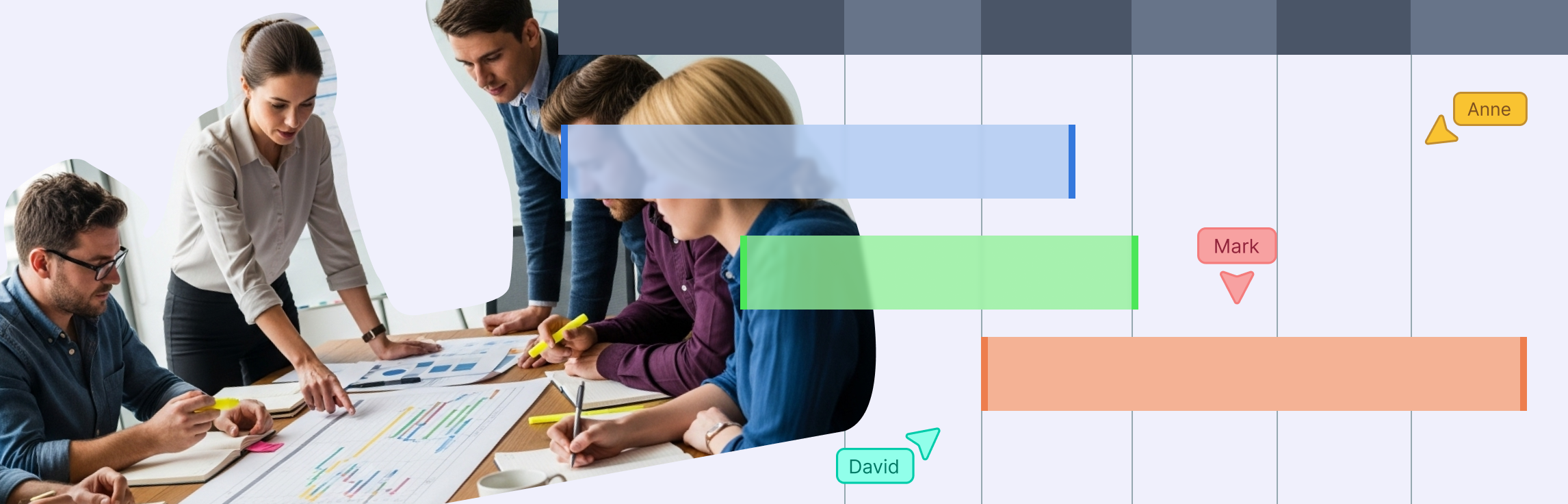
A project timeline is like your team’s roadmap—it lays out every task, deadline, and milestone so everyone knows what’s happening and when. With a good timeline, you can spot roadblocks early, keep projects on track, and cut down on last-minute chaos. In this guide, you’ll learn how to build a clear, easy-to-follow project timeline from scratch, choose the right format, and use ready-made templates to get started fast.
What Is a Project Timeline
A project timeline is a visual plan that outlines all the key tasks, milestones, and deadlines of a project in chronological order. It shows what needs to be done, when it needs to happen, and who’s responsible for each part—helping everyone stay aligned from start to finish. Instead of juggling endless to-do lists or guessing what’s next, a timeline keeps everyone on the same page and focused on what matters most. It’s your go-to view for tracking progress, spotting delays early, and making sure deadlines don’t sneak up on you.
Key Elements of a Project Timeline
Every project timeline has a few key ingredients that make it actually useful instead of just a bunch of dates on a page. Here’s what to include:
1. Tasks
The building blocks of your project—everything that needs to get done.
2. Milestones
Big checkpoints or achievements that mark progress and keep everyone motivated.
3. Deadlines & Dates
When each task or milestone should be completed, so you know what’s urgent and what can wait.
4. Dependencies
Tasks that rely on others being finished first—these help you avoid bottlenecks.
5. Owners & Responsibilities
Who’s in charge of what, so nothing falls through the cracks.
6. Duration & Timeline Bars
A visual way to see how long each task takes and how everything overlaps.
Why Project Timelines Are Important
- See the big picture: Understand how every task fits together and what needs attention.
- Avoid bottlenecks: Spot potential delays before they become problems.
- Set realistic deadlines: Plan timelines that the team can actually meet.
- Keep everyone accountable: Clearly assign responsibilities so nothing slips through the cracks.
- Improve communication: Share progress with stakeholders without endless status meetings.
- Turn chaos into clarity: Make the project easier to manage from start to finish.
Types of Project Timelines
Not all project timelines are created equal. Depending on your project’s size, complexity, and audience, the way you visualize tasks and deadlines can make a huge difference in how easily your team stays on track. Let’s explore the main types of project timelines.
1. Gantt chart timeline
A classic, detailed format where tasks are shown as horizontal bars across a calendar axis. You can see start‑and‑end dates, overlaps, dependencies between tasks, and often task progress.
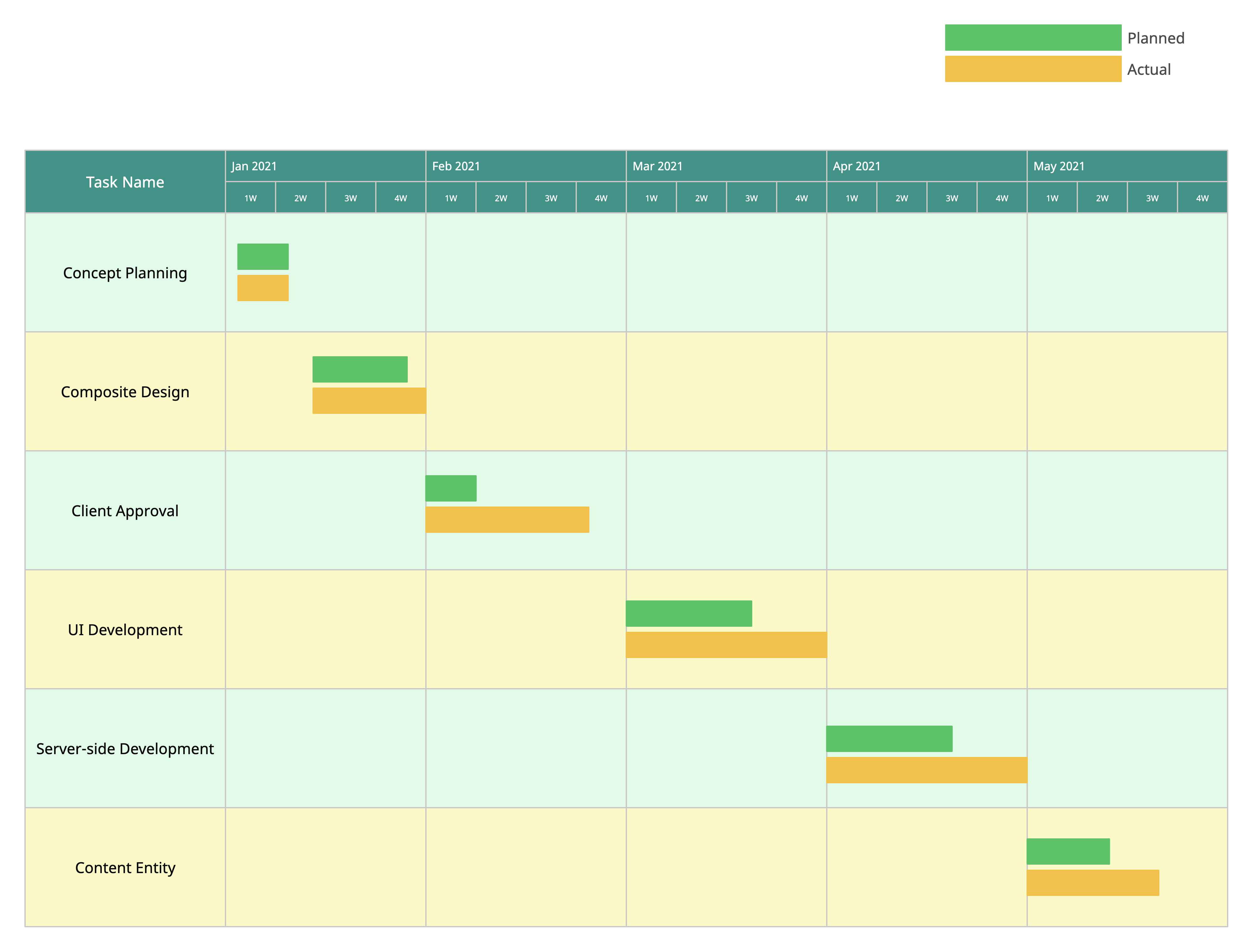
Best for: Projects with many inter‑dependent tasks where timing and sequence matter (product launches, construction, software).
Why it’s good: It gives full visibility into what’s happening when, who’s working on what, and how delays in one task ripple through others.
Things to watch out for: Because it’s detailed, it can be overwhelming for smaller projects or high‑level audiences.
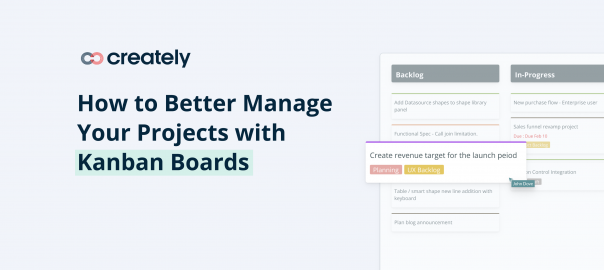
2. Kanban / workflow timeline
A timeline that combines task flow with timing, showing work moving through stages like To-Do → In Progress → Done.
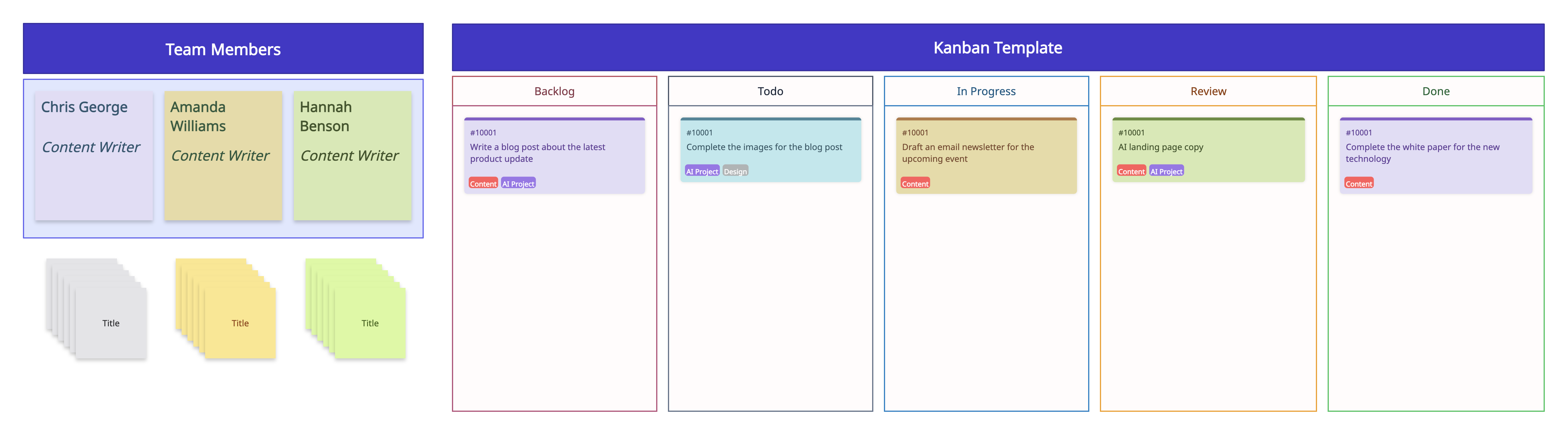
Best for: Agile teams, creative projects, or ongoing work that requires flexibility and continuous tracking.
Why it’s good: Provides both workflow visibility and time awareness, helping teams prioritize and manage tasks efficiently.
Things to watch out for: Not ideal for projects with complex dependencies or strict scheduling needs.
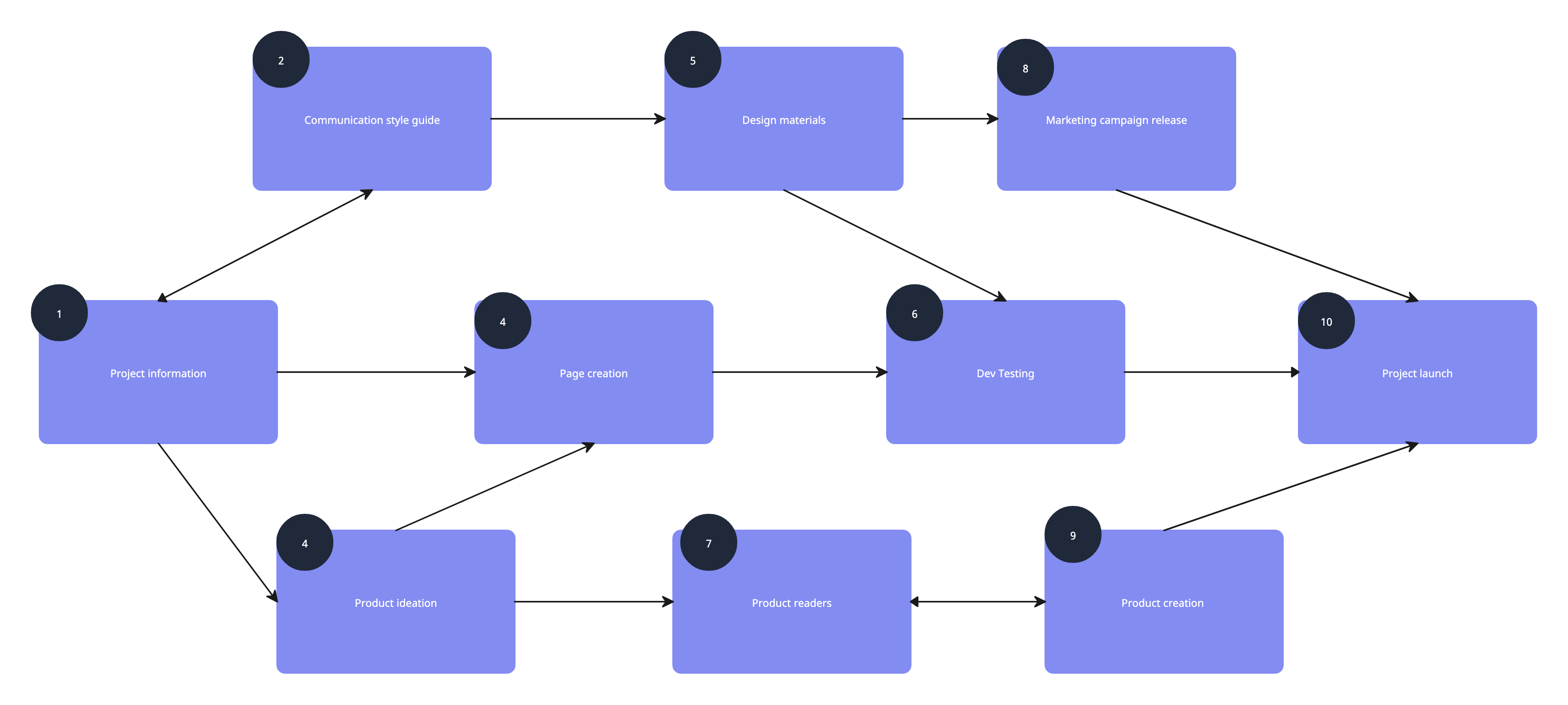
3. Critical Path Method (CPM)
A scheduling technique that identifies the sequence of tasks that directly affect the project’s finish date. Often displayed as a network diagram.
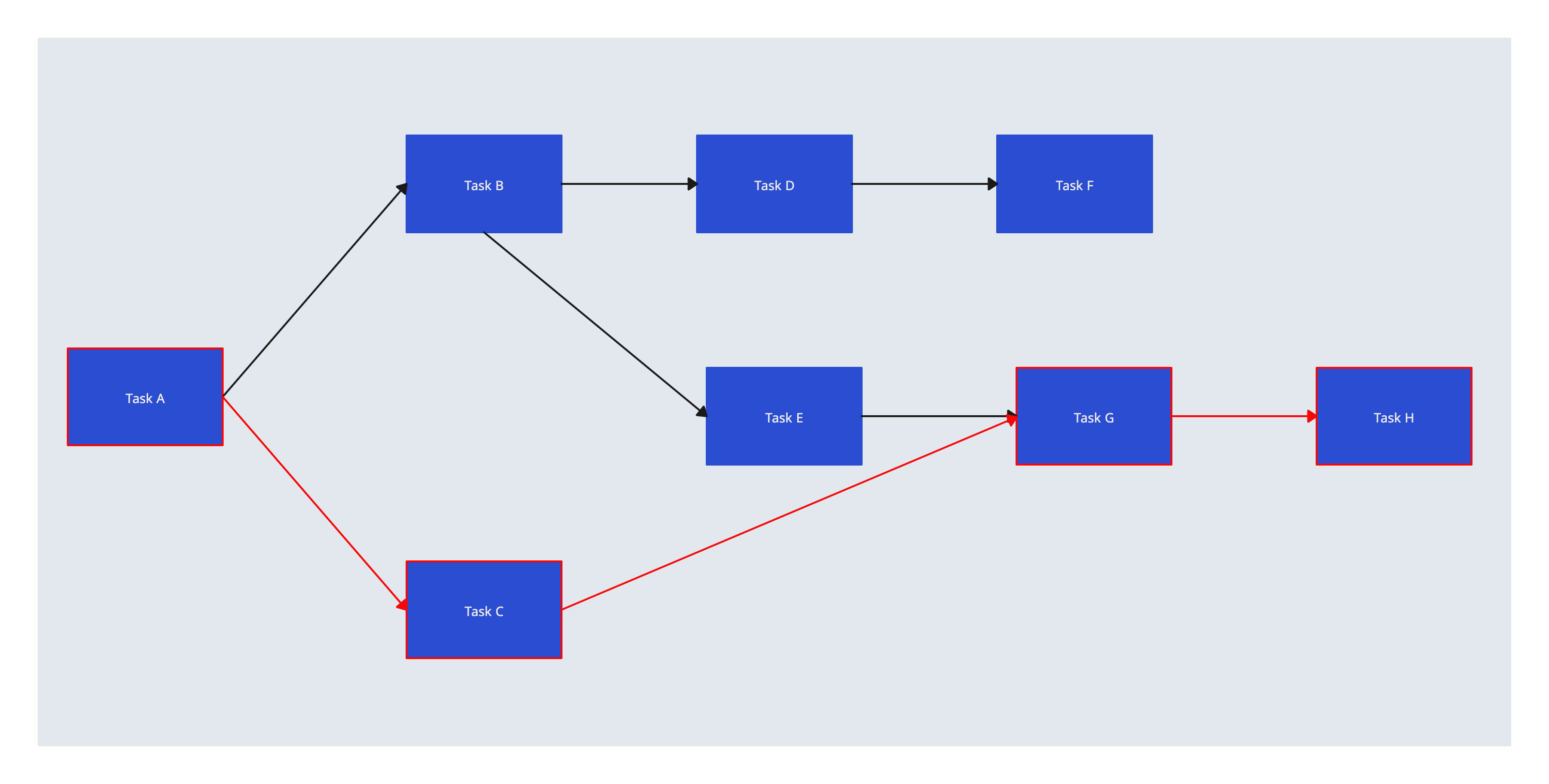
Best for: Complex projects where meeting deadlines is crucial and task dependencies are significant.
Why it’s good: Helps identify which tasks cannot be delayed without impacting the overall project, allowing better resource allocation and planning.
Things to watch out for: Can be complex for beginners and may require specialized software to create and manage.
4. Program Evaluation and Review Technique (PERT)
A network-based method that estimates task durations using optimistic, pessimistic, and most likely times to account for uncertainty.
Best for: Projects with uncertain timelines, research and development, or situations where task durations are highly variable.
Why it’s good: Provides a probabilistic view of project completion, helping teams plan for uncertainty and make informed decisions.
Things to watch out for: More complex than standard timelines and may require training or software to use effectively.
Roadmap timeline
A high-level timeline that maps project phases, initiatives, or goals over a longer horizon—often weeks, months, or even years. It focuses on big-picture planning rather than individual tasks.
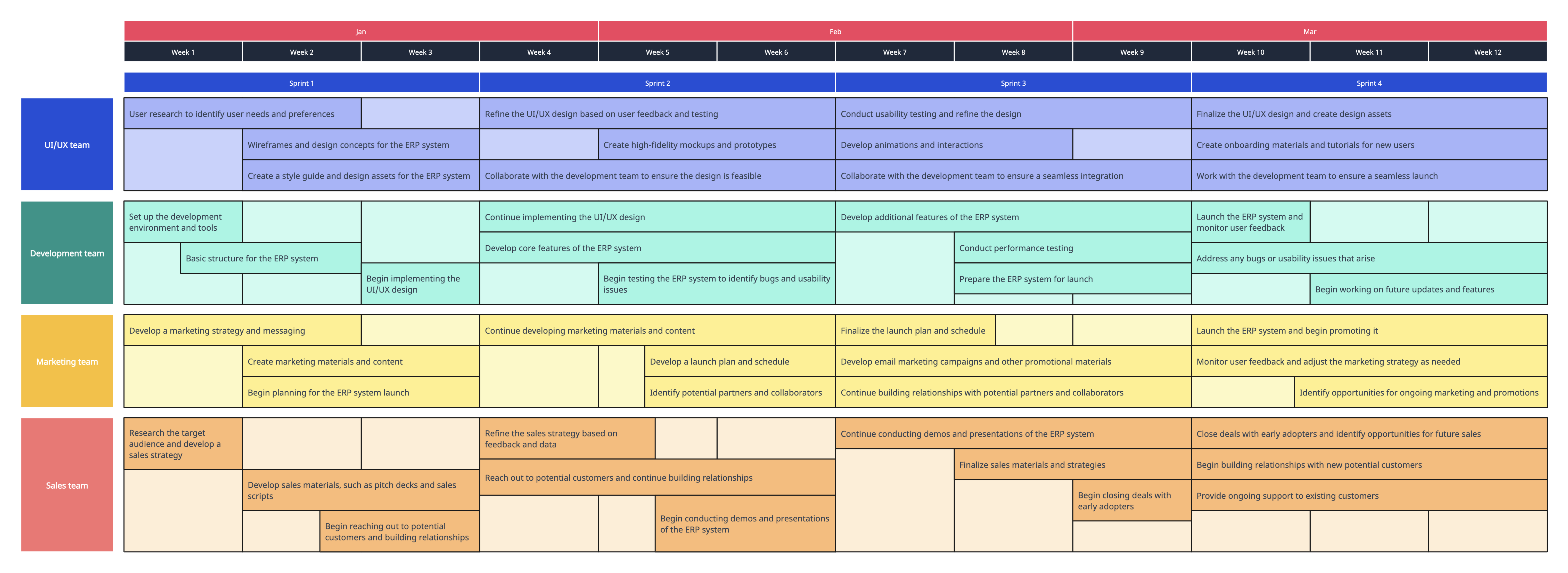
Best for: Communicating strategy, aligning teams around long-term goals, and showing how a project supports broader organizational objectives.
Why it’s good: Easy for stakeholders to understand, highlights progress toward major goals, and helps link daily work to strategic priorities.
Things to watch out for: Doesn’t show detailed scheduling or task-level dependencies, so it’s less useful for day-to-day project management.
6. Milestone timeline
This timeline focuses on only the big checkpoints — major deliverables, approvals, phase ends — not every single task.
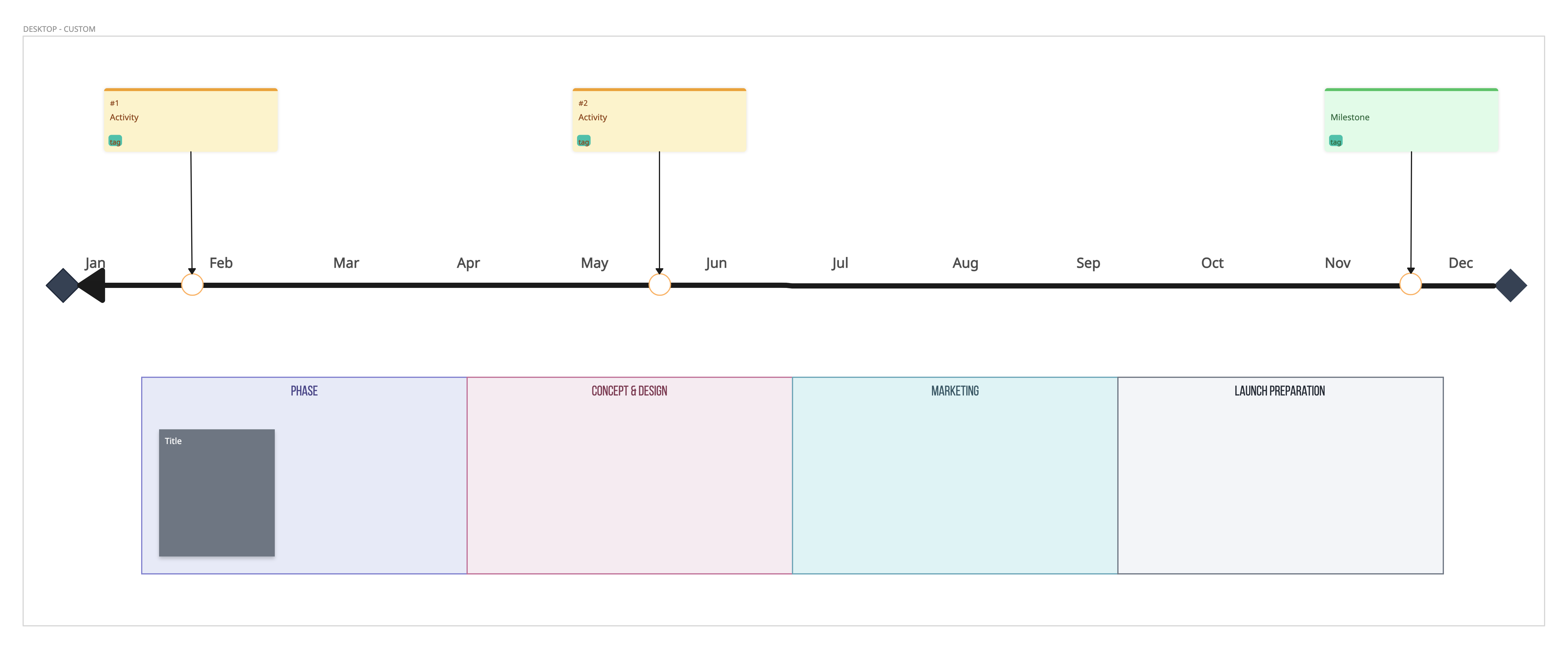
Best for: Executive reviews, stakeholder updates, or when you don’t need the full task list but want to show progress clearly.
Why it’s good: It’s clean, easy to present, and helps keep discussions focused on major outcomes instead of the nitty-gritty.Things to watch out for: It won’t show the day‑to‑day work or dependencies, so you might lose some visibility on how things actually get done.
How to Create a Project Management Timeline in 6 Simple Steps
A project management timeline shows all tasks, milestones, and deadlines in one view. While it may seem simple, creating one can be overwhelming for beginners. Follow these six steps to build a clear, practical timeline for your team.
Step 1: Clarify your project scope and goals
Start by defining exactly what your project will deliver, and create a clear reference document (project brief) to guide the timeline. Include:
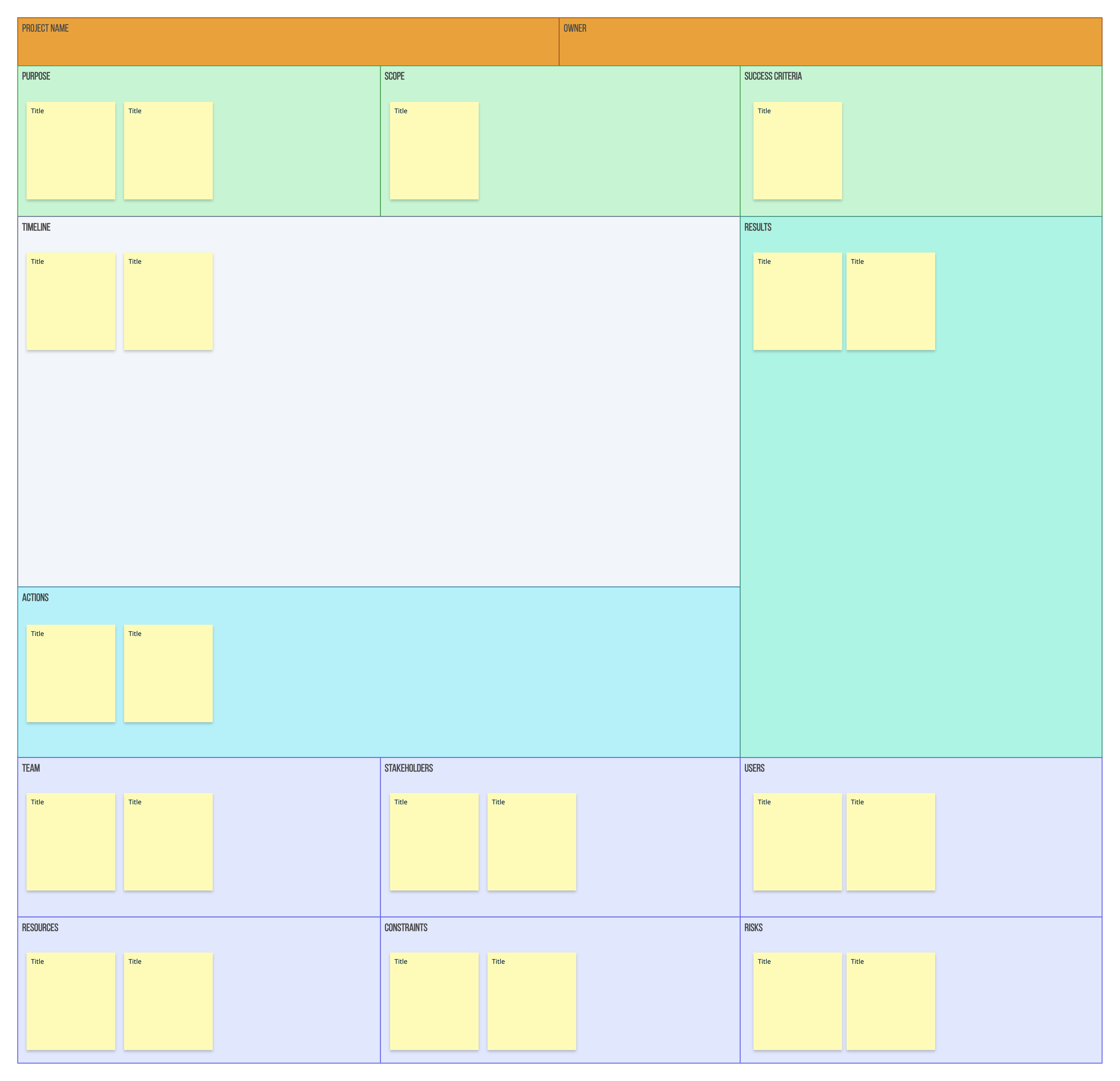
- Project objectives: Clearly state what the project aims to achieve.
- Deliverables: List the tangible outputs the project will produce.
- In-scope vs out-of-scope: Define what is included and what is excluded from the project.
- Key milestones: Identify major checkpoints, such as phase completions or approvals.
- Deadlines: Highlight critical dates that must be met.
- Budget constraints: Note the overall budget and any financial limitations.
- Stakeholder expectations: Gather input from key stakeholders to ensure alignment on goals and priorities.
Once finalized, this project brief becomes your guiding document for all tasks, activities, and milestones you’ll schedule in the timeline.
Step 2: Identify project deliverables
Once the scope and goals are clear, break your project down into actionable pieces. This step helps you see what needs to be done and forms the foundation for your timeline.
- List deliverables: Identify all tangible outputs your team is expected to produce. Examples: reports, prototypes, software modules, presentations.
- Break down goals into tasks: For each deliverable, list the smaller tasks needed to complete it. This helps in estimating time and assigning responsibilities later.
- Split the project into milestones: Identify major checkpoints or phases. Milestones can be tied to deliverables, such as “Prototype Complete” or “Testing Phase Finished.”
- Check dependencies: Note which tasks rely on others being completed first. This will help organize sequencing in your timeline.
- Organize for clarity: Use a Work Breakdown Structure (WBS) to organize deliverables into manageable chunks. This also helps identify dependencies, costs, risks, and responsibility assignments.
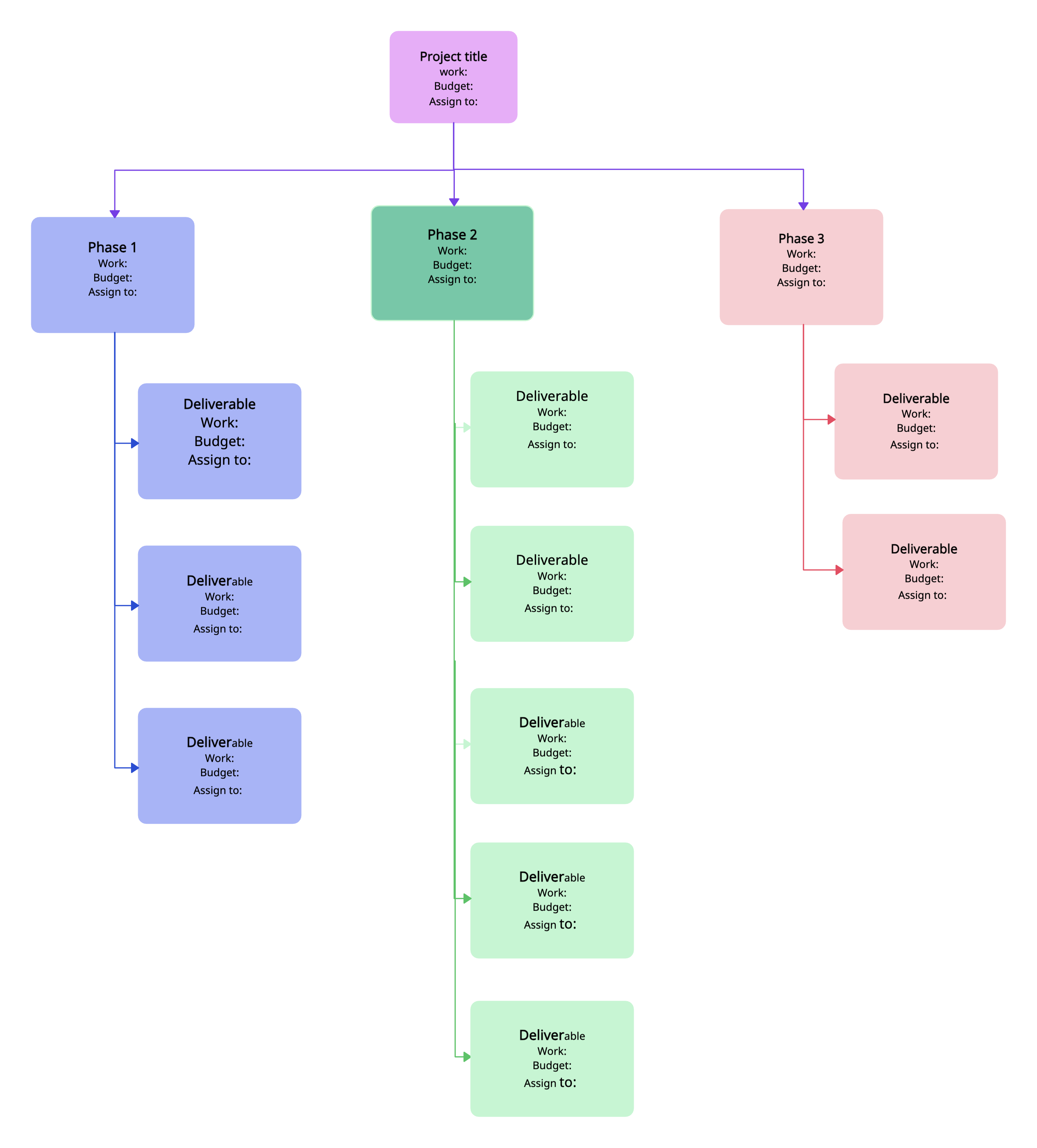
By the end of this step, you should have a clear picture of all deliverables and milestones, ready to convert into tasks and activities for your timeline
Step 3: Assign time estimates to each task
Now that you have a list of tasks and milestones, estimate how long each task will take to complete. Accurate estimates are essential for building a realistic timeline.
- Determine task duration: Assign a start and end date or a number of days/weeks for each task.
- Consult team members: Ask task owners or subject matter experts for realistic estimates based on experience.
- Use past project data: Refer to similar tasks in previous projects to guide your estimates.
- Consider resource availability: Check team members’ workloads and availability to avoid overloading anyone.
- Include buffers: Add contingency time for potential delays, unforeseen issues, or review periods.
- Document assumptions: Note any assumptions you make while estimating, such as resource availability or task dependencies.
By the end of this step, you’ll have a preliminary schedule showing how long each task should take, forming the backbone of your timeline.
Step 4: Sequence tasks and map dependencies
After assigning time estimates, organize tasks in the correct order and identify how they relate to each other. This ensures your timeline reflects the actual flow of work.
- Identify dependencies: Determine which tasks must be completed before others can start. Common types:
- Finish-to-start (Task B can’t start until Task A finishes)
- Start-to-start (Task B can start once Task A starts)
- Finish-to-finish (Task B must finish when Task A finishes)
- Finish-to-start (Task B can’t start until Task A finishes)
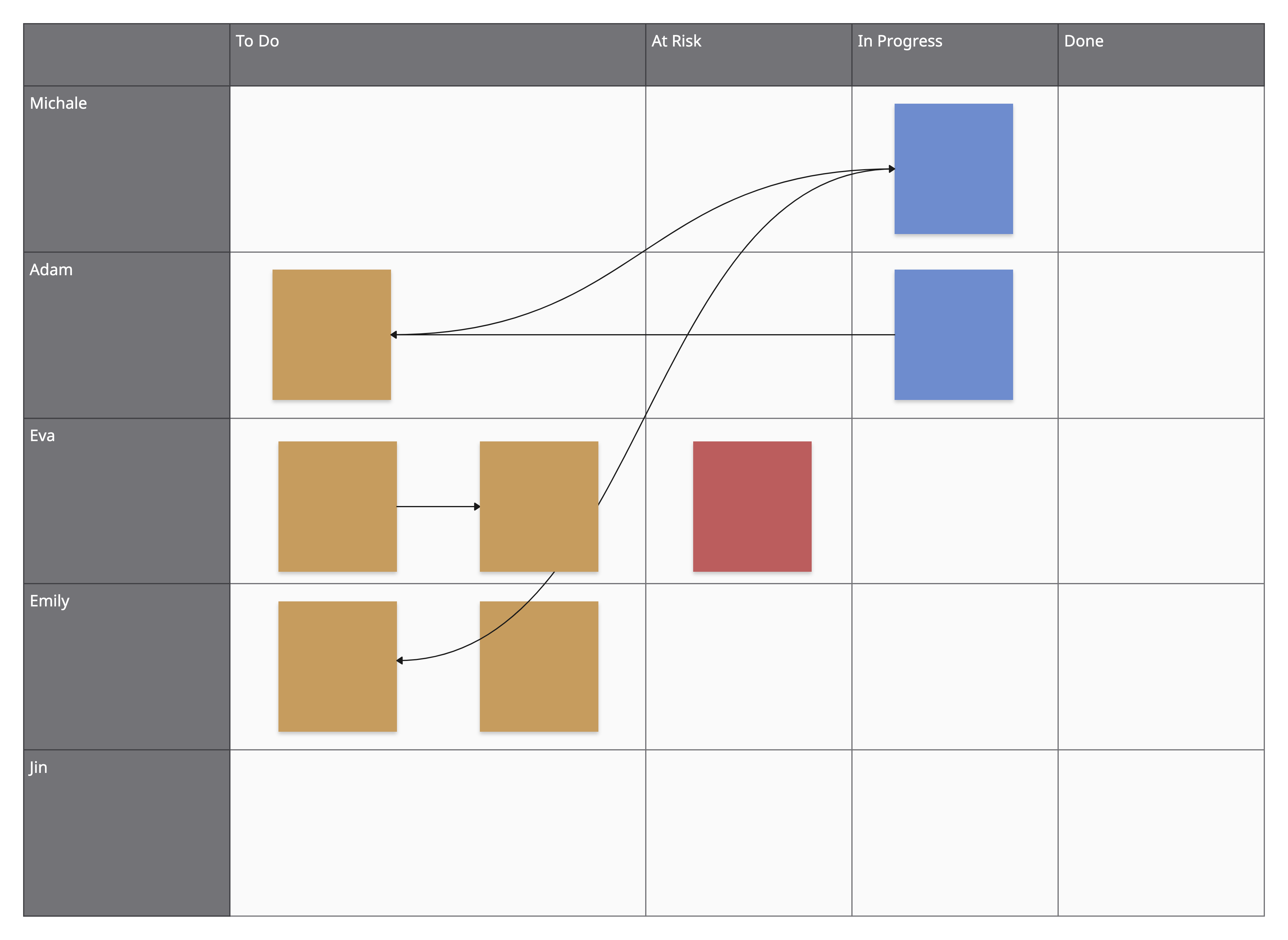
- Determine task order: Arrange tasks logically based on dependencies and priorities.
- Group related tasks: Cluster tasks by deliverable or phase to simplify visualization.
- Highlight critical paths: Identify tasks that directly affect the project’s completion date to ensure delays are avoided.
- Consider parallel tasks: Identify tasks that can be done simultaneously to save time and increase efficiency.
- Document sequences clearly: Make notes or use a diagram to visualize dependencies before plotting on the timeline.
By the end of this step, you’ll have a structured order of tasks with dependencies mapped, ready to integrate into your timeline and align with milestones.
Step 5: Define and place milestones on your timeline
With tasks sequenced and dependencies mapped, you can now highlight key checkpoints and progress points on your timeline.
- Identify major milestones: Choose points that signify important progress, such as:
- Completion of a deliverable
- End of a project phase
- Approval from stakeholders
- Start of a critical task or stage
- Completion of a deliverable
- Map milestones to tasks: Link each milestone to the tasks that must be completed to reach it.
- Set milestone dates: Use your task durations and dependencies to determine realistic dates for each milestone.
- Highlight in your timeline: Use symbols, colors, or icons to make milestones visually distinct.
- Ensure alignment with stakeholders: Confirm that milestone placement matches expectations and reporting requirements.
By placing milestones, your timeline now shows not just tasks, but also progress checkpoints that make it easier to track the project at a glance.
Step 6: Build the project timeline
Now that you have tasks, durations, dependencies, and milestones, it’s time to create the visual timeline that will guide your project.
- Choose a timeline format: Options include Gantt charts, vertical charts, milestone charts, or roadmap-style timelines. Pick one that fits your project complexity and audience.
- Plot tasks on the timeline: Place each task according to its start and end dates, showing duration with bars or blocks.
- Add dependencies: Connect tasks with arrows or lines to indicate sequence and relationships.
- Include milestones: Insert milestones at the appropriate points to highlight key achievements and deadlines.
- Group tasks by phase or deliverable: Use color coding or swimlanes to organize tasks and improve readability.
- Adjust for clarity: Ensure overlapping tasks, parallel work, and critical tasks are easy to understand at a glance.
- Share and review: Make the timeline accessible to stakeholders and your team for feedback. Adjust as needed to reflect new information or changes.
Once complete, this timeline becomes your central tool for tracking progress, communicating deadlines, and keeping the project on schedule.
Benefits of Project Timelines
A clear project timeframe does more than just outline tasks—it keeps your entire team aligned and projects on track.
- Gives full visibility: See what’s happening, when, and who’s responsible, reducing confusion.
- Improves coordination: Everyone knows their roles and dependencies, making teamwork smoother.
- Boosts accountability: Visible deadlines help team members stay focused and on schedule.
- Simplifies tracking: Compare progress against the plan and make quick adjustments.
- Enhances communication: Share easy-to-read visual updates with clients and stakeholders.
- Helps future planning: Use past timelines to estimate effort and improve accuracy next time.
In short, project timelines turn complex plans into clear, actionable roadmaps that keep everyone moving in sync.
Best Practices to Follow When Creating a Project Timeline
- Keep it flexible and update regularly: Projects change, so design your timeline for easy adjustments and track progress consistently to reflect reality.
- Use clear labeling and visual cues: Name tasks, milestones, and phases consistently, and use colors, symbols, or grouping by team or deliverable to improve readability.
- Highlight critical tasks and milestones: Make bottlenecks and key checkpoints stand out to communicate progress clearly without clutter.
- Prioritize clarity over detail: Show what matters most to the team and stakeholders; avoid overwhelming them with unnecessary information.
- Integrate and share effectively: Connect your timeline with project management tools, calendars, or reports, and make it accessible to the team and stakeholders while protecting editable versions.
- Document assumptions and constraints: Keep a separate record of any assumptions, dependencies, or limitations that could impact the timeline for context and future reference.
Free Project Timeline Templates
Now that you know what is a project timeline and how to create one, here are free project timeline examples to get you started.
1. Project Timeline Template
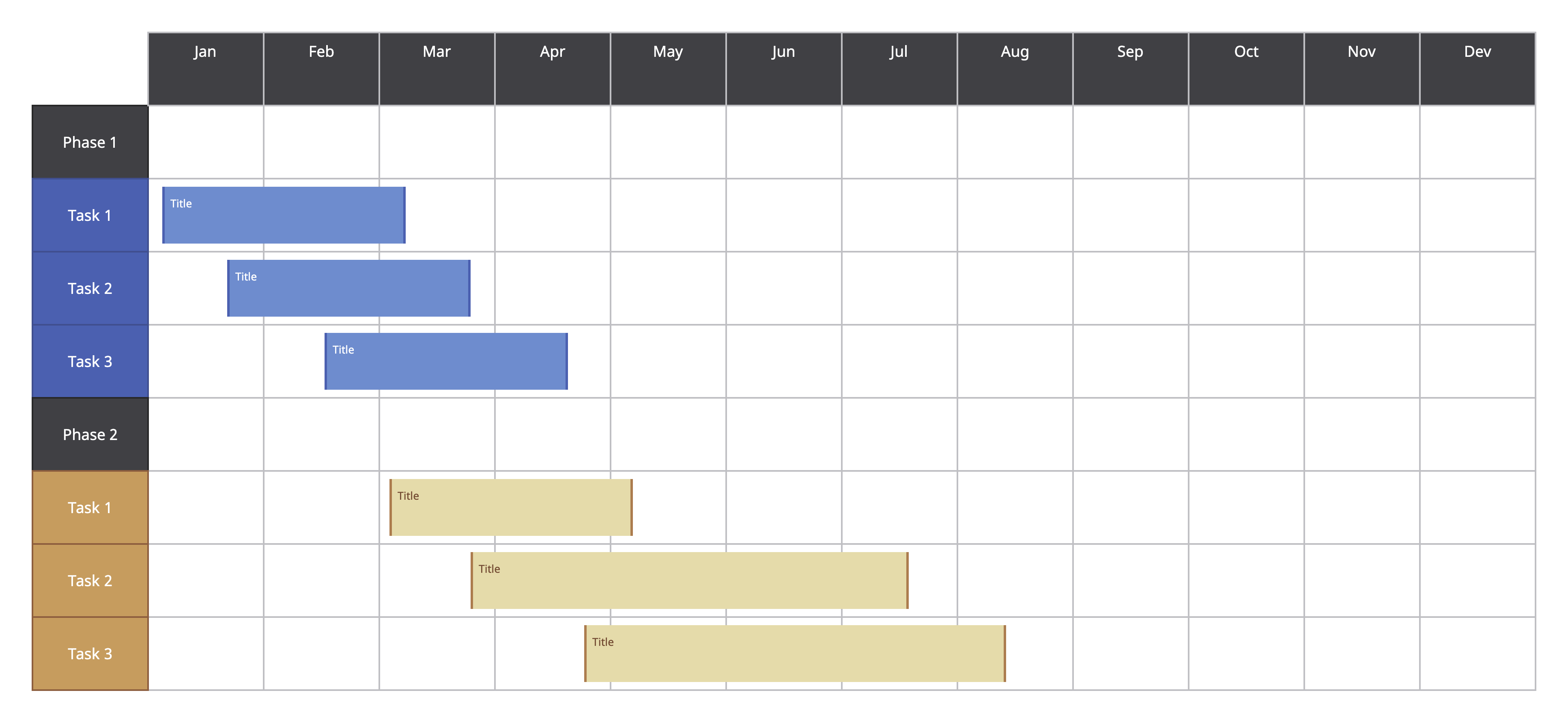
2. Blank Project Timeline
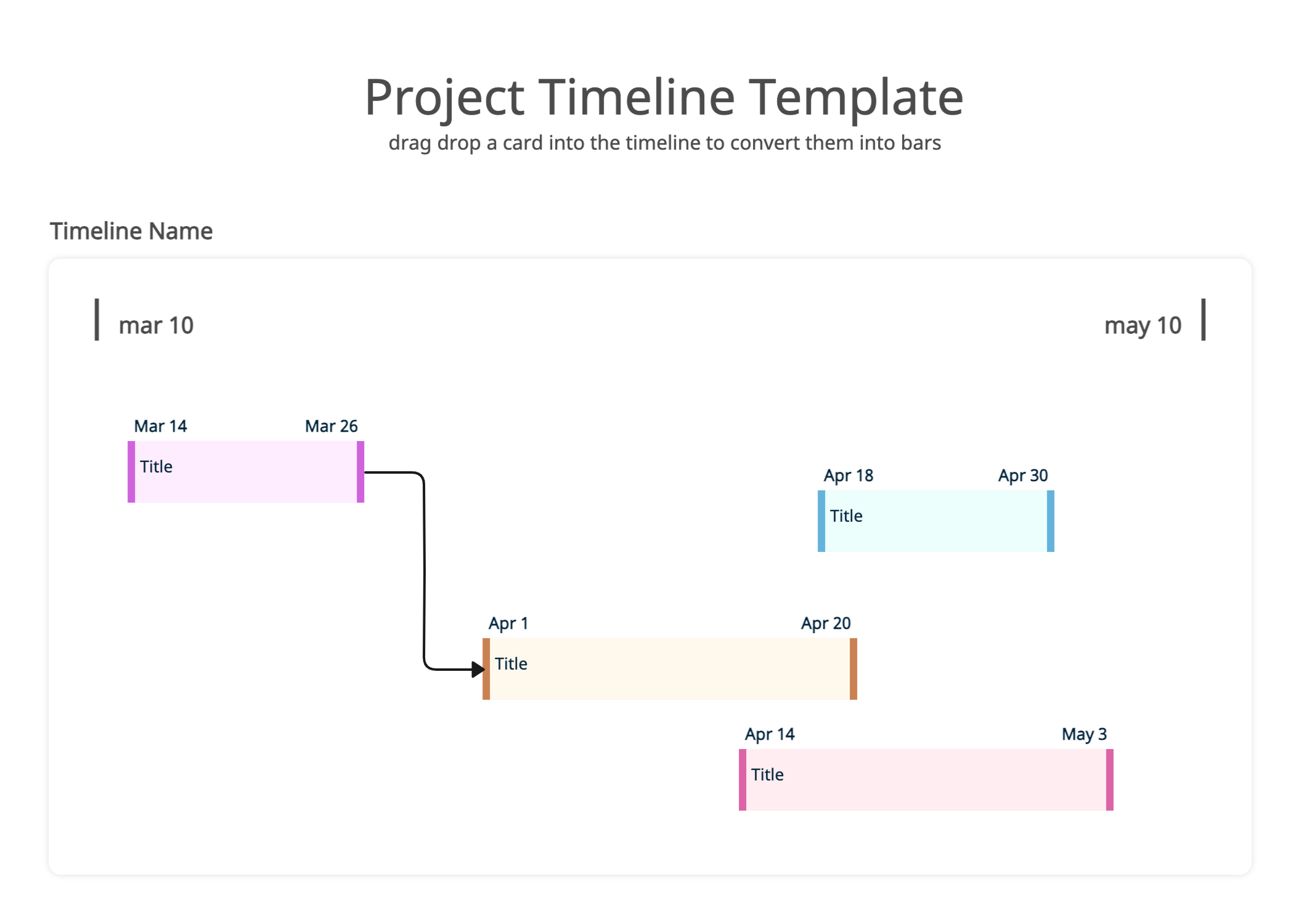
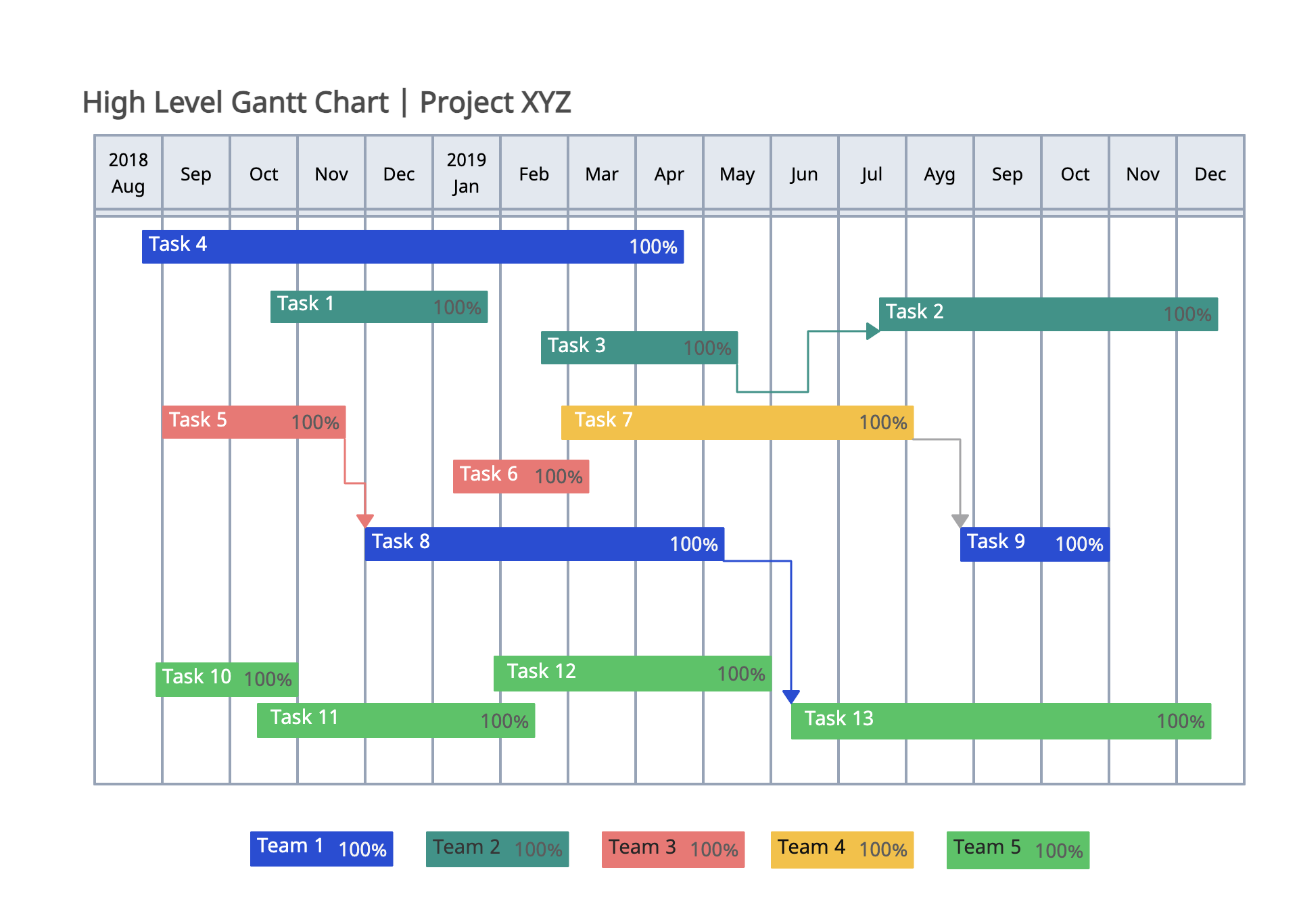
3. Gantt Chart for High Level Project Plan
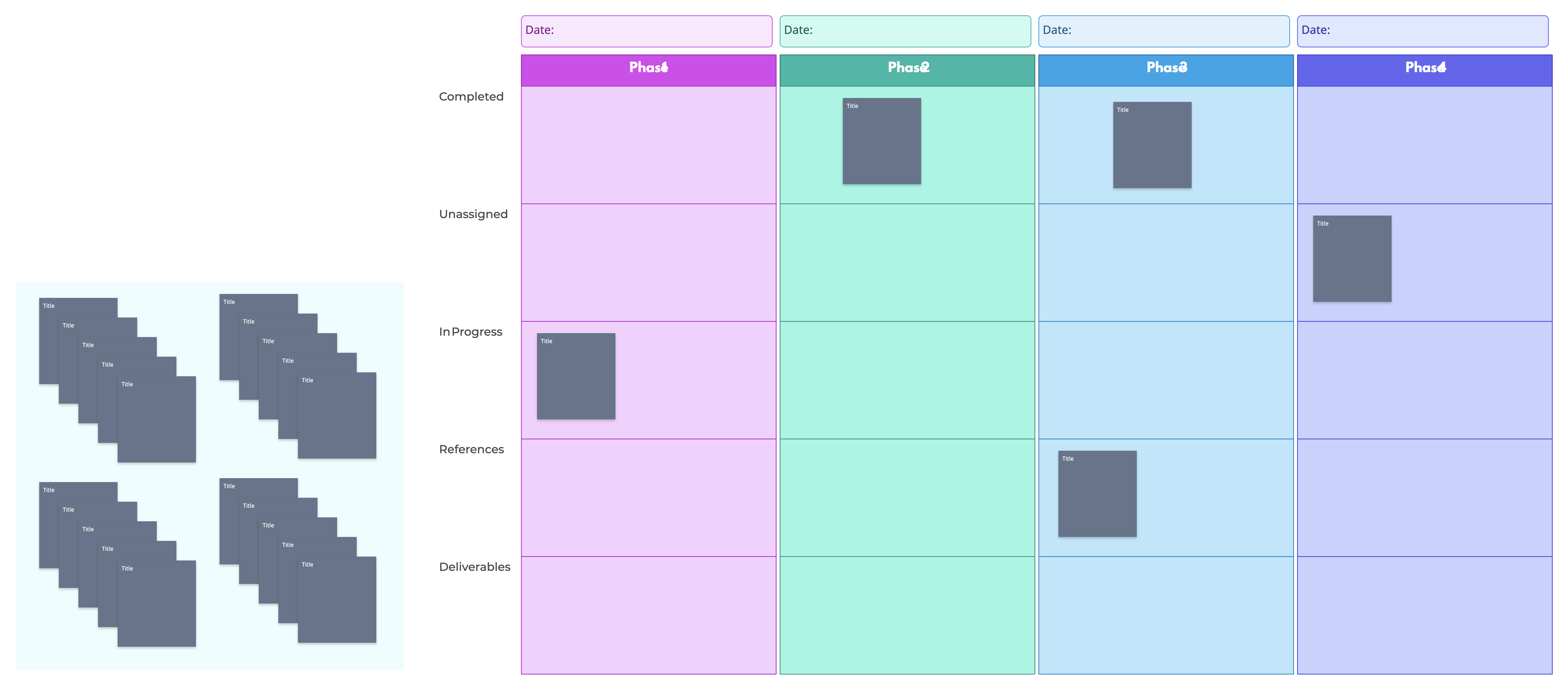
Timeline Workflow Template
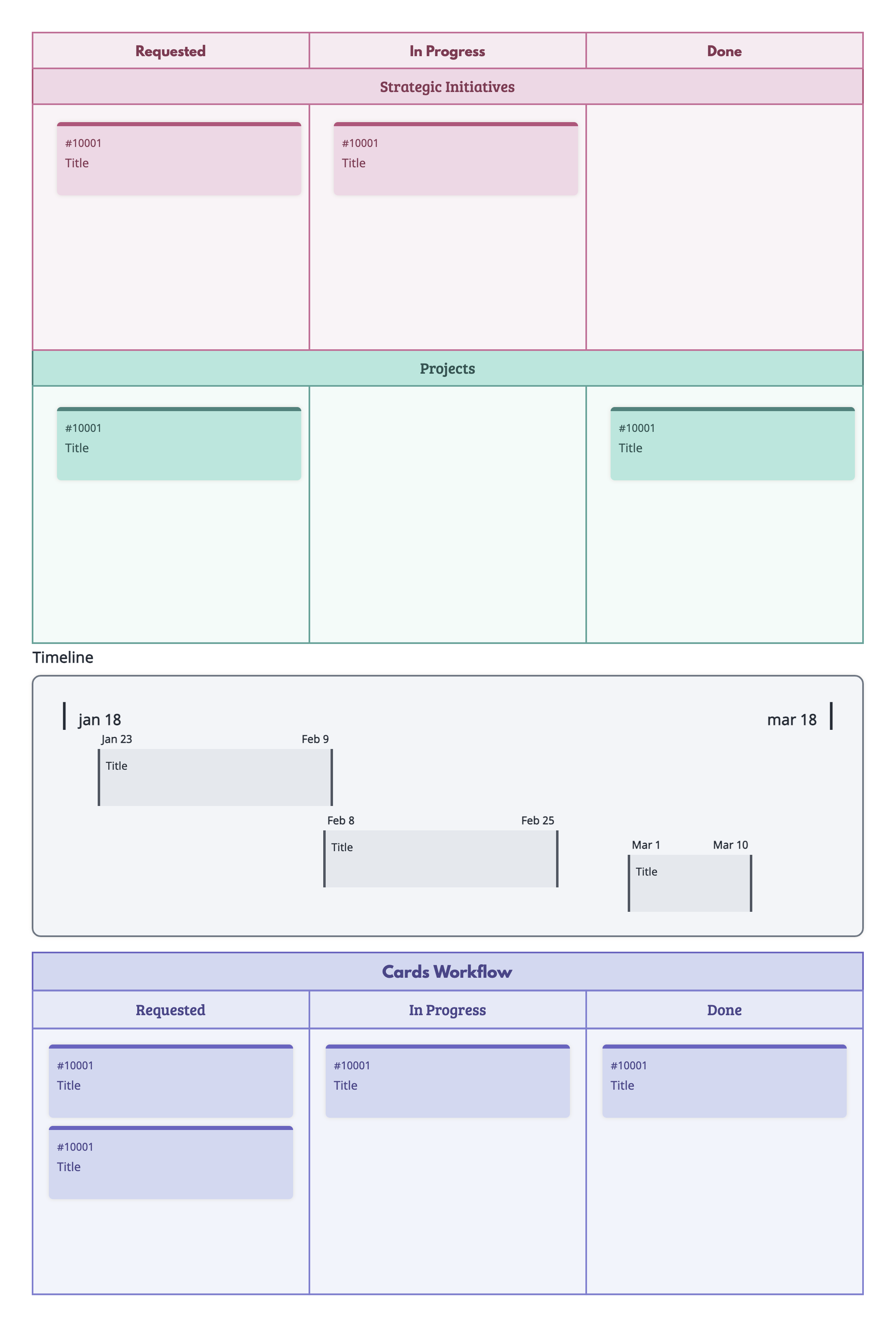
Portfolio Timeline Kanban
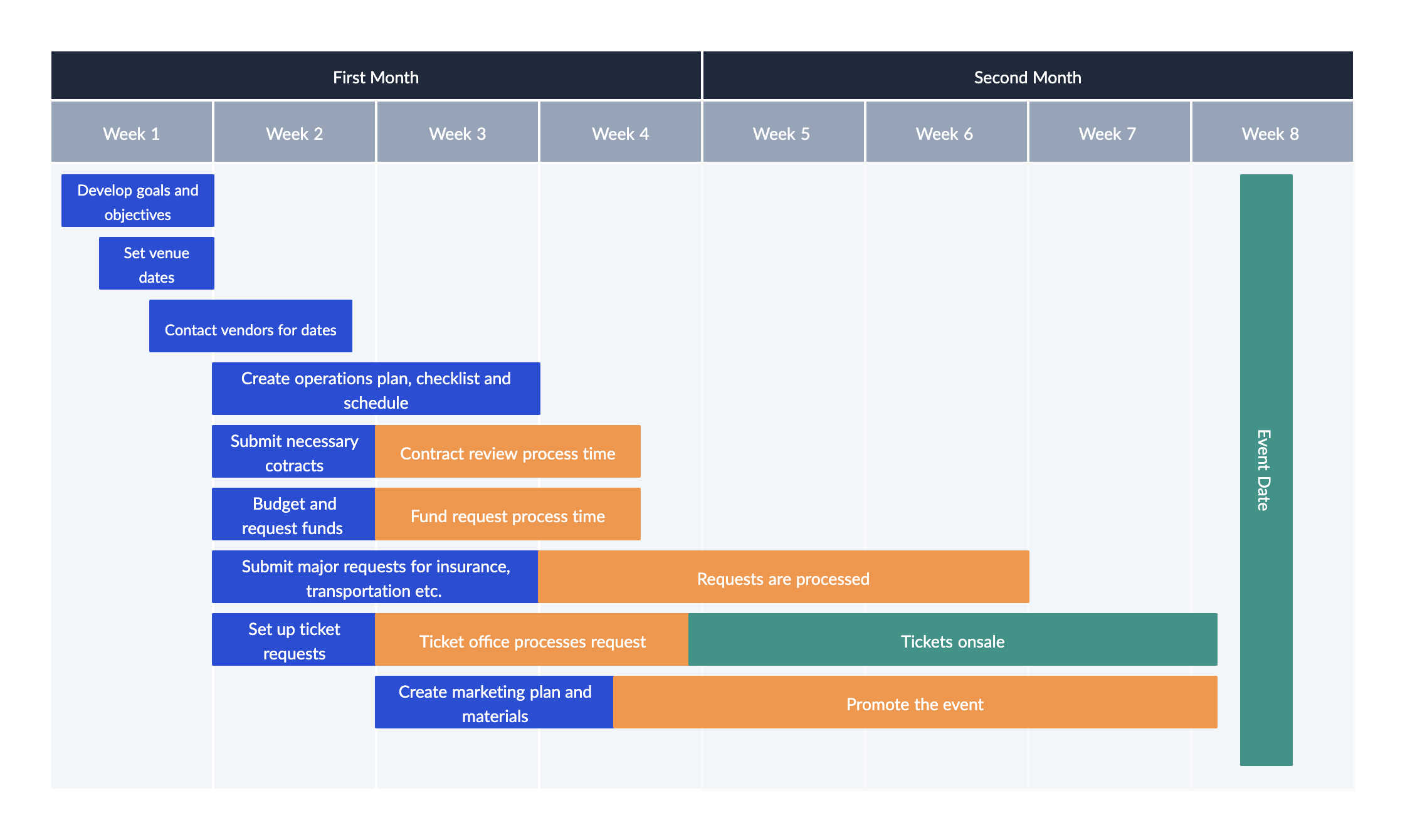
Event Planning Timeline Template
FAQs About Project Management Timelines
What to look for in project timeline software?
When choosing software, look for:
- Intuitive drag-and-drop interface for easy editing.
- Ability to visualize tasks, milestones, and dependencies.
- Customizable views (Gantt, milestone charts, roadmap).
- Collaboration features for team updates and sharing.
- Integration with calendars, task management, or reporting tools.
- Options for tracking progress and adjusting timelines in real-time.
What’s the difference between a timeline and a Gantt chart?
A timeline is a visual representation of tasks and milestones in chronological order. It gives a high-level overview of the project.
A Gantt chart is a type of timeline that shows task durations, start/end dates, and dependencies. It’s more detailed and ideal for managing complex projects.
Why choose Creately to create your project timeline?
- Templates: Start quickly with ready-made timeline, Gantt chart, and roadmap templates.
- Drag-and-drop editing: Easily add tasks, adjust durations, and move milestones.
- Task dependencies: Connect tasks with arrows or lines to visualize relationships.
- Visual customization: Color-code tasks, group by phase or team, and highlight milestones for clarity.
- Real-time collaboration: Invite team members to view or edit, add comments, and track progress together.
- Progress tracking: Update task statuses and milestone completion for an up-to-date view of the project.
- Export and share: Save your timeline as PDF, image, or integrate with other project management tools.
What is the difference between a project schedule and a project timeline?
A project schedule lists all tasks, durations, resources, and deadlines in a structured plan. It’s detailed and often used for day-to-day management.
A project timeline provides a visual overview of tasks, milestones, and progress, helping stakeholders understand the project at a glance.
What are task dependencies in project timelines?
Task dependencies are relationships between tasks that determine their order. Common types include:
- Finish-to-start: Task B cannot start until Task A is complete.
- Start-to-start: Task B can start once Task A has started.
- Finish-to-finish: Task B must finish when Task A finishes. Understanding dependencies ensures tasks are scheduled logically and prevents delays.