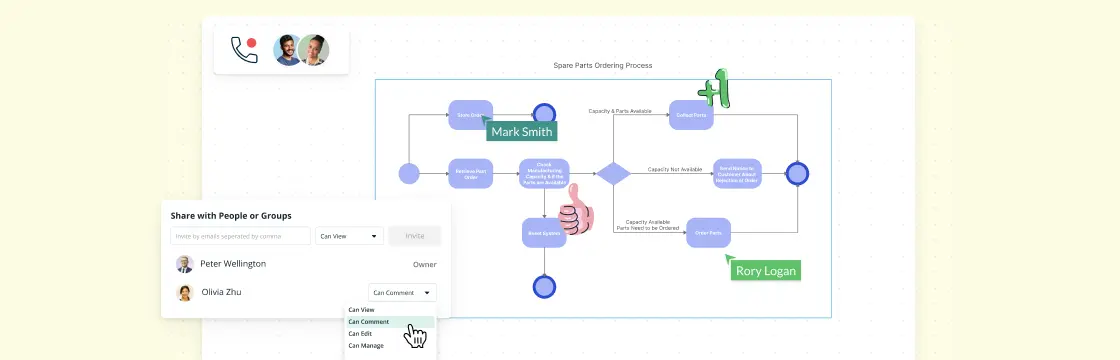
Business process modeling gives teams a shared way to understand how work moves across roles, systems, and decisions. A useful model should make ownership and handoffs clear, connect the process to its supporting context, and remain maintainable as the work changes. The following tips will help you design an effective Business Process Model..
Detail Every Step of the Individual Processes
This is a common mistake that even the most experienced process modelers tend to make, as they think it would be easier to understand a simpler diagram as compared to a complicated one. While that may be true, leaving out important details in a process model can leave the analyst confused as to how a particular step took place.
Because you’re drawing the process model, you may already understand its internal logic. Other readers will not have that context. Document the owner of each relevant activity, show cross-functional handoffs, and connect supporting notes, links, or detailed subprocess diagrams where they help explain the work. This gives analysts, operators, and consultants enough connected process context to identify problems and recommend improvements.
Use a Minimalist Approach
You might think this is contrary to the first suggestion, but it isn’t. You can keep your business process model simple without excluding any details.
This can be done by keeping sub-headers in the diagram, which could be expanded to show details when they are clicked on. Or if you are printing out the model, you can keep a top page highlighting all the important processes, with further pages detailing all of them. This will help new readers to quickly grasp the overall process, while adding sufficient information to go through a page to get further information of a particular process.
Although you’re using software to model your processes, you may still need to print the model or share an exported copy with colleagues or clients. A clear, printer-friendly layout is therefore still important.
Use a Proper BPM Software
While a business process model may look like a drawing, it is much more complicated than that, with various elements and shapes used to define specific actions and processes. Therefore, it is recommended that you use proper BPM software that has support for BPMN 2.0, the latest business process modeling standard approved by the object management group.
Creately Process combines BPMN 2.0 symbols, process templates, and a collaborative workspace for documenting operational processes. Teams can add owners and structured details to relevant shapes, connect supporting notes, links, and SOP references, and link high-level models to detailed subprocess diagrams. Real-time editing and contextual comments support a collaborative review workflow. An accountable process owner can incorporate agreed changes and maintain the model as living documentation after the first draft.
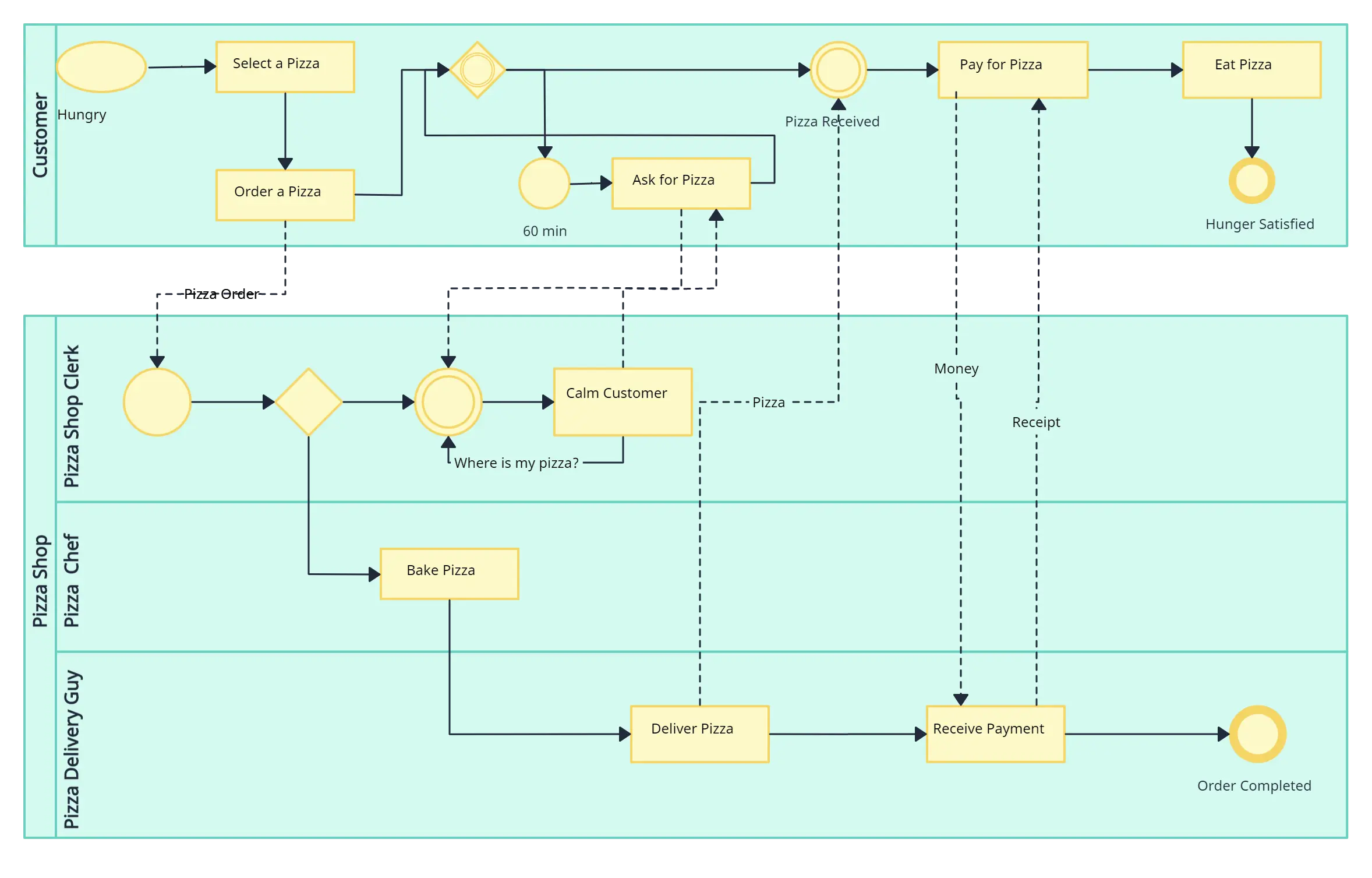
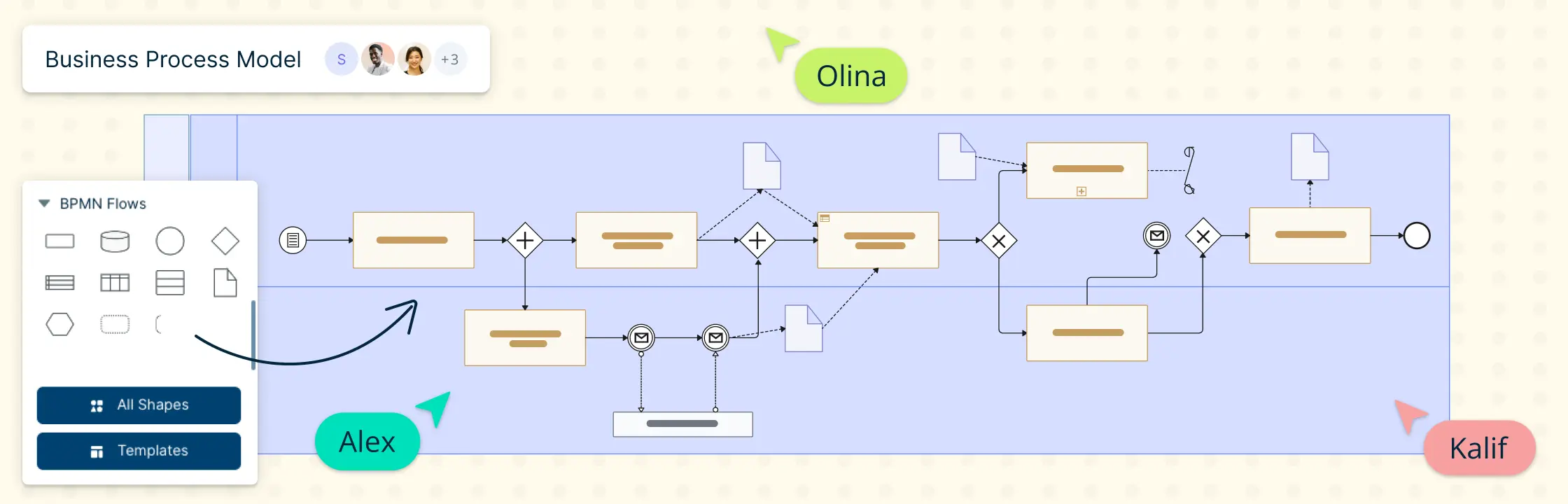
A complex BPMN diagram with lanes, pools drawn using Creately
Create Labels Suggesting the Type of Action
This, again, helps make the model easier to understand. A common technique used to create such labels is the action-item methodology, which phrases the action being performed as a prefix to the item it will be performed on. For example, if an action is representing a statement validation, use the label “validate statement” to define that action.
Remember To Detail Alternative Routes
What most modelers tend to do is simply label the alternative path and the end result to it, in case of the preferred condition not being met, without going into much detail. In such a scenario, it would be beneficial to explain the workings of the alternative scenario, along with adding paths where the final preferred condition can be met, if possible.
Remember that the objective is to improve the entire process, including alternative routes. Show who owns exception paths, where work is handed off, and how the flow returns to the preferred route. Review these scenarios with the people who perform the work and record questions in contextual comments before the process owner updates the model.
Got More Tips?
These practices make business process models clearer, more useful, and easier to maintain. Treat the model as living documentation: assign an owner, review it when responsibilities, systems, or rules change, and keep relevant process context connected to the diagram.