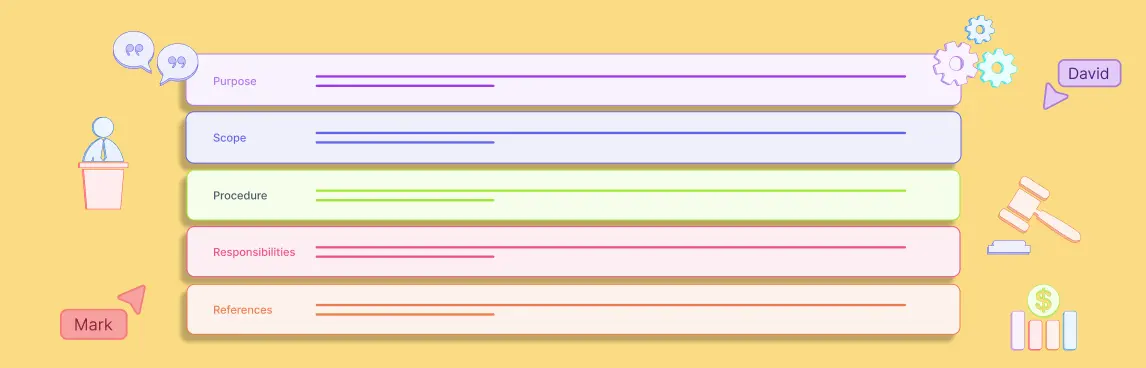
The best process management software gives teams one living repository for how work runs. It should combine clear process maps with controlled documentation, version history, named ownership, responsibility mapping, evidence, review workflows, and BPMN when formal modeling is needed.
Do not buy from a feature checklist alone. Test each platform with a real cross-functional process. A qualified product should let your team model it, publish an approved version, assign owners, trace a change, attach operating evidence, find related processes, and export a reviewable record without rebuilding the work in another tool.
What Is Process Management Software?
A process management platform is a shared system for designing, documenting, governing, and improving business processes. It turns disconnected flowcharts and SOP files into a maintained operating model.
A useful system answers six questions about every important process:
- What happens, in what order, and under which conditions?
- Who owns the process and who performs, approves, or reviews each step?
- Which version is approved for use?
- What systems, policies, controls, and related processes does it depend on?
- What evidence shows the process operated as designed?
- When was it last reviewed, and what changed?
Basic process mapping software can be enough for a team that only needs to visualize a workflow. A management platform goes further. It governs the map and its supporting information across the process lifecycle.
The Seven Capabilities to Evaluate
1. A Living Process Repository
The repository should be the easiest place to find the current process, not an archive people avoid. Buyers should test search, navigation, tags, relationships, access controls, and the distinction between draft and approved content.
Ask the vendor to show how a user finds a process without knowing its exact title. Then open a related policy, subprocess, role, system, and control. A folder tree alone is not a process architecture.
ISO describes ISO 9001 as including the process approach, documented information, performance evaluation, and continual improvement. Its practical guidance also calls for organizations to identify key processes, define clear responsibilities, use performance data, and update documented information. See ISO 9001 explained.
2. Version Control and Approval History
Version control must show more than a last-edited date. A process owner should be able to compare revisions, identify the author and approver, explain why a change was made, and restore or reference an earlier approved state.
Test these actions in sequence:
- Publish version 1 as the approved process.
- Change a decision rule and one responsible role.
- Route version 2 for review.
- Compare the versions before approval.
- Confirm that users can still identify the currently effective version.
- Retrieve the earlier version and its approval record.
If the platform overwrites the map or stores approval in a comment thread, it is not providing dependable document control.
3. Ownership and RACI
Each governed process should normally have one clearly accountable owner. Individual activities may then have responsible, consulted, and informed roles. The software should make this distinction visible without forcing teams to maintain a separate RACI spreadsheet.
Look for role-based assignments rather than person-only assignments. People move. Roles persist. The system should help identify unassigned roles, conflicting accountability, overdue reviews, and processes with no accountable owner.
A RACI matrix is useful when responsibility is ambiguous, but the matrix should connect back to the actual process steps. Otherwise the process and responsibility model will drift apart.
4. Evidence and Control Traceability
Documentation describes intended work. Evidence shows what happened. A buyer should be able to link a process step or control activity to a ticket, approval, system record, report, or other authoritative source while retaining its owner, date, scope, and review state.
ISO guidance on documented information states that process analysis should drive what documentation is needed and that organizations demonstrating conformity must provide objective evidence of process effectiveness. See ISO guidance on documented information.
That is a useful product test. Ask whether the platform can distinguish:
- The approved procedure from a record of execution.
- Current evidence from stale evidence.
- A link to an authoritative source from an uploaded copy.
- Missing evidence from evidence that a reviewer rejected.
- A control exception from a permanent process change.
5. BPMN Without Locking Out Everyday Users
BPMN matters when a process needs precise events, gateways, messages, participants, and execution semantics. It should not make routine process communication harder.
The Object Management Group says BPMN provides a graphical notation for business processes and supports a business-oriented view of execution-oriented process languages. BPMN 2.0.2 is the formal OMG specification. See the OMG BPMN overview and BPMN 2.0.2 specification page.
Ask vendors to model the same process in two views:
- A readable process map for operators and managers.
- A formal BPMN model for analysts and automation teams.
The views should remain connected. If teams must redraw the process in a specialist tool, governance breaks at the handoff. Use this BPMN tutorial to define the notation depth your team actually needs.
6. Relationships, Reuse, and Change Impact
Processes do not operate alone. A customer-onboarding workflow may depend on identity verification, contract approval, account provisioning, training, and billing. The platform should represent these relationships without copying the same subprocess into multiple diagrams.
Change one shared subprocess during a demo. The product should reveal affected parent processes, owners, controls, documentation, and reviews. This is the difference between a diagram collection and a managed process model.
7. Usable Governance and Integration
Governance only works when contributors can follow it. Evaluate permissions, review reminders, comments, approval stages, publishing, read-only access, audit history, APIs, exports, and connections to the tools where work occurs.
Do not confuse automated task routing with process management. Workflow automation may execute tasks. Process management defines and governs the operating model that those tasks implement. Some organizations need both, but they should know which layer is authoritative.
Process Management Software Evaluation Scorecard
Score vendors against a completed scenario. Use 0 for absent, 1 for workaround, 2 for supported, and 3 for strong and demonstrable.
| Evaluation area | Weight | Demo test | Warning sign |
|---|---|---|---|
| Repository and discovery | 15% | Find the approved process, owner, subprocesses, and related policies | Search depends on exact filenames |
| Modeling and BPMN | 15% | Create a simple map and a formal BPMN view | Formal models require a disconnected tool |
| Version and approval control | 15% | Compare revisions and identify the effective version | Edits overwrite history |
| Ownership and RACI | 10% | Assign role-based responsibility and expose gaps | Responsibility lives in a separate spreadsheet |
| Evidence and controls | 15% | Connect a step to current evidence and reviewer status | Attachments have no provenance or validity |
| Relationships and impact | 10% | Change a subprocess and identify affected processes | Content is copied between diagrams |
| Collaboration and usability | 10% | Have an operator review and comment without training | Only process specialists can contribute |
| Integration and portability | 10% | Use an API or export without losing structure | Export produces only a flat image or PDF |
Set minimum scores before vendor demos. A regulated team may give more weight to approvals, evidence, and audit history. A process-improvement team may prioritize usability, analysis, and reuse. Keep security, availability, data residency, administration, and total cost as separate procurement gates rather than hiding them inside a feature score.
A Five-Step Proof of Concept
Step 1: Choose One Difficult Process
Pick a process with at least three roles, one decision, one exception, one supporting system, and one approval. Avoid the polished process already used in executive presentations.
Step 2: Bring the Existing Material
Give each vendor the current map, SOP, ownership notes, and one evidence example. Observe how much manual restructuring is required and what gets lost during import.
Step 3: Build and Govern the Process
Model the workflow, add operating detail, assign the owner and roles, link related material, publish a version, and request a review. Include both a simple visual view and BPMN if the process requires formal semantics.
Step 4: Change It
Modify a rule, handoff, or system. Check revision comparison, approval state, downstream impact, notifications, and whether the earlier effective version remains available.
Step 5: Retrieve and Export the Record
Ask a user who did not build the process to find it and explain the current state. Then export the process, ownership, revision, evidence, and approval context. This exposes products that look strong during authoring but fail during operations or audit.
Common Buying Mistakes
- Buying a diagram library instead of a repository. Attractive maps do not provide ownership, lifecycle control, or traceability.
- Requiring BPMN everywhere. Formal notation is valuable, but forcing it on every audience reduces adoption.
- Treating collaboration as governance. Comments and cursors are not approvals, effective dates, or controlled versions.
- Counting integrations instead of testing evidence. A connector is useful only if records retain identity, scope, time, and context.
- Ignoring process relationships. Repeated subprocesses create contradictions and hide change impact.
- Evaluating only authors. Operators, reviewers, auditors, administrators, and occasional readers must also complete their tasks.
- Skipping export tests. Portability should preserve useful structure, not only the appearance of a diagram.
Where Creately Process Fits
Creately Process is designed for operations, quality, and business-analysis teams that need to map, document, and improve workflows in a shared visual workspace. Teams can create accessible process maps for everyday communication and use BPMN when a process requires more formal notation.
Process diagrams can remain connected to supporting context, responsibilities, related workflows, and collaborative review. This helps teams maintain the process and its operating information in the same workspace instead of treating the diagram as an isolated file.
Buyers that require controlled approvals, formal effective dates, evidence-status workflows, or automated change-impact reporting should verify those requirements through a product demonstration.
Teams replacing folder and PDF sprawl can use the living process repository migration playbook to inventory current procedures, set governance rules, control versions, and establish review cycles before scaling the repository.
Compliance teams can then connect governed procedures to controls, operating records, and review decisions with the process documentation for audit evidence guide, which explains the handoff from Creately Process to Creately Compass.
Use the evaluation scorecard above with your own process. The relevant existing pathway is Creately’s process mapping software page, where teams can assess the visual modeling foundation before defining a broader process-management rollout.
Questions to Ask Every Vendor
- How do users distinguish draft, approved, superseded, and archived processes?
- Can one role or subprocess be reused without copying it?
- What happens when a shared subprocess changes?
- Can the system show accountable owners and responsibility gaps?
- Does BPMN retain valid semantics and structured interchange?
- How are evidence source, scope, date, and reviewer status preserved?
- Can an auditor or operator retrieve the effective version without author access?
- Which relationships survive API access and export?
- How are review cycles, exceptions, and overdue actions handled?
- What work still requires a separate document, spreadsheet, or modeling tool?
The strongest answer is a live demonstration using your process. If a vendor cannot show ownership, change history, evidence, and retrieval in one scenario, the product is not yet a dependable process system of record.
FAQs on Process Management Software Evaluation
Is process management software the same as BPM software?
Can process management software replace an SOP repository?
Should process evidence be stored inside the platform?
How many vendors should be included in a proof of concept?
What is the most important buying criterion?