Move scattered SOPs into a living process repository by consolidating current procedures, assigning accountable owners, controlling versions, connecting related processes and evidence, and putting every document on a review cycle. Do not start by uploading every PDF. Start with one process family, prove the governance model, and expand from there.
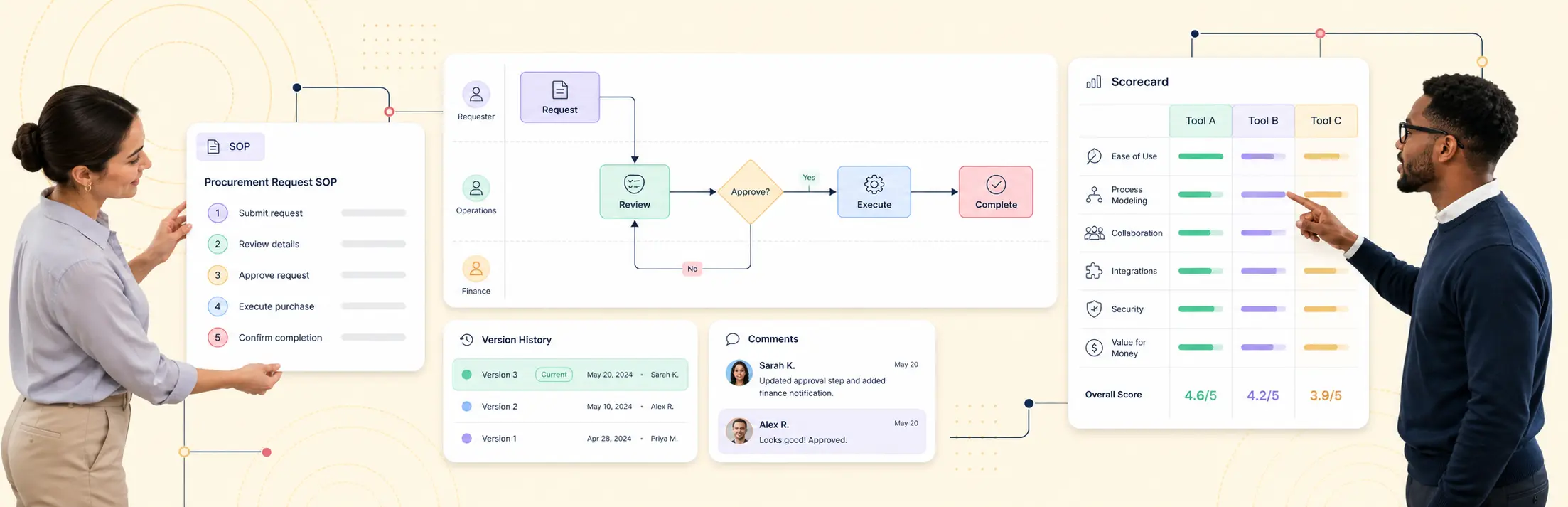
Creately Process provides the shared visual workspace for this operating model. Quality and compliance teams can connect accessible process maps, formal BPMN, responsibilities, operating detail, and governance context instead of maintaining separate diagram and document libraries.
Why Shared Folders Stop Working
Shared folders solve storage. They do not solve process control.
As an SOP collection grows, teams encounter predictable failures:
- Several files claim to be the current version.
- The filename carries the version, but the approval record lives in email.
- Employees find documents by asking a colleague rather than searching the system.
- Process maps and written procedures describe different workflows.
- Owners change roles while their documents keep circulating.
- Review dates pass without a clear escalation path.
- Evidence is stored beside an SOP with no explanation of what it proves.
- Related procedures are copied instead of connected, so one change creates contradictions.
The result is document availability without operational trust. People can open a file, but they cannot quickly establish whether it is approved, current, owned, applicable, or supported by evidence.
What Makes a Process Repository “Living”?
A living repository changes with the operation while preserving control. It combines process content with the metadata, relationships, and workflow needed to keep that content dependable.
| Repository element | What users need to know | Control required |
|---|---|---|
| Process or SOP | What work should happen | Stable ID, scope, status, and effective version |
| Process owner | Who is accountable for the outcome | Named role, current assignee, and review obligation |
| Activities and decisions | How work is performed | Clear sequence, conditions, exceptions, and responsibilities |
| Related content | What the process depends on | Links to policies, forms, systems, risks, controls, and subprocesses |
| Revision | What changed and why | Author, rationale, comparison, approval, and effective date |
| Evidence | What shows the process operated | Source, scope, period, owner, and review state |
| Review | Whether the process remains suitable | Cadence, reviewer, decision, findings, and follow-up |
ISO 10013:2021 provides guidance for developing and maintaining documented information needed for an effective quality management system, tailored to the organization. ISO also notes that the 2021 guidance recognizes digitization, security measures, and automation in the flow of processes. See ISO 10013:2021 and ISO’s release summary.
That is a better design principle than reproducing a paper binder online. The repository should fit the way the organization operates and improve how controlled information moves through creation, review, use, change, and retention.
Define the Repository Model Before Migration
Set the structure and rules before moving content. Otherwise, the new platform inherits the same disorder with a better interface.
Choose a Process Architecture
Define how users will move from high-level value streams to processes, subprocesses, procedures, and work instructions. Keep the hierarchy shallow enough to browse and specific enough to assign ownership.
A practical structure might include:
- Process domain, such as Quality, Finance, People, or Customer Operations.
- End-to-end process, such as supplier qualification or customer onboarding.
- Subprocess, such as risk assessment or account provisioning.
- Procedure or work instruction for a defined activity.
- Forms, systems, policies, controls, and evidence connected to that activity.
Use a process mapping guide to establish consistent boundaries, inputs, outputs, and handoffs before deciding how deep the hierarchy should go.
Define the Minimum Metadata
Every controlled item should carry enough context to stand on its own:
- Stable process or document identifier.
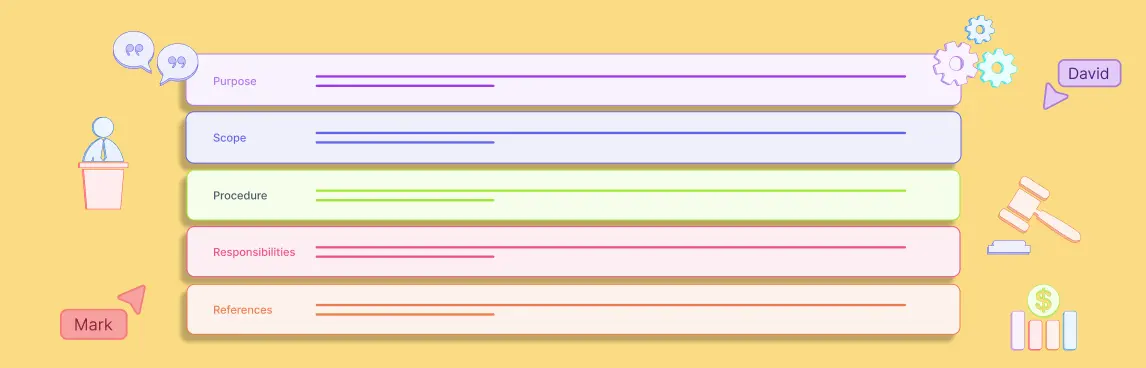
- Title, purpose, and scope.
- Accountable owner and contributing roles.
- Draft, in-review, approved, superseded, or archived status.
- Effective version and effective date.
- Review frequency and next review date.
- Applicable location, business unit, product, or regulatory scope.
- Related policies, controls, systems, forms, and subprocesses.
- Retention or disposition requirement when applicable.
Avoid metadata that no one will maintain. Each field needs a clear decision or retrieval purpose.
Separate Process Content from Records
The repository should distinguish the approved method from evidence that the method was followed. A procedure may explain how to approve a supplier. Completed assessments, approvals, and monitoring reports are records of execution.
ISO’s harmonized management-system structure says controlled documented information should be available and suitable for use, protected appropriately, and managed across access, retrieval, storage, change control, retention, and disposition. It explicitly cites version control as part of controlling changes. See the ISO/IEC harmonized structure.
A Six-Step Migration Playbook
Step 1: Inventory What Exists
Build a register of process maps, SOPs, work instructions, forms, and related policies. Capture location, owner, date, status, format, scope, and likely duplicates.
Do not assume a recent modified date means the content is valid. Classify each item as current, needs review, duplicate, superseded, record-only, or unknown.
Step 2: Set Governance Rules
Define who can create, review, approve, publish, change, and retire content. Establish naming, identifiers, version conventions, review periods, permissions, and exception handling.
Define governance responsibilities by role so they remain stable when personnel change, but assign a current individual to each accountable role. A RACI matrix can clarify who is responsible for authoring and review, but each process still needs one accountable owner.
Step 3: Pilot One Process Family
Select a process family with real operational value, several roles, and manageable risk. Good pilots expose common problems without putting a critical operation at immediate risk.
For each item in the pilot:
- Confirm scope and current owner.
- Merge duplicates and resolve contradictions.
- Convert static descriptions into a consistent process structure.
- Link shared subprocesses instead of copying them.
- Mark the approved version and retain prior versions appropriately.
- Test retrieval with users who did not perform the migration.
Step 4: Publish Controlled Versions
A published process needs an identifiable effective state. Users should see the approved version by default while authors work on a separate draft.
Require reviewers to assess operational accuracy, responsibility, control coverage, usability, and downstream impact. Record the approval, rationale, and effective date. Training or acknowledgement may be necessary when a change affects how people perform regulated or high-risk work.
Step 5: Connect Evidence and Dependencies
Link process steps to the systems, forms, controls, risks, and records that make the process real. Preserve the authoritative source and enough metadata to understand relevance.
For example, a corrective-action procedure can connect the intake form, risk criteria, assigned owner, investigation record, approval, verification evidence, and closure decision. The relationship is more useful than placing all seven artifacts in one folder.
Step 6: Operate the Review Cycle
Review based on both time and change. Annual review dates are useful, but a regulation, system, role, risk, incident, or upstream process change may require an earlier assessment.
Track outcomes separately:
- Reviewed with no change.
- Minor clarification published.
- Material revision approved.
- Finding or corrective action opened.
- Process consolidated or retired.
- Review overdue or blocked.
How to Handle Versions Without Creating More Files
Use a controlled state model instead of encoding the entire history in filenames.
| State | Meaning | User experience |
|---|---|---|
| Draft | Proposed content under development | Visible to authors and selected collaborators |
| In review | Content awaiting a documented decision | Editing restricted; comments and findings tracked |
| Approved | Suitable for publication on a future effective date | Approval record and effective date visible |
| Effective | Current instructions for use | Default version for readers |
| Superseded | Replaced by a newer effective version | Preserved for history, clearly marked obsolete |
| Archived | No longer operational but retained | Restricted from normal search and navigation |
One process should have one clearly effective version. Parallel local copies destroy that control. Exported PDFs may still be needed, but they should carry an identifier, version, effective date, and a pointer back to the controlled source.
Measure Repository Health
Track whether the repository is trusted and maintained, not how many files it contains.
- Ownership coverage: percentage of in-scope processes with an accountable owner.
- Current-version coverage: percentage with one identifiable effective version.
- Review compliance: percentage reviewed by the required date.
- Retrieval success: percentage of test users who find the correct process without help.
- Relationship coverage: percentage connected to required policies, systems, controls, or subprocesses.
- Evidence coverage: percentage of control-relevant activities linked to appropriate evidence sources.
- Duplicate rate: unresolved duplicate or conflicting procedures per process family.
- Change closure time: time from an approved change request to publication and required acknowledgement.
Start with a baseline. Improvement comes from resolving gaps, not from inflating the repository count.
Where Creately Process Fits
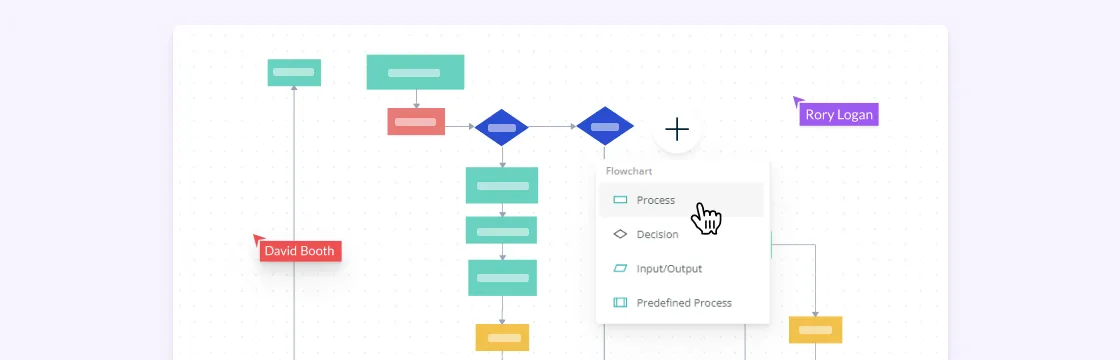
Creately Process gives Ops, Quality, and Business Analysts one visual workspace to model, document, and govern workflows. Teams can begin with readable process maps, add operating detail and responsibilities, and use formal BPMN where precise events, decisions, and handoffs matter.
This supports a gradual migration. The quality team does not need to convert every SOP into a complex notation before gaining control. It can establish the repository structure, move one process family, connect related work, and deepen models where risk or automation requires it.
The process management software buyer’s guide provides a practical scorecard for testing repositories, version history, ownership, evidence, relationships, and BPMN across shortlisted platforms. The safest existing product pathway is Creately’s process mapping software, which covers the visual modeling foundation without assuming an undefined conversion step.
Migration Questions to Resolve Before Rollout
- Which repository is authoritative on the effective date?
- Who can approve a process for use?
- What happens to local and exported copies after a revision?
- Which historical versions must be retained, and for how long?
- How will users find a process when they do not know its title?
- Which changes trigger review outside the normal calendar?
- How are shared subprocesses reused across teams?
- Where does execution evidence remain authoritative?
- How are owner vacancies and overdue reviews escalated?
- Which measures will show that people trust and use the repository?
Resolve these questions during the pilot. Scaling an unclear governance model only produces a larger cleanup project.
FAQs on Living Process Repository
Is a living process repository the same as a document management system?
Should process maps replace written SOPs?
How long does an SOP migration take?
Who should own the repository?
What should happen to old SOP versions?