Ever felt like your team’s workflows are trapped in endless loops of emails, approvals, and missed connections? Traditional hierarchies can make communication slow, collaboration clunky, and decision-making frustratingly rigid. That’s where a circular organization structure comes in. By reimagining how teams and leadership connect, this model replaces rigid layers with a fluid, visual system where authority and communication flow naturally in circles.
In this guide, we’ll explore what a circular organizational structure is, its key features, when it works best, ready-to-use circular org chart templates, and the advantages and disadvantages to help you decide if it’s right for your team.
What Is a Circular Organization Structure?
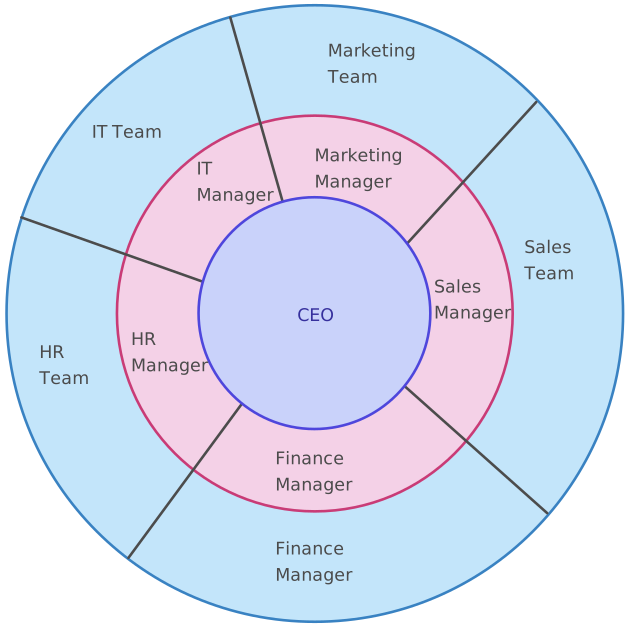
A circular organization structure is a modern organizational design where teams and leaders are arranged in concentric circles rather than stacked in a traditional top-down hierarchy. Instead of authority flowing strictly from “the top,” a circular structure distributes influence and decision-making outward, creating an ecosystem where collaboration, transparency, and communication feel more natural and continuous.
In a circular organizational structure, the center typically represents core leadership or strategic roles, while outer circles represent teams, functions, or specialized units. Each circle is connected—not siloed—allowing information and feedback to travel faster, with far fewer blockers than a standard org chart.

When to Use a Circular Organization Structure
A circular org structure isn’t just a visually appealing alternative to the classic top-down hierarchy—it’s a strategic choice that works best in environments where agility, collaboration, and idea flow are essential. Here’s when adopting this model can be a game-changer, and when it may need extra care.
1. Startups and Fast-Growing Companies
Startups thrive on speed, fresh ideas, and quick pivots. A circular org structure supports:
- Faster decision-making
- Fewer bottlenecks
- Easy collaboration across roles
- A culture where everyone feels closer to the “center” of the business
When growth is rapid and roles shift often, the flexibility of a circular system becomes a huge advantage.
2. Creative Teams and Agencies
Creativity rarely follows strict chains of command. For design, marketing, and product innovation teams, the circular model enables:
- Free-flowing communication
- More shared ownership
- Rapid brainstorming and iteration
- Collaboration without unnecessary approval layers
It encourages the cross-pollination of ideas—essential for creative work.
3. Innovation Units or R&D Teams
Teams focused on experimentation perform best when they’re not slowed down by process-heavy hierarchies. A circular org structure allows them to:
- Form cross-functional micro-groups
- Test ideas quickly
- Provide insights back to leadership in real time
- Work independently while staying strategically aligned
4. Distributed or Remote Teams
When your workforce is spread out, clarity and transparency are everything. Circular structures help by:
- Making roles and responsibilities more visible
- Creating smoother communication pathways
- Preventing information from getting trapped in silos
- Ensuring everyone—no matter where they work—feels equally connected
Key Features of a Circular Org Structure
A circular org structure may look visually different, but its real power comes from how it reshapes communication, authority, and teamwork. Instead of rigid layers, you get a system designed for movement—ideas move faster, decisions happen closer to where work is happening, and collaboration feels more natural. Here are the core features that define a circular organizational structure:
1. Concentric Circles Instead of Vertical Layers
In a circular structure, roles and teams are arranged in circles, not tiers.
- The center circle typically holds leadership, strategy, or core decision-makers.
- Outer circles represent teams, departments, or specialized functions.
- Each circle supports and connects with the others—no one is boxed in by hierarchy.
This makes the organization feel more like a connected ecosystem rather than a chain of command.
2. Power Flows From the Center → Outward → Back Again
Unlike a traditional hierarchy where authority only flows downward, a circular organizational structure creates a continuous loop of communication:
- Leadership sets direction from the center.
- Teams in outer circles execute, innovate, and provide feedback.
- Information flows back inward, influencing strategy and decision-making.
This shared feedback loop reduces bottlenecks and builds a culture of accountability and inclusion across all levels.
3. Clear Roles, Shared Responsibilities
While the layout is circular, roles are still well-defined. Each circle represents a cluster of responsibilities:
- Core leadership roles
- Functional teams
- Cross-functional groups
- Support units and project-based circles
Because teams can connect across circles, work becomes more collaborative without losing clarity or ownership.
4. Designed for Agile, Cross-Functional Work
A circular management structure is especially powerful for organizations that need speed, flexibility, and continuous adaptation.
- Teams can move information quickly between circles.
- Cross-functional groups can form naturally without “breaking” the hierarchy.
- Decision-making happens where expertise lives—not just where authority sits.
This makes the circular org structure ideal for product teams, creative groups, startups, and innovation-driven organizations.
5. A Visual Model That Encourages Openness
Because everything is mapped in circles, everyone can clearly see:
- Who is responsible for what
- How teams connect
- Where decisions flow
- How collaboration happens
This transparency builds trust and reduces confusion, especially for hybrid or remote teams.
Examples of a Circular Organization Structure
Different teams adopt a circular organization structure in different ways based on how they collaborate, make decisions, and scale. The table below highlights common real-world examples and the key benefits each circular setup delivers, making it easier to compare and choose the right approach.
| Example Type | How the Circular Organization Structure Works | Key Benefits |
| Startup Circular Structure | Founders or core leadership sit at the center, with product, marketing, sales, and operations forming the outer circle. Teams collaborate directly instead of following rigid reporting lines. | Faster decision-making, stronger alignment, reduced silos, and greater team ownership |
| Product Team Circular Structure | Product leadership at the center, surrounded by engineering, design, QA, and marketing circles working cross-functionally. | Improved collaboration, quicker feedback loops, and smoother product iteration |
| Creative Agency Circular Structure | Creative directors in the core, with designers, copywriters, strategists, and account managers arranged in connected circles. | Free flow of ideas, stronger creativity, and fewer approval bottlenecks |
| Nonprofit Circular Organization Structure | Executive leadership in the center, with fundraising, programs, volunteers, and outreach teams in surrounding circles. | Better transparency, improved coordination, and stronger mission alignment |
| Remote or Distributed Circular Structure | Coordination roles at the center, with remote teams grouped by function or project in outer circles. | Clear visibility of roles, improved communication, and reduced remote-work friction |
| Innovation or R&D Circular Structure | Strategy and research leadership at the core, with experimental teams and labs forming outer layers that feed insights back inward. | Faster experimentation, stronger innovation culture, and rapid learning cycles |
Circular Org Chart Templates
Creating a circular org chart manually can feel like trying to draw perfect circles with shaky hands, frustrating, time-consuming, and almost impossible to keep aligned. Most tools force you into rigid boxes and straight lines, which completely defeats the purpose of a circular org structure. That’s exactly why Creately exists.
With Creately’s ready-made, editable templates, you can build circular organization structures in minutes. No more fiddling with shapes, dragging uneven circles, or reworking layouts every time your team changes. Just open a template, customize, and share.
Below are some of the most popular circular org chart templates you can start with, each designed to help teams visualize roles, collaboration, and decision flow with clarity.
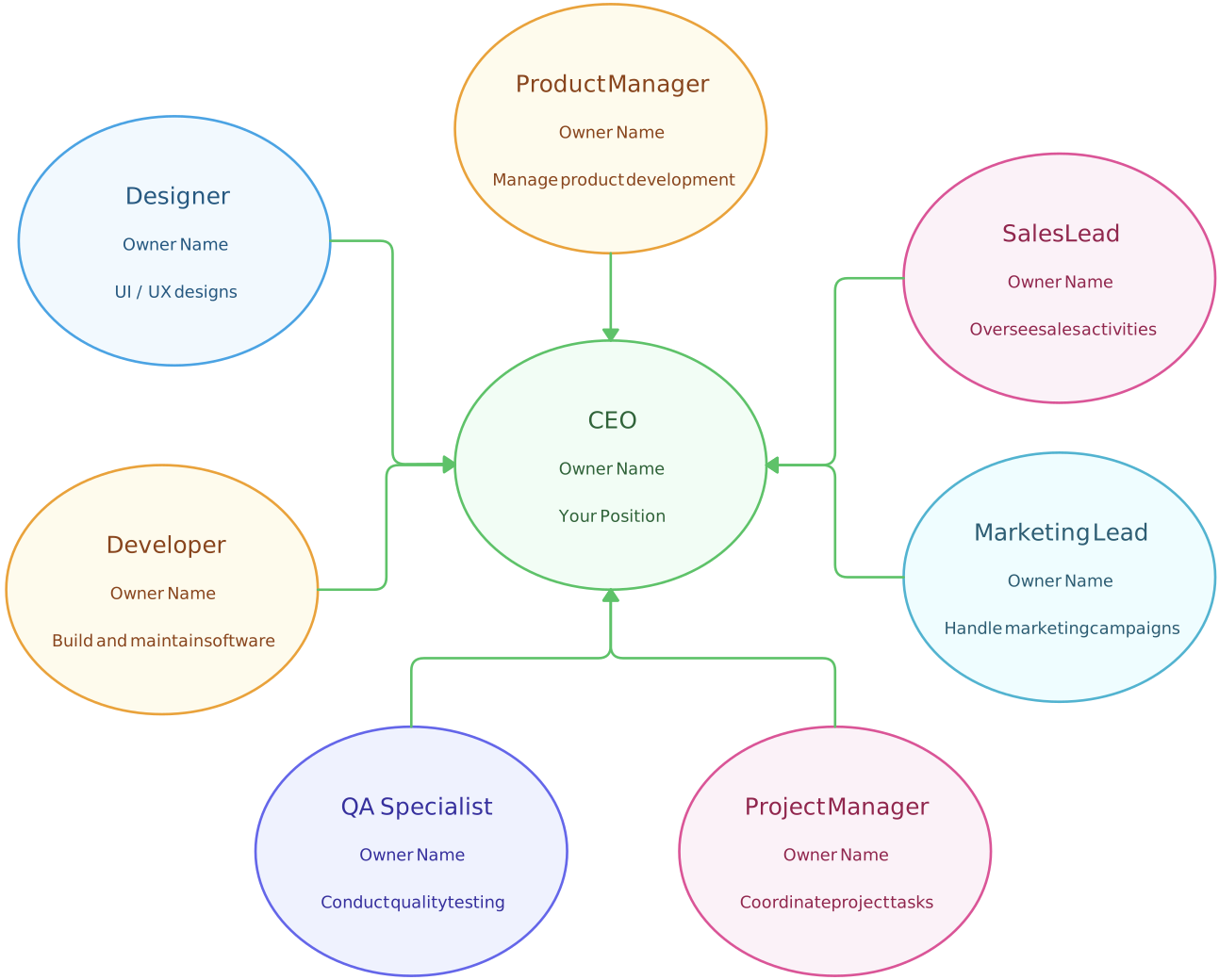
1. Basic Circular Org Chart Template
This simple template is perfect for small teams, startups, or organizations that want to map out straightforward reporting lines in a circular format.
Best for:
- Small teams
- Simple role hierarchies
- Early-stage companies
2. Multi-Layer Circular Organization Structure Template
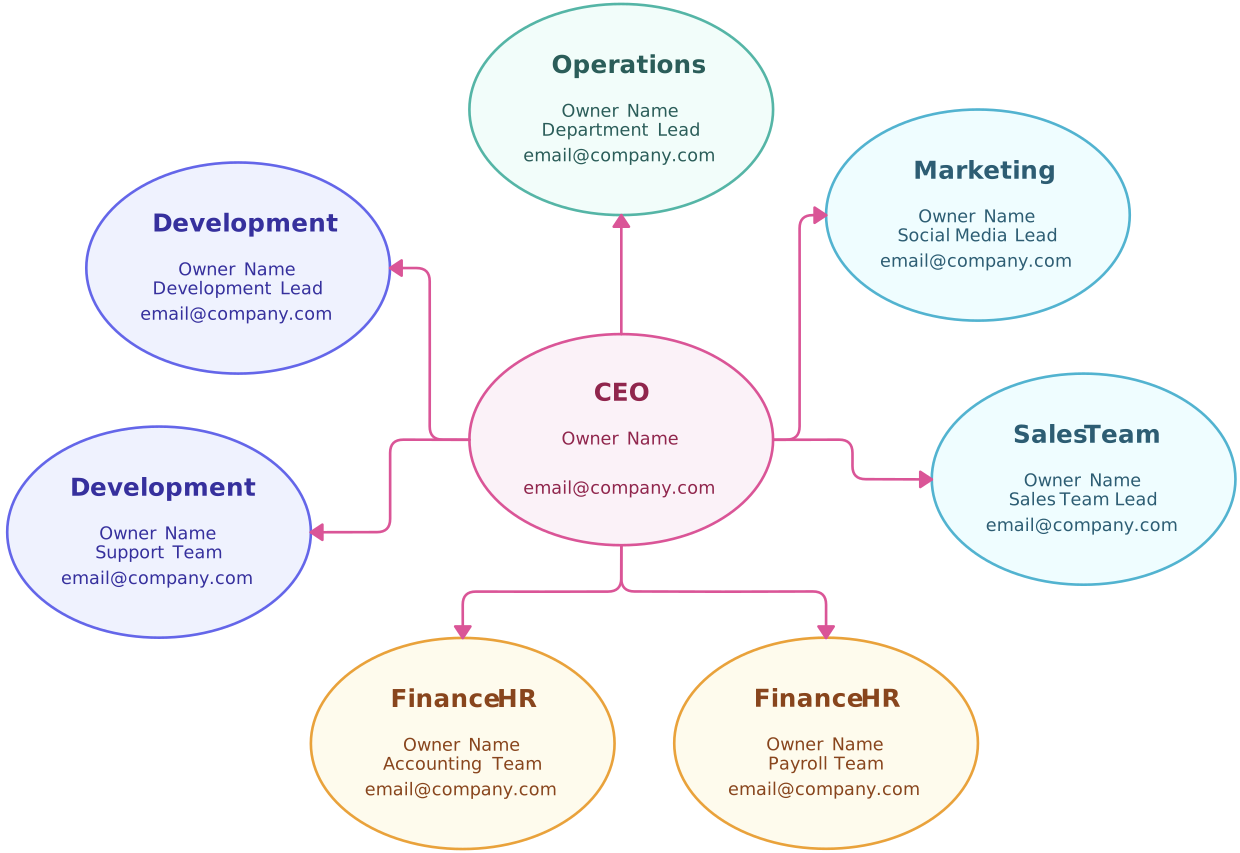
When your organization operates across multiple functions or levels of responsibility, a multi-layer circular organization structure template offers the clarity you need.
Best for:
- Growing teams
- Complex organizations
- Companies with several leadership or operational layers
3. Circular Management Structure Template
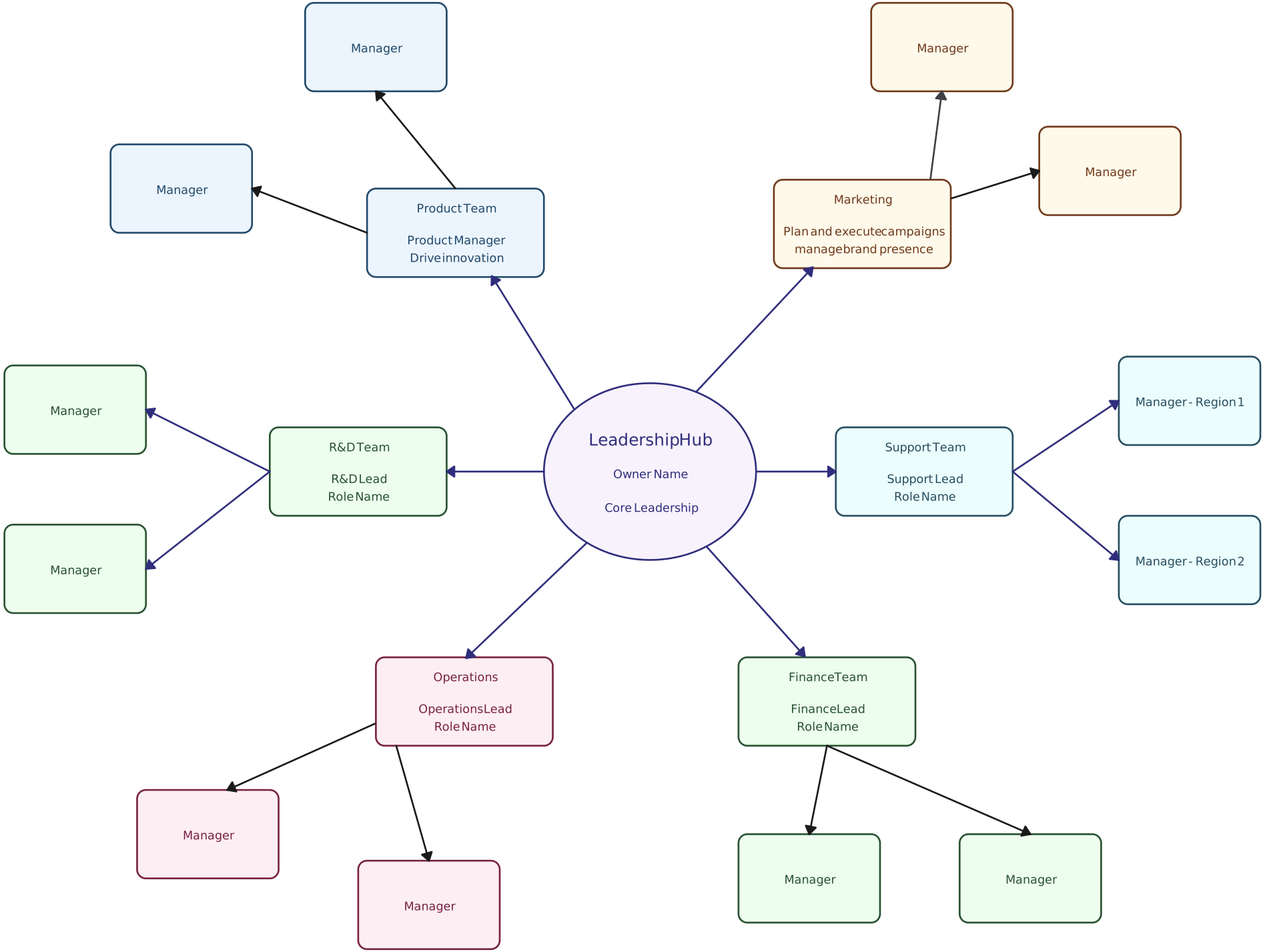
If your structure revolves around leadership hubs and cross-functional support teams, this template maps it out beautifully.
Best for:
- Product teams
- Creative agencies
- Nonprofits
- Organizations with cross-functional leadership groups
Circular Organizational Structure Advantages and Disadvantages
The circular organizational structure offers a fresh, human-centered approach to team design, but like any model, it comes with trade-offs. Understanding the pros and cons helps you decide whether it’s the right fit for your organization and how to get the most value from it.
Advantages of a Circular Organizational Structure | Disadvantages of a Circular Organizational Structure |
Enhanced Collaboration
| Potential for Role Ambiguity
|
Greater Transparency
| Decision-Making Complexity in Large Organizations
|
Empowered Teams and Autonomy
| Cultural Challenges
|
Flexibility for Agile Work
| Limited Suitability for Highly Regulated Industries
|
Better Alignment Between Leadership and Teams
|
How to Draw a Circular Org Chart with Creately
Designing a circular org chart is easy with Creately’s org chart software. The platform’s intuitive features make building, customizing, and sharing circular structures fast and stress-free. Here’s a step-by-step guide:
Step 1: Start with a Template
Open Creately and select a circular org chart template. Templates are pre-arranged with concentric circles and sample roles, giving you a perfect starting point. As you drag and drop your own roles, Creately automatically maintains alignment, so your structure stays balanced without extra effort.
Step 2: Add Circles and Roles
Use Creately’s drag-and-drop shapes to place leadership roles in the center circle and teams in outer circles. Each shape snaps into position with the smart alignment guides, keeping your chart symmetrical. You can also resize or recolor circles with a single click, making it easy to highlight key roles or departments.
Step 3: Connect Roles with Smart Connectors
Draw connections between leadership, teams, and cross-functional groups using Creately’s smart connectors. These connectors automatically adjust when you move or resize shapes, ensuring your communication flows and feedback loops remain clear and visually consistent.
Step 4: Customize Labels and Styling
Label each circle and role directly in Creately. Change fonts, colors, or circle sizes using the built-in styling tools, so your org chart reflects your team’s branding and hierarchy. Real-time previews show exactly how edits affect the layout, making customization effortless.
Step 5: Collaborate with Your Team
Invite colleagues to view or edit the chart in real-time. Creately’s collaboration feature allows multiple users to comment, update roles, and rearrange circles simultaneously, ensuring that your circular management structure is accurate and agreed upon by everyone.
Step 6: Export or Share Instantly
When your circular org chart is ready, export it as PNG, PDF, or SVG, or embed it directly in presentations or internal documentation. Creately ensures your visuals remain high-quality, and integrations with tools like Google Workspace and Microsoft Teams make sharing effortless.
A circular organization structure is more than just a new way to draw an org chart—it’s a blueprint for clarity, agility, and connected teams. By flattening rigid hierarchies, emphasizing collaboration, and making roles and workflows visible, it empowers teams to move faster and work smarter. Whether you’re a startup, creative team, or innovation-driven organization, visualizing your structure with Creately’s circular org chart templates makes adoption easy, intuitive, and stress-free. Try Creately today and see how a circular approach can transform the way your team collaborates.
Helpful Resources
Explore rules for drawing organizational charts and org chart best practices to make your org chart more meaningful and useful.
Easily make organizational charts to visualize the reporting structure of your organization for effective HR planning and management with org chart maker.
Learn simple steps to create an org chart that fits your business, along with tips and tools to make it easy to build and update.
FAQs About Circular Organization Structure
Can a circular organization structure work in large companies?
How does a circular org structure affect decision-making speed?
Is a circular organization structure suitable for remote teams?
How do I transition from a traditional hierarchy to a circular structure?
Can a circular org structure coexist with hierarchical elements?
What is the difference between a hierarchical and a circular organization structure?