Startups move fast. Roles overlap, teams stay lean, and people often wear multiple hats. That is exactly why a startup org chart can be so useful.
It gives your team a clear view of who does what, who reports to whom, and how the company is structured right now. More importantly, a startup organizational chart helps you plan for what comes next.
In this guide, we’ll look at what a startup organization chart is, why it matters, the common structures startups use, and how to create one that supports growth without slowing your team down.
What Is a Startup Org Chart?
A startup org chart is a visual representation of your company’s structure. It shows your founders, leadership team, employees, reporting lines, and sometimes even planned hires.
Unlike traditional corporate org charts, a startup organisational structure is usually more flexible. Early-stage teams often have fewer layers, broader roles, and more cross-functional collaboration. So the org chart needs to reflect how the team actually works, not just what the job titles say.
A startup organization chart can be simple, but it should still answer a few important questions:
- who is responsible for what
- who makes decisions
- who reports to whom
- how the team is grouped
- where new hires may fit in later
Why Startups Need Org Charts Earlier than They Think
Many startups think organizational charts are only for large companies. But once you start hiring, adding reporting lines, or forming teams, structure becomes important.
A startup org chart brings clarity without making the business feel overly complex.
It creates role clarity: In early-stage startups, people often handle whatever needs to get done. As the team grows, that can lead to confusion. An org chart makes roles and responsibilities easier to understand.
It improves communication: When people know who owns what, they know where to go for decisions, support, and approvals. This reduces confusion and keeps work moving.
It supports onboarding: New hires need to understand the team quickly. An onboarding org chart shows how the company is structured, where they fit in, and who they will work with.
It helps with hiring plans: An org chart can also support growth planning. It helps founders see team gaps, plan future roles, and think through how the structure should evolve.
It prepares the company to scale: As a startup grows, the organizational structure of a startup company becomes more complex. An org chart helps the team grow in a more organized way while keeping visibility clear.
Common Startup Org Chart Structures
There is no single best org chart structure for every startup. The right one depends on your size, stage, and how your team works.
Here are the most common startup org chart structures.
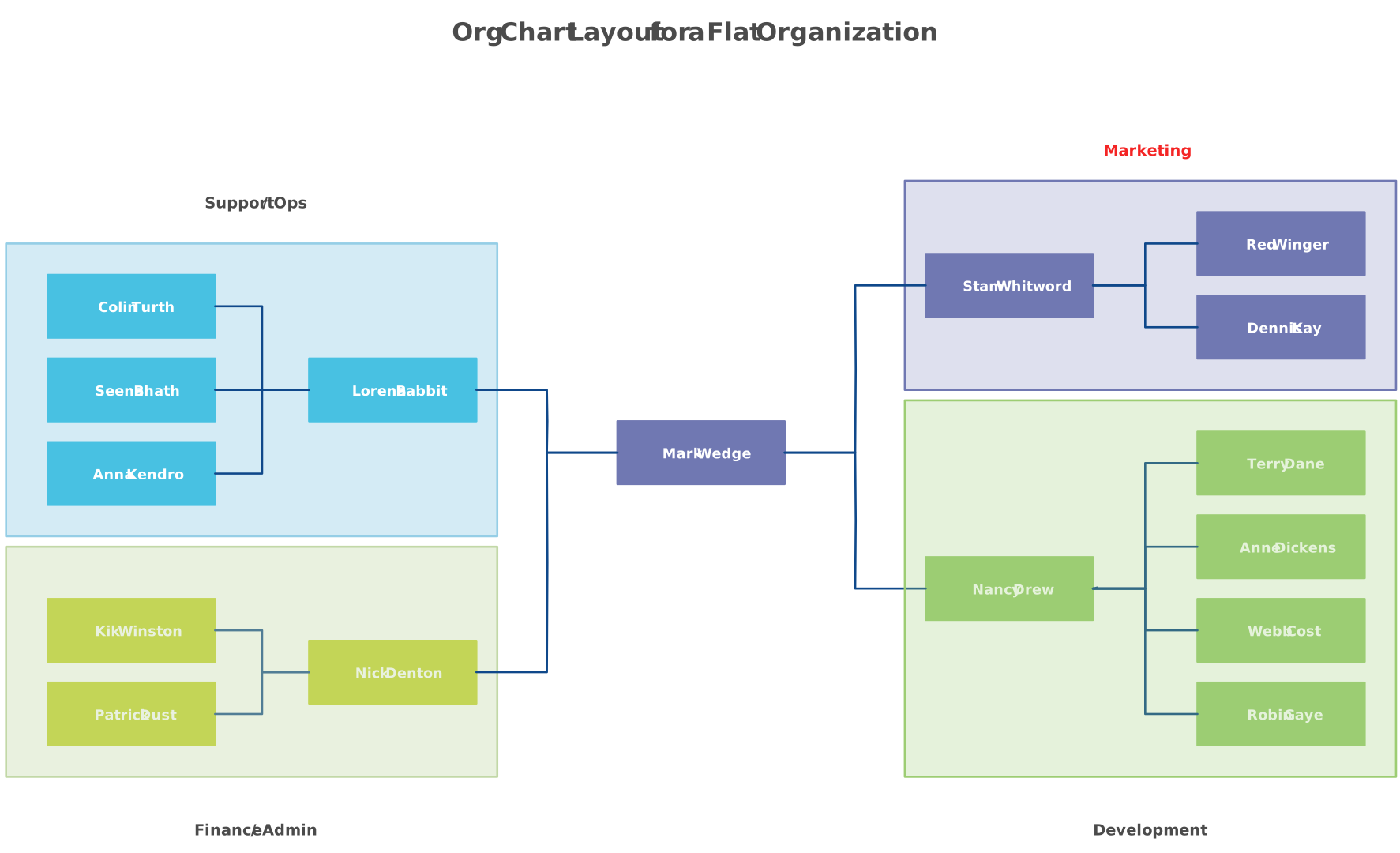
Flat startup org chart
A flat org chart has very few layers, with founders working directly with employees. It works well for early-stage startups that need speed and close collaboration, but it can become harder to manage as the team grows.

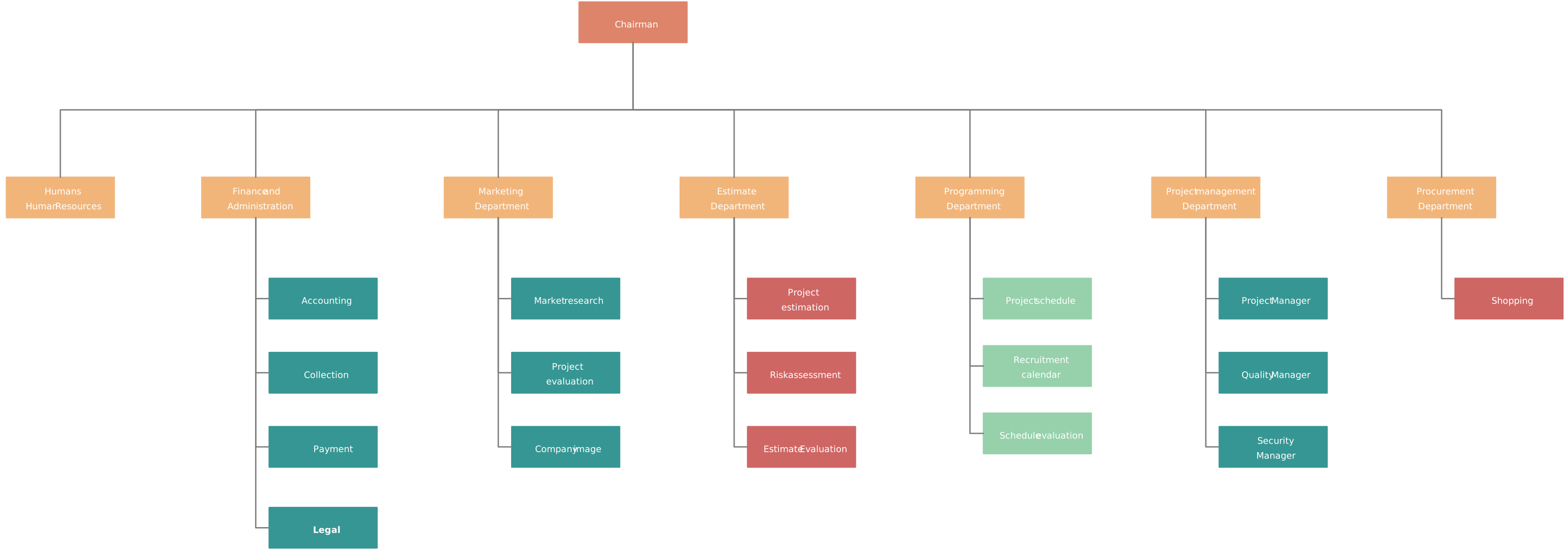
Functional startup org chart
A functional org chart groups people by teams such as product, engineering, marketing, sales, or operations. It works well as startups grow and need clearer ownership within each function.
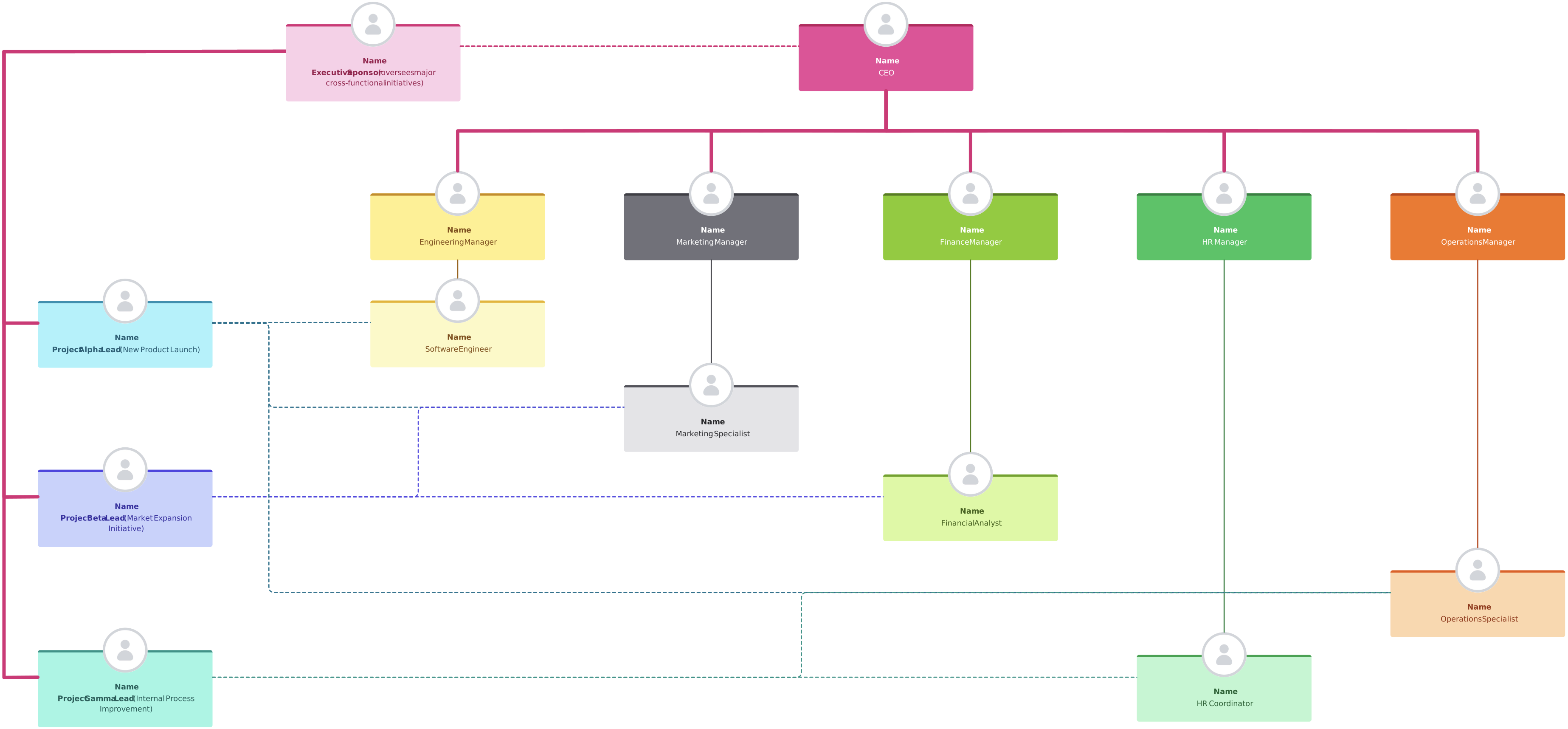
Matrix or cross-functional structure
This structure combines functional reporting with project-based collaboration. It is useful for startups that work in cross-functional teams or product squads, but it needs clear reporting lines to avoid confusion.
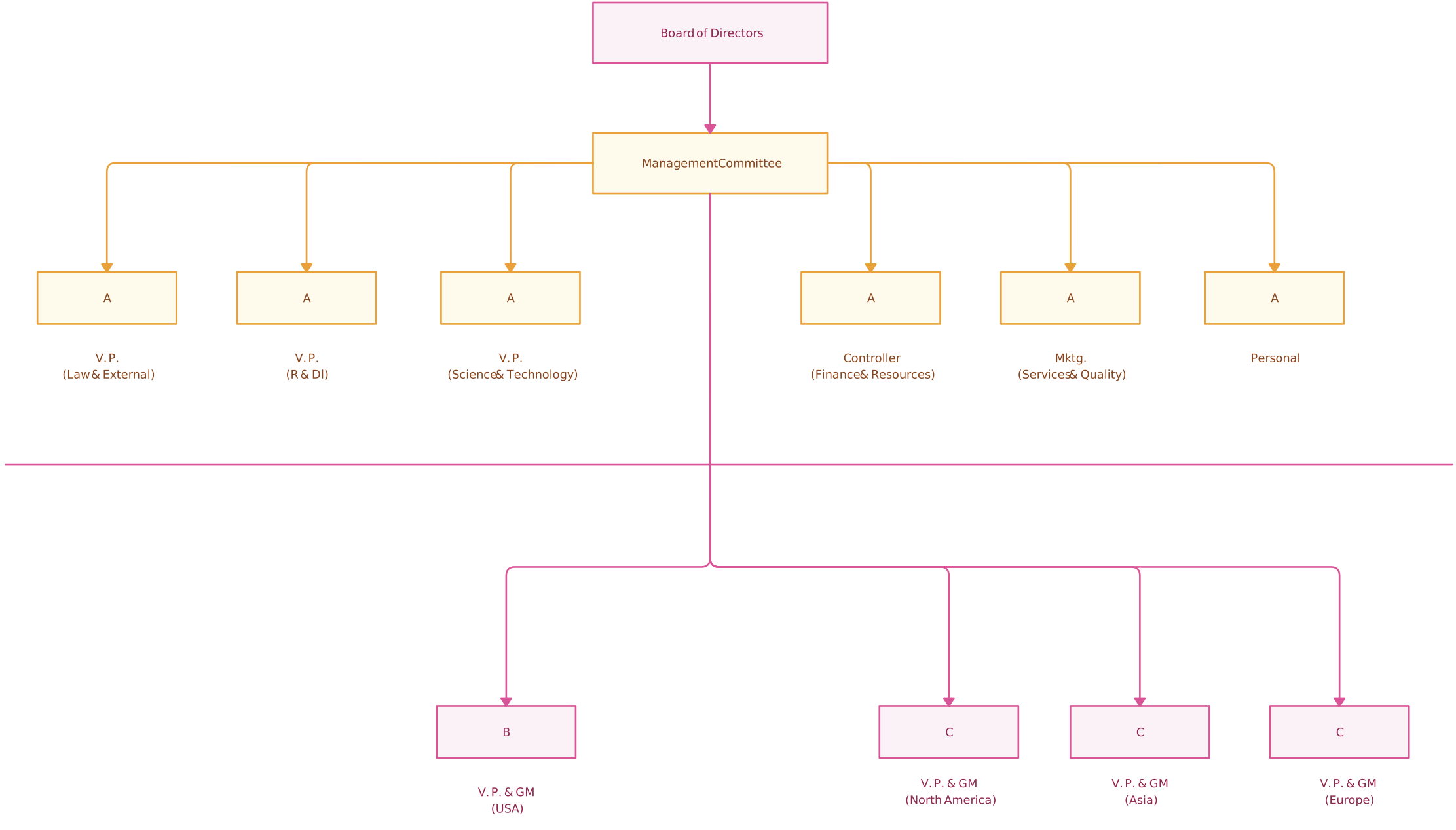
Hybrid startup org chart
A hybrid structure blends functional teams with flexible collaboration across the business. It gives growing startups more structure while still helping them stay agile.
How Startup Org Charts Evolve by Growth Stage
Startup org charts are not static. They change as the business grows.
That is why it helps to think about org charts by growth stage.
Pre-seed startup org chart
At the pre-seed stage, the org chart is usually very simple.
The founders sit at the center, and early team members may work across multiple areas. Titles are often broad, and roles are flexible.
A pre-seed startup org chart usually includes:
- founders
- advisors, if relevant
- first hires
- broad areas of ownership
At this stage, the chart is more about visibility than hierarchy.
Seed-stage startup org chart
At the seed stage, the team often starts becoming more functionally organized.
You may begin to see clear ownership in areas like:
- product
- engineering
- growth
- sales
- operations
- customer support
Founders may still stay close to most functions, but decision-making starts getting distributed.
This is when org charts become much more useful for onboarding, planning, and role clarity.
Series A and beyond
As startups move into Series A and later stages, the org structure becomes more defined.
You may now have:
- department heads
- team leads
- middle managers
- clearer reporting layers
- more specialized roles
- hiring plans tied to structure
At this stage, the org chart becomes a strategic tool. It helps leadership manage growth, spot gaps, plan headcount, and prepare for reorganizations.
How to Create a Startup Org Chart
Creating a startup org chart usually starts with gathering your team information, defining reporting lines, and grouping people by function or responsibility. From there, you can build the structure, fill in missing roles, add employee details, and keep updating the chart as your startup grows.
With Creately’s org chart software, each of these steps becomes much easier because you can import data, generate the org chart automatically, edit the structure visually, and maintain it as a living org chart.
Step 1: Import your team data
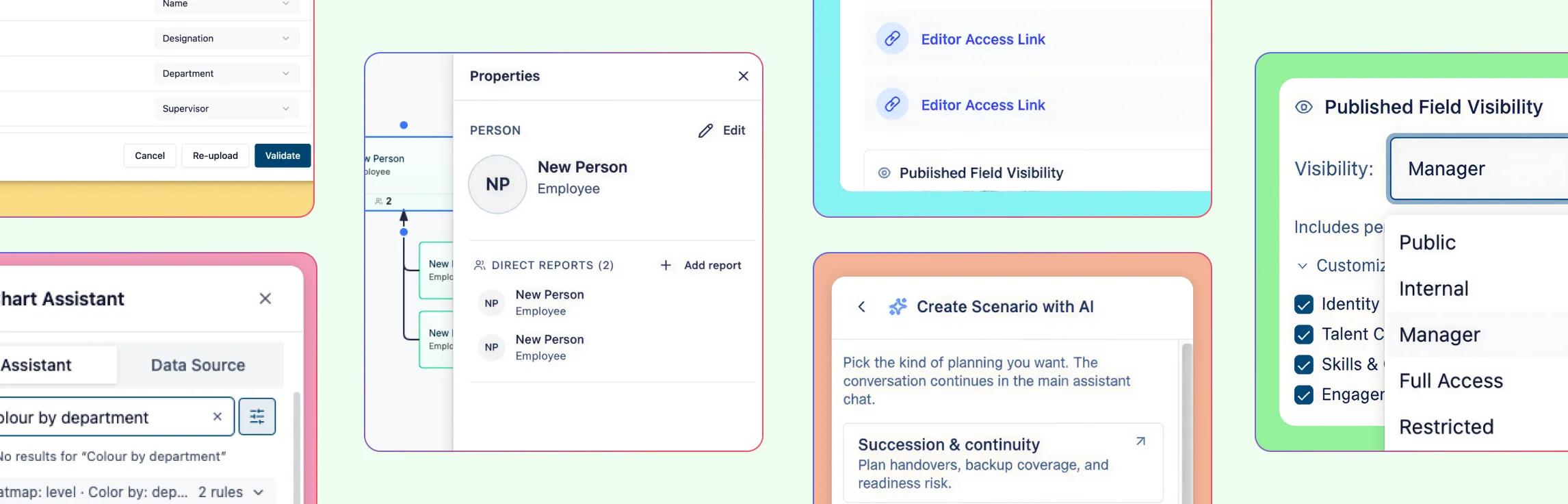
Start with a spreadsheet that includes details like employee names, titles, managers, and departments. In Creately, you can use the CSV import wizard to bring this data in quickly.
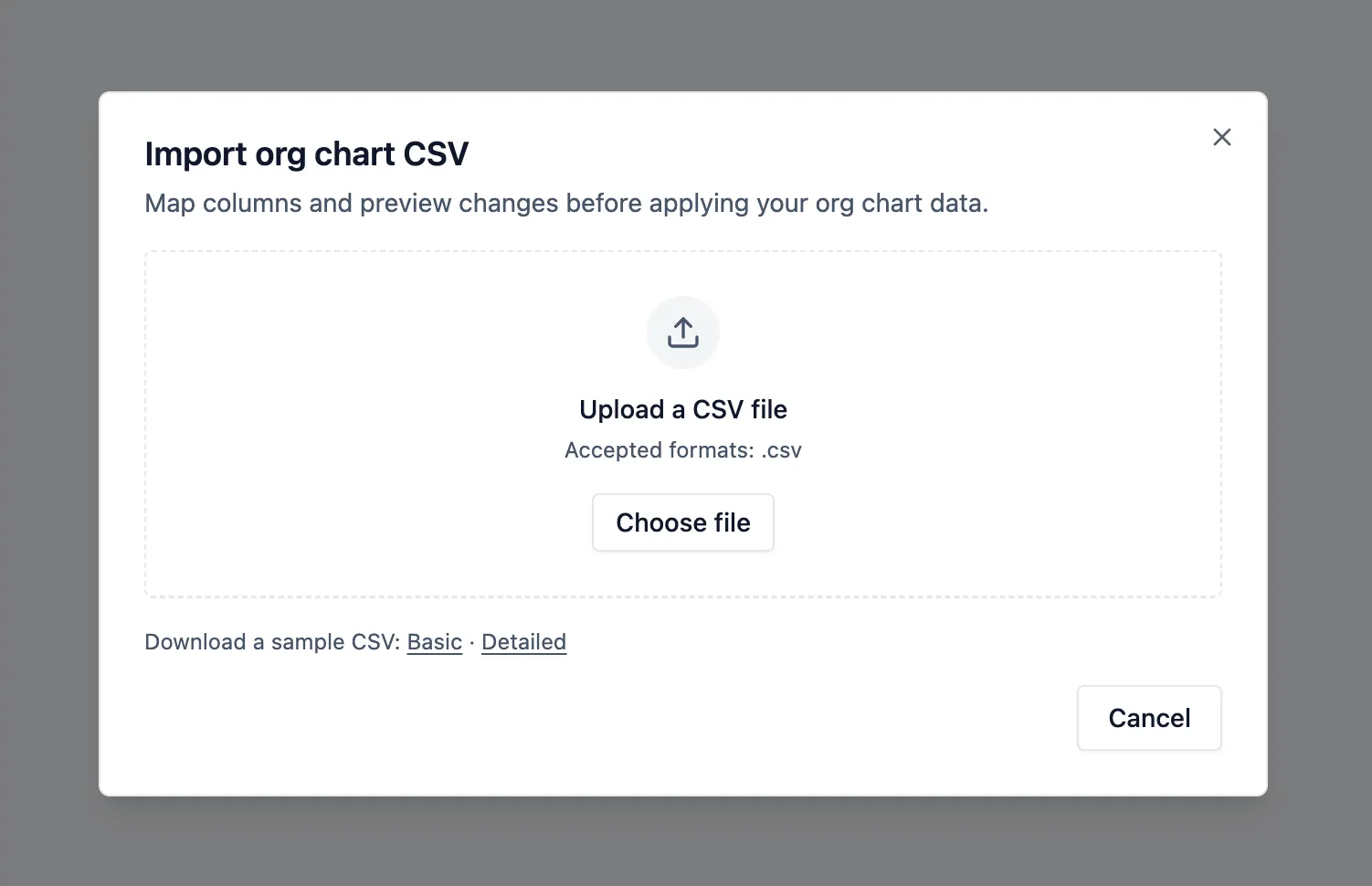
It can auto-map common columns like Name, Title, Manager, Department, Employee ID, Hire Date, and Position Title, which saves time when building your chart.
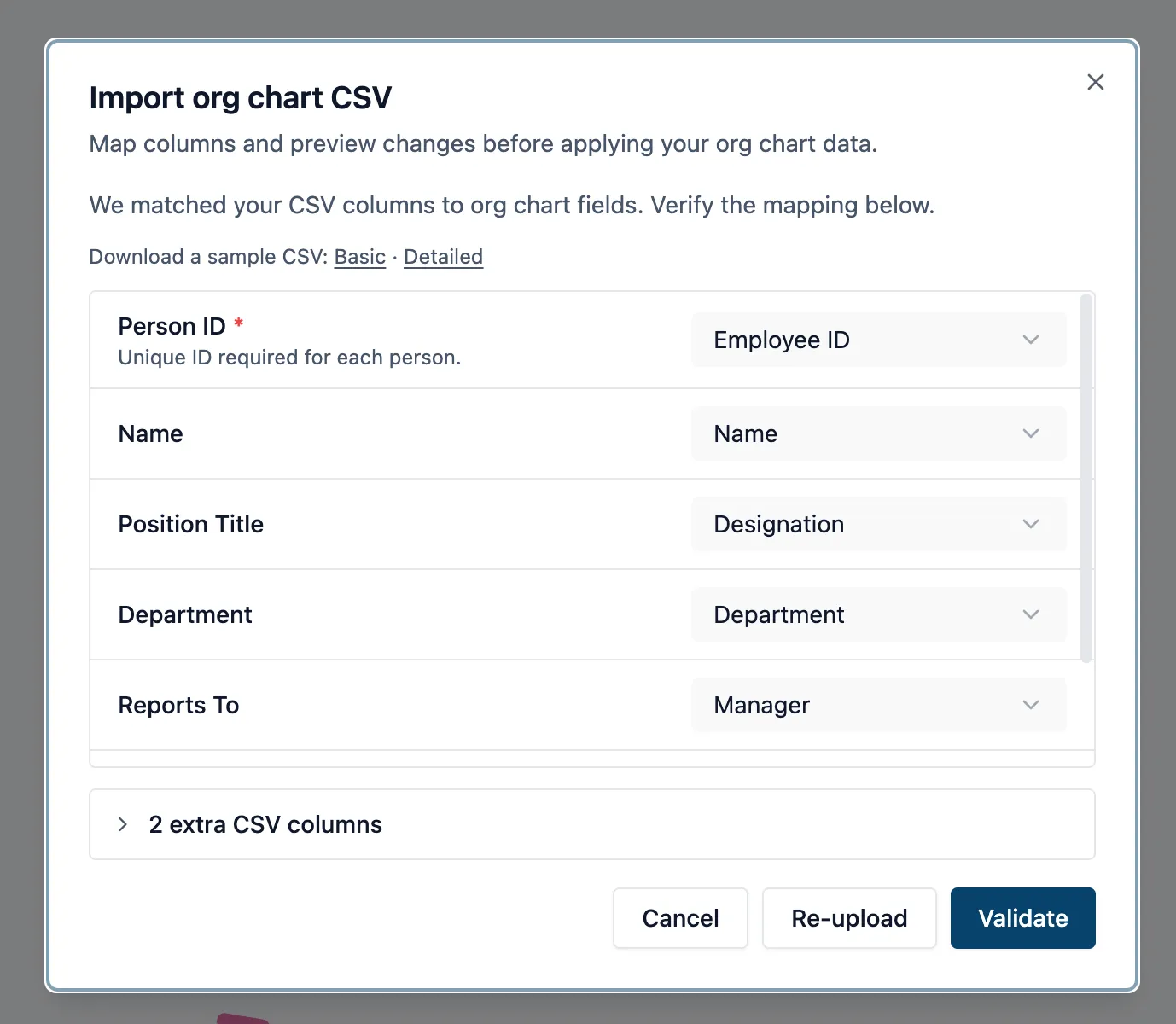
Step 2: Generate the org chart automatically
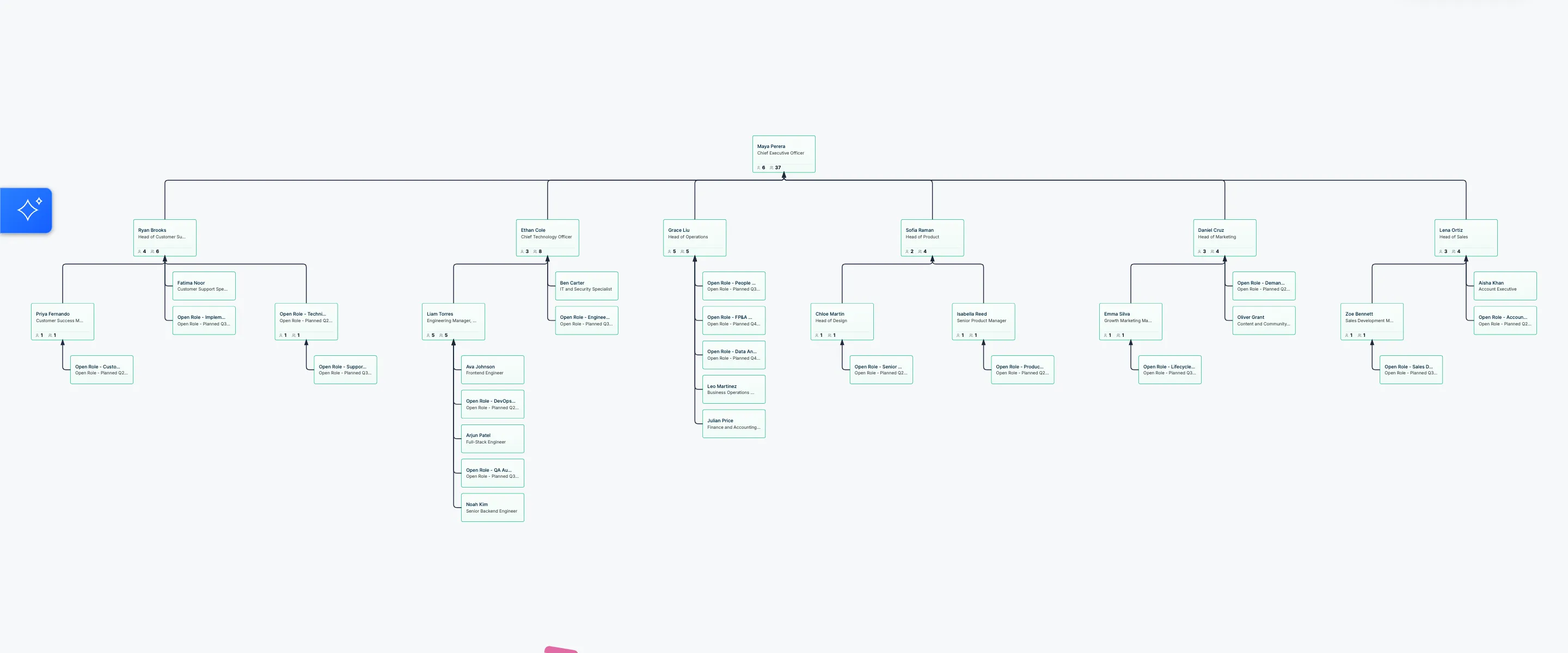
Once your data is imported, Creately can turn it into an org chart automatically.
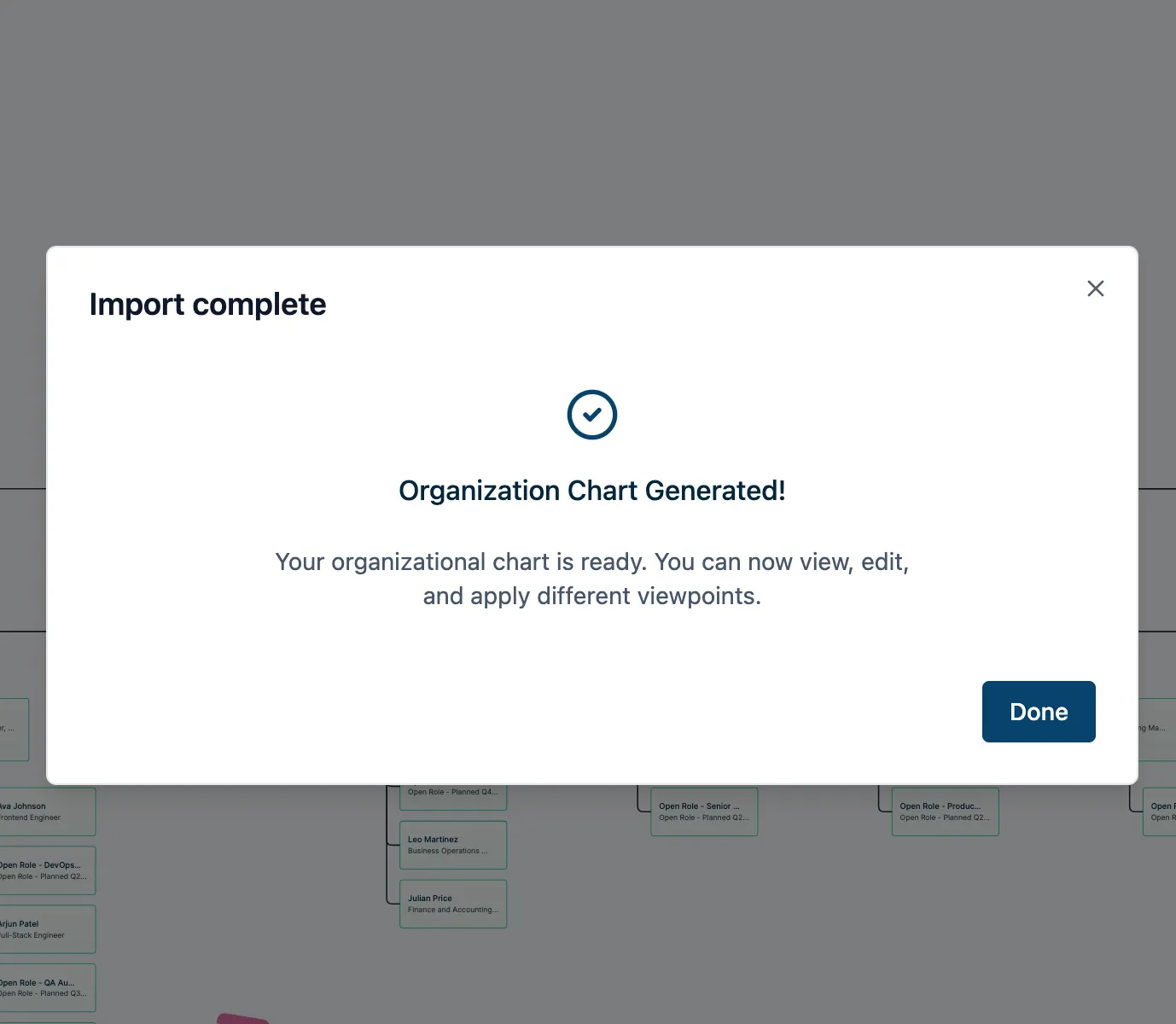
The platform maps reporting lines and applies an auto-layout, so you get a clean hierarchy without arranging every card manually.
Step 3: Check and refine the structure
Review the chart to make sure it matches how your startup is actually organized. Creately’s import validation helps catch issues like missing employee IDs, unknown manager references, reporting cycles, or empty rows before you finalize the chart.
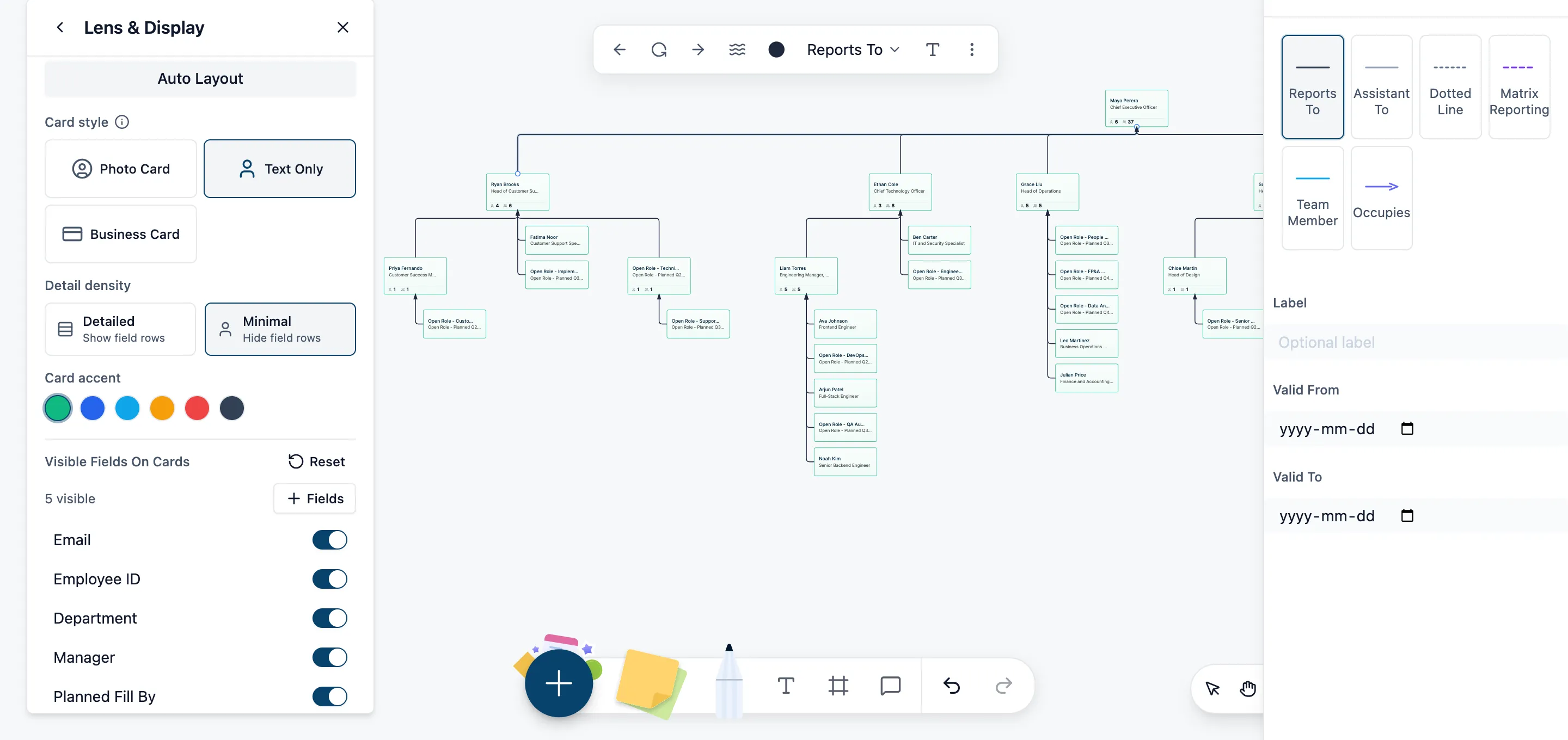
Step 4: Add new roles as needed
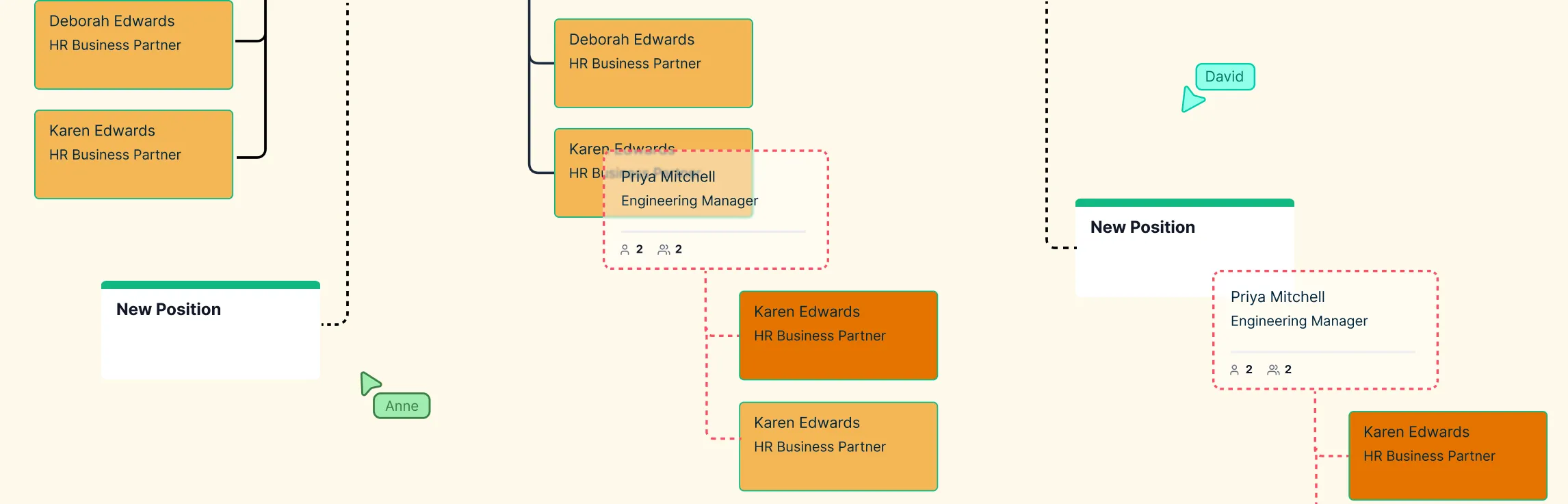
If you need to add missing employees, future hires, or new reporting lines, you can do that directly on the chart. Just hover over a card and use the blue connection dots to quickly add a direct report.
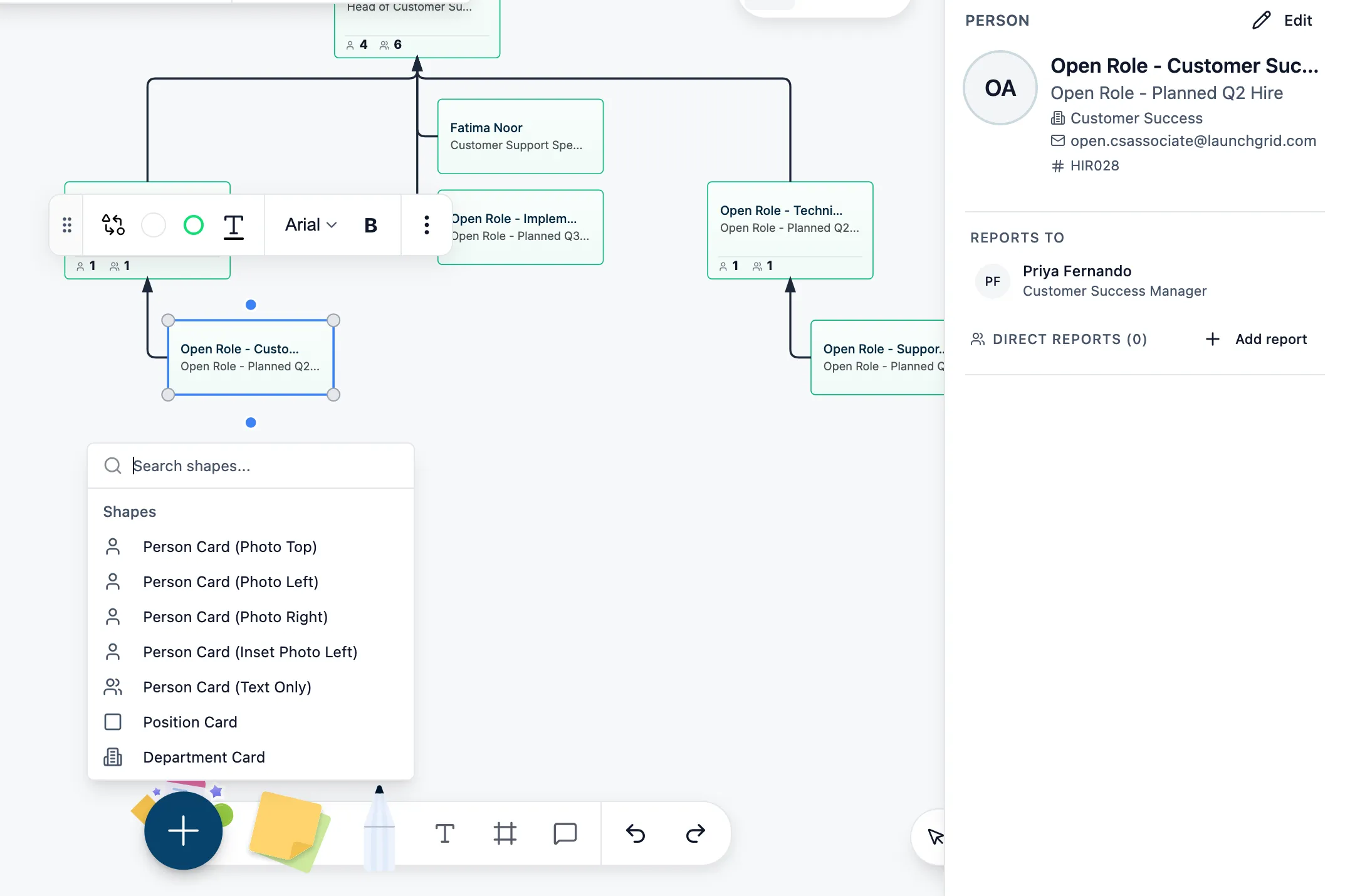
Step 5: Update details directly on the chart
As your team changes, you can edit cards right on the canvas. Double-click any person card to update names, titles, or other details inline. If you imported extra fields from your spreadsheet, those can stay attached as custom properties on each card.
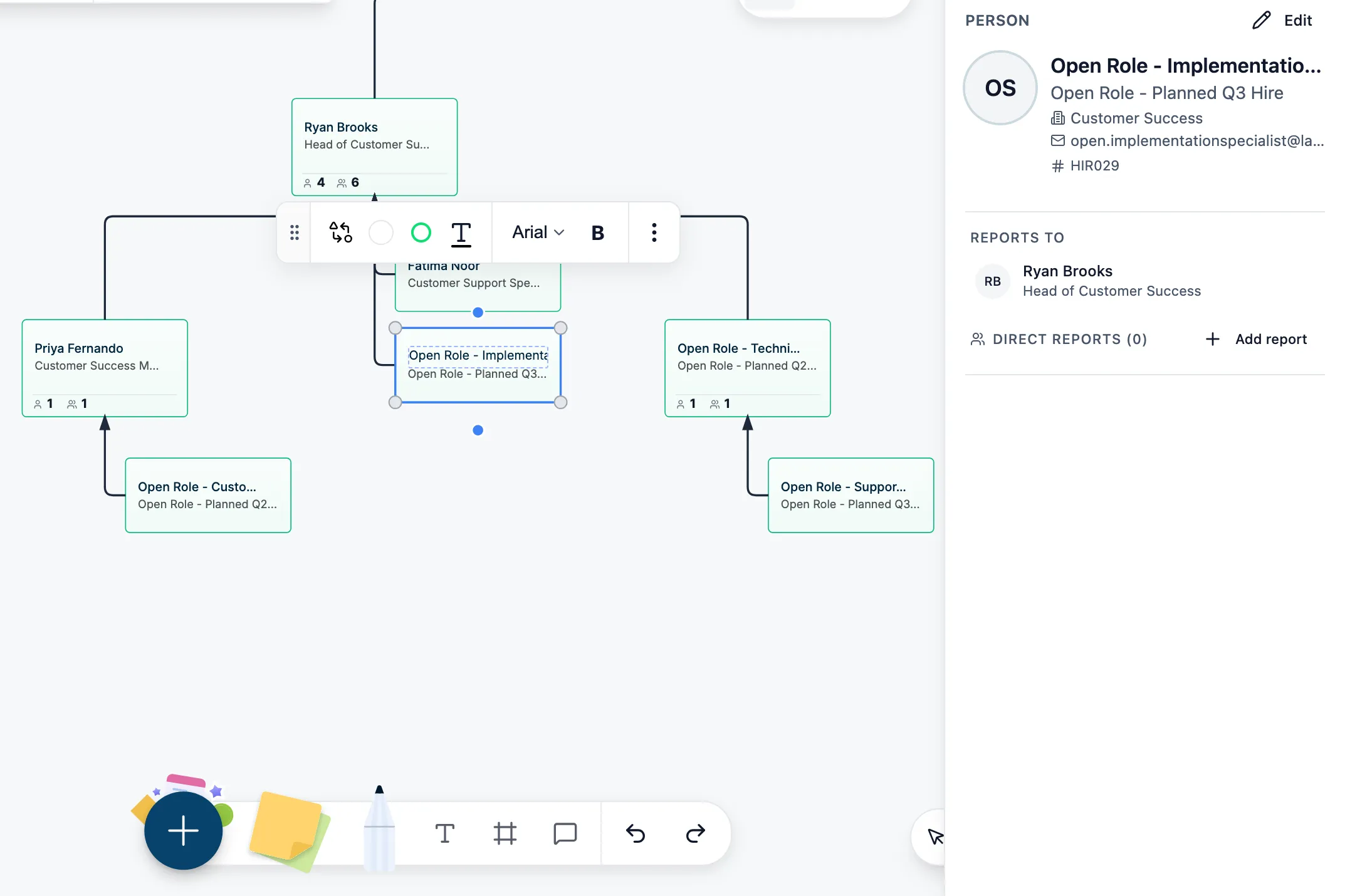
Step 6: Keep it as a living org chart
Startup structures change fast, so your org chart should be easy to update. With Creately, you can keep refining the chart as new hires join, teams expand, or reporting lines shift, making it a living workspace instead of a static diagram.
Startup Org Chart Examples
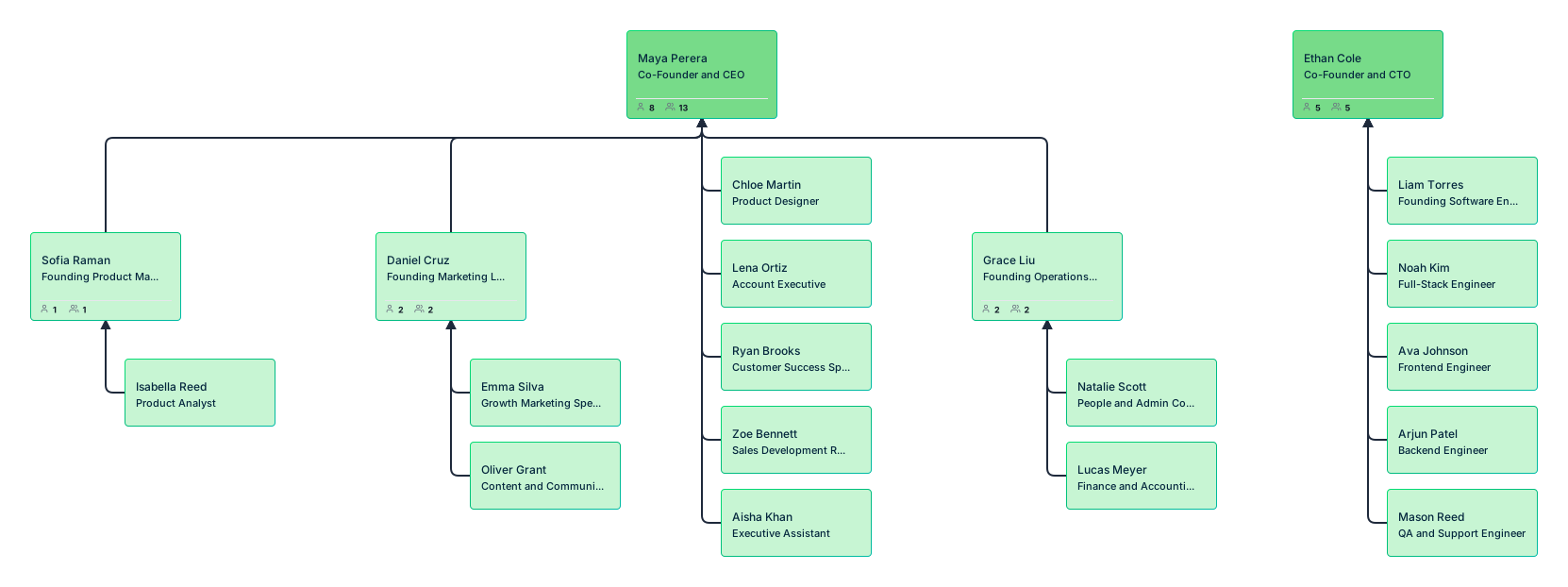
Startup organizational chart for a founder-led early-stage team
Shows a small startup where the founders directly manage the first few employees across product, engineering, marketing, and operations. This works well for very early-stage teams with few layers and broad responsibilities.
Startup org structure for a growing functional team
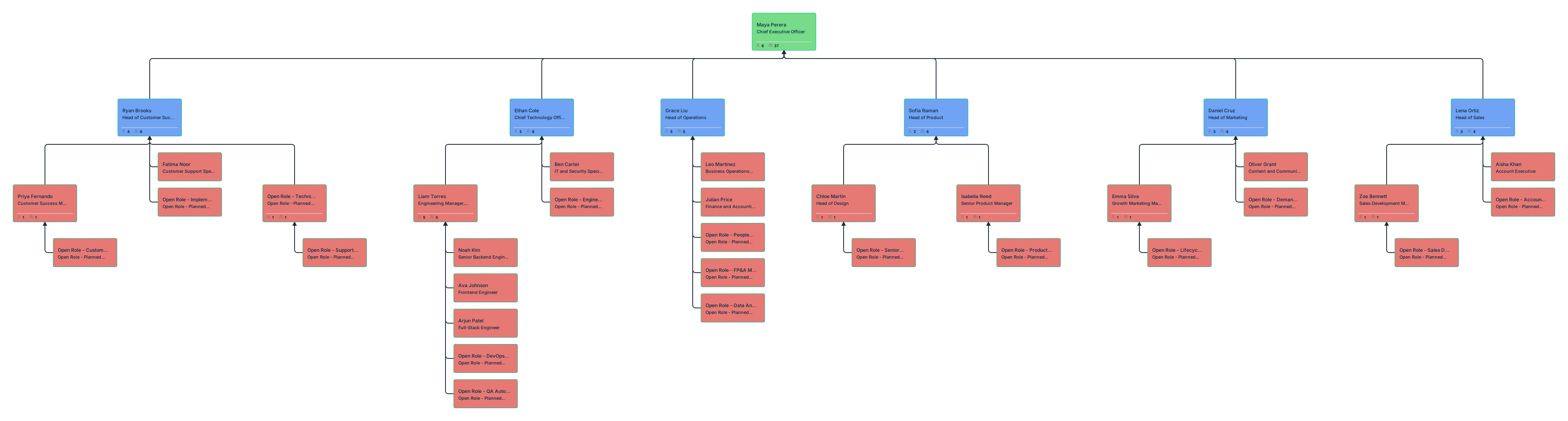
Shows a startup organized by key functions such as product, engineering, sales, marketing, customer success, and operations. This works well for startups that are growing and need clearer ownership across teams.
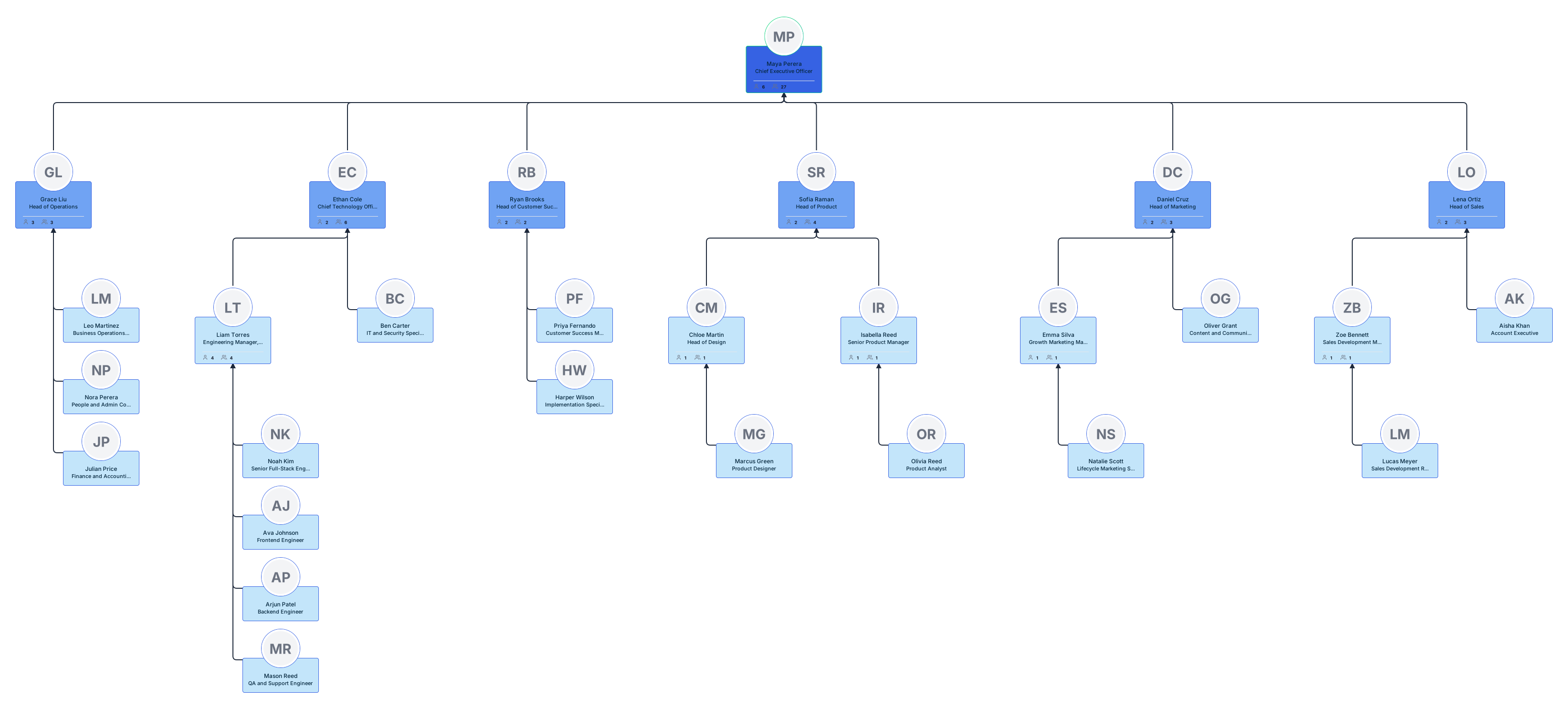
Startup company structure for a SaaS company
Shows the structure of a software startup with roles across product, engineering, design, sales, customer success, and support. This example works well for showing how a SaaS startup organizes teams around building, selling, and supporting a software product.
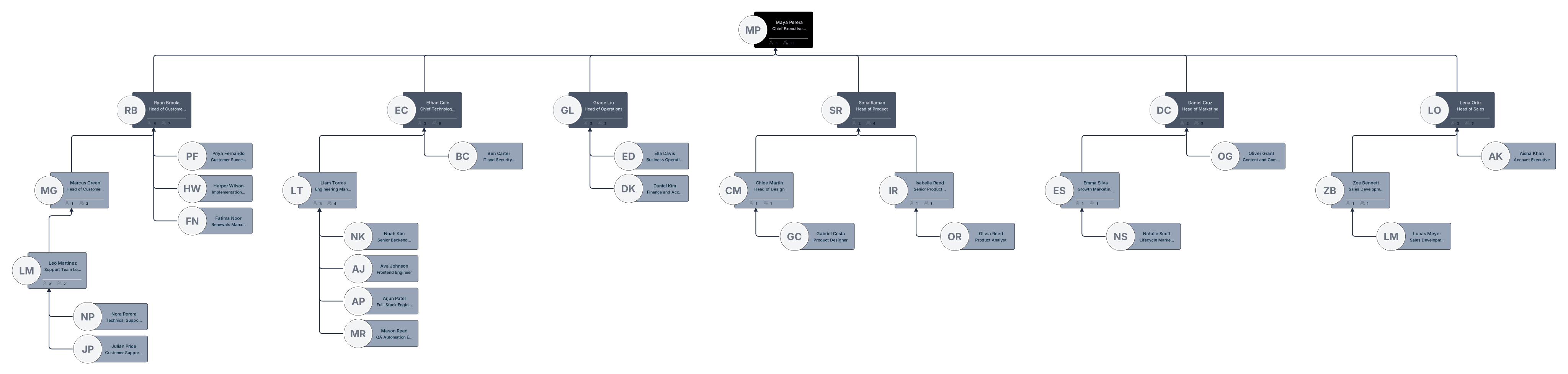
Startup org chart for a remote team
Shows a distributed startup team with reporting lines, departments, and optional details like location or time zone. This helps remote teams understand team structure and cross-functional connections more clearly.
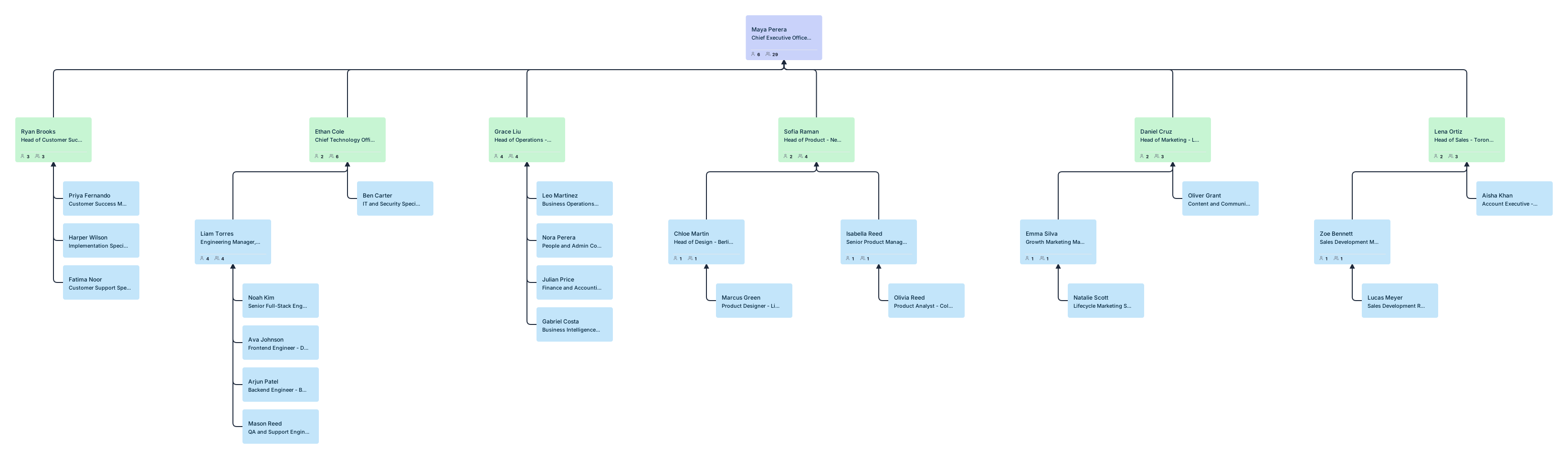
Startup org chart for hiring and growth planning
Shows the current team structure along with open roles and future hires. This is useful for founders and leadership teams who want to use an org chart for workforce planning as well as team visibility.