Network diagrams are the foundation of understanding how data flows in different network designs, and ring topology diagrams have a special place in that world because of their unique circular communication pattern. While ring topology might seem simple at first glance, they pack a lot of interesting behavior—from predictable traffic flow and equal access for all devices to the engineering trade-offs that make them both powerful and challenging in real deployments. This guide walks you through ring topology diagrams, how they work, and their practical applications in real-world networks.
What Is Ring Topology
Ring topology in computer network is a network design where devices (nodes) are connected in a circular loop. Each device is linked to two neighbors, creating a pathway for data to travel in an orderly sequence. This setup allows data to move efficiently, but the way the ring is set up can affect speed, reliability, and how failures are handled. Ring topology can be thought of in terms of both its physical layout and how data logically flows through the network.
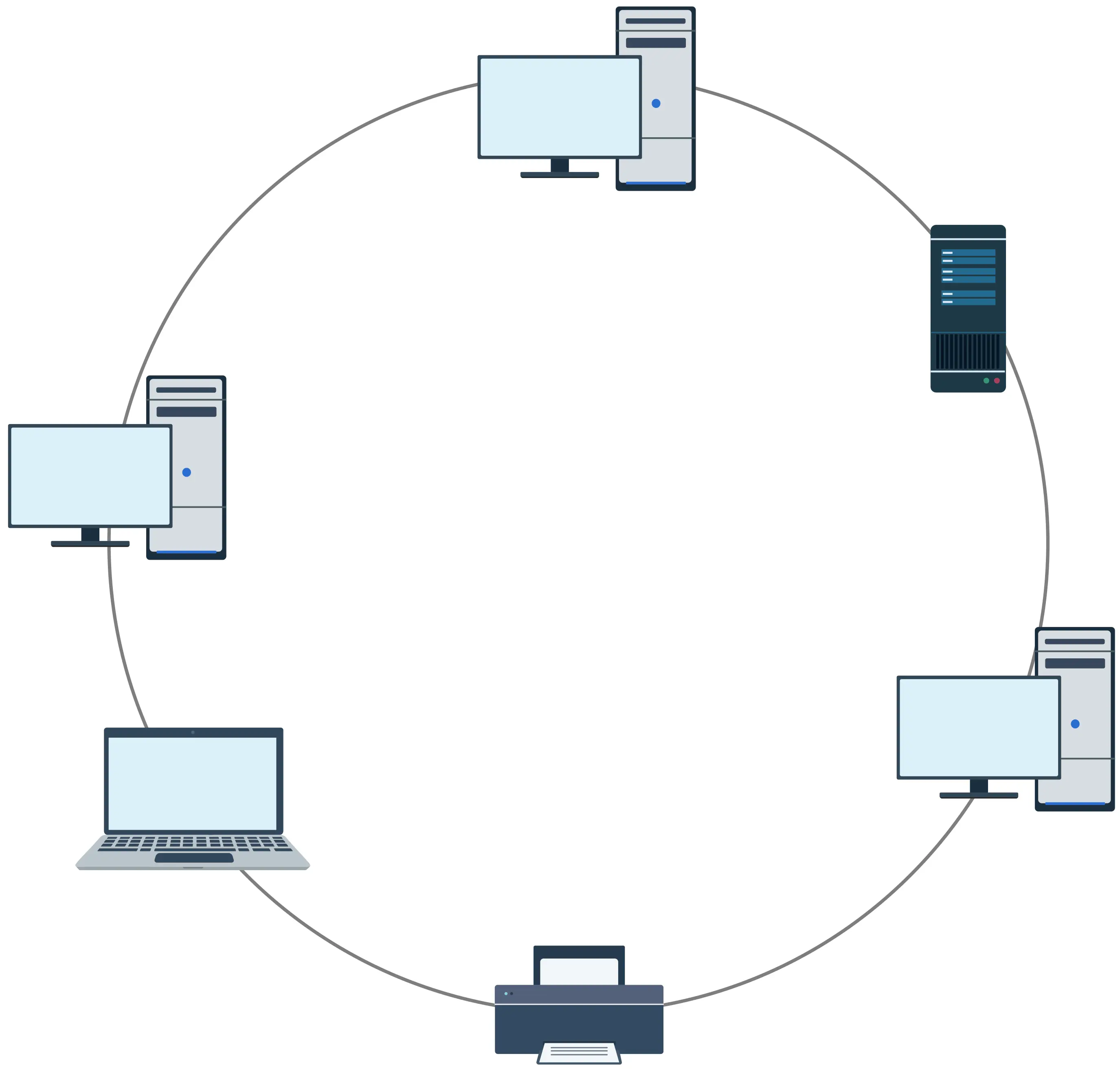
Anatomy of a ring topology diagram
It simplifies complex network structures into clear elements, making it easy to understand traffic patterns, troubleshoot issues, and plan network changes. Each part of the diagram plays an important role in showing how the network works.
Key components of a ring topology diagram:
Nodes: Represent the devices in the network, such as computers, servers, switches, or printers. Each node is shown as a distinct shape or icon, making it easy to see what is connected and where.
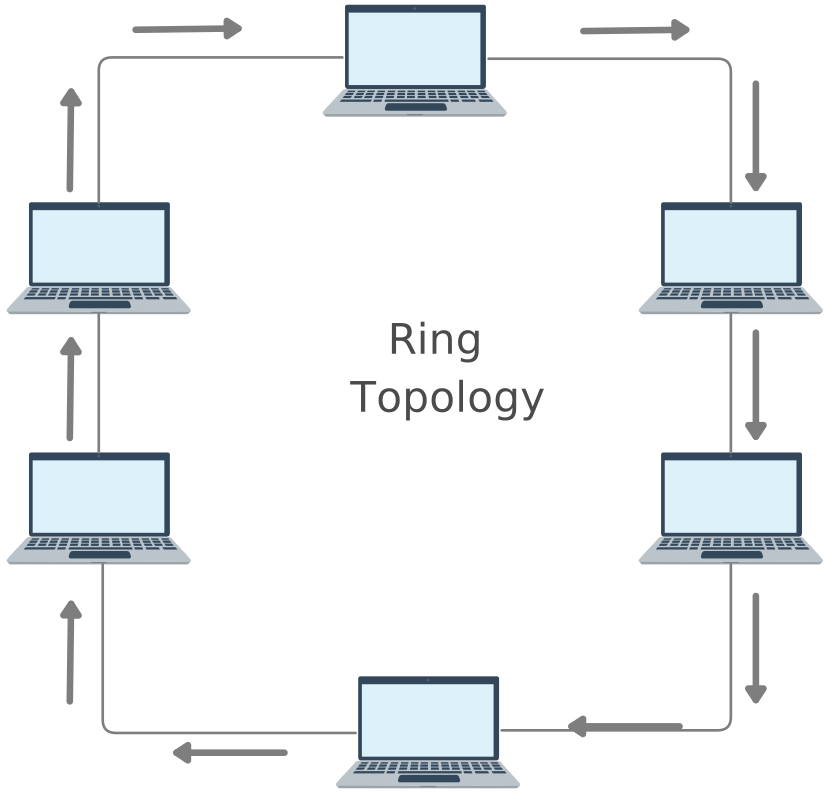
Connection lines: Lines link each node to its immediate neighbors, forming a closed loop. This visually represents the circular flow of data.
Data flow arrows: Arrows indicate the direction of data, showing whether it moves in a single direction (unidirectional) or both directions (bidirectional). This helps understand traffic patterns and potential bottlenecks.
Labels and icons: Nodes are often labeled with names, IP addresses, or device types. Icons can help quickly identify the type of device, making the diagram more intuitive.
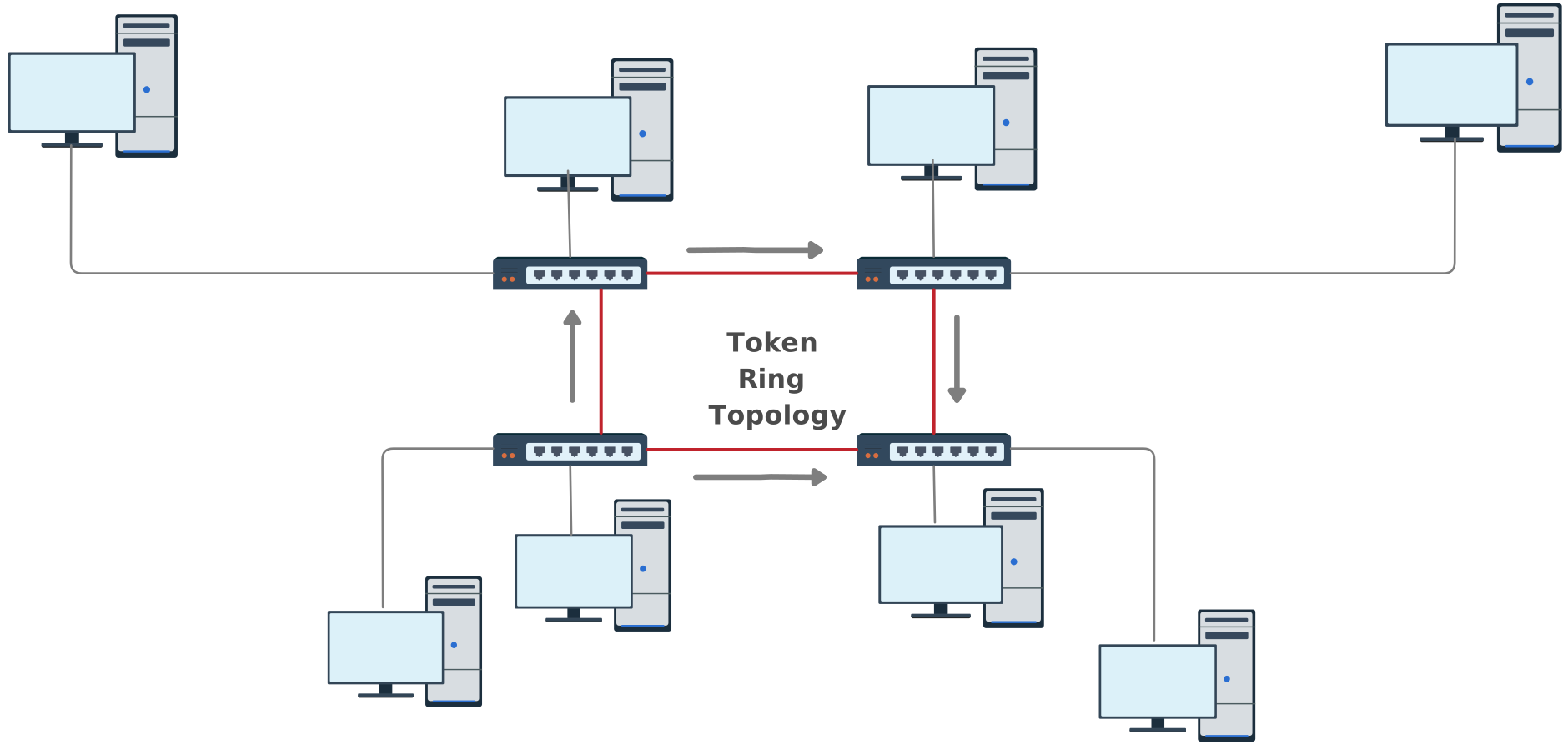
Optional protocol indicators: Some diagrams include symbols for network mechanisms like token passing, which control how data is transmitted and help prevent collisions.
How these elements work together:
The loop structure immediately conveys the circular nature of the network.
Arrows and flow indicators show how data moves, making it easier to understand network behavior.
Labels and icons provide clarity, turning the diagram into a practical tool for analysis, troubleshooting, and planning.
By breaking a network ring topology into these visual elements, a diagram makes it easy for anyone — from beginners to IT professionals — to quickly understand the network’s structure and how data travels within it.
How Does Ring Topology Work?
A network ring topology moves data in a circular path, with each device connected to two neighbors. Instead of a central hub, every device takes part in passing information around the loop.
Sequential data flow: Data travels from one device to the next until it reaches its destination.
Token passing: Many ring networks use a small “token” that devices must hold before sending data. This prevents collisions and keeps communication organized.
Unidirectional vs bidirectional:
Unidirectional: Data moves in one direction around the ring.
Bidirectional: Data can travel both ways, adding redundancy if a link fails.
Equal access: Every device gets its turn to send data, ensuring fair use of the network.
Predictable performance: The orderly flow and control mechanisms make network behavior easier to manage.
This system allows ring networks to deliver structured, efficient, and reliable communication, even with multiple devices active at the same time.
What Are Common Applications of Ring Topology
Ring topology isn’t just a classroom concept — it has real uses in networks where orderly data flow, reliability, and predictable performance matter. While other topologies like star and mesh are more common in everyday office environments, ring networks still shine in specific applications where their structure gives them an edge.
Here are some common places you’ll find ring topology in action:
Metropolitan and wide area networks: Ring configurations are often used to connect multiple sites across cities or regions, especially when traffic needs to be managed in a consistent, predictable way.
Telecommunications backbones: Many telecom networks use ring structures to route voice and data traffic efficiently while maintaining redundancy, so services stay up even if one link goes down.
Fiber optic networks: Fiber Distributed Data Interface (FDDI) and other fiber‑based ring systems rely on ring topology to support high‑speed data transmission with built‑in fault tolerance.
Manufacturing and industrial systems: Industrial environments that require synchronized communication between controllers, sensors, and actuators can benefit from ring layouts, especially when downtime is costly.
Campus and education networks: Some campus networks choose ring designs to connect buildings in a loop, giving each facility equal access and easy scalability.
How to Draw a Ring Topology Diagram
Step 1: Choose a diagramming tool
Start by selecting a tool that allows you to create network diagrams quickly and accurately. Creately’s network diagram software offers pre-made network shapes, smart connectors, and templates specifically for ring topologies, so you don’t have to start from scratch. This helps you save time and ensures your diagram looks professional.
Step 2: Draw the loop
Begin with a circular layout representing the ring itself. This loop forms the backbone of your network and visually communicates that every device is connected in a continuous path. Make the circle large enough to place all nodes evenly without clutter.
Step 3: Add nodes (devices)
Place each network device — such as computers, switches, routers, or servers — around the loop. In a ring topology, every node connects to exactly two neighbors. Position them evenly so the diagram is balanced and easy to follow.
Step 4: Connect the nodes
Use straight or curved lines to link each device to its immediate neighbors, completing the circular path. Ensure lines are clear and do not overlap unnecessarily. Proper connections make it easy for viewers to understand the flow and structure of the network.
Step 5: Indicate data flow
Add arrows along the loop to show how data moves through the network. For unidirectional rings, arrows move in a single direction; for bidirectional rings, data can travel both ways. Visualizing the flow helps readers understand how communication and traffic control work in the network.
Step 6: Label devices and links
Clearly label each device with a name, type, or IP address. You can also label connections if they have special characteristics, like speed or protocol. Proper labeling ensures anyone reading the diagram can quickly identify devices and understand their role in the network.
Step 7: Review, refine, and share
Step back and check that your diagram is clean, balanced, and readable. Make sure arrows, labels, and nodes are clear. With Creately, you can share the diagram online, export it in multiple formats, or collaborate with your team in real time, making updates easy and maintaining accuracy.
Advantages and Disadvantages of Ring Network Topology
Ring topology has unique strengths and limitations that make it suitable for certain networks but less ideal for others. Understanding these can help you decide when a ring network is the right choice.
| Advantages | Disadvantages |
| Predictable Data Flow: Data moves in a set sequence, making network traffic easy to monitor and manage. | Single Point of Failure: In a simple ring, if one node or connection fails, the entire network can be disrupted unless redundancy is used. |
| Equal Access for All Devices: Every device gets a fair chance to send data, reducing congestion. | Troubleshooting Complexity: Identifying the exact location of a failure can be time-consuming, especially in larger networks. |
| Reduced Collisions: Token passing or similar mechanisms prevent multiple devices from sending data at the same time. | Scalability Limitations: Adding or removing devices may require temporarily disrupting the network. |
| Efficient for High-Traffic Networks: Structured data flow keeps the network performing well even under heavy load. | Potential Latency: In large rings, data may pass through many nodes, slowing communication. |
| Supports Redundancy: Advanced dual-ring designs allow data to travel both ways, keeping the network operational even if a link fails. |
Ring Topology vs Other Network Topologies
Ring topology has some unique strengths and weaknesses compared to other common network layouts like star, bus, and mesh. Understanding these differences helps you decide when a ring network is the right choice.
| Feature / Topology | Ring | Star | Bus | Mesh |
| Structure | Each device connects to two neighbors forming a closed loop | All devices connect to a central hub | All devices connect to a single backbone cable | Each device connects to multiple others |
| Data Flow | Sequential, predictable; often uses token passing | Through the central hub | Along the backbone; can collide with multiple devices sending at once | Multiple paths available; very fault-tolerant |
| Fault Tolerance | Single link failure can disrupt the network (unless dual ring is used) | Failure of one device doesn’t affect others; hub failure affects all | Single cable failure can bring down the network | Highly resilient; multiple paths prevent failure |
| Ease of Troubleshooting | Moderate; finding failures can take time | Easy; centralized hub makes issues easy to identify | Moderate; failures on backbone affect all devices | Complex; many connections can be hard to trace |
| Scalability | Moderate; adding/removing nodes requires careful handling | Easy; new devices connect to hub | Limited; backbone length and device count matter | Difficult; adding devices requires multiple connections |
| Cost | Moderate; simple ring is inexpensive, dual ring adds cost | Moderate; depends on hub and cabling | Low; minimal cabling | High; many connections and cables required |
| Best Use Case | Predictable traffic, equal access, controlled environments | Small to medium networks, easy expansion | Small networks, simple layouts | Large, high-reliability networks, redundant connections |
Ring Topology Examples
Ring Topology
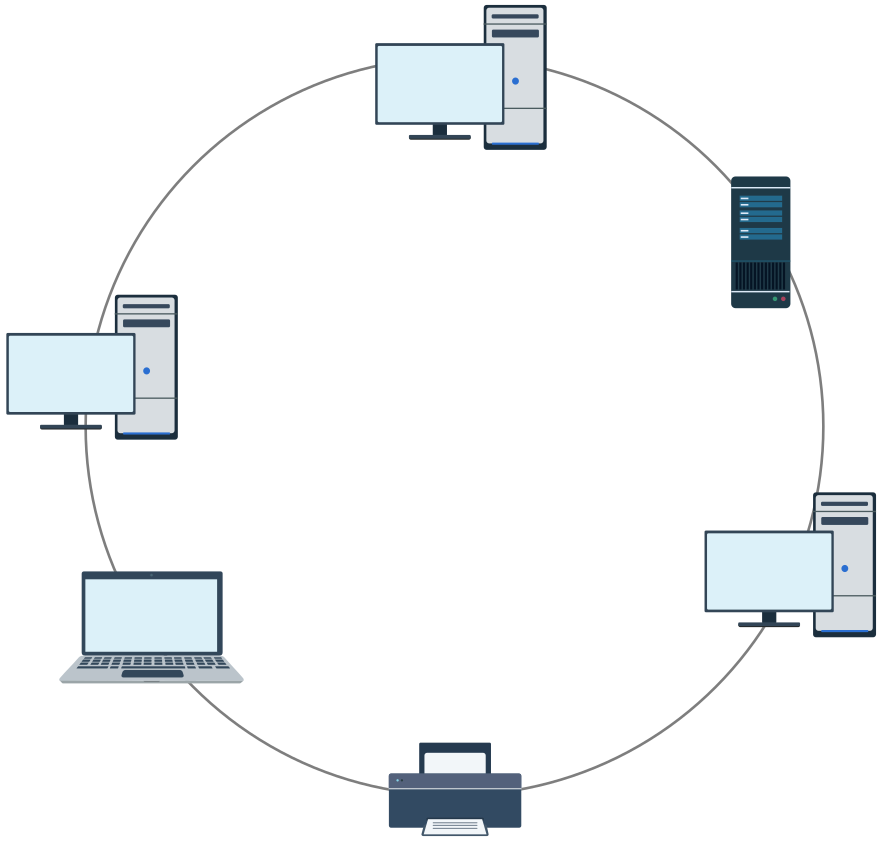

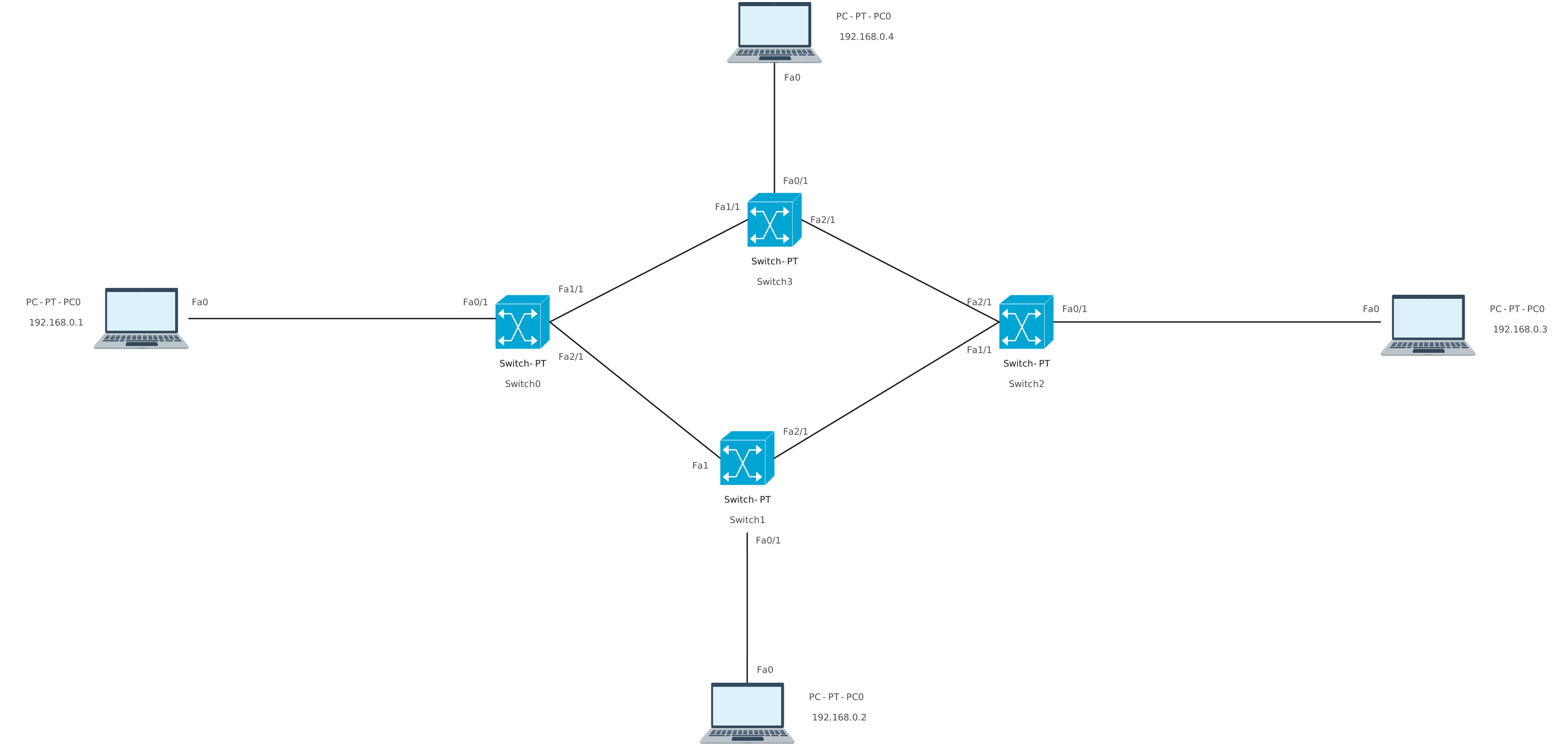
Basic Ring Network Topology Diagram
Token Ring Network Diagram Template
Ring Network Template
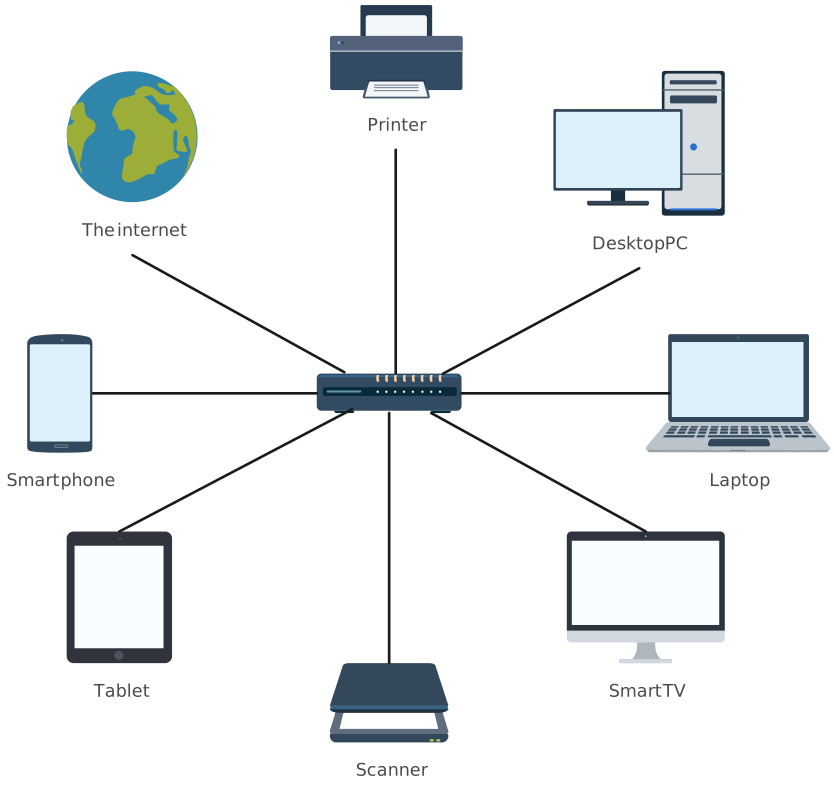
Ring Topology Network Template