Network security diagrams help teams spot vulnerabilities, plan controls, and communicate network design clearly. Used by admins, architects, and auditors, they turn complex networks into easy-to-understand visuals. This guide showcases practical network security diagram examples and templates you can use to strengthen your network.
What Is a Network Security Diagram
Network security diagrams are visual maps of a network’s security setup. They show how key security components work together, including:
Firewalls and gateways
DMZ and trust zones
IDS/IPS and monitoring tools
Network segmentation
Traffic and data flows
Instead of reading long documentation, teams can see how security is structured at a glance.
Network Security Diagram Examples to Visualize Firewalls, Segmentation, and Access Control
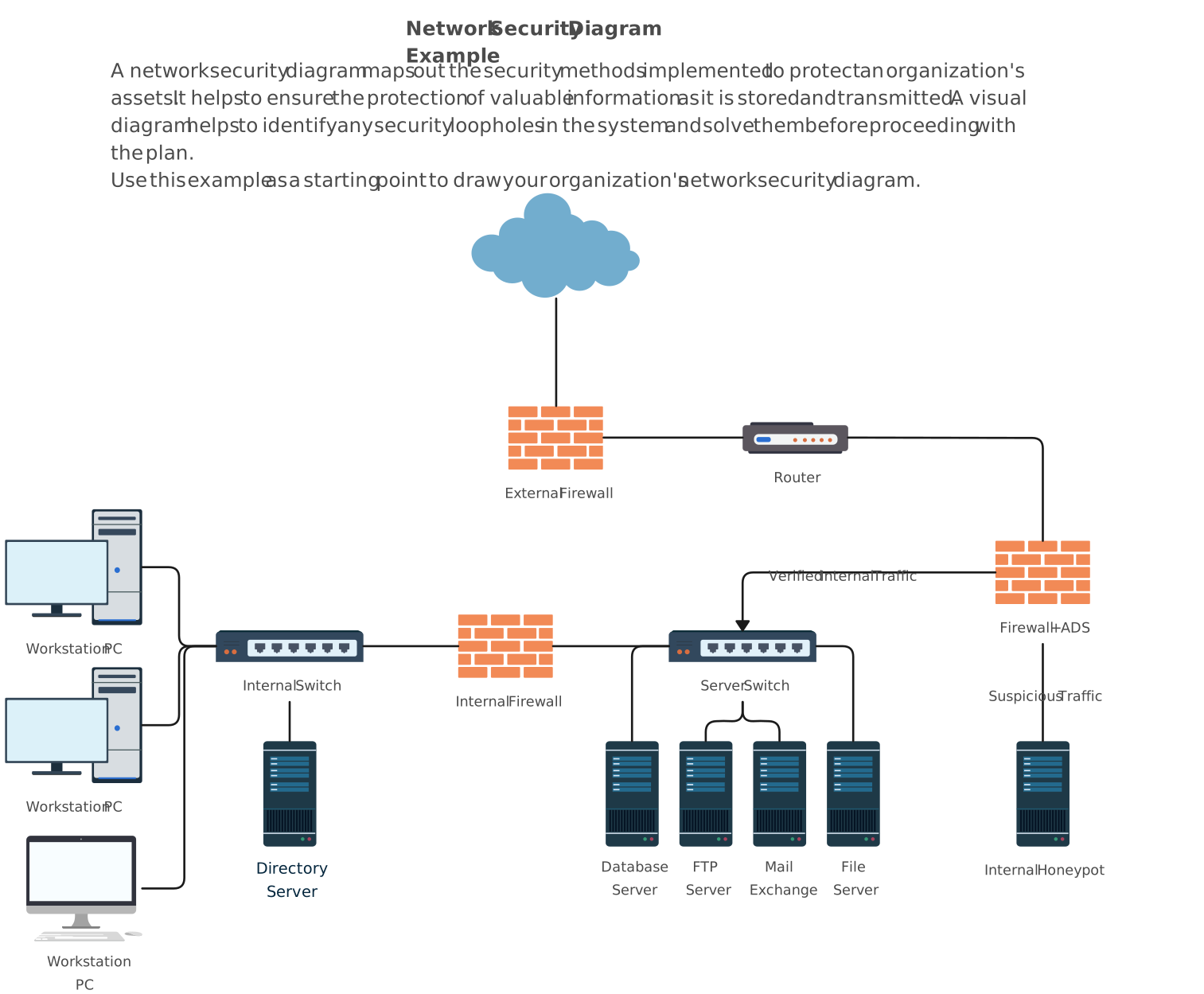
1. Basic Network Security Diagram Example
Shows a standard network layout with firewalls, DMZ, and security controls. Helps teams visualize traffic flows and identify potential vulnerabilities in a simple, easy-to-understand structure.

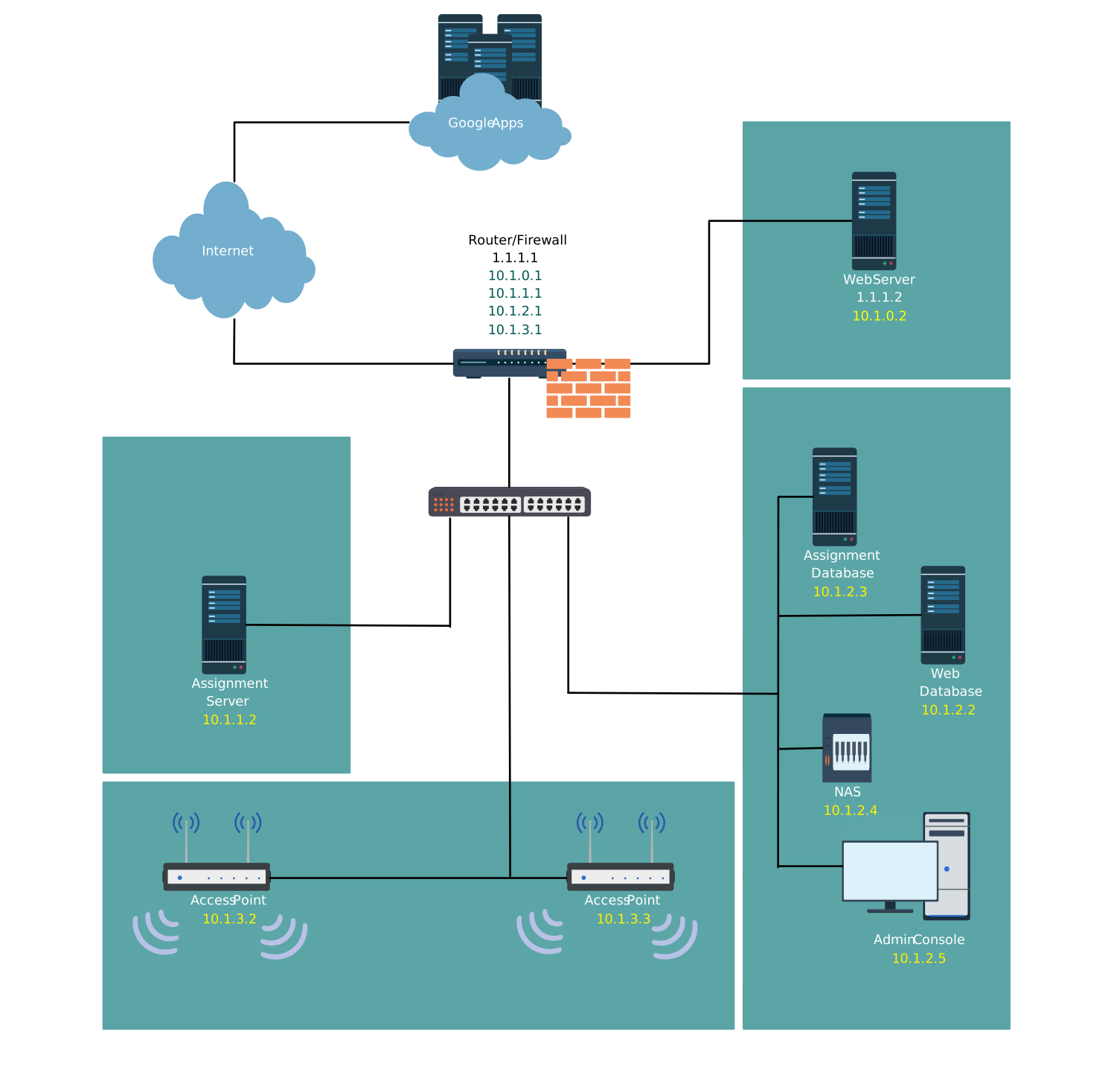
2. Zone Segmentation in an Office Network (Local Network Security)
Illustrates how an office network can be divided into separate security zones. Enables better policy enforcement, reduces risks, and clearly separates trusted and untrusted areas.
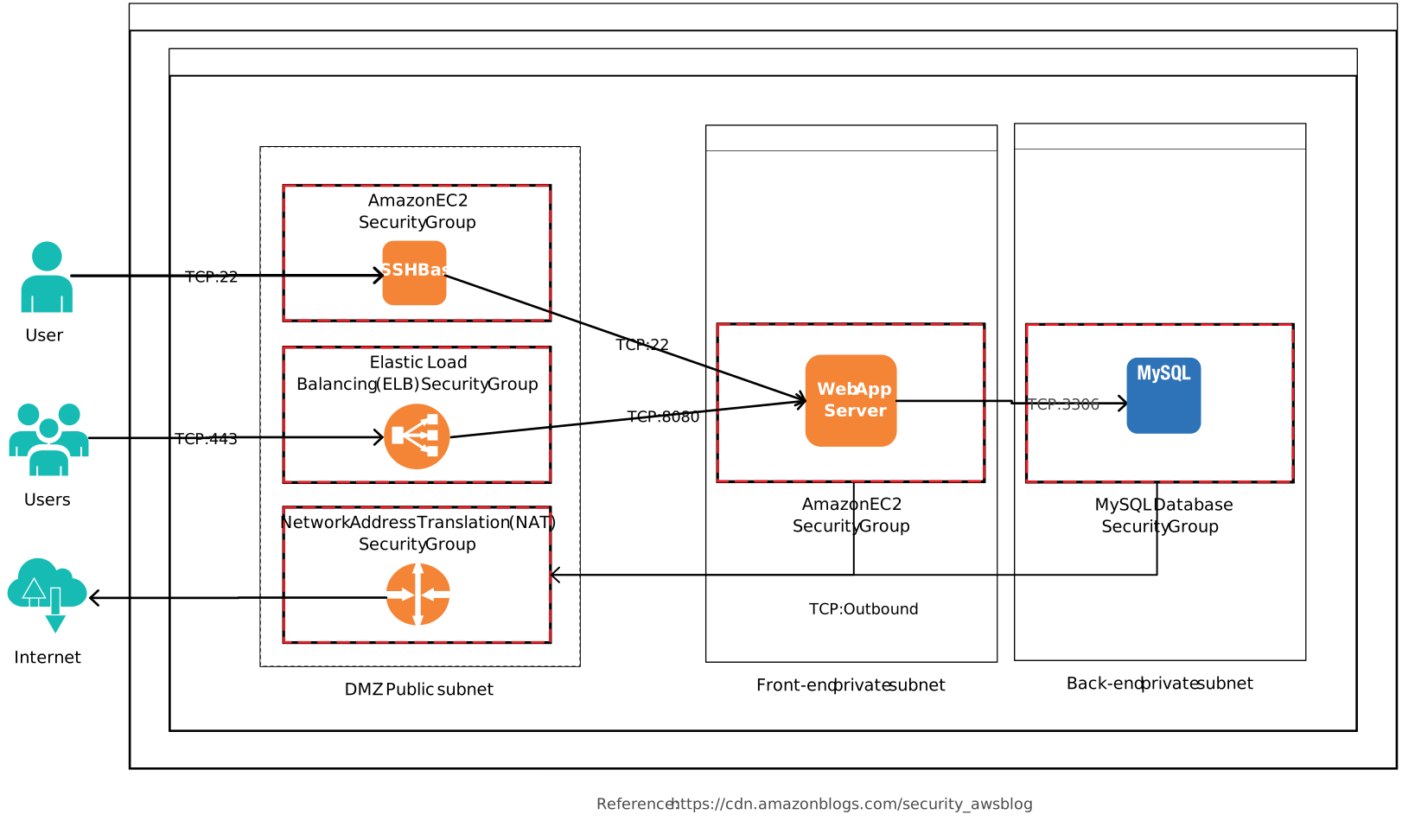
3. Reference Architecture with Amazon VPC Configuration
Provides a blueprint for securing cloud infrastructure on AWS. Includes VPC design, subnets, gateways, and security groups for a scalable, well-protected cloud network.
4. Government Cloud Mesh Network
Visualizes a government or enterprise cloud network with a mesh architecture. Demonstrates secure interconnections between multiple cloud nodes and services while maintaining compliance and control.
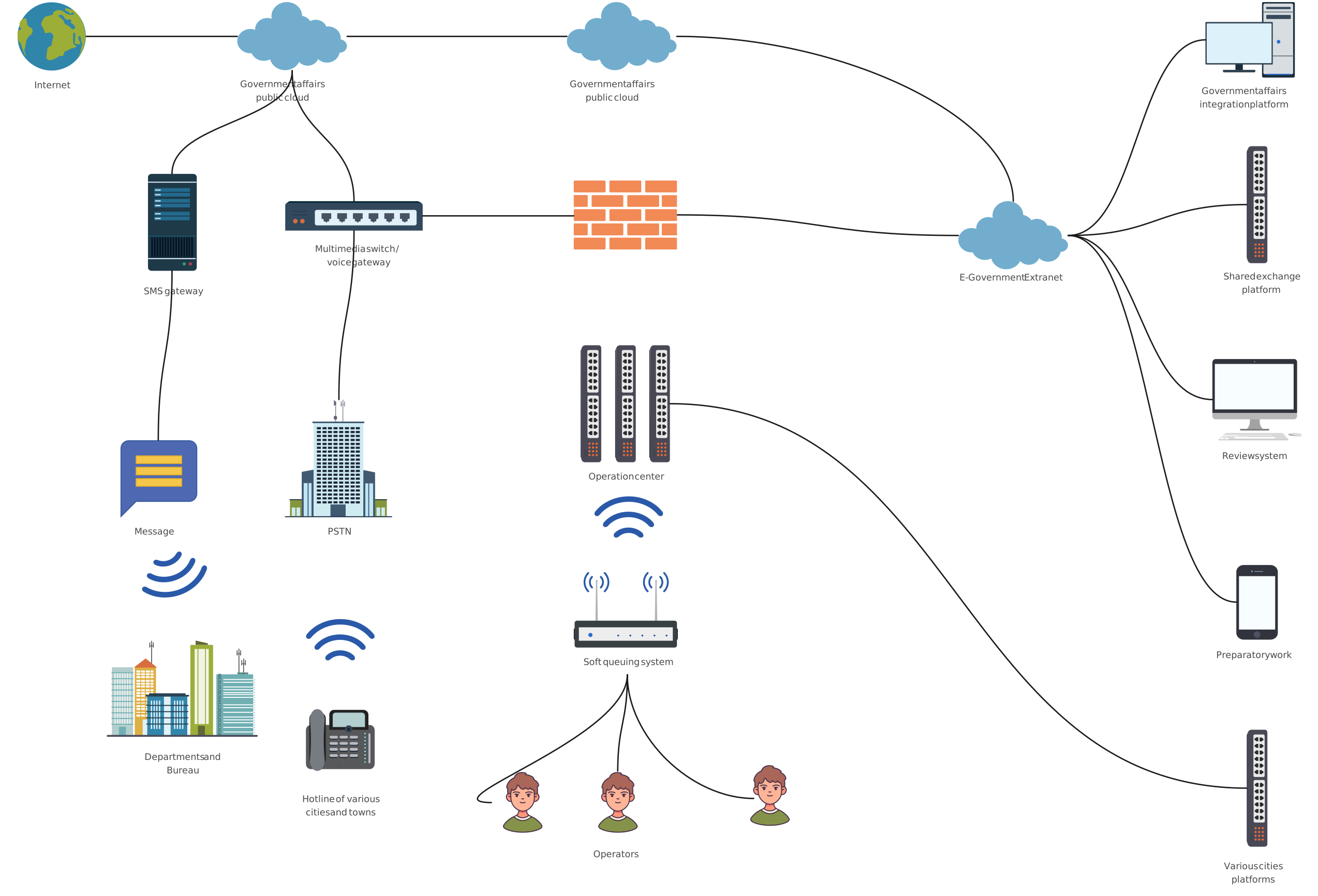
5. Babylon Network
A detailed enterprise network security architecture diagram showing multiple subnets, firewalls, and monitoring points. Ideal for modeling complex organizational networks and planning security controls.
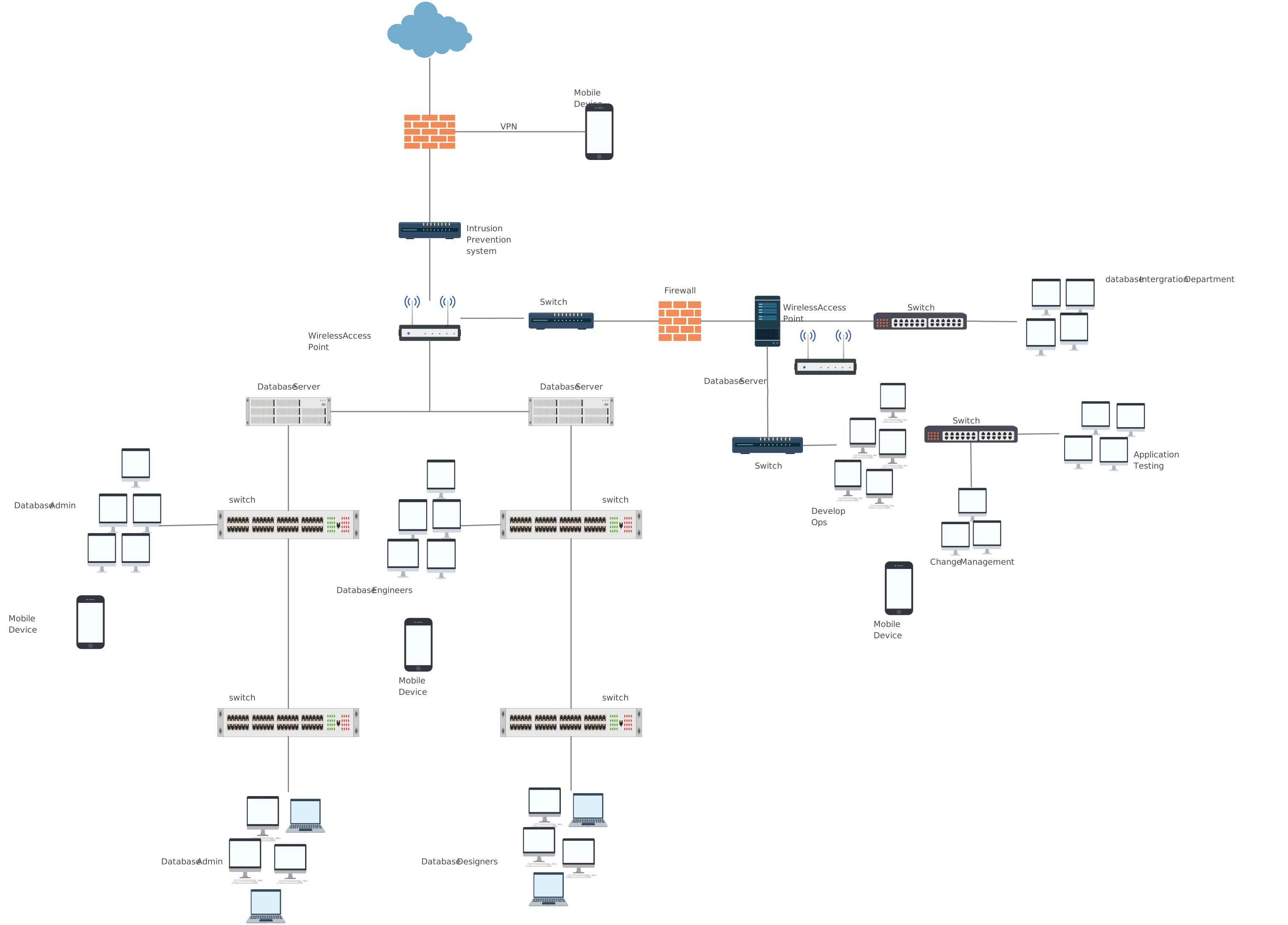
6. Internet Firewall Deployment
Focuses on firewall placement at network boundaries. Helps IT teams design defenses against external threats and ensures secure access to internal resources.
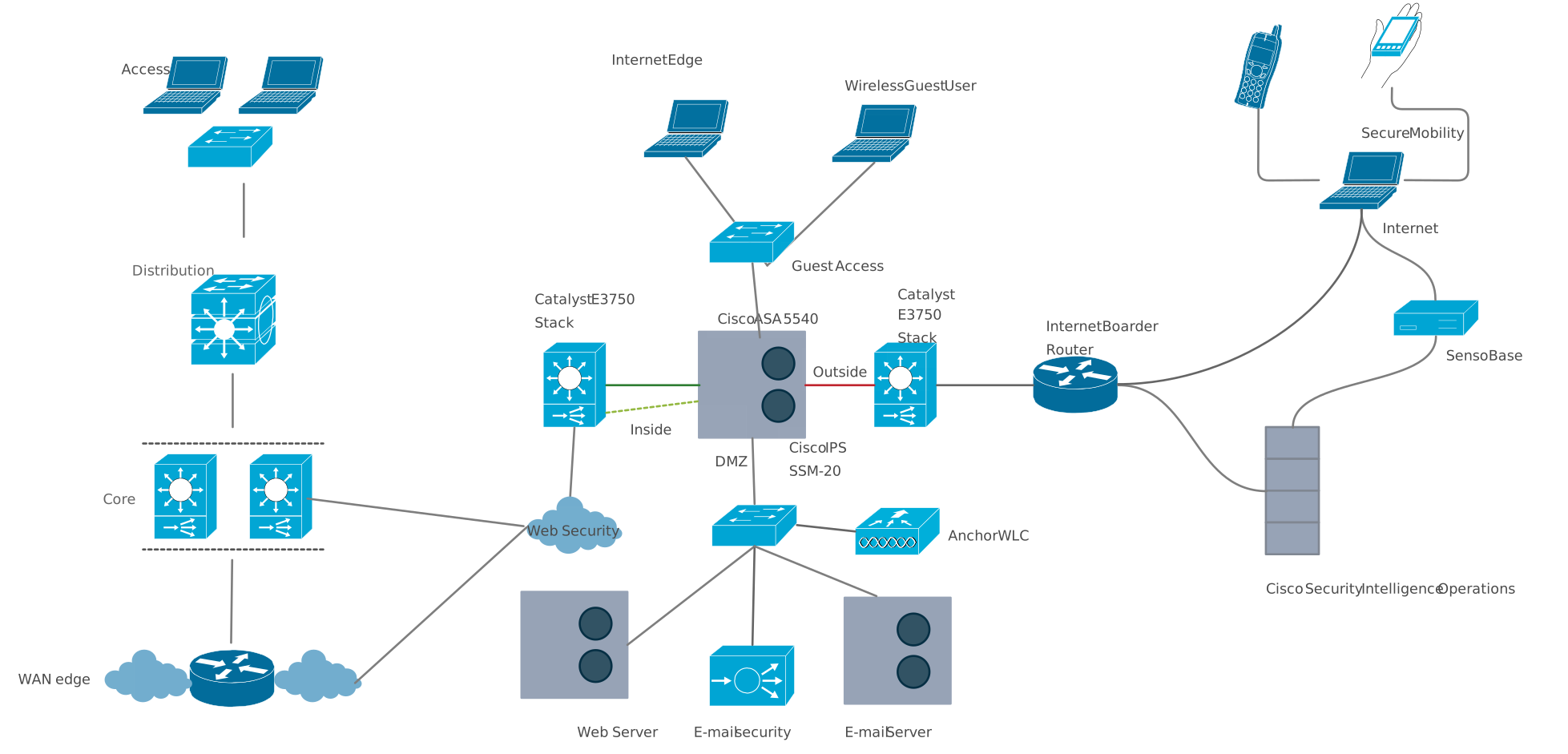
7. Public Hotspot Star Topology Network Diagram
Shows a star topology for a public Wi-Fi hotspot. Highlights centralized control, traffic routing, and security considerations for open networks.
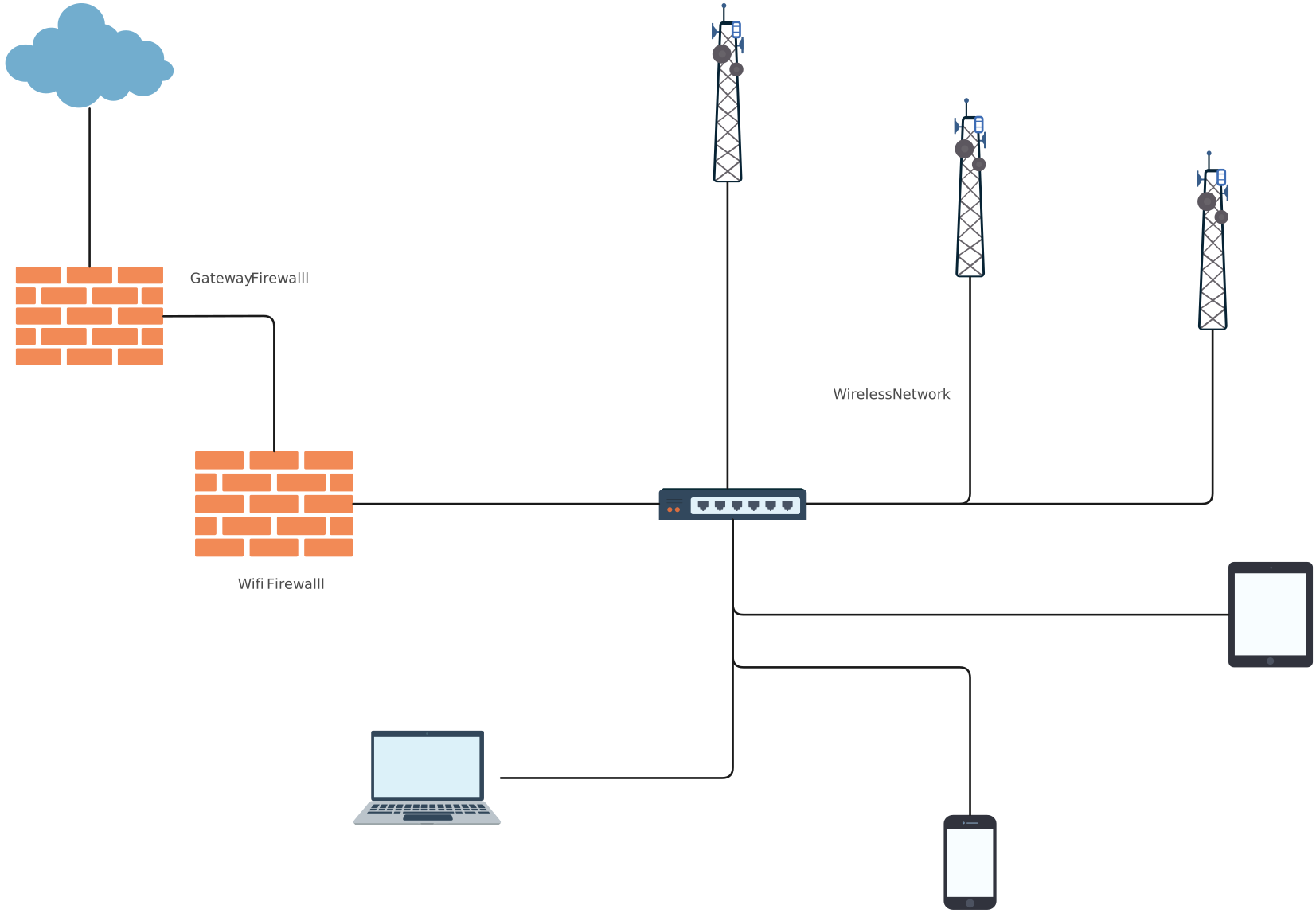
8. Office Network on Single Subnet
Illustrates a small office network using a single subnet. Useful for visualizing internal device connectivity and implementing basic security controls.
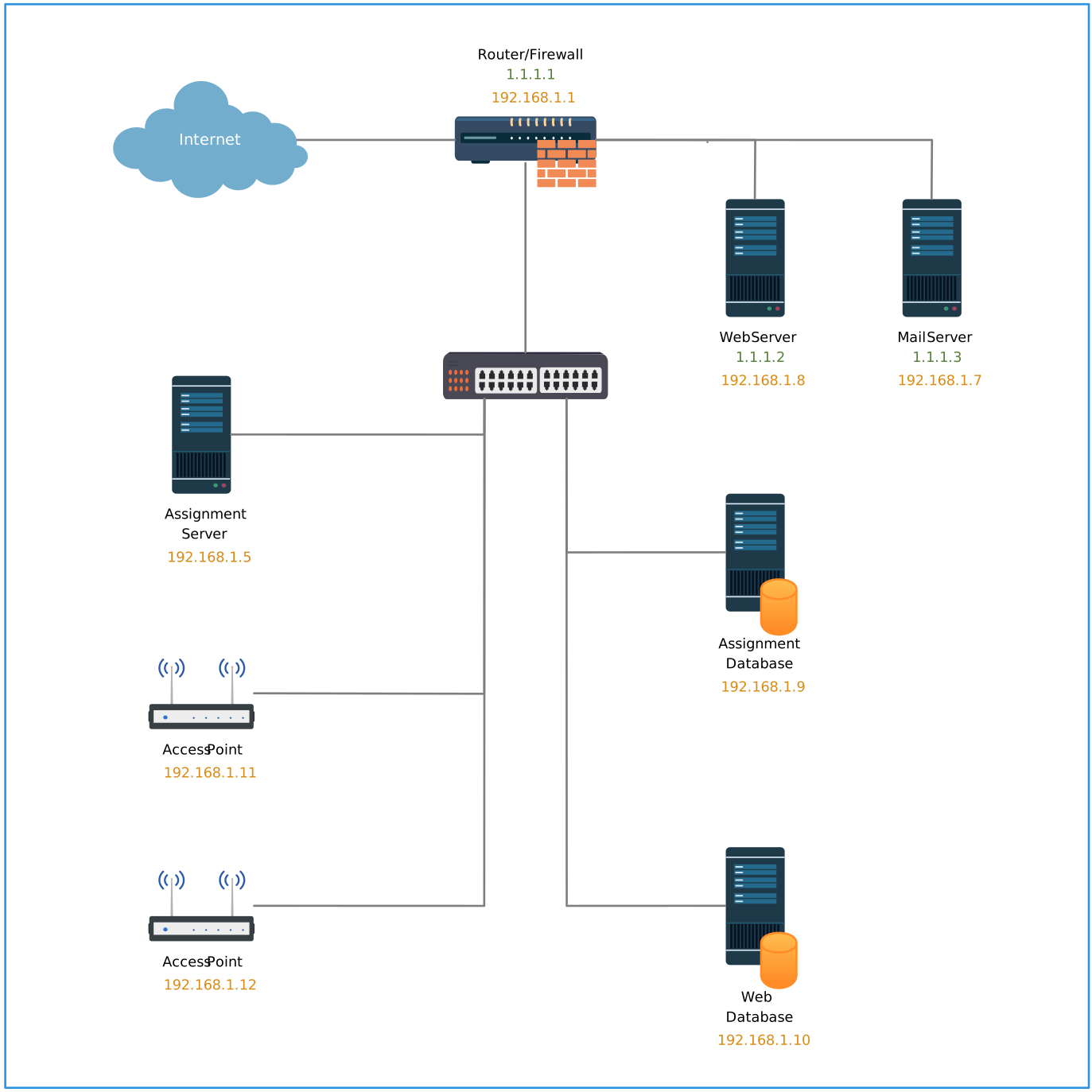
9. VLAN Network Diagram
Demonstrates the use of VLANs to segment a network logically. Helps administrators separate traffic types, enforce access policies, and improve overall network security.
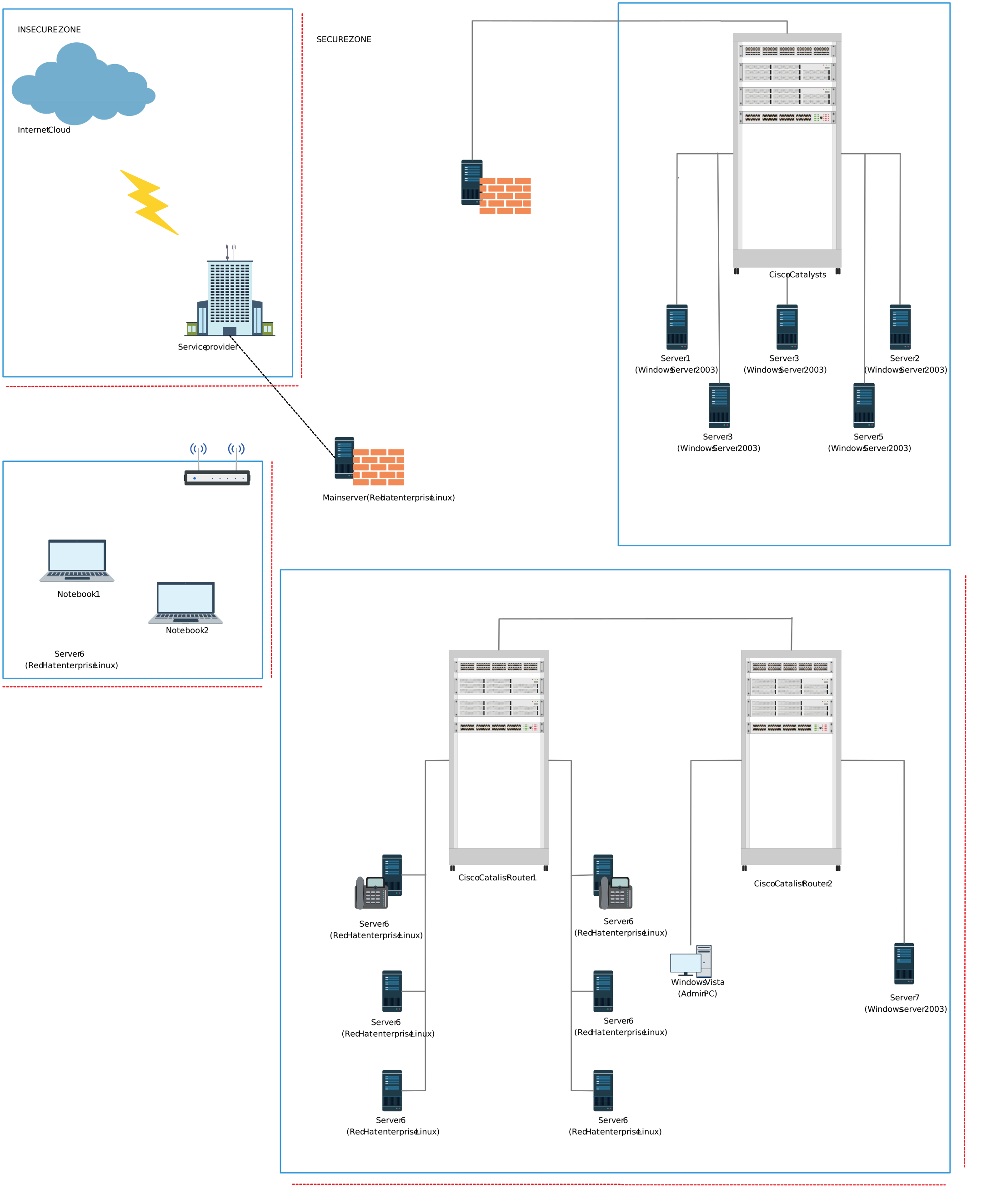
10. Distributed Firewall Topology Network Diagram
Provides a visual of a distributed firewall setup across multiple network segments. Designed to enhance security, control traffic flows, and isolate potential threats.
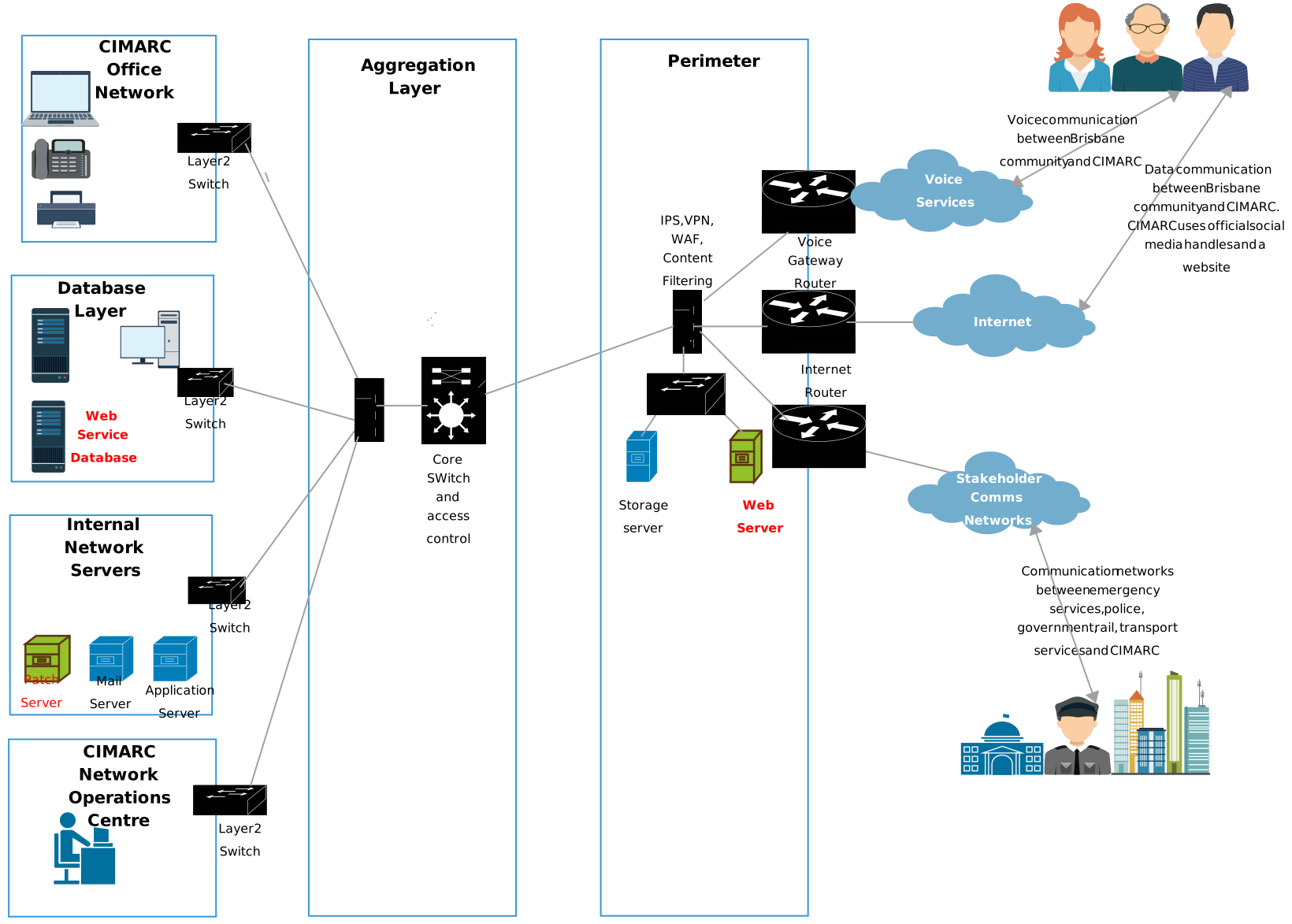
More Network Diagram Templates
Why Use Creately to Draw Your Network Security Diagrams
When it comes to creating network security diagrams, the tool you choose matters. Creately’s network diagram software stands out because it combines powerful diagramming capabilities with ease of use and collaboration features, making network security planning faster and clearer for teams of all sizes.
Easy, Intuitive Diagram Creation
Creately offers a drag-and-drop interface that makes placing devices, security controls, and connections effortless. You don’t need steep training — network engineers and security teams can focus on design, not wrestling with the tool. Its extensive library of industry-standard shapes (routers, firewalls, cloud icons, VLAN symbols, and more) helps you build an accurate network security model diagram quickly.
Ready-to-Use Templates and Shape Libraries
With Creately, you gain access to a large set of pre-built network diagram templates, allowing you to start from professionally designed examples instead of a blank canvas. You can customize templates to match your environment, whether documenting a basic office setup or an advanced cloud architecture.
Collaboration Built for Teams
Network security diagrams are rarely created solo — they’re shared artifacts used by architects, admins, auditors, and stakeholders. Creately supports real-time collaboration, so multiple people can edit the same diagram simultaneously, leave comments, and provide feedback. All changes are tracked with version history, making it easy to review or revert previous iterations.
Rich Detail and Documentation Support
Beyond simple diagrams, Creately lets you attach notes, data, IP addresses, and specifications to individual components, ensuring every diagram contains meaningful context. You can export diagrams as PDF, SVG, or PNG for reporting or presentations.
Integrates Seamlessly Into Your Workflow
Creately works with tools teams already use, like Slack, Google Drive, and Confluence, making it easy to embed diagrams into reports, tickets, or knowledge bases.
Network security diagrams help teams: Clearly communicate network structure and security design Identify gaps, weak points, and risky access paths Plan and review security controls before issues occur Support threat modeling, audits, and incident response They are widely used in modern IT and cybersecurity planning because visuals reduce confusion in complex environments. These diagrams are used across technical and compliance teams: Network and system administrators Security architects and engineers Auditors and compliance teams IT and security leadership They create a shared understanding of security architecture across everyone involved.FAQs About Diagrams of Network Security
Why are network security diagrams important?
Who uses network security diagrams?
What is a network security diagram used for?
What types of network security diagrams can I create with Creately?
Can I use Creately diagrams for compliance and audits?
Is Creately suitable for both beginners and advanced IT teams?
Can I use Creately to model cloud network security?
Can I update diagrams as my network evolves?
Can I create diagrams for both physical and logical networks?