Estate planning and family law cases are more complex than ever. Second marriages, blended families, beneficiary-driven assets, and layered guardianships create real risk. Overlooked stepchildren can trigger probate disputes. Conflicting beneficiary designations can override a carefully drafted will.
This guide explains how legal genograms help attorneys verify family structure, map assets and authority, identify litigation risks early, and document their due diligence. You’ll learn what a legal genogram should include, how to create one for estate planning and family law matters, and how to use it to reduce disputes and protect your practice.
What Is a Legal Genogram
A legal genogram is a structured visual map of a family system that includes legally relevant information — not just who is related to whom, but how those relationships affect rights, responsibilities, and asset distribution.
Unlike a traditional family tree, which shows lineage, a legal genogram includes:
Marital history (including divorces and remarriages)
Legal parentage (biological, adopted, guardianship)
Inheritance rights
Executor, trustee, and beneficiary roles
Power of attorney and decision-making authority
Legal professionals increasingly use visual mapping tools because family structures directly impact intestacy rules, elective share rights, custody decisions, and support obligations. A single missing relationship can result in drafting risks, lead to probate disputes, or simply increase the chance of contested proceedings.
In practice, a legal genogram may be used as an estate planning genogram, inheritance genogram, guardianship genogram, or family law genogram depending on the matter.
Core Elements of a Legal Genogram
Individuals with legally relevant identifiers (marital status, death, incapacity)
Types of relationships (marriage, divorce, cohabitation, annulment)
Parental relationships (biological, adopted, foster, guardianship)
Financial and legal links (inheritance, trust beneficiary, executor roles)
Notations for deceased, incapacitated, estranged, or disinherited parties
Key Use Cases of Legal Genograms
| Use Case | What It Involves | How a Legal Genogram Helps | Professional Risk Without It |
| Estate Planning | Blended families, multiple marriages, statutory inheritance rights, beneficiary-driven assets |
| Without visual verification, attorneys risk drafting estate documents that unintentionally disinherit heirs, conflict with statutory spousal rights, or trigger probate litigation. |
| Guardianship Planning | Minor children, special needs dependents, incapacitated adults, successor guardians |
| Failure to clearly document authority structures can lead to contested guardianship proceedings, family disputes, and court intervention that could have been prevented. |
| Family Law Proceedings | Divorce, custody disputes, property division, adoption, assisted reproduction |
| In complex divorces, unclear relationship mapping can result in mischaracterized property, overlooked support obligations, or weakened courtroom presentation. |
How to Create a Legal Genogram for Estate Planning
Modern estate planning requires more than note-taking. Most drafting errors originate during intake — when family relationships are described verbally and recorded linearly. Using Creately’s genogram maker, you can build the legal genogram live during the interview, turning intake into a structured verification process instead of a passive conversation.
Here’s how to approach it:
Step 1: Build the family structure live using AI text-to-genogram
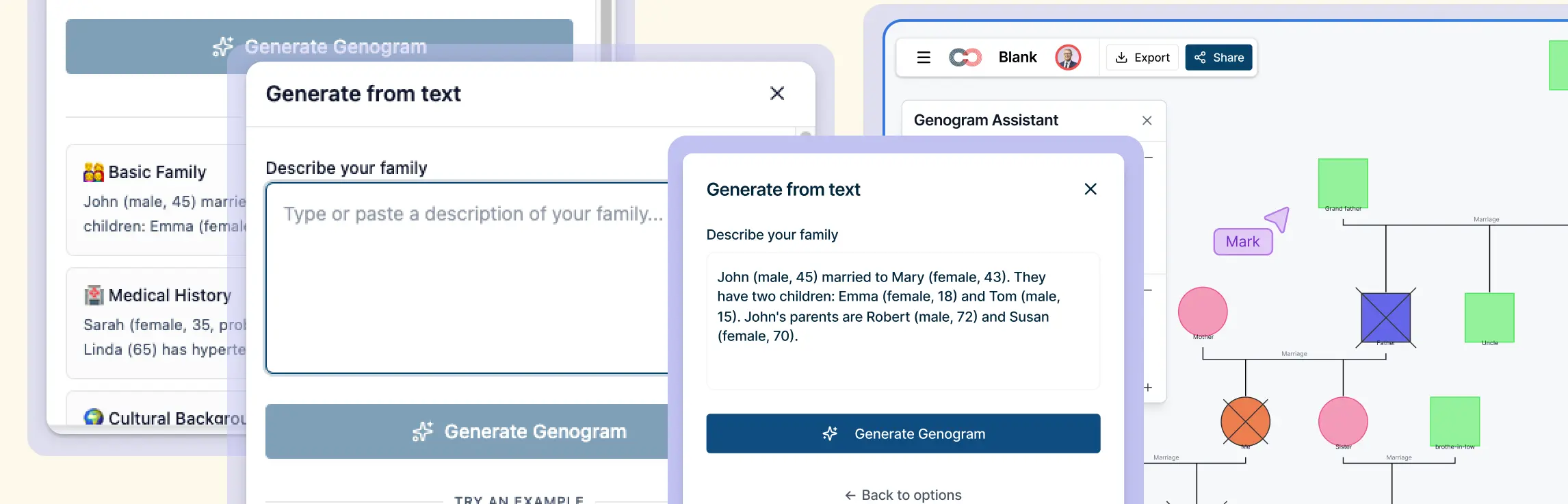
Instead of taking fragmented notes during intake, use Creately’s AI text-to-genogram feature to generate the family structure in real time.
As the client describes their family, you can:
Type key details directly into Creately
Or use voice-to-text software during the interview
Then paste the transcript into Creately’s AI generator
For example, a transcript such as:
“John is 68, in his second marriage to Linda. He has two adult children from his first marriage. Linda has one daughter who was not legally adopted.”
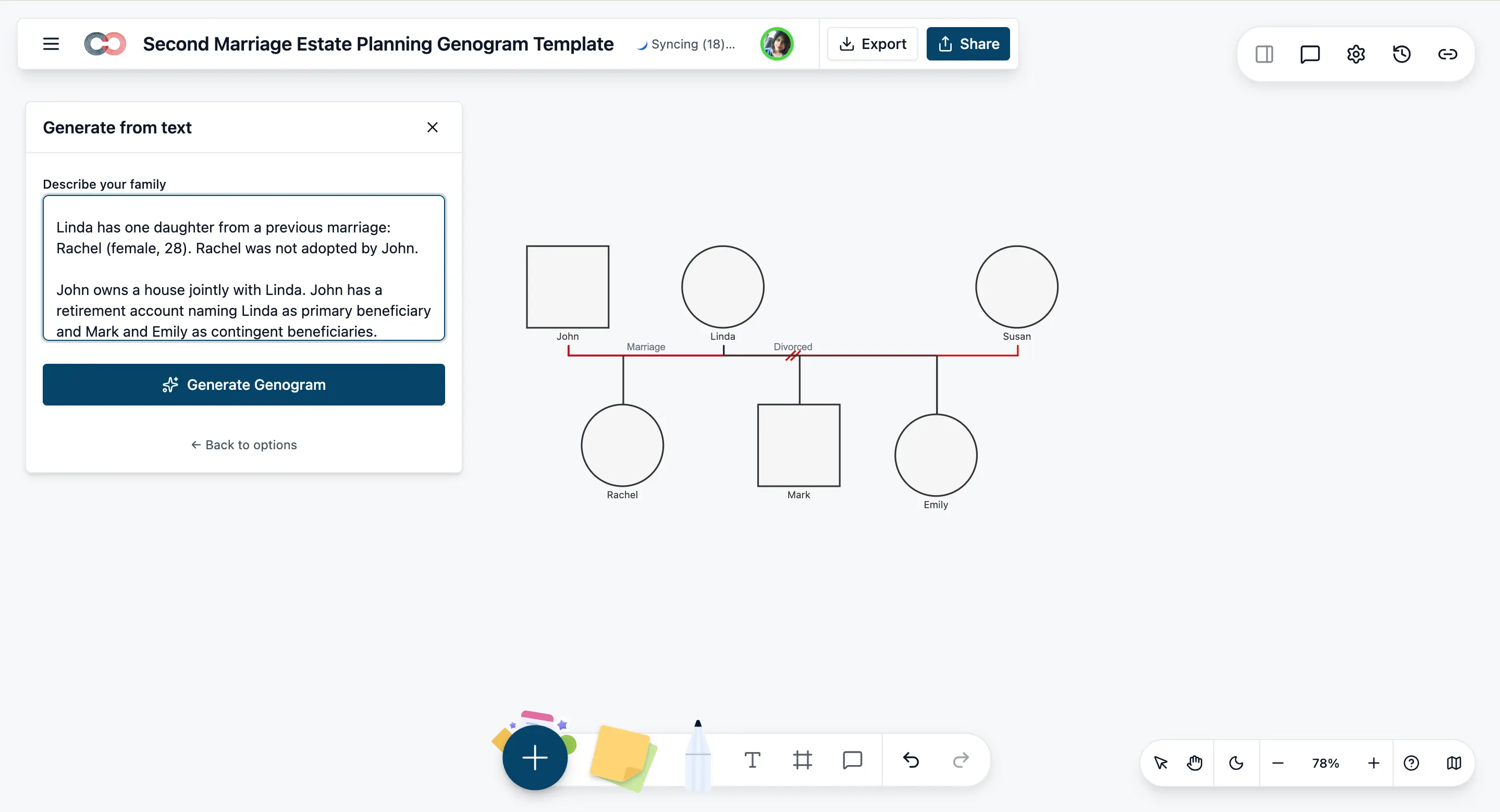
Creately instantly converts this narrative into a structured legal genogram with standardized notation.
Now the diagram becomes part of the interview.
Instead of asking questions blindly, you review the visual together and verify:
Was there a formal divorce?
Were any stepchildren legally adopted?
Are there predeceased heirs?
Are all children treated equally in existing documents?
This turns intake into an active verification process. Clients can immediately spot omissions or errors. Attorneys can identify gaps before drafting begins.
Using AI this way:
Reduces intake time
Minimizes follow-up clarification emails
Prevents missed disclosures
Creates a documented record of how family structure was verified
Many estate planning errors originate from incomplete intake. Converting spoken information directly into a structured genogram dramatically reduces that risk.
Step 2: Verify legal relationships with structured fields
Once the family structure is generated, move from visual mapping to legal verification.
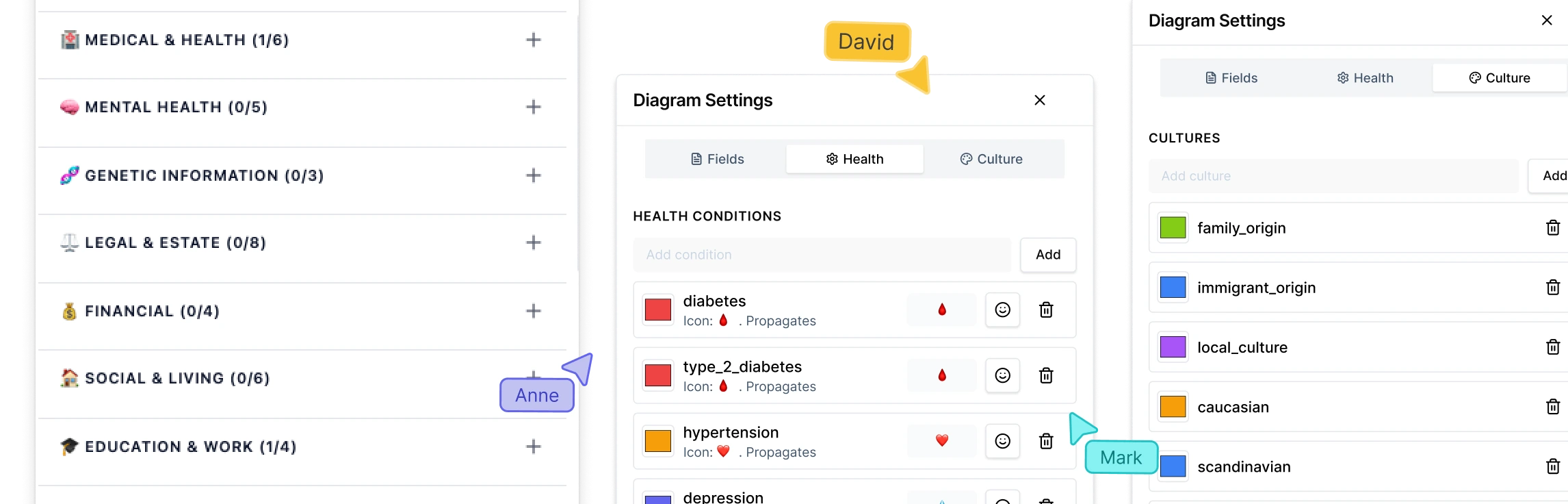
Use Creately’s Legal & Estate structured fields to document:
Marital status and dissolution history
Adoption or guardianship status
Inheritance rights
Executor or trustee roles
Power of attorney holders
Guardianship assignments
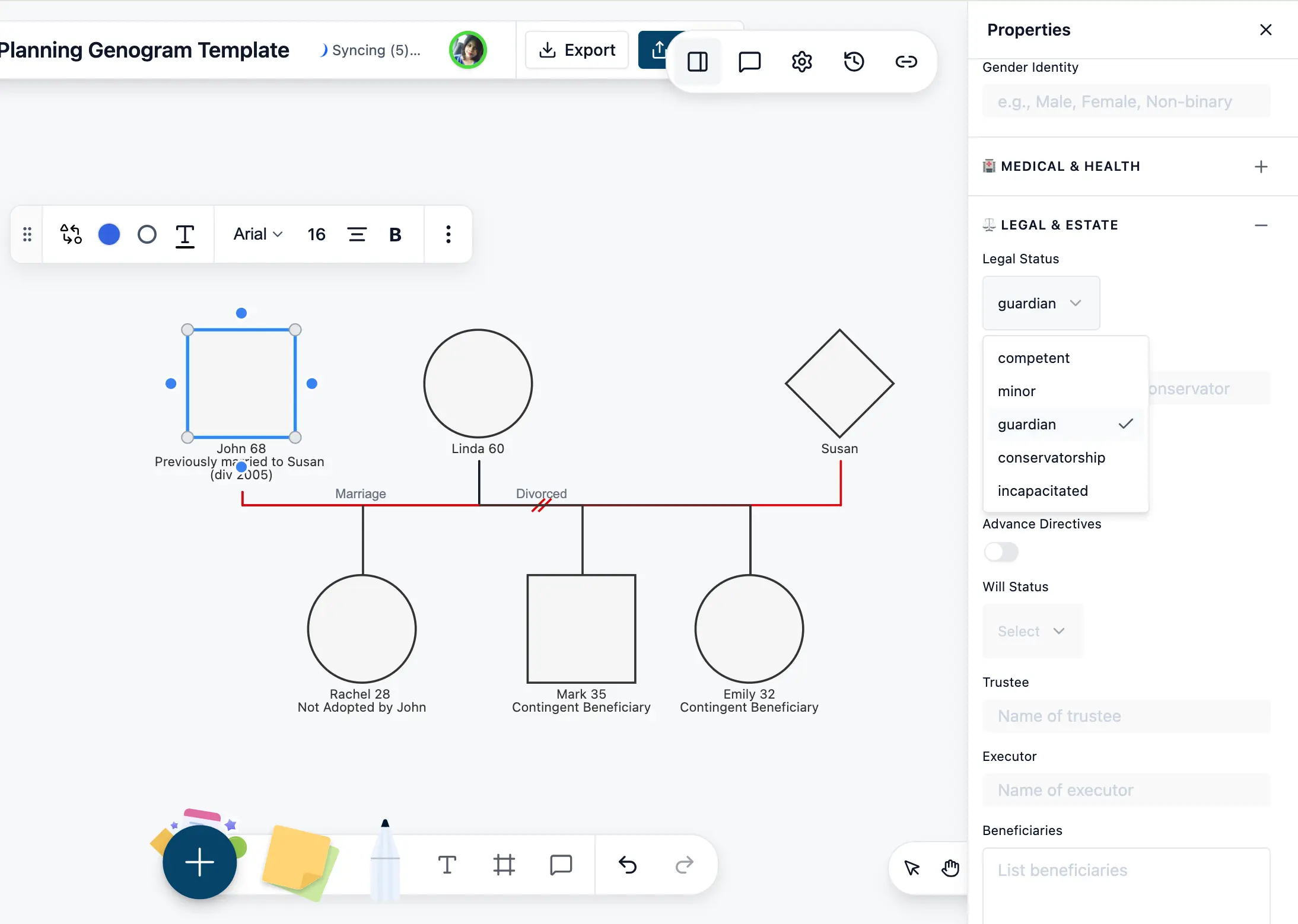
This ensures you’re not just seeing relationships — you’re verifying their legal implications.
Because these fields are standardized, every case in your firm follows the same documentation structure. That improves internal review and reduces the risk of overlooking legally significant distinctions.
Step 3: Add marital history and timeline details
Legal consequences often depend on timing.
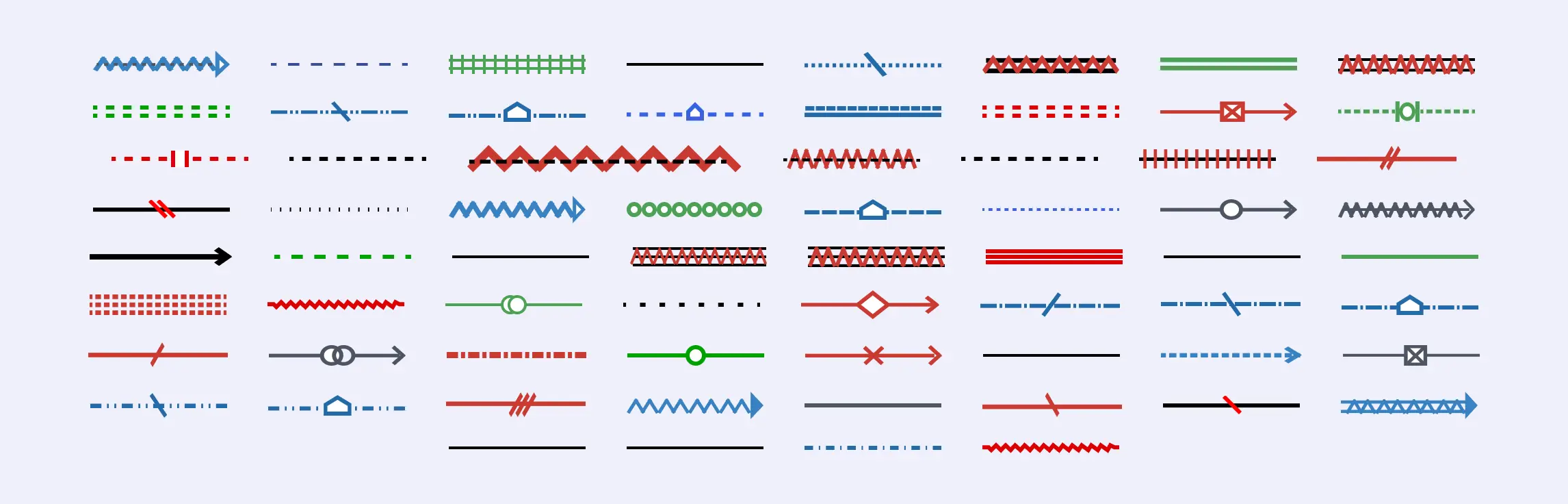
Use relationship connectors to accurately reflect:
Marriage and divorce
Remarriage
Separation or annulment
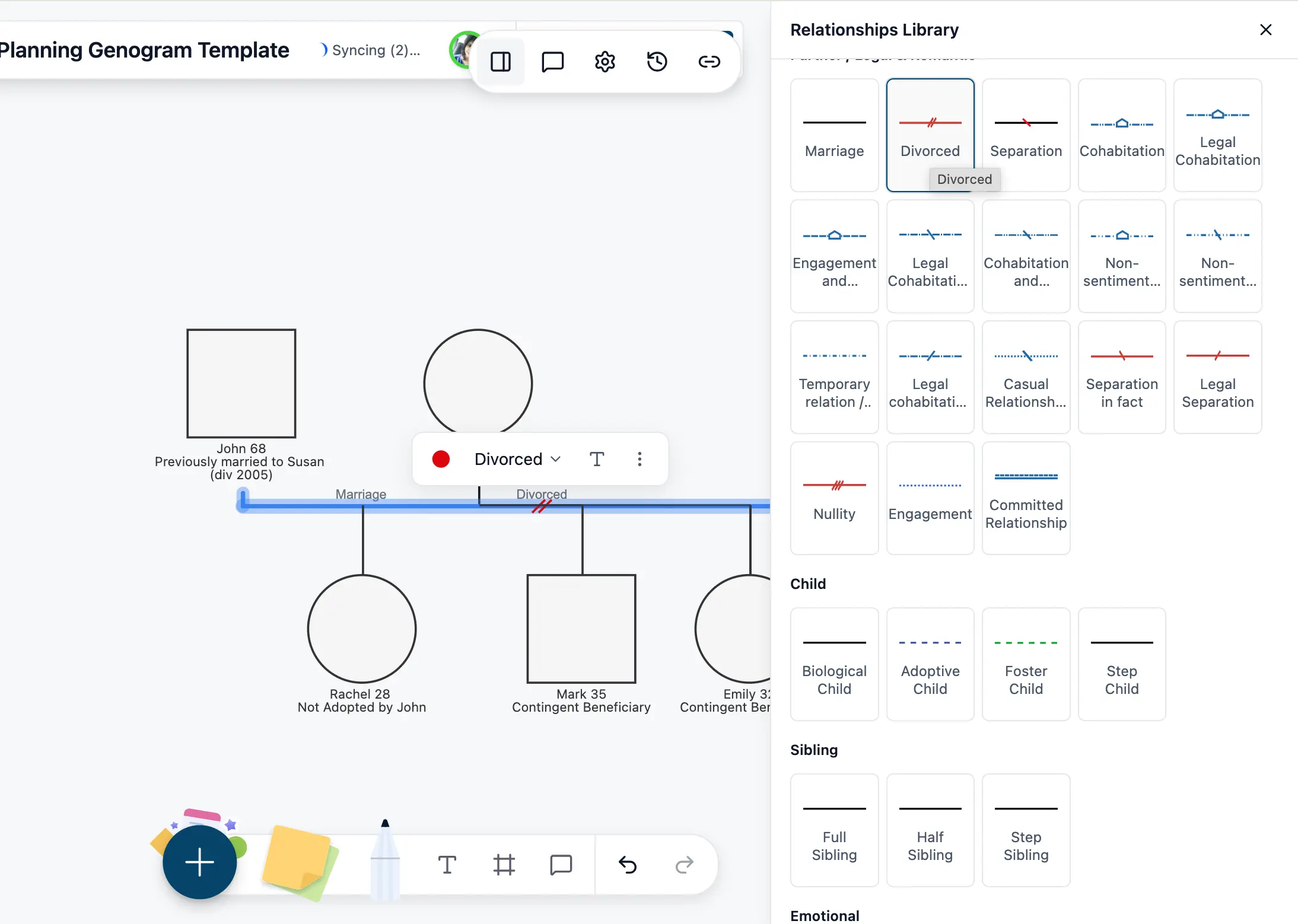
Add relevant dates directly within the genogram. Elective share rights, community property claims, and inheritance eligibility can all hinge on timeline accuracy.
Mapping these details visually makes inconsistencies easier to detect before drafting begins.
Step 4: Overlay assets and beneficiary designations
Next, layer financial reality onto the family structure.
Add asset nodes for:
Real estate
Retirement accounts
Life insurance
Trusts
Business interests
Connect assets to owners and beneficiaries. Because beneficiary designations often override a will, visualizing these links can immediately expose mismatches between intent and legal structure.
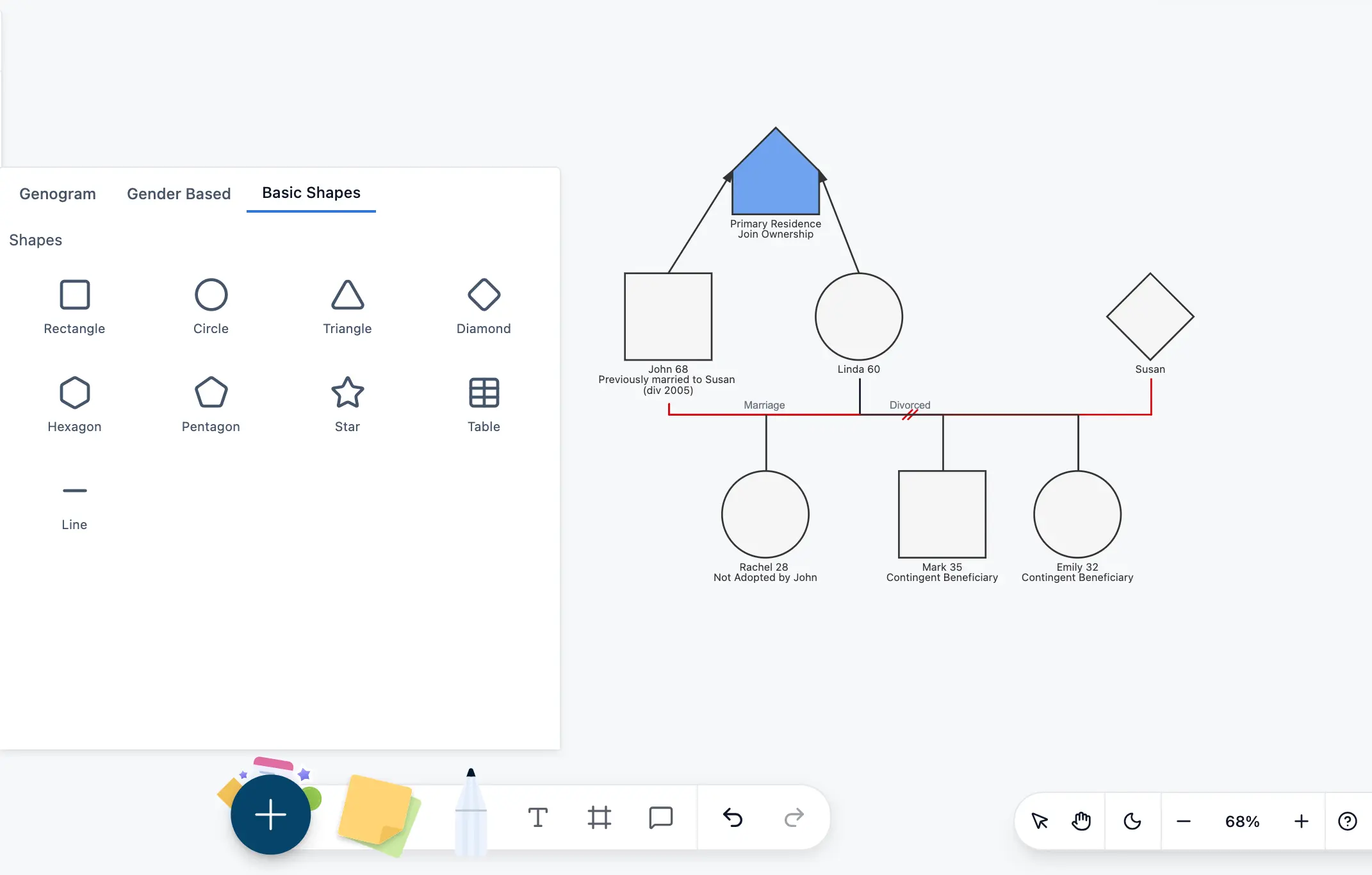
For larger estates or extended families, Creately automatically maintains clean layout and alignment — even as the diagram grows across generations.
Step 5: Add supporting notes and documentation references
Each individual or asset can include notes referencing:
Existing wills or trusts
Beneficiary forms
Divorce decrees
Adoption records
Court orders
This turns the genogram into a working estate file, not just a visual overview.
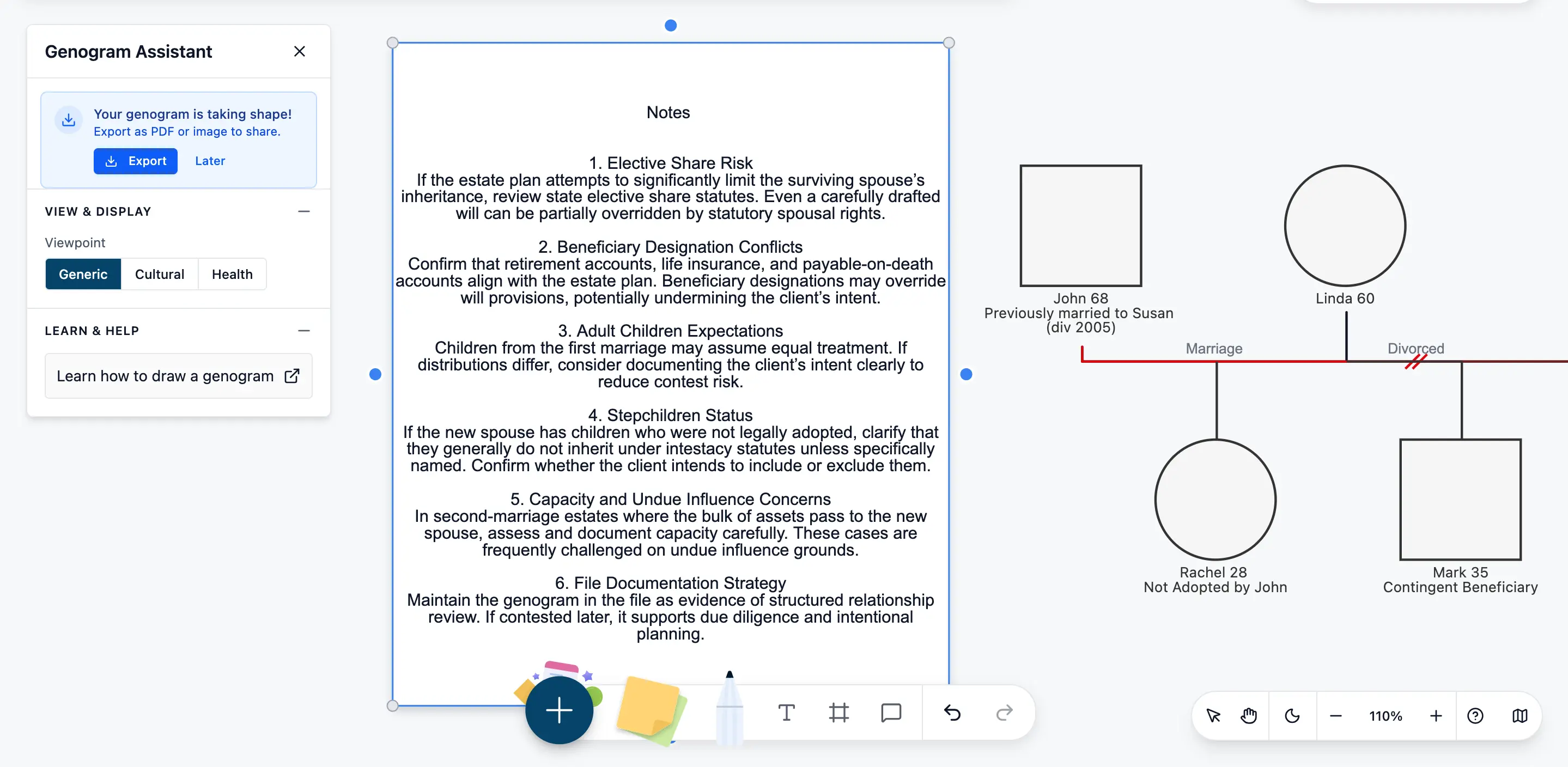
Documenting supporting details inside the structure strengthens due diligence and creates a clear audit trail.
Step 6: Conduct a strategic risk review
With the full structure visible, step back and analyze it strategically.
Look for:
Surviving spouse vs. adult child conflicts
Unequal treatment among heirs
Disputed or unclear parentage
Unadopted stepchildren
Conflicting beneficiary designations
Capacity concerns
When the entire structure is visible in one view, litigation risks often become obvious before documents are signed.
This is where the genogram shifts from documentation tool to risk management instrument.
Step 7: Collaborate, review, and archive
Share the genogram internally for partner or associate review. Comment directly within the file. Version history tracks changes as family circumstances evolve.
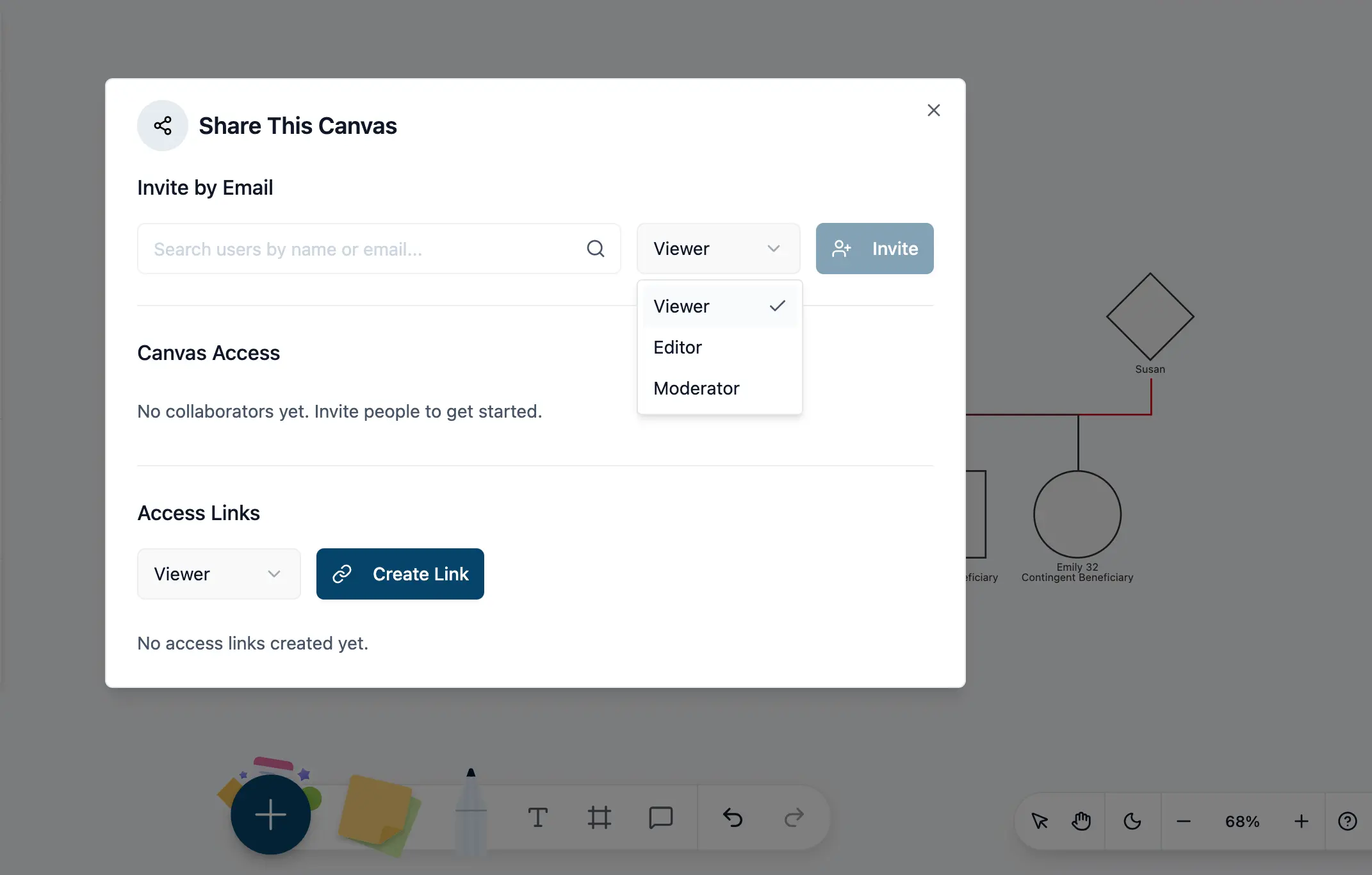
When finalized, export clean visuals for:
Probate files
Mediation sessions
Custody matters
Internal estate documentation
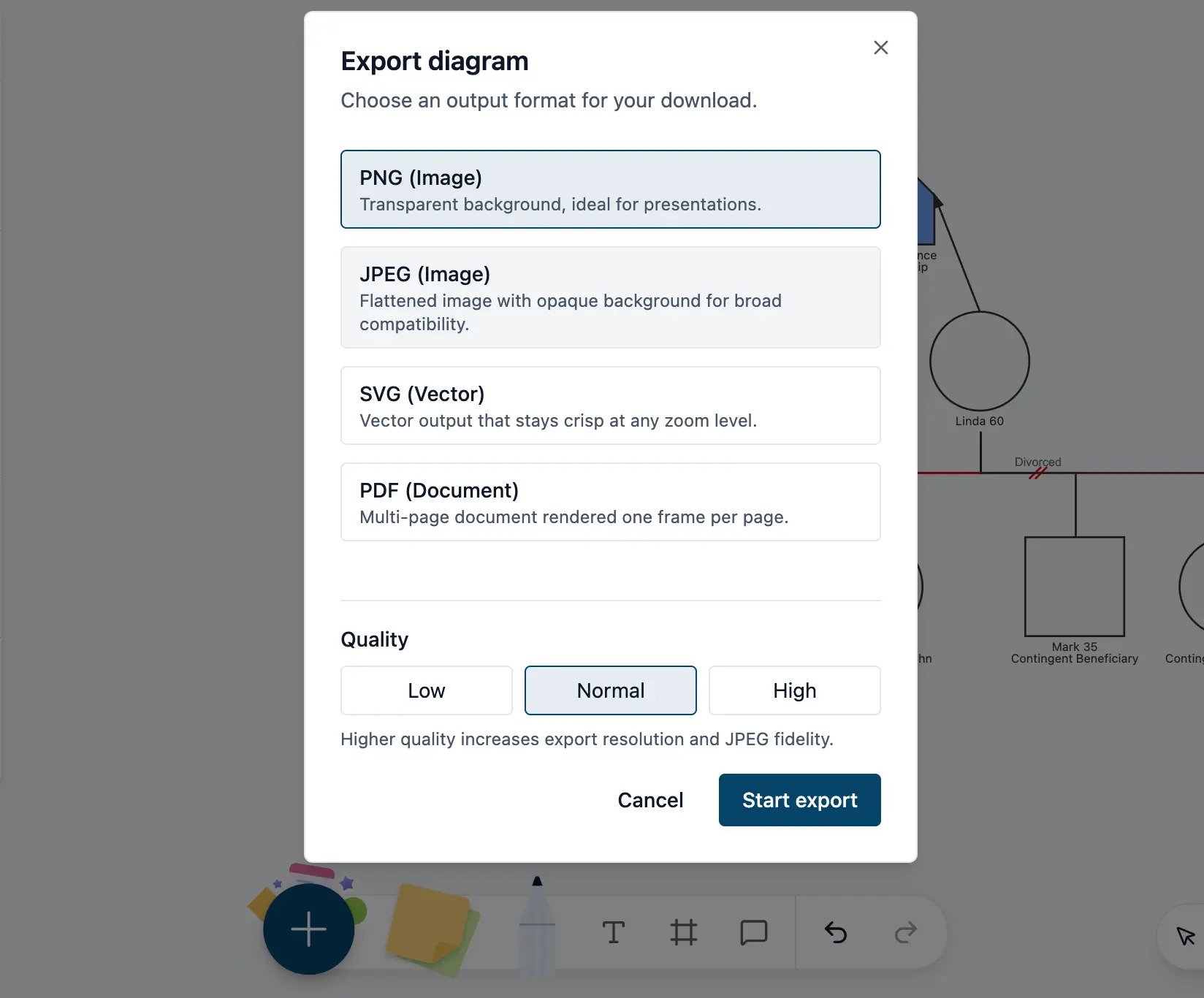
This creates a defensible record of how family structure and legal relationships were reviewed prior to drafting.
Because the genogram and its structured legal data remain stored securely in one workspace, your documentation evolves alongside the client’s circumstances — whether that includes remarriage, new heirs, asset changes, or revised beneficiary designations.
Practical Legal Genogram Examples
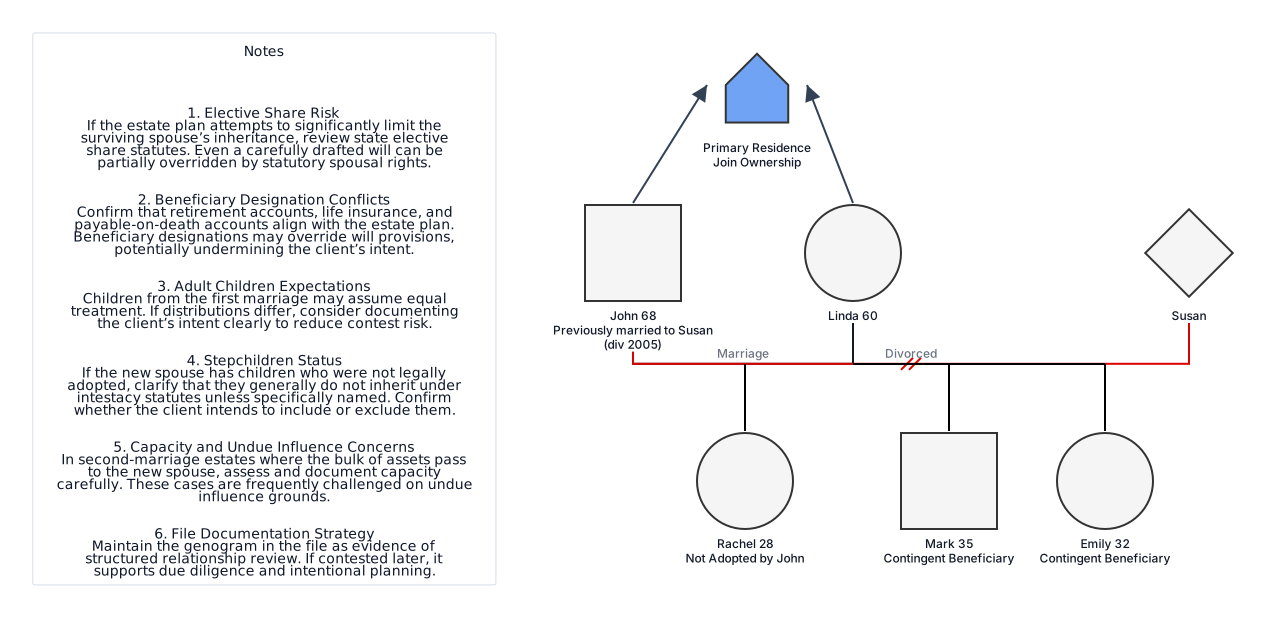
Scenario 1: Second Marriage with Adult Children from a Prior Relationship
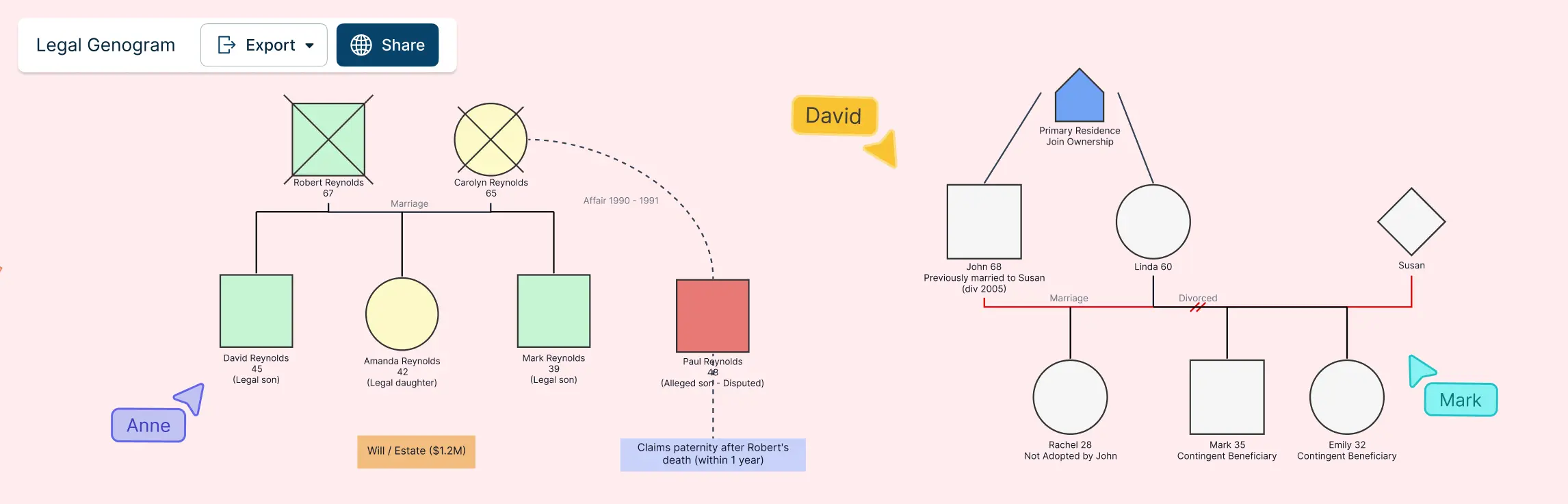
A widower remarries. He has two adult children from his first marriage and leaves most assets to his new spouse. The legal genogram highlights:
Surviving spouse statutory share
Adult children’s inheritance rights
Assets passing by beneficiary designation
Stepchildren not legally adopted
This visualization helps anticipate a potential will contest.

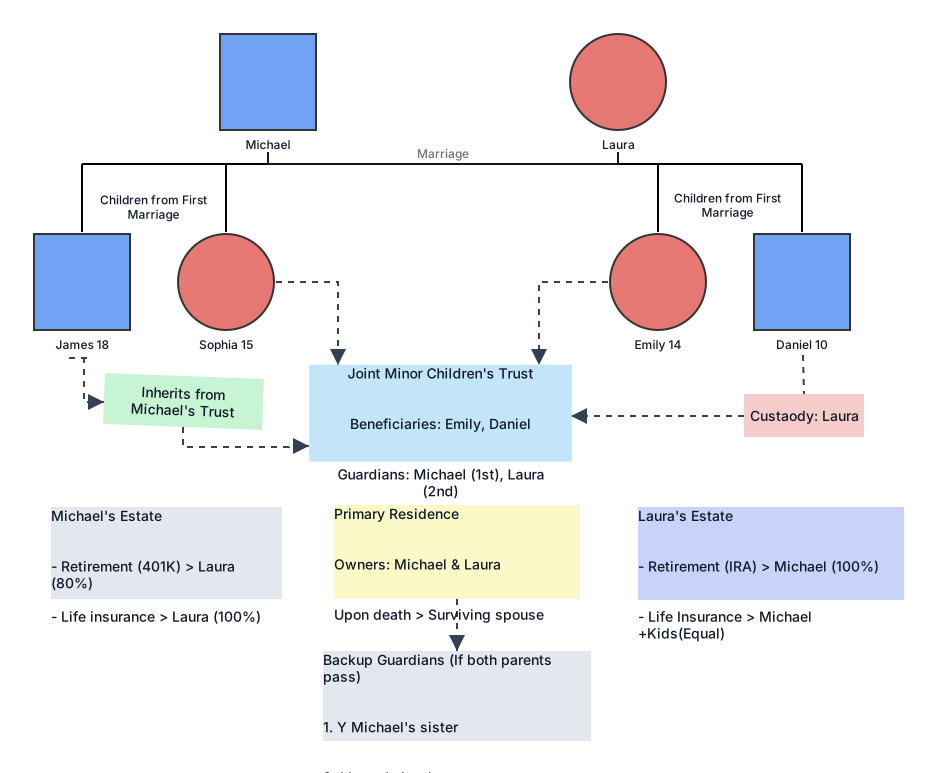
Scenario 2: Blended Family with Minor Children
Two spouses each bring children into the marriage. The genogram maps:
Guardianship assignments
Trust beneficiaries
Custody across households
Life insurance beneficiaries
This ensures minor children are protected regardless of which parent passes first.
Scenario 3: Guardianship for an Incapacitated Adult
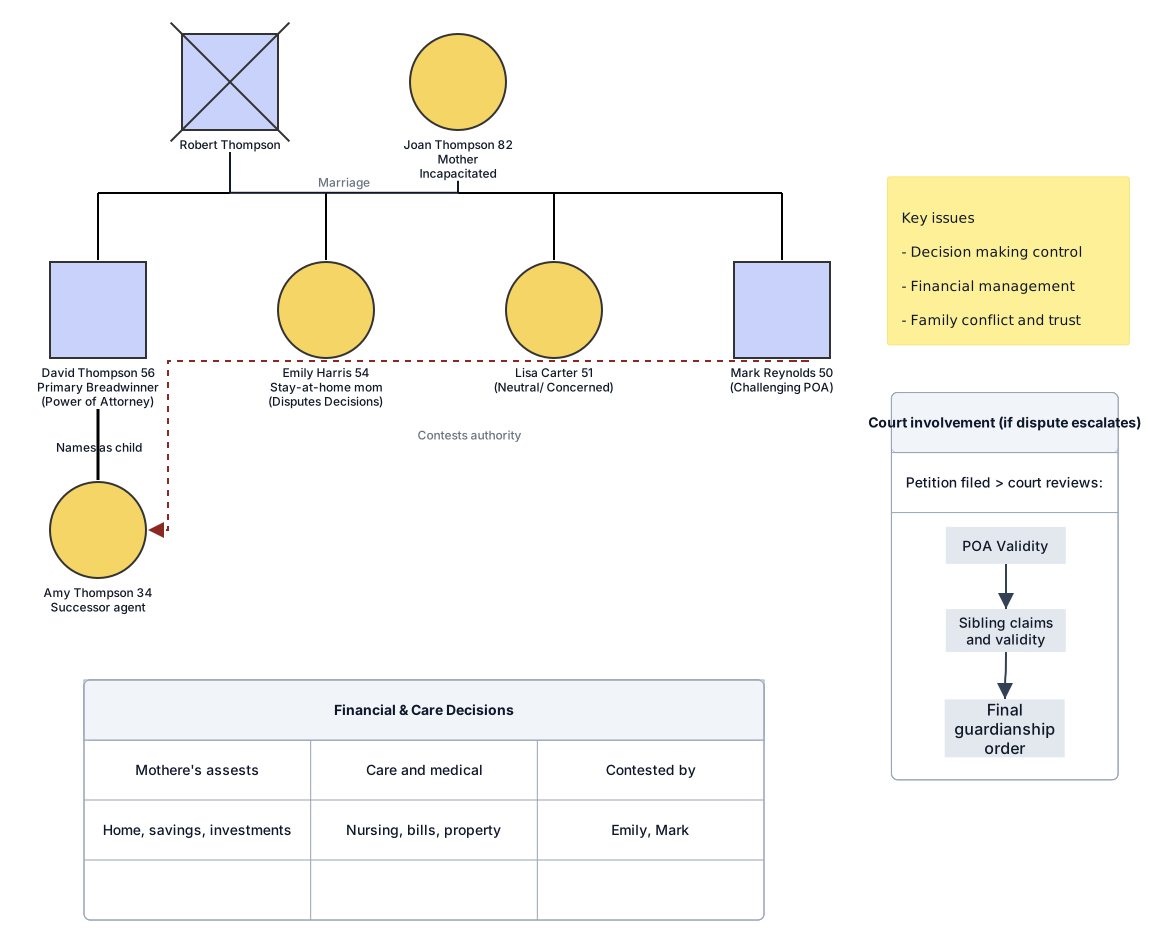
An elderly parent becomes incapacitated. One sibling holds power of attorney, but others dispute decisions. The genogram clarifies:
Legal authority holder
Successor agents
Financial connections
Competing family interests
This reduces ambiguity during court involvement.
Scenario 4: Probate Dispute with Contested Heir
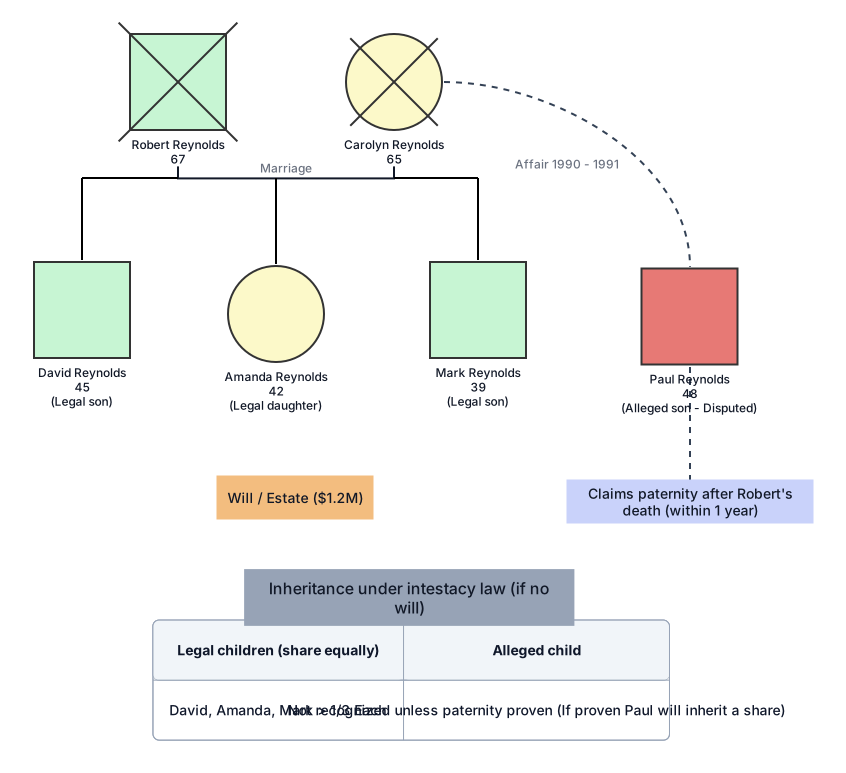
A previously unknown child claims inheritance rights. The legal genogram highlights:
Legal parentage status
Timing of recognition
Competing heirs
Distribution structure under intestacy law
This helps attorneys quickly assess claim validity.
FAQs About Legal Genograms
Why do legal genograms matter in estate planning?
Identifying heirs-at-law under intestacy statutes
Visualizing blended families, stepchildren, adopted children, and non-marital children
Mapping multiple marriages, divorces, and surviving spouses
Clarifying beneficiary designations vs. statutory inheritance rights
Highlighting potential will contests and disputes
What are the benefits of using legal genograms in practice?
Improves client interviews and fact-finding
Reduces drafting errors in wills and trusts
Helps courts and mediators understand complex structures
Identifies litigation risk early
Enhances strategic planning in contested cases
What are the limitations of using estate planning genogram?
Not a substitute for statutory analysis
Risk of relying on incomplete information
Must reflect jurisdiction-specific inheritance and family law rules
Requires updates as family structures change