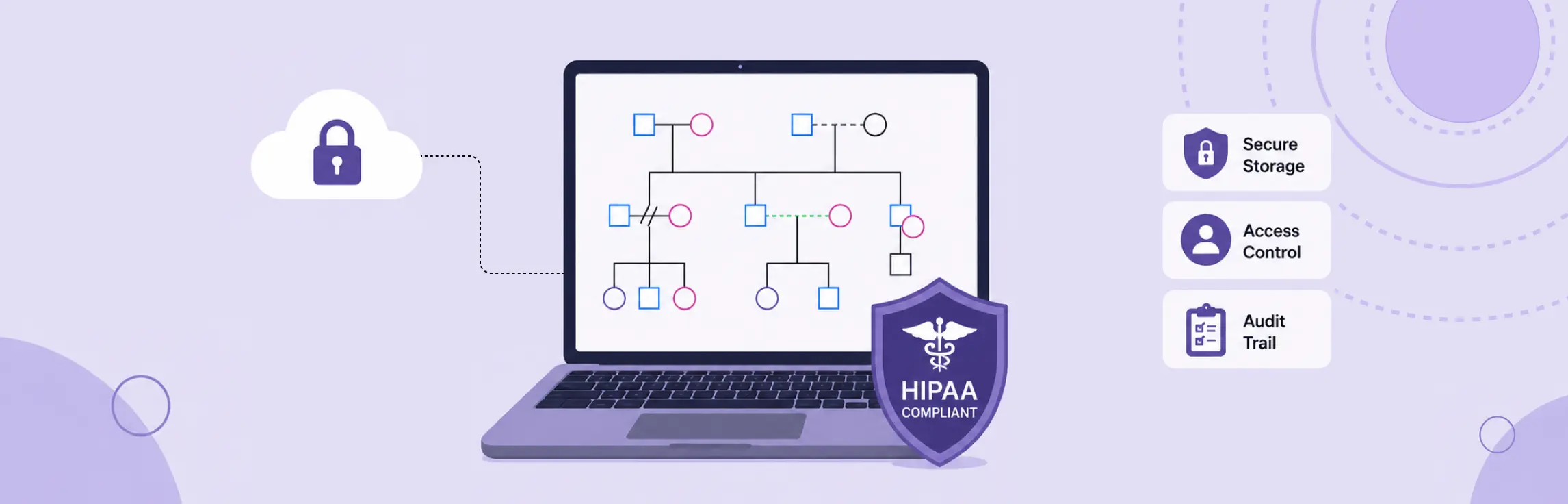
A digital genogram can be used in a HIPAA-regulated workflow only when the practice treats every identifiable clinical detail as potentially sensitive, confirms each service provider’s role in writing, performs a documented risk analysis, restricts access, protects data in storage and transit, keeps audit evidence, and follows a defined retention and incident-response process. A product label or encryption checkbox does not make the workflow compliant. The practice remains responsible for how the genogram is collected, used, shared, exported, and deleted.
This guide provides general information and a practical review framework. It is not legal advice or a certification of any product. Before using a digital genogram with ePHI, confirm the applicable BAA, security documentation, product configuration, organizational policies, and federal and state requirements.
What Makes a Digital Genogram a HIPAA Concern?
A genogram becomes a HIPAA concern when it connects identifiable people with health or care information in a context covered by the HIPAA Rules. Names, dates, diagnoses, medications, genetic risks, substance-use history, mental-health notes, family relationships, and free-text observations can make the diagram clinically useful. The same details can also make it ePHI when a covered entity or business associate creates, receives, maintains, or transmits them electronically.
HIPAA does not certify individual genograms or software products. It regulates covered entities, business associates, and their handling of protected information. Start by determining whether your organization is a HIPAA covered entity or business associate and whether the planned genogram contains ePHI. If either answer is unclear, involve your privacy or security lead before entering real client data.
HIPAA-Compliant Digital Genogram Checklist
Use this checklist before a clinician creates or imports a genogram containing ePHI.
- Define the purpose. Record the treatment, care coordination, assessment, or operational reason for creating the genogram.
- Classify the data. List the identifiers, clinical facts, family details, attachments, comments, and metadata the workflow will hold.
- Map every system. Include intake forms, diagram software, identity provider, integrations, exports, backups, email, messaging, and the clinical record.
- Confirm vendor status. Determine which vendors create, receive, maintain, or transmit ePHI and obtain required BAAs before use.
- Complete a risk analysis. Assess threats and vulnerabilities across the entire data flow, not only the diagram editor.
- Configure least-privilege access. Give each person only the access needed for their role. Remove access promptly when roles change.
- Require individual accounts. Do not use shared logins. Require strong authentication and use multi-factor authentication based on your risk analysis and organizational security requirements.
- Protect storage and transmission. Evaluate encryption, key management, device controls, network protections, and secure exports.
- Enable audit evidence. Retain enough activity history to investigate access, changes, sharing, exports, and deletion.
- Set retention and disposal rules. Define where the record of truth lives, how long copies remain, and how they are securely returned or destroyed.
- Test incident response. Document who receives alerts, who assesses an incident, and how the organization meets contractual and legal reporting duties.
- Train the workforce. Cover appropriate content, safe sharing, session privacy, export handling, and incident reporting.
Choose Storage by Data Flow, Not by Product Label
The safest storage decision starts with a data-flow map. Trace information from intake to the live session, saved diagram, clinical record, backup, export, and final deletion. A secure editor can still be undermined by a downloaded PDF on an unmanaged laptop or a public sharing link sent through personal email.
For each location, record what ePHI is stored or transmitted, who can access it and why, which organization controls the account and encryption keys, whether the vendor will sign an appropriate BAA, what activity can be audited, how backup and recovery work, and what happens when a clinician leaves or the contract ends.
HHS states that when a cloud service provider creates, receives, maintains, or transmits ePHI on behalf of a covered entity or business associate, the provider is generally a business associate. This remains true when the provider stores only encrypted ePHI and does not hold the decryption key. A BAA and a risk-based set of safeguards are therefore central checks, not optional paperwork.
Verify the Business Associate Agreement and Service Terms
Do not upload ePHI based on a sales page that uses phrases such as “HIPAA ready” or “HIPAA compliant.” Ask for the actual BAA and read it alongside the service agreement, security documentation, and configuration guide.
Confirm that the documents address permitted and required uses and disclosures of PHI, applicable Security Rule safeguards, incident and breach reporting, subcontractors, data availability and recovery, return or destruction at termination, and conflicts between the BAA, service-level agreement, and product settings.
HHS lists ten core contract requirements for business associate agreements. They include safeguards, incident reporting, subcontractor restrictions, return or destruction at termination where feasible, and termination rights for a material violation. Use those requirements as a review baseline, then have qualified counsel assess the agreement for your organization and jurisdiction.
Configure Access, Audit, Integrity, and Transmission Controls
The Security Rule requires more than confidentiality. It calls for administrative, physical, and technical safeguards that protect the confidentiality, integrity, and availability of ePHI.
For a digital genogram workflow, translate that standard into concrete controls:
- Access control: use named accounts, role-based permissions, prompt offboarding, and controlled emergency access.
- Authentication: verify that the person requesting access is the authorized user.
- Audit controls: record and review relevant access and activity in systems that contain or use ePHI.
- Integrity controls: prevent or detect improper changes or destruction, and preserve a reliable clinical record.
- Transmission security: protect ePHI when it moves between the browser, integrations, exports, and the clinical record.
- Availability: maintain tested backups and recovery procedures appropriate to clinical needs.
Avoid placing full clinical narratives in a diagram when a coded reference or concise notation will serve the purpose. Limiting unnecessary detail reduces exposure, but it does not replace the safeguards required for the information you retain.
Use Digital Genograms Safely During Sessions
Live family mapping creates additional privacy risks because clients, family members, remote participants, and staff may all see or influence the diagram.
Before the session, explain how the genogram will be used and documented. Confirm who is present, position screens away from passersby, disable unexpected notifications, and use an approved device and network. During the session, add only information relevant to the clinical purpose. Avoid public links and unrestricted guest access. After the session, close access, reconcile the diagram with the designated clinical record, and remove temporary local files or exports according to policy.
For multi-person sessions, separate clinical authorization questions from technical sharing permissions. The ability to invite, comment, or edit does not by itself establish that a disclosure is permitted.
Manage Exports, Integrations, and AI Features
Exports are copies of the clinical data. Treat PDF, image, CSV, backup, and print files with the same care as the source diagram. Store them only in approved locations, restrict access, and include them in retention and deletion workflows.
Review integrations individually. An integration can send names, diagram content, thumbnails, comments, prompts, telemetry, or file metadata to another service. Identify the recipient, purpose, data fields, retention behavior, subprocessors, BAA coverage, and controls before enabling it for ePHI.
Apply the same review to AI-assisted features. Determine what data is sent to the model or service, whether prompts and outputs are retained, whether data is used for training, which parties receive it, and whether the arrangement is covered by required agreements. Do not paste intake notes or a client genogram into an unapproved AI tool.
Set Retention, Return, and Secure Disposal Rules
HIPAA does not create one universal retention period for medical records. Retention may be shaped by state law, professional licensing rules, organizational policy, contracts, payer requirements, client age, and litigation holds. Define the rule that applies to your practice and document it.
Choose one authoritative record. If the genogram is part of the clinical record, state where that record is maintained and how updates are reconciled. Set separate limits for drafts, autosaves, exports, backups, and temporary files. At contract termination, confirm how PHI will be returned or destroyed and what protections continue if destruction is not feasible.
Secure disposal should cover cloud data, local devices, removable media, printed diagrams, cached browser files, integrations, and backups. Keep evidence that the approved process was followed.
Prepare for Security Incidents and Breaches
A practical incident plan names people and decisions before an event occurs. Staff should know how to report a lost device, misdirected invitation, exposed sharing link, suspicious login, improper export, or unexpected integration behavior.
The response team should be able to preserve logs, contain access, assess the information involved, coordinate with business associates, document decisions, and meet applicable notification duties. HHS guidance states that business associate cloud providers must identify and respond to security incidents, mitigate harmful effects where practicable, document incidents and outcomes, and report incidents as required by their agreements and the HIPAA Rules.
Test the workflow with a tabletop exercise. A short scenario involving an accidentally public genogram link can expose gaps in ownership, logging, vendor escalation, and communication before a real incident occurs.
Questions to Ask a Digital Genogram Vendor
Use these questions during procurement and periodic review:
- Will you sign a BAA for the exact product, plan, and features we will use?
- Which services and subprocessors create, receive, maintain, or transmit our ePHI?
- How is data protected in transit and at rest, and who controls the keys?
- Can we enforce SSO, multi-factor authentication, roles, and session controls?
- Which access, edit, share, export, admin, and deletion events are logged?
- How long are logs retained, and can we export them for an investigation?
- How are backups tested, restored, retained, and deleted?
- What data do integrations and AI features receive, retain, or use?
- What are the incident-notification process and contractual time frames?
- How do we export, return, and securely destroy data when service ends?
Record the answers. Recheck them after material product, contract, subprocessor, or workflow changes.
A Practical Review Cadence
Review the workflow before launch, after material changes, after incidents, and on a documented recurring schedule. A review should cover the data-flow map, risk analysis, BAAs, product configuration, user access, audit logs, integrations, training, retention, recovery tests, and incident contacts.
For teams evaluating how genograms support clinical family mapping, first review what a genogram records, compare practical genogram examples, and use the family genogram guide with non-identifiable sample data. Do not enter ePHI until your organization’s HIPAA and BAA review is complete. Funnel path undefined: the mission owner must define the approved next step for clinical users before publication.
Official HIPAA Sources
- HHS guidance on HIPAA and cloud computing
- HHS summary of the HIPAA Security Rule
- HHS guidance on risk analysis
- HHS sample business associate agreement provisions