BCG Matrix Template
Uncover What’s Worth Investing In
See the big picture of your business strategy and align your products for growth instantly.
- Ready-to-use BCG matrix templates to get started
- Real-time collaboration to make strategic decisions together
- Easy drag-and-drop tools to create BCG charts in minutes
Over 10 Million people and 1000s of teams already use Creately

AI BCG Matrix Template
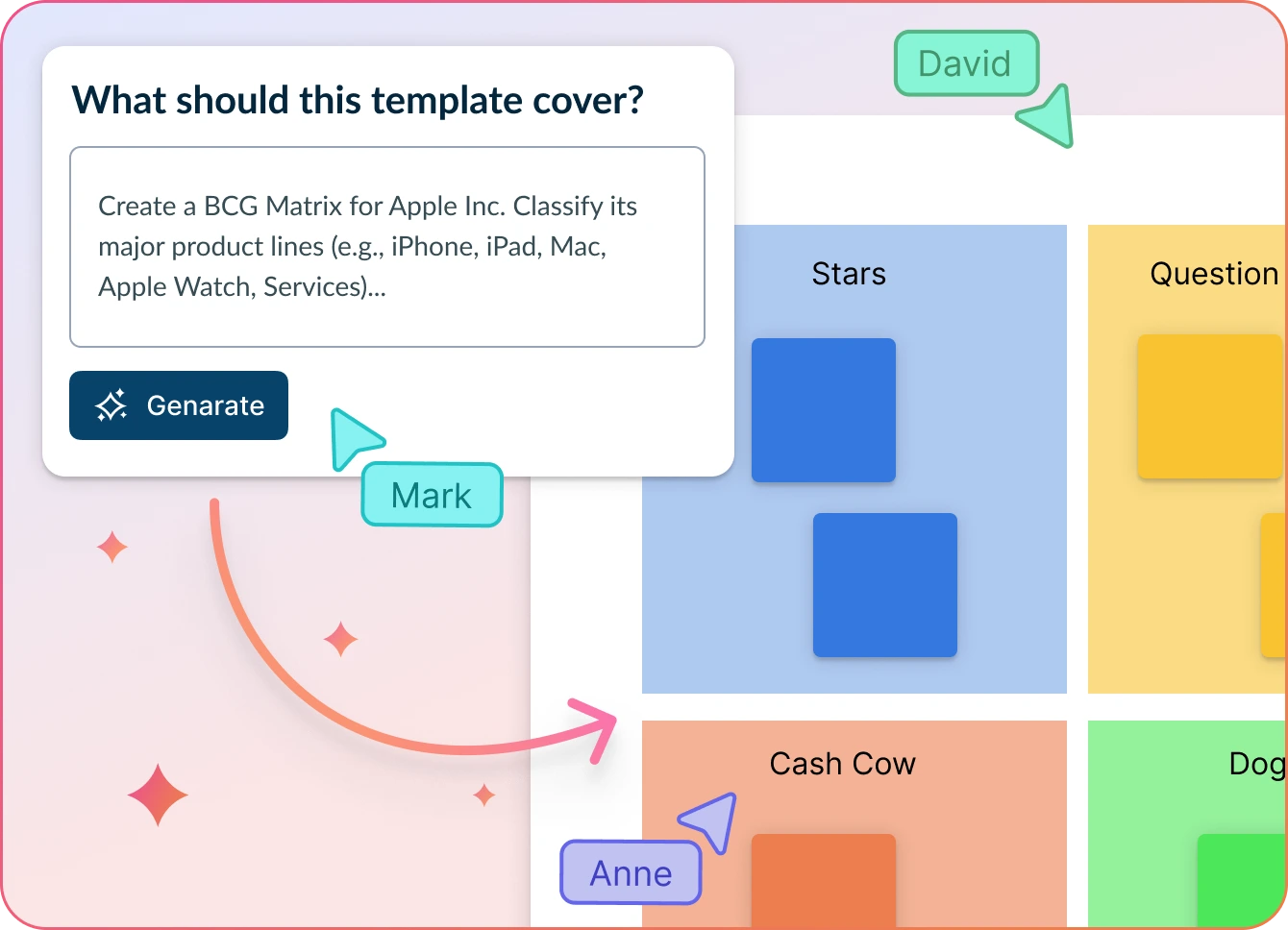
Smarter Strategy, Less Guesswork
- Enter key product portfolio details with a simple prompt and click ‘Generate’.
- Watch Creately automatically place your products into the right BCG Matrix quadrants based on your data.
- Refine, customize, and collaborate on your strategy—all in one visual workspace.
Why teams love Creately’s AI BCG Matrix Template
 Save time – Automatically structure your BCG Matrix template in seconds—no more manual data sorting or guesswork.
 See beyond the obvious – Spot subtle patterns and product relationships that typical BCG Matrix tools might overlook.
 Secure by design – Your data stays safely within Creately’s platform. No third-party access or storage.
 Multi-lingual support – Work with teams in any language—Creately supports multilingual input and analysis.
 Objective insights – Let AI group and rank products based on strategic value, not just size or volume.
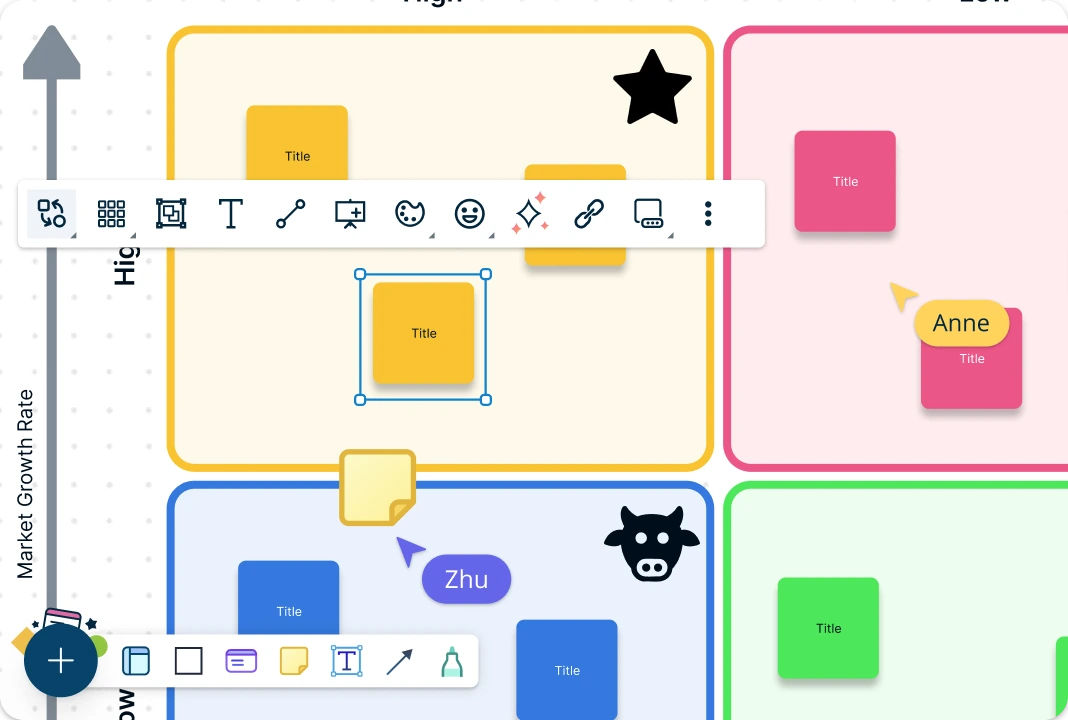
Visualize Your Growth Strategy
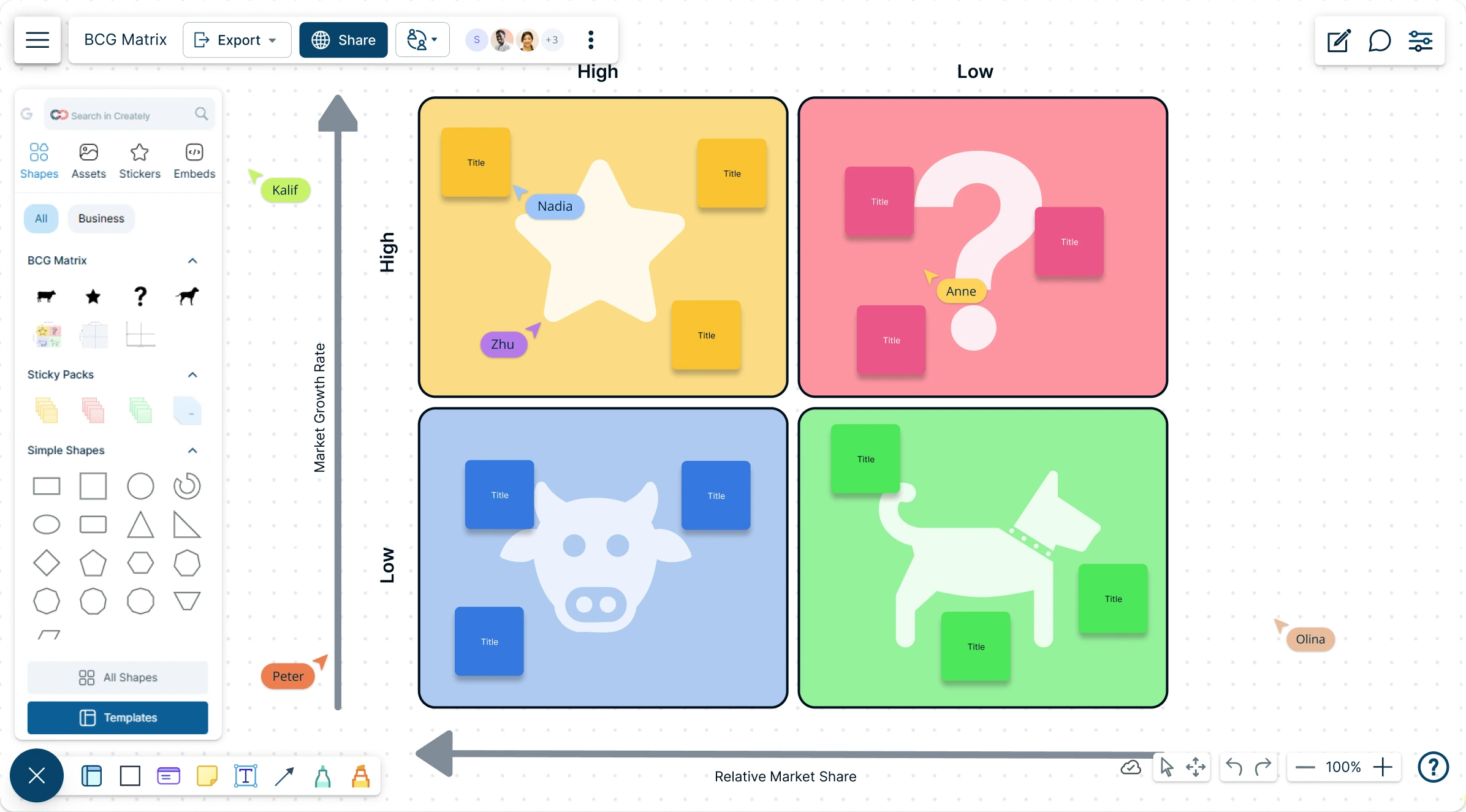
Turn complex market data into clear, intuitive visuals with ready-made BCG matrix templates. Use visual grids, a dedicated BCG shape library, and drag-and-drop tools to easily plot products, services, or business units. Instantly assess relative market share and growth potential—so you can confidently decide what to invest in, maintain, or phase out.
Break Free from Siloed Strategy Sessions

Facilitate more dynamic strategic planning processes with real-time collaboration. Carry out async discussions with stakeholders via comments and track changes made with synced previews and live mouse tracking. Quickly convert insights from the BCG analysis template into interactive presentations or export and share to communicate strategies to the entire team. With Creately’s BCG Matrix templates, you can keep everyone aligned and decision-ready, no matter where they are.

Make Strategic Decisions Faster
Use Creately’s built-in tools like mind maps, Kanban boards, and SWOT analysis templates to complement your BCG Matrix analysis. Seamlessly connect insights from the BCG Matrix to action plans and execution workflows in one seamless workspace. With Creately’s BCG Matrix templates, you can ensure every strategic decision is backed by visual clarity and cross-functional alignment.
What is a BCG Matrix Template?

Who Can Use the BCG Matrix Template?
The BCG Matrix template can be used by a wide range of individuals and organizations across various industries. Here’s a breakdown of who can benefit from using the BCG Matrix template:
Business managers and executives: Business leaders can use the BCG Matrix template to assess their company’s product or service portfolio, identify areas of strength and weakness, and make informed strategic decisions regarding resource allocation, product development, and market expansion.
Product managers: Product managers can leverage the BCG Matrix template to evaluate individual products within their portfolio, prioritize product development efforts, and allocate resources effectively based on each product’s market growth potential and relative market share.
Marketing professionals: Marketing teams can utilize the BCG Matrix template to analyze market trends, identify growth opportunities, and tailor marketing strategies for different product categories, ensuring optimal positioning and resource allocation across the marketing mix.
Consultants and analysts: Consultants and industry analysts can use the BCG Matrix template to assess the competitive landscape, benchmark companies against industry peers, and provide strategic recommendations to clients for maximizing growth and profitability.
Entrepreneurs and startups: Entrepreneurs and startup founders can apply the BCG Matrix template to evaluate potential business ideas, assess market opportunities, and develop strategic plans for launching and scaling their ventures.
Educators and students: Educators can incorporate the BCG Matrix template into business courses to teach students about strategic management concepts, portfolio analysis techniques, and decision-making frameworks used in real-world business contexts.
How to Use Creately’s BCG Matrix Template
Choose a BCG Matrix Template:
Begin by choosing a professionally crafted BCG Matrix template from Creately’s extensive library. Whether you’re assessing product lines, business units, or market segments, you’ll find a variety of layout options to suit your needs. Prefer to build your own? Start with a blank canvas and create a custom structure from the ground up.Select Your Products and Define the Market:
Choose an area or unit to be analyzed using the BCG matrix. This could be a product line, individual brand or business unit, or the business as a whole. Based on the area you chose for the analysis, define the market. Make sure to pick the most appropriate and relevant market for your unit.Collect Data on Market Share and Growth Rates:
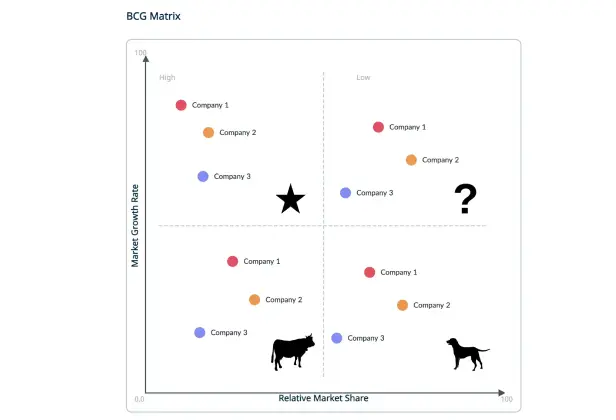
Calculate the relative market share for the chosen unit, based on market share or revenue. The measurement should be plotted on the x-axis. Estimate the growth rate of the industry with the help of industry growth reports. This measurement should be plotted on the y-axis.Place Your Products into the BCG Analysis Template:
Place the units you are analyzing on the appropriate box, based on their market share and growth. Invest in the products in the Stars quadrant, consider phasing out the Dogs, milk the Cows and allocate experimental funds for the Question Marks.Personalize the BCG Template to Match Your Strategy:
Once your BCG analysis template is filled in, make it your own. Easily drag and drop items, edit labels, and rename quadrants to align with your business model. Add your brand’s colors, fonts, and visuals to create a polished, presentation-ready layout.Collaborate and Align Effortlessly:
Bring your team, stakeholders, or clients into the process with real-time collaboration. Use live cursors, comments, and shared editing to shape your strategy together. Manage access to the BCG Matrix template with flexible permission controls for editing, viewing, or commenting.Present and Distribute Your Work:
Leverage Creately’s integrated presentation mode to guide teams through your completed BCG Matrix template during meetings or strategy discussions. When it’s time to share, export your matrix in formats like PDF, PNG, SVG, or JPEG—or embed it directly into documents, dashboards, or internal wikis. Built-in version history lets you track edits and revisit earlier decisions whenever needed.Instantly Create Your BCG Matrix with AI:
Skip the manual research work with Creately’s AI-powered BCG Matrix Generator. Simply enter a brief description of your business units and market details, then hit ‘Generate’. Creately will automatically map your entries into the BCG analysis template using smart analysis and key strategic factors.
BCG Matrix Templates to Analyze Ways to Drive Business Growth



FAQs on the BCG Matrix Template
How can I access the BCG Matrix Template on Creately?
What are the key features of the BCG Matrix Template?
What types of businesses can benefit from using the BCG Matrix Template?
Can I use AI to generate my BCG Matrix on Creately?
Can I export or share the BCG analysis template made on Creately?
Is the BCG Matrix Template on Creately free to use?