Startup teams change fast - Import your employee data and build a startup org chart you can update as the company grows.
Reporting lines get messy quickly - Catch manager issues, missing fields, and data gaps before they turn into confusion.
Headcount planning is hard to see in spreadsheets - Map current roles, open positions, and future hires in one shared org chart.
CERTIFIED




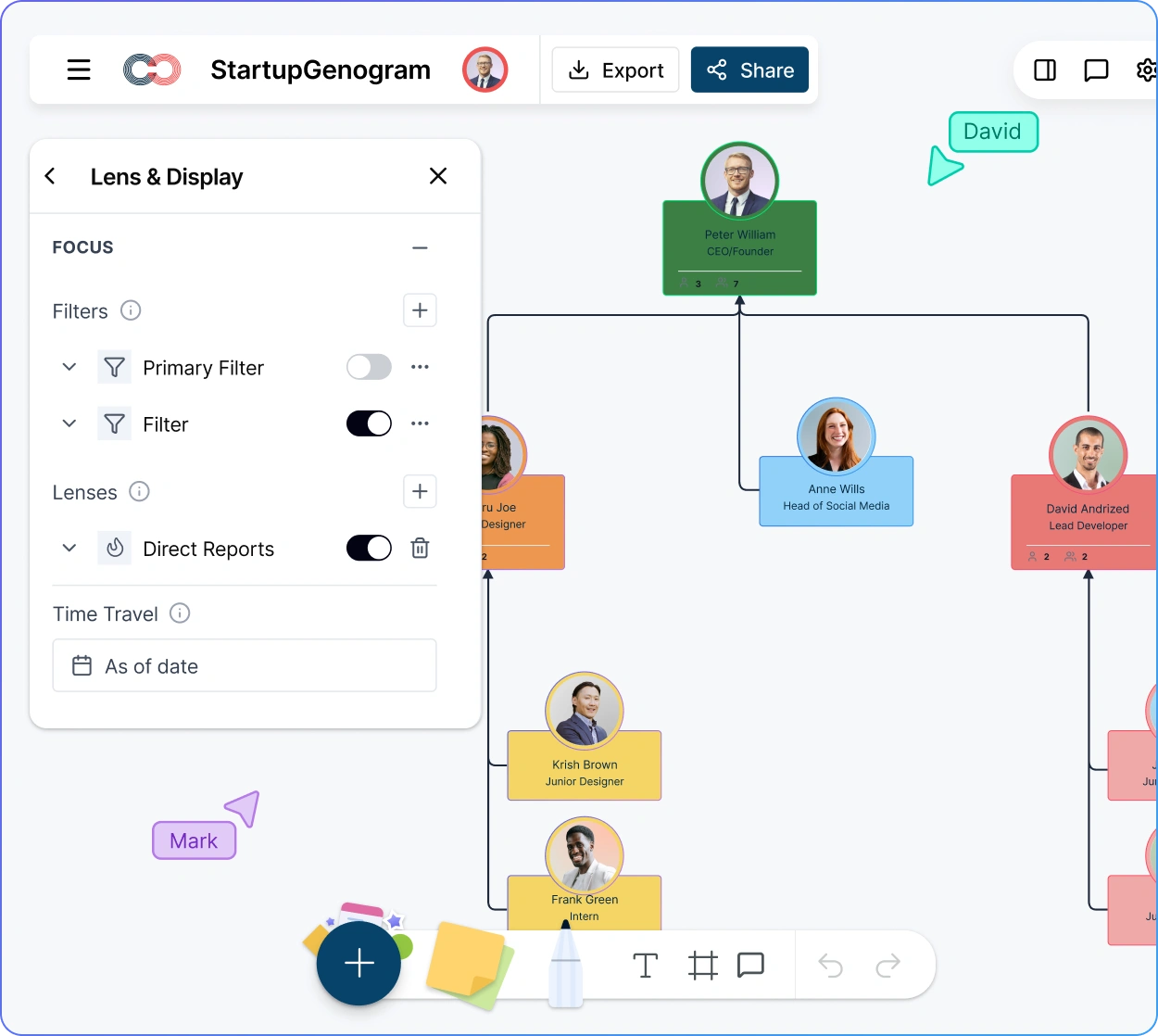
Startup Org Chart Software
Scale Your Startup with a Clear, Up-to-Date Org Chart
Build a living startup org chart that keeps up with hiring, team changes, and new reporting lines by turning spreadsheet data into a clear visual structure you can update, plan, and share in one place.
 Startup teams change fast
Import your employee data and build a startup org chart you can update as the company grows.

 Reporting lines get messy quickly
Catch manager issues, missing fields, and data gaps before they turn into confusion.
 Headcount planning is hard to see in spreadsheets
Map current roles, open positions, and future hires in one shared org chart.




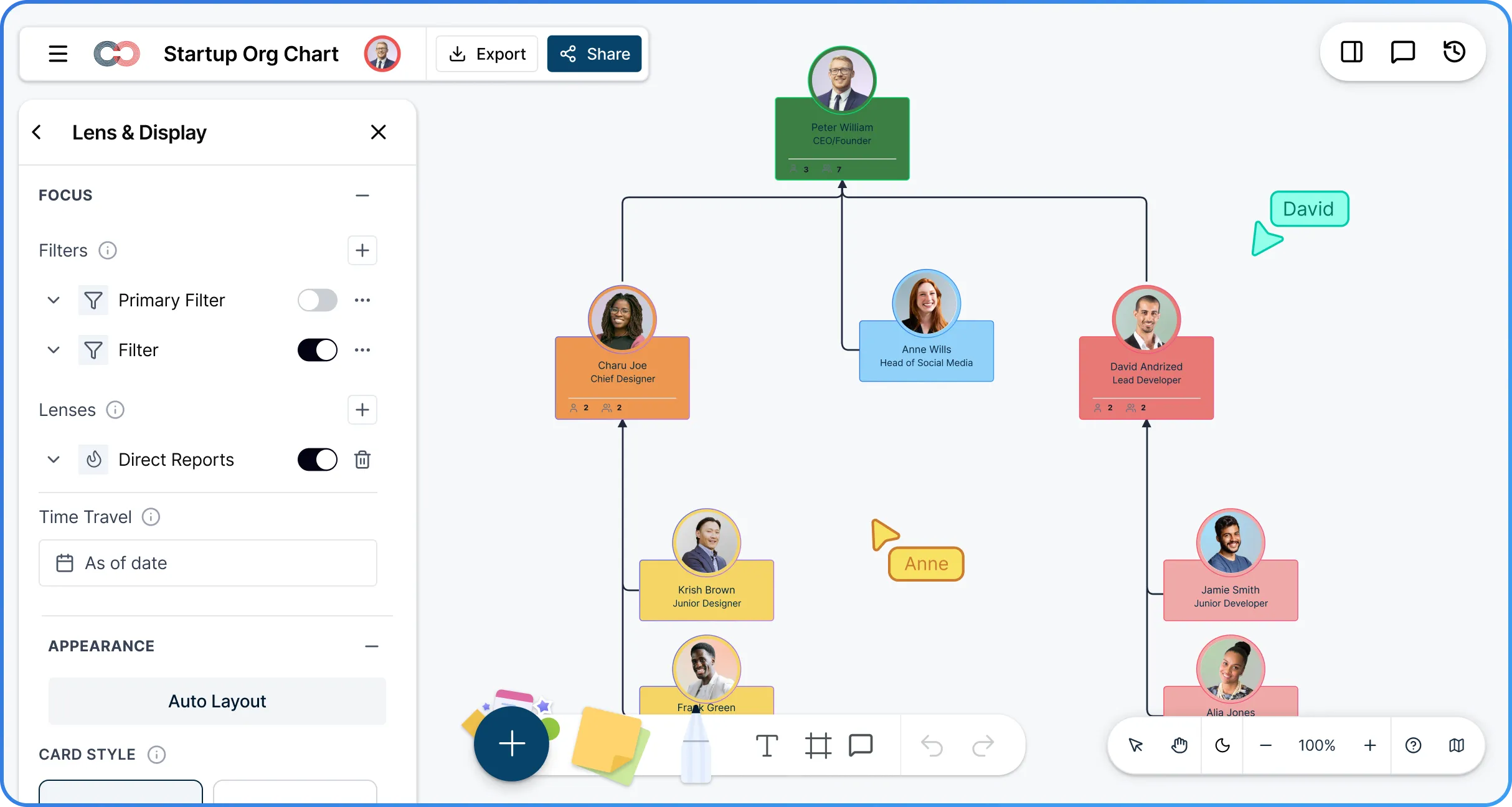
 Diagramming Visual Collaboration Org Chart


Why Choose Creately’s Startup Org Chart Creator
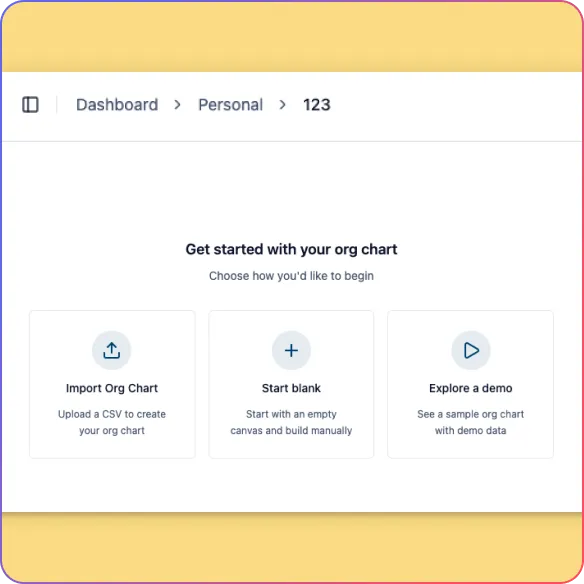
Smart Data Import
Turn employee spreadsheets into org charts faster with smart column mapping for common team and reporting fields.
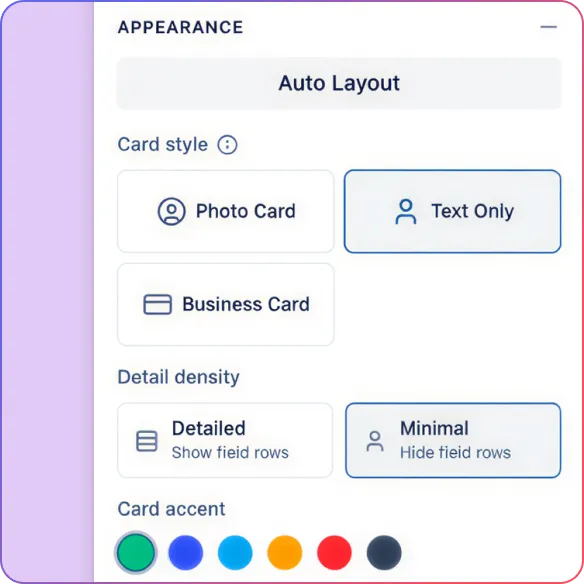
Automatic Hierarchy Generation
Create a clean startup org chart instantly with automatic reporting-line mapping and auto-layout.
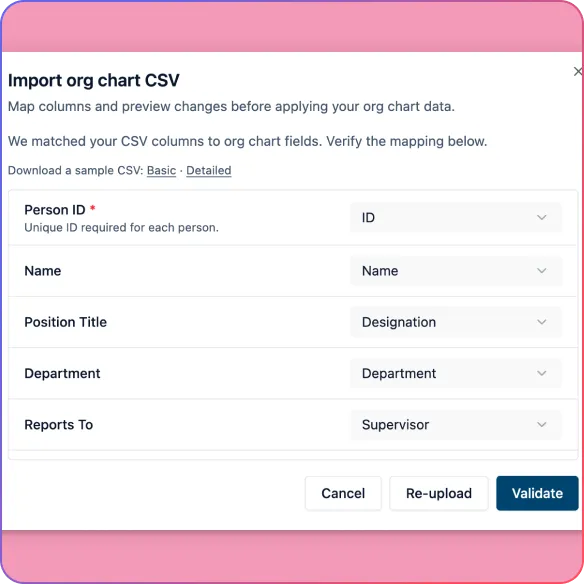
Import Validation
Catch missing data, unknown managers, reporting cycles, and empty rows before they affect the chart.
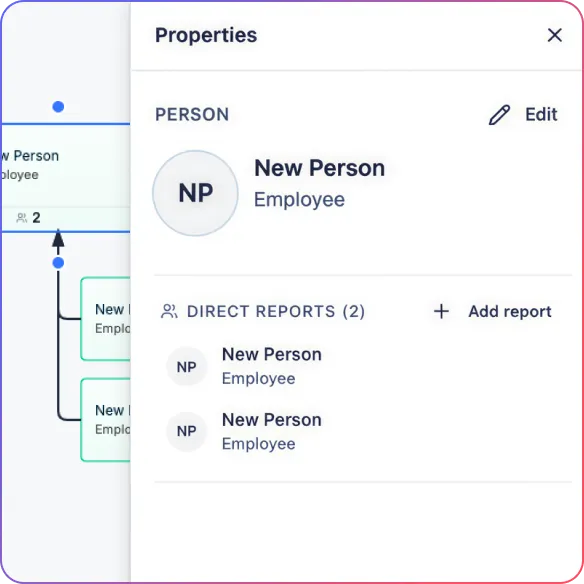
Quick Org Chart Creation
Start from scratch faster by adding direct reports, peers, and assistants in one click or generating a starter startup org chart with AI.
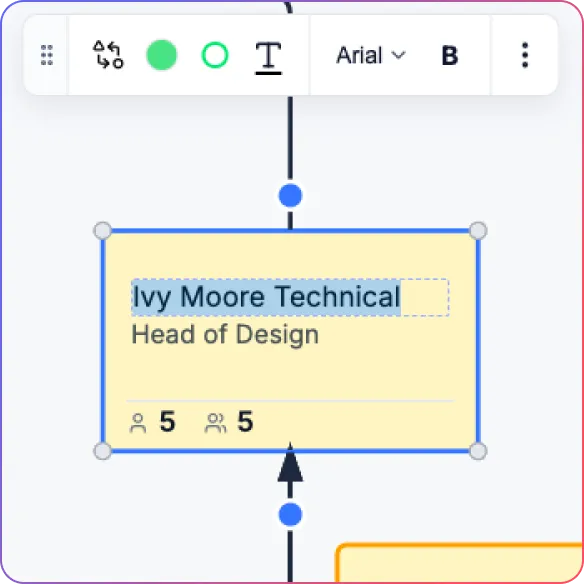
Inline Editing
Keep the org chart current by updating names, titles, departments, and custom fields directly on the chart.
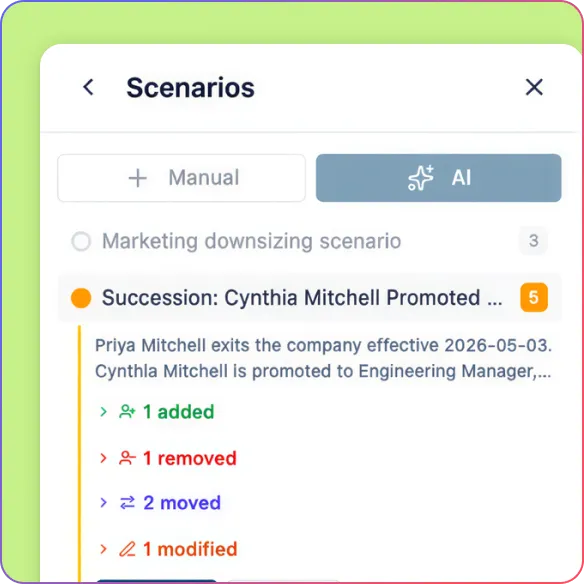
Position-Based Planning
Plan future growth more clearly by showing vacant roles and updating position details separately from the people who fill them.
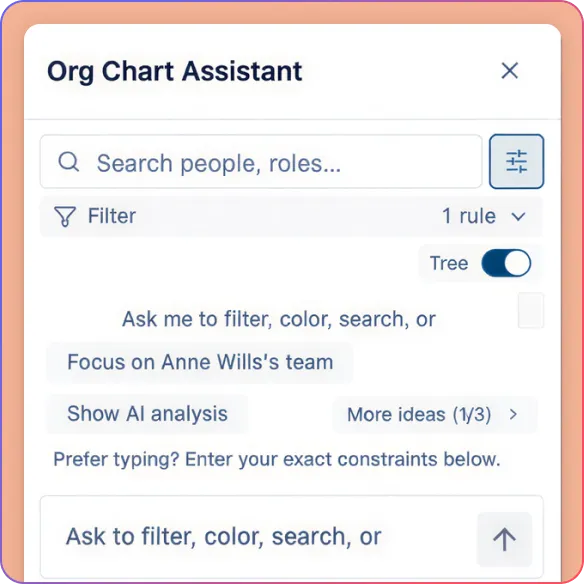
Search and AI Queries
Find people, teams, and reporting details faster with search and natural language org chart queries.
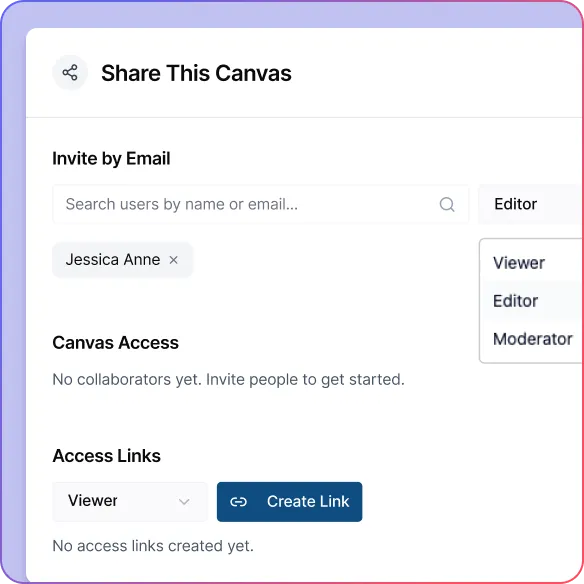
Shared Workspace
Keep founders, team leads, and ops aligned with real-time updates that make the org chart easier to maintain together.
Create Structure Early Without Slowing the Team Down
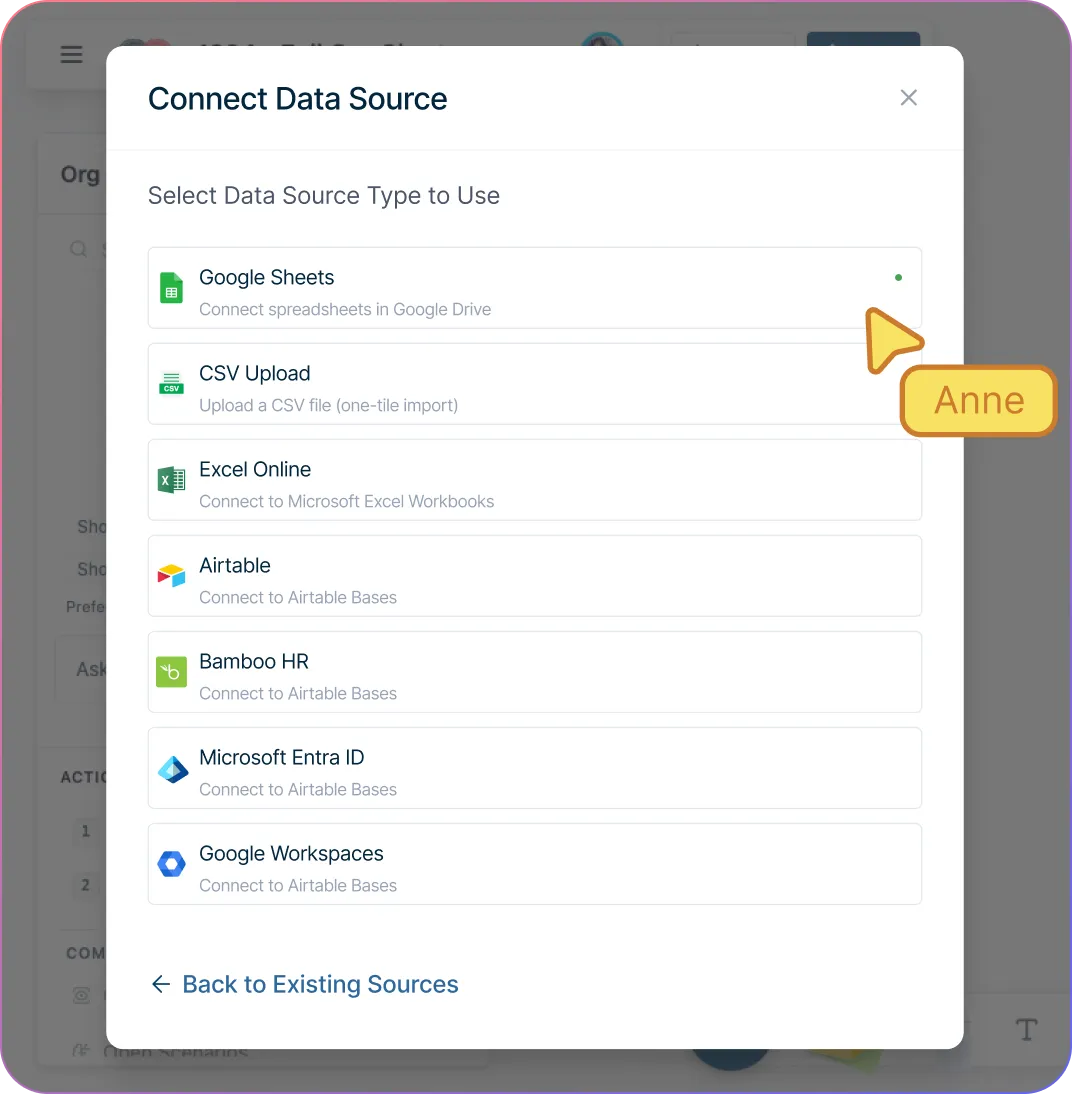
Turn startup team data into a clear org chart fast with CSV import that maps common fields like Manager, Supervisor, Hire Date, and Employee ID automatically.
Catch structure issues before they create confusion with import validation that flags missing IDs, unknown managers, and reporting cycles before the chart is built.
Start even faster when you do not have a finished structure yet by asking AI to generate a starter org chart for a startup team.
Keep the chart easy to maintain from day one by editing names, titles, departments, and custom fields directly on each person card.
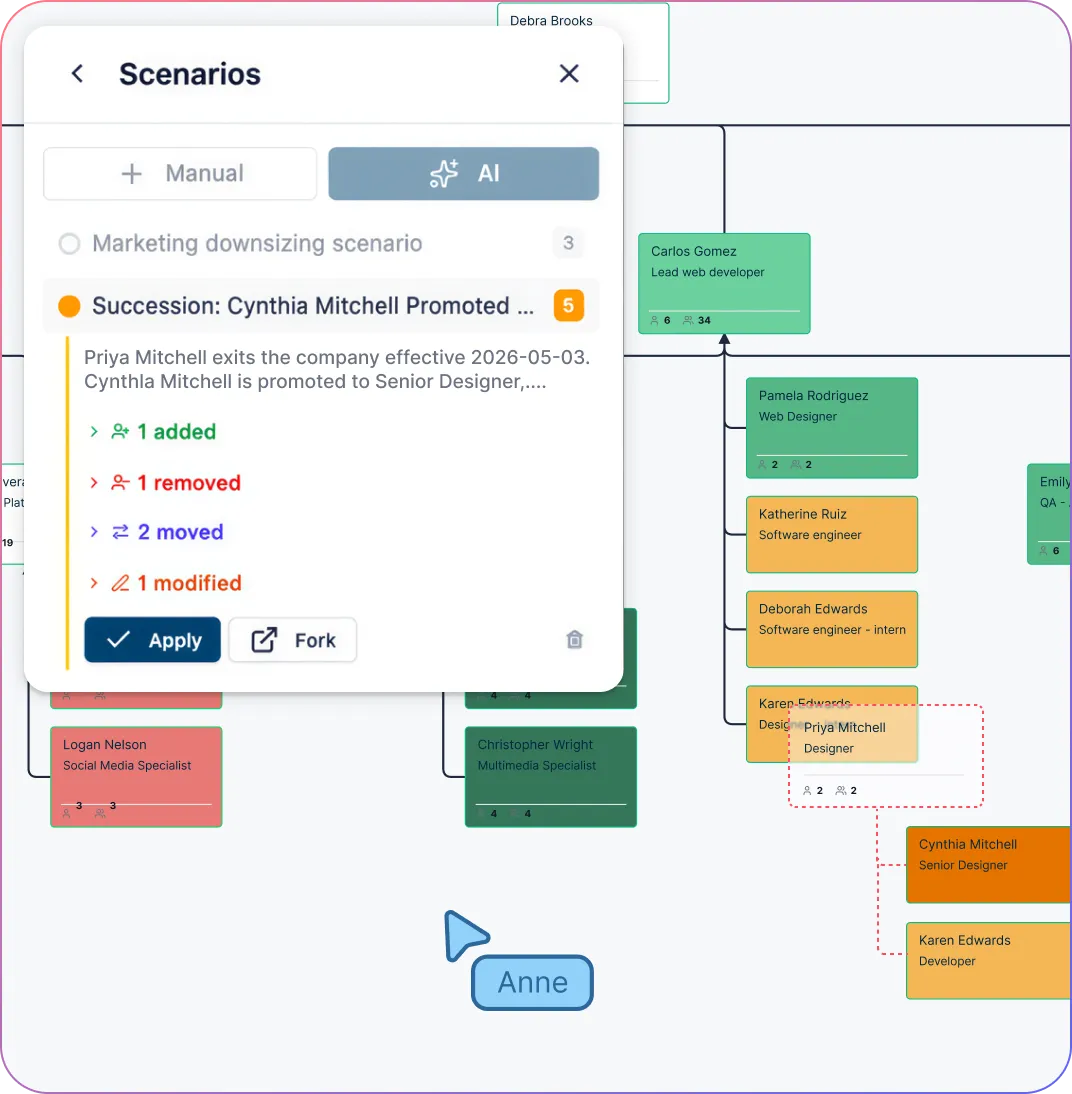
Plan Future Hires Without Losing Sight of the Current Team
Add open roles directly to the org chart so you can show where future hires fit before the position is filled.
Explore hiring and team structure options more clearly with scenario planning for growth and reorg modeling.
Keep your org structure stable during hiring changes by modeling positions separately from the people who occupy them.
Update position details like title, level, department, and vacancy status so the chart supports real workforce planning, not just team visibility.
Keep vacant positions visible on the chart so reporting lines, budgeted roles, and growth plans stay clear while you hire.
Find People, Teams, and Org Answers Faster as You Scale
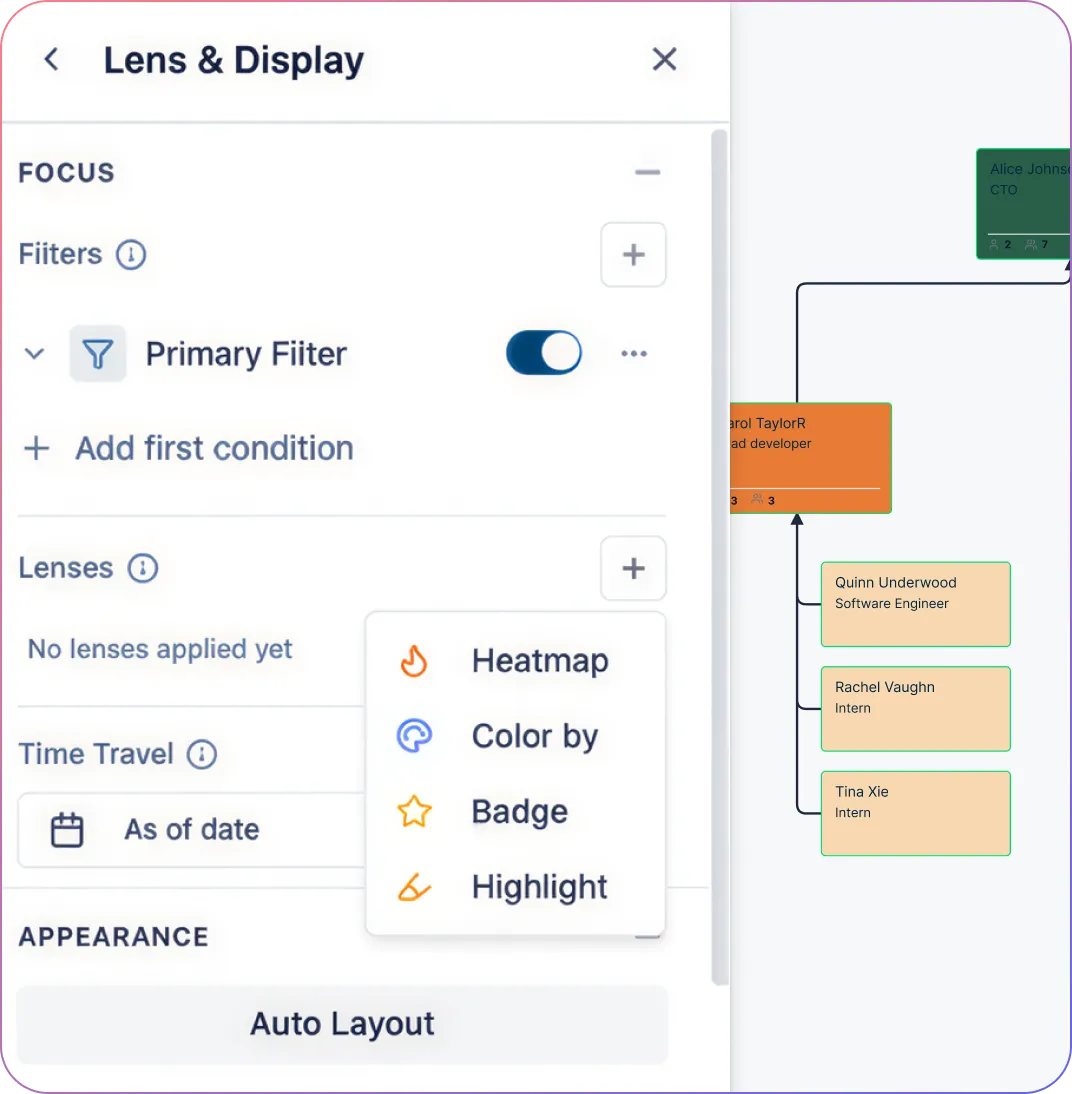
Surface the right data where you need it with field packs that appear in properties, filters, and heatmaps.
Ask org questions in plain language with AI-powered search that works across any field, not just the visible card details.
Answer recurring team questions faster with multi-condition filters that help you isolate specific groups across the org.
Save frequently used filters as smart groups so common requests become one-click views instead of repeated manual searching.
Spot patterns in a growing team more easily with viewpoints like tenure overlays that highlight new hires and long-tenured employees across the chart.
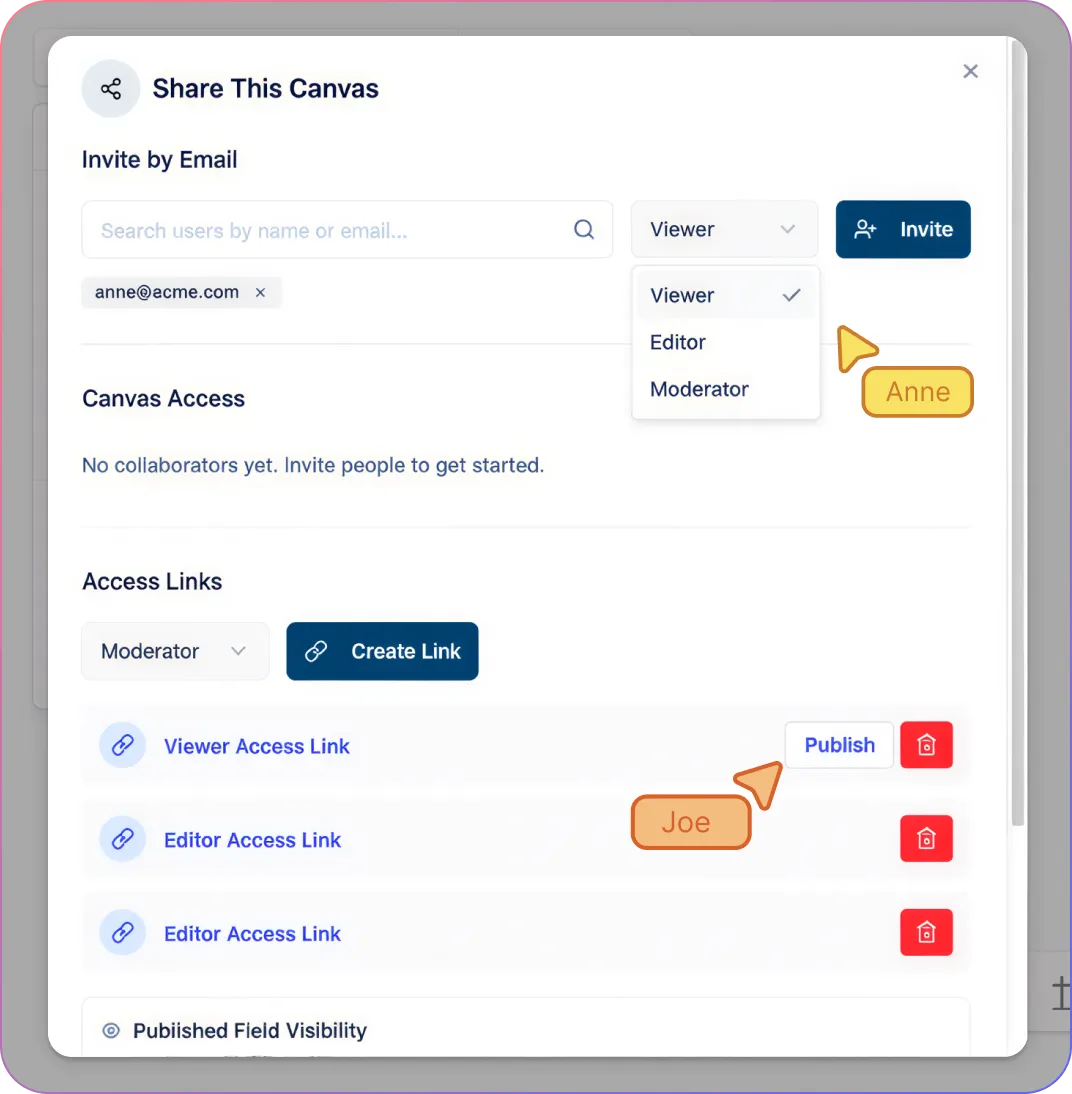
Keep Founders, Managers, and Ops Working From the Same Live Org Chart
Review and update the org chart together in real time with collaborative editing, live cursors, and presence indicators.
Discuss team changes more clearly with threaded comments and @mentions directly on the org chart.
Control who can view or edit the org chart with Viewer, Editor, Moderator, and Owner permissions.
Share the org chart by link without losing access control, so each person only sees the fields allowed for their role.
Give executives, board members, or external reviewers read-only access with Viewer sharing.
How to Create a Startup Org Chart In Creately
Import your spreadsheet or start from a blank chart.
Map reporting lines automatically or build the structure with AI.
Add people, positions, and reporting lines as your team grows.
Update role details and activate the fields you need.
Share the org chart for planning, onboarding, or hiring.
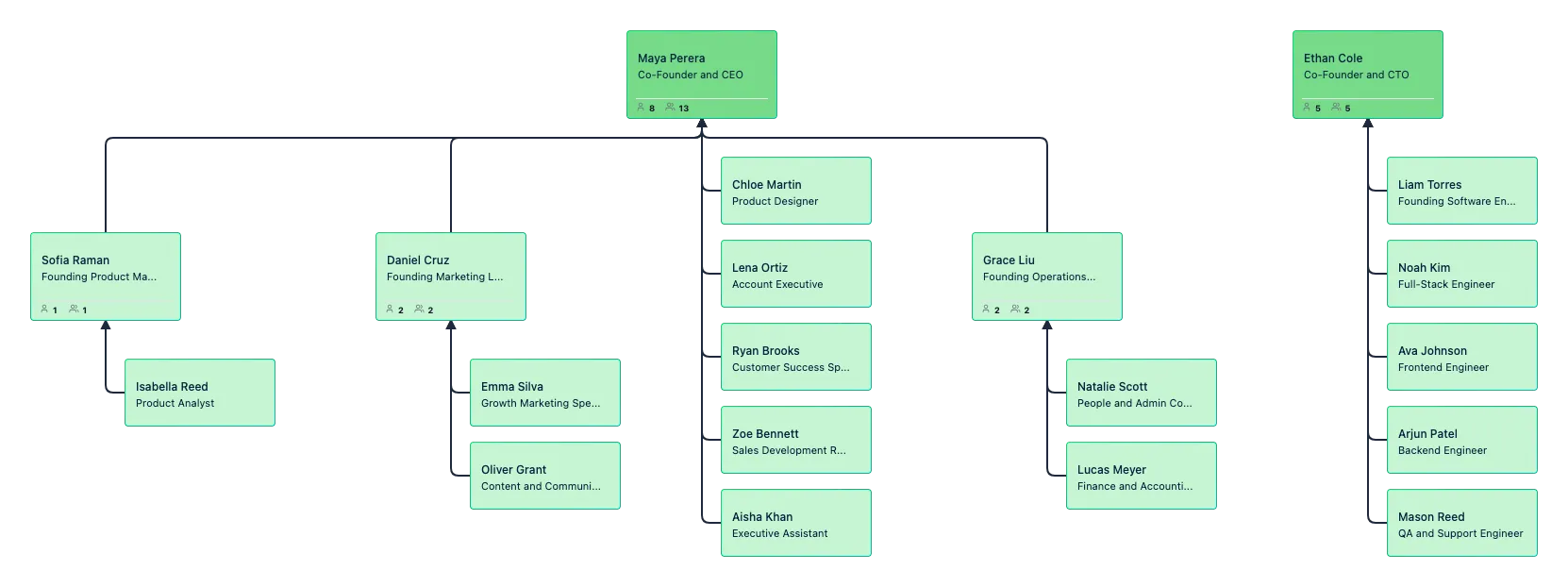
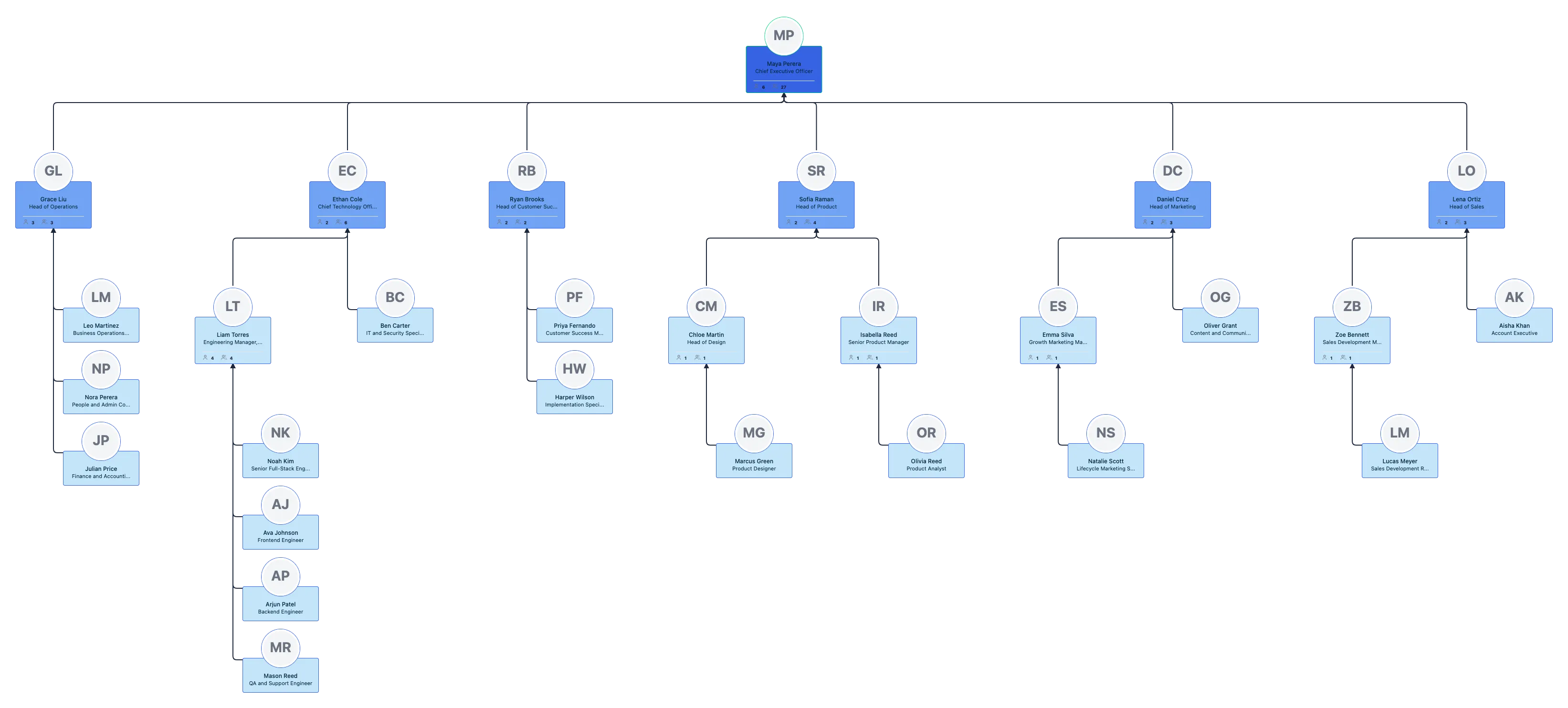
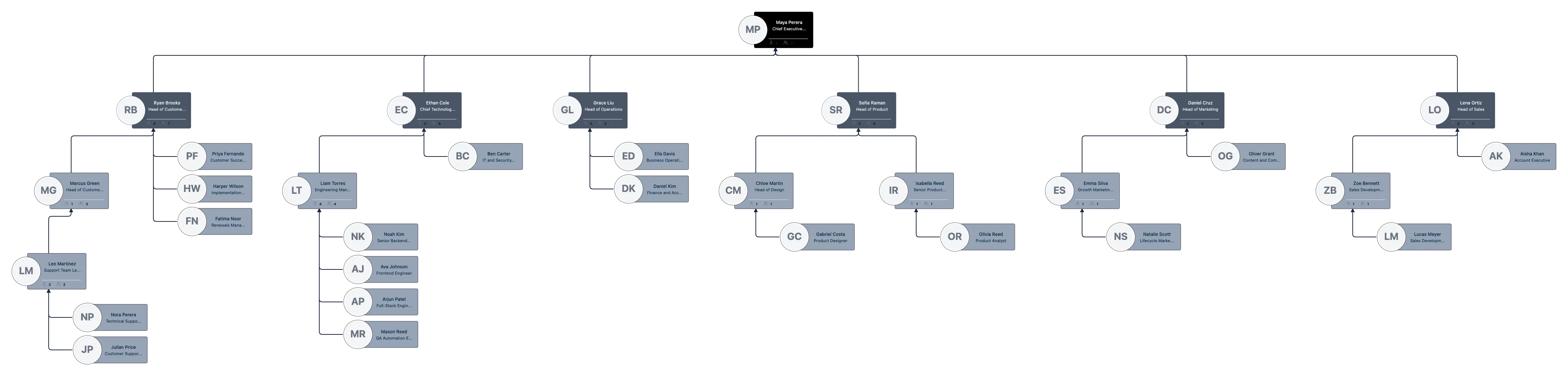
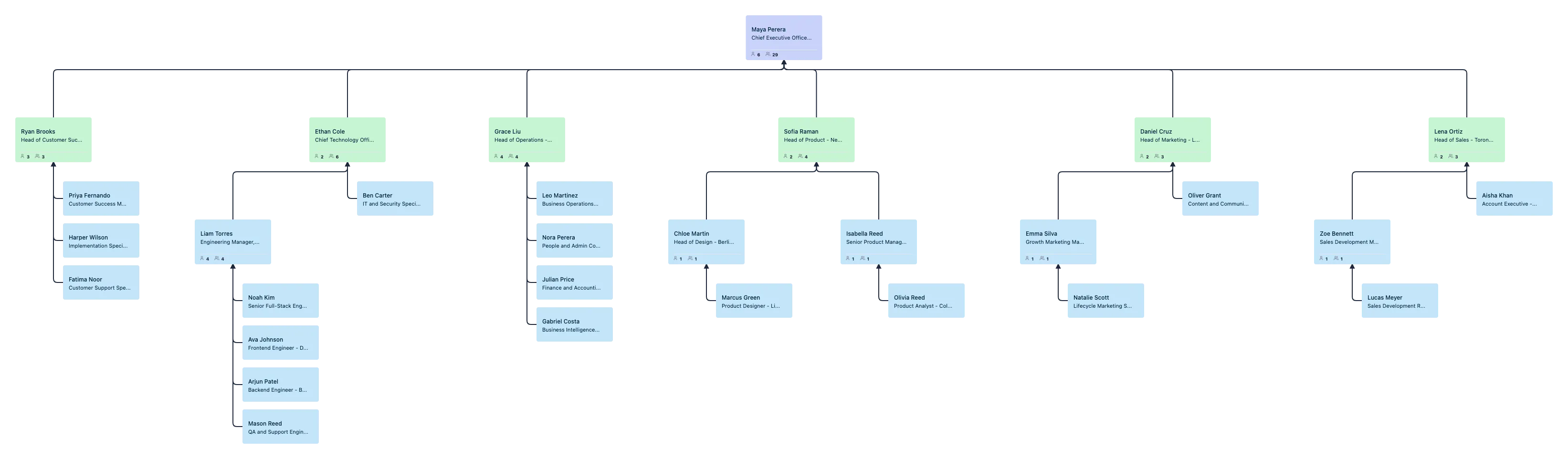
Free Ready-to-Use Startup Org Chart Templates
Use Cases
Founder-Led Team Structure
Map founders, early hires, and core functions in one org chart so everyone can see ownership, reporting lines, and how the team is taking shape. Share one live org chart as the startup grows.
Hiring and Headcount Planning
Add open roles, model future reporting lines, and compare possible team structures before making the next hire. Use scenarios and vacant positions to plan growth with more clarity.
Reorg and Team Restructuring
Test reporting changes, team moves, and new management layers without changing the live org chart first. Review multiple scenario options visually, then apply the one you want to keep.
New Hire Onboarding
Give new employees a clear view of who they report to, which team they sit in, and how the wider company is structured. Share a read-only org chart so new hires can explore the team without changing it.
Cross-Functional Team Planning
Show how people contribute across departments, projects, and evolving startup teams without losing sight of the reporting structure. Use one shared org chart to keep hiring, planning, and team design aligned.
Board and Leadership Reviews
Create a clear org chart for leadership discussions, workforce planning, or board updates, then share it as a read-only link or export it as PDF for review.
FAQs About Startup Org Chart Software
What are Creately’s startup org chart software pricing plans?
- Free Plan — $0/month for basic startup org chart creation and collaboration
- Starter & Team Plans — $8/month or $5/month billed annually
- Business Plan — $149/month or $89/month billed annually
Annual billing helps you save more while unlocking advanced collaboration, workspace management, and enhanced startup org chart features. You can compare all available plans and features on the Creately Pricing Page.
How can you create startup org charts faster?
Are there templates for different startup org chart use cases?
Can teams collaborate on startup org charts?
Can I add notes, data, and files?
Can I share, present, or export startup org charts?













 Quick help as teams change
 Guidance for hiring & structure
 Real human support