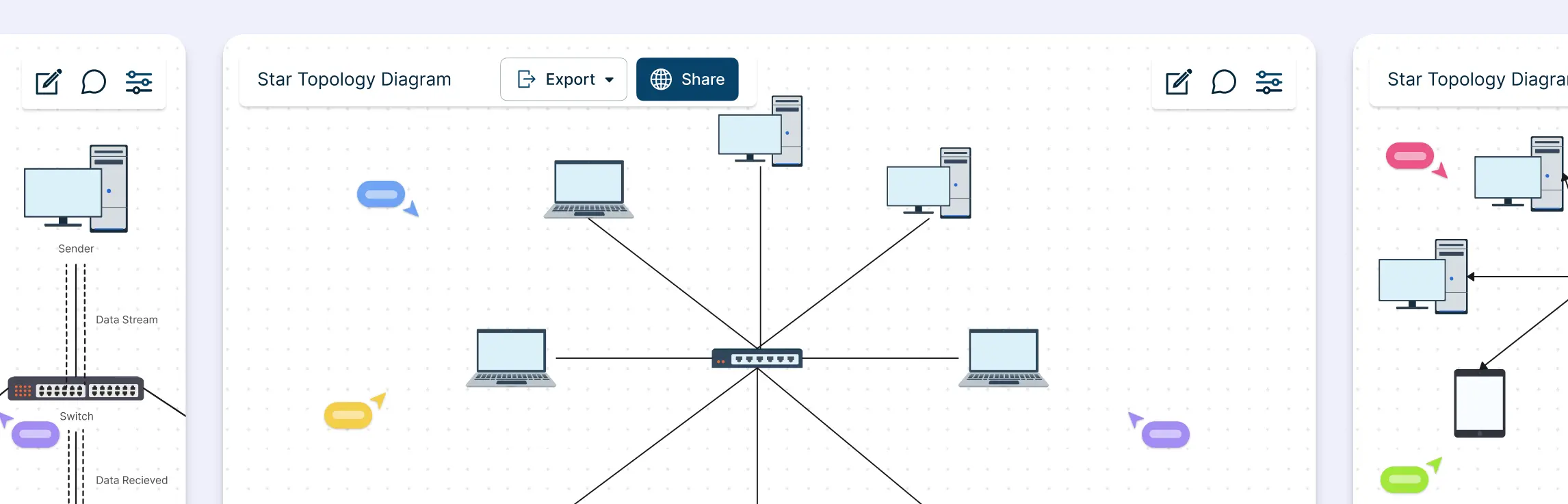
Network topology can feel unnecessarily complex, especially when you’re juggling performance issues, scaling needs, and team alignment at the same time. This guide breaks down star and ring topology in a simple, practical way, without the jargon overload. You’ll learn how each topology works, see real-world examples, understand the difference between star and ring topology, and explore how a star–ring hybrid topology combines the best of both worlds.
What Is a Star Topology?
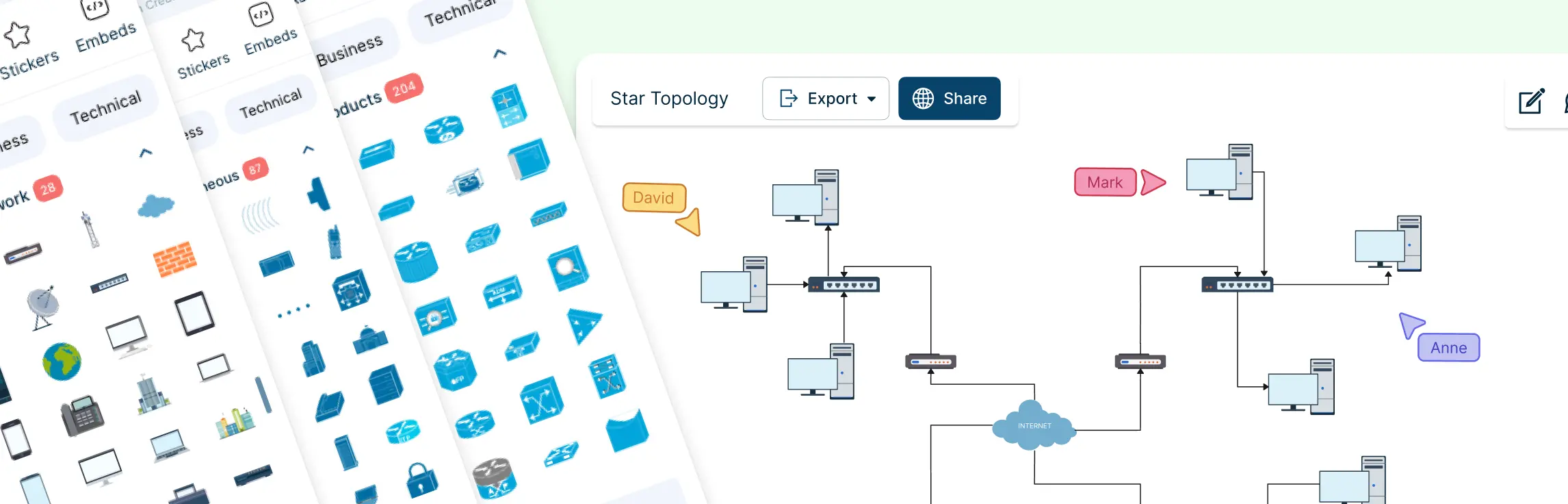
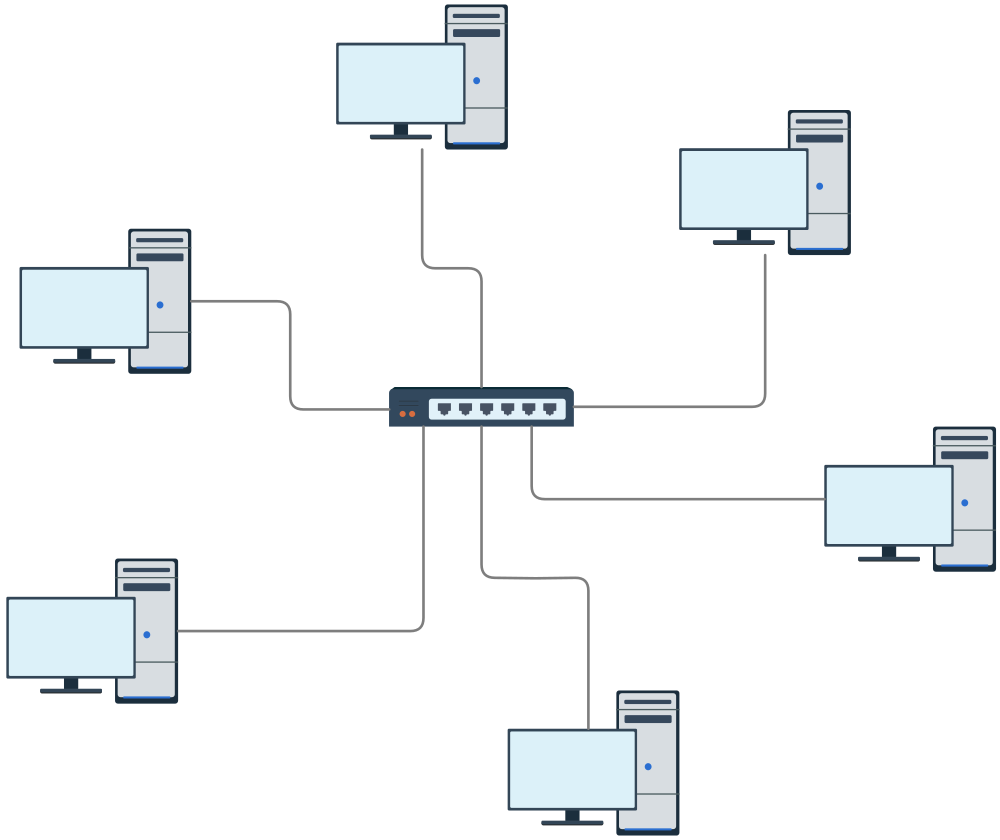
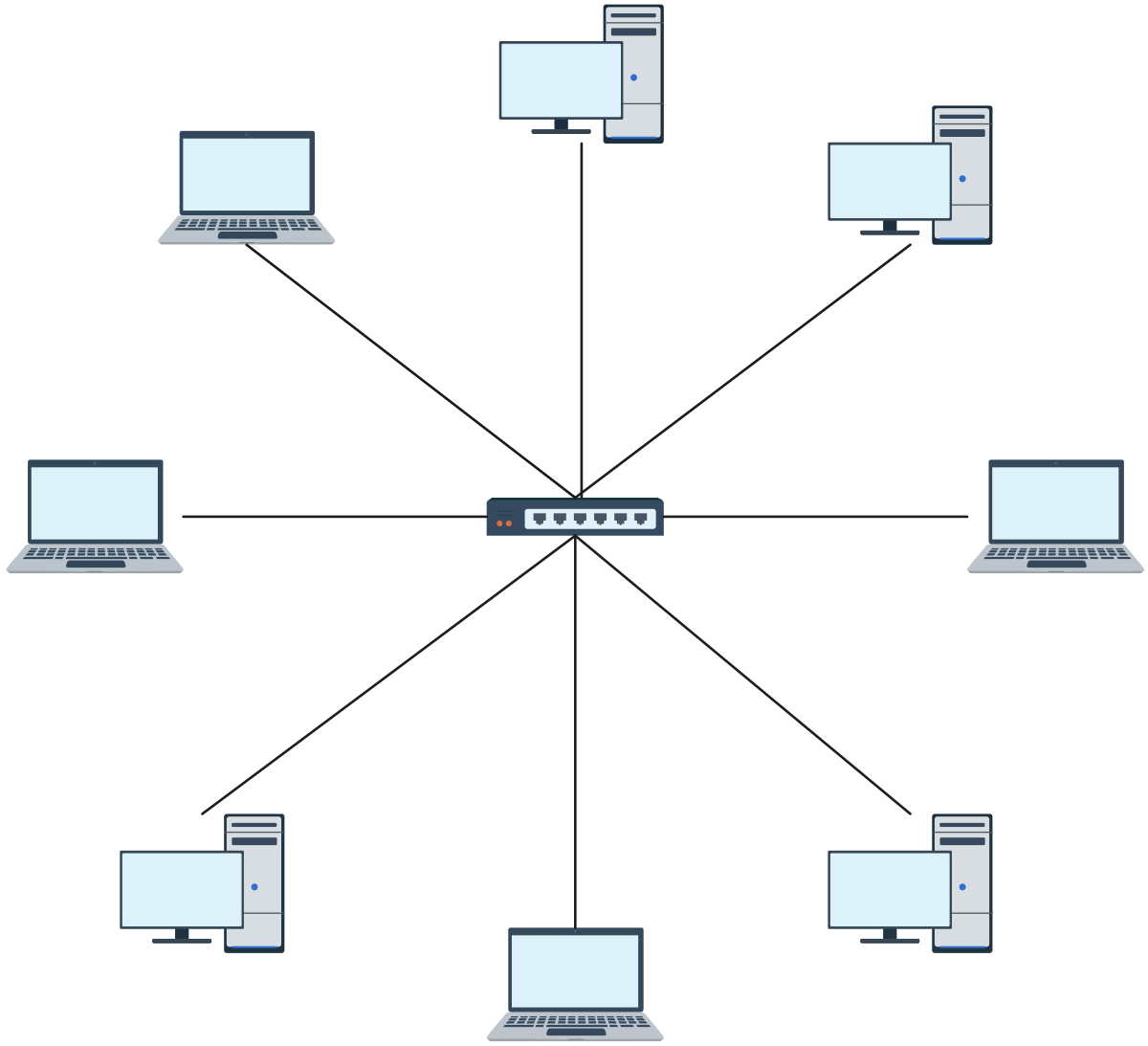
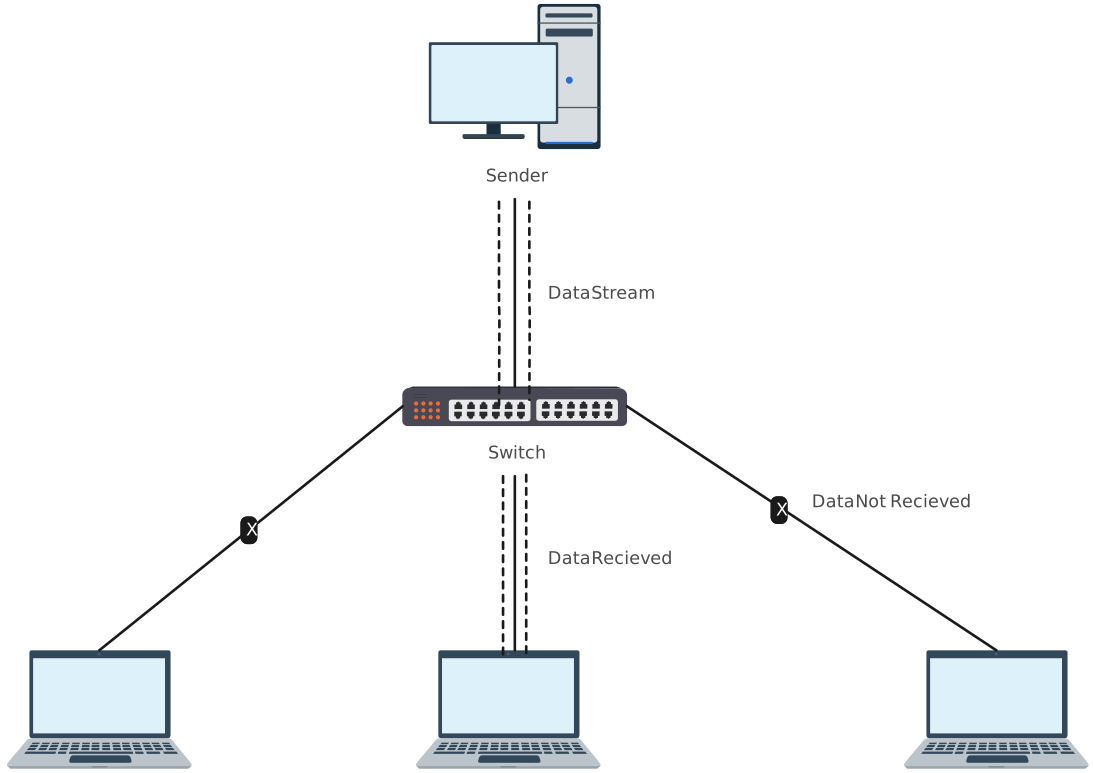
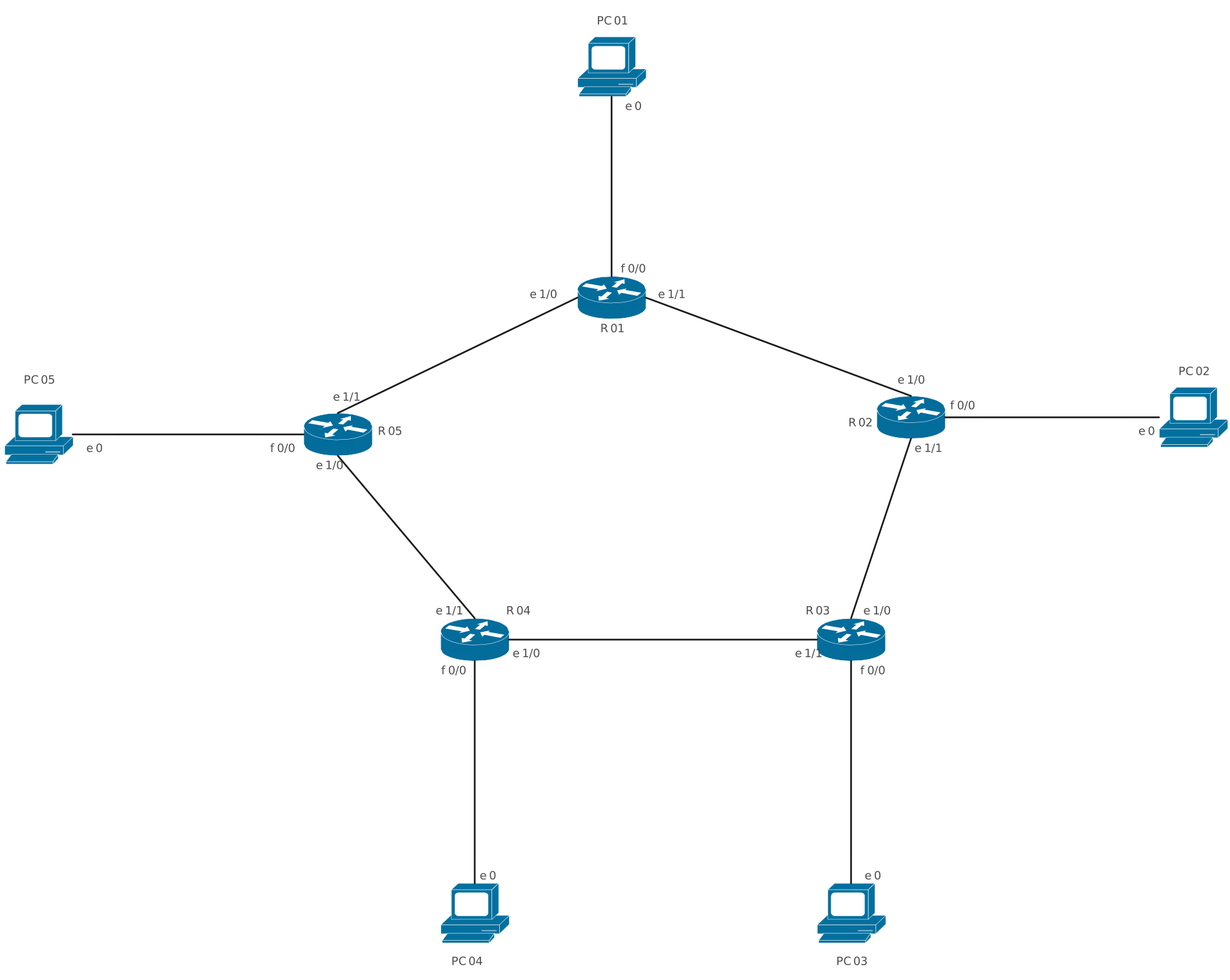
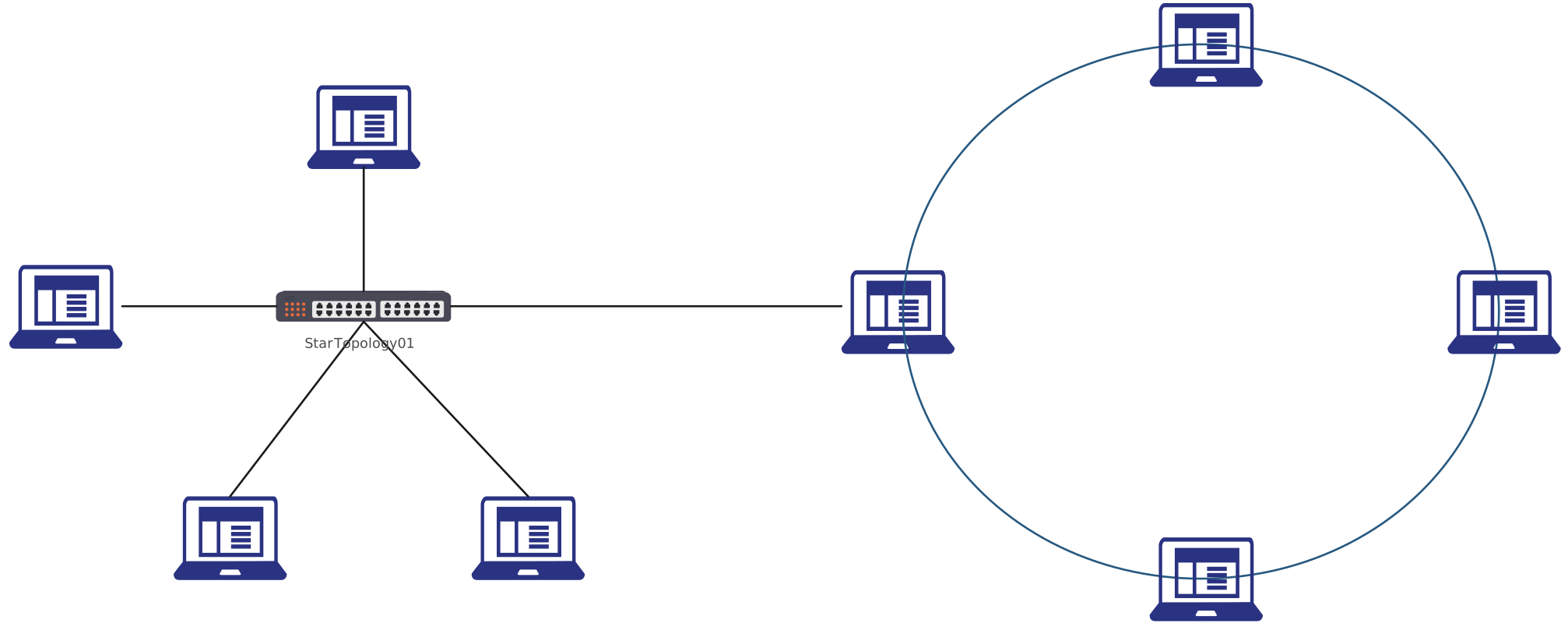
A star topology is one of the most widely used network structures, where all devices in a network are individually connected to a central hub, switch, or router. Imagine a wheel with spokes: the hub sits in the center, and each device, whether it’s a computer, printer, or server, has its own dedicated connection to this central point. This setup creates a clear, organized, and easily manageable network layout.
Star Topology Examples



What Is a Ring Topology?
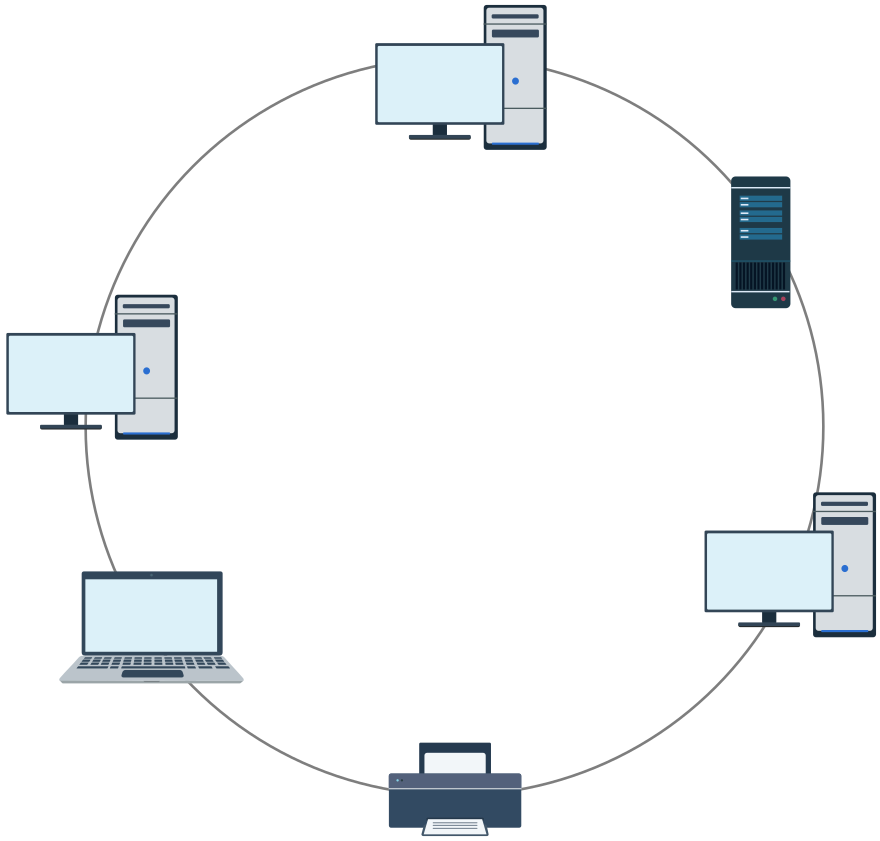
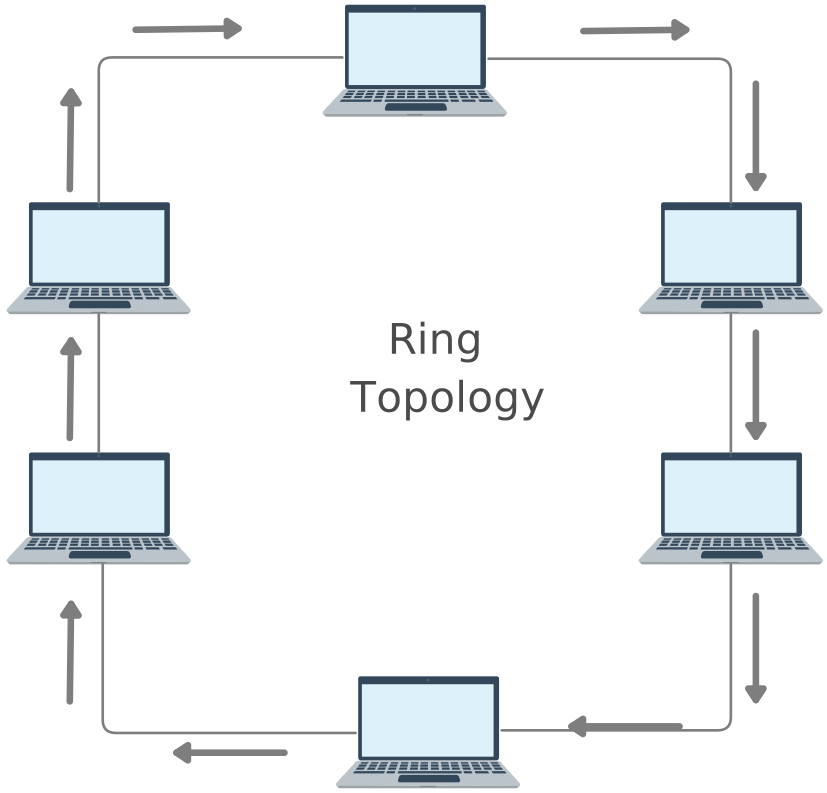
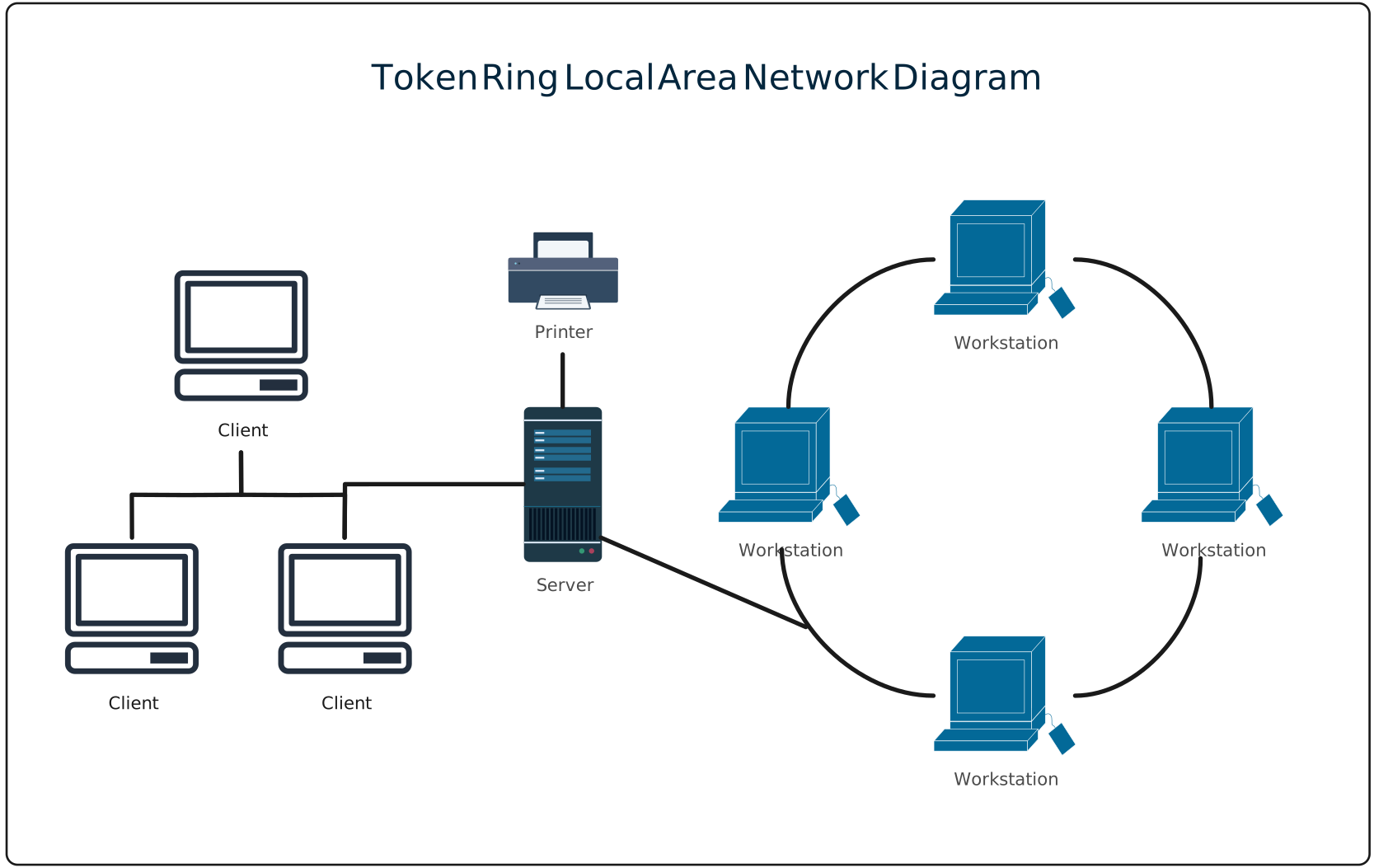
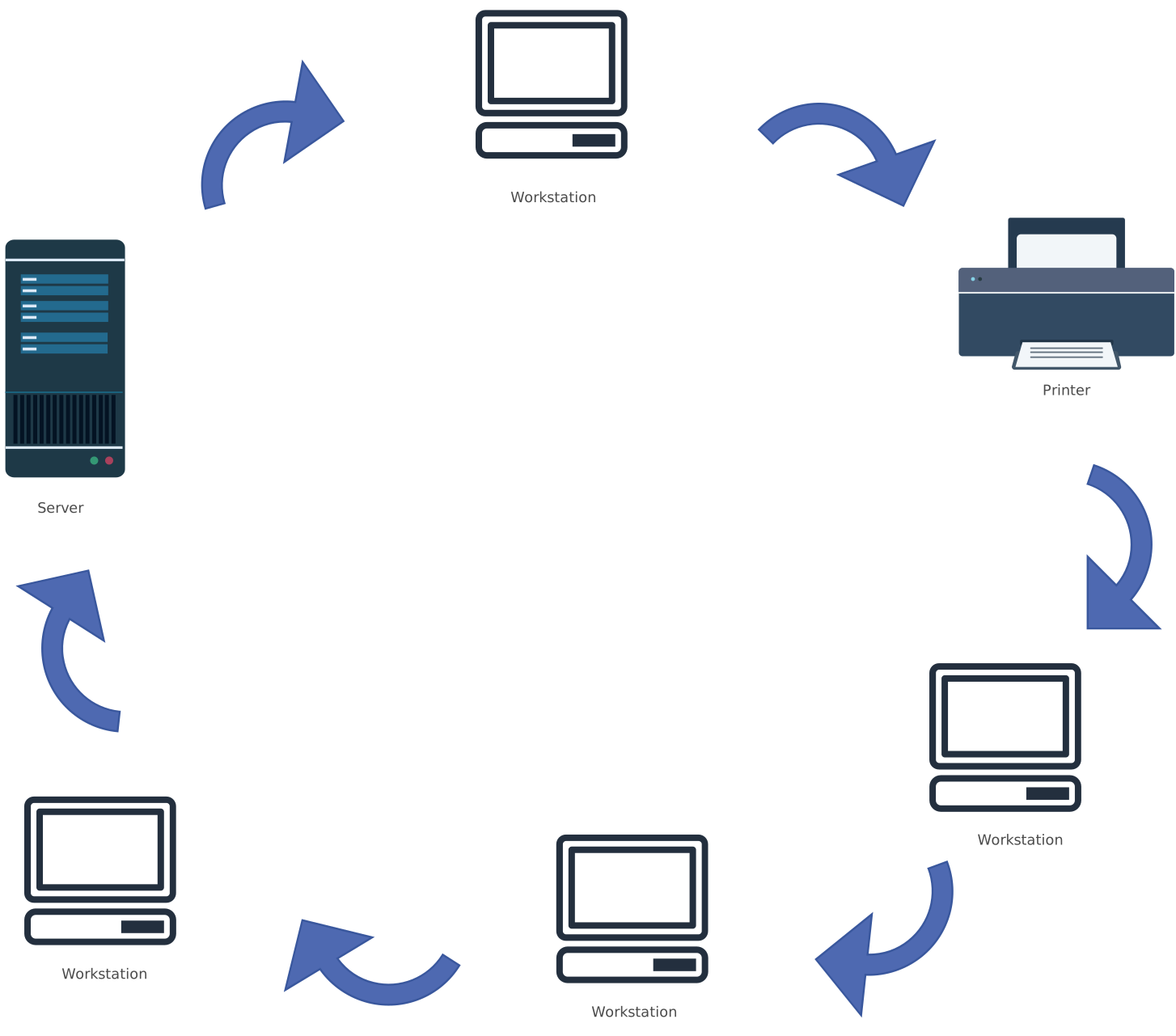
A ring topology is a type of network structure where each device is connected to exactly two other devices, forming a closed loop or “ring.” Data travels in one or both directions around this loop, passing through each device until it reaches its intended destination. Think of it as a circular chain where each device plays a role in passing information along the network.
Ring Topology Examples
Difference Between Star and Ring Topology
Understanding the difference between star and ring topology is essential for choosing the right network structure for your team or organization. Both topologies have unique strengths and limitations, and visualizing them can make your network planning much clearer.
Comparison Table: Star vs Ring Topology | ||
| Criteria | Star Topology | Ring Topology |
| Structure | All devices connect to a central hub or switch | Each device connects to two neighboring devices in a closed loop |
| Reliability | A single device failure doesn’t affect the rest of the network | Failure of one device or link can disrupt the entire network |
| Central Dependency | Hub failure can bring down the whole network | No central hub, but every device is critical to data flow |
| Cabling Requirements | Requires more cabling due to direct hub connections | Uses comparatively less cabling |
| Setup Cost | Higher initial cost because of cabling and hardware | Lower setup cost in simpler environments |
| Performance | Faster data transfer with efficient traffic handling | Slower, as data must pass through multiple devices |
| Ease of Maintenance | Easy to troubleshoot and maintain | Troubleshooting is more complex and time-consuming |
| Scalability | Highly scalable. New devices can be added easily | Limited. Adding devices interrupts the network |
| Device Removal | Simple and non-disruptive | Difficult and often disruptive |
| Best Use Case | Local Area Networks (LANs), offices, and modern workplaces | Specialized setups like token ring or controlled environments |
Which Is Better: Star or Ring Topology?
The honest answer is this: neither star nor ring topology is universally “better.” The right choice depends entirely on what your network needs to support: performance, resilience, cost, scalability, or future growth.
That said, in most modern environments, star topology is often the more practical and resilient option. Because each device connects through a central switch, bandwidth is dedicated and easier to manage. This structure makes troubleshooting faster and limits the impact of individual device failures, which is a big win for busy IT teams.
Ring topology, on the other hand, is designed around structured data flow. While it can work well in controlled or specialized environments, it typically places heavier bandwidth demands on shared links and is more sensitive to failures unless additional safeguards are built in.
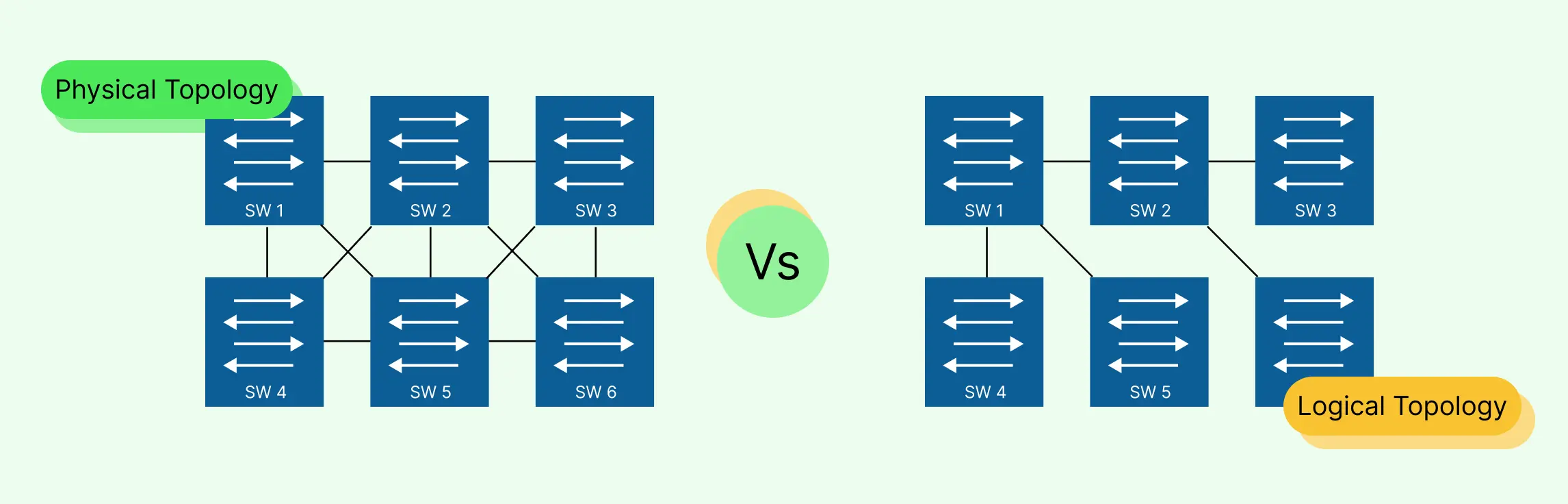
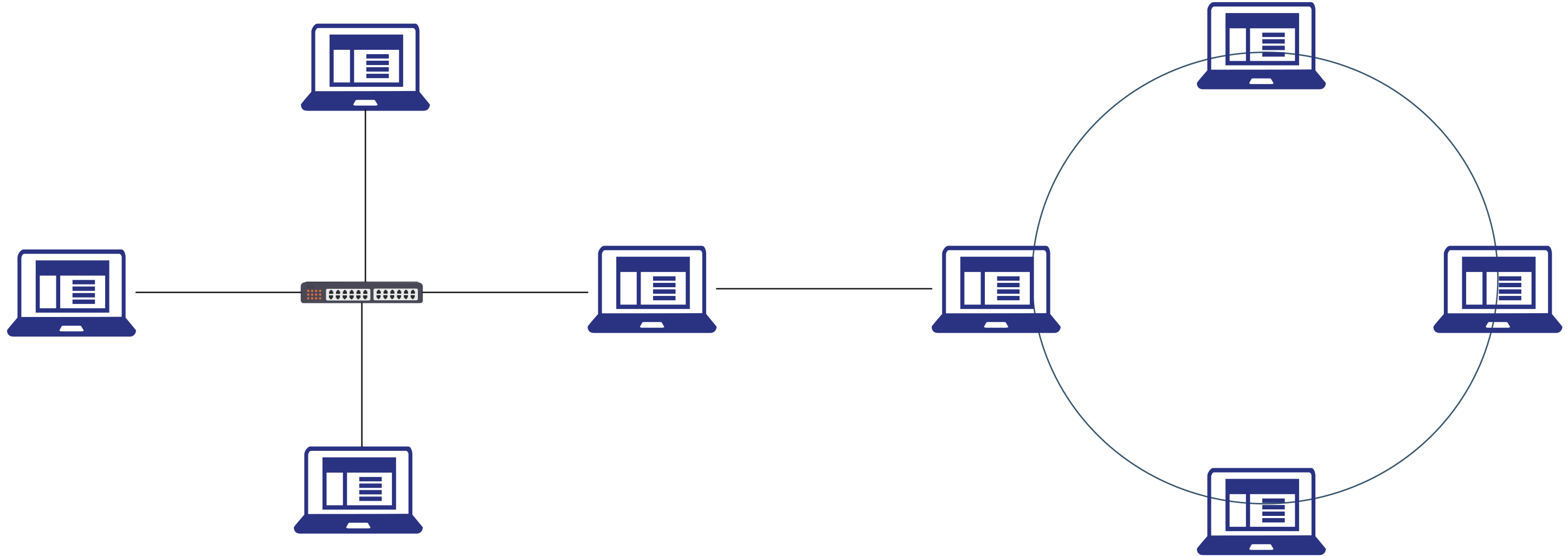
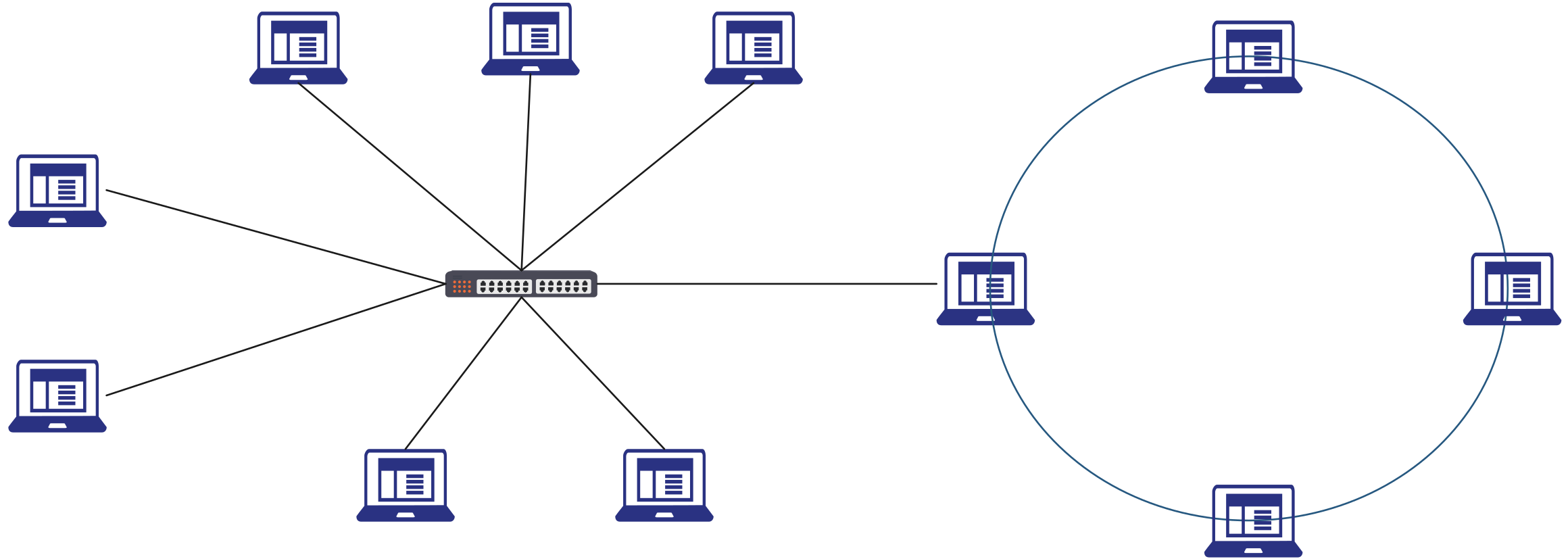
Interestingly, real-world networks don’t always stick to one strict design. Many organizations use star-based communication over cabling that’s physically laid out in a ring. This approach combines the reliability of a star topology with the path diversity of a ring, offering better resilience without sacrificing performance.
So how do you decide?
- Choose star topology if you need flexibility, easier maintenance, and strong performance.
- Consider ring topology if your environment requires predictable data flow and tightly controlled communication paths.
- Explore hybrid designs if resilience and redundancy are top priorities.
The key is visibility. When you map your options visually, using a tool like Creately, you can compare layouts, understand traffic paths, and make informed decisions faster. Instead of guessing which topology is better, you can see which one fits your network best.
What Is a Star–Ring Hybrid Topology?
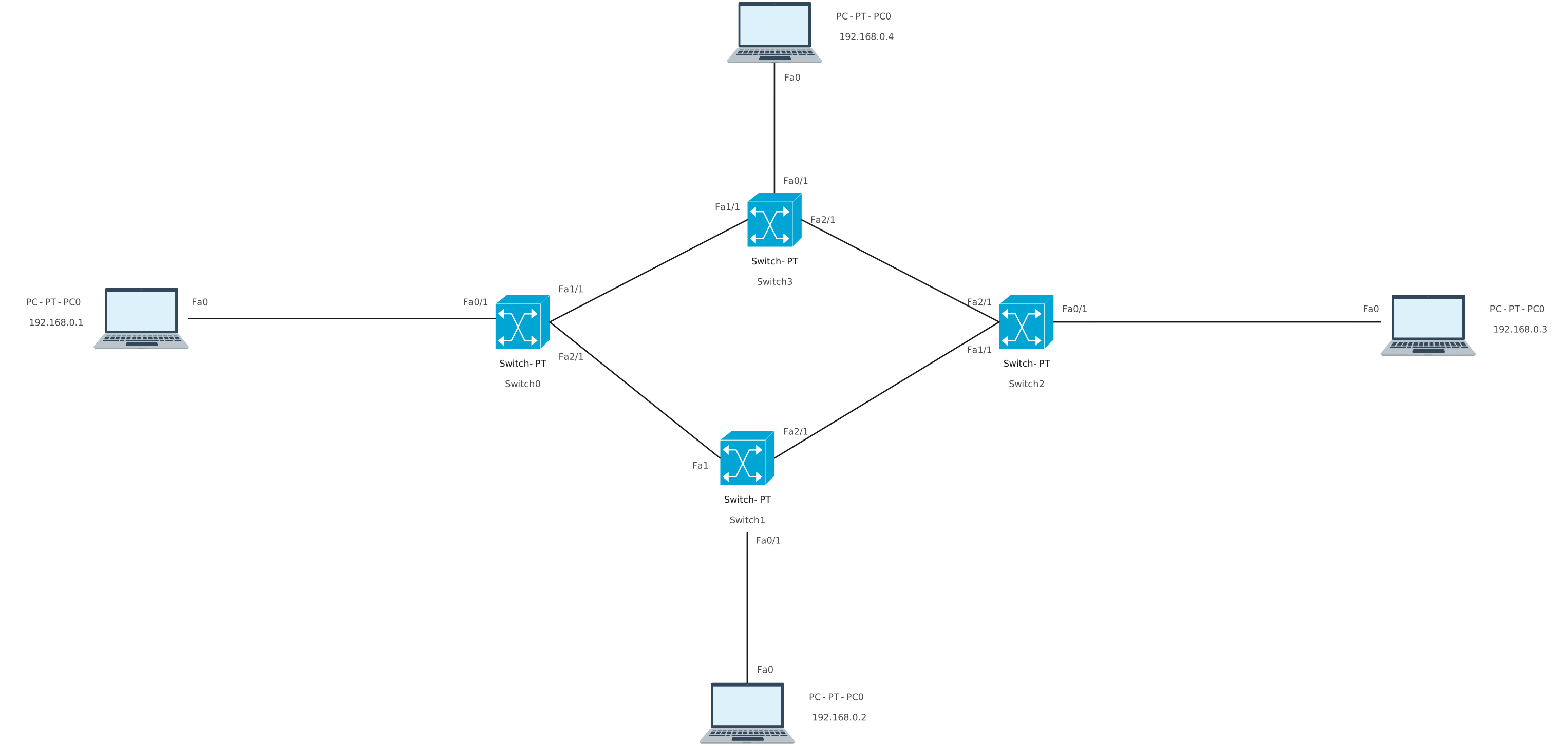
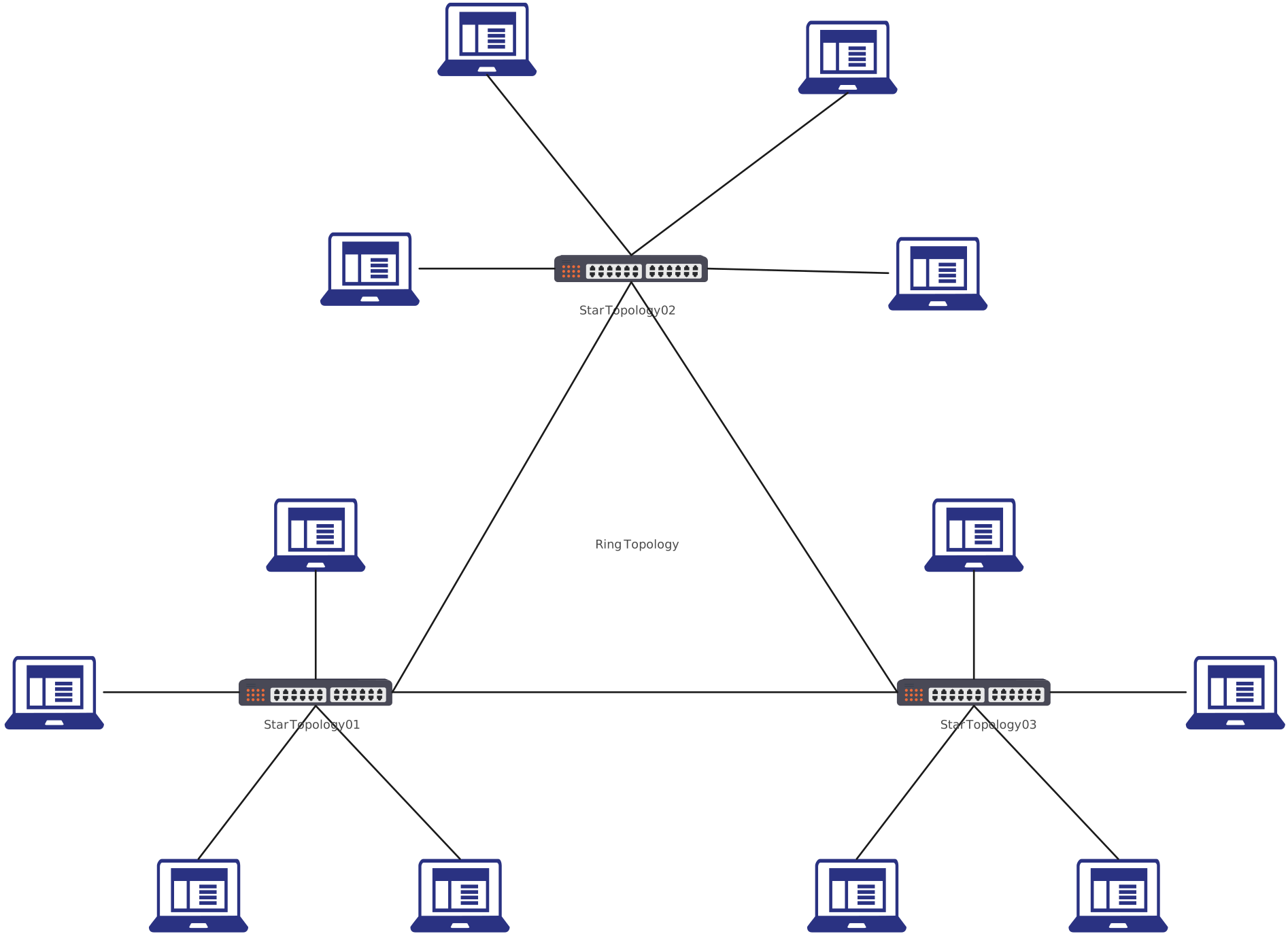
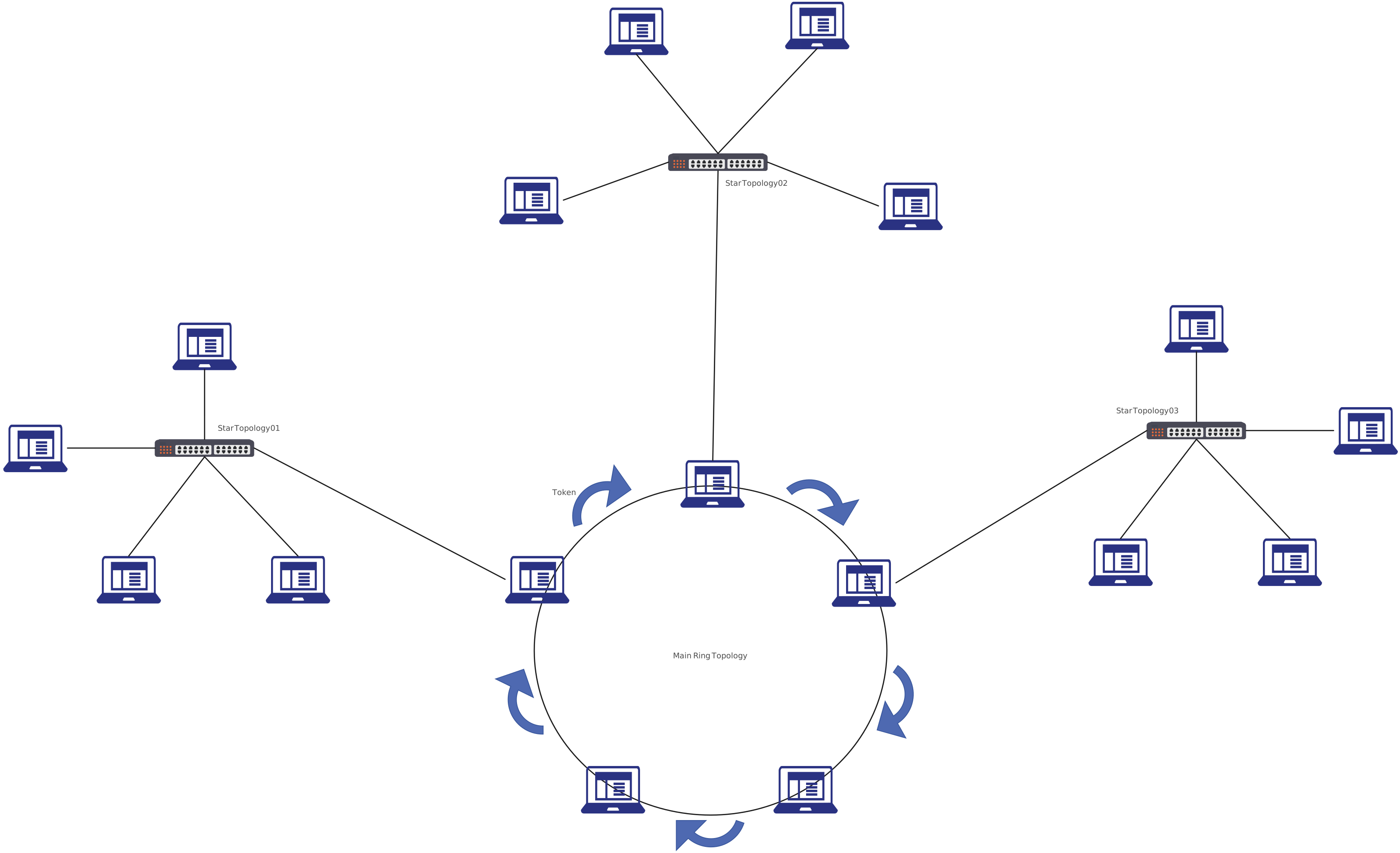
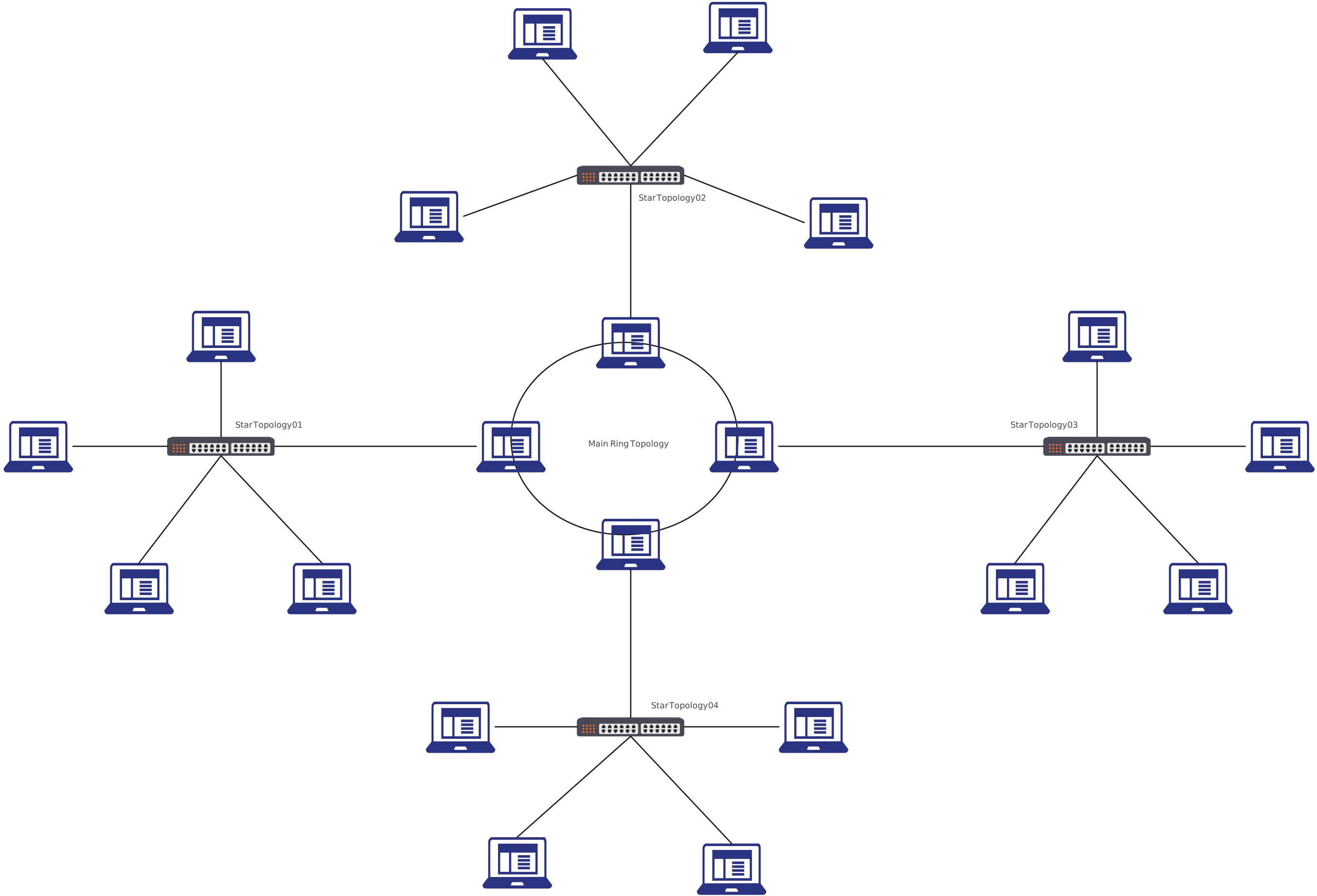
A star–ring hybrid topology combines the structured reliability of a star topology with the organized data flow of a ring topology. In this setup, multiple star networks are connected together in a ring formation. Each star has its own central hub or switch, and those hubs are then linked in a circular loop.
In simple terms, devices connect to a local hub (like a star), while the hubs themselves communicate in a ring. This hybrid approach is designed for environments that need both scalability and predictable data flow.
How Star–Ring Hybrid Topology Works
- End devices (computers, printers, servers) connect to a central hub or switch.
- Each hub represents a star segment.
- All hubs are connected together in a ring structure.
- Data moves between hubs in a loop, while internal communication within each star remains fast and isolated.
Visually, this topology can look complex on paper, but when diagrammed properly, the structure becomes intuitive. That’s where visual tools like Creately make a huge difference, turning a complicated network into something instantly understandable.
Star-Ring Topology Templates
Choosing the right network structure doesn’t have to be overwhelming. Once you clearly understand star and ring topology, their real-world use cases, and how a star and ring topology fits into larger, modern networks, the decisions become much easier and far more strategic.
If you’re ready to stop guessing and start visualizing networks with clarity, try Creately today and get started for free.
Helpful Resources
Learn how to draw a network diagram step by step, from planning what to include to laying out components clearly and choosing the right symbols.
Discover key bus topology diagram elements, highlight common design patterns, and point out the limitations you need to account for when working with this topology.
Understand how to approach Cisco network topology diagrams with confidence and create visuals that are practical, accurate, and easy to understand.
Learn how to create a home network setup diagram step by step, understand common layouts, follow practical best practices, and use free templates to map your setup.
Discover how to create a wide area network diagram step by step, understand key components, WAN examples, and follow proven best practices.
Everything you need to know about LANs, from the basics and key components to network types, advantages, and best practices.
Discover what a logical network diagram is, how it differs from a physical network diagram, why it’s useful, and how to create one.