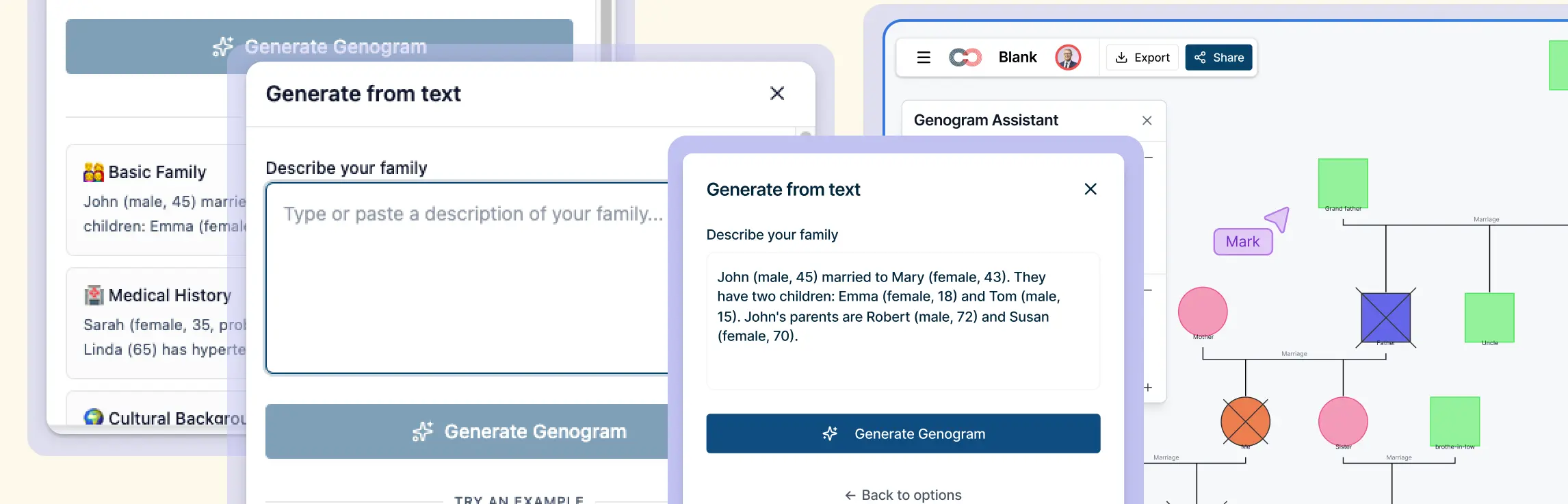
Creating a genogram manually can be slow and disruptive — especially when working from scattered notes or complex multi-generational family histories. Translating written information into structured symbols and relationships often means building the diagram after the session instead of during it.
With Creately’s AI genogram maker, this process becomes faster and more integrated into real workflows. By analyzing text descriptions in real time, AI can help you build a clear visual genogram during the session, then review and refine it later for deeper analysis or documentation.
What Is AI Genogram Generation and How Does It Work
AI genogram generation is the process of turning written family descriptions into structured visual genograms. Instead of placing every symbol by hand, you can paste a family description and get a structured genogram to review.
How AI creates a genogram from text:
- Identifies individuals — Detects family members mentioned in the description and assigns generational placement.
- Maps relationships — Recognizes partnerships, parent–child links, remarriages, adoption, twins, and blended family structures.
- Extracts key attributes — Captures life events, dates, medical conditions, behavioral patterns, and other relevant family data.
- Applies genogram notation — Uses standardized symbols and connectors to represent relationships accurately.
- Optimizes layout automatically — Arranges the diagram to reduce visual clutter and improve readability.
How Creately’s Text-to-Genogram AI Works
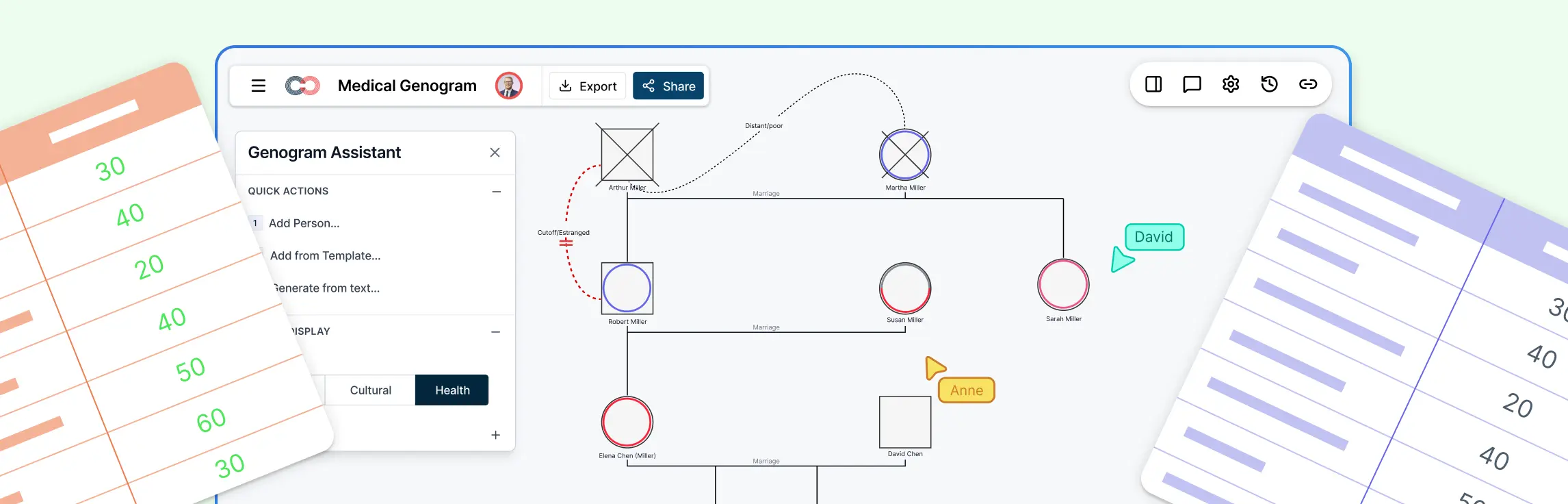
Creately’s text-to-genogram AI helps you move from written family notes to a structured, editable genogram in seconds. Instead of manually building the diagram after a session, you can generate a visual structure in real time and continue refining it as more information becomes available.
What the AI captures when generating the diagram:
- People and generational structure — Individuals are identified from the description and placed across generations to form the initial family hierarchy.
- Core relationship patterns — Partnerships, parent–child links, remarriages, twins, and blended family structures are mapped using standard genogram connectors.
- Clearly stated life events and attributes — Information such as diagnoses, deaths, separations, or timelines is recognized and used to shape the first-pass diagram.
- Initial visual organization — The genogram is arranged automatically to reduce crossing lines and maintain readability in larger family systems.
How the text-to-genogram workflow functions in Creately:
- Step 1: Add the family description — Paste intake notes or narrative summaries directly into the workspace to start building the genogram during a session.
- Step 2: Generate an editable genogram instantly — The AI creates a structured first-pass diagram that can be immediately adjusted using Creately’s visual editing tools.
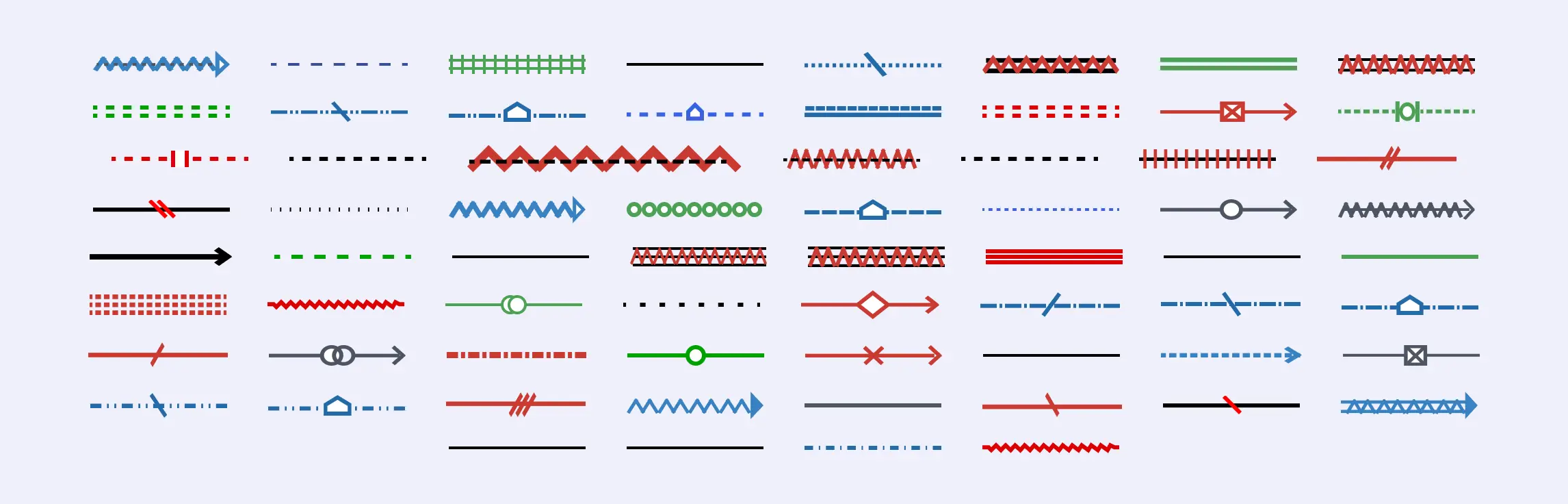
- Step 3: Refine relationships with precise notation — Select from a wide range of genogram relationship types and update connections to reflect real family dynamics accurately.
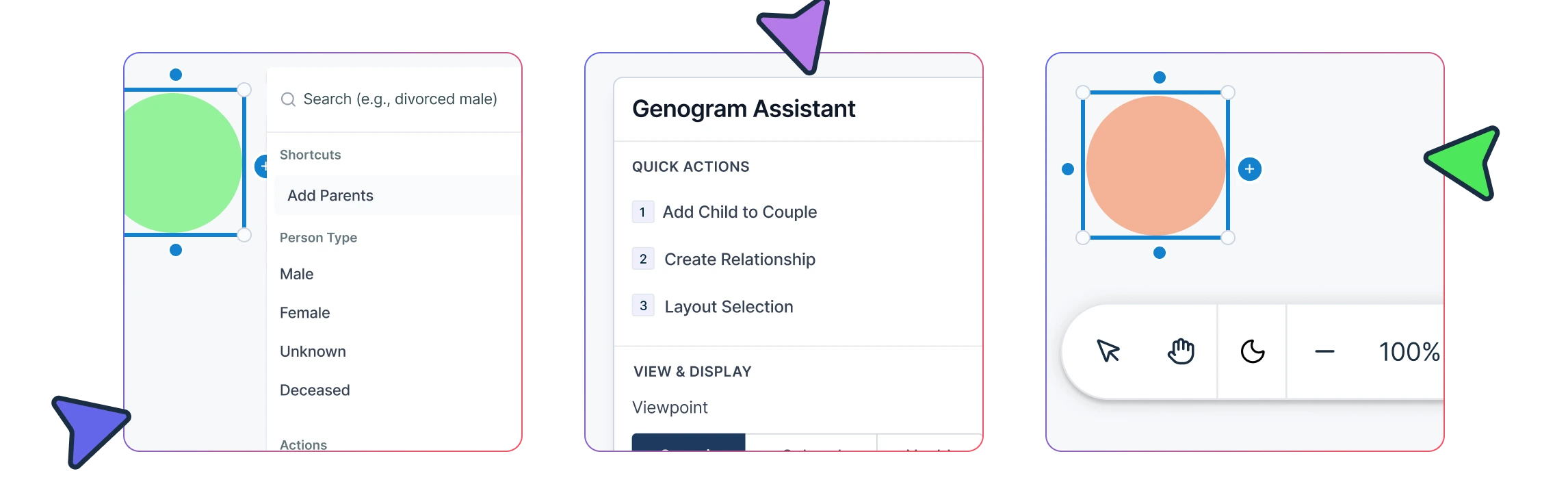
- Step 4: Update combined person states — Modify symbols to represent multiple attributes or status indicators within individual profiles as new information emerges.
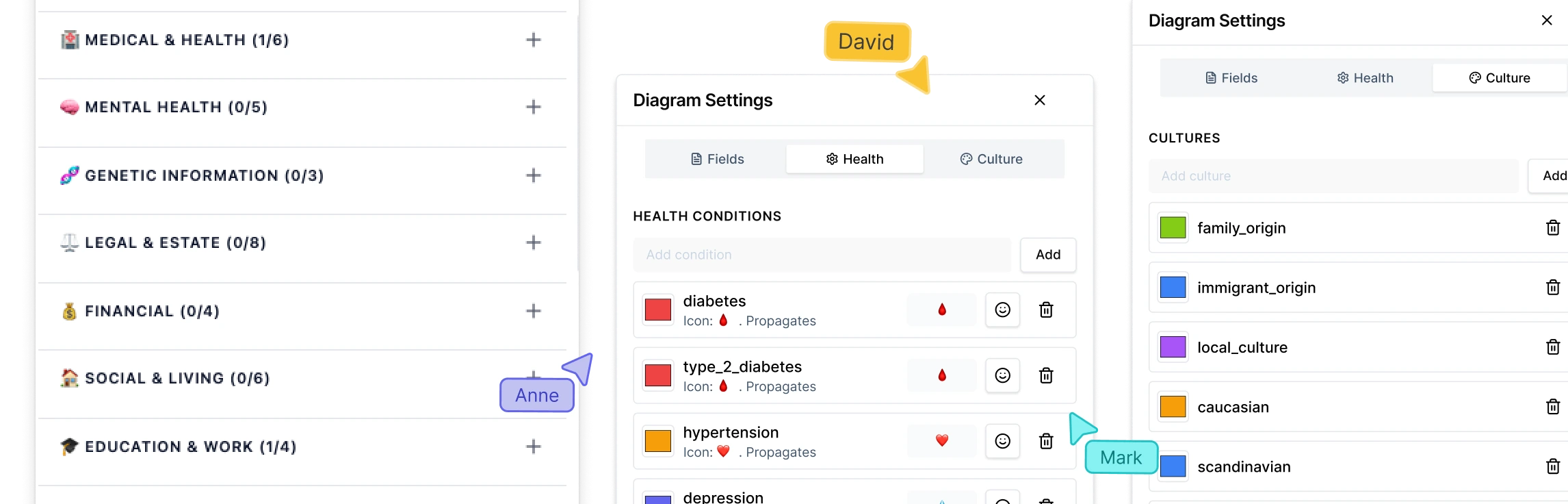
- Step 5: Enrich profiles using structured field packs — Add clinical, medical, legal, or social data in a consistent format without cluttering the visual layout.
- Step 6: Improve clarity with automatic layout and node organization — Reorganize large or multi-generation genograms easily as the diagram evolves.
- Step 7: Collaborate securely and export for documentation — Share the genogram using role-based permissions or export it to support supervision, reporting, or formal records.
Example AI Genogram Inputs and Outputs
The following examples show how simple written family descriptions can be used as prompts to generate structured genograms in Creately. Each example highlights how the AI interprets relationships, places individuals across generations, and creates a clear visual layout that can be refined further.
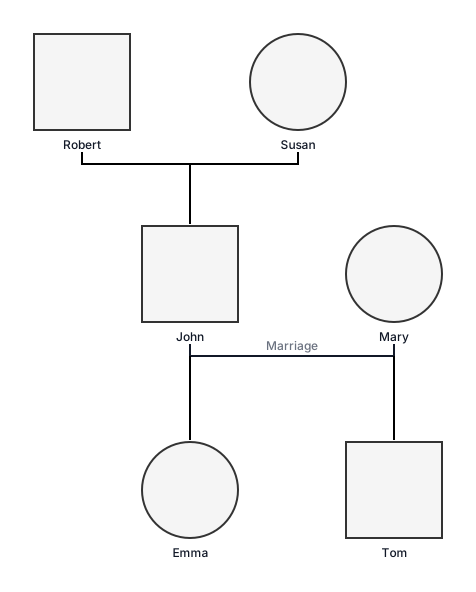
Basic family genogram
“John (male, 45) married to Mary (female, 43). They have two children: Emma (female, 18) and Tom (male, 15). John’s parents are Robert (male, 72) and Susan (female, 70).”

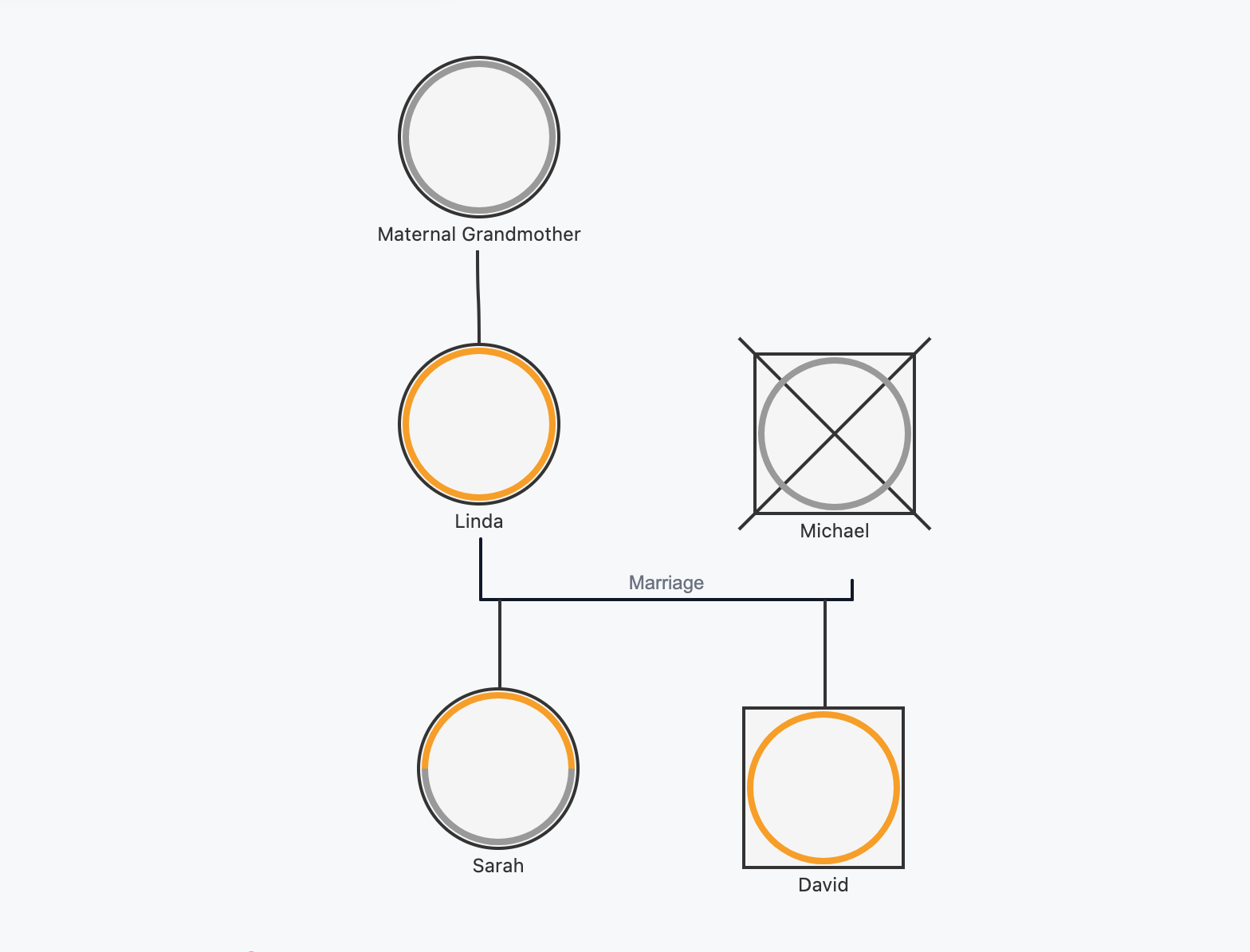
Medical history genogram
“Sarah (female, 35, proband) has type 2 diabetes. Her mother Linda (65) has hypertension and her father Michael (67, deceased) died of heart disease at 65. Sarah’s maternal grandmother had breast cancer. Sarah has one brother David (38) who is healthy.”
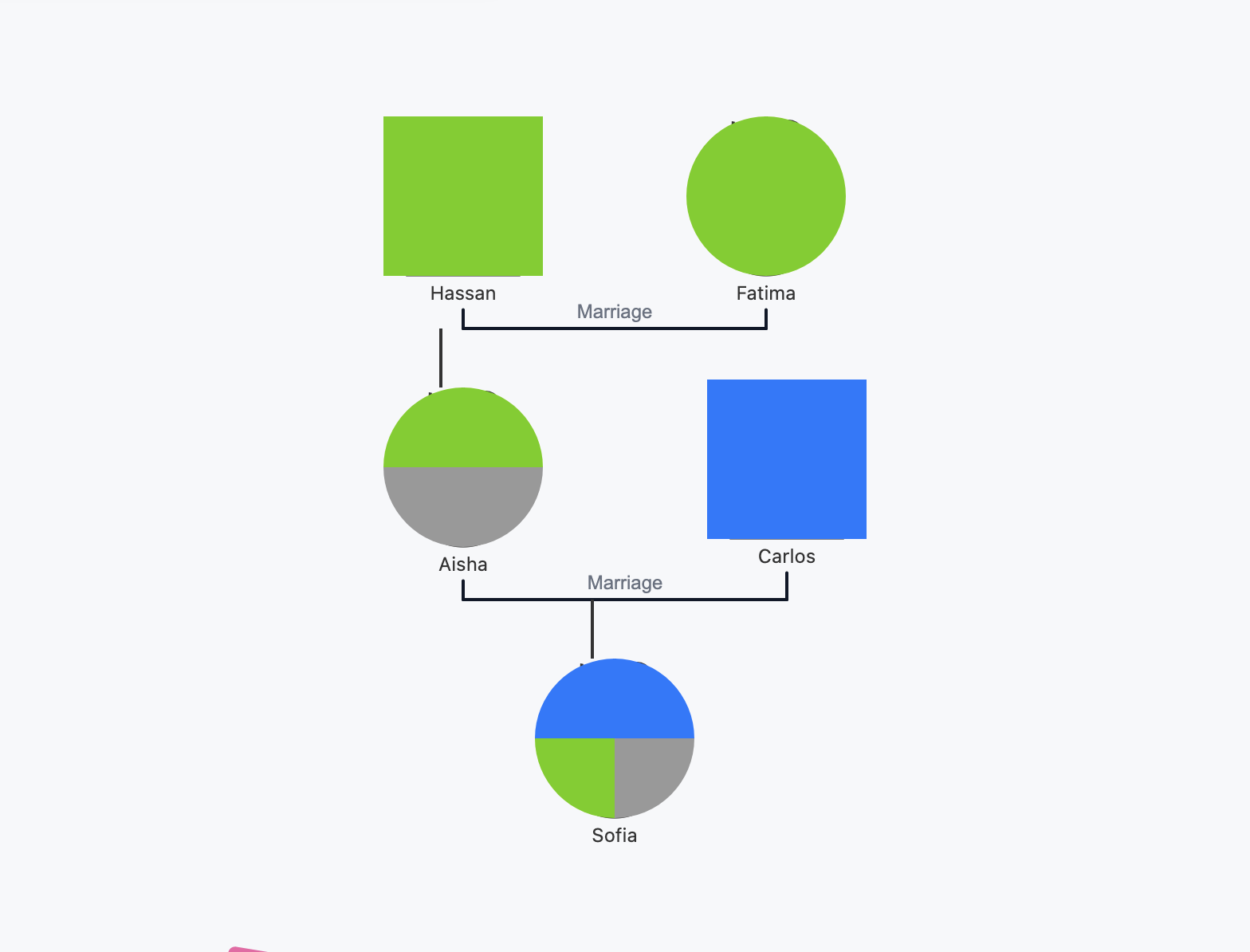
Cultural background Genogram
“Aisha (female, 28) is first-generation American, parents immigrated from Morocco. Father Hassan (58) and mother Fatima (55) still practice traditional customs. Aisha married Carlos (30, Mexican-American). They are navigating bicultural identity with their daughter Sofia (3).”
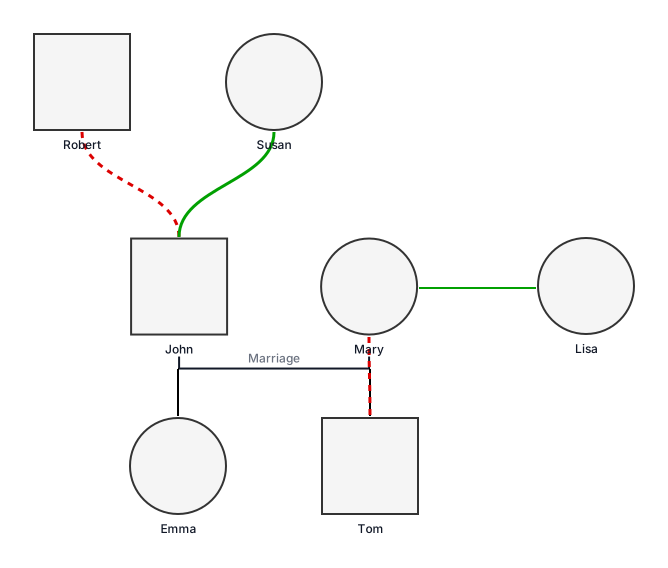
Therapy Session Genogram
“John (male, 45) is married to Mary (female, 43). They have two children: Emma (female, 18) and Tom (male, 15). John reports frequent conflict with Tom and a distant relationship with his father, Robert (male, 72). He describes a close and supportive bond with his mother, Susan (female, 70). Mary maintains regular contact with her sister, Lisa (female, 40), who provides emotional support to the family. Emma is preparing to leave for college and is experiencing anxiety related to the transition.”
Tips for Writing Effective Family Descriptions
Writing clear and structured family descriptions helps Creately’s text-to-genogram AI generate more accurate diagrams. Well-written inputs make it easier for the system to identify relationships, organize generations, and apply the correct notation.
- Start with the primary household — Describe the main partners and children first to establish the core family structure.
- State relationships explicitly — Use clear labels such as married, divorced, separated, adopted, or twin to avoid ambiguity.
- Include basic identifiers — Mention gender, approximate age, or role (e.g., grandfather, step-sister) to help AI place individuals correctly.
- Add timelines where relevant — Specify events such as marriages, deaths, diagnoses, or separations to improve generational accuracy.
- Group information by generation — Describe grandparents, parents, and children in logical order to support automatic layout.
- Mention complex structures clearly — Highlight remarriages, blended families, custody arrangements, or multiple partnerships.
- Include relevant clinical or social context — Add medical conditions, emotional relationships, or living arrangements if they are important for analysis.
- Avoid vague pronouns — Use names instead of “he,” “she,” or “they” to prevent incorrect relationship mapping.
Editing the AI-Generated Genogram
After the AI generates the initial genogram, reviewing and refining the structure helps ensure clinical accuracy and completeness. Creately provides specialized genogram editing features that allow you to adjust relationships, enrich individual profiles, and prepare the diagram for professional use.
- Validate relationships and generational structure — Confirm partner links, parent–child connections, and family hierarchy reflect the real system.
- Apply precise relationship types — Select from a wide range of clinical connectors to represent legal, emotional, or complex family dynamics accurately.
- Update person states and attributes — Add or modify conditions, identity indicators, life events, and combined symbolic states as new information emerges.
- Improve layout clarity — Use automatic organization or manual positioning to manage large multi-generation or blended families.
- Add structured domain data — Enrich individuals using field packs for medical, therapy, legal, or social context.
- Prepare for collaboration and reporting — Share the refined genogram or export it for supervision, documentation, or case review.
Careful editing helps transform the AI-generated diagram into a reliable clinical representation of family structure and relational patterns.
Combining AI With Field Packs and Clinical Data
AI helps generate the initial genogram structure quickly, but adding structured clinical data makes the diagram more meaningful for analysis and documentation. In Creately, field packs allow you to capture domain-specific information in a consistent format and link it directly to each individual in the genogram.
- Enrich profiles with structured fields — Add medical history, therapy notes, social context, or legal details using predefined data fields instead of unstructured comments.
- Improve pattern visibility — Consistent data entry makes it easier to identify hereditary conditions, behavioral trends, or recurring relational dynamics across generations.
- Support multidisciplinary workflows — Different field packs can be used to capture information relevant to therapy, healthcare, research, or case management.
- Keep diagrams clean and readable — Structured data is stored within person profiles, reducing visual clutter while keeping important context accessible.
- Prepare for reporting and follow-up — Clinical data added through field packs can support documentation, supervision discussions, or long-term case tracking.
Combining AI-generated structure with structured clinical data helps transform a basic family diagram into a richer, more reliable tool for understanding family systems and supporting professional decision-making.