Phylogenetic Tree Maker
Draw Clear Phylogenetic Trees Online in Minutes
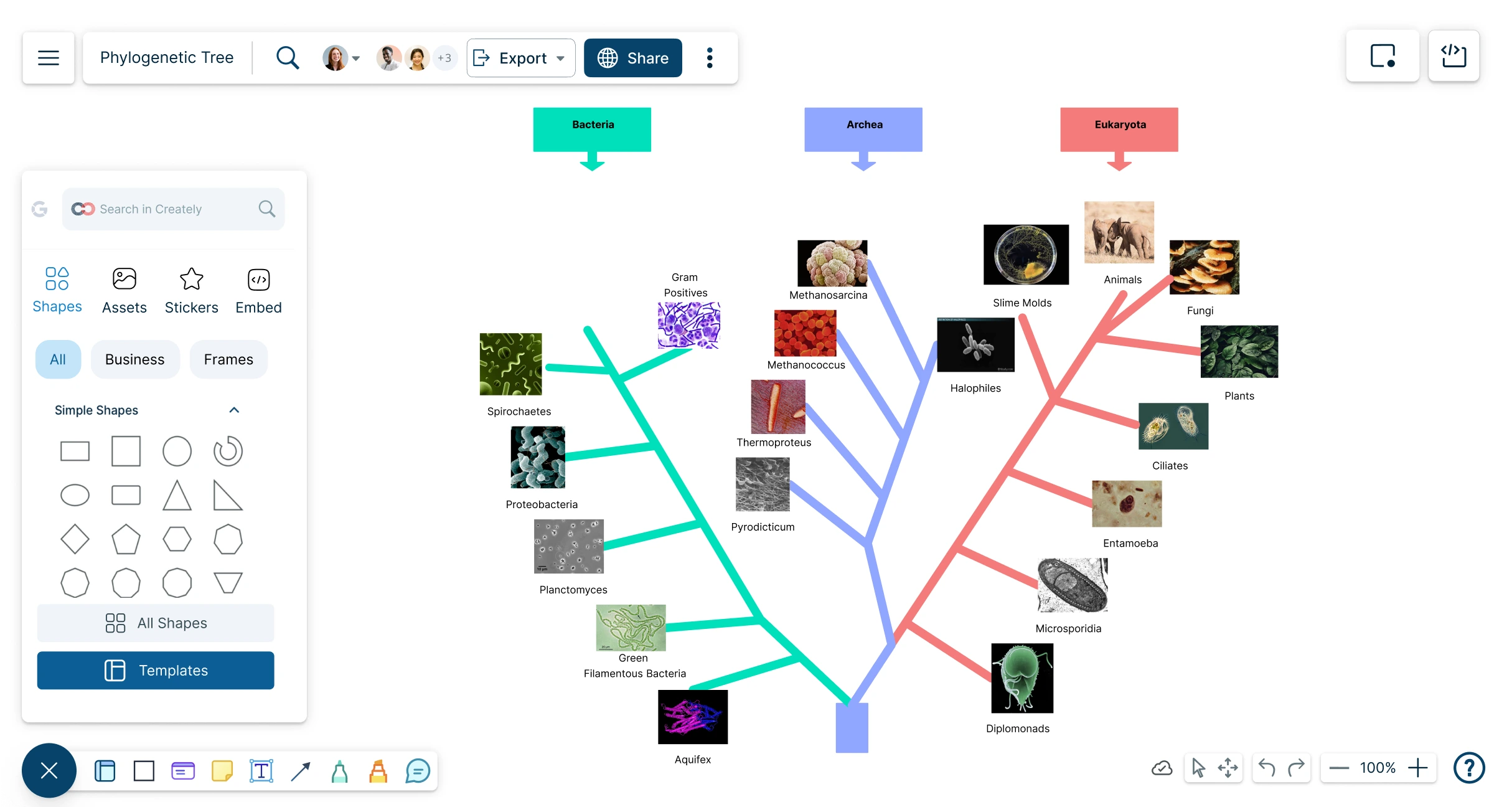
Create easy-to-follow phylogenetic trees that help students, teachers, and researchers explain evolutionary relationships clearly, compare organisms, and organize supporting context in one visual workspace.
Ready-made phylogenetic tree templates to start quickly
Drag-and-drop shapes, connectors, labels, colors, and images to build trees easily
Share and export phylogenetic trees for class or research




 Diagramming Visual Collaboration Org Chart


How to Create a Phylogenetic Tree in Creately?
Start With a Template or Blank Canvas
Open a phylogenetic tree template to get a ready-made structure, or start from a blank workspace if you already know how your tree should be arranged.
Add Species, Groups, or Organisms
Place the organisms, taxa, or groups you want to compare. Add names, labels, images, or short notes so each item is easy to recognize.
Connect Evolutionary Relationships
Use connectors to show branches, common ancestors, divergence points, clades, or related groups. Adjust spacing and layout as the tree grows.
Add Traits, Evidence, and Research Context
Label branches with shared traits, genetic similarities, morphological features, time periods, or other evidence. Attach notes, links, files, or references to keep supporting information close to the diagram.
Review, Present, and Share
Invite students, teachers, classmates, or researchers to review the tree with comments and @mentions. Use frames to present sections step by step, then export the final tree as a PDF, PNG, SVG, or JPEG.
Build Detailed Phylogenetic Trees Faster
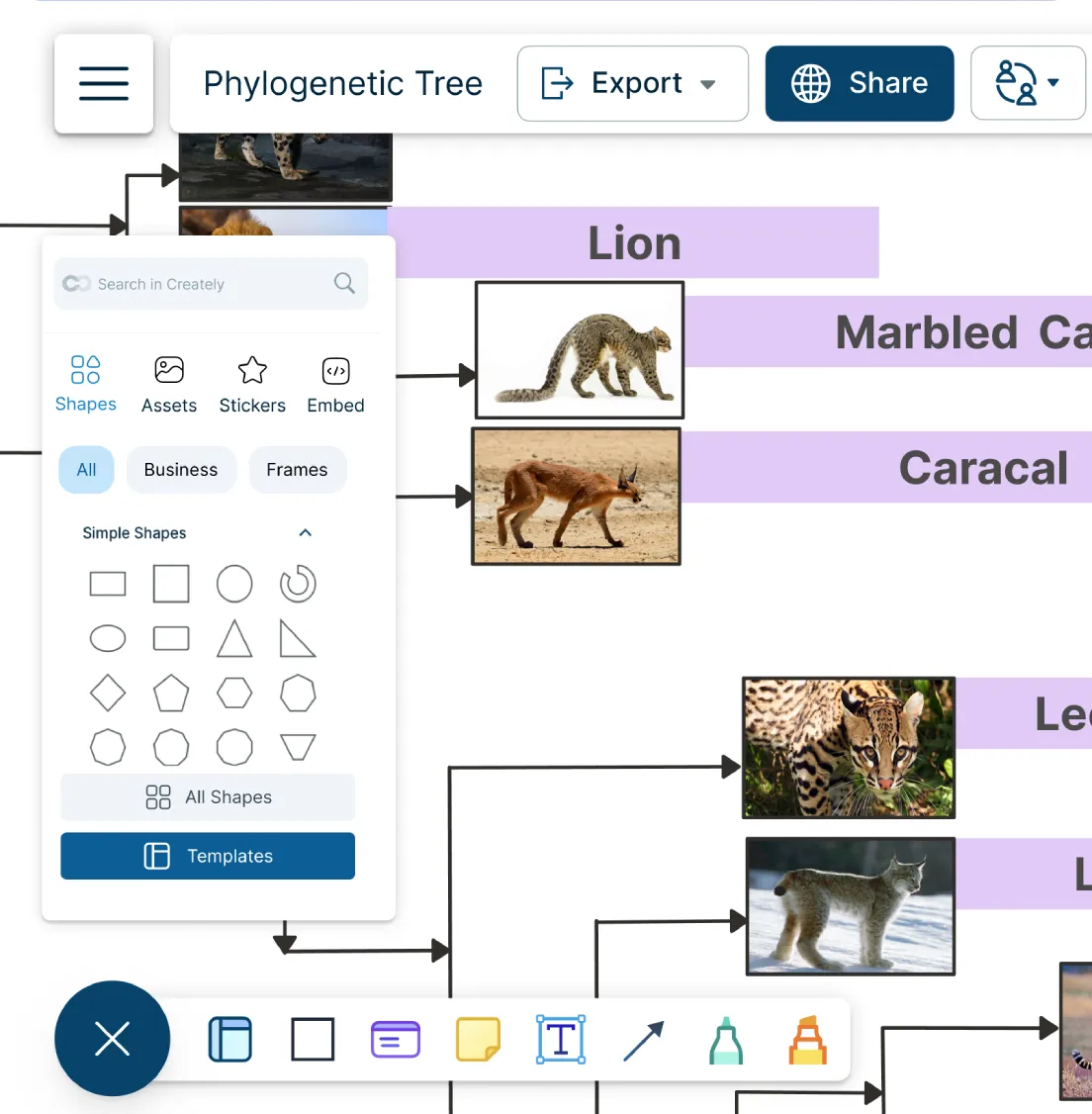
Creating a phylogenetic tree from scratch takes time. A ready-made starting point helps you build a clear, easy-to-follow tree without getting stuck on layout.
Start quickly with editable phylogenetic tree templates for biology lessons, assignments, and research work.
Add organisms, groups, traits, and branch labels using drag-and-drop shapes and smart connectors.
Use images, icons, colors, highlights, and freehand notes to make species and relationships easier to understand.

Keep Species, Traits, and Research Notes Together
Phylogenetic trees are easier to explain when supporting information is not scattered across separate notes, files, or slides. Keep the tree and the context behind it in one visual workspace.
Attach notes, links, files, references, and supporting details to organisms, branches, or key points.
Use an infinite canvas to organize large trees, research material, images, and related diagrams in one place.
Group species, clades, traits, assumptions, and open questions visually so the tree stays easy to review.
Review and Refine Trees With Others
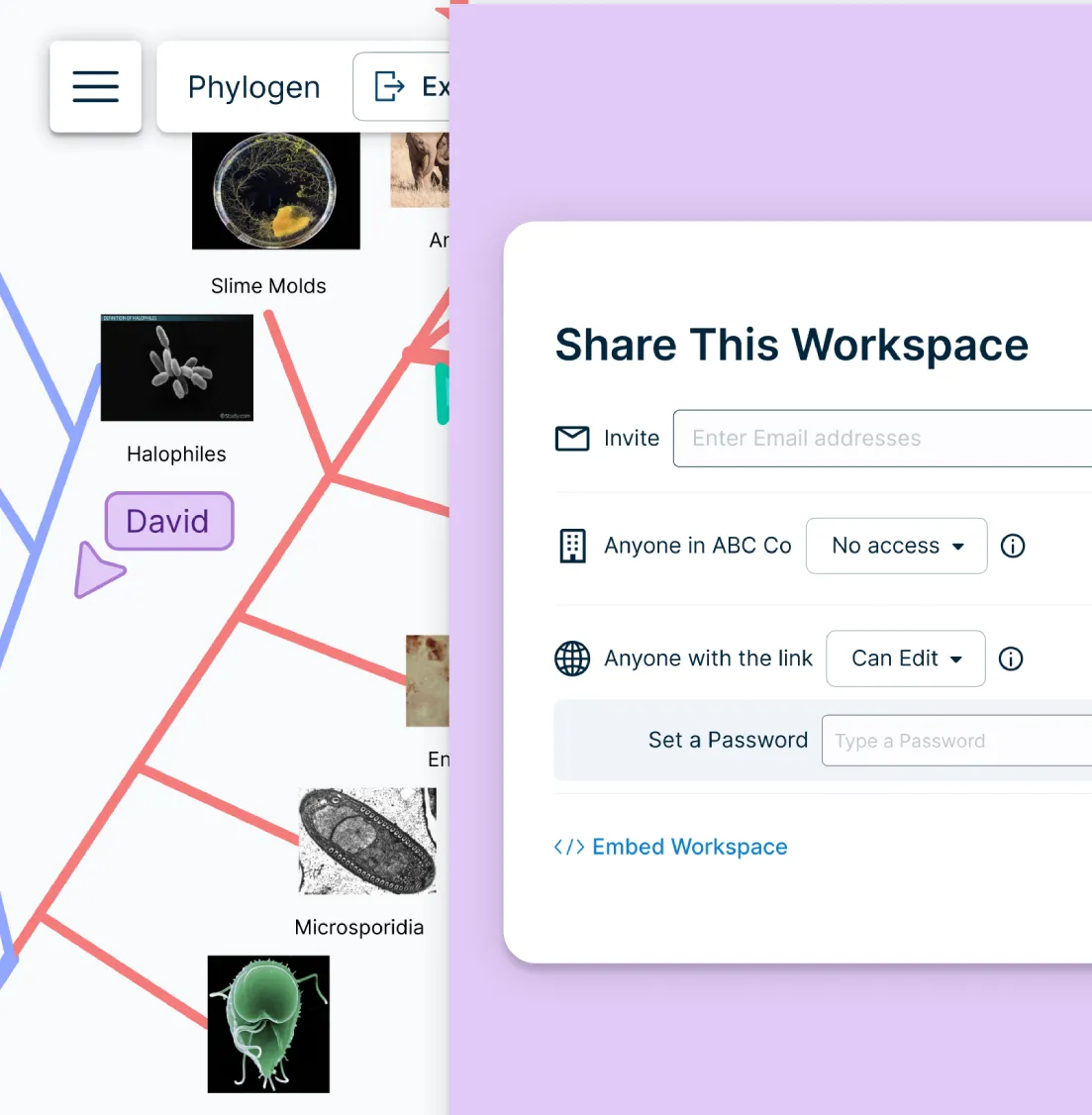
Students, teachers, and researchers often need feedback before a phylogenetic tree is submitted, presented, or used in a lesson. Review the diagram together without moving feedback into separate emails or documents.
Collaborate in real time with classmates, teachers, students, or research teams on the same canvas.
Use comments, @mentions, and contextual discussions to ask questions or suggest changes directly on the tree.
Set access levels for viewing, editing, sharing, or reviewing so the right people can contribute.
Share Your Tree for Class, Reports, or Research
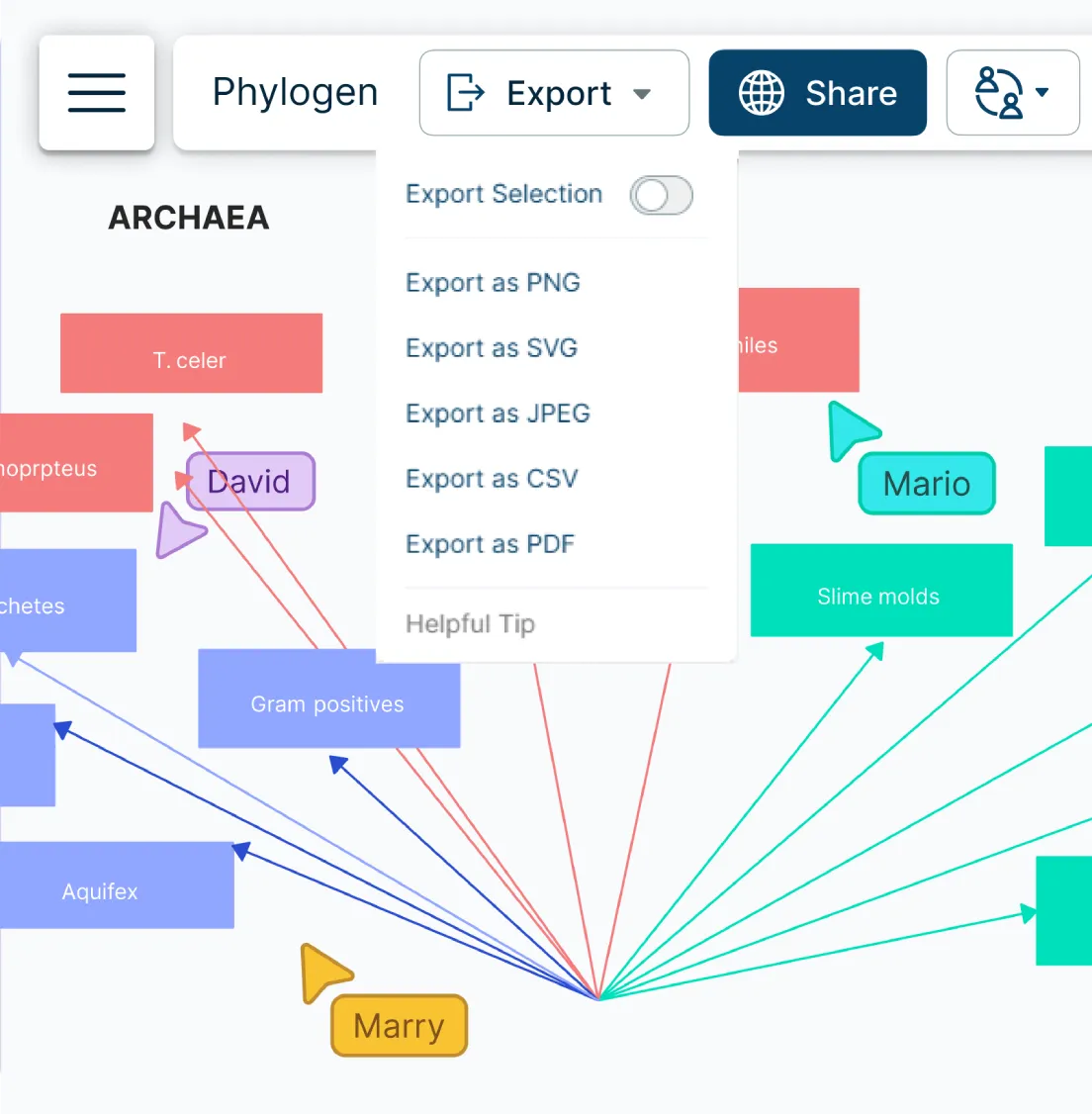
Once the tree is complete, it should be easy to present, print, embed, or include in a report. Turn your phylogenetic tree into a shareable visual without recreating it in another tool.
Use frames and in-app presentation mode to present large phylogenetic trees section by section.
Export as PDF, PNG, SVG, or JPEG for assignments, slides, posters, handouts, and reports.
Share with others using a secure link or embed the tree in documents, wikis, or learning materials.
What Can You Create With Creately’s Phylogenetic Tree Maker?
- Evolutionary Relationship Diagrams:
Show how species or groups are related through common ancestry, branching patterns, and shared traits.
- Tree of Life Diagrams:
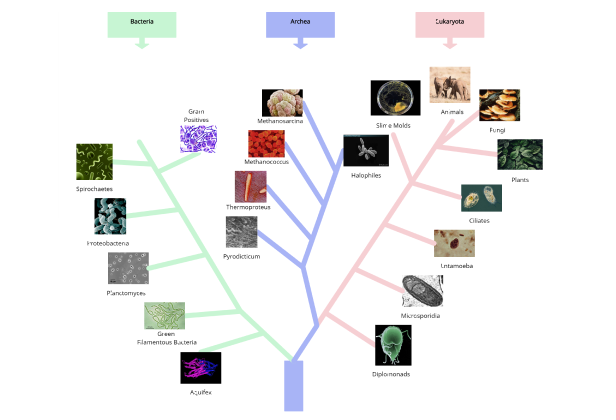
Create broad visual maps that show relationships across major groups of organisms, such as animals, plants, fungi, bacteria, or other classifications.
- Animal Phylogenetic Trees:
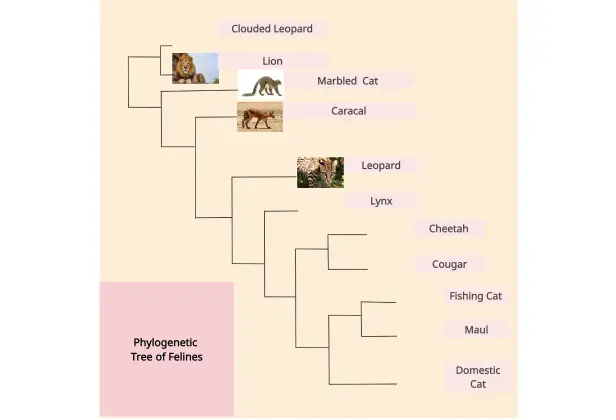
Compare mammals, birds, reptiles, fish, insects, or other animal groups using branches, labels, images, and trait markers.
- Plant Phylogenetic Trees:
Map relationships between plant species, families, or groups based on traits, classification, or evolutionary history.
- Clade and Common Ancestor Diagrams:
Highlight clades, divergence points, shared characteristics, and common ancestors to support classroom explanations or research discussions.
- Trait Comparison Trees:
Show how selected traits appear across organisms and use labels, notes, or color coding to make comparisons easier.
- Classroom and Assignment Diagrams:
Create phylogenetic trees for biology lessons, lab reports, worksheets, presentations, and student projects.
- Research and Review Diagrams:
Organize evolutionary relationships, research notes, references, and feedback in one visual workspace for review or collaboration.
Easily Create Phylogenetic Trees Online with These Editable Templates

FAQs About the Phylogenetic Tree Maker in Creately
How can you create phylogenetic trees faster?
Are there templates for different phylogenetic tree use cases?
Can teams collaborate on phylogenetic trees?
Can I add notes, data, and files?
Can I share, present, or export phylogenetic trees?
What is a phylogenetic tree?






















