Maintaining genograms during long-running child-welfare cases means keeping the current family picture accurate while retaining the history needed to understand it. Check the map when relevant circumstances change and before scheduled reviews, record the sources and dates of amendments, and make responsibility for follow-up clear. A saved edit should not silently replace the version used for an earlier decision.
This guide covers update cadence, versioning, placement and reunification changes, case transfers and review preparation. For the wider workflow, see genograms for child welfare case management.
Establish a Baseline You Can Revisit
A baseline is the map and its known limits at a particular review point. It gives the next worker something to check against; it should not imply that every family detail was known or confirmed at intake.
Record the following through the agency’s approved process:
- The map’s purpose, focal child and responsible worker.
- The date represented and the date the information was checked.
- Source references for consequential relationships and arrangements.
- Unknown, disputed or approximate information.
- The legend and where the reviewed copy is retained.
Keep the distinction between an event date and a recording date visible. If a caregiver reports an earlier change today, the map needs to show when the change reportedly occurred as well as when the account was recorded.
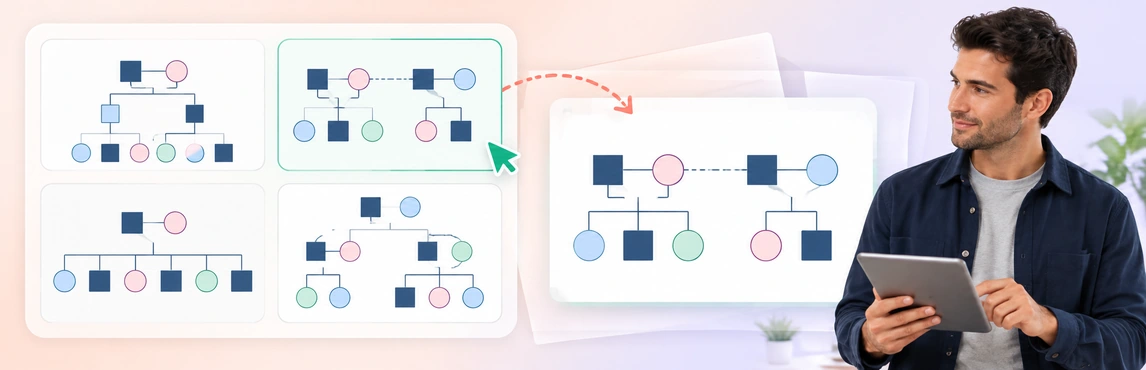
Use this Family Genogram Example to practice building a dated baseline with fictional information. Replace sample details and make the limits of the available information explicit.


Set Review Points Around Events and the Case Plan
Maintaining genograms works best as part of the case-recording routine, with an identified owner. Follow the service’s required review schedule and use relevant changes as prompts to check the map between scheduled reviews.
Victoria’s Child Protection Manual says genograms should be revisited at key decision points, including court activity, case-plan review and case closure. It also describes regular review with the family following substantiation. These are jurisdiction-specific practice expectations; apply the schedule and participation process required by your service. Source: Victoria Child Protection Manual, Genograms.
| Review trigger | What to check | What to record |
|---|---|---|
| New placement or household change | Current care, start/end dates and relevant connections | Source, effective date and amendment date |
| New family information | Identity, relationship and the information’s status | Who supplied it and what remains uncertain |
| Contact or legal-arrangement change | The current authoritative record and relevant dates | Reference to the record rather than inferred terms |
| Reunification planning | Current care versus proposals and authorized changes | The status of each arrangement and related follow-up |
| Scheduled review | Whether the map still matches the case record | Review date, reviewer and any unresolved questions |
| Worker transfer or closure | Current version, history, responsibilities and access | Handover or closure record under agency requirements |
If a review finds no change, record that the map was checked. Do not update the date merely to make an old diagram appear current.
Update Placements Without Erasing Family History
A child’s move changes the care arrangement; it does not remove biological, adoptive or other family relationships. Mark the current placement clearly and keep earlier arrangements distinguishable wherever their history is relevant.
When recording a move:
- Check the source and effective date of the new arrangement.
- Distinguish current caregivers from family ties and significant support people.
- Date earlier arrangements or reference their history in the approved record.
- Check sibling connections and contact information without assuming they changed with the placement.
The Foster-to-Adopt System Genogram can help organize these roles. Its title does not establish adoption as the goal for a child; adapt the labels to the current documented context.

Keep Reunification Plans Distinct from Completed Changes
A plan to return home, a change in contact and a completed move are different events. Label their status separately and reconcile each update with the current case plan and relevant records.
NSW Government describes case plans as documents reviewed regularly as a child’s needs and circumstances change. Its guidance includes goals, actions, responsibilities and review timeframes for restoration planning. A genogram can support that process by reflecting the current arrangements, while the plan retains the actions and decision rationale. Source: NSW Government, Case planning.
Check these distinctions before changing the diagram:
- A proposed arrangement versus an arrangement that has taken effect.
- Reported progress versus an authorized change to the plan.
- Current contact versus earlier or proposed contact.
- A relationship’s existence versus the person’s assessed or agreed role.
The Multiple Marriages Genogram provides a layout for revisiting partner, step and sibling connections when households change. A change in family structure does not by itself establish progress, safety or the outcome of reunification planning.

Preserve Versions and Explain What Changed
A current working map and a copy used for a particular review serve different purposes. Keep the reviewed copy identifiable through the agency’s retention process, and record why material information changed rather than relying on the latest diagram alone.
Use a change record that connects the map to its sources:
| Field | Purpose |
|---|---|
| Case reference and map version | Identify the correct diagram without unnecessary personal detail in filenames |
| Date represented and date amended | Distinguish the event timeline from the editing timeline |
| Change and source reference | Explain the correction or new information |
| Information status | Preserve uncertainty or differing accounts |
| Author and review status | Show who made and checked the amendment |
| Outstanding action | Identify the owner and next review point |
Copy this row into the approved case record for each material update:
| Case/map version | Date represented | Date amended | Correction or new event? | Source/status | Author/reviewer | Outstanding action and next review |
|---|---|---|---|---|---|---|
| [Reference/version] | [Effective date] | [Edit date] | [Correct earlier error / Record later change] | [Record ID; confirmed/reported/unknown] | [Names and review state] | [Owner, action, date] |
For example, if an intake map mistakenly labeled an aunt as Noor’s mother, record correction of earlier error and cite the source that establishes the relationship; the underlying family arrangement did not change on the correction date. If Noor later moves to a different caregiver, record new event with its effective date and source, preserving the earlier arrangement as history.
Automatic saving preserves work as it changes. It does not by itself show that an edit was approved or establish which copy supported a decision. Retain required snapshots and records in the approved system; use the organization’s retention rules rather than inventing a universal deletion period.
For sensitive corrections, see documenting trauma, abuse and estrangement in genograms. Keep the fuller account and any required amendment history in the case record.
A Fictional Update Across Three Review Points
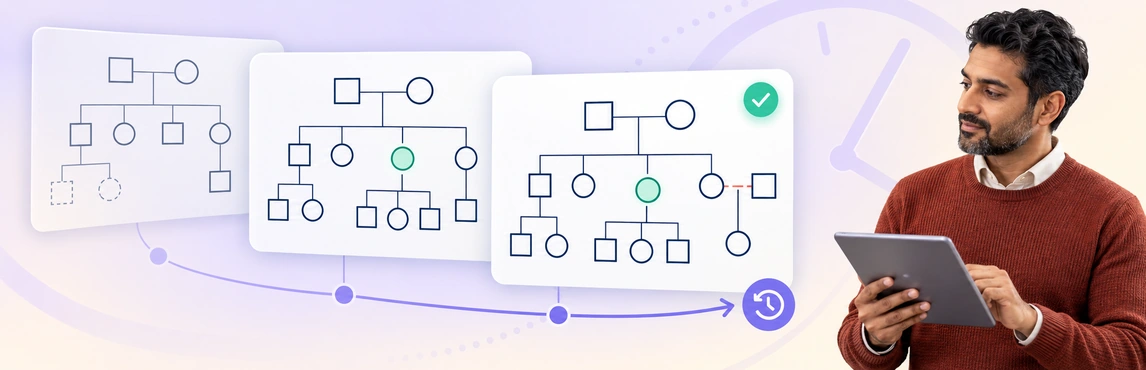
The following example illustrates documentation changes, not a recommended placement or case outcome. A fictional child, Noor, has a current foster caregiver, a sibling living elsewhere and an aunt whose support role is initially unclear.
| Dated working-map state | Visible entries on Noor’s map | Record or follow-up |
|---|---|---|
| 1 October — intake baseline | Noor → foster caregiver: current care; Noor → sibling: reported, lives elsewhere; aunt: role unknown | Record sources and assign the aunt question for follow-up |
| 15 October — later review | Keep those entries; add Noor → aunt: regular contact reported by Noor on 15 October, not approved care | Attribute the account; check whether contact and support have been confirmed |
| 1 November — worker transfer | Current caregiver and sibling entries checked against records; aunt contact still reported, availability unresolved | Retain the reviewed copy and log, unresolved question, and next owner |
The value of the sequence is that a new worker can see what became known and what remains open. A later account should not make the baseline look as though the information was available from the start.
This Social Work Support Network Genogram helps keep reported support connections visible as the case develops. Use the family-mapping gaps guide to assign unresolved questions instead of filling missing information with assumptions.

Maintain the Working Map in Creately Clinical Maps
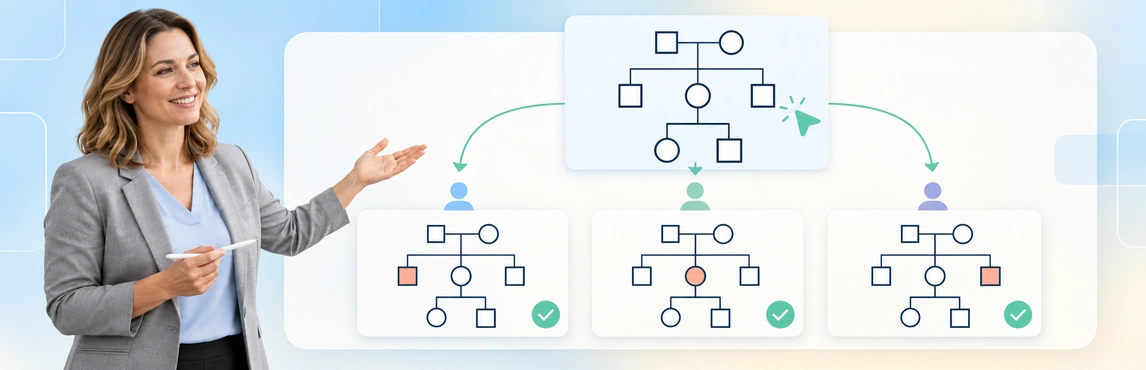
Creately Clinical Maps supports family drawing, notes, collaboration and 60+ relationship types. Use a consistent legend and an agreed review process so colleagues can distinguish a new fact, a corrected label and a change in the family’s circumstances.
- Confirm purpose, owner and last review date. Identify the current working map and the relevant reviewed copy.
- Check new information. Compare names, relationships and dates with permitted source records.
- Update current arrangements. Preserve relevant history and keep proposals visibly separate.
- Record the change and review status. Reference the source and assign unresolved questions through the case-recording process.
- Prepare the approved copy. Check the export or shared content and review access before a handover.
Use this Relationship Types template to agree on notation with fictional data. The team notation guide covers shared-legend ownership; the case record supplies the factual basis for each label.

| Product capability | Maintenance task | Access or review boundary |
|---|---|---|
| Basic drawing and text-to-genogram | Create or revise a draft from permitted information | Basic is on every plan; assisted generation is metered. Confirm current allowances and options with Creately before relying on further generation |
| Auto-save | Preserve edits to the working map | Still identify the reviewed version through the agency’s process |
| Notes and comments | Discuss corrections with authorized colleagues | Keep required decisions and source detail in the approved case record |
| Advanced field packs, views and reports | Organize domain-specific information for review | Require an eligible Enterprise Genogram workspace and approved protected-data arrangements; confirm access with your administrator or Creately sales |
| Basic image export | Prepare a dated review copy | Inspect the actual content and retain it through the approved process |
Check every AI-generated person, relationship and date before accepting a change. Pattern observations are heuristic, not diagnoses or validated risk scores. Maintaining genograms still requires someone to confirm the source, review the interpretation and connect changes to the case record.
When a review copy is needed, use the available image export after checking the map, inspect the downloaded file with the genogram export checklist, then retain it through the agency’s approved process. Put that retained copy’s file or version reference, review date and reviewer in the change log above. Auto-save of the working map is not the approval record.
Prepare a Transfer or Review Copy That Another Worker Can Use
A handover should make the current picture and its limits understandable without requiring the next worker to reconstruct the history from memory. Confirm responsibility for outstanding questions rather than assuming that sharing a diagram transfers ownership.
Before the handover or review, check:
- The map’s date, version and legend are visible and readable.
- Current care, earlier arrangements and proposals are distinguishable.
- Source references match the associated records.
- Unknown or disputed details remain visible with follow-up owners.
- The reviewed copy and relevant earlier versions can be located by authorized staff.
- Access reflects current responsibilities, including any agency transfer.
Read-only access prevents editing; it does not make every detail appropriate for every recipient. Confirm organizational approval and inspect the shared or exported content before providing it to another team. For presenting the map, see explaining family relationships in case reviews and court reports.
Adapt one of the five layouts above or browse the genogram template community. Explore social-work genogram software to prepare a working map; the templates support documentation and do not replace the required assessments or case-recording system.