Securely sharing genograms begins with a clear purpose, an authorized recipient and a review of the information they need. Choose an approved sharing method, grant appropriate access and check what the recipient can actually see. Read-only access controls editing; it does not establish permission to disclose family information.
This guide focuses on sharing decisions and review collaboration in child-welfare work. Use the child-welfare case-management guide for the wider workflow and the genogram export guide for file formats and review packets.
Define the Review Before Granting Access
Write down the question the recipient is helping answer. A supervisor checking an uncertain relationship may need different detail from a legal reviewer preparing a specific report.
The UK Information Commissioner’s Office data-sharing checklist asks organizations to consider the purpose, necessity and minimum information required, and to check that information reaches the correct recipient. The ICO currently marks this guidance as under review; use it as a UK practice reference alongside current organizational and jurisdictional requirements. Source: ICO, Data sharing checklist.
Record a short sharing brief:
- The review question and intended recipient.
- The information needed to answer that question.
- The authority and internal approval for sharing.
- The approved method and person responsible for access.
- When continued access should be reviewed.
Copyable brief for a fictional review: Recipient: [named reviewer]; purpose: [review question]; map version: [date/version]; necessary information: [approved branches and notes]; sharing owner: [name]; access review date: [date]. Keep the completed brief in the agency-approved record.
Use the Simple Family Genogram to practice this decision with fictional information. Describe what the reviewer needs before adding detail; a small map makes it easier to test whether each label serves the review purpose.


Choose a Live Workspace or a Dated Copy
A live map supports discussion and ongoing corrections. A dated export can provide the fixed version needed for a case record or review packet. Choose according to the task and approved process, rather than treating every file transfer as insecure or every live link as appropriate.
| Sharing method | Useful purpose | Check before use |
|---|---|---|
| Live workspace | Ongoing review with authorized colleagues | Who can access it, what they can do and what information is visible |
| Dated export | A fixed copy for an approved record or recipient | Included content, version, transfer method and retention requirements |
| Limited review copy | A narrower question or audience | Whether it contains only approved detail while preserving necessary context |
| Fictional practice map | Training or testing permissions | That no case details or identifying combinations were carried over |
For example, a supervisor might review current care relationships live while a legal team receives a dated, approved attachment. Record which version the legal review covers, because later edits to the working map will not change that attachment.
The Social Work Support Network Genogram can help test the scope of a multidisciplinary review. A person’s role as a teacher, clinician or support worker does not itself authorize them to see every relationship on the map.

Match Permissions to the Reviewer’s Task
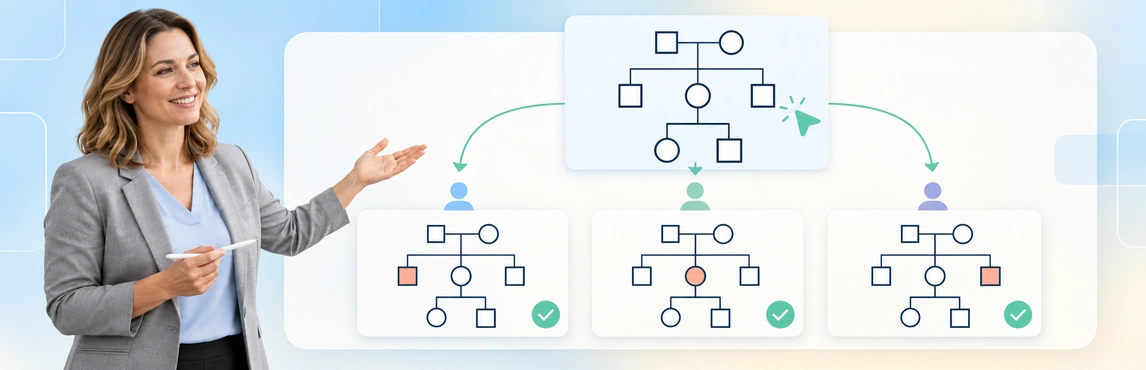
Creately Clinical Maps supports role-based sharing, including Viewer, Editor, Moderator and Owner roles. Use the least access appropriate to the agreed task, and verify the available actions in the authorized workspace before inviting a reviewer.
| Review task | Access decision | Boundary to remember |
|---|---|---|
| Read the map | Consider Viewer access when the content is approved for that person | Read-only does not prevent all copying or onward disclosure |
| Correct the working map | Grant editing only when the reviewer is authorized to change it | An edit still needs a source and review process |
| Discuss a question | Use the supported comments workflow or an approved alternative | Do not assume a separate comment-only role exists |
| Manage sharing | Keep permission management with the responsible owner or authorized role | Broad access should not be granted simply to solve a sign-in problem |
Before sharing, verify the recipient’s identity and destination against the organization’s process. Check whether the intended recipient can access the map as expected without exposing it more widely; do not assume external or account-free viewing is available or permitted.
Use the Multiple Marriages Genogram for a fictional review exercise. Ask one reviewer to interpret the partner connections and another to check the source notes, then decide whether either actually needs editing access. The relationship-types guide can support the notation discussion.

Check Visible Information, Not Just the Selected View
Field packs organize domain-specific data, and view choices help people work with a map. Neither should be treated as a verified redaction workflow. Hiding a field or changing a view does not establish that it is absent from every shared view, note or generated output.
Victoria’s Child Protection Manual distinguishes detailed internal genograms used for supervision from versions suitable for families or court reports. It specifically says the detailed internal versions described in its guidance should not accompany those external uses. This jurisdiction-specific distinction shows why the audience decision must include the content itself. Source: Victoria Child Protection Manual, Genograms.
Inspect the proposed review material for:
- Identifiers and sensitive relationship labels.
- Source notes, dates and unresolved accounts.
- Comments or annotations containing internal discussion.
- Additional profiles or observations in a generated report.
- Details that can identify a family even after names are replaced.
Use the Bi-Cultural Genogram to practice checking identity and contextual labels. Keep descriptions attributed and relevant to the purpose; cultural or religious details should not be inferred from appearance or treated as a risk indicator.

Run a Focused Supervision Review in Creately Clinical Maps
For securely sharing genograms during supervision, prepare the question and permitted content before the meeting. Comments and real-time collaboration in Creately Clinical Maps can support the discussion, while the required case record retains decisions and follow-up.
- Confirm the purpose and authority. Identify the recipient and what the review needs to resolve.
- Prepare the content. Check the map’s sources, dates, legend and necessary detail.
- Choose the approved method and access. Decide between the working map and a reviewed copy, with suitable permissions.
- Check the recipient’s actual access. Verify the visible information and permitted actions through the organization’s approved process.
- Record the outcome and reassess access. Capture corrections and responsibilities, then review whether continued access is needed.
For a live review, open the map’s sharing control, invite the named reviewer through the supported method and assign the role appropriate to the task: Viewer for reading, or Editor only when authorized changes are needed. Confirm the invitation and have the reviewer open it with their own account; check the map and actions they can actually access. After the review, the responsible owner should revisit the sharing control, remove or adjust access as the case process requires, and record the result. Button labels and external-sharing options may vary by workspace, so verify the current interface before using this sequence with case data.
A fictional review question might be: “The current map shows an aunt as the child’s caregiver, but the available note describes weekend help. Which relationship and source note should be recorded?” Ask the reviewer to address that discrepancy without adding unrelated case history to a comment thread.
Creately Clinical Maps supports 60+ relationship types, notes and collaborative review. Basic drawing, text-to-genogram and image export are available on every plan; assisted generation has a lifetime allowance. Advanced field packs, views and reports require Enterprise, a Genogram grant and protected-data clearance.
| Capability | Contribution to review | What still needs checking |
|---|---|---|
| Role-based sharing | Defines permitted workspace actions | Recipient authorization and visible content |
| Comments and collaboration | Supports discussion of unclear connections | Appropriate detail and the formal record of decisions |
| Field packs | Organizes information for a domain | Access controls and actual disclosure scope |
| Reports or image export | Produces material for an approved handoff | Every included section and the transfer process |
Use the Family Genogram Example to practice a source-checking conversation. Templates are editable layouts, not preconfigured security policies; test the workflow with fictional details before entering identifiable case information.

Prepare Legal-Team Sharing Without Assuming Compliance
A legal reviewer may need a specific relationship picture and the supporting record references, rather than the full working map. Confirm the required content and method with the responsible practitioner or legal team, following the applicable process.
Before release, check:
- The recipient and purpose match the approved request.
- Legal-status labels refer to appropriate records rather than inferred relationships.
- The legend, dates and uncertainty remain understandable.
- Internal notes and generated observations have been reviewed.
- The shared version and accompanying report agree.
- Any required approval is recorded.
Legal-estate fields and legal report formats do not determine what may be disclosed or guarantee court acceptance. A confidentiality statement also does not replace access and content checks. For presenting the map’s meaning, see explaining family relationships in case reviews and court reports.
If healthcare or other regulated information is involved, have the responsible team confirm the applicable requirements and the workspace’s approved use. Do not infer organization-wide compliance from an individual sharing setting. AI-generated observations also need review; they are heuristic, not diagnoses or validated risk scores.
Review Access When the Task Ends or Changes
Securely sharing genograms includes follow-up after the invitation or transfer. Reassess access when a reviewer changes role, the case transfers or the agreed review ends.
| Change | Follow-up through the approved process |
|---|---|
| Review completed | Decide whether access is still needed and have the responsible owner adjust it |
| Reviewer or team changes | Reconfirm recipients and permissions |
| Case information corrected | Identify the updated map and whether a new reviewed copy is required |
| Earlier file remains in circulation | Follow the records process for superseded copies |
| Wrong recipient or unexpected visibility | Use the organization’s incident-response process and preserve the relevant record |
Record the review purpose, recipient, version and follow-up in the required system. Do not assume workspace comments form a complete audit trail, or that removing access recalls downloaded files and screenshots. For continuing updates, see maintaining genograms during long-running cases.
Access-review log for the approved record: Recipient: [name]; purpose: [review question]; version reviewed: [date/version]; role and observed access: [role/result]; owner: [name]; review date: [date]; decision: [retain/change/remove]; follow-up: [action and due date].
Start with a fictional example above or browse the genogram template collection. Explore social-work genogram software to test a review workflow under your organization’s approved information-handling process.