An enterprise resource planning (ERP) implementation changes how work, data, roles, and controls connect across the organization. Software selection is only one part of that change. Teams also need an evidence-based understanding of current processes, business requirements, ownership, handoffs, data dependencies, and the target operating model.
ERP business process mapping makes those relationships visible before configuration begins. Current-state and future-state maps give business and technical stakeholders a shared reference for fit-to-standard discussions, requirements, testing, training, cutover planning, and post-go-live improvement. The map supports implementation decisions; it does not configure or execute the ERP process automatically.
What is Process Mapping?
Process mapping is a systematic method of visually documenting and analyzing the sequence of steps, decisions, inputs, and outputs that make up a business process. It creates a detailed visual representation of how work flows through an organization, showing:
Who performs each task
What actions are taken
When activities occur
Where information or materials flow
How decisions are made
Why certain steps are necessary
By documenting workflows visually, teams can examine the process end to end rather than from a single department’s perspective. A useful map identifies accountable owners, cross-functional handoffs, decisions, exceptions, systems, data inputs and outputs, and relevant controls. Stakeholders can validate the current state together and use it as a baseline for requirements and future-state design. This reduces ambiguity, but implementation results still depend on governance, data quality, testing, training, and change management.
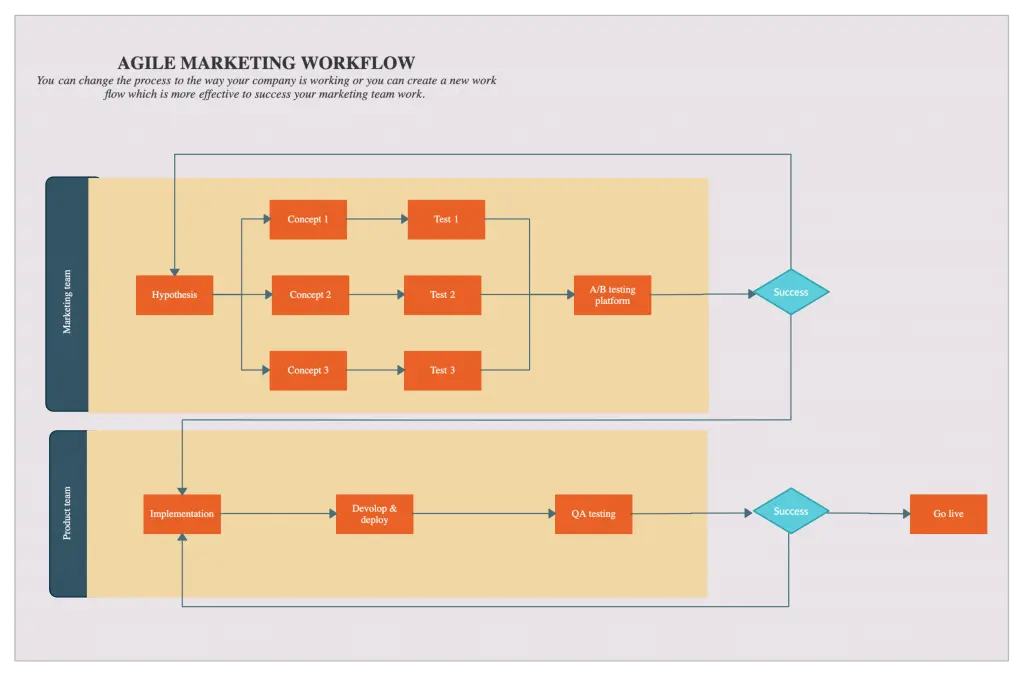

What is ERP Business Process Mapping?
ERP business process mapping is the practice of representing the workflows an ERP system must support, including their roles, rules, data, systems, controls, and outcomes. It helps teams distinguish the process that operates today from the process they intend to implement.
Current-state (“as-is”) maps document actual work and known variants. Future-state (“to-be”) maps describe the agreed target process after fit-to-standard analysis and design decisions. For example, an order-to-cash map may follow work from customer order through fulfillment, invoicing, and payment collection, while a procure-to-pay map follows requisition, purchasing, receipt, invoice handling, and supplier payment.
Validated maps improve ERP selection and configuration discussions by making required capabilities, integrations, roles, and exceptions explicit. They do not eliminate assumptions by themselves: subject-matter experts must verify the maps, and the implementation team must confirm requirements against the selected ERP system.
The relationship between business process mapping and ERP flows in multiple stages:
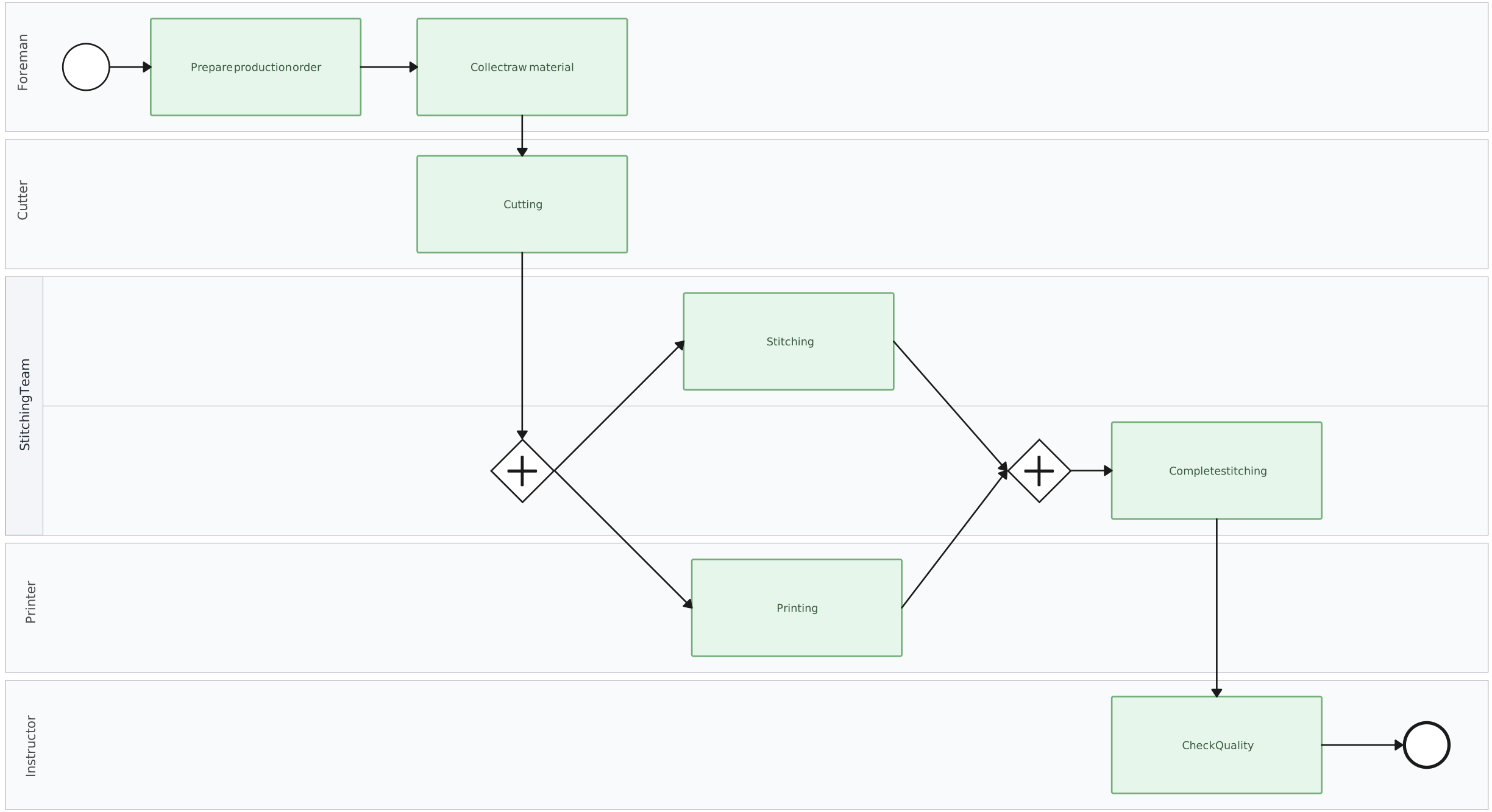
Pre-Implementation Mapping:
Organizations map their current business processes to understand exactly how work flows through the organization. This critical first step helps identify:
Core business functions and their interconnections
Existing inefficiencies and bottlenecks
Areas that may benefit from redesign or appropriately governed automation
Process owners, handoffs, controls, data dependencies, and ERP requirements
During Implementation:
Process maps guide the configuration and customization of the ERP system, ensuring it aligns with:
Required workflows and business rules
Data flow requirements
Integration points with other systems
User roles, permissions, controls, and test scenarios
Post-Implementation Documentation:
After ERP deployment, process maps evolve to document:
How business processes operate within the ERP system
Integration points between the ERP and other organizational systems
Updated workflows, procedures, ownership, and handoffs
System dependencies, relationships, and supporting implementation context
Helpful Resources
Comprehensive software solutions for visually documenting and analyzing business processes. Allows you to create detailed process maps, flowcharts, and workflows.
Explore methods and visual tools for documenting, reviewing, and improving business processes.
Intuitive diagramming software for creating high-quality flowcharts, process diagrams, and other visual representations of workflows and procedures.
How Process Mapping Drives ERP Success
In the intricate landscape of enterprise resource planning, understanding the role and impact of process mapping in the ERP implementation process can significantly improve organizational outcomes. It serves as a vital blueprint that guides businesses from selecting the right ERP system to ensuring successful deployment and operation.
Identifying Gaps and Inefficiencies
Process mapping is critical in identifying gaps and inefficiencies within underlying business workflows. By visualizing current state processes, organizations gain insights into bottlenecks and repetitive tasks that demand optimization. This proactive approach reduces the risk of overlooking process inadequacies during ERP integration, thereby promoting efficiency in operations.Selecting the Right ERP Software
One major advantage process mapping brings to the table is aiding in the selection of ERP software that aligns with organizational needs. It ensures that key functionalities vital to business operations are identified early, reducing the likelihood of costly post-implementation modifications. With a clear-mapped strategy, businesses can narrow down ERP solutions that not only match current needs but are also scalable for future growth.Supporting Data Migration and User Training
In addition to aiding software selection, process mapping plays a pivotal role in facilitating smooth data migration from legacy systems to new ERP configurations. It provides a structured framework that guides stakeholders through the complexities of data transfers, ensuring that all relevant information is accurately integrated into the new system. Additionally, having a mapped-out process aids in planning targeted user training programs, enabling employees to better understand and navigate the new ERP system.
| Aspect | Benefits of Process Mapping |
| Gap Identification | Unveils inefficiencies and bottlenecks for improvement. |
| ERP Selection | Ensures alignment with business needs, reducing unnecessary customizations. |
| Data Migration | Facilitates structured and accurate data integration. |
| User Training | Optimizes training programs by clearly outlining new processes. |
Overall, process mapping provides a shared basis for ERP scope, requirements, design, testing, training, and change discussions. It can reduce ambiguity and expose risks earlier, but it should be used alongside data analysis, fit-to-standard workshops, governance, testing, and adoption planning. These combined practices improve the likelihood that the ERP implementation supports the intended operating model.
Why You Need a Well-Mapped Process For ERP
Implementing an ERP system can transform organizational efficiency, but only when the underlying business processes are clearly understood and mapped. Here’s how ERP business process mapping delivers substantial advantages during ERP implementation:
Promotes Transparency: By providing a visual representation of business workflows, process mapping fosters a shared understanding among stakeholders. It enhances communication and aligns strategic goals with operational execution.
Facilitates Stakeholder Engagement: Process mapping encourages collaboration across departments, ensuring diverse viewpoints contribute to the workflow design. This engagement is crucial for garnering support for the ERP implementation process.
Comprehensive Documentation of Workflows: A robust ERP process map documents each step, decision point, and required resource across business processes. This detailed record assists in analyzing existing practices and designing future improvements.
Identification of Key Non-negotiable Functionalities: One of the key benefits of ERP business process mapping lies in identifying critical functions that the ERP system must support. It prevents the overlook of essential features and aids in selecting the suitable system with appropriate capabilities.
Ensures Efficient Knowledge Transfer: As personnel changes occur, having a well-defined process map ensures continuity. New employees can quickly understand organizational workflows, which streamlines onboarding and training processes.
Process mapping also remains useful after go-live. Process owners can compare the documented target with the operating process, collect stakeholder feedback, and update the documentation as approved operational changes are implemented. Performance monitoring requires ERP reports, process data, or other analytical sources; a process map alone does not monitor execution.
With Creately’s process mapping software, teams can document current- and future-state workflows, record ownership and handoffs, and keep notes, links, and files connected to relevant process steps. Real-time editing and contextual comments support stakeholder feedback, while the accountable owner maintains the map as a living process reference.
Finally, ensuring efficient knowledge transfer means that process understanding and skills are retained within the organization, reducing dependency on single individuals. By embracing the process mapping methodology, companies effectively lay a solid groundwork to maximize the return on their ERP investments.
How to Use Process Mapping For ERP Implementation
A detailed, step-by-step process map not only facilitates a smooth ERP transition but also ensures that every stage of the implementation aligns with organizational goals. Here’s a breakdown of how to use process mapping effectively for ERP implementation:
1. Define and Document Current State Processes:
The first and foremost step in process mapping is assessing where your business currently stands, often known as documenting the “As-Is” state. This process involves:
- Identifying Current Workflows: Outline existing workflows across departments, detailing each step involved. This creates a baseline that reflects day-to-day operations.

- Defining Roles and Responsibilities: Identify the accountable process owner and the roles responsible for relevant steps. Record cross-functional handoffs and clarify what information or output the receiving role needs.

Highlighting Inefficiencies: Identifying operational gaps, bottlenecks, and redundancies lays the groundwork for improvement. By understanding these pain points, organizations can prioritize areas needing streamlining.
Creating a Visual Representation: Tools like flowcharts, swimlane diagrams, or process maps can represent complex workflows, making it easier for stakeholders to analyze and discuss processes collectively.
This comprehensive “As-Is” documentation serves as both a reference and a benchmark against which future improvements can be measured.
2. Evaluate and Design Future State Processes:
Once the current state has been mapped, the next step is to create a vision of the desired “To-Be” processes, focusing on operational excellence rather than specific technologies. This step involves:
- Reengineering Workflows: Reevaluate each process to identify ways to eliminate bottlenecks and optimize efficiency. This may include consolidating steps, automating manual tasks, or improving communication flows between departments and reengineering workflows.
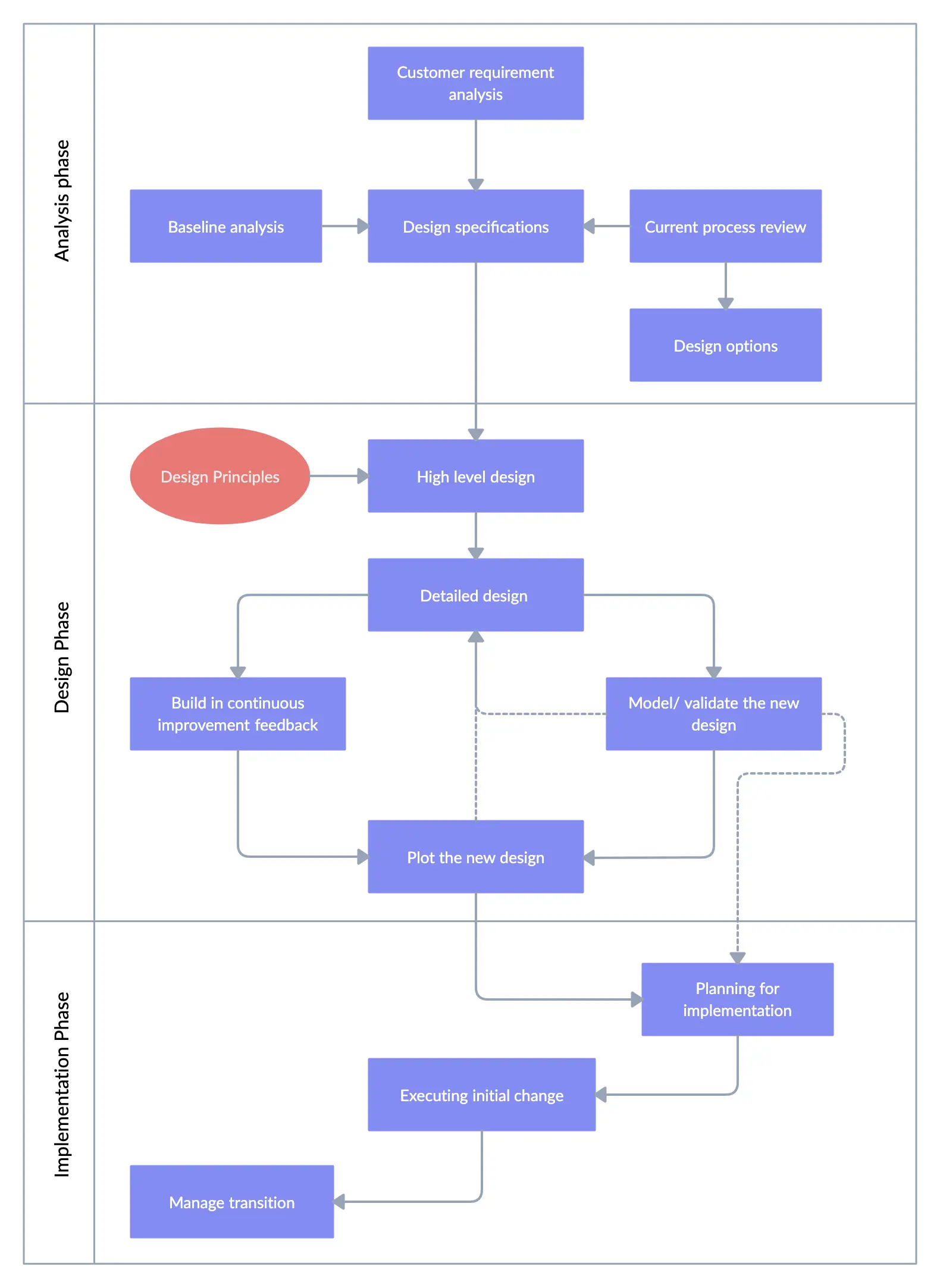
Aligning Processes with Strategic Goals: Ensure each redesigned workflow supports broader business objectives. By aligning workflows with strategic priorities, organizations ensure that future state processes are purpose-driven.
Maintaining a Technology-Agnostic Approach: Designing workflows without focusing on specific ERP systems keeps the emphasis on functional requirements. This approach provides flexibility when selecting ERP solutions, ensuring the technology supports, rather than constrains, process improvement.
Engaging Stakeholders for Input: Involving department heads, team leaders, and end-users in the future state design process ensures that workflows meet practical needs and are realistic for daily execution.
3. Compile Technology Requirements Based on Process Findings
After defining the future state, organizations can identify the specific technological requirements to support the mapped-out processes. This step is crucial to ensure the ERP system aligns with both current and future needs:
Identifying Essential Capabilities: Based on the future-state processes, document the ERP capabilities, business rules, reports, controls, data, and integrations needed. Validate each requirement with business and technical owners rather than assuming that a named feature will fit the process.
Setting Growth and Scalability Expectations: Consider long-term organizational goals and determine if the ERP system can scale to accommodate future requirements. This can save significant customization costs post-implementation.
Minimizing Customizations: Analyzing technology requirements in the context of process findings reduces the need for excessive customizations, ensuring the ERP aligns closely with the business without unnecessary, costly modifications.
Mapping these requirements enables a more targeted and efficient ERP selection process, reducing the risk of selecting systems that require significant changes later.
4. Facilitate Stakeholder Alignment and Collaboration Using Process Mapping Tools:
Visual tools, such as Creately, are instrumental in fostering collaboration throughout the mapping journey. By providing a visual workspace, Creately enables organizations to:
Collaboratively Document and Refine Processes: Teams can map out processes together in real time, ensuring that all inputs and departmental insights are captured.
Simplify Communication: A visual representation of processes helps stakeholders from various departments understand and engage in discussions, making collaboration more effective.
Maintain Living Documentation: Keep ownership details, supporting notes, links, and files connected to relevant process steps. Stakeholders can comment on proposed updates, and the accountable owner can incorporate agreed changes after the operating process is updated.
This structured approach connects operational objectives with ERP requirements and gives stakeholders a consistent reference for design and implementation. It supports—not guarantees—an effective integration by making dependencies, decisions, ownership, and handoffs easier to inspect and validate.
Tips to Optimize Your Process Mapping Strategy
ERP business process mapping is an essential step in ensuring that your implementation is successful. To maximize its effectiveness, consider the following best practices:
Engage Cross-Functional Teams: Involving team members from various functional areas ensures comprehensive input into the process maps. This engagement leads to a more holistic view of how processes impact different departments and encourages better alignment and buy-in.
Keep Maps Technology-Agnostic: Focus on outlining what needs to be accomplished rather than how specific technologies will be used. This approach allows for clear process documentation that highlights requirements without being constrained by existing technical capabilities.
Establish a Review and Maintenance Workflow: Set a review cadence based on process risk and change frequency. Stakeholders can provide contextual feedback, while the accountable owner validates it, records the decision, and updates the living documentation after an operational change is implemented.
Together, these practices improve the quality of ERP design discussions and create a maintainable reference for continuous improvement. Creately supports collaborative mapping with real-time editing, contextual comments, structured process properties, and connected notes, links, and files. These capabilities keep review context close to the map without implying formal approval states or automatic synchronization with the ERP system.
ERP process mapping can present several challenges that, if overlooked, may jeopardize the success of an ERP implementation. One of the most common pitfalls is misalignment between business processes and ERP functionality. Failing to correctly map out and integrate these processes can lead to inefficient operations and unmet objectives. To prevent this, organizations should ensure thorough process documentation and engage stakeholders at every stage.
Another challenge is the risk of inefficiency due to outdated or redundant processes being carried over into the new system. To mitigate this, a critical evaluation of current workflows should be conducted to identify opportunities for process improvement and optimization.
Organizations often struggle with ensuring complete stakeholder communication. Lack of communication can result in incomplete process maps and overlooked functionalities, which could necessitate costly adjustments later. Overcoming this requires establishing open lines of communication and regular updates with all stakeholders involved.
| Challenge | Solution |
| Misalignment with ERP functionality | Thoroughly document and integrate processes; maintain stakeholder engagement. |
| Risk of inefficiency | Critically evaluate and streamline processes before mapping. |
| Incomplete stakeholder communication | Establish clear communication lines; ensure ongoing stakeholder updates. |
Acknowledging and addressing these challenges not only helps in creating an accurate ERP process map but also ensures a smoother ERP implementation pathway. Using tools like business process mapping can elevate both communication and process alignment, aiding significantly in the success of the ERP implementation process.
Some Critical Processes to Map for ERP
When embarking on an ERP implementation, it is crucial to identify the most critical business processes that must be thoroughly mapped. These processes typically have the greatest impact on overall organizational efficiency and productivity. Here are some of the key processes that are usually prioritized for ERP business process mapping:
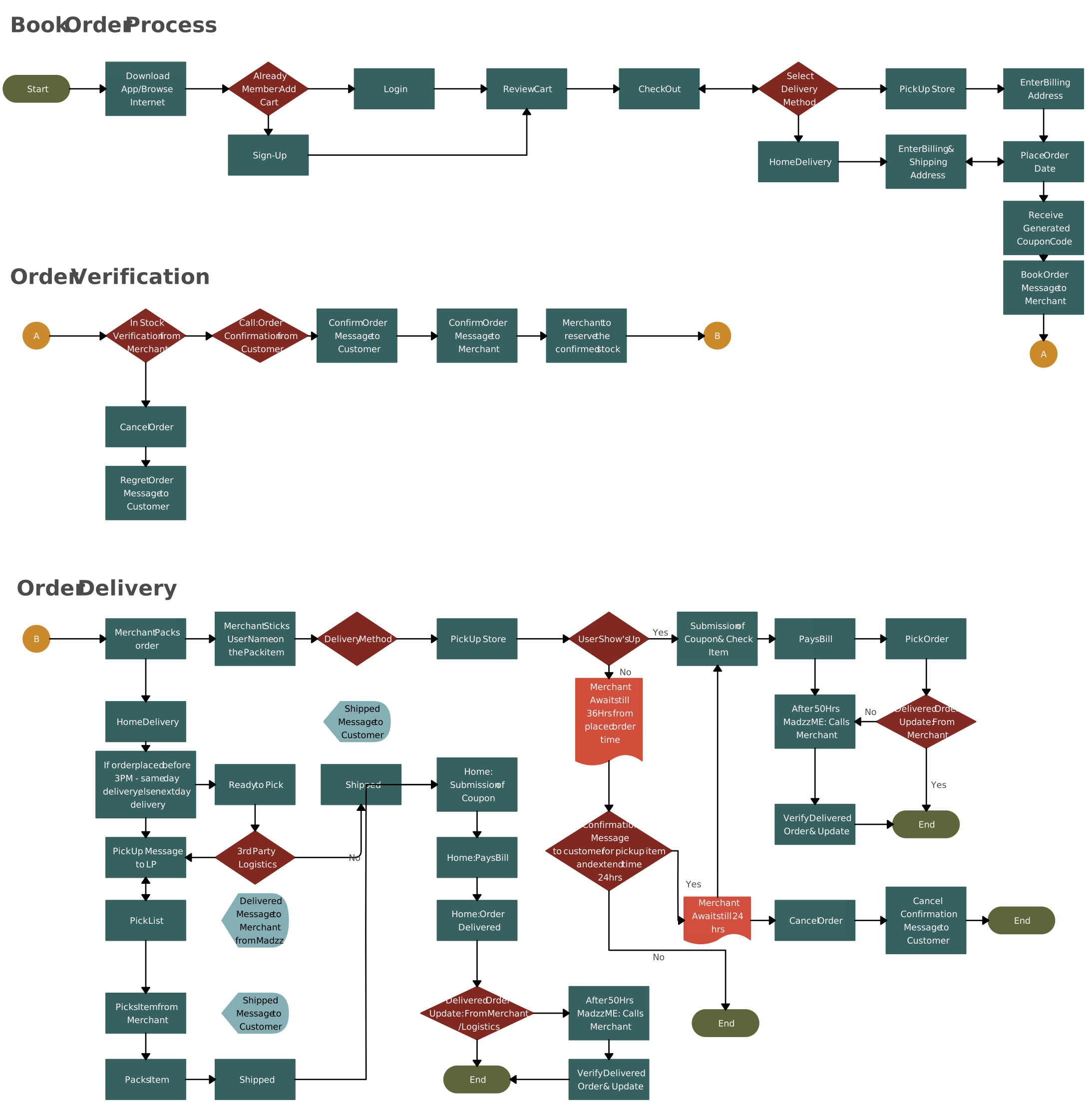
- Order-to-Cash Process:
The order-to-cash process encompasses the entire customer journey, from initial order placement to final payment collection. Mapping this process ensures seamless integration between sales, inventory management, invoicing, and accounts receivable modules within the ERP system.
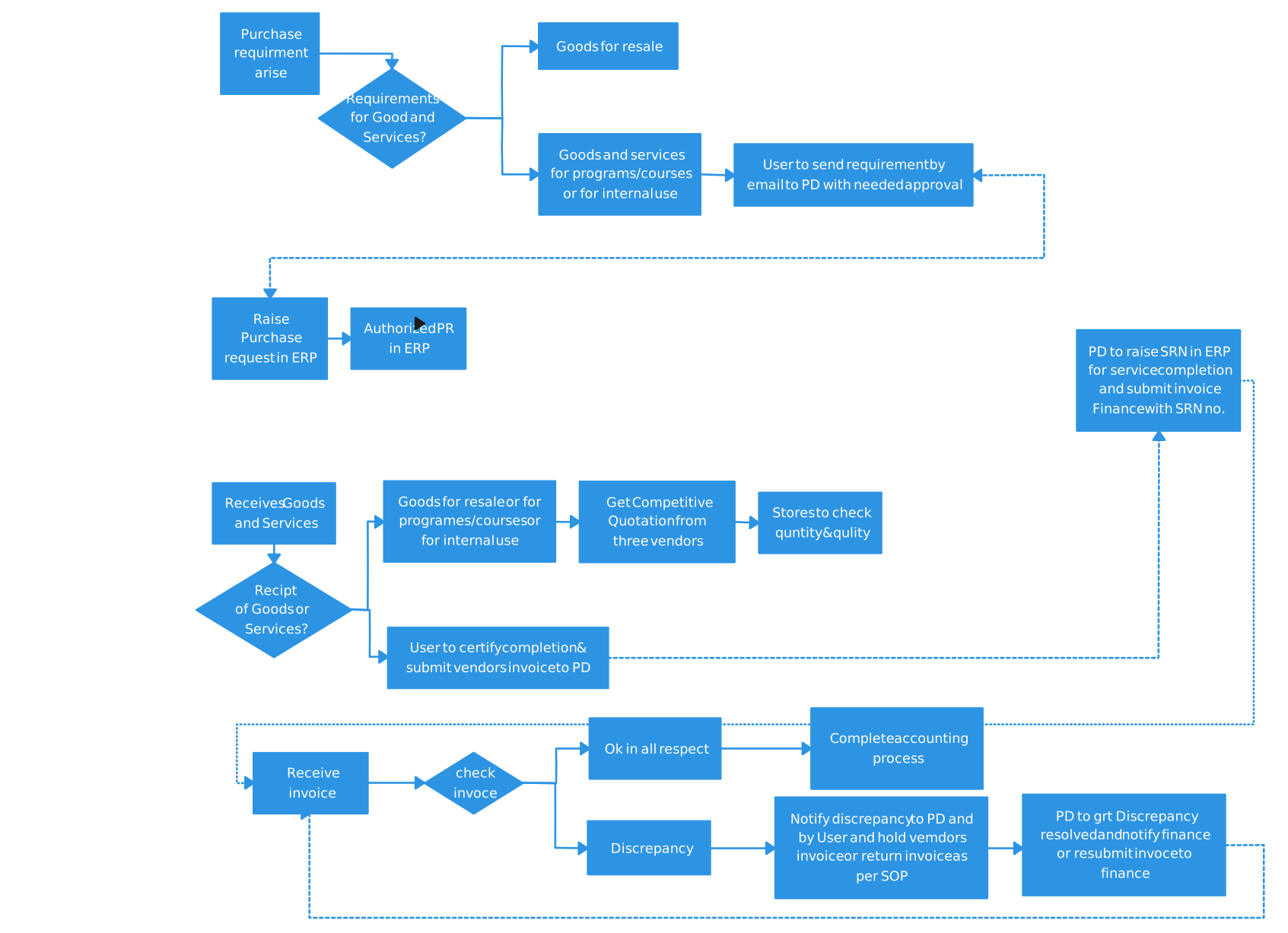
- Procure-to-Pay Process:
The procure-to-pay process covers purchasing, from requisition to vendor payment. Mapping this process helps align procurement, inventory, accounts payable, and general ledger functionalities in the ERP system.
- Inventory Management
Effective inventory tracking and optimization are critical to business success. Mapping inventory management processes, including stock replenishment, warehouse operations, and inventory reporting, allows the ERP system to be configured to support these core functions.
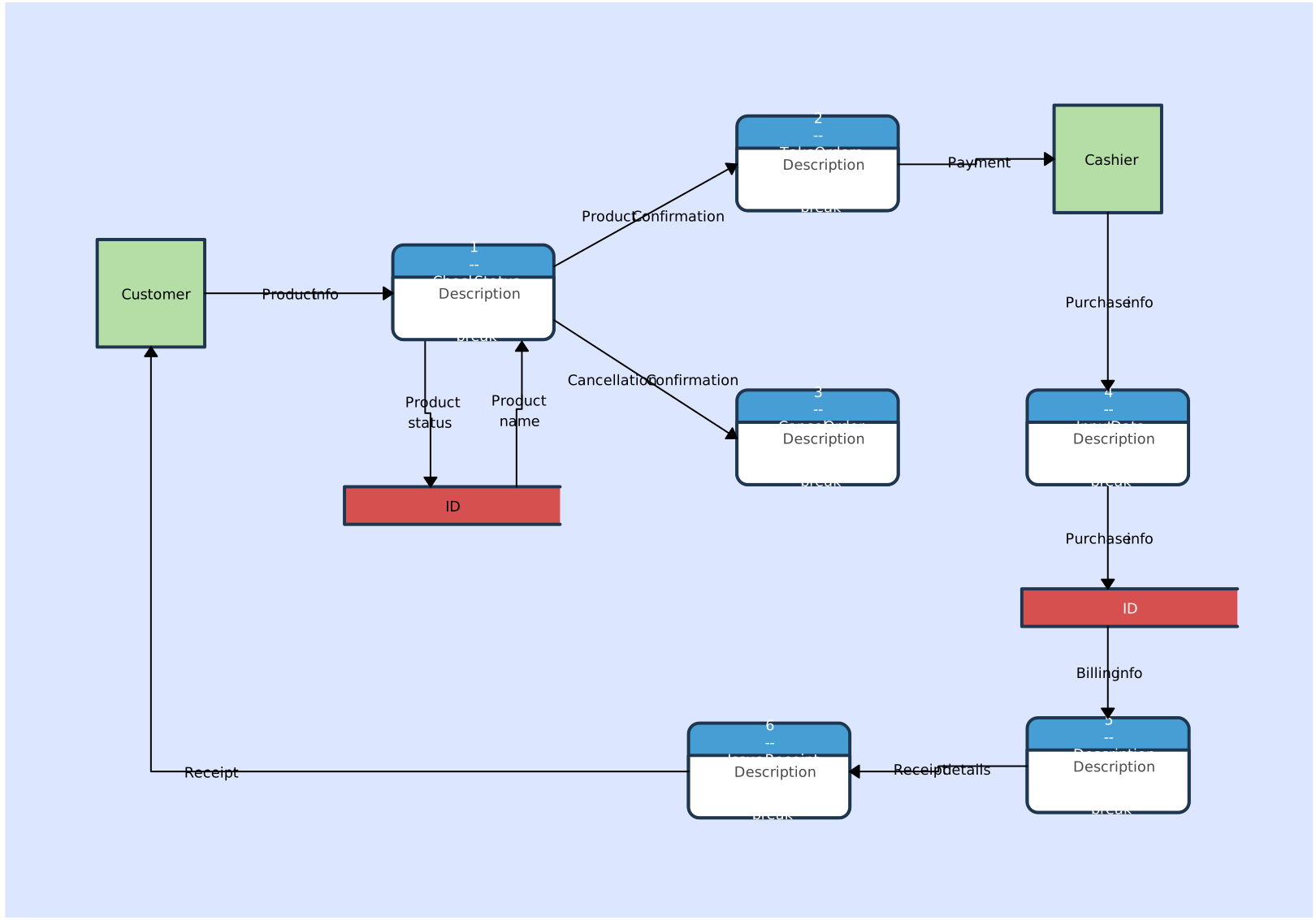
Financial Reporting and Accounting:
The financial reporting and accounting processes ensure accurate financial statements and regulatory compliance. Mapping these processes guarantees the ERP system can generate the necessary reports and maintain proper accounting controls.Human Resources and Payroll:
HR and payroll processes, such as employee onboarding, time-off tracking, and payroll processing, must be thoroughly mapped to ensure the ERP system can effectively manage the organization’s human capital management needs.Project Management:
For project-based organizations, mapping project management processes, including resource allocation, task tracking, and billing, is essential to integrating these functions within the ERP system.
By focusing on these mission-critical processes, organizations can create a comprehensive process map that serves as a solid foundation for a successful ERP implementation. This strategic approach ensures the ERP system is configured to support the core operations of the business, leading to greater efficiency, visibility, and overall success.
How Creately Helps Process Mapping for ERP Implementations
Creately provides a visual workspace for documenting and reviewing the processes that an ERP implementation must support. It complements ERP implementation and analysis tools; it does not configure the ERP, migrate data, execute workflows, or monitor process performance automatically.
1. Collaborative Mapping for Cross-Functional Teams
ERP implementations require input from business, technical, risk, and change stakeholders. Teams can edit maps together in real time and use contextual comments to discuss specific steps, decisions, exceptions, and handoffs. Accountable owners can evaluate feedback and maintain the agreed process reference without implying formal approval states.
2. Reusable Starting Points
Flowchart, swimlane, and BPMN 2.0 templates provide a starting structure for processes such as order-to-cash, procure-to-pay, and inventory management. Teams should adapt and validate every template against their actual operating model, ERP scope, and controls.
3. Current- and Future-State Documentation
Teams can document as-is and to-be flows with activities, decisions, roles, and handoffs. Keeping both views available supports gap analysis and fit-to-standard discussions, but subject-matter experts must validate the content and implementation teams must translate approved designs into ERP configuration.
4. Connected Requirements and Process Context
Add structured properties such as owner, status, duration, systems, and tags to relevant process objects. Notes, links, and files can keep requirements, SOP guidance, and reference material connected to the steps they explain.
5. Living Documentation After Go-Live
Process owners can revisit maps at an agreed cadence, gather feedback in context, and update the documentation as the operating process changes. Linked diagrams can connect a high-level ERP process with detailed subprocesses while preserving the broader process context.
6. Data-Migration Planning Context
Process and data-flow diagrams can identify source and target systems, business owners, dependencies, validation points, and data consumers. The migration itself still requires dedicated profiling, cleansing, transformation, reconciliation, testing, and governance in the ERP implementation toolchain.
ERP business process mapping gives implementation teams a shared view of how work should operate before, during, and after deployment. Current-state maps reveal real workflows and variants; future-state maps support fit-to-standard decisions, requirements, tests, training, and change planning.
Treat these maps as living documentation with accountable ownership. Review them with business and technical stakeholders, connect relevant requirements and supporting context, and update them when validated operational changes are implemented. Combined with strong governance, data management, testing, and adoption planning, this practice can reduce ambiguity and improve ERP implementation decisions.
Sources
- Oracle: What Is ERP Implementation?
- SAP: Discover—Achieve Business and IT Transparency
- SAP: Explore—Define the Target Architecture
- SAP: Realize and Deploy—Implement Transformations