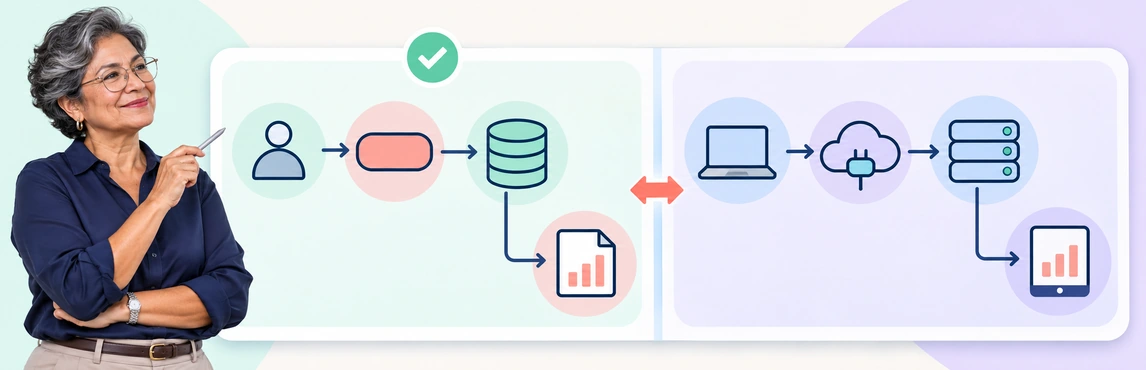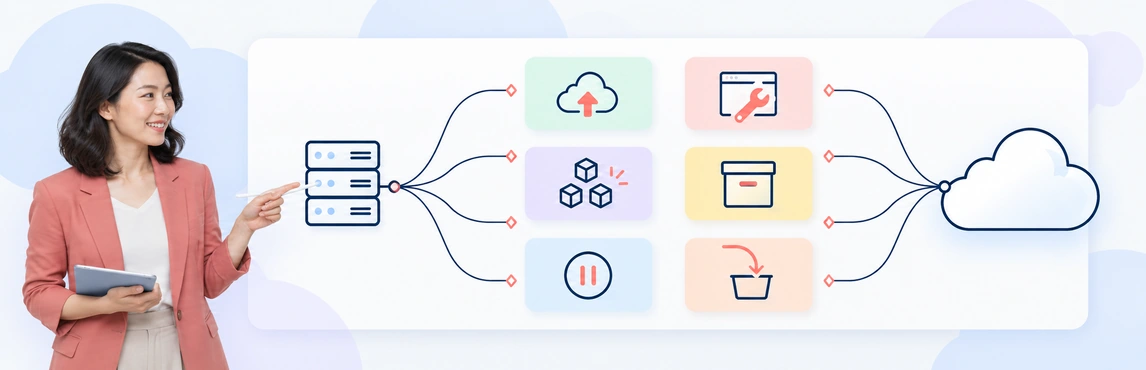
Moving to the cloud starts with a decision about each application: move it as it is, improve its platform, replace it, redesign it, keep it where it is, or switch it off.
The 6 Rs of cloud migration—rehost, replatform, repurchase, refactor, retain, and retire—give teams a framework for making those decisions. The right choice depends on the application’s business value, dependencies, technical constraints, and the outcome you need from migration.
This guide explains each strategy with an example, compares the tradeoffs, and shows how to turn workload decisions into an architecture plan and migration roadmap.
What Are the 6 Rs of Cloud Migration?
The six Rs are strategies for deciding what to do with applications and their supporting infrastructure during a cloud migration:
- Rehost: Move the application with minimal changes to its architecture.
- Replatform: Move it with targeted platform changes, such as adopting a managed database.
- Repurchase: Replace it with another product, often a software-as-a-service application.
- Refactor: Redesign its architecture to meet needs that the existing design cannot support well.
- Retain: Keep it in its current environment for now.
- Retire: Decommission it when it is no longer needed.
These are choices for individual workloads, rather than six steps that every application must follow. One migration program can use all six. An application can also follow a staged path: rehost to meet a data-center exit deadline, then modernize later.
What Is the Difference Between the 6 Rs and 7 Rs?
AWS’s current migration guidance uses seven Rs, adding relocate to these six strategies. Relocate covers moving an existing platform or environment to another location without redesigning the application—for example, moving supported infrastructure between cloud environments. The six-R framework remains useful for application assessment, but teams planning an AWS migration should also assess whether relocate fits their workloads.
Use the definitions agreed on by your migration team. Providers and modernization frameworks can use different sets of “Rs,” so a shared label alone is not enough to describe the work.
Compare the 6 Cloud Migration Strategies
| Strategy | What changes? | When it can fit | Main tradeoff | Illustrative example |
|---|---|---|---|---|
| Rehost | Hosting environment; application design stays largely intact | A supported application needs to move quickly | Existing inefficiencies can move with it | Move a web application and its virtual machines to cloud compute |
| Replatform | Selected platform components or operating arrangements | Managed services can reduce operational work without a major redesign | Compatibility and behavior still need testing | Move a self-managed database to a compatible managed database service |
| Repurchase | The product used to deliver a business capability | A commercial product meets the requirement | Data migration, integration changes, and user adoption | Replace an on-premises CRM with a SaaS CRM |
| Refactor | Application structure and potentially its code and data design | Architecture limits required scale, resilience, or delivery speed | Larger engineering effort and testing scope | Separate a bottleneck in a monolith into an independently scalable service |
| Retain | No immediate move | Constraints or the business case favor staying | Ongoing operation and hybrid dependencies remain | Keep a factory application connected to specialized local equipment |
| Retire | The application is removed from service | The capability is redundant or no longer needed | Hidden dependencies and records obligations must be resolved | Decommission an unused reporting application after preserving required records |
These examples are hypothetical. Effort, cost, and risk depend on the workload; a rehost with complex dependencies can be harder than a well-scoped replatform.
1. Rehost: Move the Application with Minimal Architectural Change
Rehosting, often called lift and shift, moves an application to cloud infrastructure while keeping its design largely intact. Teams still need to configure the destination environment, transfer data, validate connectivity, and plan cutover.
Choose rehost when:
- A deadline makes a major redesign impractical.
- The application is supported and compatible with the target environment.
- You want to separate migration from a later modernization project.
Example: A company needs to leave a leased data center. It moves an internal web application to cloud virtual machines while preserving the application’s web, application, and database tiers. After the move, it evaluates rightsizing and managed services as separate improvements.
Watch for: Rehosting does not automatically lower costs or improve resilience. Oversized servers, unsupported software, weak access controls, and tightly coupled dependencies need explicit attention.
Before committing: Validate operating-system support, licensing, network paths, storage needs, performance, and rollback arrangements. Record which limitations you are accepting temporarily and who owns the follow-up work.
2. Replatform: Change the Platform Without a Major Redesign
Replatforming introduces targeted changes so an application can use cloud capabilities without a fundamental architectural redesign. A common example is replacing a self-managed database with a compatible managed database service.
Choose replatform when:
- A managed service can remove a clear operational burden.
- The application can accommodate the change with bounded engineering work.
- The benefits justify compatibility testing and any required adjustments.
Example: A team moves a web application’s database to Amazon RDS for SQL Server while keeping the main application structure. It validates database features, authentication, connections, backup arrangements, and application performance before cutover.
Watch for: Matching database engines do not guarantee identical behavior. Extensions, administrative permissions, jobs, version support, and recovery procedures can differ.
Before committing: Define the boundary of the change. If success requires splitting services, redesigning data flows, or substantially rewriting business logic, reassess whether the work belongs under refactor.
3. Repurchase: Replace the Application with Another Product
Repurchasing replaces the existing application with another product, often SaaS. The business capability remains, but the software and operating model change.
Choose repurchase when:
- The capability is well served by an existing product.
- Maintaining the current application offers limited business advantage.
- The replacement meets functional, integration, data, and security requirements.
Example: A company replaces an on-premises CRM with a SaaS CRM. The project includes mapping customer records, migrating data, configuring access, reconnecting integrations, and training sales teams.
Watch for: A subscription does not eliminate migration work. Custom workflows may need redesign, historical data may not transfer cleanly, and users may need support to adopt new processes.
Before committing: Test important workflows with representative users. Assess total operating cost, data portability, integration limits, contractual obligations, and the process for eventually leaving the service.
4. Refactor: Redesign the Application for the Required Outcome
Refactoring, also called re-architecting in migration frameworks, changes the application’s architecture to make better use of cloud capabilities or address structural limits.
Choose refactor when:
- The current architecture cannot meet a defined business or operational requirement.
- Independent scaling, resilience, or deployment is worth the engineering investment.
- The team can support development, testing, and ongoing operation of the new design.
Example: An online retailer’s checkout functionality slows down during promotions. The team separates order processing from the storefront and introduces asynchronous messaging so those components can scale independently.
Watch for: More services also mean more interfaces, failure modes, and operational responsibilities. A cloud-native design is not automatically simpler or cheaper.
Before committing: Define measurable outcomes, such as target response times or recovery objectives. Validate the design in a limited scope before expanding it. For large migrations with firm deadlines, consider moving first and modernizing afterward where appropriate.
5. Retain: Keep the Application Where It Is for Now
Retaining means making an explicit decision to keep an application in its current environment. It can be a long-term choice or a temporary decision with a review date.
Choose retain when:
- Specialized hardware or latency requirements tie the workload to its location.
- Data residency, contracts, or unresolved dependencies constrain the move.
- Migration does not currently offer enough business value.
Example: A manufacturer keeps a production-control application on-site because it depends on local machinery. It moves a separate reporting workload while documenting the connection between the two environments.
Watch for: Retained systems still require support, patching, backups, and ownership. Moving connected applications can change network latency and introduce new security or availability dependencies.
Before committing: Record the reason for retention, the responsible owner, and a review trigger—for example, a hardware refresh, a contract renewal, or the removal of a dependency.
6. Retire: Decommission What You No Longer Need
Retiring removes applications or infrastructure that no longer provide a necessary capability. It reduces the scope of migration and can remove ongoing operating costs.
Choose retire when:
- Another system already provides the capability.
- Business owners confirm the application is no longer required.
- Usage and dependency evidence support decommissioning.
Example: A legacy reporting application has been replaced by a newer analytics platform. The team confirms that scheduled jobs and integrations no longer use it, preserves required records, and shuts it down through a controlled process.
Watch for: Low activity alone does not prove an application is unnecessary. Quarterly reporting, annual processes, and disaster-recovery systems can have infrequent but critical use.
Before committing: Confirm business approval, records retention, dependency removal, access revocation, backup handling, and a recovery window where appropriate. Update inventories and operational documentation after shutdown.
How to Choose a Migration Strategy for Each Workload
Start with evidence about the application, then compare the available options against a business outcome.
1. Define the Reason for Change
Write down what the migration must achieve: leave a data center, improve recovery, reduce operational work, support growth, or replace unsupported technology. Establish constraints such as budget, downtime tolerance, and completion dates.
An application moving because of a near-term lease expiry may need a different strategy from one being redesigned to support a new product.
2. Map the Current State and Dependencies
Record the application’s owner, users, infrastructure, data stores, interfaces, scheduled jobs, and external services. Include dependencies that cross application boundaries, such as shared identity, DNS, file transfers, and reporting databases.
Use a current-state infrastructure map to make these relationships visible. Validate the map with application owners and operational evidence before relying on it to plan a migration wave.
3. Compare Feasible Options
For each workload, ask:
- Is the capability still needed? If no, assess retire.
- Is there a reason to keep it where it is? If yes, assess retain and record when to revisit.
- Can a replacement product meet the requirement? If yes, compare repurchase with maintaining the application.
- Can the existing architecture meet the target outcome? If yes, compare rehost with targeted replatform changes.
- Does the outcome require architectural change? If yes, assess refactor, including whether it should happen before or after migration.
This is a screening sequence, not an automated decision rule. Compare feasible alternatives using compatibility, dependency impact, delivery effort, operating cost, security requirements, and team capability.
4. Record the Decision and Its Assumptions
Create one assessment record per workload:
| Field | What to record |
|---|---|
| Workload and owner | The application boundary and accountable business and technical owners |
| Selected R | The proposed strategy and reason |
| Alternatives | Other feasible strategies and why they were not selected |
| Dependencies | Systems that must move together or remain connected |
| Target state | The destination services and expected operating model |
| Uncertainties | Assumptions that need a test, discovery task, or approval |
| Validation | Performance, recovery, data, security, and business acceptance checks |
| Review date | When to revisit the decision |
For consequential architecture choices, use an architecture decision record to preserve the reasoning.
Turn the 6 Rs into a Cloud Migration Roadmap
Once workloads have proposed strategies, organize them into a delivery plan.
Draw the target architecture. Show where each component will run, how data will move, and how retained systems will connect. Keep proposed architecture clearly labeled so readers can distinguish it from deployed infrastructure.
Group work by dependencies. A migration wave should account for applications that share data, authentication, or tightly coupled connections. Avoid scheduling by department alone when technical dependencies cross those boundaries.
Start with a representative pilot. Choose a manageable workload that tests important assumptions about connectivity, deployment, access, operations, and rollback. Use the lessons to revise later waves.
Define entry and exit criteria. Before a wave begins, confirm ownership, destination readiness, tests, and cutover responsibilities. Before declaring it complete, verify data integrity, business workflows, performance, recovery, and operational handover.
Track accepted follow-up work. Rehosting may leave optimization tasks; retaining may leave hybrid dependencies; repurchasing may require phased user adoption. Put those actions on the technology roadmap with owners and review dates.
Use Creately to Connect Migration Plans with AWS Architecture Evidence
Migration planning needs both a proposed design and reliable information about the environment being assessed. Creately’s architecture templates can help teams communicate the design; Creately Blueprint adds infrastructure-backed context for AWS environments.
For supported AWS resources, Blueprint can build an architecture model and inventory from a read-only AWS scan or imported infrastructure data, including Terraform state, CloudFormation JSON, and AWS Config snapshots. Teams can inspect the resulting resource records and relationships to inform architecture reviews.
In a migration workflow, use this evidence to review the AWS infrastructure already in place or inspect the AWS destination after a migration wave. Supplement it with application inventories, owner interviews, and other discovery evidence for on-premises systems and dependencies outside the imported model.
A practical workflow is to:
- Document the current state. For an existing AWS environment, scan or import supported infrastructure data in Blueprint. Record the date and scope of that evidence.
- Plan the future state separately. Use an architecture diagram to explain proposed changes and label the selected strategy for each workload.
- Connect the design to the roadmap. Record dependencies, owners, migration waves, validation criteria, and cutover decisions.
- Review the deployed AWS state. Run a new scan or import updated data after a wave and compare the resulting evidence with the intended design.
Blueprint’s model reflects the latest completed scan or import. Treat it as one source of architecture evidence, alongside application tests, monitoring, and business acceptance checks.
Architecture Templates to Support Your Migration Plan
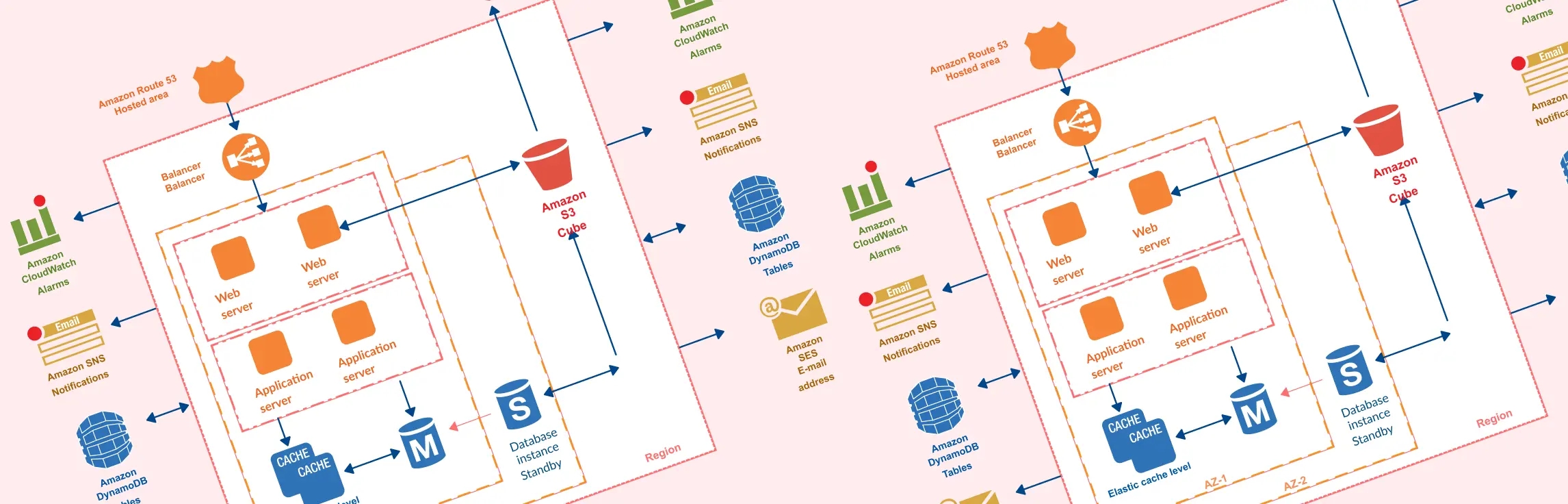
Use an existing AWS architecture diagram template as a starting point, then adapt it to the workload being assessed.
- AWS 3-Tier Architecture Template: Communicate web, application, and database tiers when comparing rehost and replatform options.
- Web Hosting Architecture Template on AWS: Sketch a proposed hosting environment and discuss its components and connections.


A reference template represents a design pattern. Validate every service, dependency, and configuration against your requirements before using it as a migration design.