Creately vs Lucidchart for UML: the Short Answer
Choose Creately when your UML diagrams need to sit beside requirements, notes, decisions, tasks, and other visual planning work. Choose Lucidchart when your team wants a mature diagram-focused experience, UML sequence markup, and a large integration catalog. Both tools can produce professional UML diagrams and support real-time collaboration. The deciding factor is not whether either product can draw classes and connectors. It is how the diagram will be reviewed, reused, and maintained after the first design session.
For a developer making a one-off class or sequence diagram, either tool can work. For a software team that treats the canvas as a shared workspace for discovery, design, documentation, and review, Creately has the more connected workflow. For an organization already standardized on Lucid products and their integrations, Lucidchart may create less operational friction.
This comparison focuses on capabilities documented by the vendors as of July 17, 2026. It does not treat roadmap statements as generally available features.
Creately vs Lucidchart UML feature comparison
| Evaluation point | Creately | Lucidchart | Practical verdict |
|---|---|---|---|
| UML creation | UML templates, standard shape libraries, smart connectors, and an infinite canvas | UML shapes, templates, sequence markup, and AI-assisted generation | Both cover everyday UML drawing. Lucidchart’s sequence markup is useful for text-driven sequence diagrams. |
| UML diagram coverage | Supports structural and behavioral UML work, including class, use case, sequence, activity, component, deployment, state, object, and package diagrams | States support for structural and behavioral UML diagrams | Both are suitable for common software-design diagrams. Test less common UML types before standardizing. |
| Real-time collaboration | Shared editing, comments, mentions, sharing controls, and version history by plan | Shared editing, comments, mentions, collaborator colors, and revision history | Both support synchronous reviews. Creately is stronger when the review includes broader project context. |
| Context around a diagram | Notes, links, files, custom fields, related diagrams, and adjacent planning artifacts can live in the workspace | Shapes can link to data, formulas, layers, and connected Lucid workflows | Creately has the clearer knowledge-workspace model; Lucidchart has strong data-driven diagramming. |
| Integrations | Official pricing lists Microsoft, Google, GitHub, Jira, Azure DevOps, Slack, Microsoft Teams, and other connections by plan | Official UML page advertises more than 100 integrations, including Google, Microsoft, and Slack | Lucidchart leads on advertised integration count. Confirm the exact connector and plan each team needs. |
| AI assistance | Official plans include AI Diagrams on paid workspace plans | Official UML page documents prompt-based UML generation | Both can accelerate a first draft. Neither removes the need for an engineer to validate the model. |
| Exports | Official plans list JPEG, PNG, SVG, and PDF export on paid plans | Supports common image and document sharing/export workflows | Both cover normal documentation handoff. Verify resolution and plan limits for production use. |
| Free entry point | Official plans list unlimited canvases with 45 items per canvas and basic collaboration | A free option is available; limits should be checked on the live pricing page | Creately publishes a clear item limit. Compare limits against the size of a real team diagram. |
| Best fit | Teams combining UML, collaborative planning, notes, and visual documentation | Teams prioritizing diagram-focused workflows and a broad integration ecosystem | Choose based on the work surrounding the diagram, not the number of shapes on a feature list. |
The table deliberately avoids a blanket winner. UML tools fail teams when a purchasing checklist replaces a workflow test. Build one representative diagram, invite the people who will review it, revise it once, and then place it in the documentation system where it must survive.
What both UML tools do well
Both Creately and Lucidchart are capable visual UML editors. A software developer can start from a class, sequence, use case, activity, component, deployment, or state diagram template and adapt it without configuring a specialist modeling environment.
Both tools also solve the communication side of UML. Teammates can review a shared visual instead of passing screenshots through chat. Comments and mentions keep feedback close to the relevant part of the model. Revision features make it easier to recover from a poor edit or inspect how a design changed. Teams can test the workflow with a class diagram and a sequence diagram before committing to a platform.
The products also support work beyond UML. That matters because software design rarely stays inside a single notation. A discovery session may begin with a mind map, move through a user flow, produce a UML sequence diagram, and end with tasks or an architecture decision. A visual platform is more useful when those artifacts can remain connected.
Where Creately is stronger for UML workflows
Creately is strongest when a UML diagram is one part of a larger body of work. The canvas can hold diagrams alongside notes, links, files, requirements, and supporting context. That reduces the gap between the visual model and the decisions that produced it.
This is useful in three common situations:
- Designing a new feature. A team can keep requirements, user flows, classes, interactions, and review notes close together. Reviewers do not need to reconstruct the reasoning from separate tickets and documents.
- Explaining an existing system. Developers can create multiple views for different audiences and connect them to supporting documentation. A high-level component diagram can lead to a detailed sequence or class view without forcing everything onto one unreadable canvas.
- Running collaborative architecture reviews. Engineers, product managers, analysts, and stakeholders can comment on the same workspace. The visual becomes a working review surface rather than a static export attached after the decision.
Creately’s official plan page lists unlimited canvases on the free tier, capped at 45 items per canvas. Paid plans expand item limits and add premium libraries, imports, exports, version history, and collaboration capabilities. That published item limit is important: a small UML example may fit comfortably, while a detailed domain model may require a paid plan.
Creately also supports a broad set of professional diagram types. That gives software teams room to place UML beside ER diagrams, process models, network diagrams, and planning artifacts. The benefit is not simply having more templates. It is reducing the number of disconnected places where system knowledge can become stale.
Where Lucidchart is stronger for UML workflows
Lucidchart is strongest when the buyer prioritizes a diagram-focused product with a broad integration footprint. Its official UML product page documents structural and behavioral UML support, a built-in UML shape library, text-based sequence markup, prompt-based AI generation, real-time collaboration, data linking, layers, and revision history.
The UML sequence markup tool is a meaningful difference for developers who prefer to describe interactions as text. Text input can be faster than manually placing every lifeline and message, especially when a sequence changes repeatedly during a review.
Lucidchart also advertises more than 100 integrations. That scale matters for organizations with established document, productivity, and communication systems. If the required integrations already exist and have been approved by IT, Lucidchart may be easier to introduce than a product that changes the surrounding workflow.
Lucidchart’s data linking and conditional formatting can also help teams build diagrams that communicate operational information. These capabilities extend beyond basic UML drawing, although buyers should test whether they address the specific maintenance problem behind their architecture documentation.
Drawing a UML diagram is not the same as maintaining a model
The most important distinction is between creating a diagram and keeping architecture documentation accurate. A visual editor can make a clean UML diagram without understanding the semantics of the codebase. That is not a defect. It is a different job.
Use this three-level test:
- Drawing: The tool provides UML shapes and connectors. Engineers manually keep the diagram correct.
- Text-assisted modeling: A textual definition generates a visual, making changes easier to review in version control. Engineers still keep the definition aligned with the implementation.
- Living architecture documentation: A defined process compares documentation with code, databases, or infrastructure and assigns ownership for resolving drift.
Do not infer the third level from AI generation, data linking, code snippets, or a large UML library. Ask vendors to demonstrate the exact import, scan, diff, approval, and update workflow against a representative repository. Also test conceptual design. A scanner can describe what exists, but architects still need a place to describe a service that has not been built.
For many teams, the practical solution is a combination: a collaborative canvas for speculative design, version-controlled artifacts where appropriate, and an explicit review schedule for diagrams that describe production systems.
UML diagram types to test before choosing
Test the diagrams your team actually maintains, not a generic template gallery. The following set covers most software-design needs:
| Design question | Useful UML diagram | What to test in the editor |
|---|---|---|
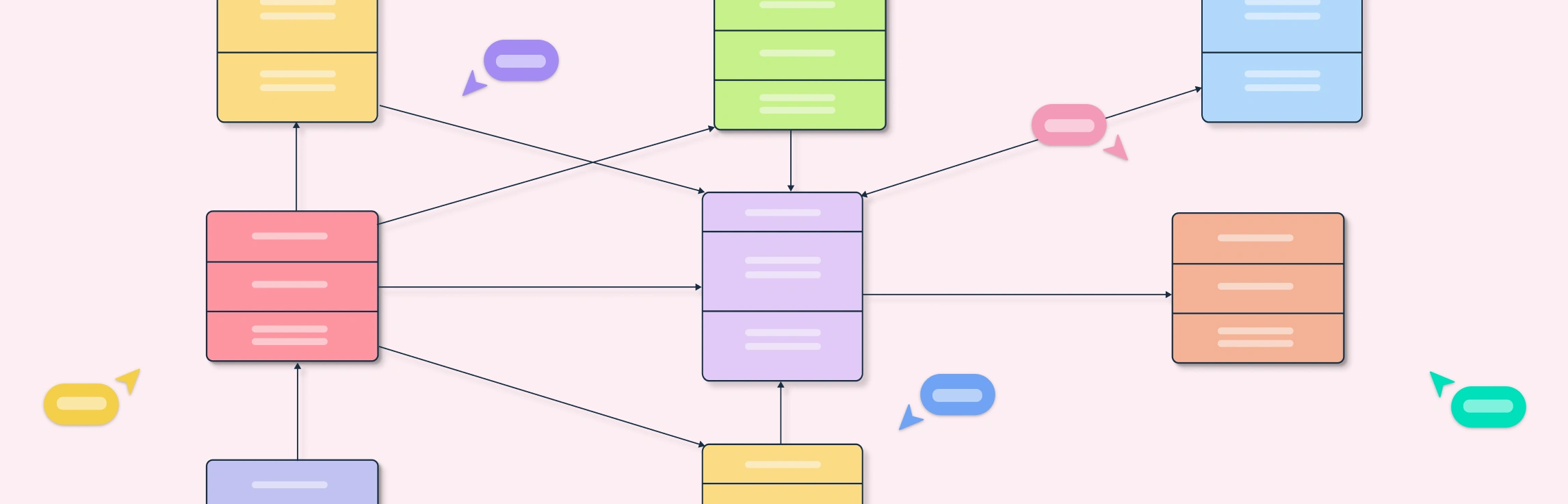
| What classes and relationships define the domain? | Class diagram | Attributes, methods, association labels, multiplicity, inheritance, and layout at scale |
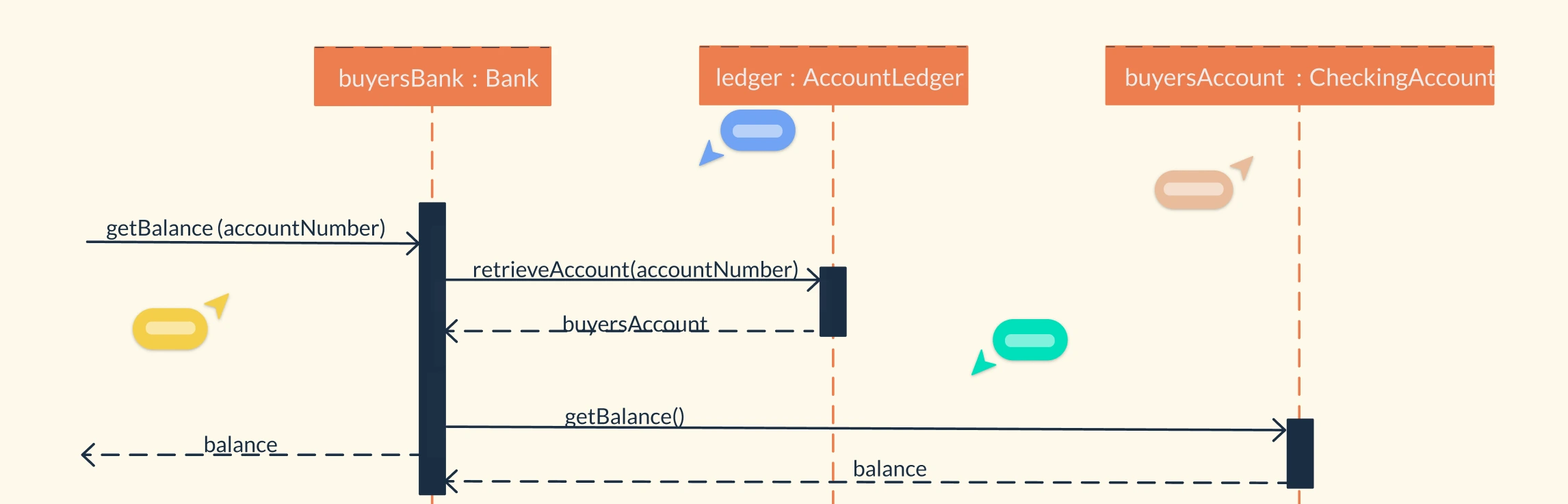
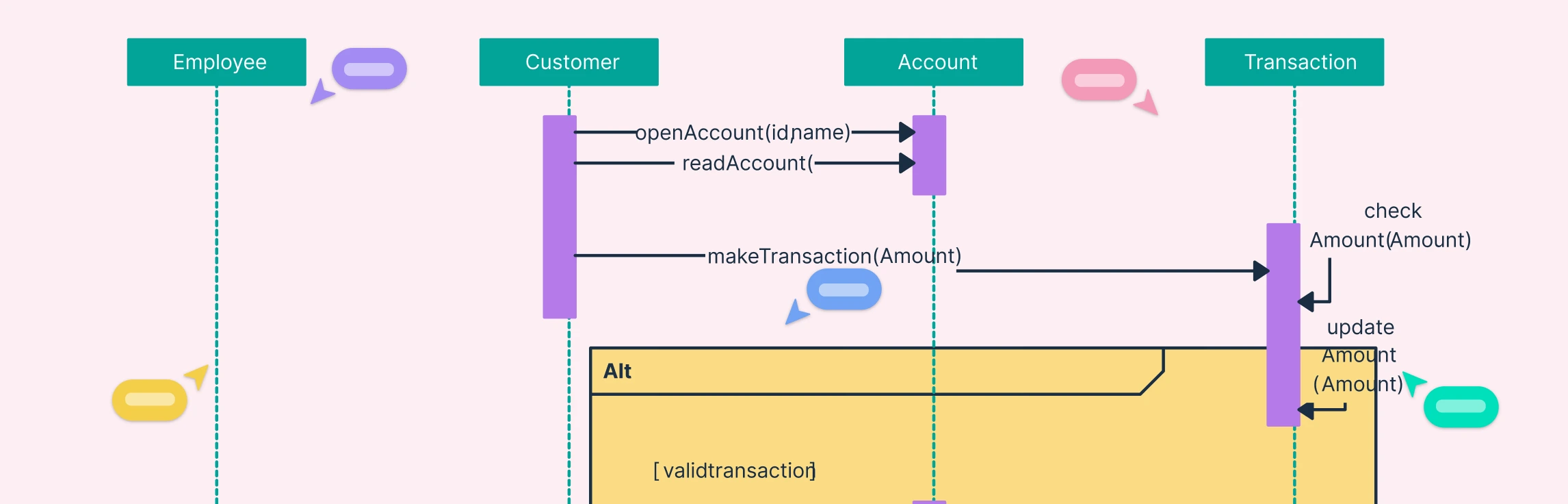
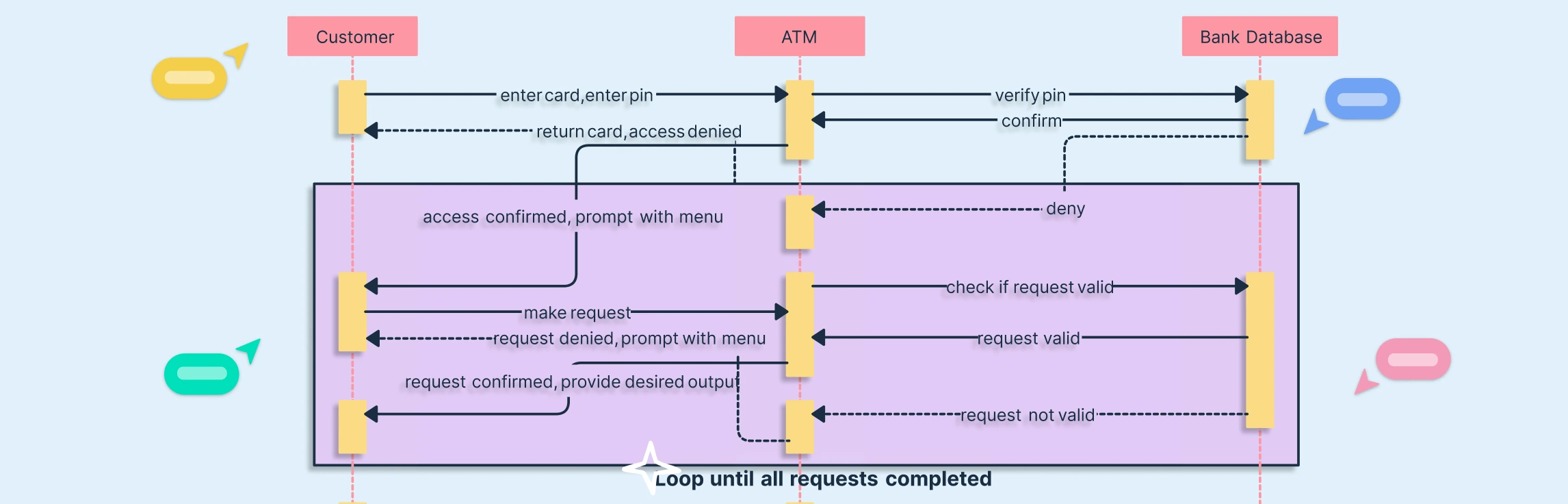
| How do services interact over time? | Sequence diagram | Lifelines, activation bars, loops, alternatives, message reordering, and text generation |
| What can a user or external system do? | Use case diagram | System boundaries, actor reuse, include/extend relationships, and readable exports |
| How does a workflow branch? | Activity diagram | Swimlanes, decisions, parallel paths, and connector routing |
| How does an entity change state? | State machine diagram | Guards, actions, nested states, transitions, and review clarity |
| How is the system divided? | Component diagram | Interfaces, ports, dependencies, grouping, and links to documentation |
| Where does software run? | Deployment diagram | Nodes, artifacts, environments, network boundaries, and infrastructure context |
A tool can look excellent with a five-class sample and become frustrating with a production-sized model. Import or rebuild one real diagram during the trial. Ask two engineers to edit it simultaneously. Export it into the documentation format the team already uses. Then revisit it a week later and measure how quickly someone can understand what changed.
Collaboration and architecture review
Both products support real-time review, but a useful architecture review needs more than simultaneous cursors. Evaluate how the tool handles four stages:
- Preparation: Can the author attach requirements, assumptions, alternatives, and open questions?
- Discussion: Can reviewers comment on a specific class, interaction, or dependency without creating a separate thread that loses context?
- Decision: Can the team record what was accepted, rejected, or deferred, and link the outcome to the relevant diagram?
- Maintenance: Can an owner find the diagram later, understand its status, and update it when the system changes?
Creately’s connected workspace model is useful across these stages. Lucidchart’s comments, mentions, collaborator colors, and revision history provide a strong diagram-review experience. The better choice is the one that reduces handoffs in the workflow your team already follows.
Creately vs Lucidchart pricing
Compare plan limits against a real UML workflow because headline prices rarely reveal the total cost. Pricing and packaging change, and some values are rendered dynamically. The safest comparison is to verify each official plan page when purchasing.
As checked on July 17, 2026:
- Creately’s official plans page lists a free tier with unlimited canvases, unlimited collaborators, 45 items per canvas, standard shape libraries, one folder, two imports, and basic collaboration controls. Paid tiers increase canvas item limits and add premium libraries, export formats, imports, version history, and advanced collaboration.
- Lucidchart offers free and paid access, but teams should confirm current document limits, feature availability, and per-user pricing directly on its live pricing experience.
For an honest cost estimate, count the people who need to edit, the people who only need to review, the number and size of active diagrams, required integrations, version-history needs, export requirements, and enterprise controls. A lower per-seat price can still cost more if the workflow requires duplicate tools or manual documentation maintenance.
Official sources: Creately plans and Lucidchart pricing. External product terms can change; verify them before purchase.
Which tool should your team choose?
Choose Creately for connected visual software work; choose Lucidchart for a diagram-centered workflow with a broad advertised integration catalog. Use these scenarios to narrow the decision.
Choose Creately if:
- The UML diagram needs to remain close to requirements, notes, files, and related planning artifacts.
- Software design is one part of a broader visual collaboration workflow.
- Reviewers from engineering, product, analysis, and operations need a shared context.
- The team wants UML, ER, process, network, and other visual models in one workspace.
- You want to start with the published free-plan limits and test a representative diagram before upgrading.
Choose Lucidchart if:
- Your team values text-based UML sequence markup.
- A specific Lucid integration is central to the existing workflow.
- The organization already uses the Lucid product suite.
- Data linking, conditional formatting, and layered diagrams are primary evaluation criteria.
- The diagram itself is the center of the workflow and the surrounding documentation already has a stable home.
Keep evaluating if:
- You require automatic synchronization between UML and a live codebase or database.
- You need formal model validation or production-grade code generation.
- A procurement decision depends on a feature that appears only on a roadmap.
- Your diagrams are large enough that free-tier item or document limits could distort the trial.
A practical five-step evaluation
Run the same small project in both tools and score the workflow, not the demo. Use this process:
- Create a class diagram for one real domain with at least 15 classes and meaningful relationships.
- Create a sequence diagram for a service interaction that contains a loop, an alternative path, and an error response.
- Invite an engineer and a non-engineering stakeholder to review both diagrams and resolve their comments.
- Link the diagrams to the requirements or documentation that explains the design and export a version for a design record.
- Change the implementation assumption a week later, update the diagrams, and record how long it takes to find every affected view.
The last step exposes the real cost. Most UML tools can make the first version. The better tool is the one your team will still update after the design meeting ends.
Try the Creately UML workflow
The safest next step is to use the Creately UML diagram tool with a real design example. Start with the active UML template, add the context your reviewers need, and test the full review-and-update loop before choosing a plan.
FAQs About Creately vs Lucidchart for UML
Is Creately or Lucidchart better for UML diagrams?
Can Creately and Lucidchart both create UML diagrams?
Which tool is better for collaborative UML reviews?
Which UML tool has the better free plan?
Can Creately or Lucidchart generate UML diagrams with AI?
Can either tool keep UML diagrams synchronized with code?