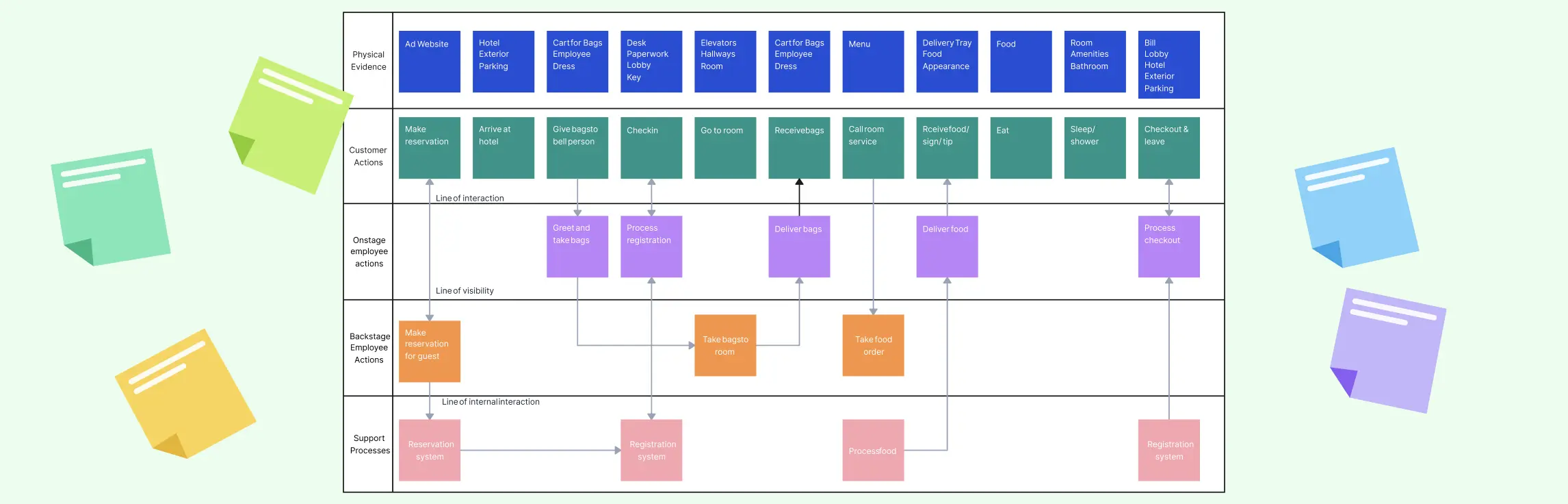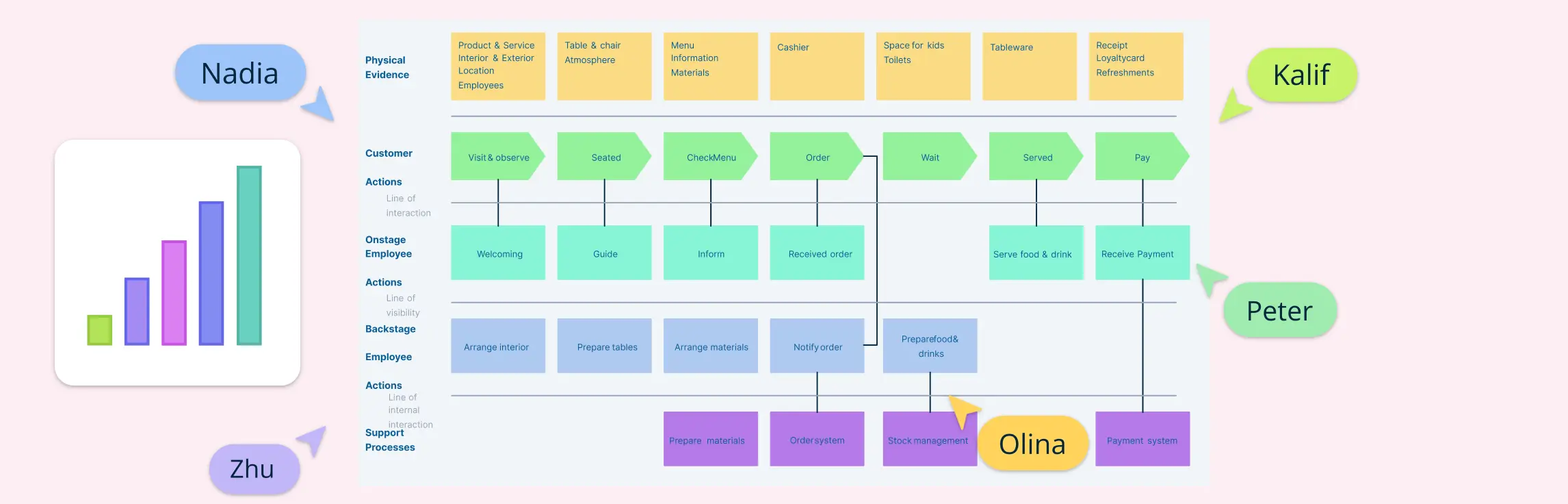
Service blueprint software helps teams map both the customer-facing and behind-the-scenes parts of a service. It’s a key tool for improving experiences and operations. In this guide, we’ve rounded up the best service blueprint software available today — covering both free and paid options. Whether you’re looking for deep collaboration features, flexible templates, or just a simple way to visualize service processes, this list has you covered.
What to Look for in a Good Service Blueprint Software
Not every diagramming tool works well for service design. The best service blueprint software products make it easy to map complex journeys, connect backstage ownership and handoffs, and bring multiple teams together. Here’s what to look for:
Drag-and-drop interface: You should be able to build blueprints quickly using an intuitive, flexible canvas—no design skills required.
Support for layering: Good service blueprint tools let you organize customer actions, frontstage interactions, backstage processes, and support systems in clear, structured layers.
Collaboration and commenting: Service design is a team effort. Look for tools with real-time editing, in-line comments, and sharing features so everyone stays aligned.
Templates and shape libraries: Pre-built templates and libraries for customer journey maps, service lines, actors, and touchpoints help you get started faster.
Connections with other tools: Check whether the service blueprint maker supports the embeds, imports, exports, or integrations your team actually needs. Do not assume that every connection provides two-way synchronization.
Exporting and presentation features: Whether you need to share a PDF, present in a meeting, or embed the blueprint in a document, export and presentation options matter.
AI-assisted features (bonus): Some tools can generate diagram content or help expand and refine ideas. Review AI output against service research and input from the people who deliver the service.
1. Creately
Creately’s service blueprint creator combines templates, visual diagramming, connected documentation, and real-time collaboration. Teams can map customer actions, frontstage interactions, backstage activities, support processes, ownership, and handoffs in one workspace. Notes, links, files, and data can remain connected to relevant elements, while threaded comments and @mentions support contextual review as the service changes.

Key Features
- AI assistance to expand or refine ideas while building the blueprint; teams should validate the output against the actual service.
- Drag‑and‑drop canvas with snapping and alignment assistance for clean layouts.
- Service blueprint templates with layouts for customer actions, frontstage and backstage activities, touchpoints, handoffs, and support processes.
- Real-time collaboration, threaded comments, @mentions, sharing permissions, and plan-dependent version history.
- Extensive shape libraries and prebuilt templates for diagrams, org charts, workflows, and service blueprints.
- Connected context through notes, links, files, embedded content, and data imports from spreadsheets or CSV files.
- Export & presentation support including PNG, SVG, PDF, JPEG; plus built-in presentation mode directly in the canvas.
Pros & cons
Pros
- Very user‑friendly interface with minimal learning curve—great for non-designers
- AI assistance can help expand or refine ideas during blueprint creation
- Strong real‑time collaboration features, including multi-user editing, comments, and @mentions
- Keeps service context connected through notes, links, files, data, and related visuals
Cons
- The free plan limits each canvas to 45 items, which may be restrictive for a detailed service blueprint
- The free plan includes basic product AI tools; higher usage limits, premium templates, advanced collaboration, exports, additional AI capabilities, and longer version history depend on the selected paid plan
Pricing (checked November 4, 2026)
- Free: Unlimited canvases with a 45-item limit per canvas, one folder, standard shape libraries, basic collaboration, and basic product AI tools
- Pro: Higher canvas limits, premium templates and shape libraries, expanded export options, additional AI capabilities, and longer version history
- Business: Additional collaboration, workspace administration, data, and security capabilities for teams
- Enterprise: Organization-wide administration, security, support, and governance options; consult the official pricing page for current terms
Best for
Cross-functional teams that need service blueprint templates, structured diagramming, connected service context, and collaborative review in the same visual workspace.
2. Lucidchart
Lucidchart is a powerful, browser-based diagramming tool used to create flowcharts, service blueprints, process maps, and more. It’s known for its intuitive interface, broad template support, and seamless team collaboration features.

Key features
- Drag-and-drop canvas with alignment and snapping
- Layers and data linking for structured, dynamic diagrams
- Templates and shape libraries for service design, BPMN, ERD, UML, etc.
- Real-time collaboration with comments and version history
- Integrates with Google Workspace, Microsoft Teams, Jira, Confluence, Slack, Salesforce, and more
- Export options include PNG, PDF, SVG, Visio, and embeddable links
- Enterprise-grade security with SSO and admin controls
- AI-powered diagram generation
Pros & cons
Pros
- Easy to use for both beginners and advanced users
- Extensive template library supports both business and technical diagrams
- Strong collaboration features for distributed teams
- Integrates well with popular tools and offers Visio compatibility
Cons
- Free plan is quite limited (only 3 editable docs, 60 objects max)
- The free plan is limited to three editable documents and 60 shapes per document
- Premium templates, unlimited documents and shapes, and advanced team or administrative features require a paid plan
Pricing (checked November 4, 2026)
- Free: Three editable Lucidchart documents and 60 shapes per document
- Individual and Team: Paid options with unlimited editable documents and shapes plus additional templates and collaboration features
- Enterprise: The broader Lucid visual collaboration suite with advanced administration and security options
3. Miro
Miro is a leading visual collaboration platform known for its infinite canvas and real-time team editing. It’s used for service blueprinting, customer journey mapping, and remote workshops.

Key features
- Infinite canvas ideal for detailed, scalable blueprinting
- Ready-to-use service blueprint templates
- Real-time collaboration with live cursors, video chat, and comments
- A large template library for planning, mapping, and design thinking
- Integrations with Slack, Jira, Google Drive, Microsoft Teams, and more
- Presentation mode for structured walkthroughs
- AI tools for summarization and diagram creation
Pros & cons
Pros
- Intuitive, flexible interface for brainstorming and mapping complex journeys
- Vast template library and tools for remote facilitation
- Strong integrations and automation options
- Built-in AI and presentation features streamline workflows
Cons
- The free plan keeps only the three most recent boards editable
- Specialized shape packs, advanced diagramming, higher AI allowances, and governance features are plan-dependent
Pricing (checked November 4, 2026)
- Free: Three editable boards, templates, basic diagramming, and a limited AI trial
- Starter: Unlimited private boards, visitor editing, version history, and additional collaboration and AI capacity
- Business and Enterprise: Advanced workflows, integrations, administration, security, and governance options
4. Figma
Figma is a cloud-based design and collaboration platform used for UI/UX design, prototyping, and whiteboarding. It works in browsers and desktop apps and allows real-time collaboration across teams.

Key features
- Real-time multiplayer editing with comments and live cursors
- Vector-based design tools and interactive prototyping
- Shared design systems and reusable components
- Developer handoff tools with code, specs, and assets
- Embedding and integrations with tools like Slack, Jira, and GitHub
- AI features across Figma products, with availability and allowances determined by plan and seat type
- Version history and plan-dependent team libraries, branching, and administration
Pros & cons
Pros
- Seamless collaboration and editing across teams
- Powerful tools for design systems and component libraries
- Built-in prototyping and developer handoff features
- New AI-powered features like Figma Make and Slides
Cons
- FigJam is a general collaborative whiteboard rather than a dedicated service-blueprint system
- Custom team templates and advanced design-system or administration features depend on the plan and seat type
Pricing (checked November 4, 2026)
- Starter: A free plan with limited team files and collaboration access
- Professional: Paid seats with broader creation, collaboration, and team-library capabilities
- Organization and Enterprise: Advanced administration, security, governance, and organization-wide features
5. Mural
Mural is a visual collaboration platform built for remote workshops, brainstorming, and service blueprinting. It features an infinite canvas, structured templates, and strong facilitation tools to guide team sessions.

Key features
- Infinite, resizable canvas for mapping journeys and blueprints
- Built-in service blueprint template with touchpoints, systems, and backstage actions
- Facilitation tools like timers, voting, laser pointer, and private mode
- Real-time collaboration: live cursors, comments, visitor access
- Extensive library of ready-made templates
- Integrations with Slack, Jira, Zoom, Microsoft Teams, Adobe, and more
- AI tools for note clustering and idea generation
- Presentation and export options (PDF, image formats)
Pros & cons
Pros
- Easy to use, beginner-friendly interface
- Excellent facilitation features for team workshops
- Robust template library, including blueprint and journey maps
- Good access controls and multi-user collaboration options
Cons
- Mural prioritizes facilitated whiteboard collaboration over specialized process-modeling features
- The free plan allows three murals to remain editable; private rooms, advanced integrations, and enterprise controls require paid plans
Pricing (checked November 4, 2026)
- Free: Unlimited murals with three editable at a time, unlimited members, and view-only visitors
- Team+: Unlimited editable murals, editing access for visitors, private rooms, Mural AI, and basic integrations
- Business and Enterprise: Guest collaboration, advanced integrations, administration, security, and governance options
6. Whimsical
Whimsical is a fast, easy-to-use visual collaboration tool known for its clean interface and polished visuals. It supports flowcharts, wireframes, mind maps, and sticky notes, making it ideal for light blueprinting and brainstorming.

Key features
- Drag-and-drop flowcharts, wireframes, mind maps, and sticky notes
- Real-time collaboration with comments, live cursors, and version history
- Templates and a shape and icon library for common visual formats
- Integrations with tools like Slack, Notion, and Google Drive
- Export options: PDF, PNG, SVG; embeds for presentations
Pros & cons
Pros
- Visually polished by default—great for quick, clean diagrams
- Easy collaboration and version control
Cons
- Limited customization options compared to tools like Miro or Figma
- Less flexible for complex service blueprints
- The free plan limits monthly creation to 50 board objects and places a watermark on exports
- Service blueprints rely on flexible board and flowchart components rather than a specialized service-design model
Pricing (checked November 4, 2026)
- Free: Unlimited boards and guests, with a monthly allowance of 50 board objects and 50 document blocks, watermarked exports, and limited AI credits
- Pro: Unlimited board objects and document blocks, watermark-free exports, larger uploads, and longer version history
- Business: Private teams, SAML SSO, SCIM, additional security controls, and unlimited version history
Verdict: Choosing the Right Service Blueprint Software
The right tool depends on whether your priority is structured service mapping, workshop facilitation, general diagramming, design collaboration, or fast lightweight visuals. Miro and Mural are strong workshop-oriented whiteboards, Lucidchart emphasizes formal diagramming, FigJam supports collaborative design work, and Whimsical is suited to quick visual mapping.
Creately is a strong fit when teams need structured swimlanes, ready-to-use service blueprint templates, real-time collaboration, and connected service documentation. Notes, links, files, data, ownership, and contextual feedback can stay associated with the blueprint as teams review handoffs and refine the service across departments or channels.
Whether you’re mapping a customer journey, improving internal processes, or running a full service design sprint, Creately offers the structure and flexibility modern teams need.
FAQs About the Best Service Blueprint Software
What is service blueprint software?
How to choose the right service blueprint tool for your team?
Can I use regular diagram tools for service blueprints?
Are there free options for service blueprint software?
Can AI help with service blueprint creation?
What is the best free service blueprint software?
Is Creately service blueprint free?
Does AI make service blueprinting easier?