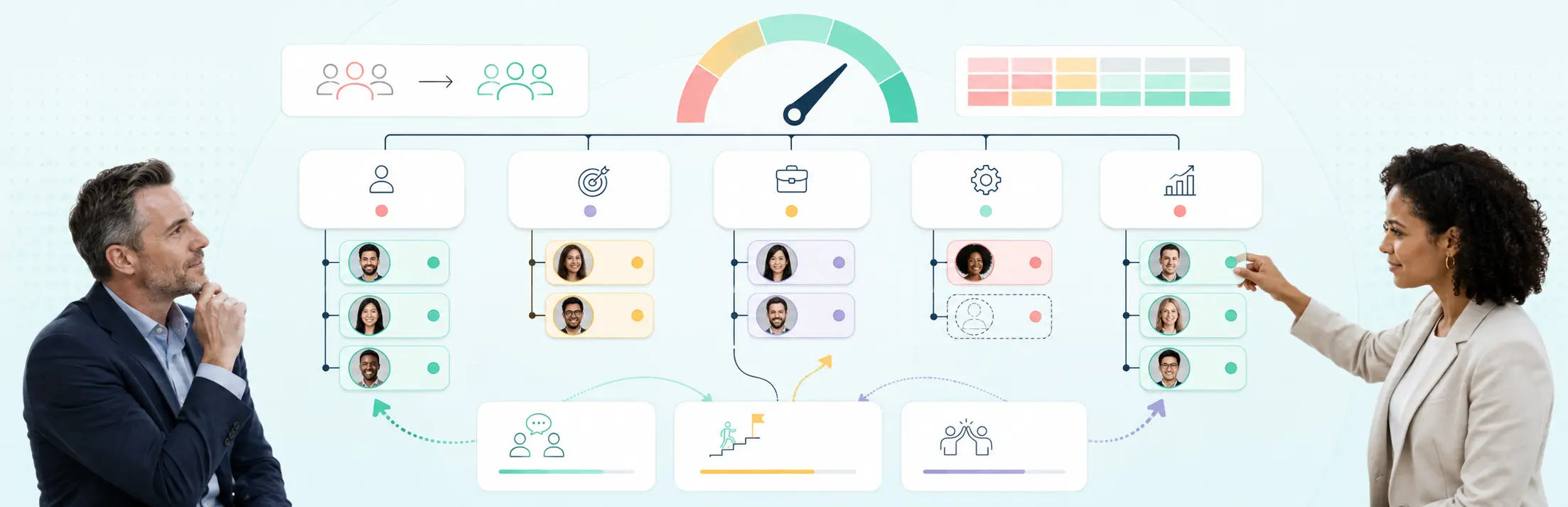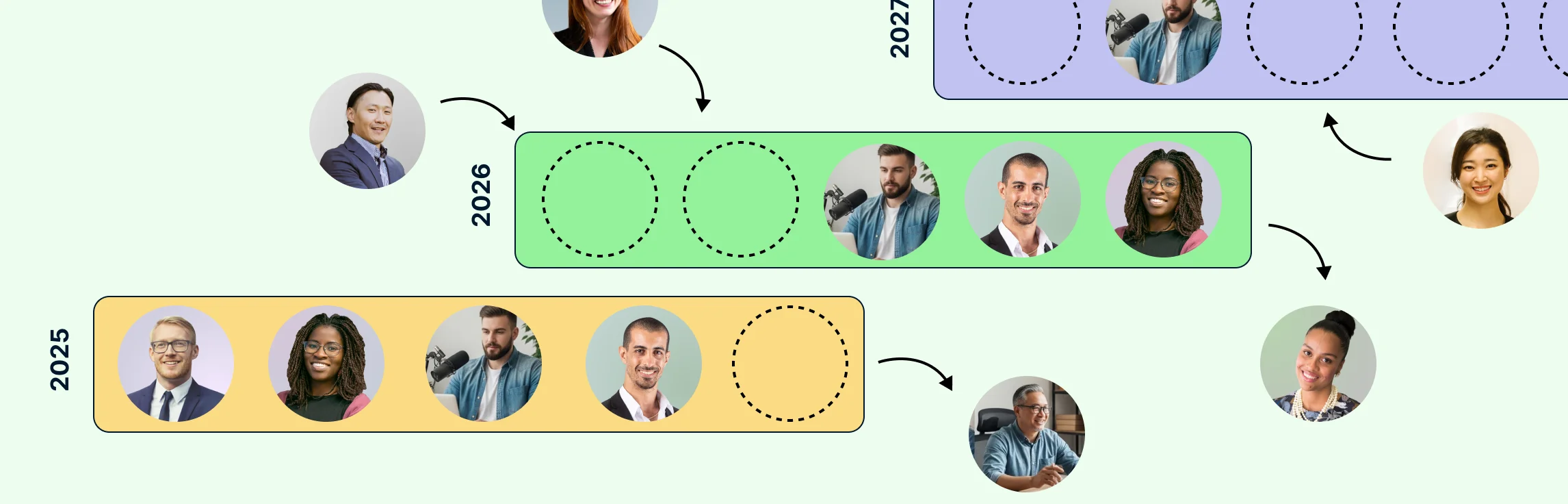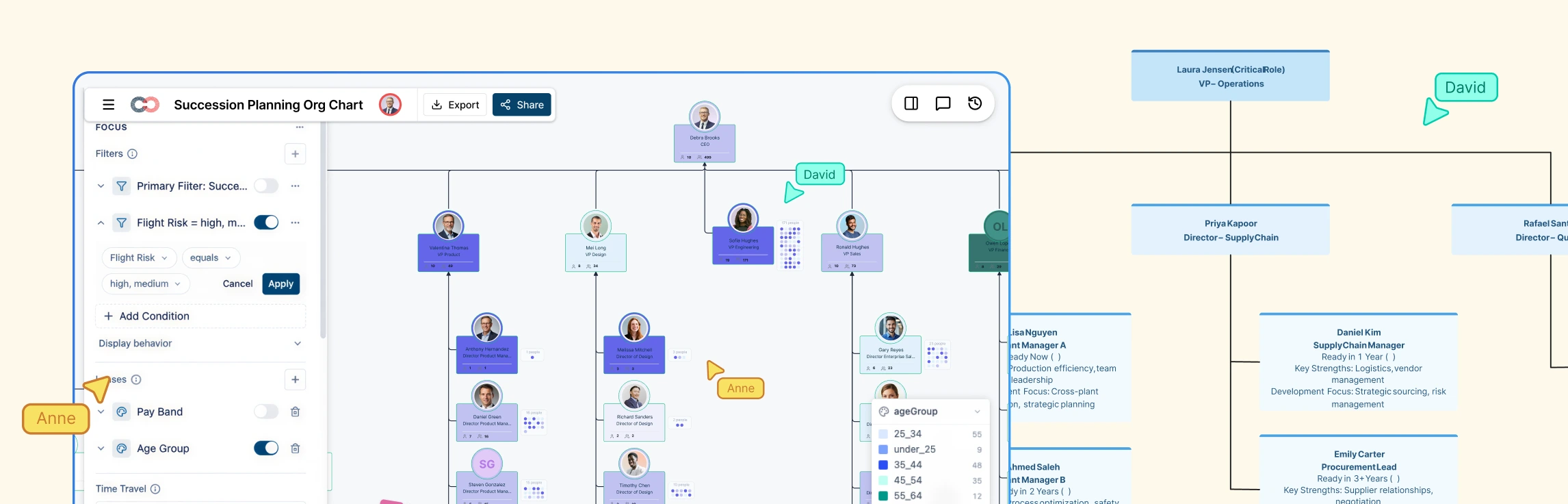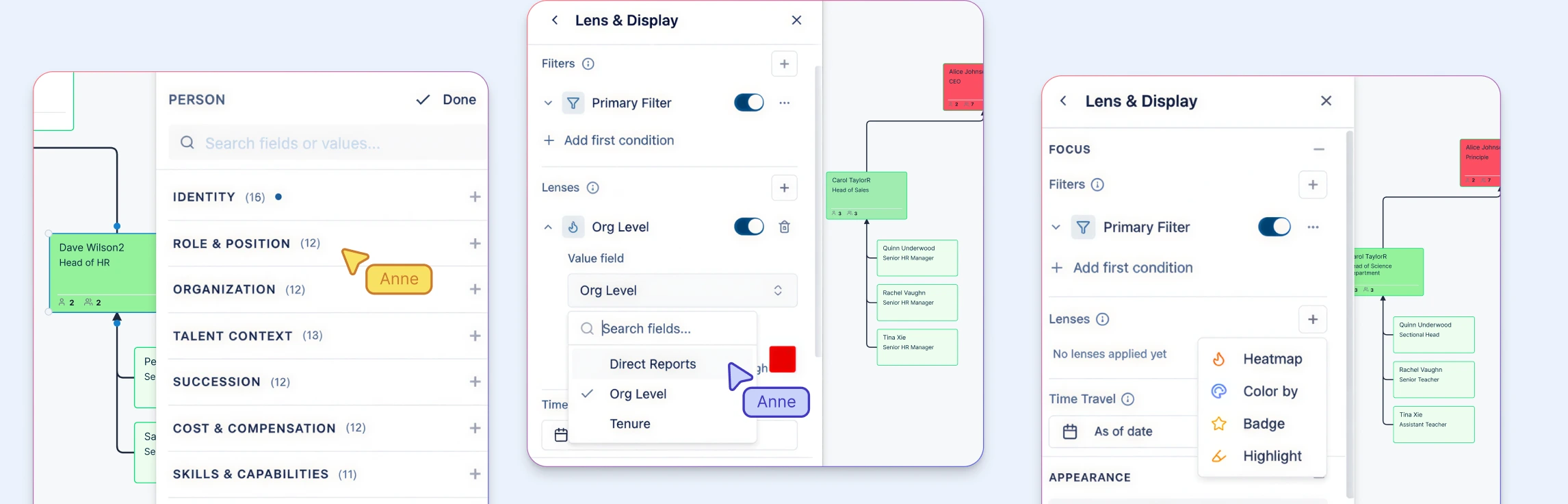
The right succession system gives a Chief People Officer a defensible answer to four questions: Which critical roles are exposed? Who could step in? When will each candidate be ready? What happens elsewhere in the organization if a move is made? If a system cannot answer those questions with current evidence, position-based continuity, and controlled visibility, it is storing succession data rather than supporting succession decisions.
This guide provides a practical evaluation scorecard, demo script, data checklist, and implementation test. Use it to test your requirements consistently, then review the product workflow on Creately’s succession planning software page.
Why Succession Software Evaluation Needs a Risk Lens
Succession planning can look complete until a critical role becomes vacant. A spreadsheet may contain candidate names and still hide three material problems:
- The role has only one possible successor.
- The preferred candidate has potential but is not ready for that position.
- Moving the candidate creates a new gap in another team.
The readiness gap is measurable. DDI’s Global Leadership Forecast 2025 found that only 20% of HR leaders had leaders ready to fill their most critical roles, while 75% of organizations prioritized internal promotion. A SHRM survey found that 56% of HR professionals worked in organizations without a succession plan and only 21% had a formal plan.
Software will not fix an unclear talent process. It should expose risk, connect evidence to decisions, and make the process easier to repeat.
Start With the Decisions the System Must Support
Feature lists encourage shallow comparisons. Start with the decisions executives and talent leaders need to make.
Critical-role decisions
The system should help leaders agree on which positions are critical and why. A critical role is not always a senior title. It may be a specialist position that is difficult to recruit, a role controlling a regulated process, or a position whose vacancy would stop a strategic program.
Look for:
- Critical-role and key-position flags
- Role definitions that remain when the current employee leaves
- Filters by business unit, geography, job family, or risk level
- An owner and review date for each critical-role decision
Successor and readiness decisions
A list of high-potential employees is not a succession pipeline. The system needs to connect people to target positions, support more than one option per role, and distinguish potential from readiness.
Look for:
- Multiple successors for each position
- Readiness horizons such as ready now, one year, two years, and longer term
- Role-specific competency and experience gaps
- Development actions tied to the target position
- Evidence and decision history for each nomination
- Visibility when one candidate is named for several roles
Scenario decisions
Succession moves create second-order effects. Promoting one leader can expose the role they leave. Scenario planning lets leaders test departures, promotions, and reorganizations before changing the live organization.
Look for:
- A future-state model separate from the current organization
- Departure, promotion, retirement, and reorganization scenarios
- Side-by-side scenario comparison
- Visibility into newly created gaps
- A documented path from an approved scenario to execution
CPO Succession Software Selection Scorecard
Use the same scorecard for every vendor. Score each area from 0 to 3:
- 0 — Missing: The system cannot support the requirement.
- 1 — Manual: The requirement depends on notes, exports, or offline work.
- 2 — Supported: The system handles the core workflow.
- 3 — Decision-ready: The system supports the workflow, evidence, governance, and executive view.
| Evaluation area | What the software must answer | Evidence to request |
|---|---|---|
| Critical-role coverage | Which positions create material risk if vacant? | A filtered view of critical roles, key positions, and single points of failure |
| Successor depth | Does each critical role have credible options? | Named successor relationships and bench strength by role |
| Readiness | Who is ready, by when, and based on what evidence? | Timelines connected to skills, experience, and development work |
| Pipeline risk | Where is coverage weak or dependent on one person? | Flags for no successor, weak bench, flight risk, or stalled development |
| Scenario planning | What happens when a person moves or a structure changes? | A what-if model that preserves the current organization |
| Governance | Who made the decision, when, and with what evidence? | Permissions, comments, ownership, review dates, and decision history |
| Data continuity | Will the model stay current as people and roles change? | HRIS data flow, separate person and position records, AI-assisted imports, and refresh controls |
| Executive reporting | Can leaders see exposure and action quickly? | Coverage, readiness, risk, and action views without manual slide building |
| Adoption | Can managers contribute without becoming administrators? | Guided reviews, focused permissions, and low-friction updates |
| Security | Is restricted talent data protected? | Role-based access, audit history, sharing controls, and data-handling documentation |
Suggested weighting
| Category | Weight |
|---|---|
| Critical-role coverage and pipeline risk | 25% |
| Successor depth and readiness | 25% |
| Scenario planning | 15% |
| Governance and security | 15% |
| Data continuity and integrations | 10% |
| Executive reporting and adoption | 10% |
Adjust the weighting to the business case. A regulated enterprise may increase governance and security. A company preparing for a reorganization may give more weight to scenario planning.
For each weighted category, average the applicable 0–3 scores, divide the result by 3, and multiply it by the category weight. Add the six weighted results to produce a total score out of 100.
Pass-or-Fail Requirements
A high score should not compensate for a broken succession model. Treat these requirements as gates:
- People and positions are separate records. The position and its succession pipeline remain when its occupant leaves.
- Potential and readiness are separate. A 9-box placement is not proof that someone can perform a specific role.
- Multiple successors are supported. One replacement name is not sufficient bench strength.
- Risk is visible by role. Leaders can find positions with no successor, weak coverage, or one high-risk candidate.
- Scenarios do not overwrite live data. Teams can test moves without changing the current organization.
- Sensitive evidence has appropriate access. Talent assessments have tighter controls than a public org directory, and unauthorized users should not see restricted fields or that they exist.
- Decision context is retained. Reviewers know why someone was nominated and what must happen before readiness changes.
Reject a system that fails a gate tied to the business case, even if its dashboards look polished.
Use a Standard Demo Script
Do not let every vendor choose its easiest demo path. Provide the same scenario and sample data before each session.
Prepare:
- One business-critical position
- Two successors with different readiness horizons
- One candidate also nominated for another role
- One development gap
- One high-flight-risk indicator
- One possible departure or promotion
Then ask the vendor to complete five tasks live.
1. Identify the exposed role
Show the position in its organization context. Explain why it is critical, who owns the decision, when it was reviewed, and whether it has enough bench strength.
2. Compare successor options
Show readiness, evidence, gaps, development work, and competing nominations. The system should expose trade-offs without revealing restricted data to every viewer.
3. Model the move
Promote the ready-now candidate in a scenario. Show what happens to the candidate’s current role, reporting lines, and the succession coverage left behind.
4. Produce an executive view
Create a concise view showing the decision, risk, alternatives, and actions without rebuilding the output in spreadsheets and slides.
5. Refresh the decision
Change one readiness input or development milestone. Show how the system records the update, preserves history, and identifies what requires another review.
Record every point where the workflow moves into notes, spreadsheets, or presentations. Those handoffs are part of the real operating cost.
Data and Integration Questions for the RFP
Succession software depends on trustworthy organization and talent data. Ask vendors to map each field to its source, owner, refresh frequency, and sensitivity.
Source and planning data should include:
- Person ID and position ID
- Reporting line and organization unit
- Job family, level, location, and employment status
- Vacancy and planned-position status
- Critical-role and key-position designation
- Successor-to-position relationships
- Readiness horizon and assessment date
- Performance, potential, development gaps, and the data needed to calculate bench strength
- Flight risk, retention risk, action owners, and due dates
Ask:
- Which HRIS integrations are maintained?
- Can the system import positions as well as employee records?
- How are field conflicts and failed syncs handled?
- Can restricted fields have separate permissions?
- What happens to successor relationships when a person leaves?
- Can data and decision history be exported in a usable format?
- How long does implementation take with real customer data?
An integration logo is not proof of a reliable data flow. Ask to see mapping, error handling, refresh controls, and ownership.
Governance and Security Questions
Succession data can affect careers, compensation, retention, and executive decisions. Evaluate whether the system supports:
- Role-based access for HR, executives, managers, and reviewers
- Restricted fields for sensitive assessments
- Read-only and scenario-specific sharing
- Audit history for nominations and readiness changes
- Review ownership and recurring dates
- Data retention and deletion controls
- Separation between employee-visible career data and restricted succession decisions
Define who can nominate a successor, change readiness, resolve disagreement, and approve the final plan. The operating model matters as much as the permission model.
Test Whether the Process Can Stay Alive
Many systems fail after the annual talent review because updating them requires too much coordination.
First 30 days
- Confirm the initial critical-role set.
- Load person and position data.
- Define readiness terms and evidence standards.
- Configure access for a small review group.
- Run one critical-role scenario end to end.
Days 31 to 60
- Add nominations and development actions.
- Resolve duplicate nominations and uncovered roles.
- Test the executive risk view.
- Validate HRIS refresh and permissions.
- Train managers on the updates they own.
Days 61 to 90
- Run a formal talent review in the system.
- Compare it with the old manual process.
- Document data and decision gaps.
- Set the recurring review cadence.
- Establish outcome measures for the next two quarters.
Start with a bounded role set. Expand after the team can maintain accurate decisions.
Measure Risk Coverage, Not Just Logins
Track:
- Critical roles with at least one credible successor
- Critical roles with two or more successors
- Ready-now coverage for the highest-risk positions
- Roles with no successor or a weak pipeline
- Successors with overdue development actions
- Time required to prepare an executive talent review
- Decisions refreshed on schedule
- Internal fill rate for roles with an active succession plan
- Moves that create a newly uncovered critical role
Measure the baseline before implementation. Review coverage and workflow measures quarterly, then connect them to internal mobility, retention, and transition outcomes over a longer window.
Where Creately Fits
Creately Atlas supports position-based succession planning. Teams can connect successors to target positions, track readiness timelines, flag critical roles, color positions by pipeline risk, and model scenarios without changing the live org chart.
Its position-based model keeps the role and its planning relationships intact when the person occupying it changes. That distinction matters when the goal is business continuity rather than maintaining a list of high-potential employees. The platform supports reviewed imports of HRIS CSV exports, succession field packs, scenario comparison, historical org relationships, and field-level sensitivity, while audit-history and integration requirements should be verified in the evaluation.
Use this scorecard with your own critical-role scenario. The succession planning software page shows the product workflow, while the 9-box talent review guide explains how calibration can feed the pipeline without becoming the entire succession process.
Final Selection Checklist
Before approving a vendor, confirm that:
- The system passed every non-negotiable requirement.
- The weighted score reflects the business case.
- The team tested a real critical-role scenario.
- HRIS flow and exception handling were demonstrated.
- Permissions match the sensitivity of the data.
- Managers can complete their work with limited training.
- Executive reporting does not depend on manual slides.
- Implementation has named owners, dates, and a bounded first scope.
- Success measures focus on risk coverage and decision quality.
- Contract terms cover data access, export, retention, and exit.
A sound selection process produces more than a feature winner. It creates a shared definition of succession risk, a repeatable review method, and a clear standard for what the organization expects the system to improve.
Helpful Resources for Succession Planning
Learn the purpose, stages, benefits, and building blocks of succession planning.
Follow a process for identifying critical roles, assessing readiness, and developing successors.
Use 9-box calibration, then connect the results to role-specific succession decisions.