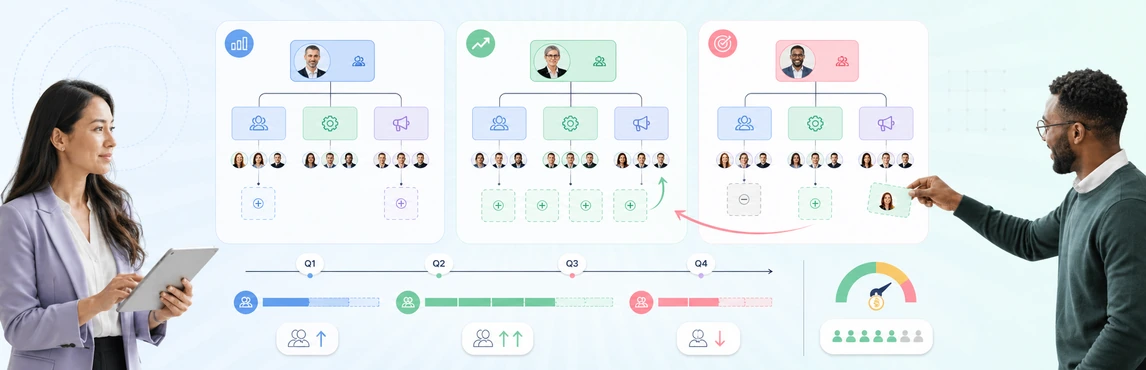
Headcount scenario planning helps HR leaders answer one question before budgets, recruiting activity, or restructures move forward: which workforce option best supports the business under the conditions we actually expect? The practical method is to start from one approved baseline, model several future states, and compare how each option changes capacity, manager load, vacancies, hiring timing, and organizational risk.
This guide is for HR, People Ops, Finance partners, and business leaders deciding between competing hiring and workforce options. It starts with an approved workforce baseline and ends with explicit hiring, backfill, hold, redesign, or internal-move decisions.
Headcount Scenario Planning at a Glance
Use the same six-part workflow every time:
- Lock the approved current-state baseline.
- Define the assumptions behind each scenario.
- Model positions separately from people.
- Compare organizational and execution impact.
- Review tradeoffs with the right stakeholders.
- Convert the selected scenario into actions and controls.
Three mistakes weaken most headcount planning cycles:
- Teams compare scenarios built from different baselines.
- Hiring requests are added without clarifying whether the need should be met by hiring, internal movement, automation, or redesign.
- Leaders review totals without seeing structural effects such as span-of-control pressure, succession gaps, or dependency bottlenecks.
What Is Headcount Scenario Planning?
Headcount scenario planning is the disciplined comparison of alternative workforce outcomes before anything changes in the live organization. Instead of asking only, “How many people can we afford?” the team asks a more useful set of questions:
- Which roles are essential to the next planning horizon?
- Where can work be redesigned instead of backfilled?
- Which vacancies are acceptable risk, and which create immediate business exposure?
- What happens to manager spans, leadership depth, and execution capacity under each option?
- Which moves need to happen now, and which can wait?
The process works best when the unit of planning is the position, not the current job holder. That keeps the model stable even if people transfer, exit, or are promoted during the planning cycle.
When HR Teams Should Use Headcount Scenarios
Headcount scenarios are most useful when the future is uncertain enough that one forecast is not decision-ready.
| Situation | What the scenario helps answer |
|---|---|
| Annual planning | Which hiring mix supports the plan if growth lands above or below target? |
| Hiring freeze or budget pressure | Which roles must be protected, delayed, redesigned, or closed? |
| Fast growth | Where should approved hiring happen first to avoid manager overload and execution gaps? |
| Reorg or operating-model change | Which structure delivers the target outcome with the least disruption? |
| Leadership changes | Which functions need bench or interim coverage before hiring externally? |
| Acquisition integration | Which duplicate or overlapping roles should be combined, retained, or staged over time? |
If the primary decision is leadership continuity rather than total staffing, pair this workflow with the succession planning org chart guide and the 9 box talent review guide.
What Every Headcount Scenario Should Include
A scenario should show more than a target number. It should preserve the assumptions and organizational context that explain why that number exists.
Include these fields or planning elements:
- position or role identifier;
- business unit, team, and reporting line;
- current status such as filled, vacant, frozen, planned, or proposed for closure;
- worker type or role type where relevant;
- target timing or effective date;
- business justification or capability need;
- hiring, internal-move, redesign, or no-action recommendation;
- dependencies such as manager hire, budget approval, or system launch;
- scenario-specific notes and unresolved questions; and
- restricted overlays for sensitive workforce fields only when they are necessary.
For a workflow that connects approved positions to recruiting, see how HR teams use org charts for workforce planning and hiring alignment.
How to Run Headcount Scenario Planning
1. Lock the current-state baseline
Start from an approved snapshot of the organization. Confirm the source, date, and scope of the workforce data before any scenario work begins.
The baseline should distinguish:
- filled positions;
- true vacancies;
- approved but unopened roles;
- contingent or temporary coverage where relevant; and
- positions expected to close or change soon.
Without this step, teams waste time debating whether scenario differences come from planning choices or from baseline data problems.
2. Define assumptions before moving roles
State the assumptions that make one scenario different from another. Examples include a hiring freeze, slower revenue growth, a product launch, a merger integration milestone, or a fixed budget envelope.
Good assumptions are specific and testable. For example:
- Backfill only customer-facing and security-critical vacancies.
- Delay all net-new people-manager roles until the second half.
- Protect engineering capacity for platform reliability work.
- Shift two planned external hires to internal development where viable.
This prevents scenario planning from becoming an unbounded wishlist exercise.
3. Model positions separately from people
Separate the organizational seat from the individual occupying it. This makes it easier to compare alternatives such as:
- backfilling the role externally;
- moving an internal employee into the role;
- splitting the work across two existing teams;
- redesigning the role to change scope; or
- leaving the position vacant for a defined period.
That same discipline supports succession work because the organization can review readiness, role criticality, and vacancy risk without redrawing the whole chart every time a person moves.
4. Compare structural impact, not just totals
A headcount scenario should show what changes in the organization, not only how many roles are added or removed.
Review at least these comparison areas:
| Comparison area | What to check |
|---|---|
| Headcount direction | Net adds, removals, delays, and backfills by function |
| Manager load | Where spans widen, narrow, or become unbalanced |
| Organizational layers | Whether decisions move closer to or further from the frontline |
| Vacancy exposure | Which critical roles remain open or delayed |
| Capability coverage | Whether key work can still be delivered |
| Succession and bench effects | Whether leadership depth improves or weakens |
| Timing and dependencies | Which moves must happen in sequence |
Use the span of control analysis guide when manager load is a major decision factor.
5. Review scenarios with clear decision rights
The review group should match the decision. HR, Finance, business leaders, and recruiting do not all need the same level of access or the same fields.
A practical split is:
- HR and People Ops: maintain the baseline, assumptions, and planning logic.
- Finance: review funding logic, phasing, and cost direction.
- Business leaders: test whether the structure can deliver the business priorities.
- Recruiting: assess which approved gaps become actual hiring work.
- Leadership reviewers: compare options and approve the preferred path.
Define upfront who can propose edits, who can comment, and who can approve. That keeps scenario planning from turning into an ungoverned spreadsheet chain.
6. Turn the chosen scenario into actions
The selected scenario should create a short list of operational actions, not just a presentation.
Typical outputs include:
- positions to open now;
- roles to hold, redesign, or close;
- internal moves or promotions to confirm;
- teams that need workload rebalancing;
- manager spans that need monitoring;
- risks requiring succession or development actions; and
- review dates for rechecking the plan.
Where Atlas Fits in Headcount Scenario Planning
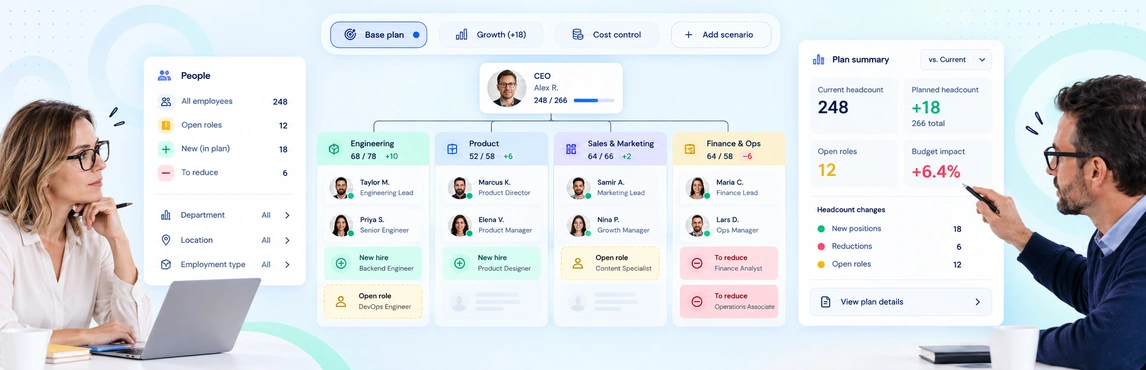
Creately Atlas is designed as an always-current org-intelligence layer for HR and People leaders who need to understand, plan, and evolve the organization without replacing the HRIS. In a headcount scenario workflow, that positioning is useful when teams need:
- one trusted current-state organizational view;
- scenario branches that preserve the approved baseline;
- historical organization views for before-and-after review;
- governed collaboration across HR, Finance, and leadership;
- field-pack style context for position, workforce, or planning metadata; and
- AI-assisted org analysis to surface structural questions faster.
Treat the HRIS as the system of record and use the planning layer to compare options, preserve assumptions, and guide decisions.
Org Chart Templates for Headcount Decisions
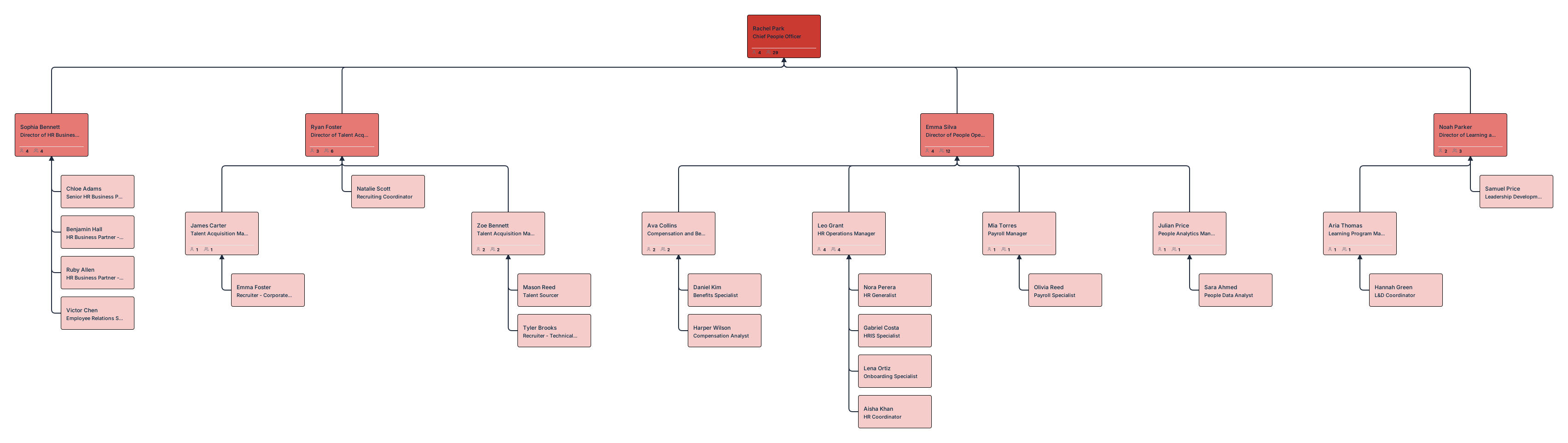
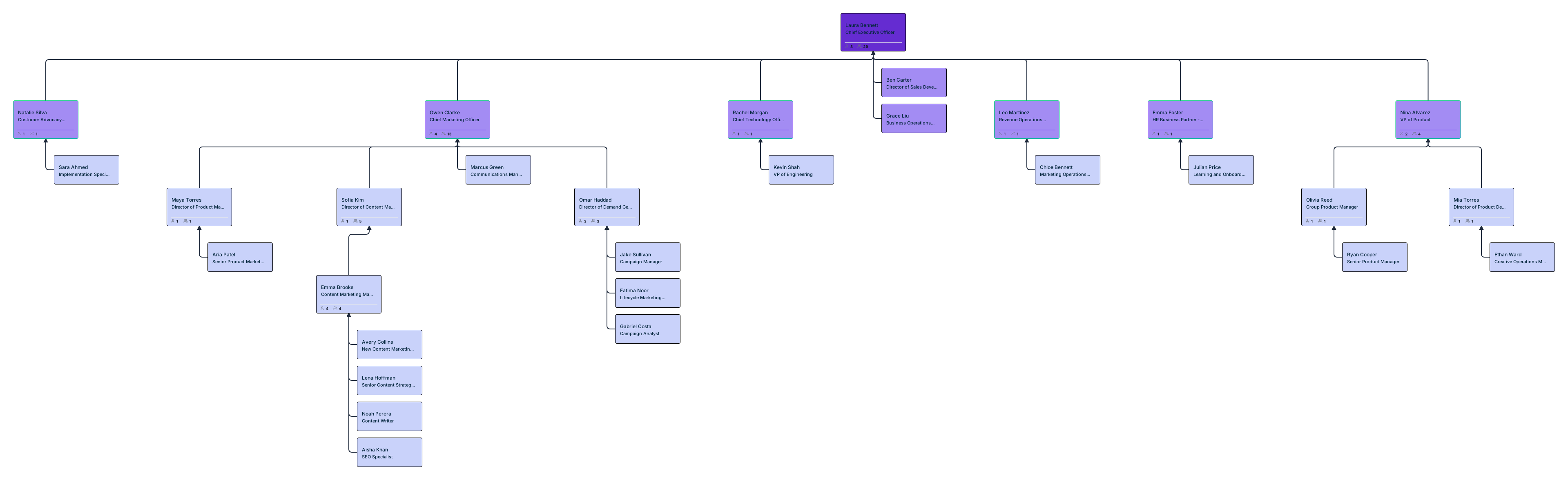
Use these templates to keep the approved baseline visible while comparing hiring, backfill, hold, and internal-move decisions.



Best Practices for Better Headcount Scenarios
Keep the baseline separate from the proposals
Do not edit the published organization when testing future states. Compare alternatives against one fixed source.
Compare at least three realistic options
A single future state is a forecast, not a scenario set. Force meaningful choice by comparing different paths.
Show vacancies and planned positions clearly
Readers should be able to distinguish filled roles from open, frozen, and proposed positions immediately.
Link structure to capability, not just budget
A lower-cost option can still be the wrong choice if it removes critical capacity or overloads leaders.
Review on a defined cadence
Headcount planning should be revisited after major exits, approvals, freezes, or strategy changes rather than only during the annual cycle.
Common Pitfalls to Avoid
- Treating a hiring request list as the same thing as a scenario model.
- Combining people, positions, and recruiting status into one field.
- Comparing options without consistent assumptions.
- Hiding manager-span or bench-strength consequences behind net headcount totals.
- Publishing sensitive planning data to a broader audience than necessary.