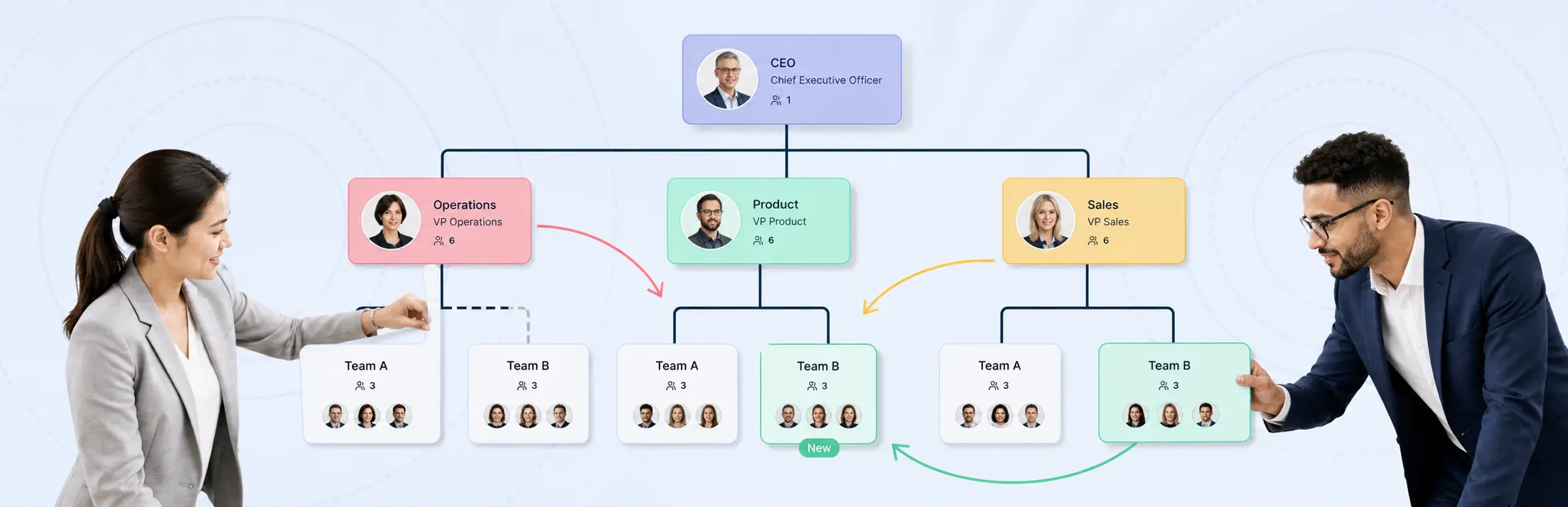
Use this org chart software buyer’s checklist to test the work behind a reorg, not the polish of a demo chart. Require evidence that the platform can preserve the approved organization, isolate future-state scenarios, compare structural and workforce effects, restrict sensitive data, protect succession context, and retain the decision history.
The checklist covers one decision: whether an org chart platform can support a defined, high-stakes restructuring. It does not replace the broader reorg-planning software evaluation framework or Creately’s canonical workforce planning org chart software page. Use that product page for ongoing headcount, hiring, capacity, and talent planning. Use this checklist for a specific reorg purchase or renewal decision.
The Buyer’s Checklist at a Glance
Require evidence in eight areas:
| Area | What the software must prove | Critical failure |
|---|---|---|
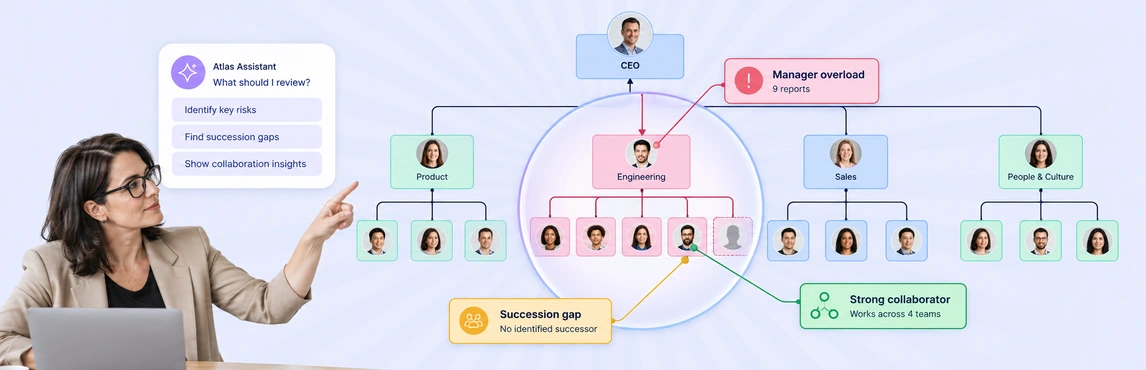
| Current-state integrity | Imports and reconciles people, positions, units, and reporting lines | Users cannot trace the chart back to source records |
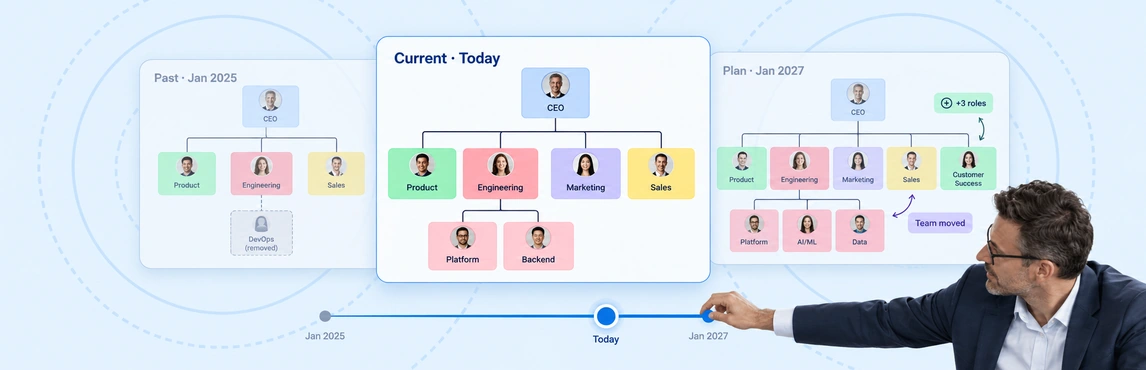
| Scenario isolation | Creates several future states without changing the approved organization | Proposed moves overwrite or leak into the current state |
| Scenario comparison | Shows structural, headcount, cost, vacancy, and role changes between options | Differences must be assembled manually in slides |
| Workforce data model | Distinguishes people, positions, roles, vacancies, and planned hires | Vacant and planned positions are treated as generic boxes |
| Sensitive-data controls | Restricts compensation, performance, demographic, and succession fields by role | Chart access automatically exposes every field |
| Succession continuity | Shows critical-role coverage and how each scenario changes it | Leadership continuity cannot be compared across options |
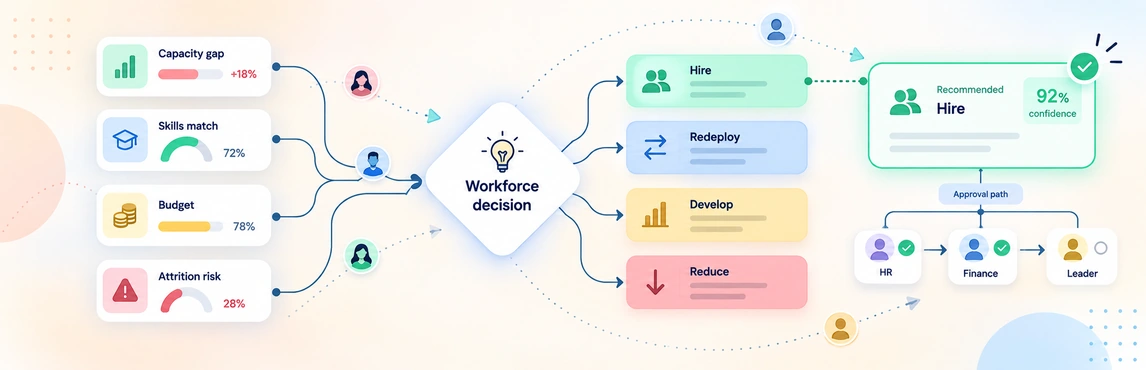
| Review and governance | Captures comments, decisions, approvals, versions, and ownership | The latest chart replaces the decision history |
| Implementation path | Connects approved changes to HRIS and operating workflows | Teams must rekey approved decisions without reconciliation |
Do not average away a critical failure. Scenario isolation, data accuracy, sensitive-data access, and audit history should be pass/fail gates.
Check 1: Define the Reorg Decision
Pass when: every vendor is tested against the same reorg scope, decision owner, data boundary, and success measures.
Write a short decision charter before reviewing vendors. It should define:
- the business problem and restructuring scope;
- the executive decision owner;
- the people who may create, review, and approve scenarios;
- the planning horizon and effective date;
- the organization units and worker populations in scope;
- the measures used to compare options;
- the workforce fields allowed in the model; and
- the conditions that would stop or redirect the work.
This keeps the evaluation tied to a real decision. A cost restructuring, merger integration, functional realignment, and growth plan require different evidence.
| Restructuring type | Primary question | Capabilities to test |
|---|---|---|
| Cost restructuring | Which changes reduce cost without removing critical capacity? | Position cost, vacancies, spans, layers, critical-role flags, scenario deltas |
| Merger integration | How should two structures become one operating model? | Duplicate roles, entity filters, Day 1 and target states, combined headcount |
| Functional realignment | Which reporting model improves accountability? | Alternative structures, matrix relationships, role movement, side-by-side comparison |
| Growth planning | Which structure supports planned hiring and capability needs? | Planned positions, start dates, capacity assumptions, phased scenarios |
Check 2: Verify the Workforce Data Model
Pass when: the platform represents people, positions, roles, vacancies, planned hires, and reporting relationships as distinct records that can be reconciled to a source.
The software should distinguish a person from a position. A person may leave while the position remains. A position may be vacant, frozen, proposed, or filled. A role describes work; a reporting line describes accountability. Keeping people and positions separate lets Atlas retain vacant positions, model proposed changes as scenario deltas, and reconstruct historical relationships when effective dates are available.
Use a representative dataset with:
- stable person and position identifiers;
- reporting relationships;
- role and job family;
- business unit, team, cost center, and location;
- employee, contractor, vacant, and planned-position states;
- effective dates and planning assumptions;
- critical-role and succession indicators where authorized; and
- deliberate missing, duplicate, or conflicting records.
Ask the vendor to reconcile imported totals and explain how failed updates, conflicting fields, and stale records are handled. “Real time” is not enough. The buyer needs to know the source, refresh cadence, failure behavior, and owner of each field.
Apply data minimization from the beginning. Article 5 of the GDPR states that personal data should be adequate, relevant, and limited to what is necessary for the purpose. In practice, start with the smallest useful workforce dataset and justify every sensitive field. See GDPR Article 5.
Check 3: Compare Isolated Reorg Scenarios
Pass when: reviewers can compare at least three future states against one trusted baseline without changing the live organization.
Build at least three materially different options from the same current-state baseline:
- Low disruption: minimal reporting and role changes.
- Balanced change: moderate structural change with targeted consolidation.
- Higher change: a more ambitious operating model with greater transition risk.
The platform should show what changed between any two states:
- people and positions added, removed, moved, or changed;
- reporting-line and manager changes;
- layers and manager spans;
- occupied, vacant, frozen, and planned positions;
- headcount and position-cost deltas;
- critical roles and succession coverage;
- business-unit, location, or cost-center effects; and
- assumptions, unresolved questions, and implementation dependencies.
A screenshot comparison is not a scenario diff. Evaluators should be able to select a changed record, trace its baseline, identify the assumption behind the move, and see its effect on totals.
Use Creately’s org chart scenario planning guide for the hands-on method of branching and comparing structures.
Check 4: Test Sensitive-Data Access
Pass when: each reviewer can see, edit, search, and export only the workforce fields authorized for their role.
Not every reviewer should see every workforce field. Create access tiers that match the decision.
| Tier | Example data | Typical access |
|---|---|---|
| General structure | Name, role, team, reporting line | Broad project reviewers |
| Planning operations | Position status, location, job family, planned start date | People Ops and HR business partners |
| Financial | Compensation bands, loaded position cost, cost assumptions | Restricted HR and finance roles |
| Talent and succession | Performance, potential, successor, readiness, retention risk | Named talent leaders only |
| Protected personal data | Health, demographic, employee-relations, or other regulated data | Exclude unless strictly necessary and legally approved |
Test field-level access, not only workspace access. Give one user editing rights without financial data, another read-only access to scenario totals, and a third restricted access to succession fields. Confirm what each person can view, export, search, and infer.
Check 5: Protect Succession and Capability Continuity
Pass when: authorized reviewers can compare leadership and critical-capability risk across scenarios without exposing talent data to the wider project team.
A structurally efficient scenario can still create leadership or capability risk. The software should help reviewers ask:
- Which roles are critical to the operating model?
- Does each critical role have viable successor coverage?
- Does a scenario move several successors into the same risk area?
- Which leadership roles become vacant or overloaded?
- Which teams lose scarce capabilities?
- Are interim and target-state accountabilities both clear?
Do not require sensitive talent data on every chart. Require controlled overlays that authorized reviewers can compare without exposing them to the wider project group.
For a focused talent workflow, see Creately’s succession planning org chart software.
Check 6: Run a Representative Vendor Demo
Pass when: an internal People Ops user can repeat the core reorg workflow with representative data and without vendor control.
Give every vendor the same script.
Establish the Baseline
Import a synthetic or properly de-identified dataset. Reconcile people, position, vacancy, manager, and cost totals. Find the deliberate data errors.
Create Three Future States
Duplicate the approved baseline. Move roles, close and add positions, change managers, and record assumptions. Confirm that no proposed action changes the source organization.
Compare the Impact
Produce a traceable comparison of headcount, position cost, spans, layers, vacancies, critical roles, and succession coverage. Drill from totals to individual records.
Apply Access Tiers
Give People Ops editing rights, finance access to cost fields, an executive read-only access, and a talent leader access to succession data. Confirm that exports follow the same restrictions.
Review and Approve
Request a change, revise the scenario, compare versions, approve the option, and retrieve the decision history.
Produce the Implementation Package
Export an understandable record of approved moves, new and closed positions, reporting changes, owners, effective dates, assumptions, and unresolved risks.
After the vendor-led demo, ask a real People Ops user to repeat the core workflow without vendor control. Measure time to a trustworthy comparison, not time to a visually attractive chart.
Check 7: Score Evidence, Not Promises
Pass when: every score links to test evidence and all critical gates pass, regardless of the weighted total.
Use a 1-to-5 scale:
- 1: Cannot complete the task.
- 2: Requires a fragile workaround or extensive services.
- 3: Completes the basic task with material limitations.
- 4: Completes the task well with manageable limitations.
- 5: Completes the task cleanly with strong controls and traceable evidence.
| Criterion | Weight | Required evidence |
|---|---|---|
| Current-state import and reconciliation | 10% | Totals match the representative dataset and errors are surfaced |
| Isolated future-state scenarios | 15% | Three options remain separate from the approved baseline |
| Scenario diff and workforce impact | 15% | Changes and totals are traceable to records |
| People, position, vacancy, and role model | 10% | Each state is represented correctly |
| Sensitive-field access | 15% | Role and field restrictions work in views and exports |
| Succession and critical-role continuity | 10% | Coverage changes are visible to authorized reviewers |
| Review, approval, and audit history | 10% | Decisions and meaningful actions can be retrieved |
| HRIS integration and implementation output | 10% | Refresh and approved-change workflows are documented |
| Independent-user usability | 5% | A People Ops user repeats the workflow without vendor control |
NIST SP 800-53 treats event logging, audit-record content, review, retention, and protection as distinct controls. That distinction is useful here: a vendor saying “we have audit logs” does not prove that the log captures the actions, actors, scenario context, and retention your restructuring requires. See NIST SP 800-53 Rev. 5.
Check 8: Verify the Handoff to the HRIS
Pass when: approved changes move into the operating system through a controlled, reconcilable workflow with stable identifiers, owners, and effective dates.
The evaluation should prove how approved changes move back into operating systems. In most implementations, the HRIS should remain the authoritative source for approved people and position data. Tentative reporting changes, role moves, closures, and planned positions should stay outside that live system until the appropriate owners approve them.
Require the vendor to demonstrate:
- which HRIS fields are read and which system owns each field;
- how failed, partial, and conflicting refreshes are reconciled;
- how an approved scenario becomes an implementation file or controlled workflow;
- whether stable person and position identifiers survive the round trip;
- who authorizes effective dates and production changes;
- how rejected or superseded scenarios are retained; and
- how the team confirms that the implemented organization matches the approved design.
Creately Atlas adds people and position records, isolated scenarios, and field-level sensitivity controls for CHROs, People Ops, and HR leaders without replacing the HRIS. Evaluate that handoff against the same evidence requirements as every shortlisted platform.
Demo Red Flags
Pause the evaluation when:
- the vendor will not use representative data;
- scenarios overwrite one another or the current state;
- comparison requires a manually assembled presentation;
- totals cannot be traced to records;
- vacant and planned positions cannot be distinguished;
- sensitive fields inherit broad chart permissions;
- succession data appears in unrestricted exports;
- audit history shows only the latest version;
- roadmap promises are scored as current features; or
- internal users cannot repeat the workflow independently.
Use the Checklist to Make the Reorg Decision Testable
The right platform should pass all eight checks with evidence. It keeps the source organization trustworthy, separates future states, exposes trade-offs, limits sensitive data, protects succession context, and records how the chosen design was approved.