Succession risks are hard to see early - Identify critical roles with no ready successors and spot leadership gaps before they turn into emergencies.
Succession planning lives in spreadsheets and slides - Replace disconnected files with a single planning workspace that ties succession planning back to the real org structure.
Succession questions are slow to answer - Get clear answers using AI queries, readiness data, and scenarios—without building separate reports.
CERTIFIED



Succession Planning Org Chart Software
Visual Succession Planning for Leadership Continuity
See bench strength, readiness, and leadership risk in one live org view. Model transitions, identify single points of failure, and compare future-state scenarios before they become business problems.
 Succession risks are hard to see early
Identify critical roles with no ready successors and spot leadership gaps before they turn into emergencies.

 Succession planning lives in spreadsheets and slides
Replace disconnected files with a single planning workspace that ties succession planning back to the real org structure.
 Succession questions are slow to answer
Get clear answers using AI queries, readiness data, and scenarios—without building separate reports.



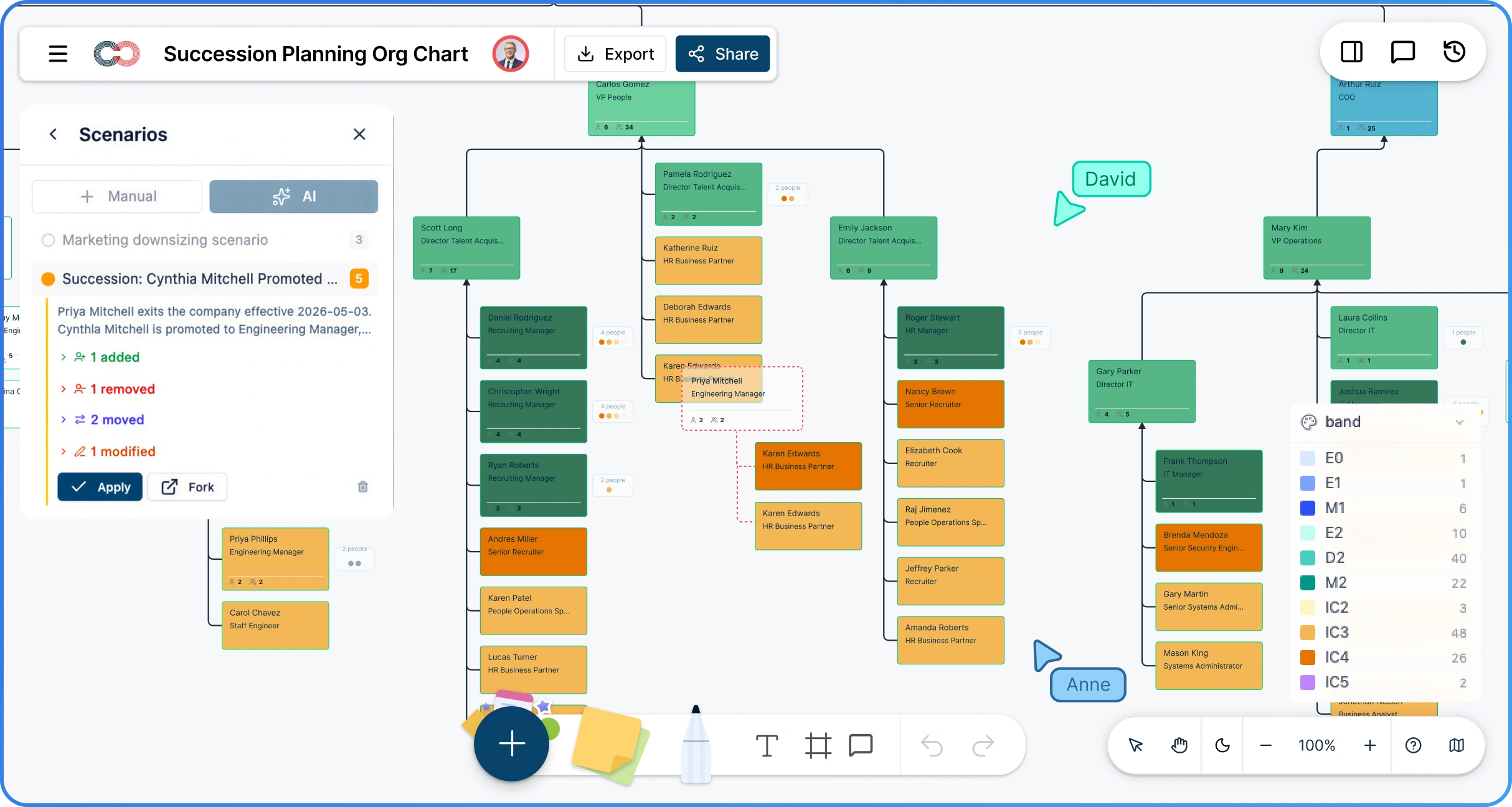
 Diagramming Visual Collaboration Org Chart


Why Choose Creately for Succession Planning
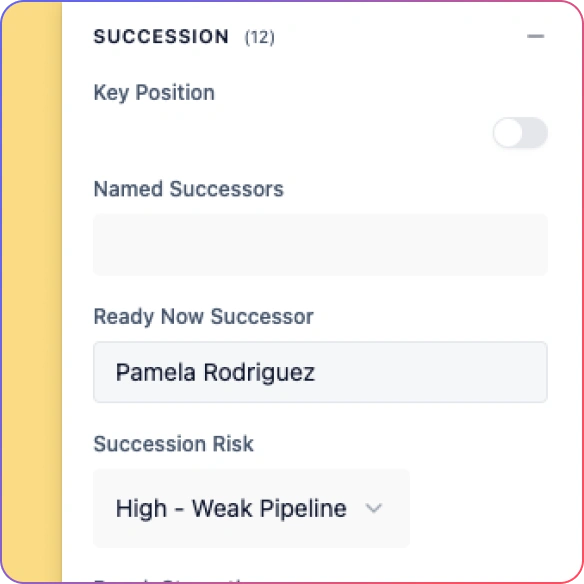
See Bench Strength at a Glance
Visualize successors, readiness levels, and coverage gaps directly on the organizational chart so leadership risk is easy to review.
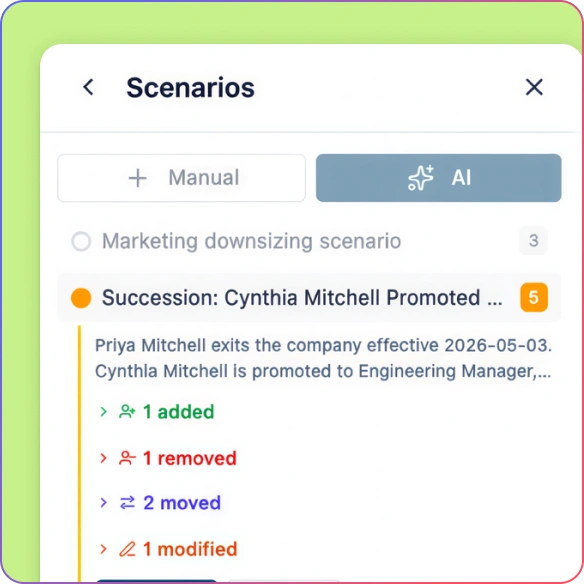
Plan for Change Before It Happens
Model retirements, exits, and promotions in scenarios without touching the live org chart.
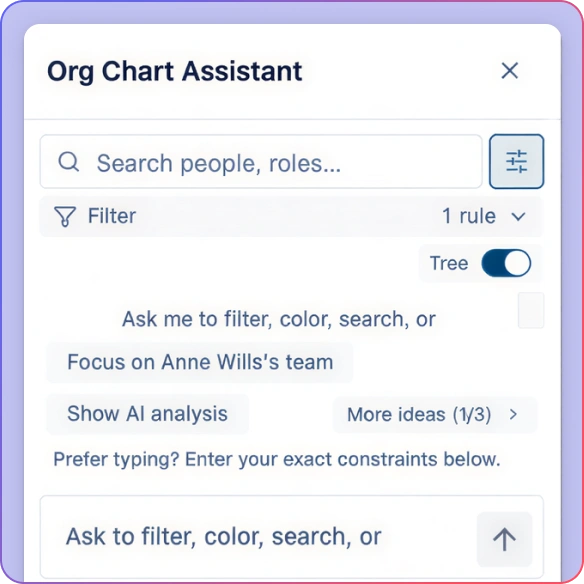
Get AI‑Powered Succession Insights
Ask natural‑language questions and highlight readiness, risk, and gaps directly on the org chart.
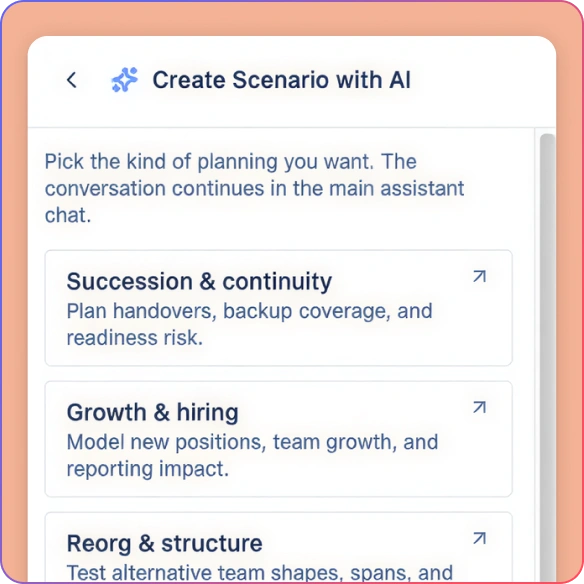
Compare Current and Future States
View today’s org next to future succession scenarios to align HR, executives, and the board in one conversation.
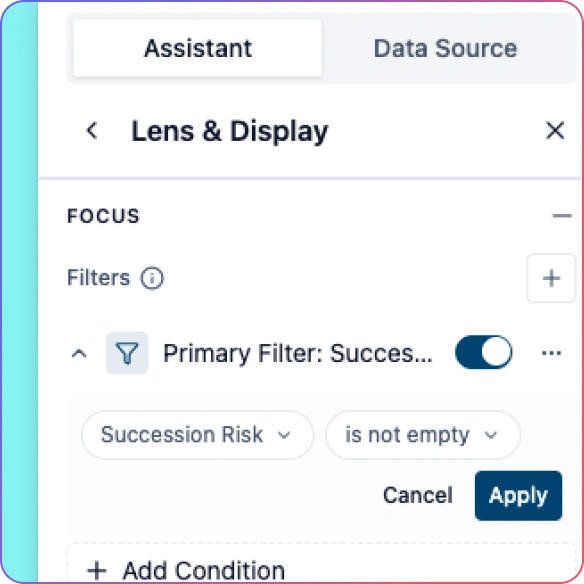
Uncover Single Points of Failure
Instantly spot roles with no ready successors or high flight risk before leadership gaps turn into emergencies.
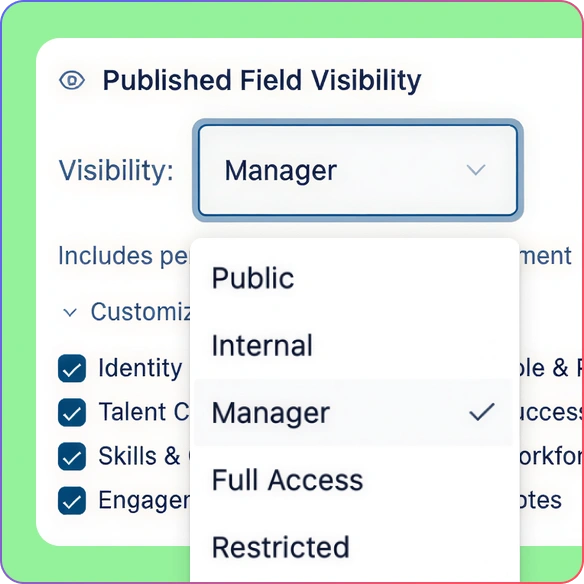
Protect Sensitive Succession Data
Keep sensitive succession, performance, and risk fields visible only to the stakeholders who need them.
Model Succession Scenarios Without Risk
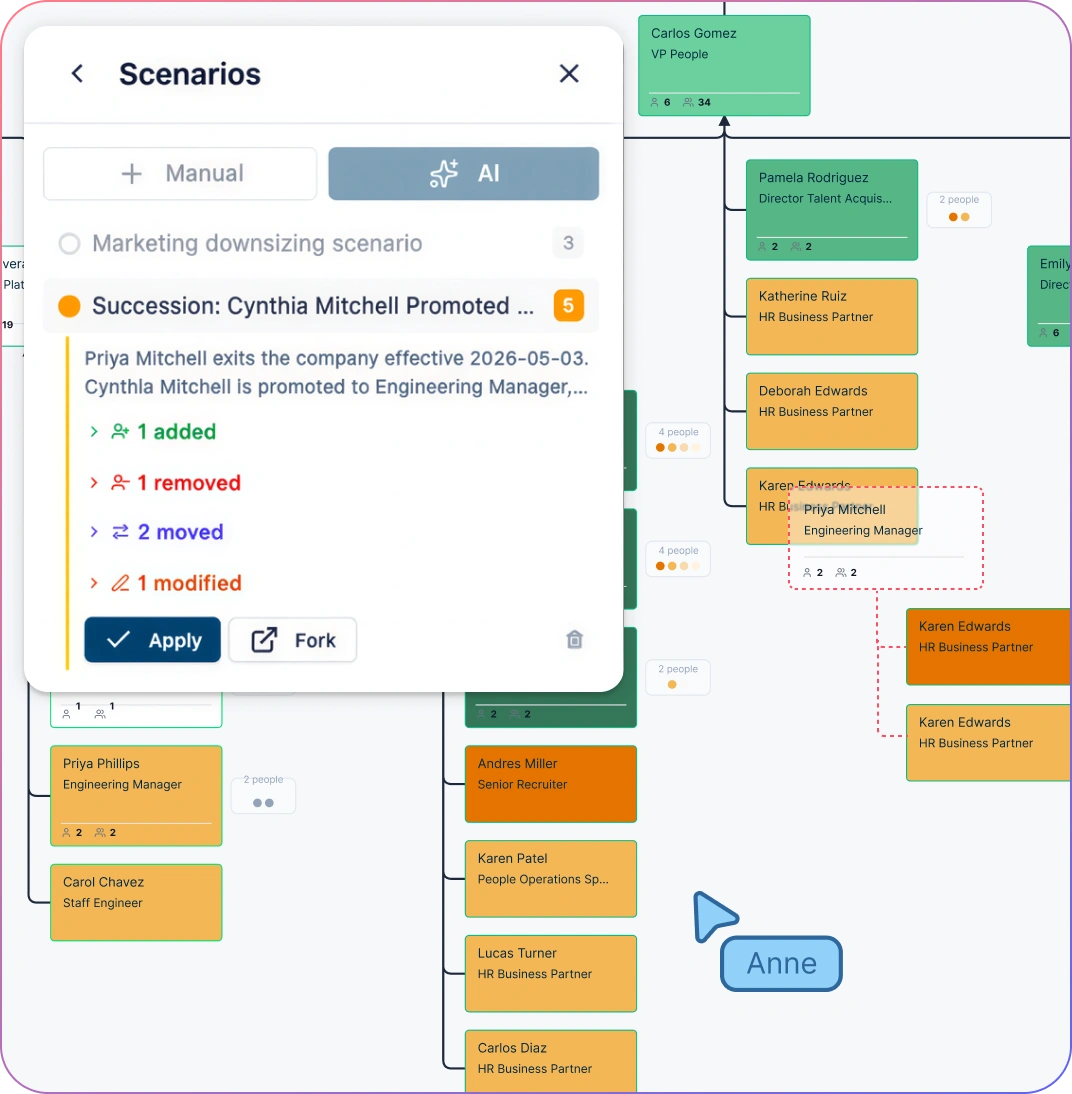
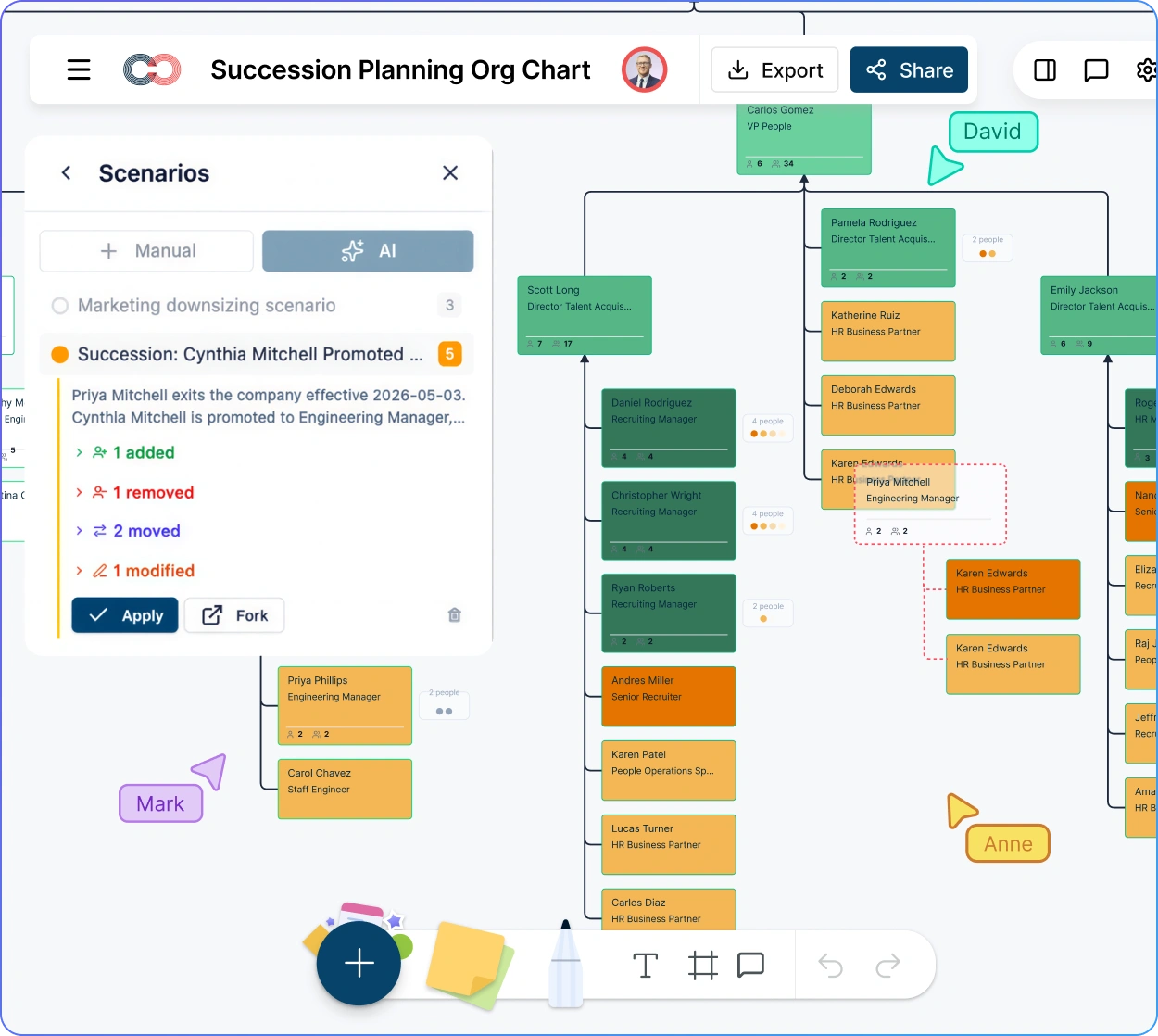
Create named what‑if scenarios that branch from the live org for retirements, exits, or leadership changes in critical roles using org chart scenario planning.
See clear visual indicators for added, moved, or removed roles.
Compare scenarios side by side before leadership approval so you can discuss continuity, coverage, and org impact in one review.
Keep each scenario delta tied to the original role, manager, and position data so rollback and before-and-after reviews stay clean.
Move approved scenarios into your ongoing org planning workflow without rebuilding the chart from scratch.
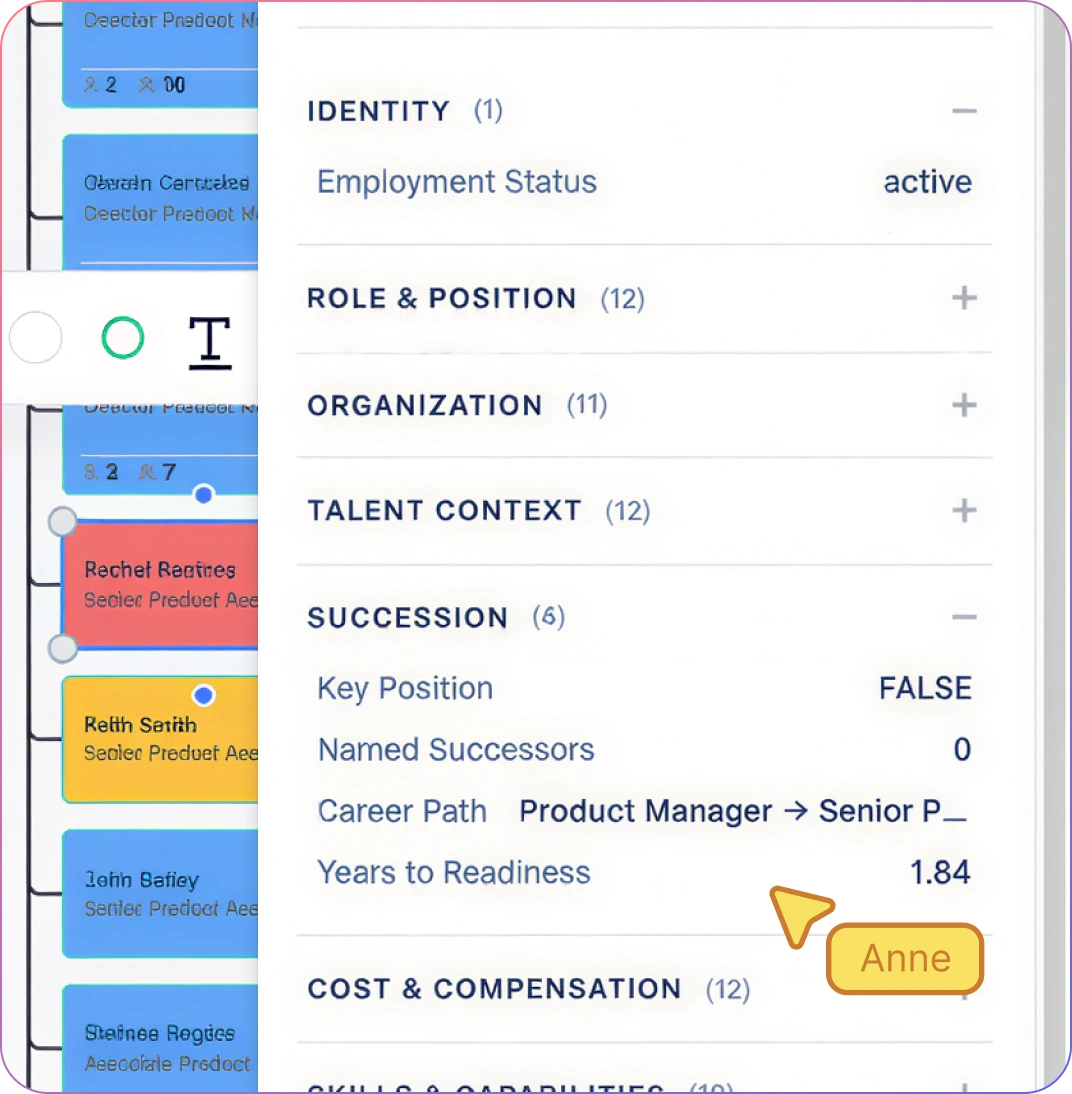
Track Successor Readiness and Flight Risk
Assign succession readiness levels, potential ratings, and risk indicators to successors.
Identify roles with no ready successor, high attrition risk, or coverage gaps.
Keep sensitive fields organized with structured org chart field packs so succession data stays consistent across reviews.
Standardize succession data across departments using field packs so planning is consistent and comparable. Support for up to 201 fields across 15 field packs makes it practical to keep readiness, flight risk, compensation, and workforce context tied to the same org model.
Get Instant Answers About Succession Risk
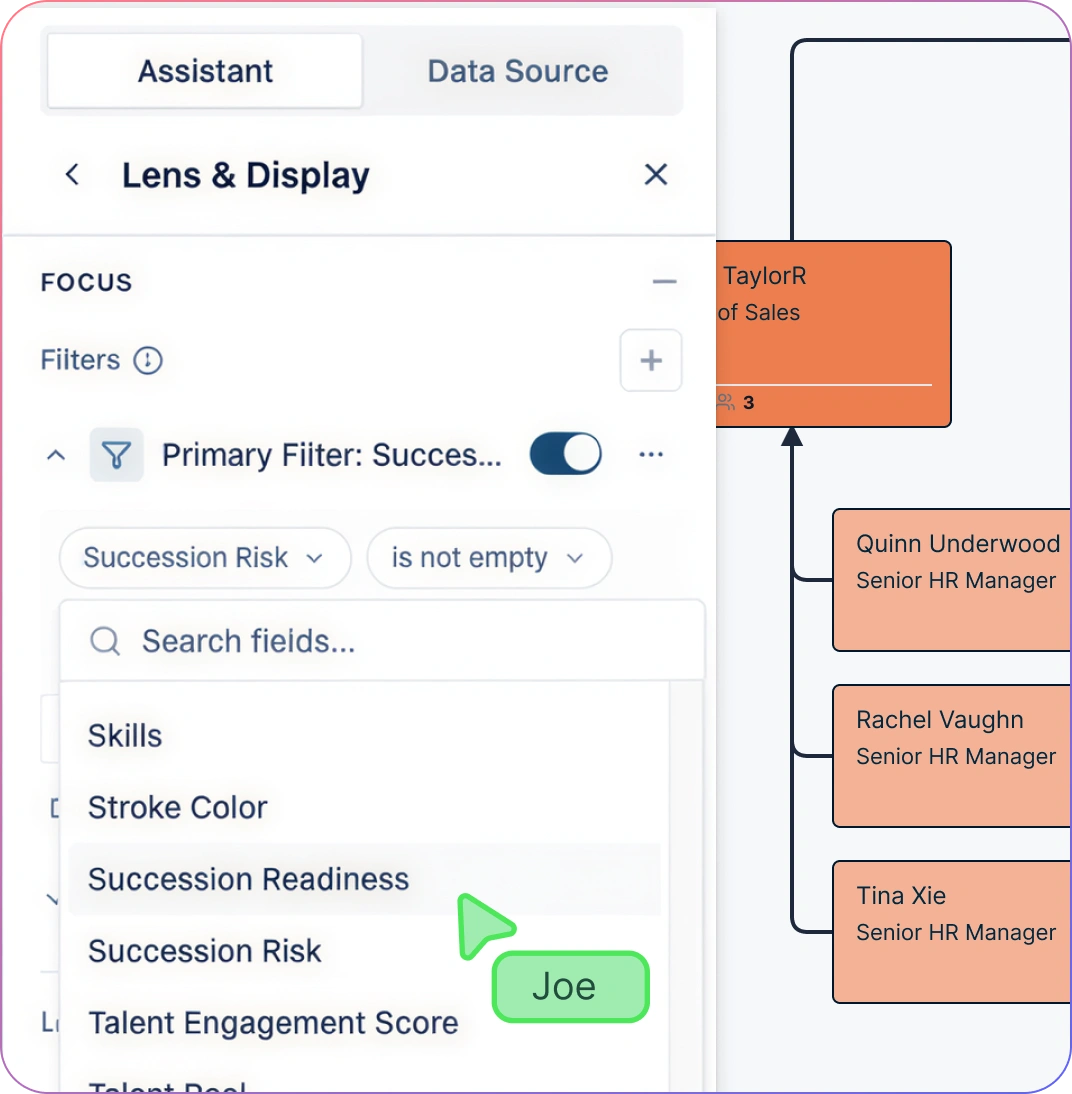
Ask questions like “Who is ready now for this role?” or “Where do we lack coverage?”
Highlight results directly on the succession planning org chart maker to visualize bench strength and coverage gaps.
Support faster, data‑backed leadership decisions and smoother handoffs between succession reviews and workforce planning.
Use the AI assistant during talent and succession reviews to reduce manual analysis and reporting time, including insights like span of control analysis and historical comparisons across review cycles.
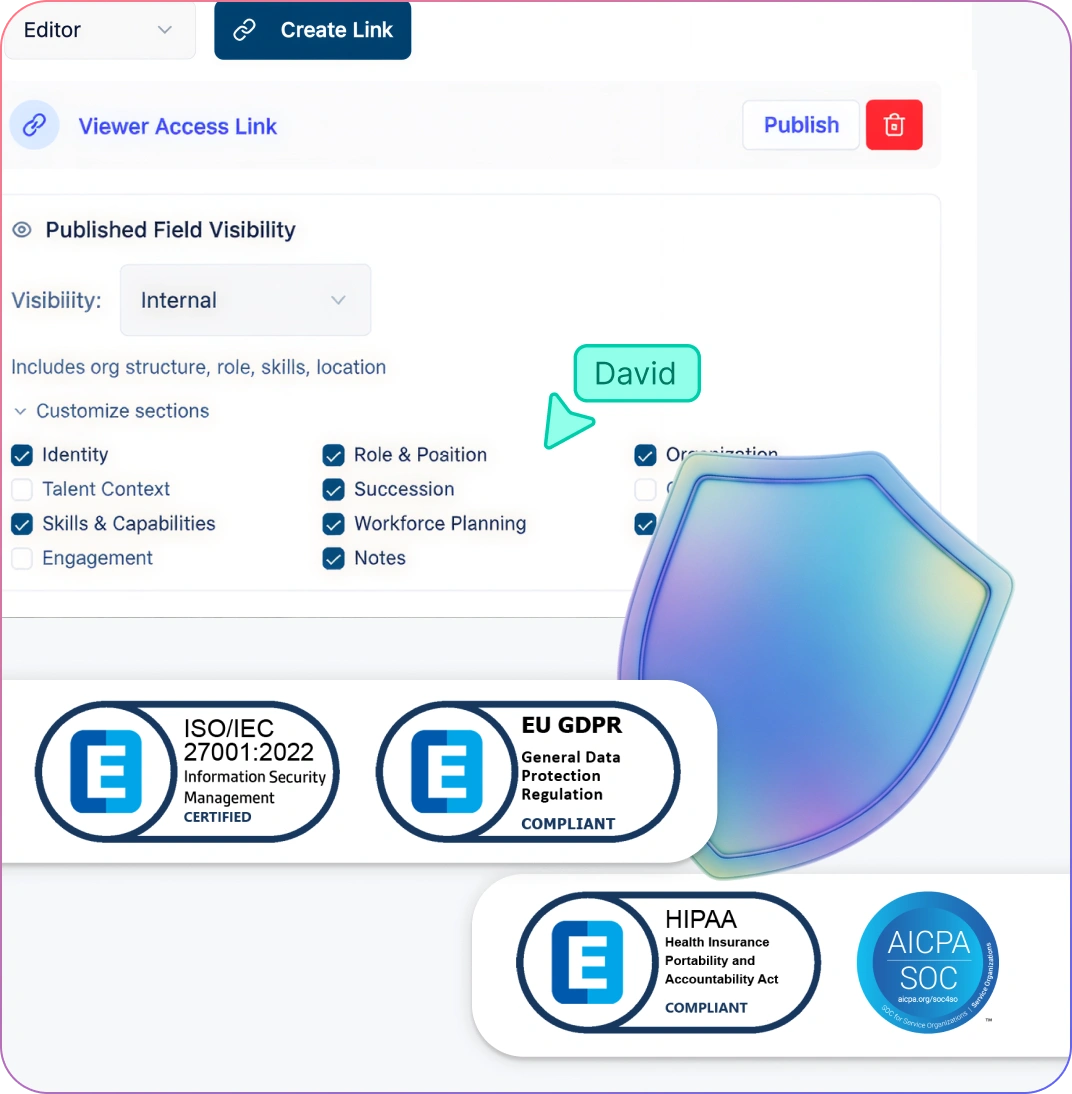
Control Access to Succession Plans and Risk Data
Restrict visibility of succession readiness, risk, and potential fields to HR leadership and approved executives.
Use focused org views with field-level access configured for each audience, rather than assuming job titles grant access to succession data.
Use historical (as-of) views to review dated org relationships, and saved talent-review records to compare past readiness assessments.
Keep restricted succession fields out of broader views so sensitive discussions stay focused and controlled. A 6-tier sensitivity model ensures unauthorized viewers do not see restricted succession fields or that they exist.
How to Build a Succession Planning Org Chart
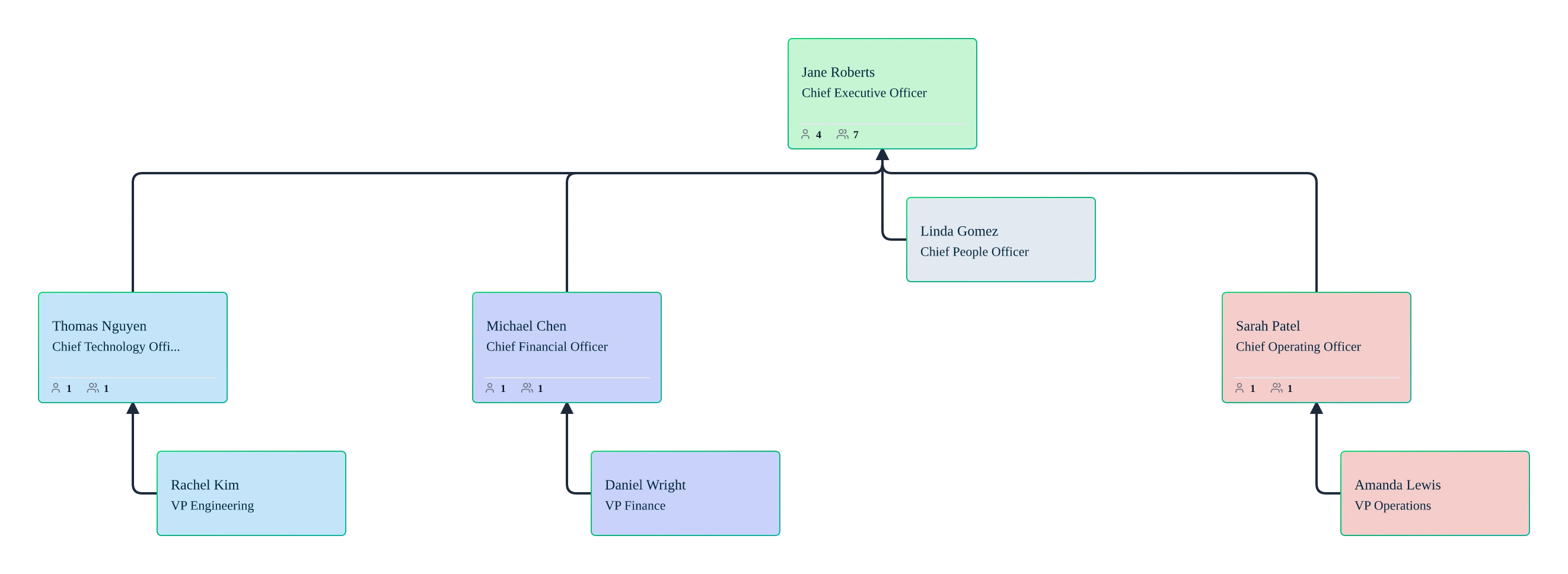
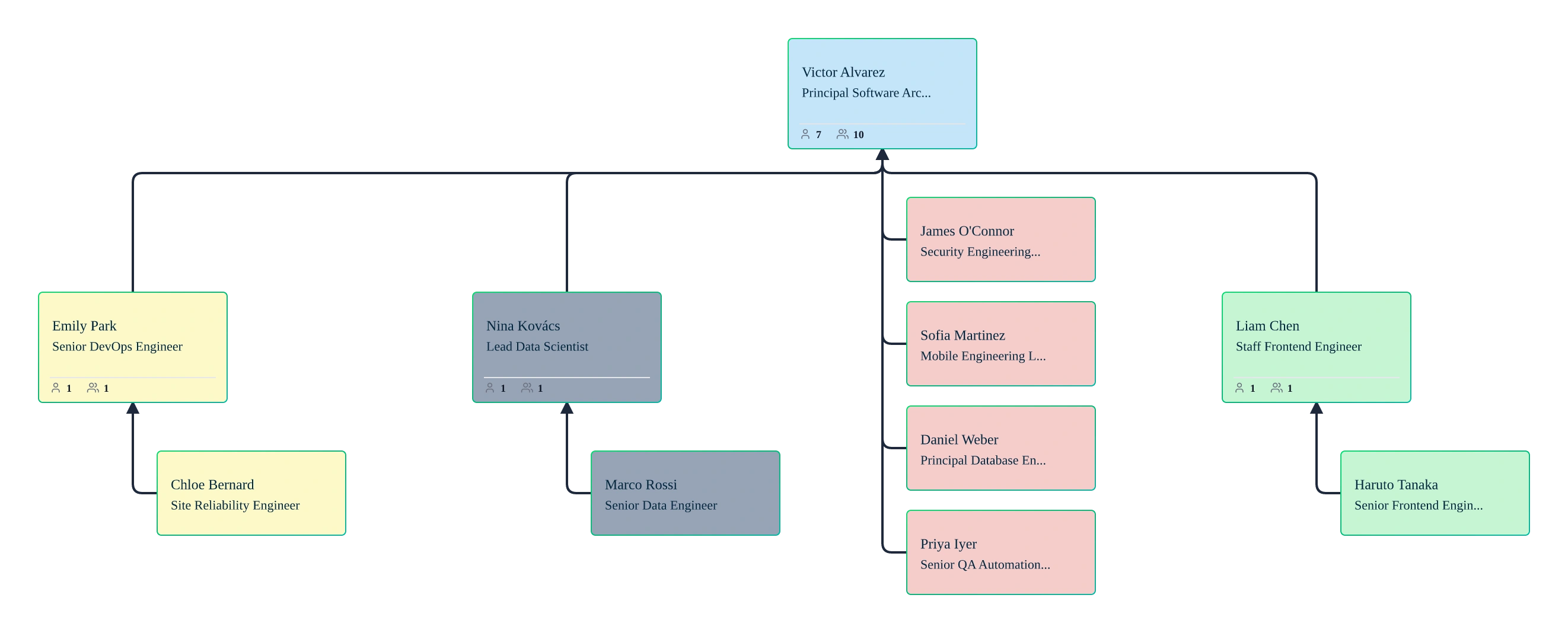
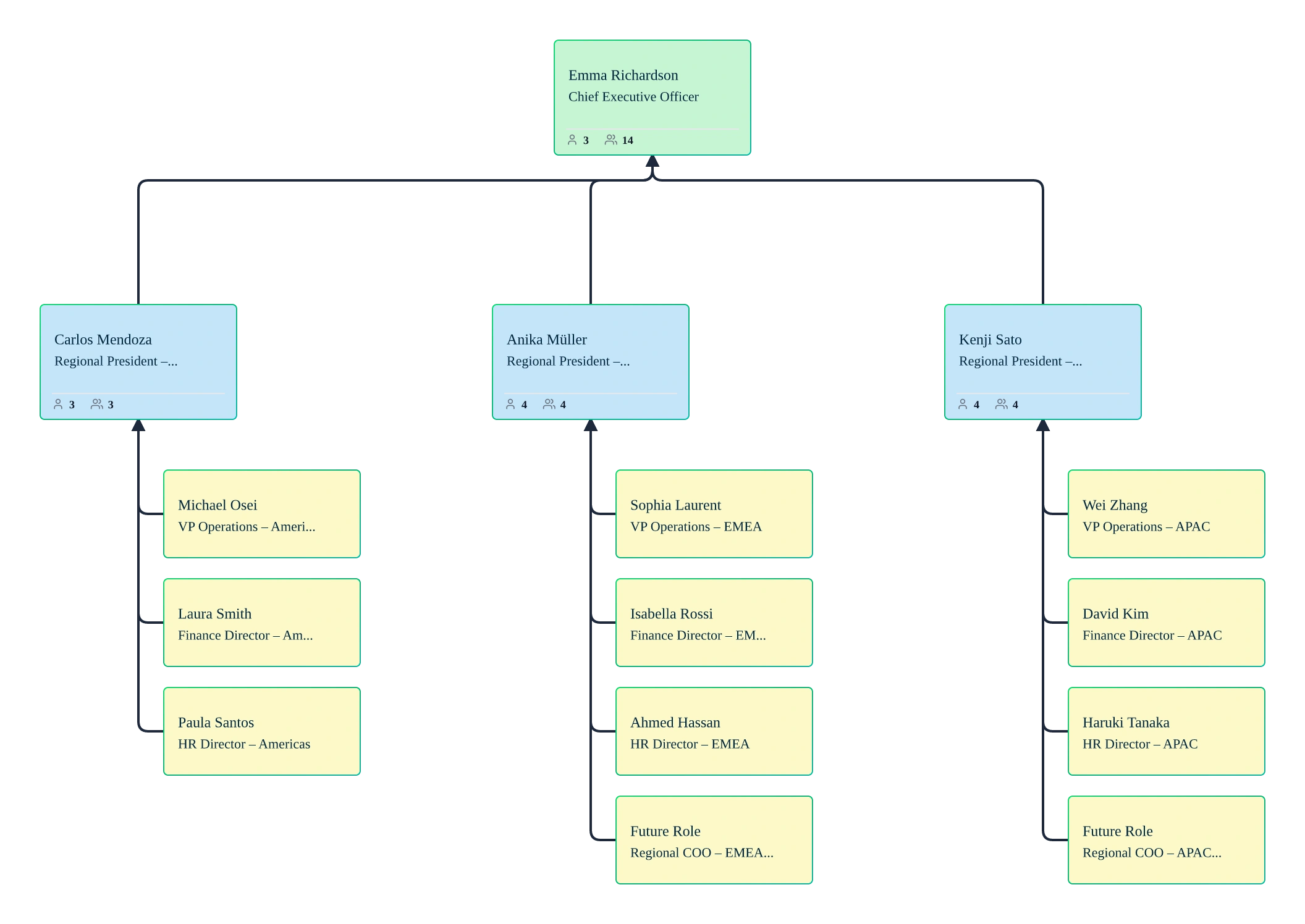
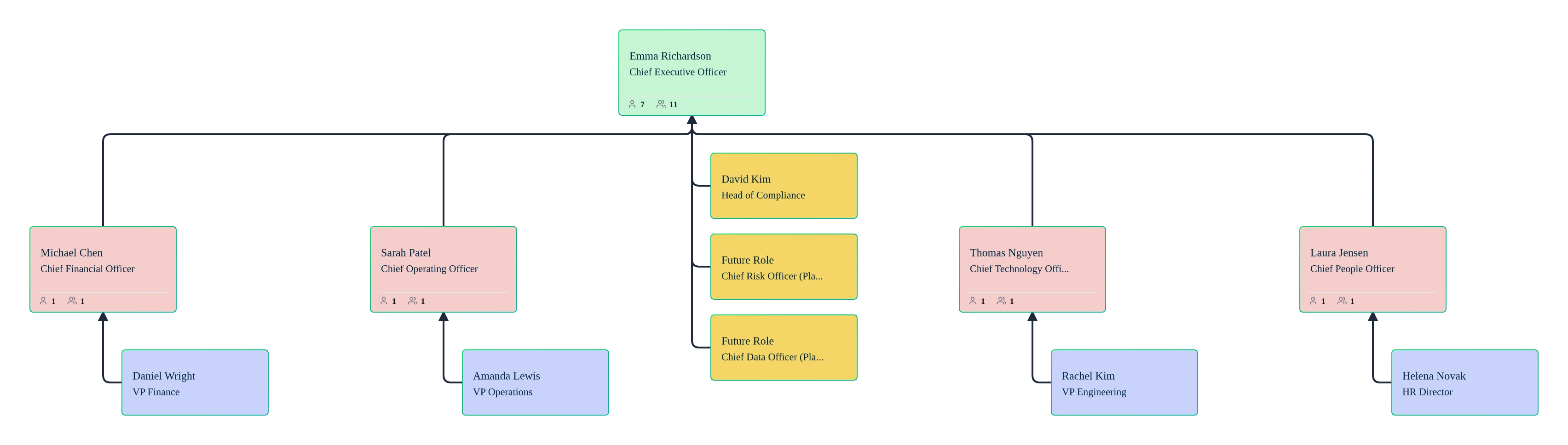
Start from a succession planning template or import a CSV exported from your HRIS or spreadsheet into Creately Atlas after reviewing AI-assisted mappings and validation results.
Activate the Succession and Talent packs, with the required access for readiness and flight-risk fields.
Identify critical roles and assign potential successors with readiness levels.
Create what‑if scenarios to model leadership changes and future coverage.
Share role‑appropriate succession views with executives or the board for review.
Use Cases
Enterprise Succession Planning
Identify successor coverage, bench strength, and single points of failure across executive and leadership roles using a live succession organizational chart.
Leadership Transitions & Executive Exits
Model planned and unplanned leadership changes in scenarios to understand impact before roles become vacant.
Talent Reviews & Readiness Assessments
Overlay readiness levels, flight risk, and potential indicators onto the org chart to support structured talent and succession reviews.
Board & Leadership Reporting
Present clear, defensible succession plans to executives and boards using current, future, and historical org views.
Growth, Restructuring & M&A
Pressure‑test succession coverage during reorganizations, rapid growth, or post‑merger integration without disrupting the live org.
Risk & Continuity Planning
Surface roles with no ready successor or high attrition risk early, and prioritize development plans before gaps become business risks.
FAQs About Succession Planning Org Chart Software
What are Creately’s succession planning org chart software pricing plans?
- Free Plan — $0/month for basic succession planning org chart creation and collaboration
- Starter & Team Plans — $8/month or $5/month billed annually
- Business Plan — $149/month or $89/month billed annually
Annual billing helps you save more while unlocking advanced collaboration, workspace management, and enhanced succession planning org chart features. You can compare all available plans and features on the Creately Pricing Page.
How can you create succession planning org charts faster?
Are there templates for different succession planning org chart use cases?
Can teams collaborate on succession planning org charts?
Can I add notes, data, and files?
Can I share, present, or export succession planning org charts?













Guides, best practices, and expert support for building defensible succession plans, and managing leadership transitions with confidence.
 Quick Answers
 Enterprise‑specific Guidance
 Real Human Support