House of Quality Template
Understand Specific Customer Pain Points
Use this visual framework to understand customer needs, ratings and develop products that resonate with users
- Turn customer needs into clear design priorities
- Collaborate in real time to align teams and decisions
- Visualize complex QFDs on one infinite canvas
Conduct Competitive Benchmarking

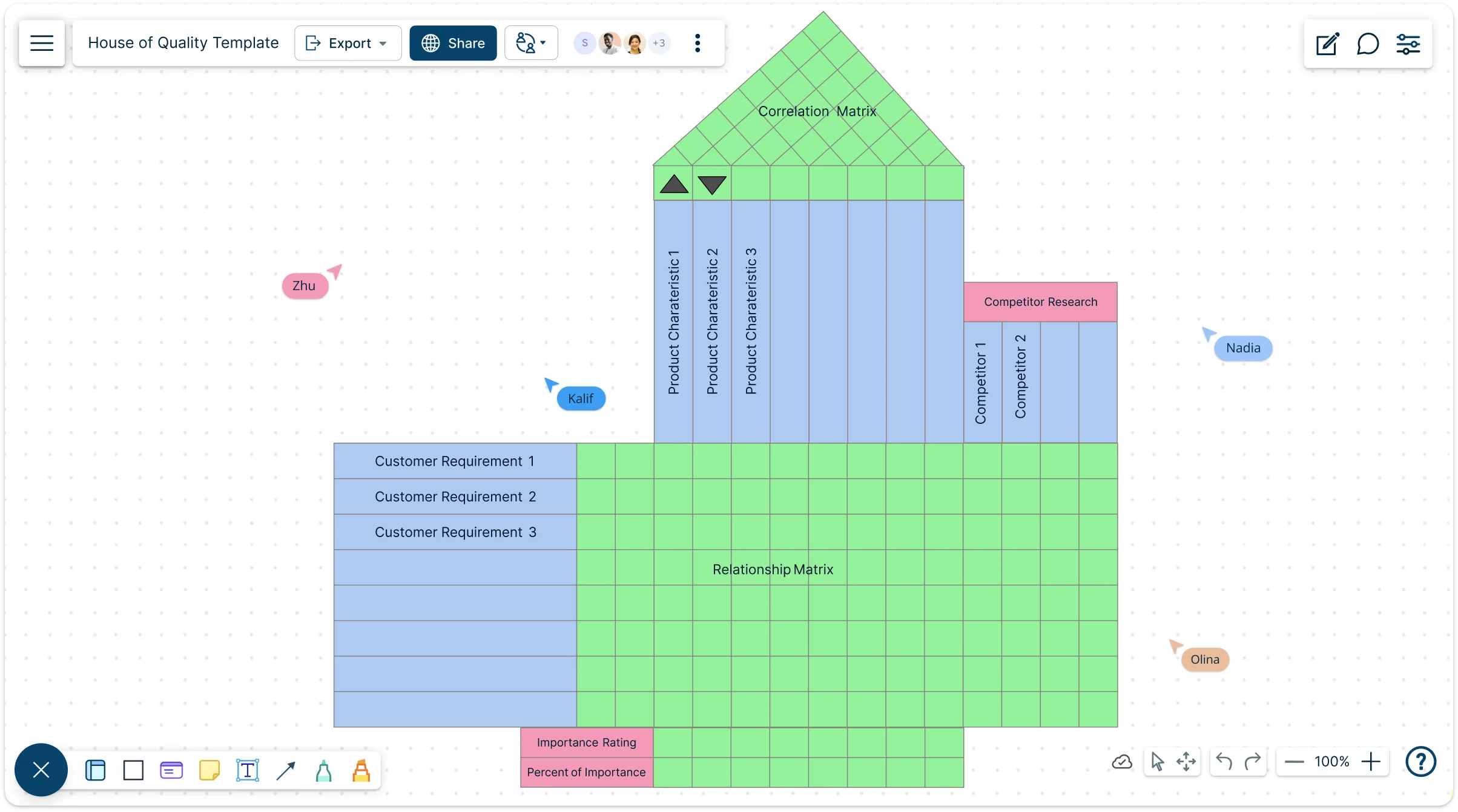
Use Creately’s infinite canvas to visualize multivariate house of quality diagrams and run technical or competitive benchmarking with ease. Drag-and-drop to create correlation matrices, connect customer needs to design requirements, and spot critical relationships at a glance.
Freehand drawing, highlights, and multiple frameworks let you mark improvements, note enhancements, and make confident product design decisions, all within a clear, customizable House of Quality template that keeps your analysis visual, organized, and actionable.

Collaborate Seamlessly Across Teams
Keep your team aligned with real-time cursors, @mentions, and contextual comments on a shared House of Quality template. Review feedback, discuss improvements, and track suggestions with full comment threads, while advanced folder structures and secure sharing make it easy to document requirements and maintain a centralized reference for product development. Collaborate confidently, keep everyone in sync, and move decisions forward faster.
Identify Your Voice of The Customer (VOC)

Easily add docs, links, and attachments to your House of Quality template while mapping customer needs and conducting QFD analysis. Connect insights to multiple frameworks to prioritize design requirements and ensure the most critical features get attention. Seamlessly integrate with project management tools and other workflows, making your house of quality diagram a living, connected part of your product development process.
What Is House of Quality?

How to Make a House of Quality Matrix?
Launch Creately and open your workspace:
Sign in to Creately and open a new workspace in seconds. Choose a ready-made House of Quality template from the template library to skip the setup and get straight to structuring your ideas. This gives you a clean, visual starting point without building the house of quality diagram from scratch.
Add customer needs using visual inputs:
Use the left side of the HOQ template to list customer needs gathered from interviews, surveys, or research. Add them quickly using the Notes Panel or sticky notes, and assign importance ratings to keep priorities visible. This step helps you turn raw feedback into a clear house of quality chart your team can align on.
Define technical and design requirements:
Across the top of the house of quality matrix, add your technical or design requirements—cost, materials, performance metrics, or constraints. With simple drag-and-drop editing, you can customize the template HOQ to match your product or process, creating a simple house of quality that’s easy to understand and update.
Map relationships and correlations:
Fill in the relationship matrix to show how each customer need connects to design requirements. Then complete the “roof” of the matrix to visualize correlations between technical requirements. Creately’s visual controls make this step intuitive, even for first-time users of a house of quality online tool.
Review, refine, and collaborate in real time:
Review the completed house of quality diagram, update scores as insights evolve, and invite teammates to collaborate live. Share your workspace, leave comments, or export the final HOQ template to keep everyone aligned and move decisions forward faster.


FAQs About HOQ Matrix
What are Creately’s house of quality template pricing plans?
- Free Plan — $0/month for basic house of quality creation and collaboration
- Starter & Team Plans — $8/month or $5/month billed annually
- Business Plan — $149/month or $89/month billed annually
Annual billing helps you save more while unlocking advanced collaboration, workspace management, and enhanced house of quality features. You can compare all available plans and features on the Creately Pricing Page.
How can you create house of qualities faster?
Are there templates for different house of quality use cases?
Can teams collaborate on house of qualities?
Can I add notes, data, and files?
Can I share, present, or export house of qualities?






















