Ask any HR leader about “Audit Season,” and you’ll likely hear a story involving frantic spreadsheet reconciliations, broken reporting lines, and the sinking realization that last month’s org chart is already a relic. When your workforce is in constant motion, a static diagram isn’t just a nuisance—it’s a liability. This guide cuts through the noise to evaluate the best tools for HR audit org charts, focusing on platforms that transform your organizational data into a dynamic and secure HR audit org chart.
Comparison Criteria: What Actually Matters for an HR Audit?
In a high-stakes audit, an organizational chart is rarely just a visual aid; it is a legal and operational map of your company’s integrity. Most tools treat the org chart as a static diagram or a “snapshot” of the organization.
To build a truly audit-ready workforce, the software must move beyond simple lines and boxes. We evaluated these tools based on their ability to transform raw HR data into a verifiable, collaborative, and secure environment. Here is what modern HR teams should prioritize:
1. Dynamic Data Integration & Custom Fields
A robust audit tool must allow you to overlay complex data points, such as compliance status, contract types, or tax jurisdictions, directly onto the visual structure. The goal is to see the “why” behind the “who.” We prioritize platforms that allow for custom metadata so you can flag anomalies (like reporting gaps or misclassified roles) in real-time.
2. Enterprise-Grade Governance & Access Control
HR data requires the highest level of sensitivity. An audit tool is only as good as its security framework. We looked for platforms that offer granular permissions, allowing HR leads to share specific departmental views with relevant stakeholders without exposing sensitive compensation data or private employee records to the entire organization.
3. Reporting Accuracy & Point-in-Time Snapshots
Auditors require evidence of historical structures. Effective software must be able to generate immutable snapshots of the organization at any given date. Furthermore, the export capability must be enterprise-ready—maintaining clarity and data integrity whether you’re exporting a single team or a global workforce of thousands.
4. Scalability & Architectural Flexibility
For growing organizations, a tool that buckles under the weight of 500+ nodes is a liability. We evaluated tools based on their infinite canvas capabilities and their ability to handle matrix reporting lines or decentralized structures without sacrificing performance or visual clarity.
5. Verified Audit Trails & Version History
When a reporting line shifts, the “who, what, and when” must be transparent. For compliance, having a documented version history is non-negotiable. This ensures that every structural change is tracked, providing a clear breadcrumb trail for internal reviews or external regulatory bodies.
6. Centralized Evidence Readiness
The most efficient audit tools act as a centralized hub for documentation. We prioritized software that allows HR teams to link or embed compliance documents (such as certifications, right-to-work evidence, or performance reviews) directly to employee profiles within the chart, effectively turning the visual map into an audit-ready database.
Comparison of the Best Org Chart Software for HR Audits
Here’s a side-by-side comparison of the best tools for HR audit org charts, including their core focus, compliance features, and pricing models.
| Features | Creately | Organimi | Workleap | Sift | Lucidchart | Miro | ChartHop |
|---|---|---|---|---|---|---|---|
| Audit‑Ready History | 4.9 / 5 | 4 / 5 | 3 / 5 | 2 / 5 | 2 / 5 | 2 / 5 | 5 / 5 |
| Data Sensitivity | 5 / 5 | 3.5 / 5 | 3.5 / 5 | 3.5 / 5 | 2.5 / 5 | 2.5 / 5 | 4.5 / 5 |
| HRIS Sync & Hygiene | 4.8 / 5 | 4.5 / 5 | 4 / 5 | 4 / 5 | 3 / 5 | 2 / 5 | 4.5 / 5 |
| Ease of Use | 4.3 / 5 | 5 / 5 | 4.5 / 5 | 4.5 / 5 | 4.5 / 5 | 5 / 5 | 3 / 5 |
| ROI (Pricing Value) | 4.6 / 5 | 4 / 5 | 3.5 / 5 | 3.5 / 5 | 4 / 5 | 4 / 5 | 2.5 / 5 |
| Overall Score | 4.7 | 4.2 | 3.7 | 3.5 | 3.2 | 3.1 | 3.9 |
1. Creately

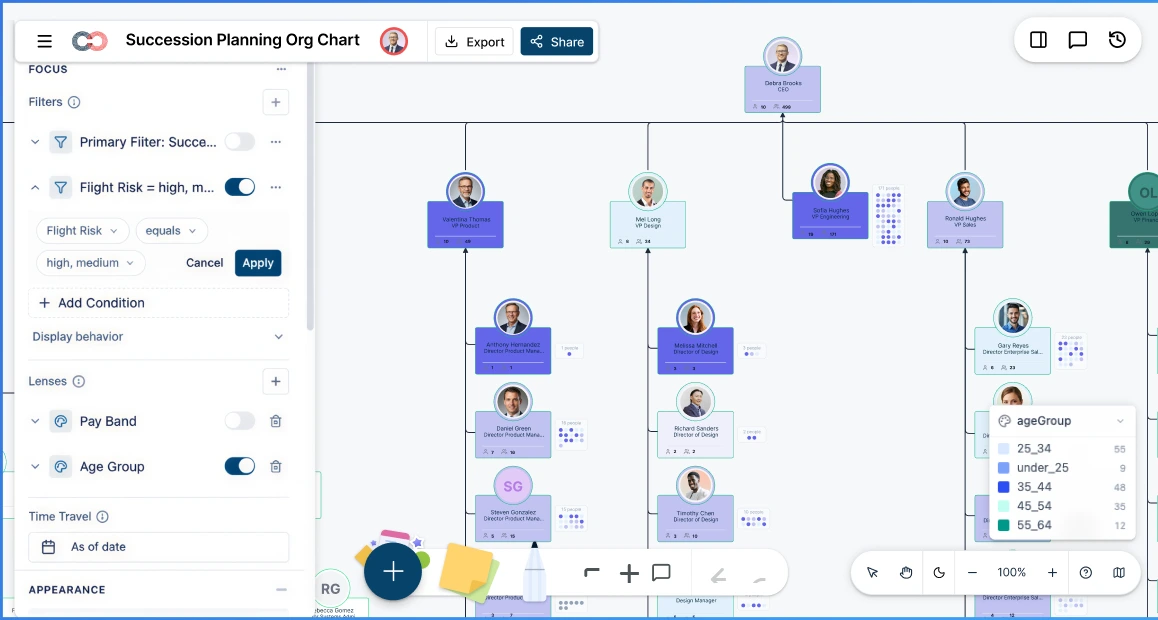
Creately is an AI-powered organizational intelligence platform that transforms static org charts into dynamic, data-rich workspaces for HR analytics and compliance. Unlike traditional “boxes-and-lines” tools, Creately functions as a living workspace where reporting lines carry historical intervals, and data is protected by a sophisticated 6-tier sensitivity model
Key Features
- Time Travel & Historical Auditing: Set an “as-of” date to instantly visualize the organization as it existed at any point in the past. This is critical for defending past structural decisions or verifying compliance during specific fiscal periods.
- Multi-Source Data Integration: Beyond simple CSV imports, Creately uses an AI-powered wizard with column mapping to sync with HRIS data. It validates data on import to catch common audit red flags like orphaned nodes, reporting cycles, or missing employee IDs.
- Custom HR & Compliance Field Packs: Access over 201 specialized fields across 15 “field packs,” including Compensation (salary, compa-ratio, FLSA status), Workforce (visa status, retirement eligibility), and Demographics (EEOC categories).
- Scenario-Based Planning: Model “what-if” reorgs or merit cycles in a sandbox environment. Changes are tracked as scenarios (recording old vs. new values), allowing for clear before-and-after comparisons without affecting the live chart.
- 6-Tier Sensitivity Governance: Ensure that sensitive audit data—such as compensation or succession risk—is only visible to authorized HR leadership. For unauthorized users, these fields are completely invisible rather than just “locked”.
- Enterprise-Ready Visuals: Supports infinite canvas scaling and auto-generated “Department Views”. This allows HR Business Partners to share focused, relevant sub-charts without exposing the entire organization’s data.
Pros
- Audit-Ready by Design: Automated versioning provides a reliable, defensible audit trail
- The Person/Position Split: Unlike most HRIS systems, Creately separates people from positions. This allows you to audit vacancies and maintain reporting lines even when a key stakeholder leaves.
- Natural Language Insights: An AI assistant can proactively surface structural issues, such as “wide spans of control” or “missing succession plans,” without manual digging.
Cons
- Initial Data Mapping: While the AI automates much of the process, very large enterprises with non-standardized HRIS exports may require initial oversight to ensure 1:1 data mapping accuracy.
Pricing*
- Free Plan - $ 0
- Starter - $ 5 /month per user (billed annually)
- Team - $ 5 /month per user (billed annually)
- Business - $ 89 / month paid annually for unlimited users (billed annually)
- Enterprise - Custom pricing
*Pricing as of April 2026
2. Organimi

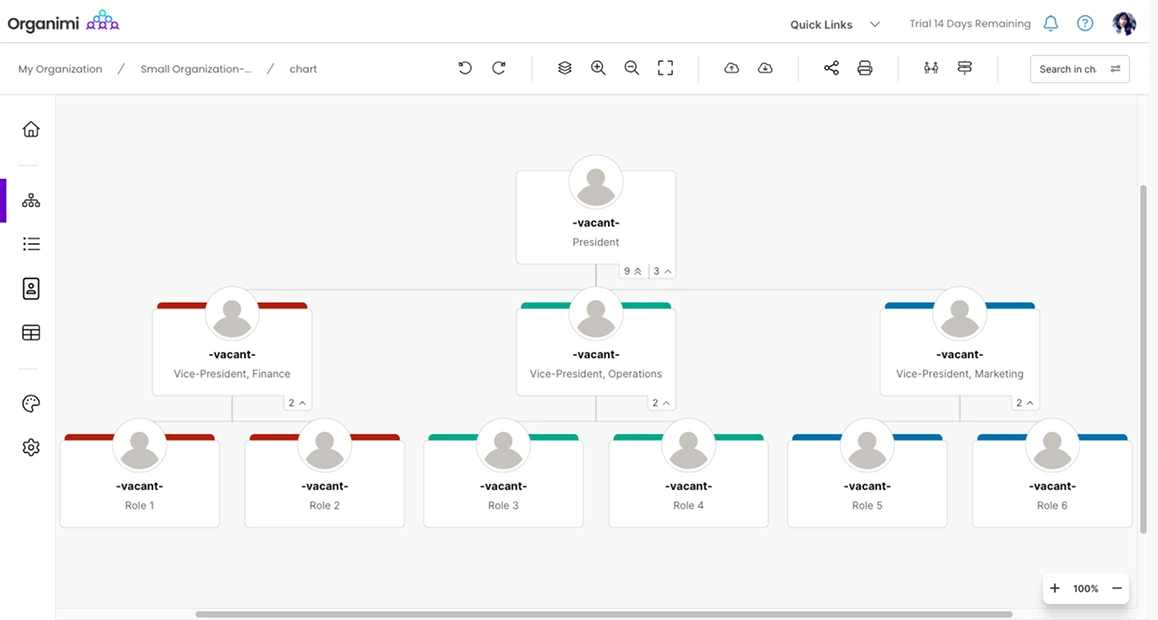
Organimi is a purpose-built organizational charting platform known for its “SmartChart” technology. It excels at taking flat data and instantly turning it into clean, presentation-ready hierarchies. While it lacks the deep, multi-layered data workspace of more complex platforms, it is a favorite for HR teams that prioritize ease of use and automated updates over advanced scenario auditing.
Key Features
- SmartChart™ Legends: Automatically color-code your chart based on specific conditions (e.g., highlighting all “Contractor” roles in orange or “Visa-required” roles in blue) to spot compliance gaps visually.
- PhotoBoards & Directories: Beyond the hierarchy, it generates “vibe-check” visuals like employee directories and photo boards, which are useful for cultural audits and onboarding.
- Integrations (Organimi Connect): Offers solid connectivity with Microsoft 365, Google Workspace, and Salesforce to keep basic reporting lines synced.
- Role-Based Access: Allows for basic permissioning, ensuring that sensitive fields (like personal phone numbers) are only visible to the appropriate stakeholders.
Pros
- Easy-Learning Curve: The drag-and-drop interface is arguably the most intuitive on the market for non-technical users.
- Automated Logic: Excellent at handling “dotted-line” relationships and matrix structures automatically during a CSV import.
- Presentation-Ready: The exports are consistently clean and formatted well for executive slide decks.
Cons
- Limited Audit Trail Depth: While it offers “Backup Snapshots” in higher tiers, it lacks the minute-by-minute versioning and “Time Travel” capabilities required for intensive regulatory audits.
- Compliance Rigidity: It doesn’t offer the same depth of specialized “Field Packs” (like Compensation or PII) found in data-heavy competitors.
Pricing*
- Basic: $13/month (billed annually)
- Premium: $25/month (billed annually)
- Enterprise: Custom pricing
*Pricing as of April 2026
3. Workleap (Pingboard)

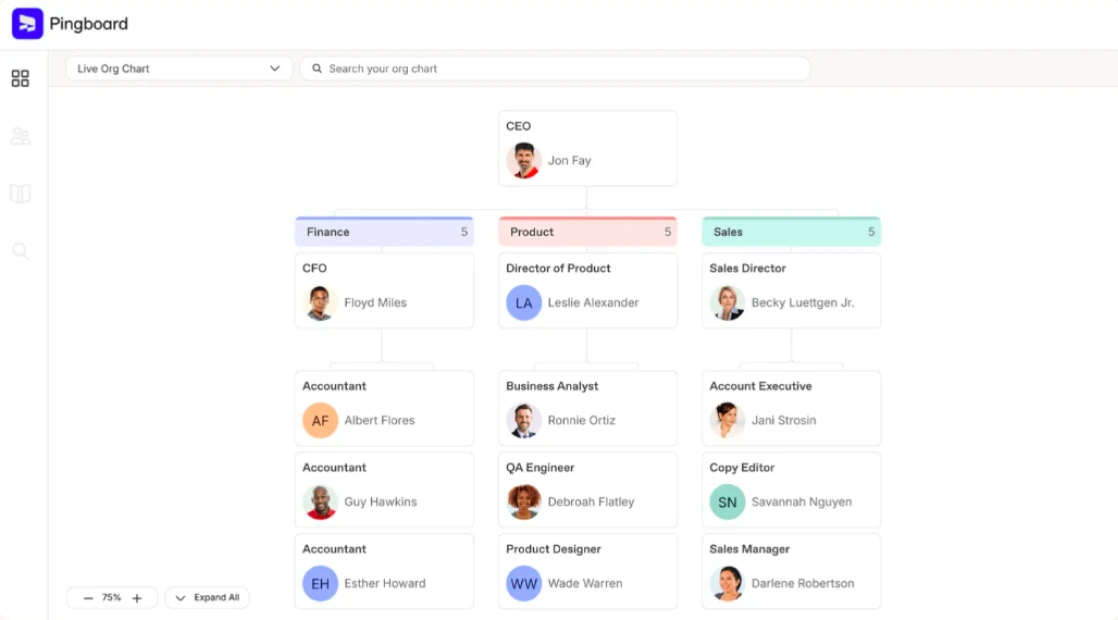
Workleap (incorporating the features of the formerly standalone Pingboard) positions the org chart as the “connective tissue” of an organization. While many tools focus on the administrative “lines and boxes,” Workleap prioritizes employee engagement, internal networking, and peer recognition. It is an ideal solution for remote-first startups and mid-market companies that want to use their organizational structure to build community and streamline internal communications.
Key Features
- Interactive Employee Directory: A highly searchable, “social-style” directory where employees can find peers based on skills, interests, and office location, making it a powerful tool for onboarding and cross-functional discovery.
- Good Vibes Recognition: Integrated directly into the workflow, this feature allows team members to send public shout-outs and “kudos,” which are then surfaced on the org chart and in team channels like Slack or MS Teams.
- Automated Pulse Surveys (Officevibe): Leverages built-in engagement signals to track team morale. When integrated, these insights provide managers with a “heat map” of engagement across different branches of the org chart.
- Live Syncing: Seamlessly mirrors data from HRIS platforms like BambooHR, HiBob, and ADP, ensuring that new hires and reporting changes are updated in real-time without manual intervention.
- Teams Matrix View: Specifically designed to visualize “dotted-line” reporting and cross-functional squads, helping leaders understand how their company actually operates outside of the traditional hierarchy.
Pros
- Exceptional UI/UX: The interface is modern and inviting, encouraging employees to actually use the tool daily rather than just when they need to check a reporting line.
- Strong Cultural Impact: By combining the org chart with peer recognition and surveys, it turns a dry administrative task into a driver of workplace satisfaction.
- Rapid Deployment: Known for one of the fastest “time-to-value” setups in the industry, especially for teams already using major HRIS tools.
Cons
- Not Audit-First: While it tracks changes, it lacks the deep “point-in-time” historical snapshots and immutable audit trails required for intense regulatory scrutiny.
- Limited Documentation Depth: Unlike Creately, it does not allow for attaching complex compliance evidence (like visa certifications or legal contracts) directly to employee nodes.
Pricing*
- Officevibe: $5 /user/month (10 users minimum)
- Performance: $5 /user/month (10 users minimum)
- Compensation: $5 /user/month (100 users minimum)
*Pricing as of April 2026
4. Sift

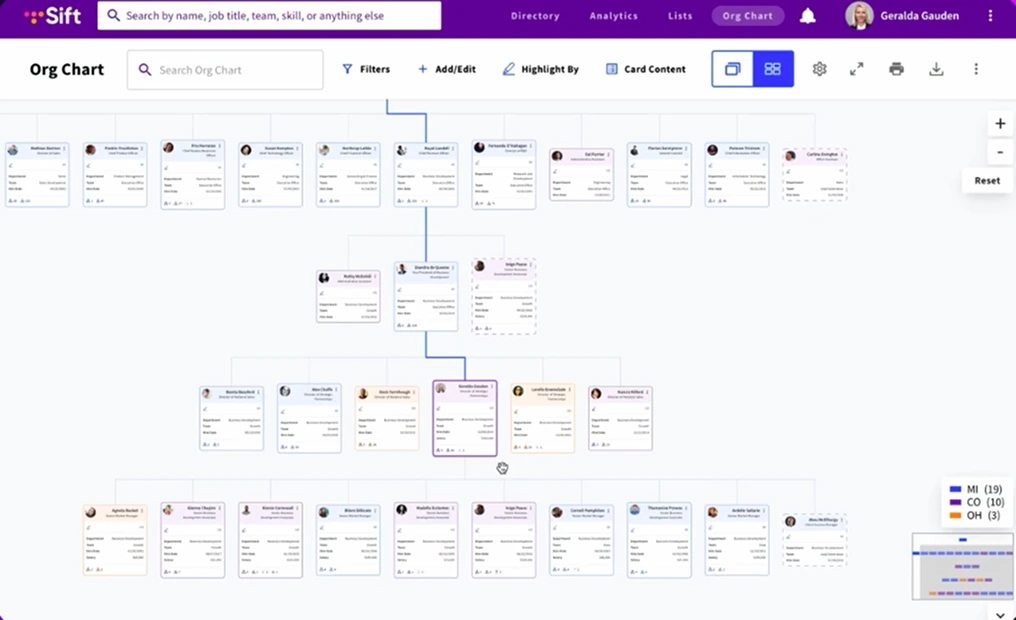
Sift is a “social search engine” for the modern enterprise. It prioritizes discovery and transparency, helping employees find subject-matter expertise across the organization. While it automates org charts via HRIS syncing, its primary value is in its rich, searchable employee profiles. For an HR audit, Sift provides excellent real-time clarity into “who is where,” but it is built more for internal networking than for rigorous regulatory documentation.
Key Features
- Dynamic Search & Discovery: Search by skills, interests, past projects, or certifications. This is powerful for “skills-gap audits” to see if your talent is distributed effectively.
- Sift Pages: Allows for the creation of “non-hierarchical” groups like ERGs, project squads, or remote-work hubs that don’t fit into a standard reporting line.
- Automated Syncing: Connects to Active Directory, Google Workspace, and major HRIS (Workday, ADP, UKG) to keep the directory updated without manual data entry.
- Open Role Visualization: Displays vacancies directly within the org chart, allowing auditors and hiring managers to see exactly where “orphaned” teams or structural gaps exist.
Pros
- Leader in Usability: Consistently ranked as a “Momentum Leader” on G2 for its intuitive, consumer-grade interface that employees actually enjoy using.
- Unified Subject-Matter View: Excellent for identifying “Single Points of Failure” (e.g., finding the only person in the company with a specific legal certification).
- Mobile-First Experience: The “Sift Connect” app ensures the directory is accessible for field teams or remote executives during a crisis or audit.
Cons
- Surface-Level Audit History: While it shows the current state perfectly, it lacks the specialized “Time Travel” or granular version-history tools required for defending structural changes in a legal audit.
- Limited Scenario Modeling: It is built to show the “source of truth” as it exists today, with fewer tools for “What-If” reorg modeling compared to Creately.
Pricing*
- Org Chart Plan: Starts at $150 /month (billed annually) for up to 20 users
- Directory Plan: Starts at $175 /month (billed annually) for up to 20 users
- Sift Complete: Starts at $200 /month (billed annually)
- Enterprise: Custom pricing
*Pricing as of April 2026
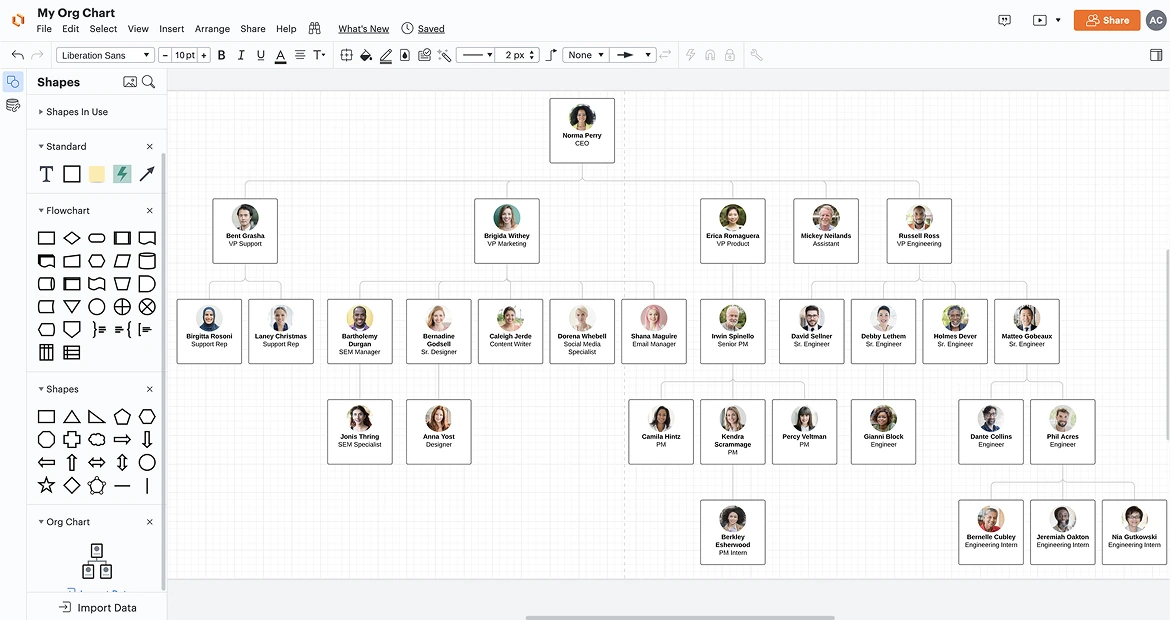
5. Lucidchart

Lucidchart is a heavyweight in the general diagramming space, favored by IT and Engineering teams for its flexibility. While it offers robust org chart templates and a familiar, drag-and-drop interface, it is a “horizontal” tool—meaning it was built for everything from floor plans to network diagrams. For HR teams, this means high flexibility in design, but often at the cost of the specialized, audit-ready data depth found in “vertical” HR software.
Key Features
- Template-Rich Library: Offers a vast array of starting points, including matrix, flat, and hierarchical structures, making it easy to stand up a basic visual quickly.
- Conditional Formatting & Formulas: You can set rules to change shape colors based on data (e.g., highlighting roles over a certain salary threshold). While powerful, this often requires manual configuration compared to purpose-built HR tools.
- Lucidspark Integration: Transition seamlessly from a messy brainstorming session in Lucidspark (their digital whiteboard) to a structured org chart in Lucidchart.
- Deep Tech-Stack Integrations: Excellent connectivity with Jira, Confluence, and Slack, which is ideal if your HR audit requires heavy collaboration with technical departments.
- Group View: Allows you to pivot your org chart by criteria like “Location” or “Department” to see a summarized view of your organizational structure.
Pros
- Familiarity & Adoption: Because many departments (IT, Marketing) already use Lucid, there is often no new learning curve for stakeholders.
- High Design Customization: If your audit output needs to be a “pixel-perfect” presentation for a Board of Directors, Lucidchart offers the most granular control over aesthetics.
- Cross-Functional Collaboration: Real-time co-authoring allows multiple users to edit the canvas simultaneously.
Cons
- No Native Audit Trails: Unlike Creately’s “Time Travel,” Lucidchart lacks a specialized historical ledger for structural changes. You have to manually save versions or snapshots, which can be a liability during a high-stakes audit.
- Manual Data Maintenance: While it supports data linking (Excel, Google Sheets), it lacks the “Person/Position split” and AI-powered data hygiene that prevents common audit errors like orphaned nodes.
- Not Compliance-Ready: It does not offer built-in sensitivity tiers (like Creately’s 6-tier model) to hide PII or compensation data from unauthorized viewers on the same document.
Pricing*
- Free: $0
- Individual: $9.00 /month
- Team: $10.00 /user/month (3-user minimum)
- Enterprise: Custom pricing
*Pricing as of April 2026
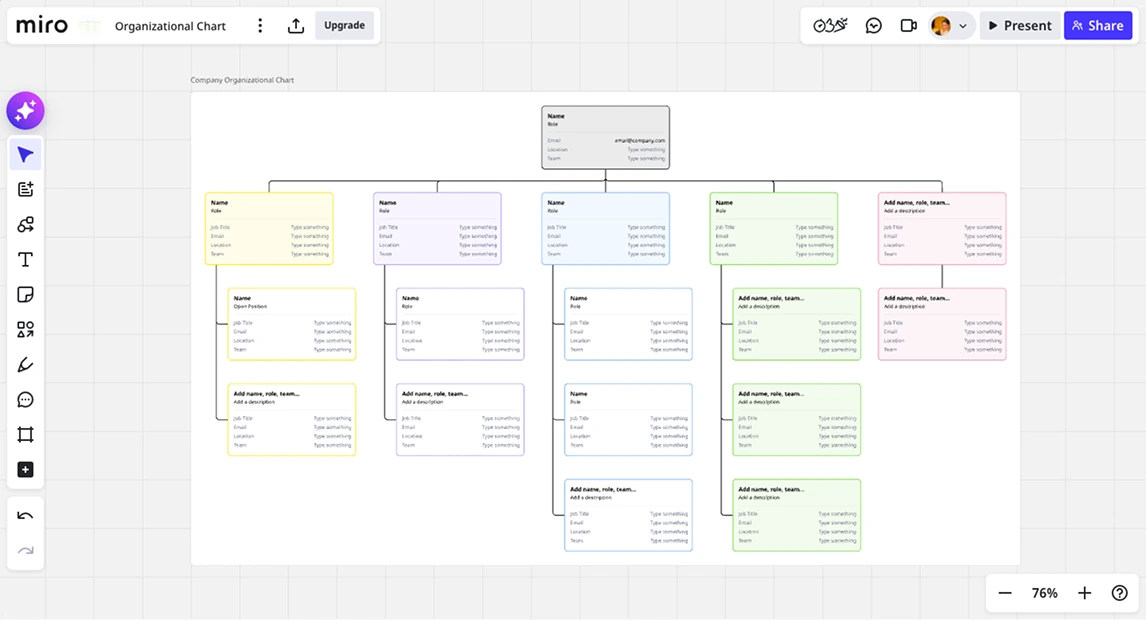
6. Miro

Miro is a leader in the visual collaboration space, essentially serving as a digital “infinite whiteboard.” It is the go-to tool for high-energy brainstorming, reorg workshops, and design thinking. However, while it is excellent for planning an organization, it is not a structured data environment. For an HR audit, Miro offers unparalleled creative freedom but lacks the automated guardrails and deep data integrity required for formal compliance reporting.
Key Features
- Infinite Canvas & AI Sidekicks: The limitless workspace allows you to map out massive, complex organizations without boundaries. The “Miro AI” assistant can help summarize brainstorming sessions or suggest reporting lines based on sticky notes.
- Org Chart Widget: A specialized tool within the canvas that allows for quick hierarchy building, with auto-layout features that keep the chart clean even as you add new nodes.
- Smart Meetings & Facilitation: Includes built-in timers, voting tools, and private mode, making it the best platform for leadership teams to “live-edit” a company structure during a confidential workshop.
- Miro Enterprise Guard: A security add-on specifically for large organizations to manage sensitive content, offering an extra layer of protection for boards containing internal people data.
- Interactive Talktracks: Allows HR leads to record a video walkthrough of the org chart directly on the board, providing context to stakeholders who are viewing the audit findings asynchronously.
Pros
- Unmatched Flexibility: If your organization doesn’t fit into a standard hierarchy, Miro’s “free-form” nature allows you to visualize matrix teams and squads better than almost any other tool.
- High Engagement: The “game-like” interface encourages participation, making it less of a dry administrative tool and more of a collaborative workspace.
- Vast Integration Ecosystem: Connects seamlessly with Jira, Confluence, and Google Workspace, allowing you to embed your brainstormed structures wherever your team works.
Cons
- Not Suitable for Formal Audits: Miro is a “drawing” tool, not a data platform. It lacks native, automated audit trails that track who changed what specific employee data point at a granular level.
- No Structured Compliance Data: Unlike Creately, Miro doesn’t support “Field Packs” (like Compensation or PII) that stay attached to the employee node across different views.
- Manual Data Maintenance: Updates are largely manual. While it has some data-syncing capabilities, it doesn’t offer the automated “Person/Position split” or “Time Travel” features critical for defending structural changes to an auditor.
Pricing*
- Free: $0
- Starter: $8 /user/month
- Business: $20 /user/month
- Enterprise: Custom pricing
*Pricing as of April 2026
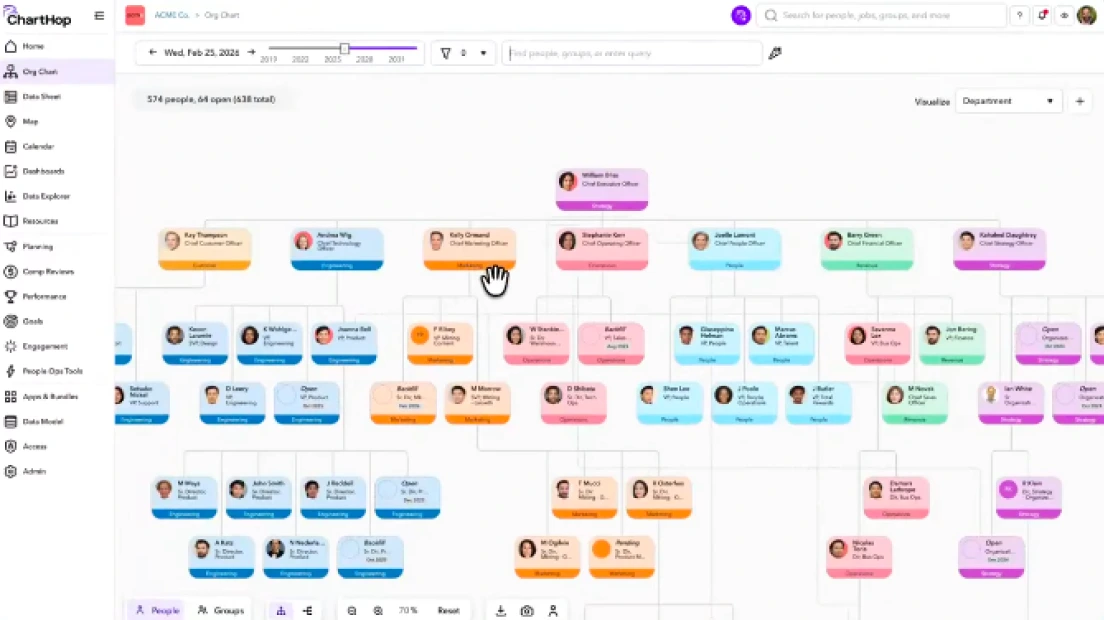
7. ChartHop

ChartHop is a robust people operations platform that sits at the intersection of an org chart and a business intelligence (BI) tool. It is designed for data-heavy HR teams that need to run deep longitudinal analyses and complex workforce planning. While it offers immense power, it is often categorized as a “heavy-lift” implementation—ideal for global enterprises with dedicated People Ops analysts, but potentially too cumbersome for teams seeking an agile, intuitive audit solution.
Key Features
- Rich Longitudinal Data: ChartHop excels at showing how your organization has changed over years, not just months. It maintains a deep history of every compensation change, title shift, and department move.
- Headcount Planning & Budgeting: Includes advanced tools for “headcount tracking” against financial budgets, allowing finance and HR to collaborate on future hiring roadmaps directly within the chart.
- Complex Data Visualizations: Beyond the standard hierarchy, it can generate “Heat Maps” for compensation, tenure, and performance, providing a high-level view of organizational health.
- Automated People Reports: Includes a library of pre-built reports for Diversity, Equity, and Inclusion (DEI), turnover rates, and compensation audits that update automatically as your HRIS data changes.
Pros
- Unrivaled Analytical Depth: If your “audit” requires calculating the 3-year attrition rate of a specific demographic in a specific region, ChartHop can do it.
- Consolidated Data Hub: Acts as a “single source of truth” by pulling in data from HRIS, ATS, Equity, and Payroll systems simultaneously.
- Scenario Modeling: Offers sophisticated “playbooks” for reorganization, allowing for complex financial modeling alongside structural changes.
Cons
- Complexity & Implementation: It is not a “plug-and-play” tool. Setting up ChartHop typically requires significant data cleaning and a multi-week implementation period.
- The “Overkill” Factor: For many HR teams, the platform’s density can lead to a steep learning curve, making simple tasks like “printing a quick audit snapshot” feel overly technical.
Pricing*
- ChartHop Core: ~$5 /employee/month
- Enterprise: Custom pricing
*Pricing as of April 2026
Choosing the Best Tool for HR Audit Org Charts
Conducting an HR audit is a high-stakes task that requires more than just a visual representation of your team. You need a platform that balances data integrity, historical transparency, and cross-departmental collaboration.
Best Overall: Creately
Creately is our top pick for teams that need to turn their org chart into an audit-ready source of truth. It is the only tool on this list that seamlessly combines the flexibility of an infinite canvas with the structural rigor of a database.
- Why it wins: With features like “Time Travel” historical snapshots, 6-tier sensitivity governance, and a flat $89/month Business Plan for unlimited users, it offers the highest level of compliance readiness without the prohibitive per-seat costs of enterprise BI tools.
- Ideal for: HR Leaders, Compliance Officers, and Operations teams who need precision and speed during audit season.
Best for Analytics-Heavy Organizations: ChartHop
If your primary goal is longitudinal data analysis and you have a dedicated budget for a People Analytics suite, ChartHop is a good choice. It excels at complex financial modeling and “Ask ChartHop” AI insights, though the multi-week implementation and higher price point may be more than what a standard HR audit requires.
Best for HRIS-Centric Enterprises: Workleap
Workleap is ideal for companies that view the org chart as a cultural bridge. By mirroring your HRIS in real-time, it ensures high visibility and engagement across remote teams. While it lacks the deep documentation features of an audit-first tool, it is the fastest way to maintain an up-to-date directory for day-to-day operations.
Don’t let your next HR audit get derailed by scattered spreadsheets and manual drawings. Whether you need to defend reporting lines to a regulator or plan your next major reorganization, you need a workspace that scales with your data.