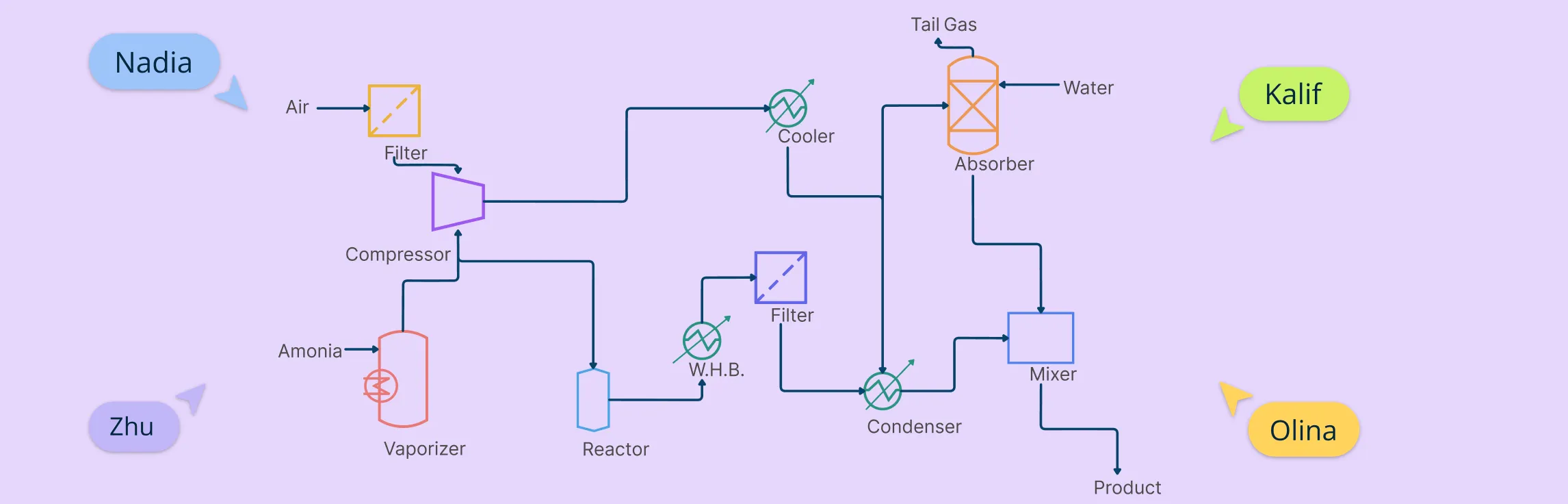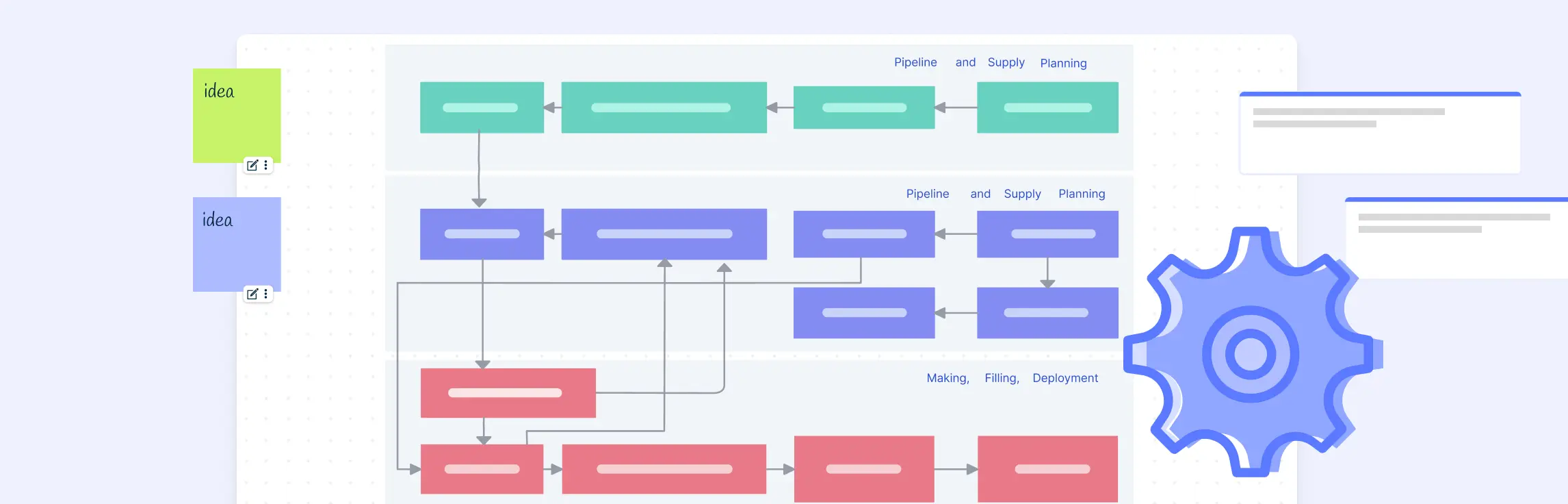
Process flow diagram software helps teams visualize how activities, decisions, information, materials, or systems connect. The term can refer to business process flows or to engineering process flow diagrams, so the best tool depends on the notation, symbols, data, and level of technical precision your use case requires.
Evaluate tools against practical criteria: required diagram types, ease of editing, real-time collaboration, process ownership and documentation, templates, AI assistance, export formats, integrations, governance, and total cost. For operational process work, consider whether the diagram can remain a living reference with owners, handoffs, supporting context, and stakeholder feedback—not just whether it is quick to draw.
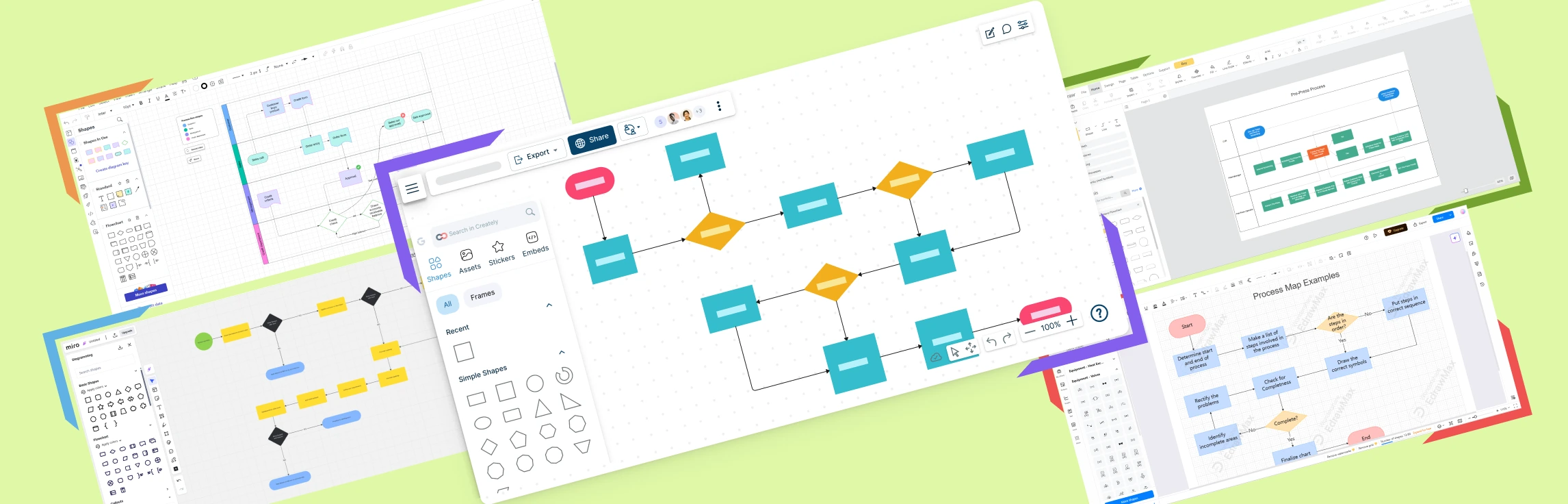
This guide compares Creately, Lucidchart, Miro, SmartDraw, and EdrawMax for business process flows and general diagramming. Engineering teams should additionally confirm that a product supports the standards, symbol libraries, validation, and precision required for their discipline.
A Quick Overview of the Best Process Flow Diagram Software
Overview of the Best Process Flow Diagram Software | |||||
| Feature | Creately | Lucidchart | Miro | SmartDraw | EdrawMax |
| Primary Strength | Process documentation with flowcharts, BPMN, structured properties, and connected context | Data-linked intelligent diagramming and enterprise collaboration | Visual collaboration, workshops, and flexible canvas formats | Automated formatting, general diagramming, and real-time collaboration | Broad desktop and web diagramming with extensive symbols and file-format support |
| Real-Time Collaboration | Yes—live editing and contextual comments | Yes—co-authoring, chat, comments, and collaborative cursors | Yes—multi-user boards, comments, and workshop tools | Yes—multi-user editing and comments | Collaboration is available; confirm platform and plan requirements |
| AI Diagram Assistance | Editable flowchart drafts from natural-language descriptions | AI capabilities are available; confirm the current plan and use case | Diagram generation and other AI features are available | AI diagram generation is available | AI diagram generation and analysis are available on current plans |
| Process Context | Structured process properties plus notes, links, files, and linked diagrams | Shape data, data linking, and shape-specific comments | Flexible board content and integrations; depth varies by workflow | Shape data, notes, comments, and external storage integrations | Broad diagram data and documentation options; confirm requirements |
| Templates and Symbols | Flowchart, BPMN 2.0, and broader business diagram libraries | Extensive business and technical libraries | Extensive general, workshop, and community templates | Extensive business and technical libraries | Extensive business, engineering, and technical libraries |
| Pricing | Free and paid plans; check current plan limits | Free plan; Individual advertised at $9/month plus tax | Free plan; Starter advertised at $8/member/month billed yearly | Individual advertised from $9.95/month billed yearly; introductory terms apply | Yearly and perpetual licenses; advertised prices vary by offer |
1. Creately – Best for Versatile Use & Collaboration
Creately’s process flow diagram software supports straightforward flowcharts and detailed BPMN 2.0 process diagrams in a collaborative workspace. Teams can map work visually, document owners and handoffs, add structured properties such as duration, status, trigger, SLA, systems, and tags, and connect supporting context to relevant steps. This helps a process flow remain useful as living documentation rather than a static image.
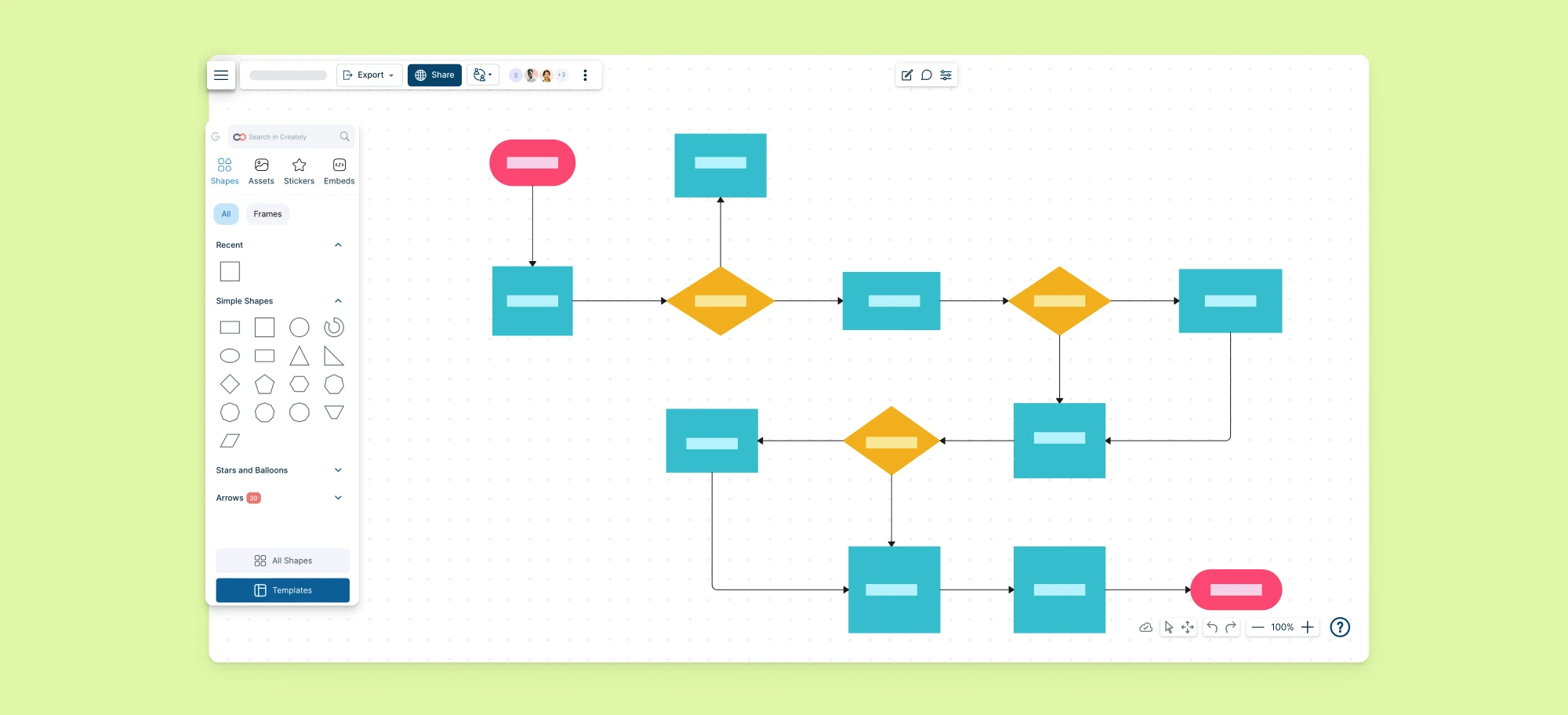
Creately’s Key Features
- Flowchart and BPMN 2.0 Support – Use simple flowcharts for accessible communication or BPMN shapes for more formal process modeling.
- Structured Process Properties – Add owners, duration, status, trigger, SLA, systems, and tags to relevant process objects.
- Real-Time Collaboration – Edit together and use contextual comments to discuss specific steps, decisions, exceptions, and handoffs.
- Connected Process Documentation – Keep notes, links, and files close to the process elements they explain.
- Linked Subprocesses – Connect high-level process maps to detailed subprocess diagrams while retaining the broader context.
- AI-Assisted First Drafts – Generate an editable flowchart from a natural-language description, then validate decisions, exceptions, ownership, and flow with subject-matter experts.
- Flexible Export – Export diagrams in common formats such as PNG, JPEG, SVG, and PDF.
Pros & Cons of Creately | |
| ✔️ Pros | ❌ Cons |
|
|
Ideal Use Cases for Creately
- Business Process Documentation – Map repeatable work and keep owners, handoffs, instructions, and supporting context connected.
- Business Process Analysis – Model current and future states, identify bottlenecks, and document improvement opportunities.
- Cross-Functional Operations – Use swimlanes and ownership data to clarify responsibilities across teams and departments.
- Formal BPMN Modeling – Document complex processes with BPMN 2.0 events, gateways, activities, and exception flows.
- Process Reviews and Training – Collect contextual feedback, let accountable owners incorporate agreed updates, and give teams a current visual reference for how work should be performed.
Pricing
Creately offers Free, Starter, Team, Business, and Enterprise plans. Workspace limits, collaboration, version history, exports, and administrative features vary by plan. Check Creately’s current plans before purchasing.
2. Lucidchart
Lucidchart is a cloud-based intelligent diagramming application with real-time co-authoring, collaborative cursors, in-editor chat, shape-specific comments, data linking, and broad business and technical diagram libraries. It is a strong candidate for teams that need data-connected diagrams and established enterprise collaboration features.
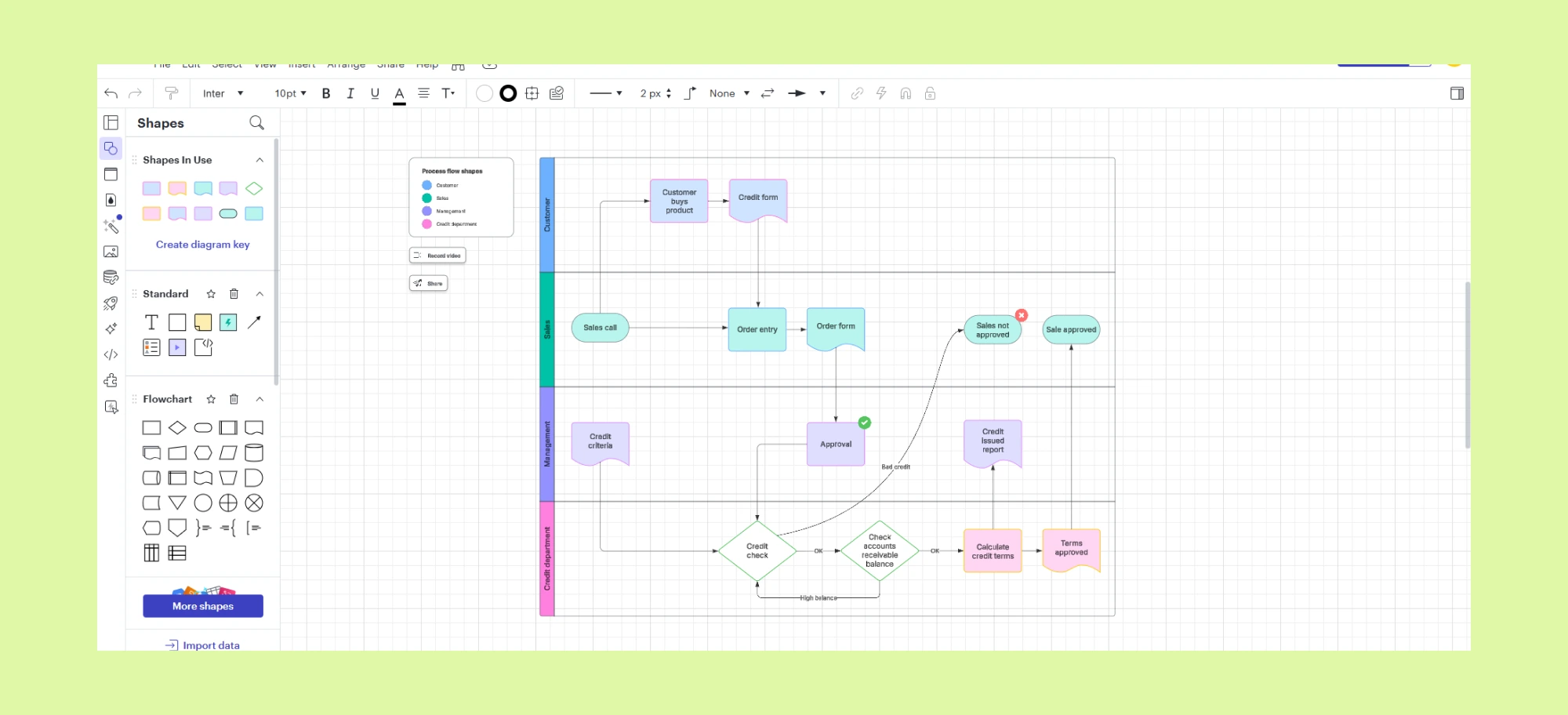
Key Features
- Cloud-Based Diagramming – Access Lucidchart from any device with an internet connection, ensuring seamless collaboration.
- Advanced Integrations – Connects with Microsoft 365, Google Workspace, Slack, and more for efficient workflow integration.
- Collaboration Tools – Real-time co-authoring, commenting, and version history tracking for seamless teamwork.
- Template Library – Pre-built templates for flowcharts, mind maps, UML diagrams, and business process modeling.
Pros & Cons of Lucidchart | |
| ✔️ Pros | ❌ Cons |
|
|
Lucidchart Use Cases
- Business Process Mapping – Document workflows, create process maps, and optimize business operations with BPMN and swimlane diagrams.
- Software Development – Design UML diagrams, system architectures, and network infrastructure for efficient IT planning and troubleshooting.
- Sales & Marketing Strategy Visualization – Map out customer journeys, sales funnels, and marketing campaigns to optimize engagement and conversions.
Pricing
Lucidchart offers Free, Individual, Team, and Enterprise options. Its official trial page currently advertises the Individual plan at $9 per month plus tax. Confirm team pricing, billing terms, and feature limits on the official Lucidchart page.
3. Miro
Miro is an online whiteboard platform that excels in brainstorming, agile workflows, and team collaboration. Its infinite canvas, sticky notes, and pre-built templates make it ideal for product development, UX design, and remote team workshops. Miro also offers a broad integration catalog and is well suited to workshops, agile planning, ideation, and collaborative diagramming on a flexible canvas.
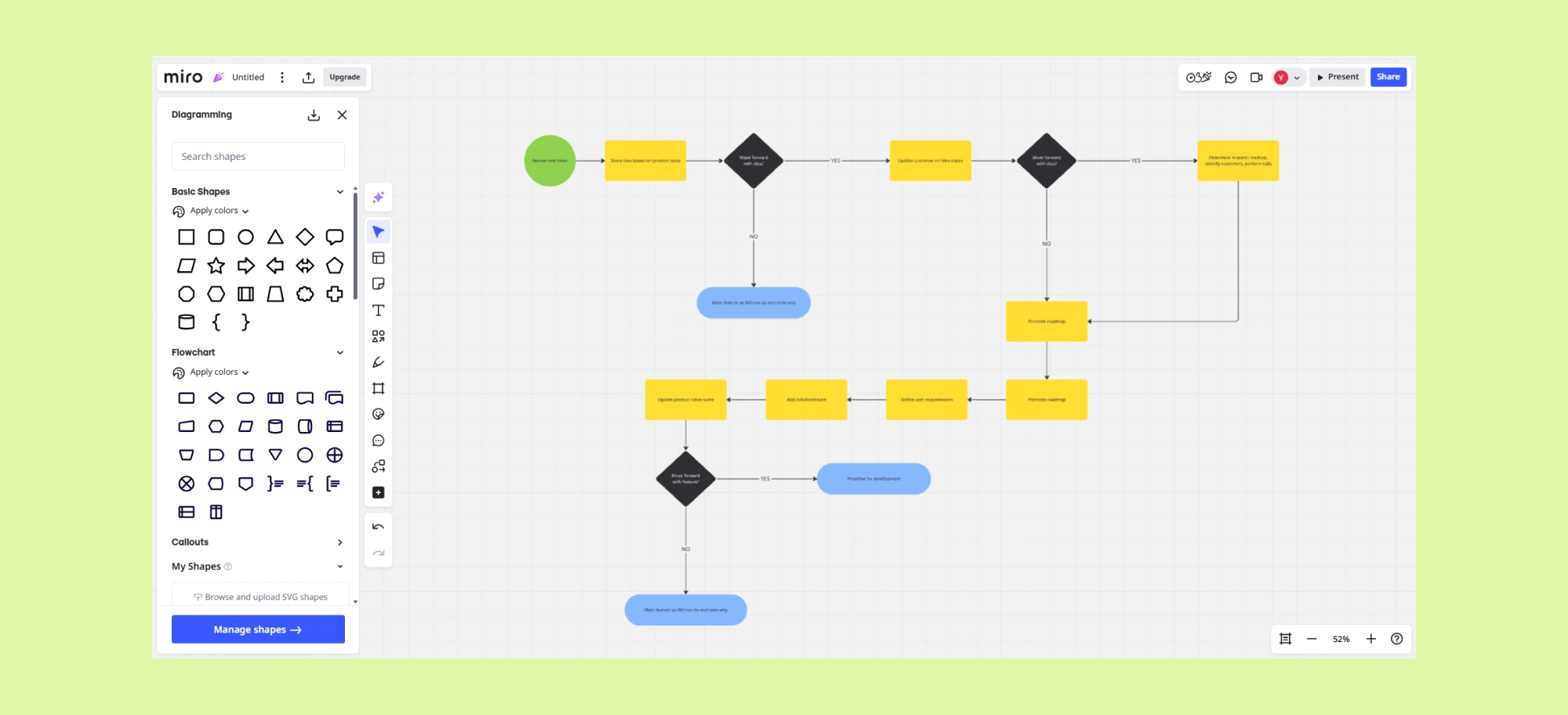
Key Features
- Pre-Built Templates – Ready-made templates for flowcharts, mind maps, customer journey mapping, and process planning.
- Real-Time Collaboration – Multiple users can edit, comment, and provide feedback simultaneously.
- Third-Party Integrations – Works with Jira, Confluence, Slack, Asana, Microsoft Teams, and more.
- Sticky Notes & Freehand Drawing – Ideal for capturing spontaneous ideas and discussions.
Pros & Cons of Miro | |
| ✔️ Pros | ❌ Cons |
|
|
Miro Use Cases
- Agile Workflows & Sprint Planning – Manage sprint planning, retrospectives, and Kanban workflows for agile development teams.
- Brainstorming & Ideation – Collaborate in real time using sticky notes, mind maps, and freehand drawing to capture and organize ideas.
- Creating Diagrams – Create wireframes, customer journey maps, and design thinking boards for seamless product development.
Pricing
Miro offers Free, Starter, Business, and Enterprise plans. Its official pricing page currently advertises Starter at $8 per member per month when billed yearly. AI credits and collaboration features vary by plan; confirm current terms on Miro’s pricing page.
4. SmartDraw
SmartDraw is an online diagramming and visual-collaboration tool with automated formatting, extensive business and technical libraries, real-time multi-user editing, comments, and integrations with Microsoft, Google, and Atlassian products. Its formatting automation is useful when teams want structured diagrams without positioning every element manually.
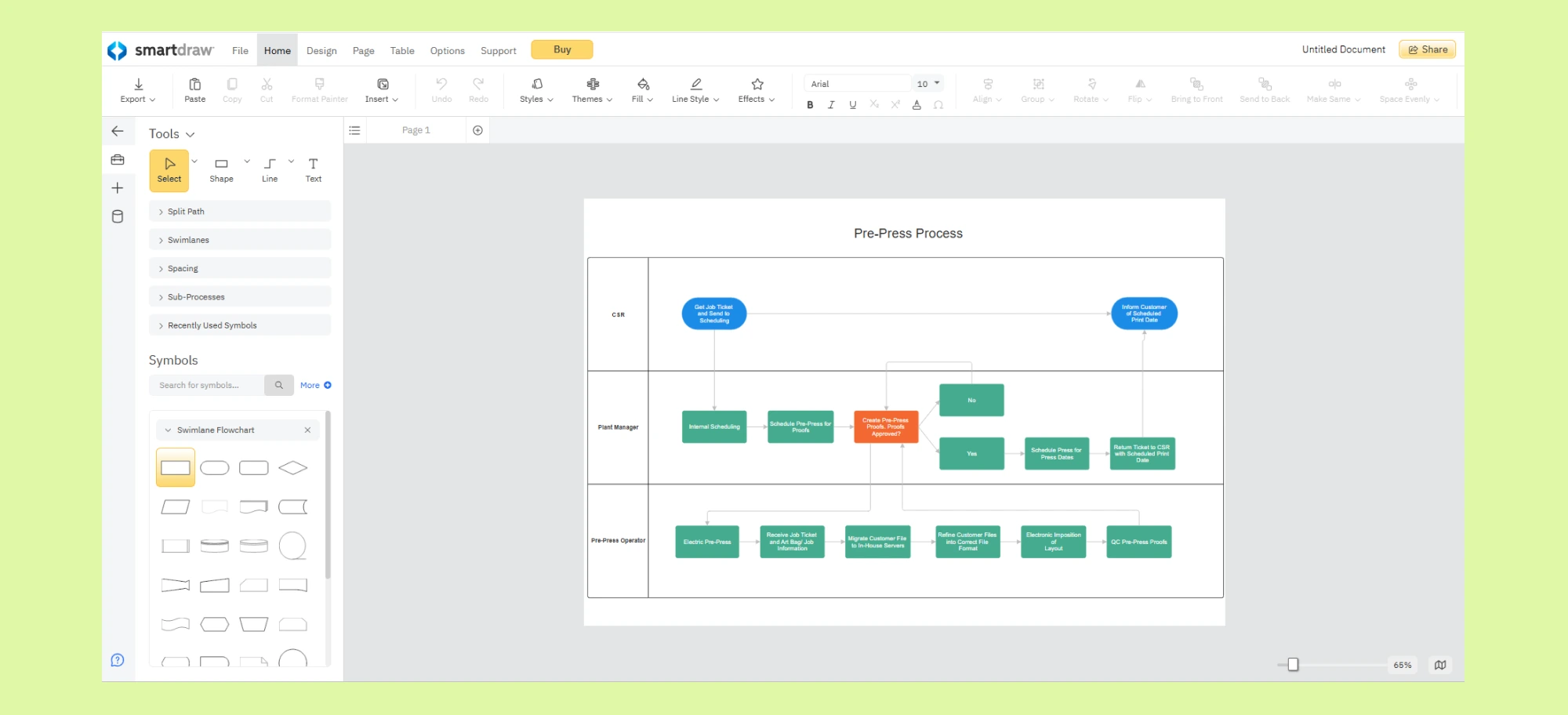
Key Features
- Extensive Symbol & Template Library – Thousands of templates for flowcharts, organizational charts, network diagrams, and more.
- Seamless Integrations – Works with Microsoft Office, Google Workspace, Jira, Confluence, and other productivity tools.
- Browser-Based Access – Create and collaborate on diagrams through a modern web browser.
Pros & Cons of SmartDraw | |
| ✔️ Pros | ❌ Cons |
|
|
SmartDraw Use Cases
- Business Process Documentation – Create process flow diagrams, workflow charts, and SOPs with automated formatting.
- Technical & Engineering Diagrams – Design network diagrams, architectural schematics, and electrical circuit layouts.
- Organizational & Strategic Planning – Develop org charts, mind maps, and strategic planning visuals for business growth.
Pricing
SmartDraw’s official pricing page currently advertises an introductory Individual price of $9.95 per month billed annually and a Team price of $8.95 per user per month billed annually with a three-user minimum. Enterprise pricing is quote-based. Confirm eligibility and current terms on SmartDraw’s pricing page.
5. EdrawMax
EdrawMax is a diagramming software that offers a template library, catering to industries such as business, education, engineering, and design. With a user-friendly drag-and-drop interface, cross-platform compatibility, and support for multiple file formats, EdrawMax is a versatile alternative to Visio. Whether you’re a student, educator, or business professional, EdrawMax provides the tools you need to create detailed and visually appealing process flow diagrams, organizational charts, and network diagrams with ease.
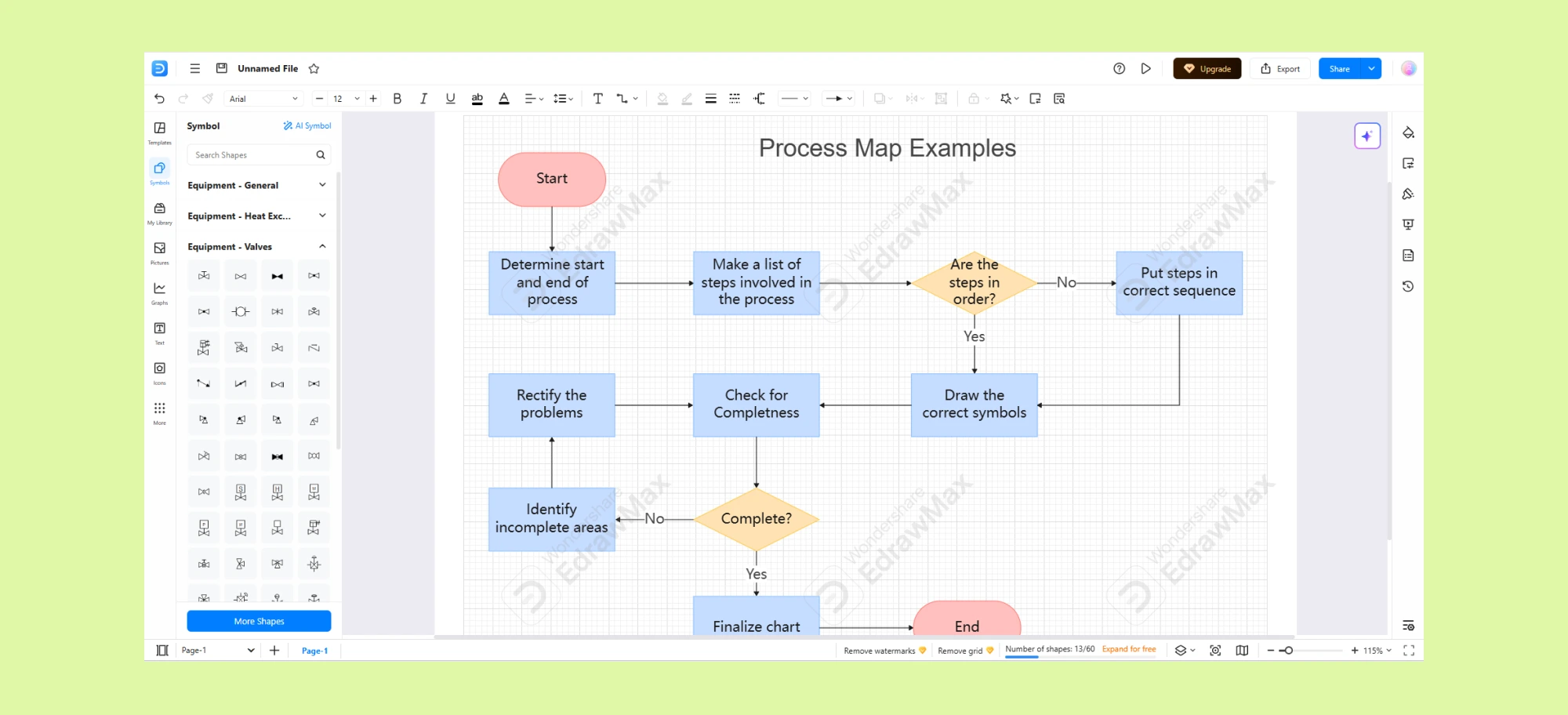
Key Features
- Drag-and-Drop Interface – User-friendly UI with easy shape and connector placement.
- Cross-Platform Compatibility – Available on Windows, macOS, Linux, and as a web-based version.
- Multi-Format Export & Import – Supports Visio (VSDX), PDF, Word, Excel, PowerPoint, SVG, and more for easy sharing.
- Collaboration & Cloud Storage – Collaboration and cloud features are available, with capabilities varying across desktop, web, and plan options.
Pros & Cons of EdrawMax | |
| ✔️ Pros | ❌ Cons |
|
|
EdrawMax Use Cases
- Business Process Mapping – Design flowcharts, value stream maps, and BPMN diagrams to visualize and optimize workflows.
- Engineering & Technical Diagrams – Create network diagrams, circuit schematics, and mechanical engineering drawings.
- Educational & Research Visualization – Develop mind maps, concept diagrams, and infographics for teaching and academic presentations.
Pricing
EdrawMax offers annual and perpetual options. Its official store currently advertises a $99 yearly plan and a $198 perpetual plan, although promotional pricing and bundled products can change. Confirm the applicable offer on the official EdrawMax pricing page.
Conclusion
The best process flow diagram software depends on the work being documented. Lucidchart is a strong option for data-linked intelligent diagramming; Miro suits workshop-led visual collaboration; SmartDraw emphasizes automated formatting and broad diagram libraries; and EdrawMax provides extensive desktop and web diagramming options.
Creately is particularly relevant when a process flow must remain connected to ownership, handoffs, structured properties, supporting files, and stakeholder feedback. Its flowchart and BPMN 2.0 libraries, linked subprocesses, contextual comments, and editable AI-generated drafts support both initial mapping and ongoing process documentation.
Try Creately’s process flow diagram software and evaluate it against your notation, collaboration, documentation, export, and governance requirements.