Arrow Diagram Maker

Visualize Task Flows and Critical Paths Effortlessly

Easily map tasks, dependencies, and timelines—create, collaborate, and share arrow diagrams in minutes.

  • Easy-to-use drag & drop interface with smart connectors

  • Real-time collaboration and in-app commenting for seamless teamwork

  • Extensive templates for quick starts and consistent visuals

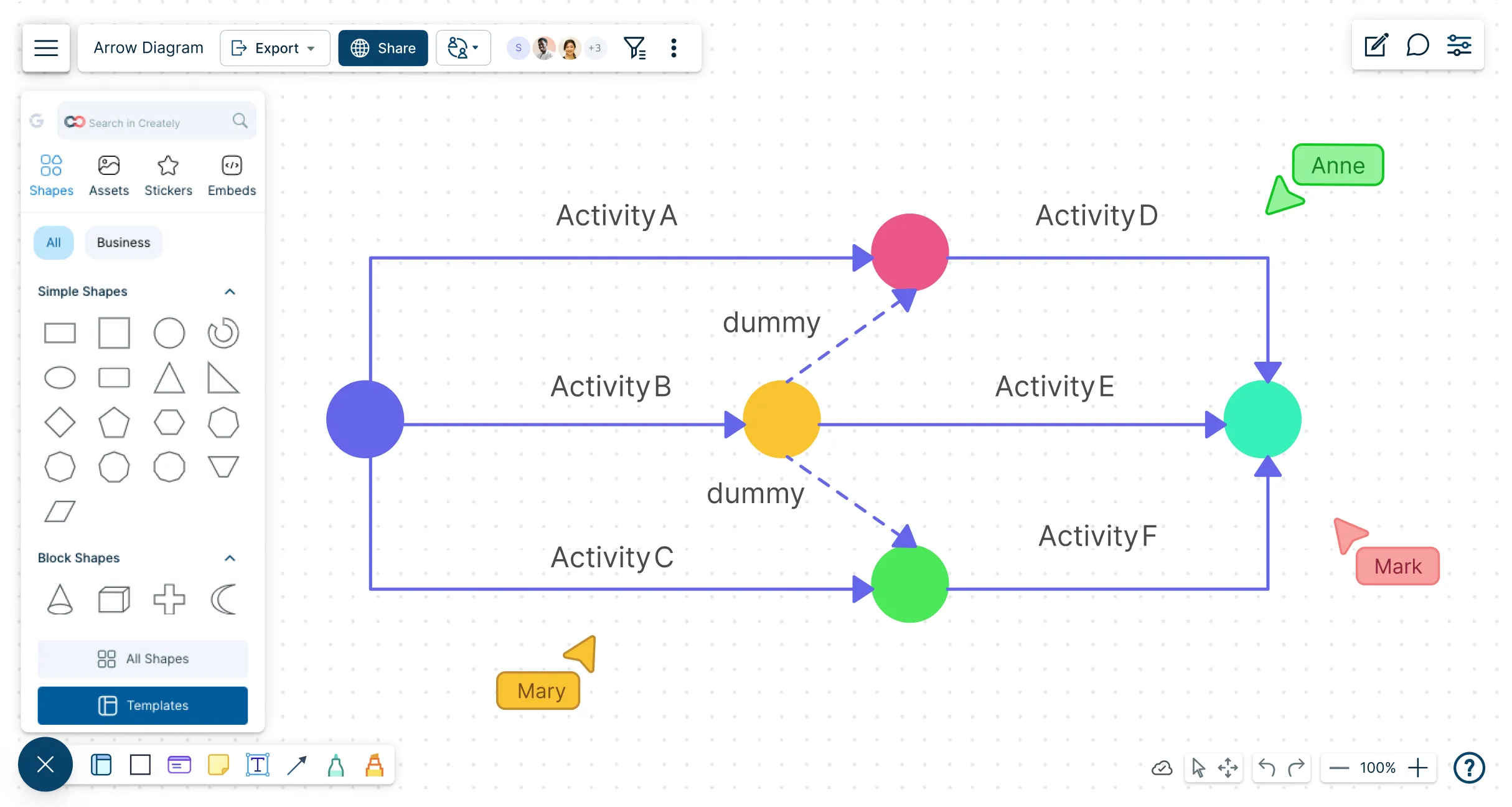
Snapshot of Creately's arrow diagram Maker workspace
Over 10 Million people and 1000s of teams already use Creately
Diagramming Grid Leader 2025 Diagramming
Visual Collaboration Grid Leader 2025 Visual Collaboration
Org Chart Grid Leader 2025 Org Chart
Most Implementable 2025 Best Results 2025 Ease to Do Business With 2025

Used by over 10 Million people and 1000s of teams

A Comprehensive Tool for Visual Collaboration and Diagramming
it is ease of collaborative diagramming and real-time editing. This allows teams to brainstorm, create, and refine diagrams together in a way that feels intuitive and seamless, regardless of location.
JUAN LEONARDO G
Small-Business
Efficient and User-Friendly Diagramming Tool
I love how easy it is to create and collaborate on diagrams with Creately. The real-time collaboration feature is incredibly helpful for team projects, and the extensive library of templates and shapes saves a lot of time
Aymen G
Small-Business
Creately provides best diagram structure.
Creately has proven to be an incredibly creative tool, enhancing the visual appeal of our company tasks significantly. Additionally, its pricing is highly competitive, offering great value for the features it provides.
Ruchika N
Assistant Manager
Creately: Simple Diagram Tool
I like that Creately is easy to use. It helps me create diagrams quickly and easily.
Ananya G
Executive Committee Member
Creately: A smart choice for expressing ideas over diagrams
Creately is a simple and user-friendly application for creating diagrams to visualize complex technical ideas and data flow on wireframes, flow charts, and other visual options. The best part of this tool is its real-time collaboration features, which help us to enhance the workflows in the team.
Gulam M
Software Engineer
User friendly and visually appealing!!
The interface is easy to use. The look is aesthetically pleasing as well. Love the functionality.
Chrisoula
Small-Business
Intuitive Design and Effortless Creativity
What I like best about Creately is its intuitive design and the ease with which it allows me to create attractive designs. From the moment I started using it, I was impressed by how easy it was to navigate the platform and how quickly I could bring my ideas to life in visually appealing diagrams and charts.
DARWIN M.
Mid-Market
Creatly Awesome App
In creatly easy to use and easy to design our all network diagrams for the clients and easy to export and Creately offers a user-friendly interface that makes it easy for users to create various types of diagrams without extensive training or experience. We used creately on daily basis for making diagram.
Surya Prakash M
Tech Lead Security
Easy to use
Creately has better options than Canva. It has great templates. it is a great product to use for visual org charts.
Jennifer D.
Initial Implementation
Great AI features
AI Modelling capability. It gives Prompt examples so user can learn how to create effective prompts
Karma A.
Business Manager
VISUALIZE

Visualize Task Flow and Dependencies Instantly
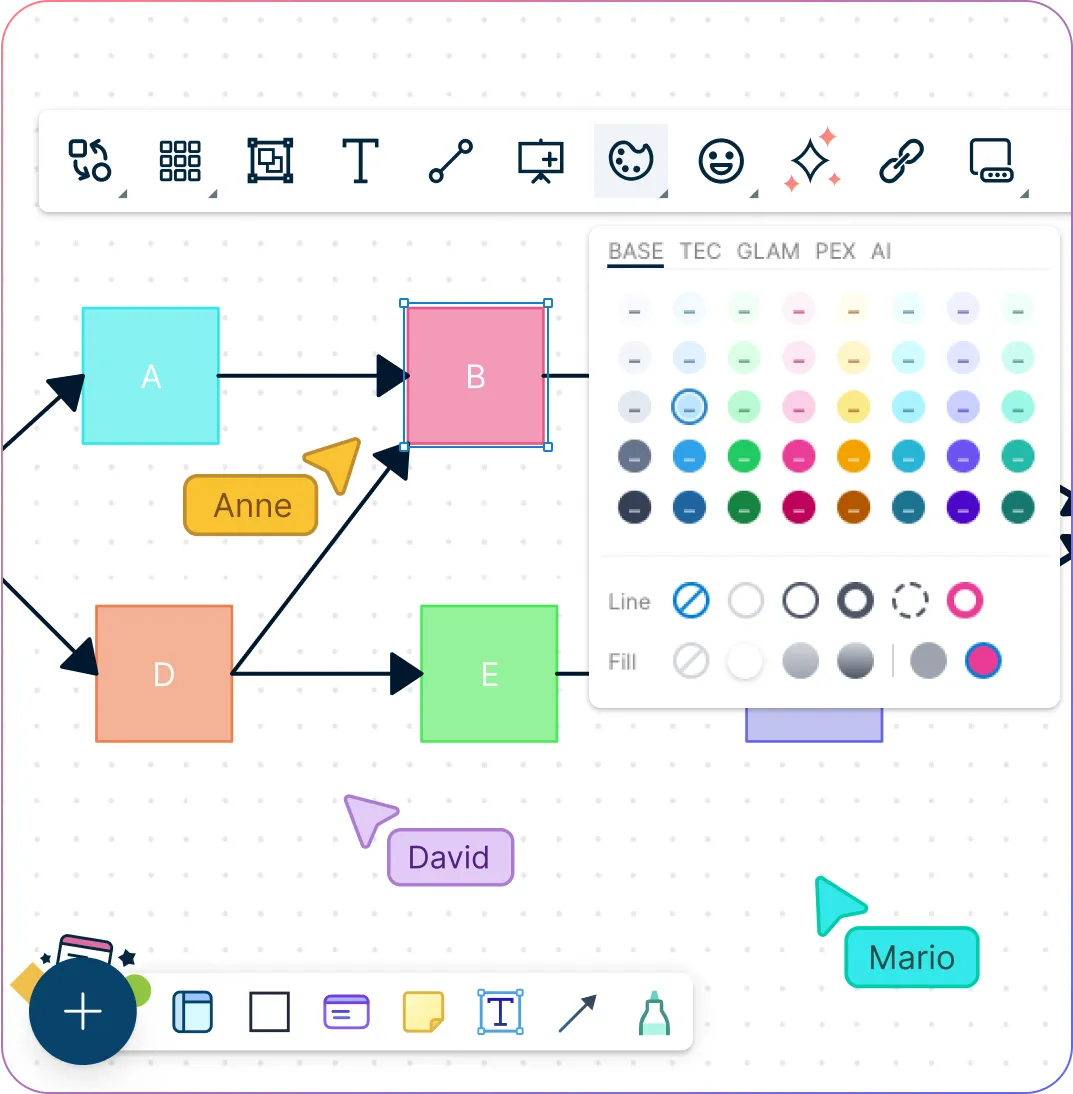
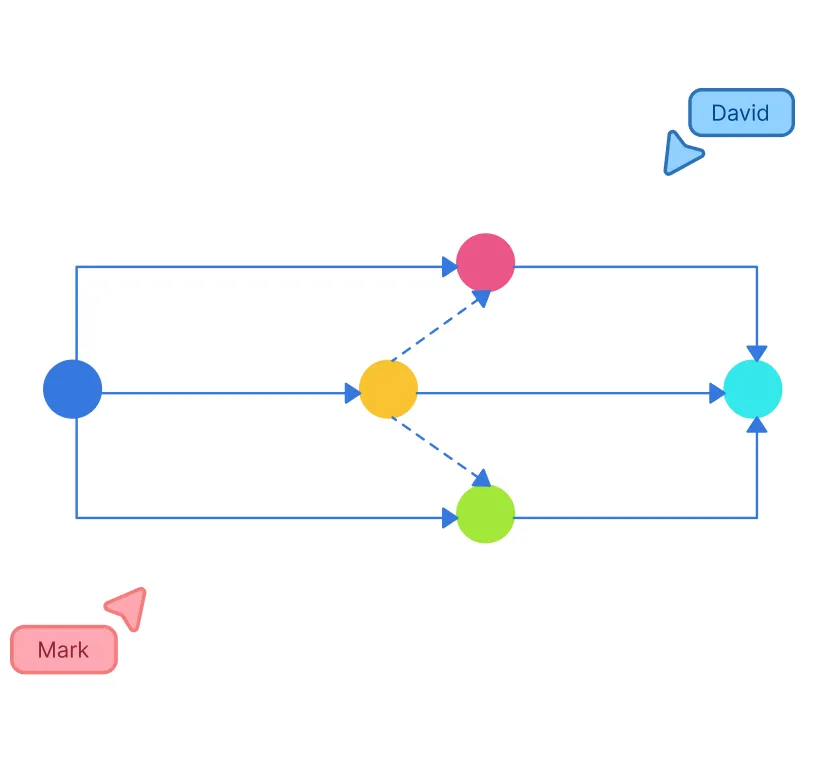
Snapshot of Creately's arrow diagram template with color themes
  • Pre-built arrow and precedence diagram templates—quick and professional

  • Intelligent drag-and-drop drawing with connector presets for speed and accuracy

  • Duration tracking and critical-path highlighting to manage timelines visually

  • Infinite canvas to expand your diagrams as your project grows
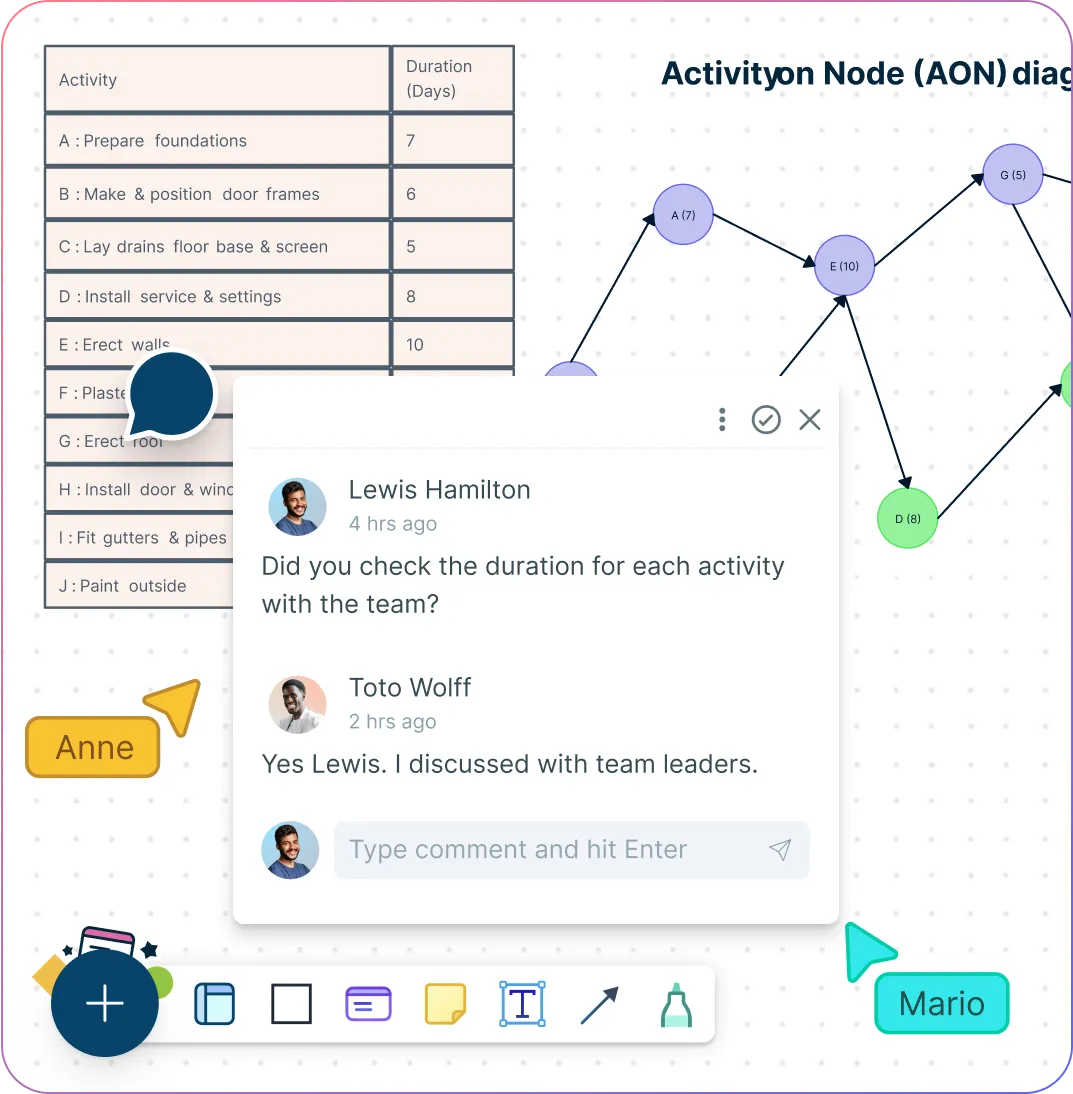
Snapshot of Creately's arrow diagram template with color themes
Snapshot of Creately's arrow diagram maker with collaboration features
COLLABORATE

Work Together in Real Time with an Infinite Workspace

Snapshot of Creately's arrow diagram maker with collaboration features
  • Multi-user editing with real-time cursors—see collaborators working live

  • In-line comments and discussion threads keep feedback organized and context-rich

  • Integrate easily with Microsoft Teams, Slack, Google Drive, Confluence, and more

  • Shareable links with view/edit options streamline stakeholder access and review

EXECUTE

Keep Projects on Track from Start to Finish
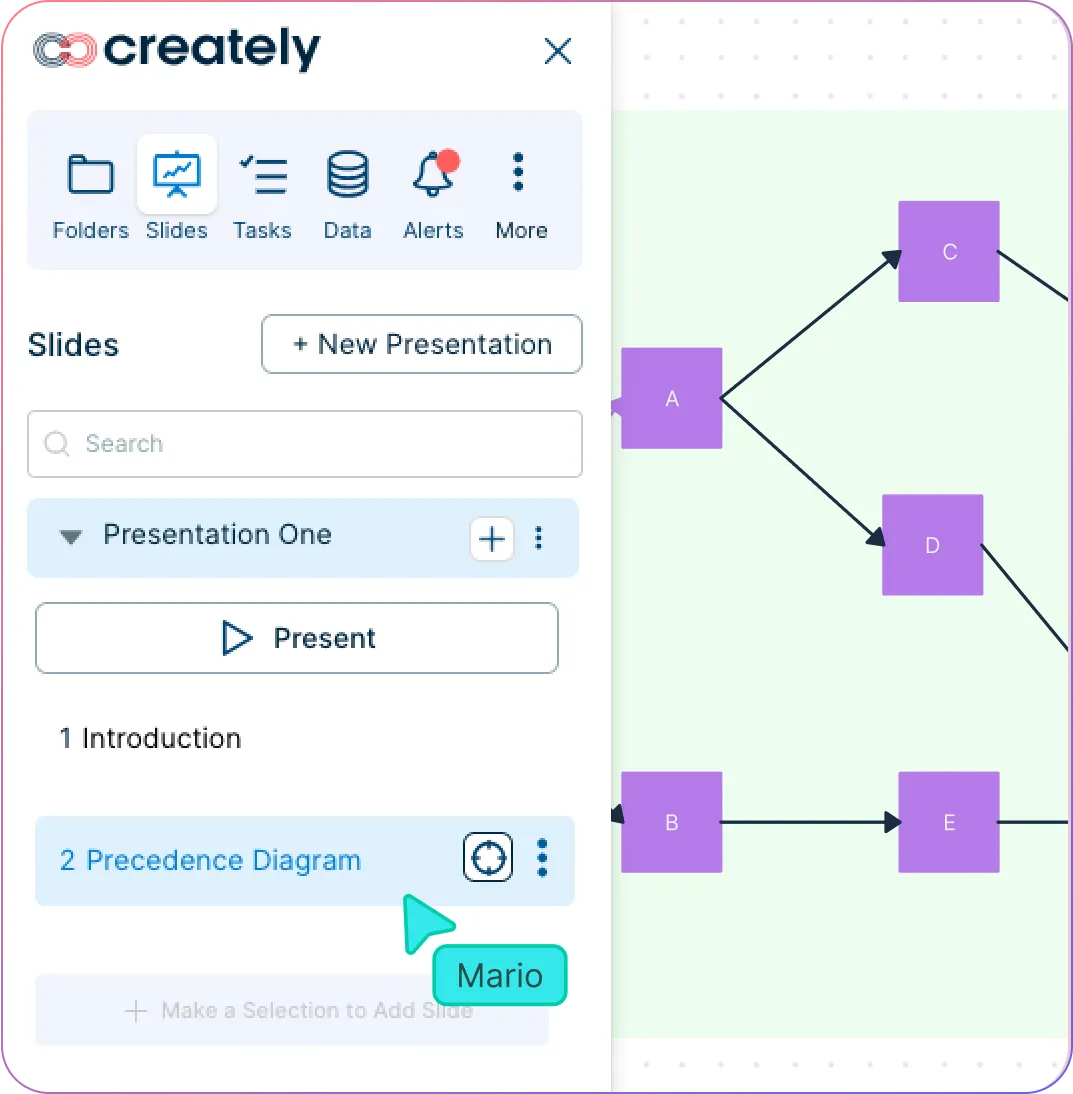
Snapshot of Creately's presentation mode and pictogram template
  • Use built-in sticky notes and data fields in the arrow diagram software to assign tasks and set due dates

  • Presentation mode for clear project reviews and stakeholder updates

  • Link Kanban boards directly to arrow diagrams to track task progress visually

  • Centralized online workspace keeps all project visuals connected and accessible

Snapshot of Creately's presentation mode and pictogram template
Ideate, plan, and execute ideas better with Creately

What Is an Arrow Diagram?

What Is an Arrow Diagram?
An arrow diagram is a visual project management tool that represents tasks as arrows and their start or end points as nodes. It shows the sequence of activities and their dependencies, helping teams plan, schedule, and manage projects. Arrow diagrams are commonly used in Critical Path Method (CPM) and Program Evaluation and Review Technique (PERT) to identify the order of tasks, determine the critical path, and optimize project timelines.

How to Create an Arrow Diagram Using Creately

  1. Start with a workspace or template

Open Creately’s arrow diagram maker, choose a blank canvas, or pick from pre-made templates to get a quick head start.

  1. Map out tasks and dependencies on the canvas

List all tasks in your project and define how they connect. Use sticky notes or quick text boxes in Creately to capture details before linking them.

  1. Add nodes, arrows, and durations

Drag and drop shapes to represent tasks, then connect them with arrows to show dependencies. Label each arrow with the task name and add durations to visualize timelines.

  1. Identify the critical path

Highlight the sequence of tasks that determines project completion. Use colors or styling in Creately to make it stand out.

  1. Collaborate and share

Invite your team to co-edit in real time, add comments, or attach data. Once done, export your arrow diagram as PNG, PDF, or SVG, or share a secure link for easy access.

Create an Arrow Diagram

Get a Head Start with Arrow Diagram Examples
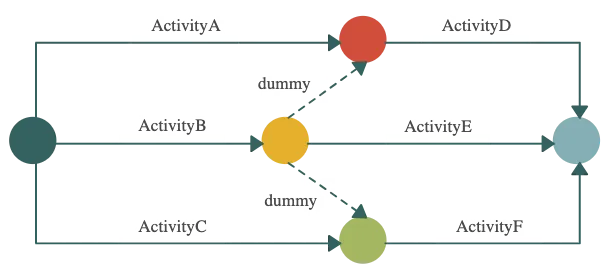
Simple Arrow Diagram Example

Simple Arrow Diagram Example

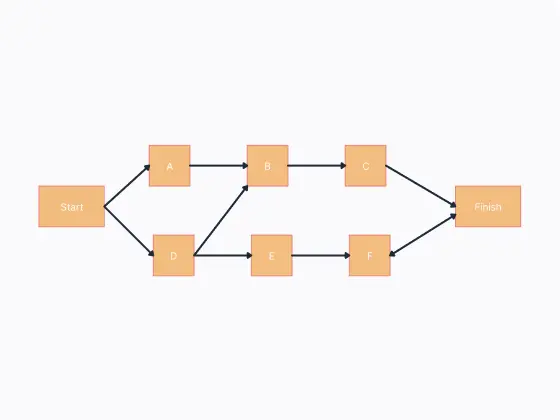
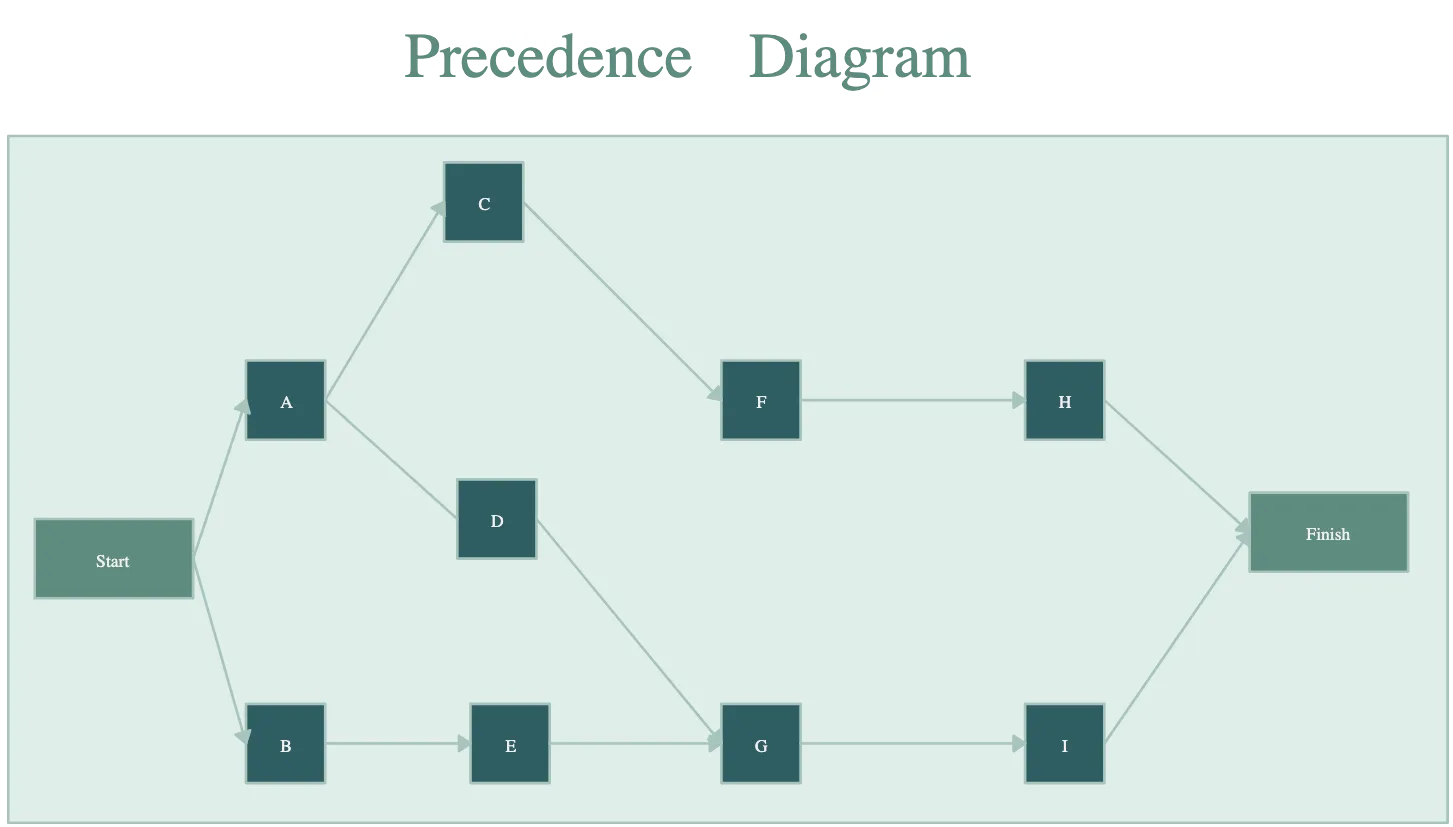
Precedence Diagram Template

Precedence Diagram Template

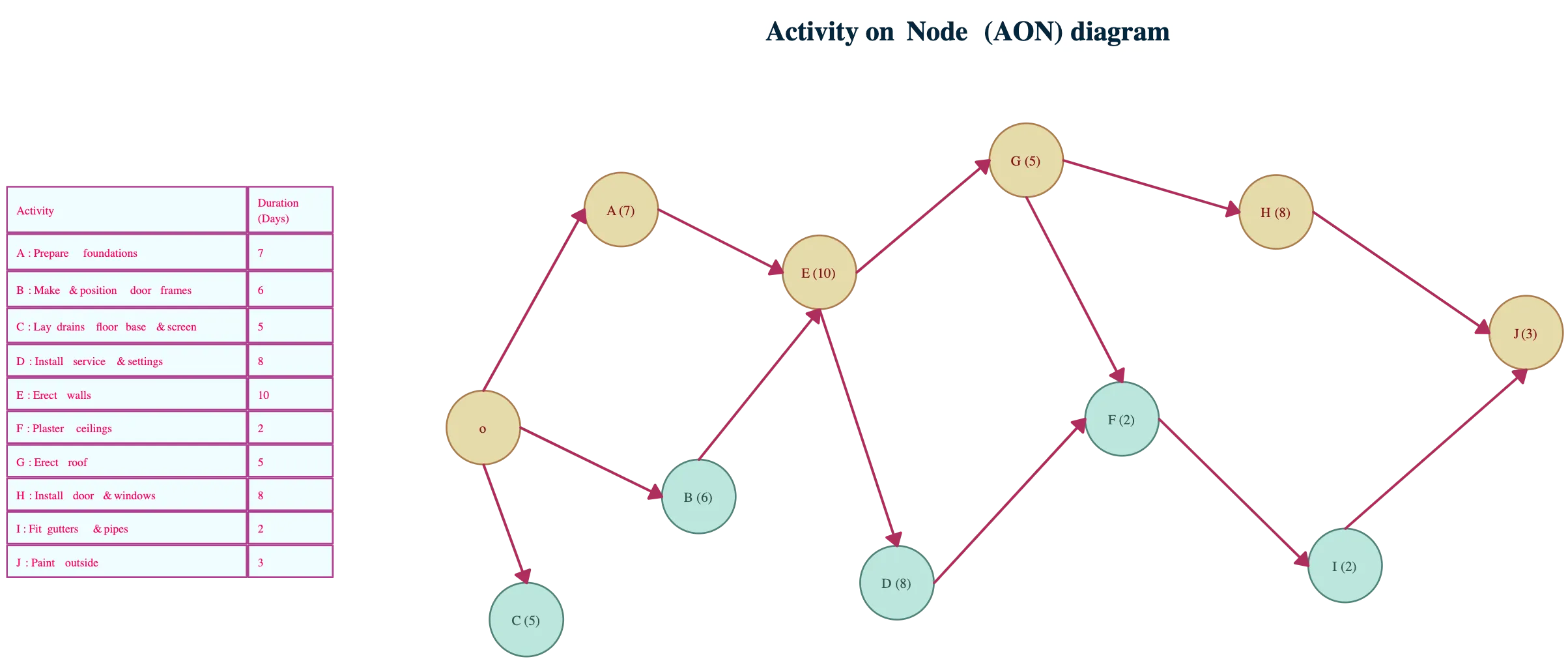
Activity On Node Diagram

Activity On Node Diagram

Precedence Diagram Template

Precedence Diagram Template

FAQs About the Arrow Diagram Software

When should I use an arrow diagram?

Use an arrow diagram when you need to visualize task dependencies, identify the critical path, manage complex projects, or optimize workflows.

What are the benefits of an arrow diagram?

  • Visualizes task sequences and dependencies
  • Highlights the critical path for timely project completion
  • Identifies bottlenecks or scheduling issues
  • Improves collaboration and workflow clarity

How is an arrow diagram different from a Gantt chart?

An arrow diagram focuses on task dependencies and sequences, while a Gantt chart emphasizes timelines and progress tracking. Both can be used together for better project planning.

What is an arrow diagram generator?

An arrow diagram generator is software that helps you create arrow diagrams automatically, allowing you to map tasks, dependencies, and timelines quickly without starting from scratch.

Are there any arrow diagram examples I can use?

Yes, Creately offers pre-made arrow diagram examples and templates for various project types, including critical path planning, task scheduling, and workflow visualization.

How do arrow diagrams help with project planning?

Arrow diagrams clarify task sequences, dependencies, and critical paths, helping teams identify potential bottlenecks, optimize resources, and manage timelines effectively.
Streamline Your Workflows by Integrating with the Tools You Love
Creately integrates with the tools your teams use every day and supports your team’s workflow seamlessly.
Github
Microsoft
Google Drive
Google Sheets
Google Docs
Google Slides
Confluence
Why Creately Is the Best Arrow Diagram Maker
Creately is the intelligent visual platform enabling visual collaboration, knowledge management and project execution.
Why Creately Is the Best Arrow Diagram Maker
Infinite Visual Canvas
Real-Time Collaboration
Custom Databases
Data Driven Docs
Professional Diagramming
Enterprise Grade Security
Project & Task Management
Powerful Visual Modelling
G2
Atlassian
GetApp
Capterra
Software Advice
Trust Radius

24/7 Live Support

Live in-app chat support

Sign up for a free account today.
banner-img