Designers can use Creately for client design work when workspace access, data handling, review ownership, and approval expectations are agreed up front. This guide answers the questions design teams are most likely to hear before inviting clients, product teams, executives, or procurement reviewers into a shared Creately workspace.
Creately’s published safeguards include a SOC 2 Type 2 audit, ISO 27001 certification, TLS 1.2 or higher for data in transit, and AES-256 encryption for document content at rest. Those controls help answer common security questions, but they do not replace a client’s own classification, retention, residency, or approval requirements.
Is Creately Secure Enough for Client Design Work?
Creately can support client design work when the project setup matches the client’s security requirements. Before uploading confidential material, designers should confirm what can be stored in the workspace, who needs access, and what evidence the client expects during procurement or review.
Use these specific points during a client or procurement review:
- Independent assurance: Creately reports a completed SOC 2 Type 2 audit and ISO 27001 certification.
- Encryption: Customer traffic uses TLS 1.2 or higher, while document content at rest uses AES-256.
- Data location: Regional hosting options are documented for the United States, European Union, and Australia.
- Identity and administration: Enterprise controls include SAML-based SSO, multi-factor authentication options, and role-based access controls.
- Evidence: Enterprise customers can request the latest SOC 2 Type 2 report and ISO 27001 certificate under NDA.
Review the current Creately security practices and organization preferences before committing to a client requirement. If a contract calls for a specific residency region, retention period, identity provider, or security schedule, have the client’s security or procurement owner confirm it.
How Should Designers Share Work with Clients and Stakeholders?
Designers should separate participation from approval. A collaborator who changes layouts needs editor access. A stakeholder who reviews the work can use reviewer or view-only access, depending on the workspace and plan configuration.
For client-facing design reviews:
- Invite named collaborators instead of forwarding unrestricted links.
- Assign editor or reviewer roles according to each person’s responsibility.
- Use comments, threads, and @mentions to keep feedback attached to the relevant screen or component.
- Resolve comment threads when a decision is complete so open issues remain visible.
- Remove access when the engagement ends or a stakeholder leaves the project.
Creately’s access-control documentation explains collaborator roles, while organization preferences cover guests, collaboration invitations, workspace links, embedding, and password protection. Available controls can vary by plan, so verify them before promising a specific client workflow.
How Should Designers Present Wireframes and Concepts?
A good design presentation should guide the decision, not simply show the canvas. Arrange screens in a sequence that matches the user flow, then make the decision needed on each screen visible to the client.
Use this review structure:
- Put screens in the expected user-flow order.
- Label the purpose and decision needed for each screen.
- Add notes for assumptions, constraints, and unresolved questions.
- Use presentation mode for a guided review.
- Capture feedback in comments and assign follow-up owners.
- Export a fixed artifact when the client needs an approval record.
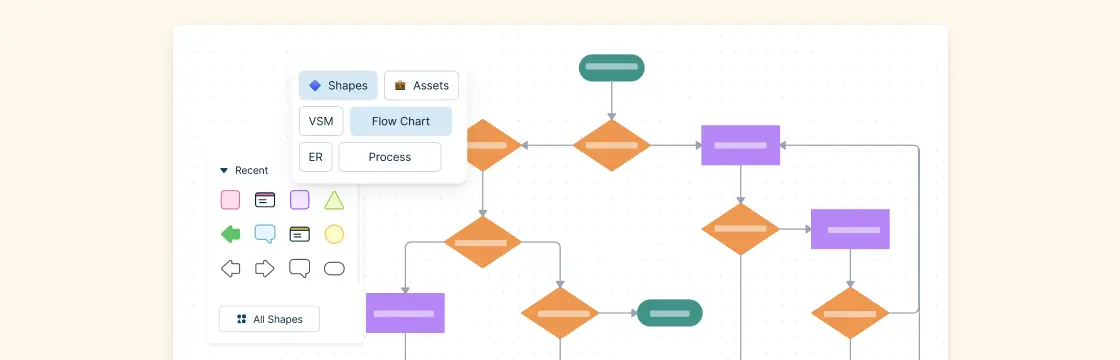
The online wireframe tool supports presentation mode and exports to PNG, JPEG, SVG, and PDF. The help center notes that PNG and JPEG exports are available across plans, while SVG and PDF exports require a premium plan. Confirm the required format before the review.
What Should Designers Prepare Before Onboarding a Client Project?
Treat onboarding as an agreement about access, evidence, and decisions. The goal is to prevent unclear ownership later, especially when multiple clients, product owners, and design reviewers are involved.
| Onboarding decision | Record before design starts |
|---|---|
| Data sensitivity | What may and may not be uploaded |
| Access | Named editors, reviewers, and approval owners |
| Review cadence | Meeting dates and asynchronous feedback windows |
| Approval method | Comment resolution, email approval, or exported sign-off |
| Deliverables | Live workspace, PNG/JPEG, SVG/PDF, or embedded view |
| Offboarding | Export, retention, ownership transfer, and access removal |
Create the workspace only after these choices are clear. Add the brief, research, user flows, and reference files; assign roles; then run a short orientation so stakeholders know where to comment and how approvals will be recorded.
Client Review Checklist for Designers
Before sending a Creately workspace to a client, check the following:
- The client has confirmed what data can be uploaded.
- Editors, reviewers, viewers, and approval owners are named.
- External sharing settings match the client’s policy.
- Screens are arranged in the intended presentation order.
- Open questions are marked clearly on the canvas.
- The team knows whether approval happens through comments, email, export, or another record.
- Offboarding steps are documented before the project closes.