Genogram Report Template
Document the Family Evidence in a Consistent Report
Start with a structured report for the genogram, profiles, unions, relationships, observations, evidence limits, and symbol legend. Edit the content and export it as DOCX or PDF.
- A repeatable report structure for consistent documentation
- Evidence, observations, and limitations kept together
- Editable DOCX and filing-ready PDF output
Over 10 Million people and 1000s of teams already use Creately

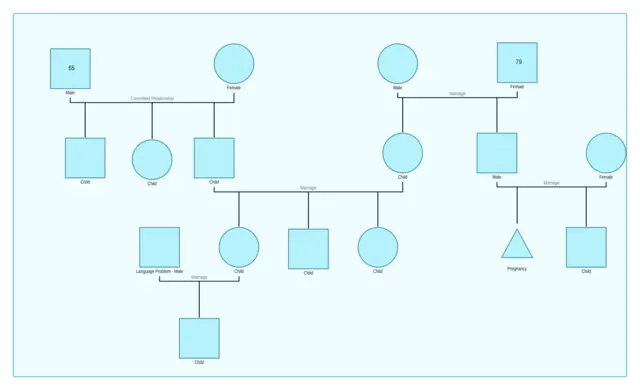
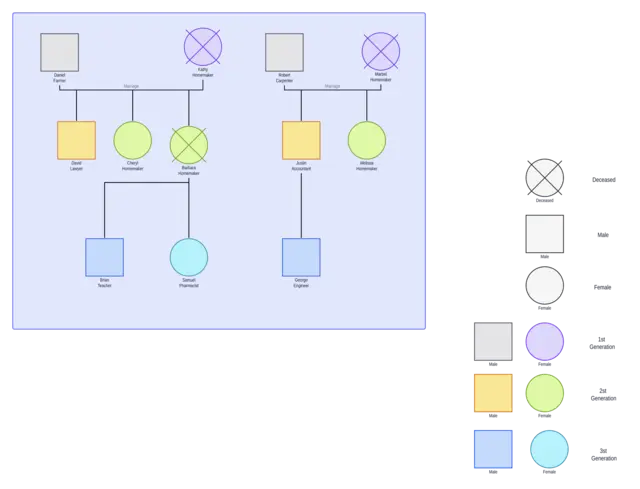
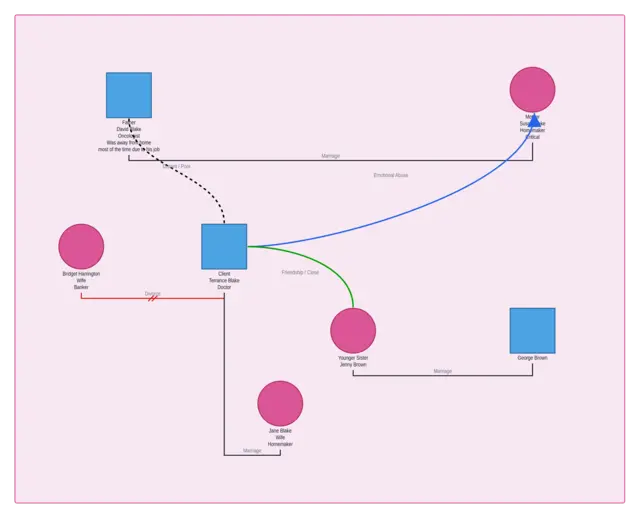
Genogram Examples for Structured Family Documentation

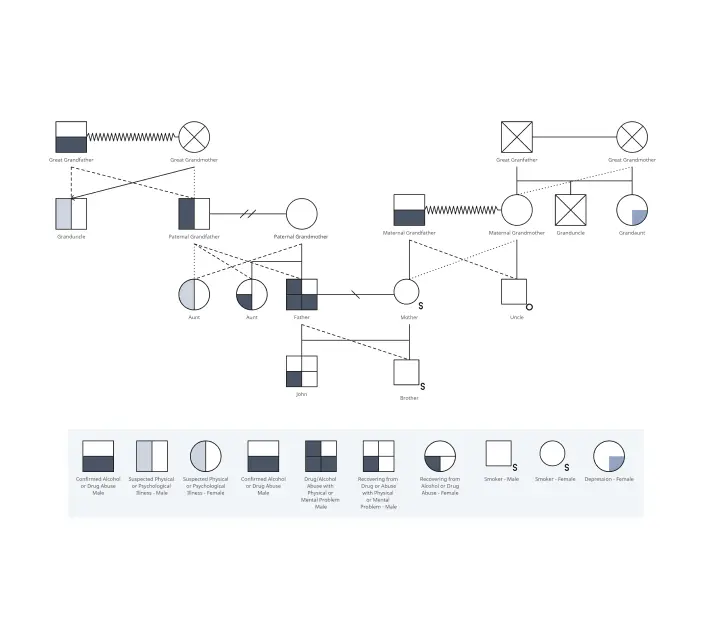
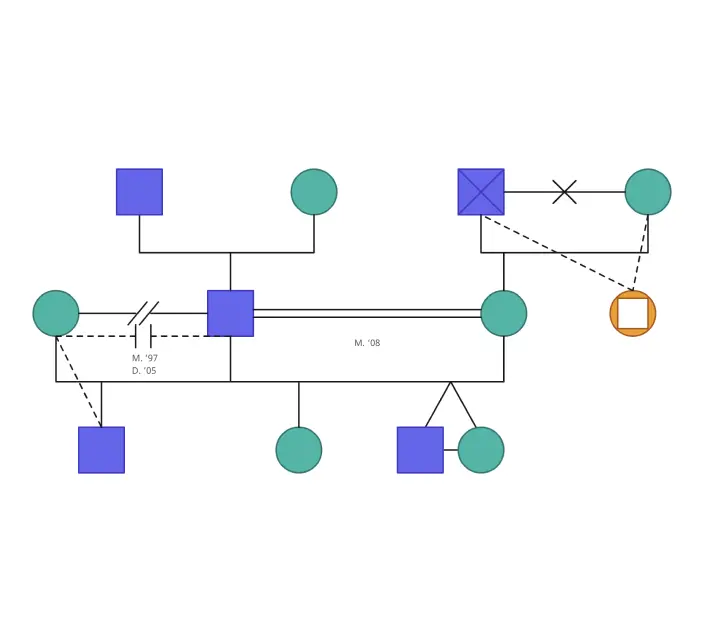
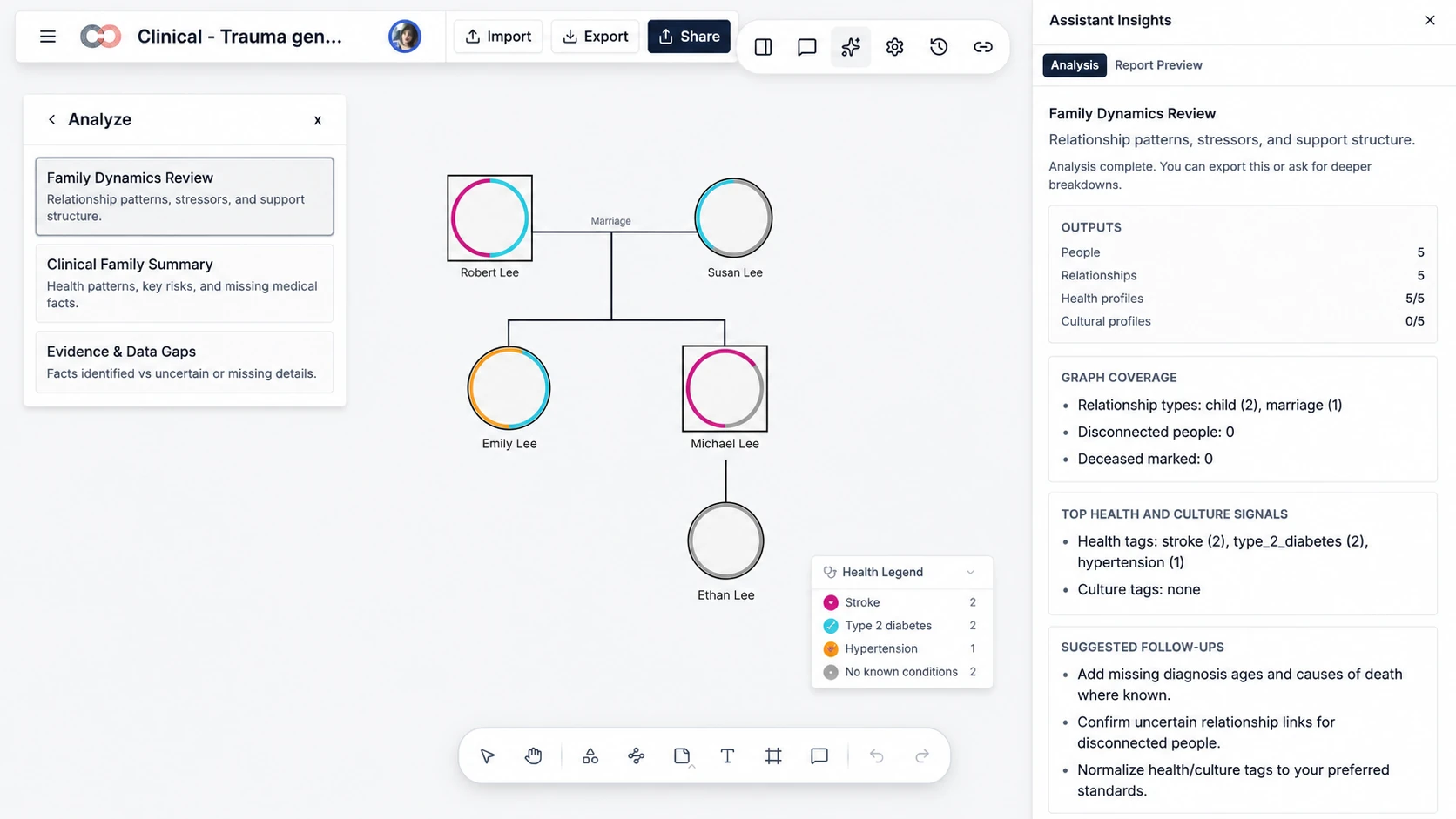
Review Evidence with Assistant Insights
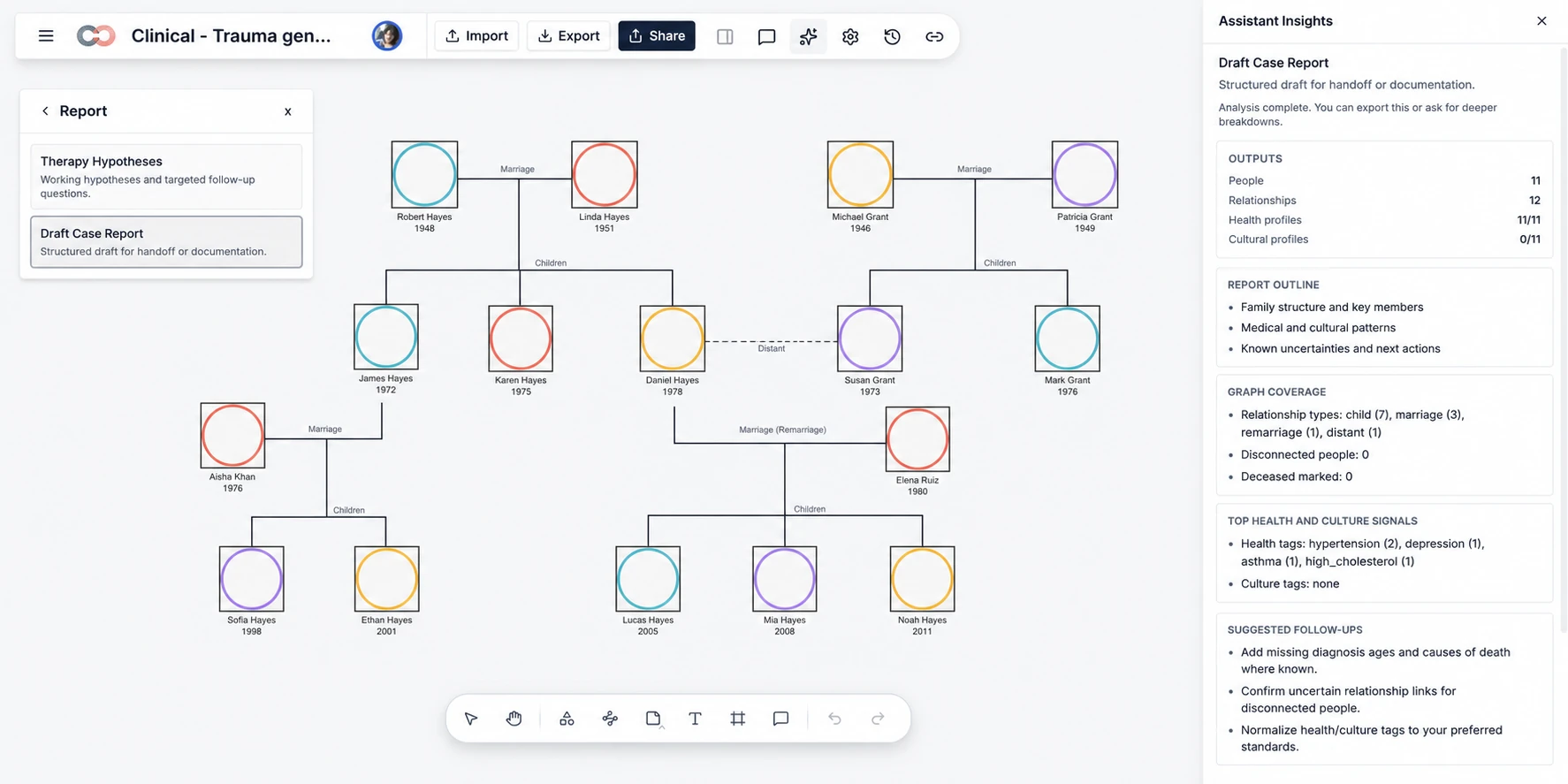
Use Assistant Insights to review family dynamics, graph coverage, health and culture signals, evidence gaps, and suggested follow-up questions. Keep the generated analysis beside the genogram so it can be checked against the people and relationships represented on the canvas.
Turn the Analysis into a Draft Case Report
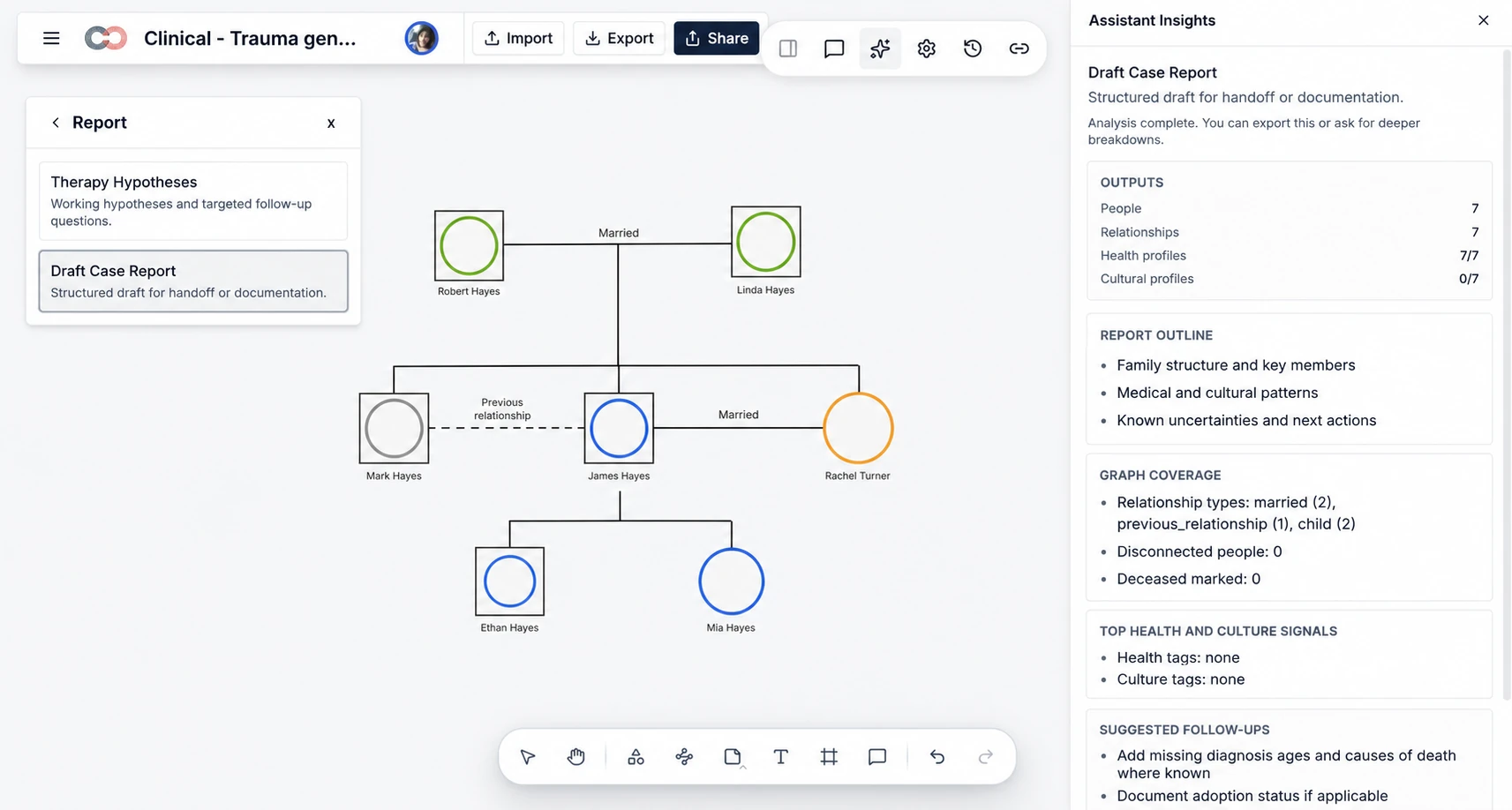
Select Draft Case Report to create a structured draft for handoff or documentation. Review the report outline, graph coverage, health and culture signals, known uncertainties, and suggested next actions beside the source genogram before exporting.
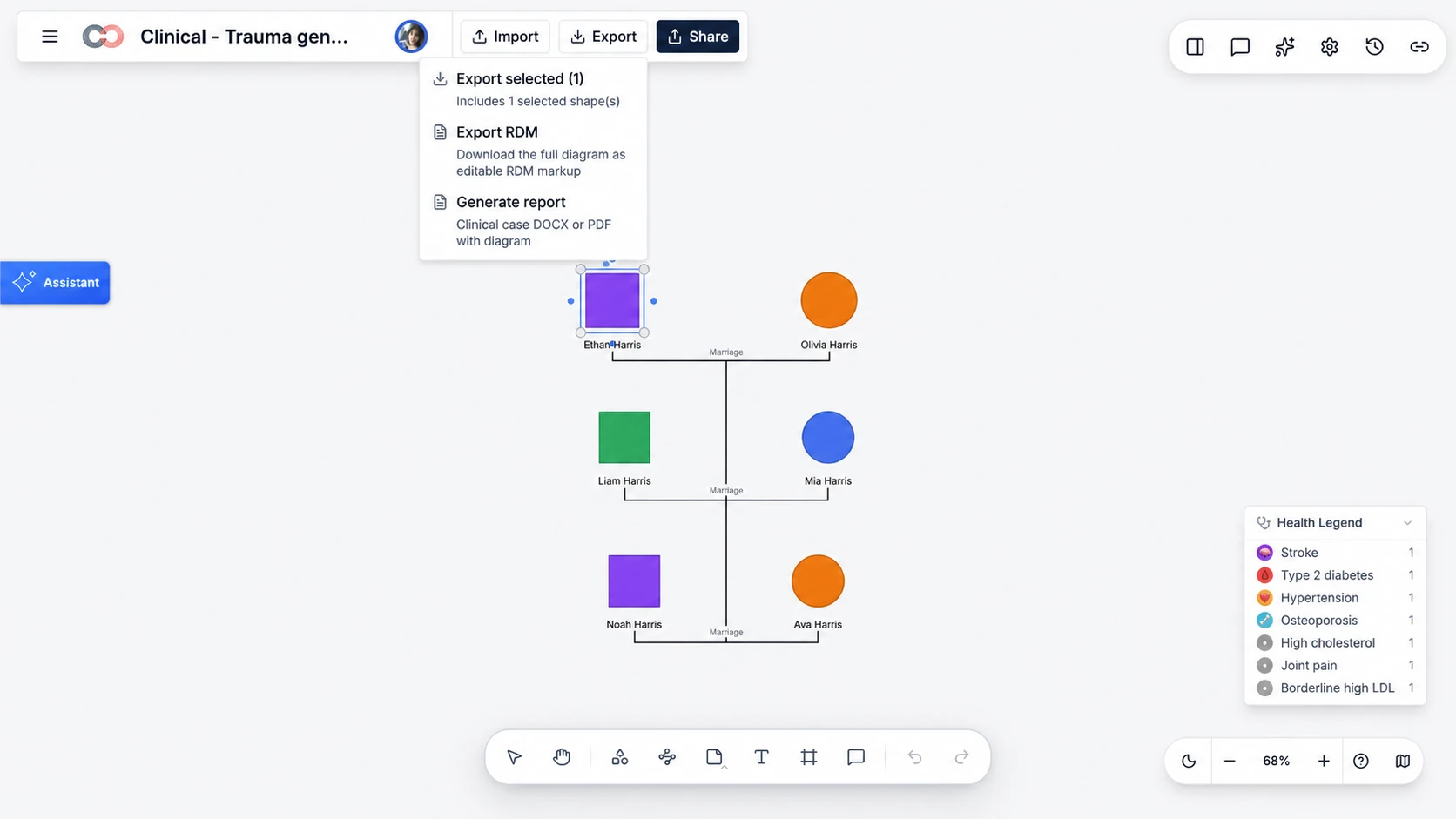
Generate a DOCX or PDF Report from the Export Menu
Open the Export menu and select Generate report to create a clinical case document with the diagram. Choose DOCX when the report needs further editing or PDF when a fixed layout is preferred for review, filing, or sharing.
What Is Included in the Genogram Report Template?
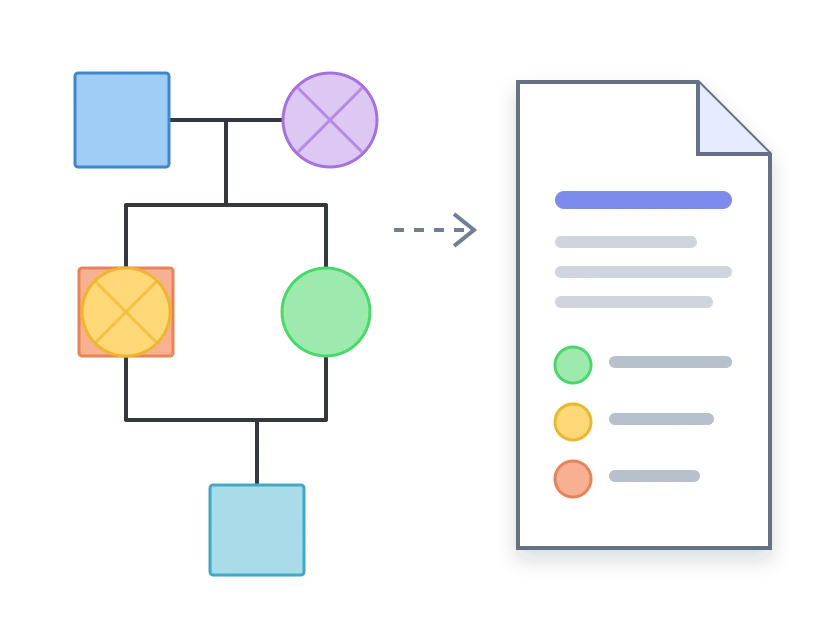
Use One Genogram Report Template Across Professional Contexts
Therapy and Counseling:
Activate the Family Therapy field pack for attachment styles, family roles, trauma history, coping strategies, treatment goals, and professional notes. Include only information relevant to the purpose and consent boundaries of the report.
Social Work:
Use the Social Work field pack for housing, employment, income sources, insurance, support networks, and documented risk factors. Represent biological, adoptive, foster, and step relationships with their distinct notation.
Medical and Genetic Review:
Use the Medical and Genetic field pack for conditions, markers, medications, allergies, substance-use information, and screening status. Report visible cross-generational occurrences as observations requiring professional verification—not as diagnoses.
How to Use the Genogram Report Template
Define the Report’s Purpose:
Identify the intended reader, professional context, relevant time period, evidence sources, and confidentiality requirements.Build the Genogram:
Add the relevant family structure, relationships, health or cultural details, and only the field packs needed for the current task.Review the Evidence:
Use Assistant Insights to examine family dynamics, graph coverage, health and culture signals, evidence gaps, and suggested follow-up questions.Create a Draft Case Report:
Select Draft Case Report and review its outline, known uncertainties, and suggested next actions against the source genogram.Generate the Document:
Open the Export menu and select Generate report to create a clinical case DOCX or PDF with the diagram.
More Genogram Templates for Professional Reports
Genogram Report Template FAQs
What is a genogram report template?
Can I edit the genogram report in Word?
Is this the same as a genogram diagram template?
Can the same template be used for therapy, social work, and medical reports?
How do I generate a genogram report in Creately?
What should I review before exporting the report?