FMEA Analysis Template
Proactively Prevent Failures and Manage Risks
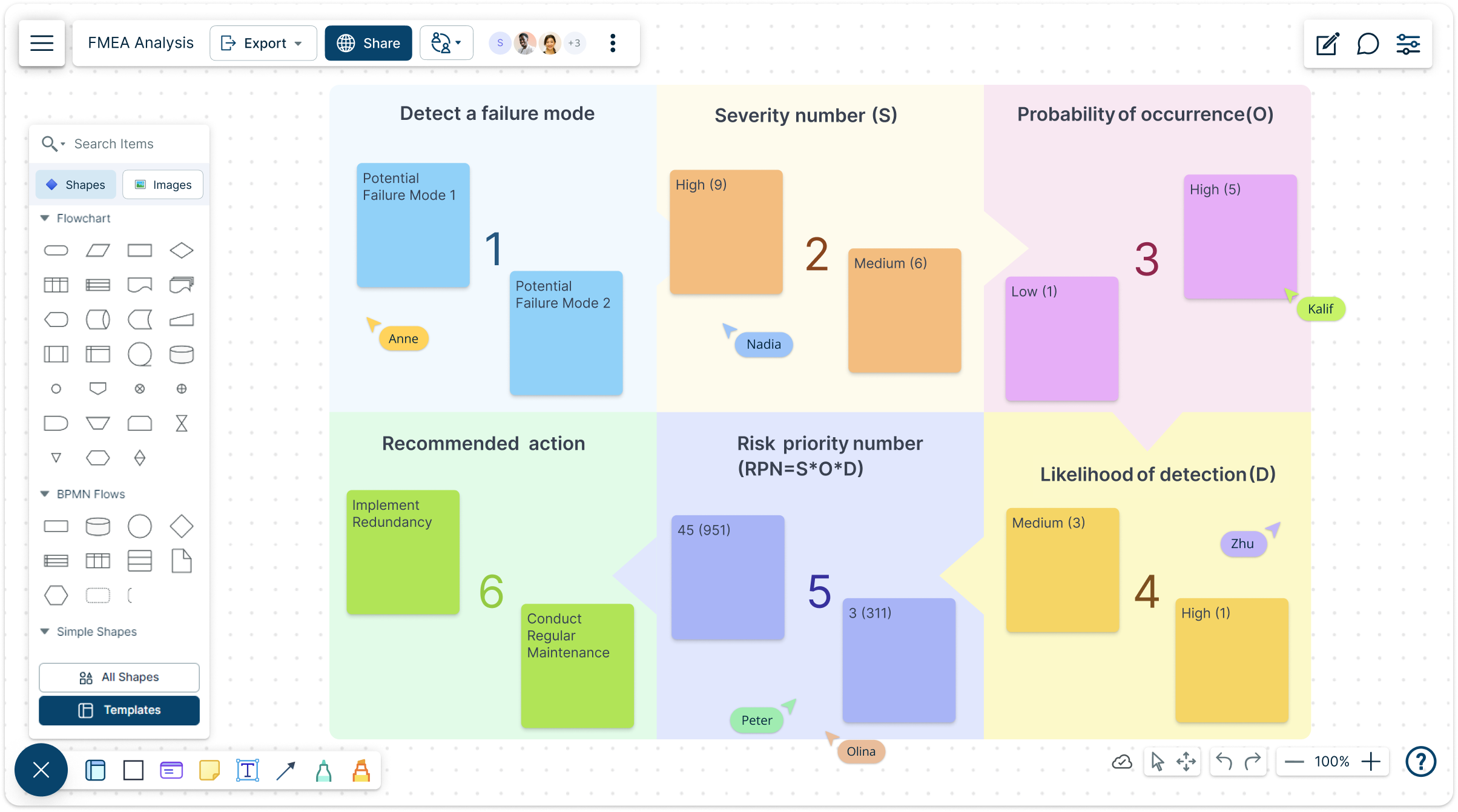
Minimize Potential Risks with Creately's free FMEA Analysis Template. Identify, Assess, and Mitigate Potential Failures Across Your Organization's Processes and Designs.
- Create detailed failure mode analyses for products and processes
- Develop systematic approaches to identify potential risks
- Collaborate in real-time with cross-functional team members
Over 10 Million people and 1000s of teams already use Creately

Better Manage Risk with Our FMEA Analysis Template


Visualize Your Risk Management Strategy With Free FMEA Analysis Templates
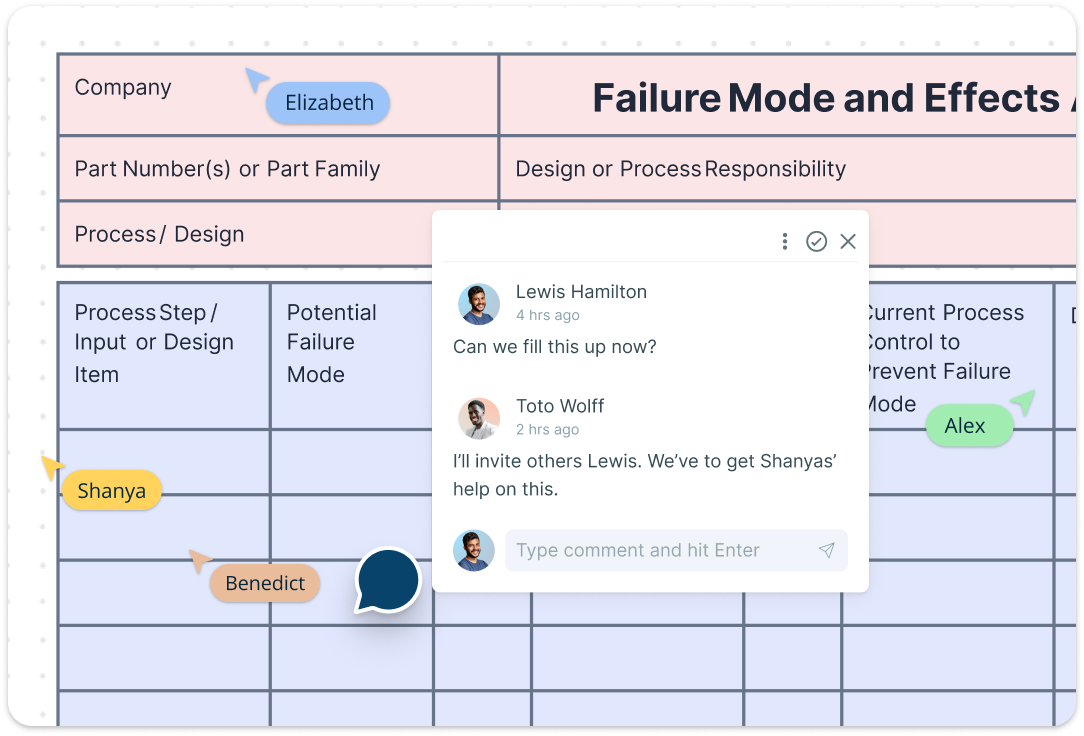
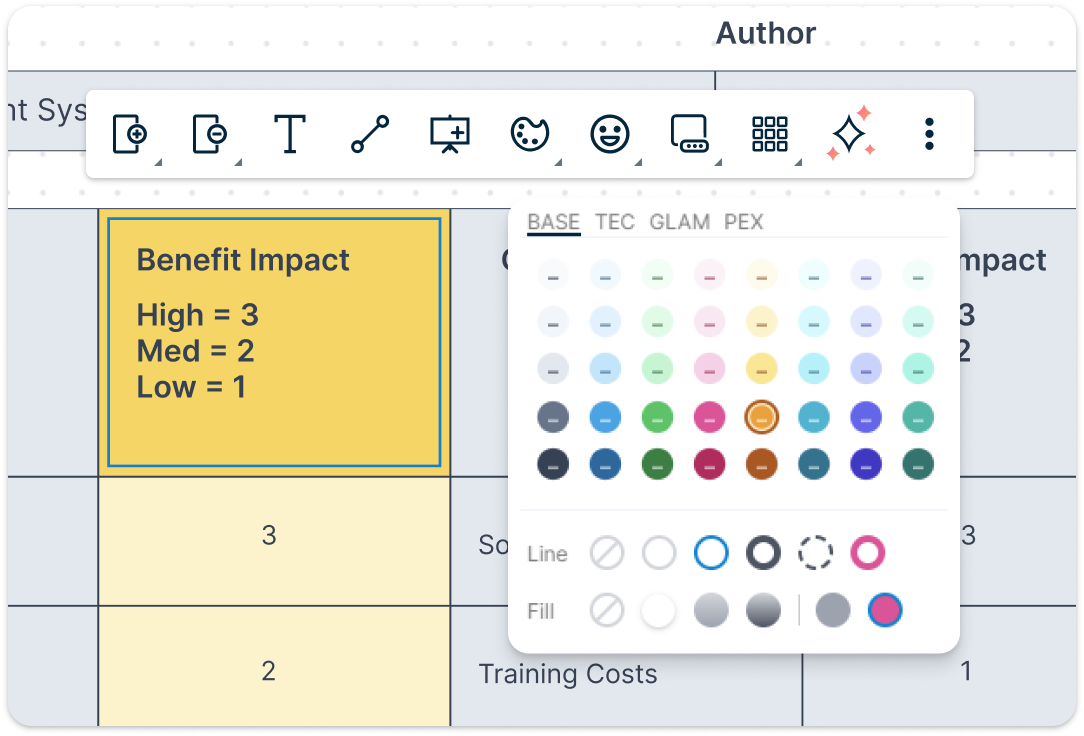
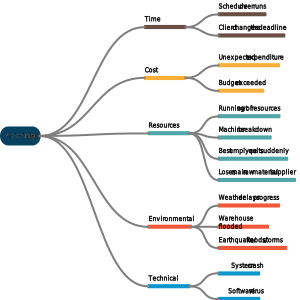
Access a library of free FMEA templates designed to cover various analysis types, including Design FMEA, Process FMEA, and Functional FMEA. Easily customize templates to match your specific organizational needs using an intuitive drag-and-drop interface. Utilize advanced formatting options like color-coding to highlight risk levels and prioritize critical failure modes at a glance.
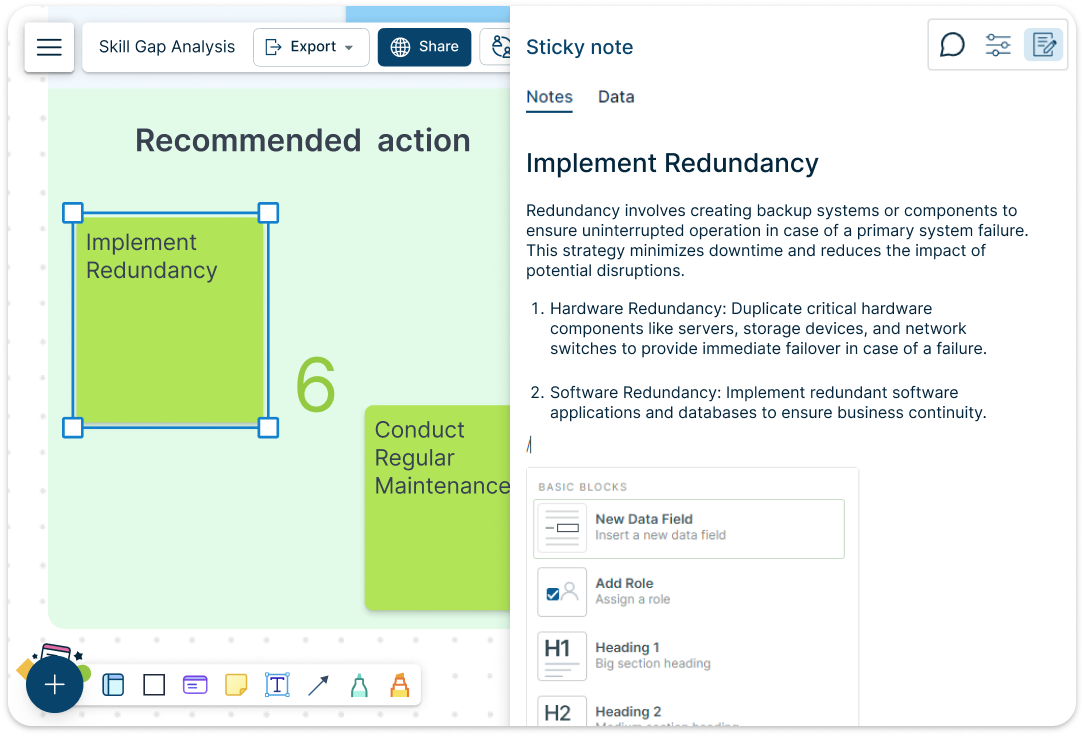
Develop a Shared Risk Management Strategy
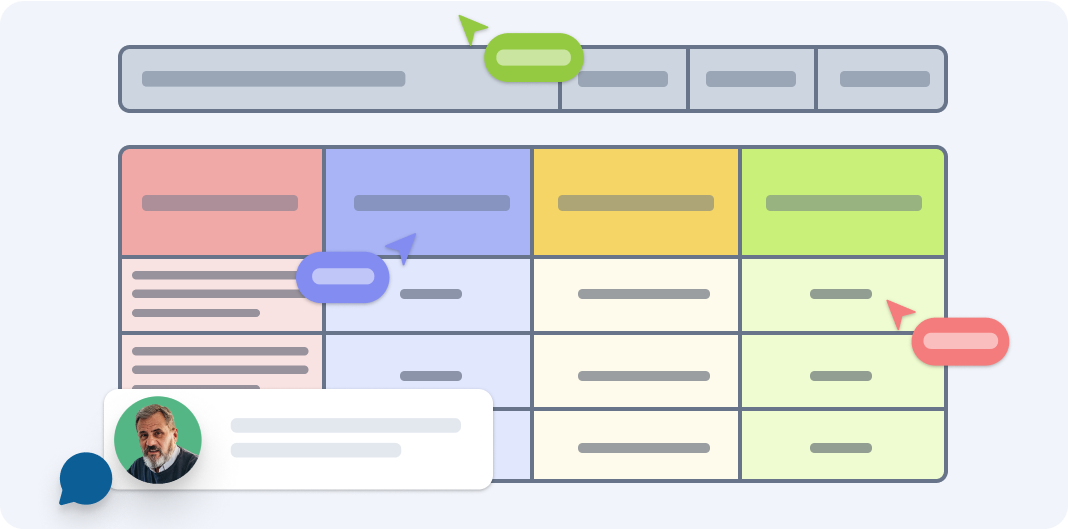
Creates an interactive ecosystem where cross-functional team members can simultaneously contribute their insights, annotate potential failure modes in real-time, and develop a nuanced, comprehensive risk mitigation strategy that goes far beyond conventional linear documentation. By providing synchronized editing, contextual commenting, intelligent version tracking, and full organizational visibility, we turn risk management from a mechanical checklist into a living, adaptive process of continuous organizational learning and proactive problem prevention.
Centralize Your Risk Documentation
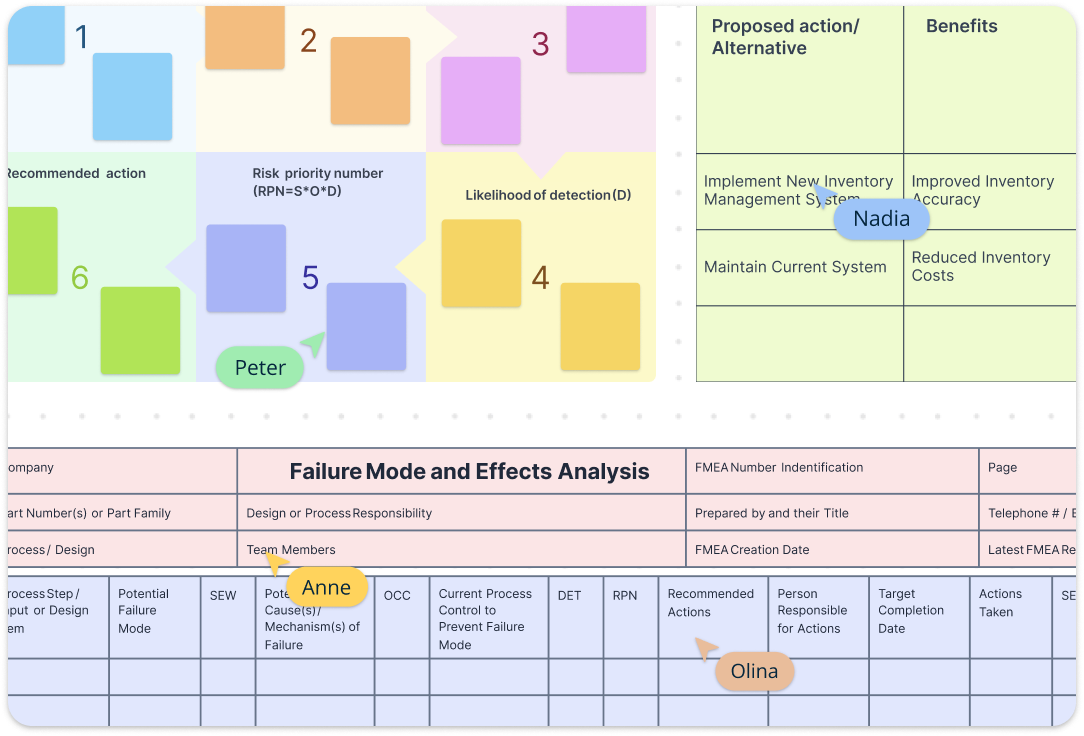
Keep all relevant risk analysis documents, notes, and resources organized within a single, accessible template. Easily embed files, add detailed notes, and link relevant certificates or guidelines for each identified failure mode. Share your FEMA Model Template securely with key stakeholders, ensuring transparency and comprehensive risk management.
Create Actionable Plans To Manage Risk
Define critical milestones throughout your risk assessment process, helping teams stay aligned on evaluation, mitigation, and review deadlines. Visualize transition tasks and risk mitigation strategies using dynamic Gantt charts and Kanban boards, providing a clear roadmap for addressing potential failure.
What is an FMEA Analysis Template?
How to Use Creately's FMEA Analysis Template
Access the Template:
Open Creately and select from our range of free FEMA Model Template. Choose a template that matches your specific analysis needs—Design FMEA, Process FMEA, or Functional FMEA—or create a custom template from scratch.Identify Critical Components:
Begin by mapping out the key components or process steps you’ll be analyzing. Use visual tools to create comprehensive process maps that clearly outline each element of your system or design.Brainstorm Potential Failure Modes:
Collaborate with your team to identify all possible ways each component or process step could potentially fail. Leverage Creately’s collaborative features to capture insights from multiple perspectives.Assess Potential Effects:
Evaluate the potential consequences of each identified failure mode. Consider impacts on safety, quality, customer satisfaction, and operational efficiency.Prioritize Risks:
Use our built-in Risk Priority Number (RPN) calculation tools to quantify and prioritize risks based on severity, occurrence, and detection likelihood.Develop Mitigation Strategies:
Create actionable plans to address high-priority risks. Assign responsibilities, set deadlines, and track the implementation of preventive and corrective actions
Better Manage Risk with These Templates

Frequently Asked Questions about FMEA Analysis Template
What are Creately’s fmea analysis template pricing plans?
- Free Plan — $0/month for basic fmea analysis creation and collaboration
- Starter & Team Plans — $8/month or $5/month billed annually
- Business Plan — $149/month or $89/month billed annually
Annual billing helps you save more while unlocking advanced collaboration, workspace management, and enhanced fmea analysis features. You can compare all available plans and features on the Creately Pricing Page.
How can you create FMEA analyses faster?
Are there templates for different FMEA analysis use cases?
Can teams collaborate on FMEA analyses?
Can I add notes, data, and files?
Can I share, present, or export FMEA analyses?






















