Spreadsheets can't model the future - Stop wrestling with static rows. Visualize how headcount and teams fit together as you scale, without losing strategic context.
Fragmented data stalls HR leadership - Help leaders instantly see how roles, teams, and reporting lines will evolve in future workforce structures.
Static plans delay executive action - Model scenarios for hiring, attrition, and restructuring safely before making real‑world commitments to compare outcomes.
CERTIFIED




Workforce Planning Software
Workforce Planning Software for Smarter Hiring & Resource Planning
Build future-ready workforce plans collaboratively. Model hiring, attrition, and reorganizing scenarios visually with aligned decisions. Creately’s workforce planning platform turns your org chart into a live planning workspace built for modern HR and strategy workflows.
 Spreadsheets can't model the future
Stop wrestling with static rows. Visualize how headcount and teams fit together as you scale, without losing strategic context.

 Fragmented data stalls HR leadership
Help leaders instantly see how roles, teams, and reporting lines will evolve in future workforce structures.
 Static plans delay executive action
Model scenarios for hiring, attrition, and restructuring safely before making real‑world commitments to compare outcomes.




 Diagramming Visual Collaboration Org Chart


Why Choose Creately for Workforce Planning
AI‑Powered Strategic Intelligence
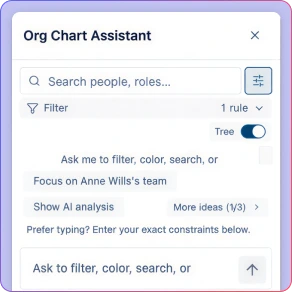
Ask natural-language questions like 'Which teams have the highest flight risk?' and get instant, visual answers.
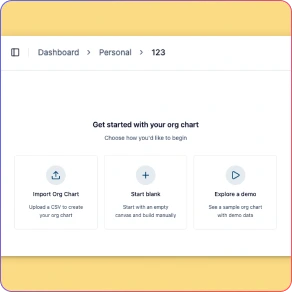
Seamless HRIS & Data Integration
Import from CSV, Google Sheets, or Excel, or sync directly with Azure Entra and HRIS platforms. AI maps columns automatically and validates data before it goes live.
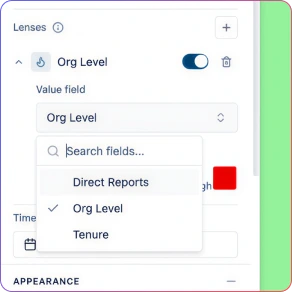
Executive Analytics Presets
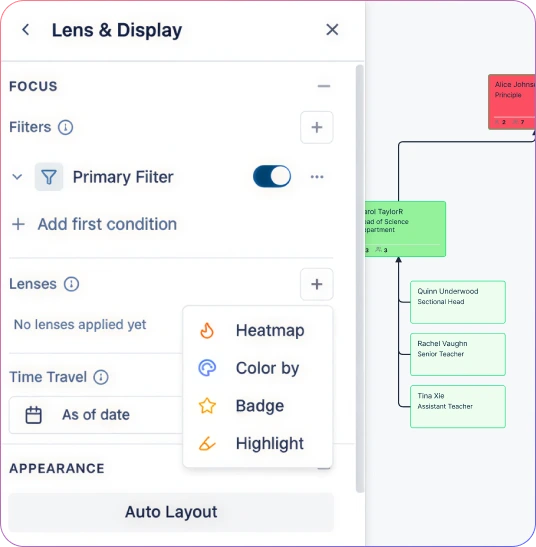
Instantly apply visual presets for Span of Control, Tenure Distribution, Compensation Bands, Performance, Flight Risk, and Succession Readiness.
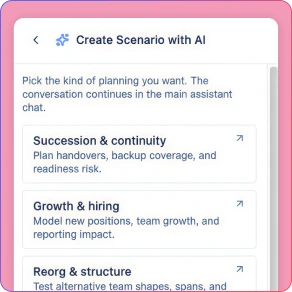
Agile Scenario Modeling
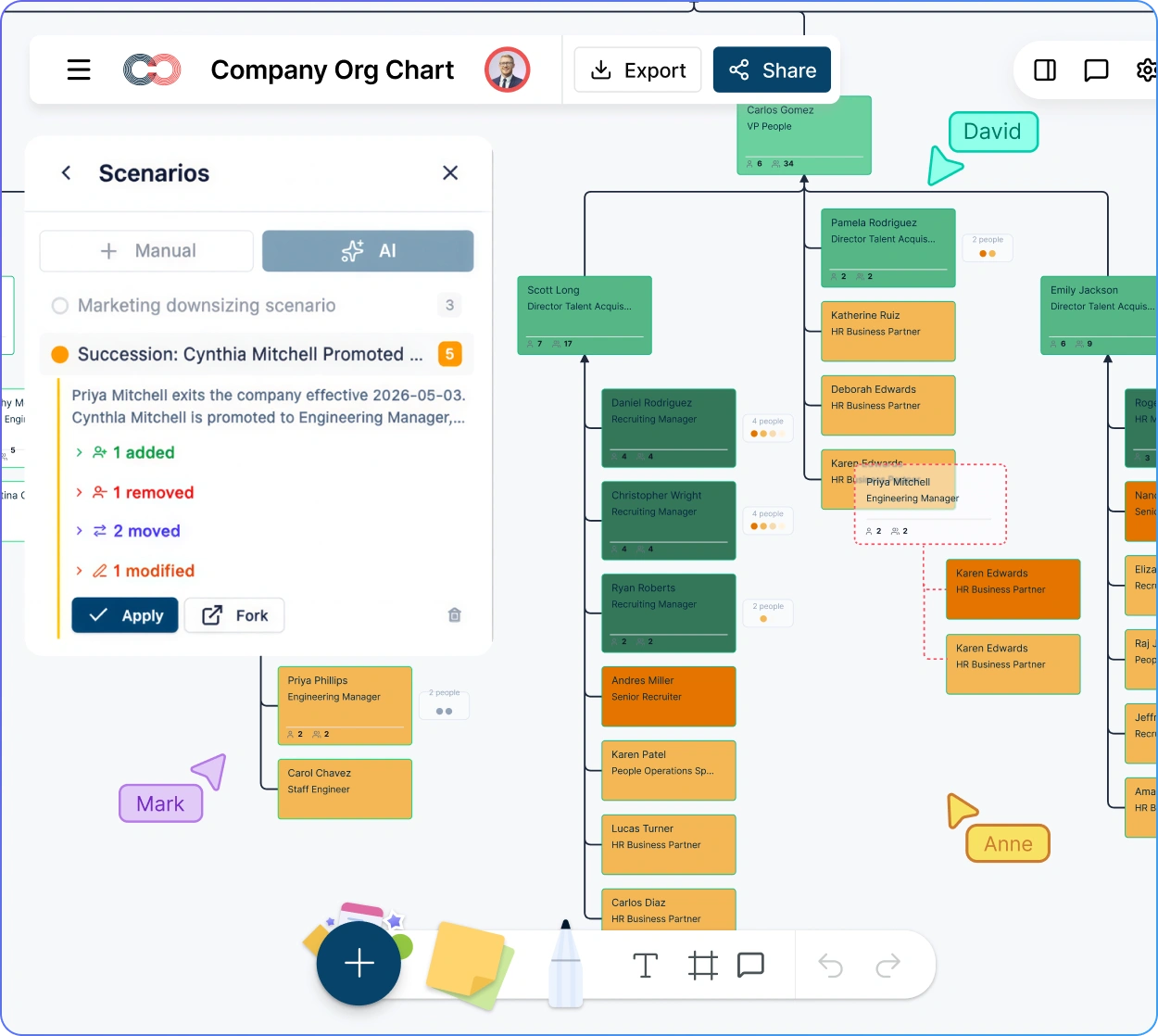
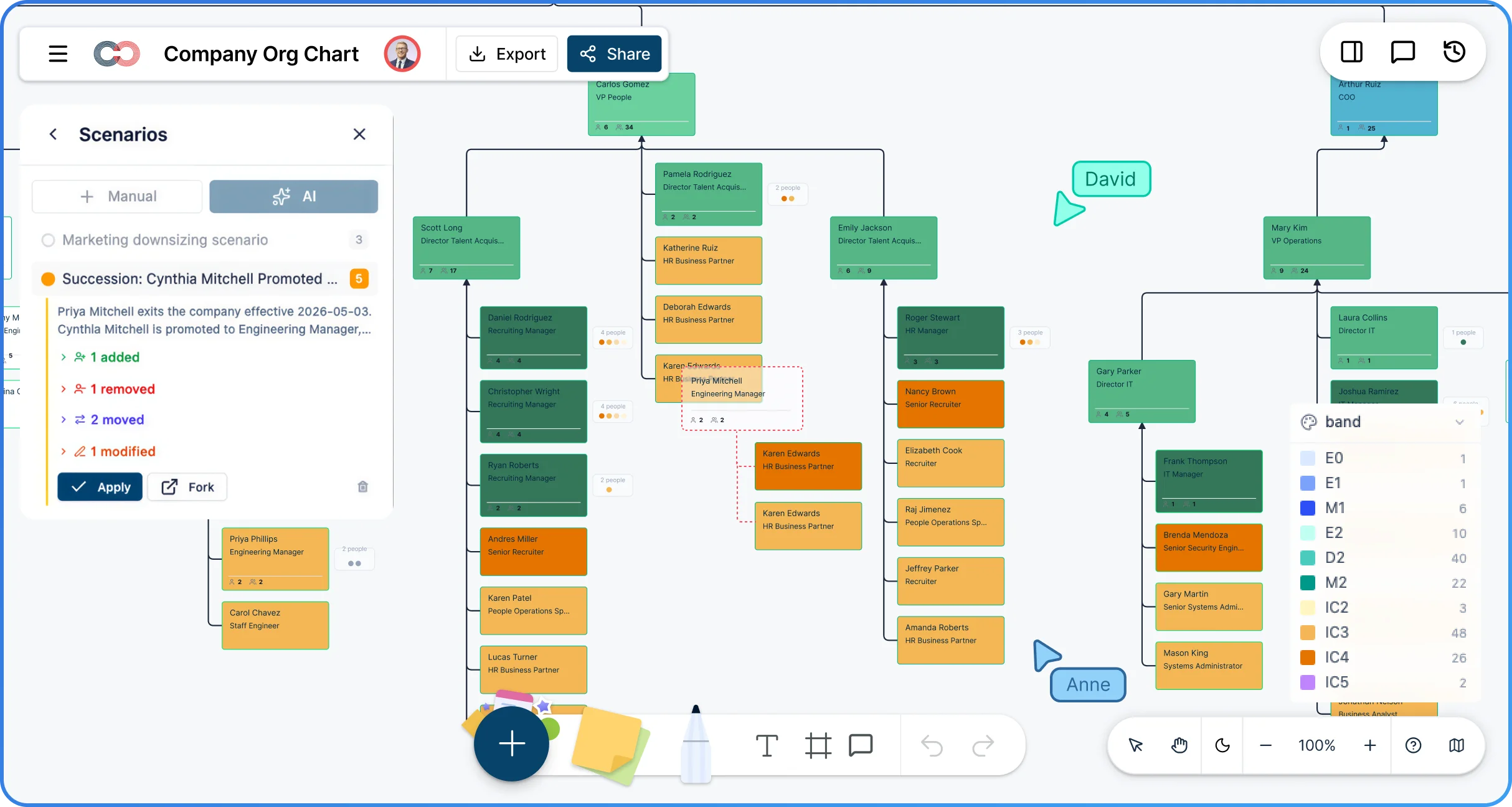
Create named “what-if” scenarios to model restructures, growth plans, and role changes without touching the live org. Compare options before committing.
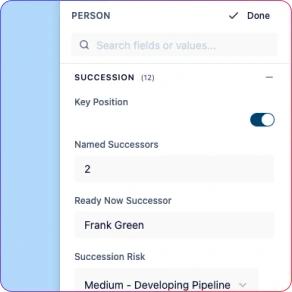
Visualized Hiring Roadmaps
Represent unstaffed and future roles directly in the org structure to support workforce planning, hiring roadmaps, and capacity modeling.
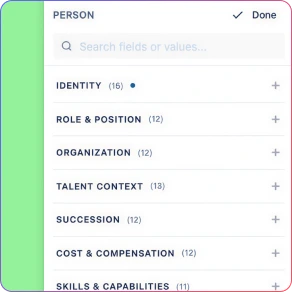
Role‑Based Data Sensitivity Controls
Protect compensation, performance, and succession data with a 6‑tier sensitivity model, giving leaders insight without over‑exposing sensitive HR information.
Build a Live Workforce Model, Not a Static Directory
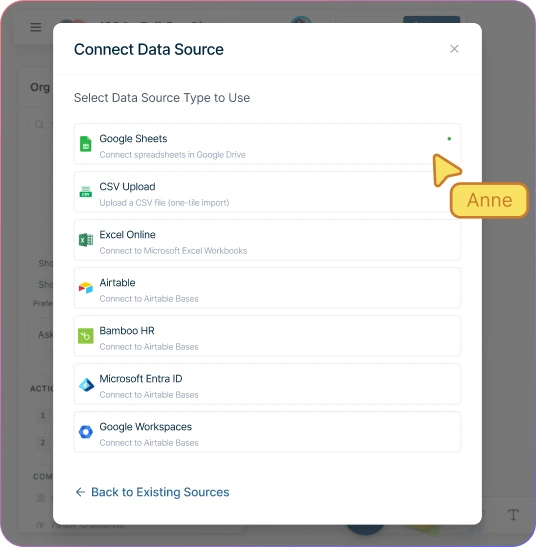
Import a CSV exported from your spreadsheet or HRIS into Creately Atlas. Review suggested column mappings and resolve validation issues before confirming the import.
Map unstaffed and future roles alongside your current team to visualize capacity gaps and hiring roadmaps in real-time.
Define departmental headcount targets and monitor hiring progress against your fiscal plan—keeping HR and FP&A perfectly aligned.
Reflect transfers and reorgs in seconds. Your plan evolves with your business, eliminating the manual “redraw” cycles that stall executive decisions.
Convert Complex Data Into Executive Insights That Drive Strategy
Instantly visualize span of control, compensation bands, and flight risk. Turn dense HRIS data into a high-level roadmap for HR leadership and Finance.
Use Creately’s AI assistant to query your structure. Ask, “What is our average span of control in Engineering vs. Sales?” and see the visual breakdown in seconds.
Use compa-ratio and tenure patterns to identify questions for further review, rather than treating them as proof of inequity or likely departure. Give Executives the clarity to act before problems scale.
Compare your current state against future-state headcount branches. Visualize the structural and budgetary impact of growth, vacancies, and restructures before you commit resources.
Share Sensitive Workforce Insights with Enterprise-Grade Security
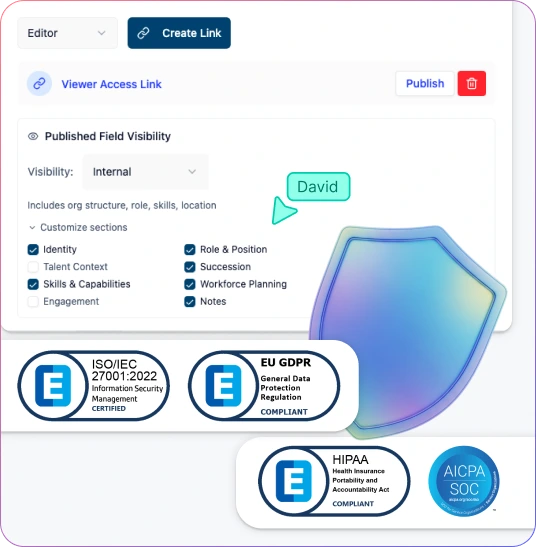
Protect compensation, succession, and performance data with a 6-tier sensitivity model. Ensure your workforce planning tool hides locked fields from unauthorized users automatically.
Share structural plans with department heads while granting sensitive cost and succession fields only to users with the required access tier.
Maintain a single, dynamic workforce plan for the entire organization. Eliminate the risk and manual effort of creating separate, “sanitized” versions for different audiences.
Configure sharing and field-level access for workforce reviews, and verify your organization’s security requirements during the product evaluation.
Align HR and Leaders Around One Source of Truth
Collaborate instantly with HRBPs, FP&A, and Leadership. Move from static email attachments to a live workforce planning tool where every stakeholder works from the same model.
Share focused, high-level snapshots with department heads. Keep strategic conversations clear and clutter-free by showing only the structure that matters to them.
Empower Executives and Strategy teams to explore data overlays and filters independently—without altering the underlying workforce plan or core organizational data.
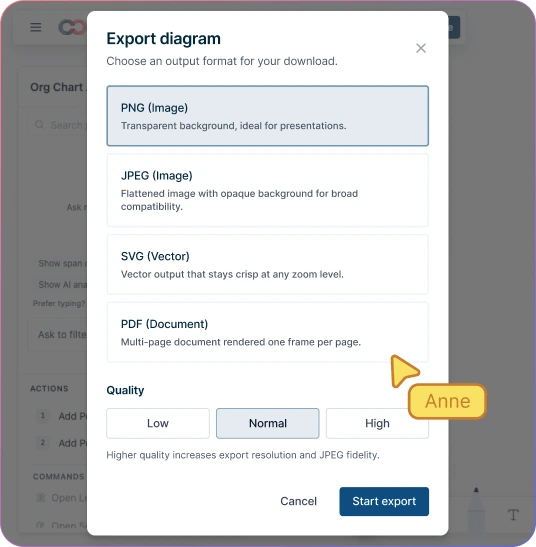
Seamlessly export your workforce plans and modeling scenarios as PNG, SVG, PDF, or CSV. Present your vision with professional-grade visuals for board reviews and talent cycles.
How to Build a Workforce Plan with Creately
Import your current org structure from HRIS via CSV with AI-assisted field mapping
Define headcount targets and open positions for each department
Create what-if scenarios to model hiring plans, attrition, and restructures
Analyze span of control, succession gaps, and cost impact across scenarios
Share the workforce plan with leadership using role-based views that protect sensitive data
Get Started Quickly with Workforce Planning Templates


Use Cases
Dynamic Workforce Planning & Future-State Modeling
Empower Strategy teams to model hiring plans, attrition, and complex reorg scenarios. Align Executives on critical workforce decisions with visual impact assessments before committing budget.
High-Impact Leadership & Executive Reviews
Bring data-driven clarity to board conversations. Transform your workforce plan into strategic insights—from optimizing spans of control to identifying global succession risks.
Precision HR Business Partnering
Equip HRBPs to answer “who, where, and why” instantly. Use real-time visual analytics during stakeholder discussions to replace static reports with actionable talent intelligence.
Advanced Succession & Talent Risk Analysis
Identify critical roles and flight-risk clusters before they impact the bottom line. Give HR Leadership the visibility needed to bridge succession gaps and retain top-tier talent.
Agile Workforce Management & Maintenance
Keep your source of truth accurate as hiring and restructures happen. Eliminate manual redraws and broken spreadsheets, ensuring FP&A always has an up-to-date view of headcount.
Secure Department-Level Insights
Empower managers with focused views of their own structures. Share relevant organizational data without exposing sensitive compensation or full-company details to unauthorized users.
FAQs About Online Workforce Planning Creator
What are Creately’s workforce planning software pricing plans?
- Free Plan — $0/month for basic workforce planning creation and collaboration
- Starter & Team Plans — $8/month or $5/month billed annually
- Business Plan — $149/month or $89/month billed annually
Annual billing helps you save more while unlocking advanced collaboration, workspace management, and enhanced workforce planning features. You can compare all available plans and features on the Creately Pricing Page.
How can you create workforce plans faster?
Are there templates for different workforce planning use cases?
Can teams collaborate on workforce plans?
Can I add notes, data, and files?
Can I share, present, or export workforce plans?













Model hiring and reorg scenarios with confidence — and keep your workforce plans aligned as business needs change.
 Instant replies
 Org chart guidance
 Real human support