Supply Chain Mapping Tool

Visualize, Analyze, and Optimize Your Supply Chain Processes Easily

Map, analyze, and optimize your supply chain to identify inefficiencies, collaborate, and create charts that drive smarter decisions.

  • Use pre-built templates to map processes effortlessly

  • Easily identify bottlenecks and redundancies with visual insights

  • Collaborate with teams in real-time to streamline operations

Over 10 Million people and 1000s of teams already use Creately
Diagramming Grid Leader 2025 Diagramming
Visual Collaboration Grid Leader 2025 Visual Collaboration
Org Chart Grid Leader 2025 Org Chart
Most Implementable 2025 Best Results 2025 Ease to Do Business With 2025
VISUALIZE

Gain Clarity with Creately's Supply Chain Mapping Tool
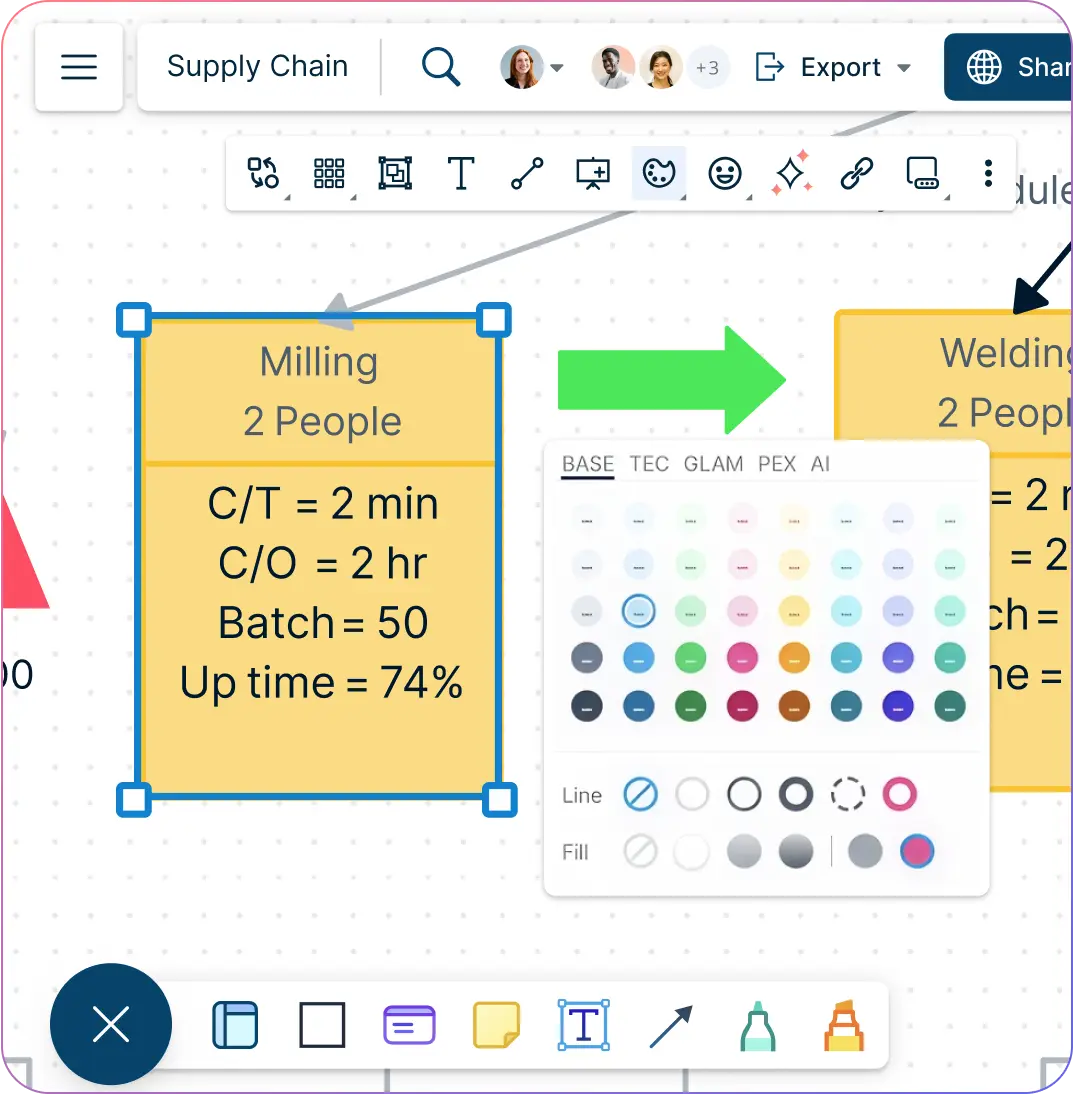
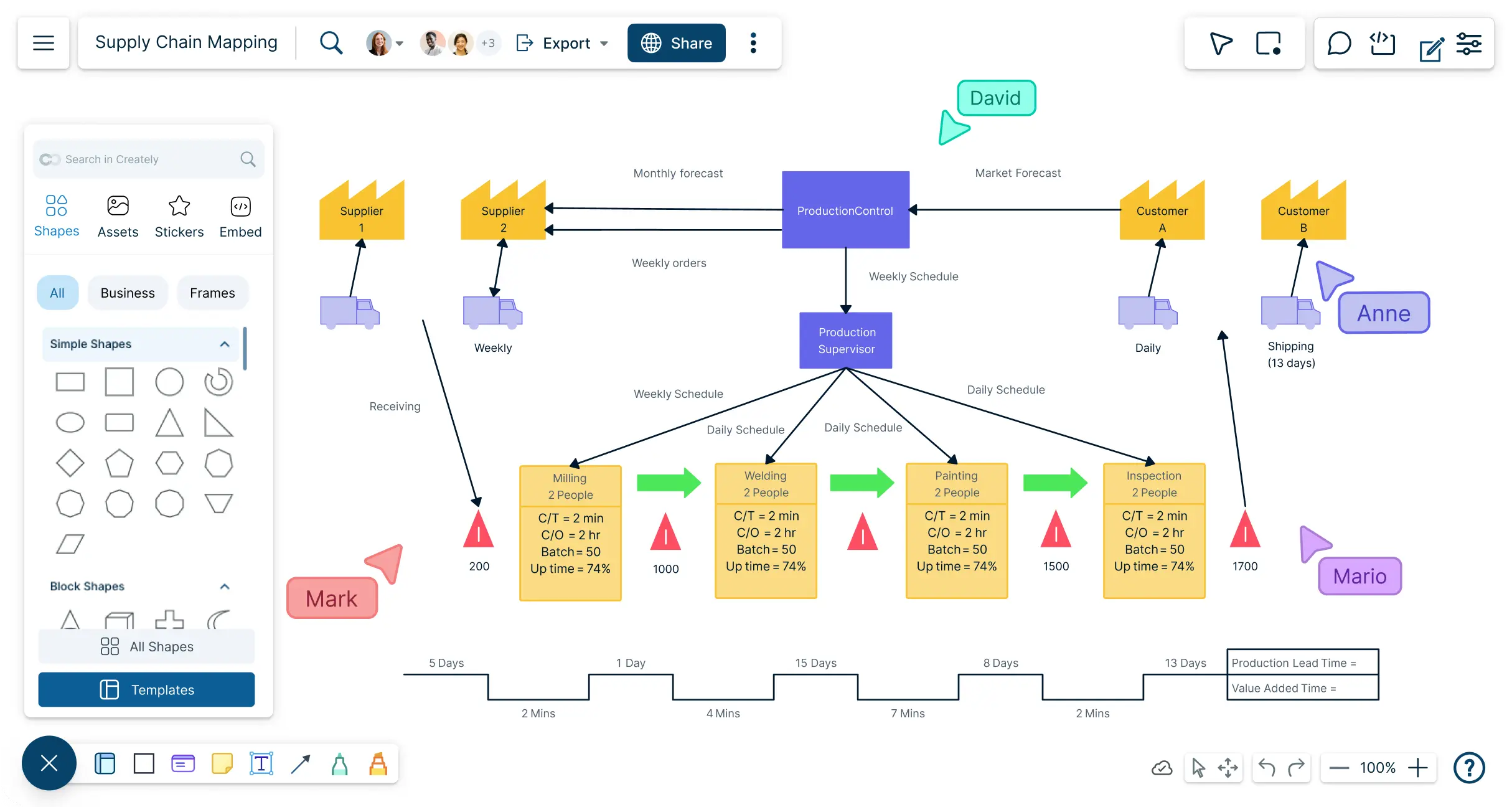
Snapshot of Creately's Supply Chain Mapping Tool workspace with toolbars
  • Access a shape library and sticky notes to map every part of your supply chain.

  • Use drag-and-drop and plus create tools to build supply chain charts quickly.

  • Work on an infinite canvas to visualize even the most complex supply chains.

  • Customize colors, labels, and styles to differentiate stages and highlight metrics.
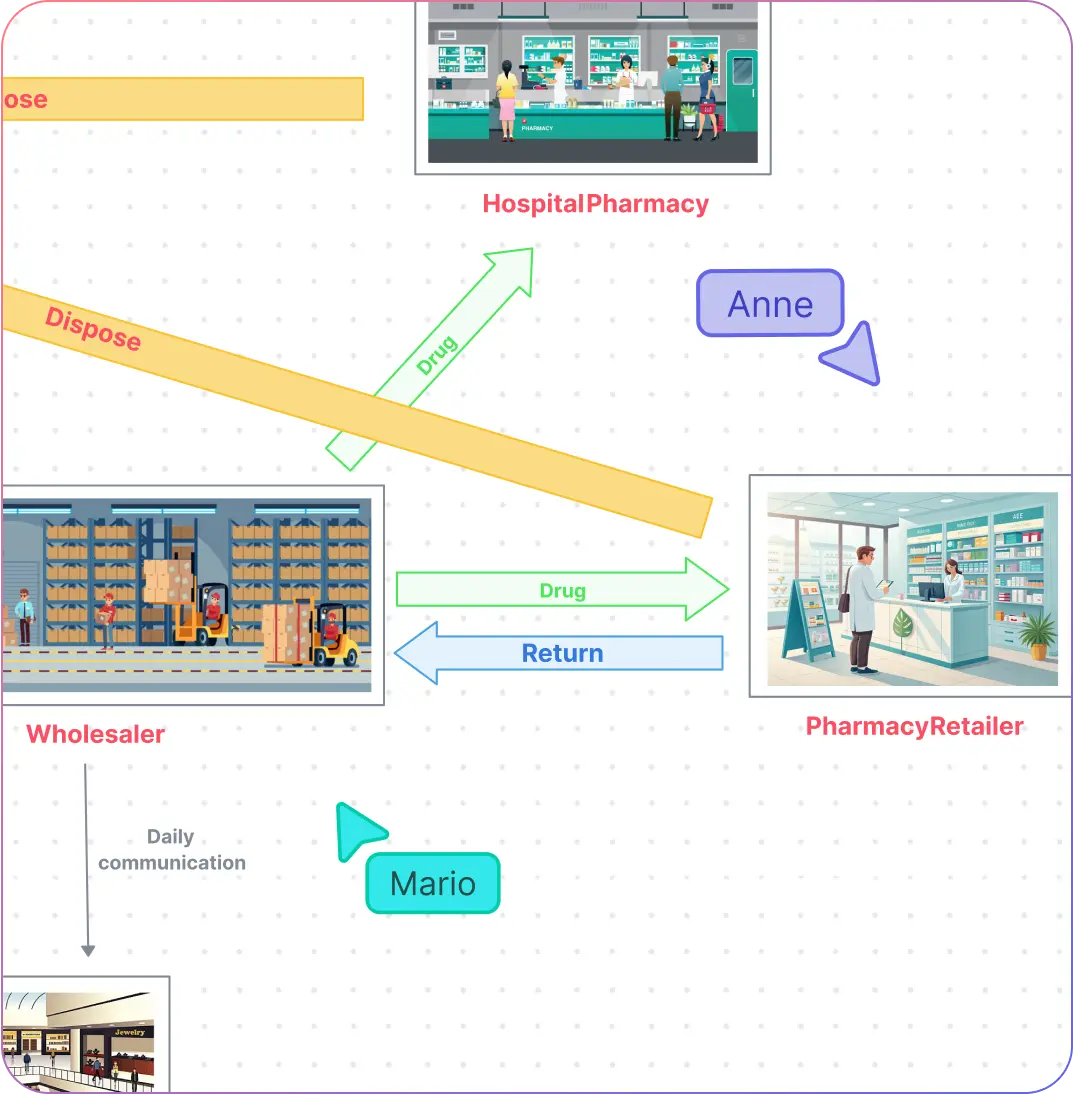
Snapshot of Creately's Supply Chain Mapping Tool workspace with toolbars
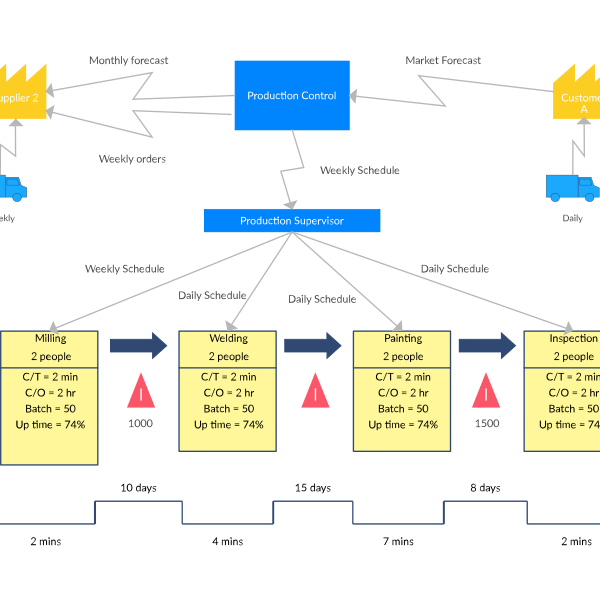
Illustration of Creately's Supply Chain Map with images
ANALYZE

Plan and Optimize Your Supply Chain

Illustration of Creately's Supply Chain Map with images
  • Map suppliers, production facilities, logistics, and distribution networks effortlessly.

  • Highlight relationships and dependencies between supply chain components.

  • Track key metrics like cost efficiency, delivery times, and inventory levels with visual indicators.

  • Identify and resolve bottlenecks using conditional formatting and custom visual cues.

CONNECT & ORGANIZE

Centralized Supply Chain Data Management
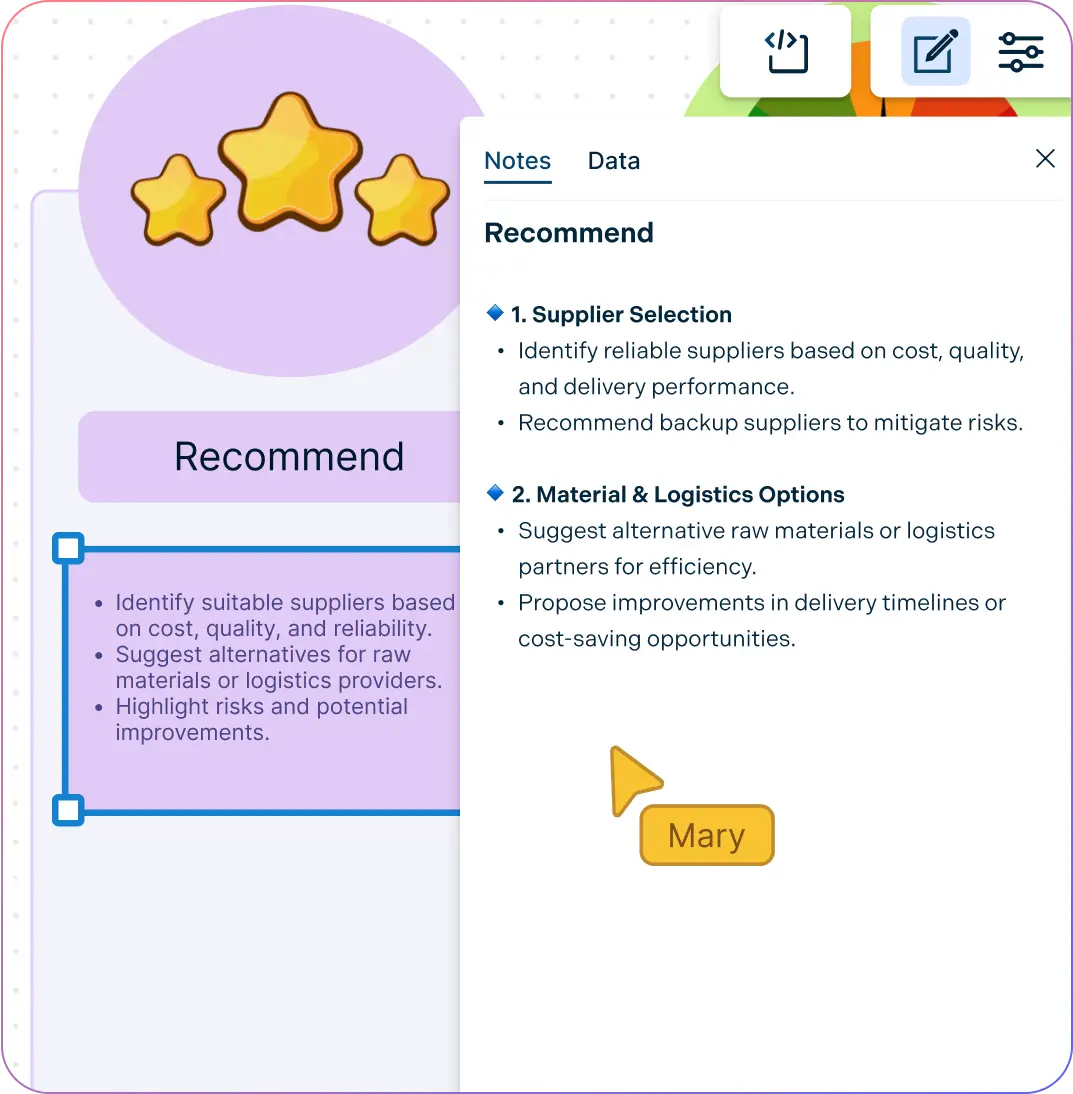
Snapshot of Creately's Supply Chain Mapping Tool with Notes Panel
  • Connect with integrated apps like GitHub, Slack, and Confluence for seamless workflow.

  • Use the notes panel to add links, attachments, and resources for every supply chain component.

  • Visualize relationships between suppliers, processes, and delivery channels to improve coordination.

  • Link supply chain maps with KPIs and operational goals for better alignment.
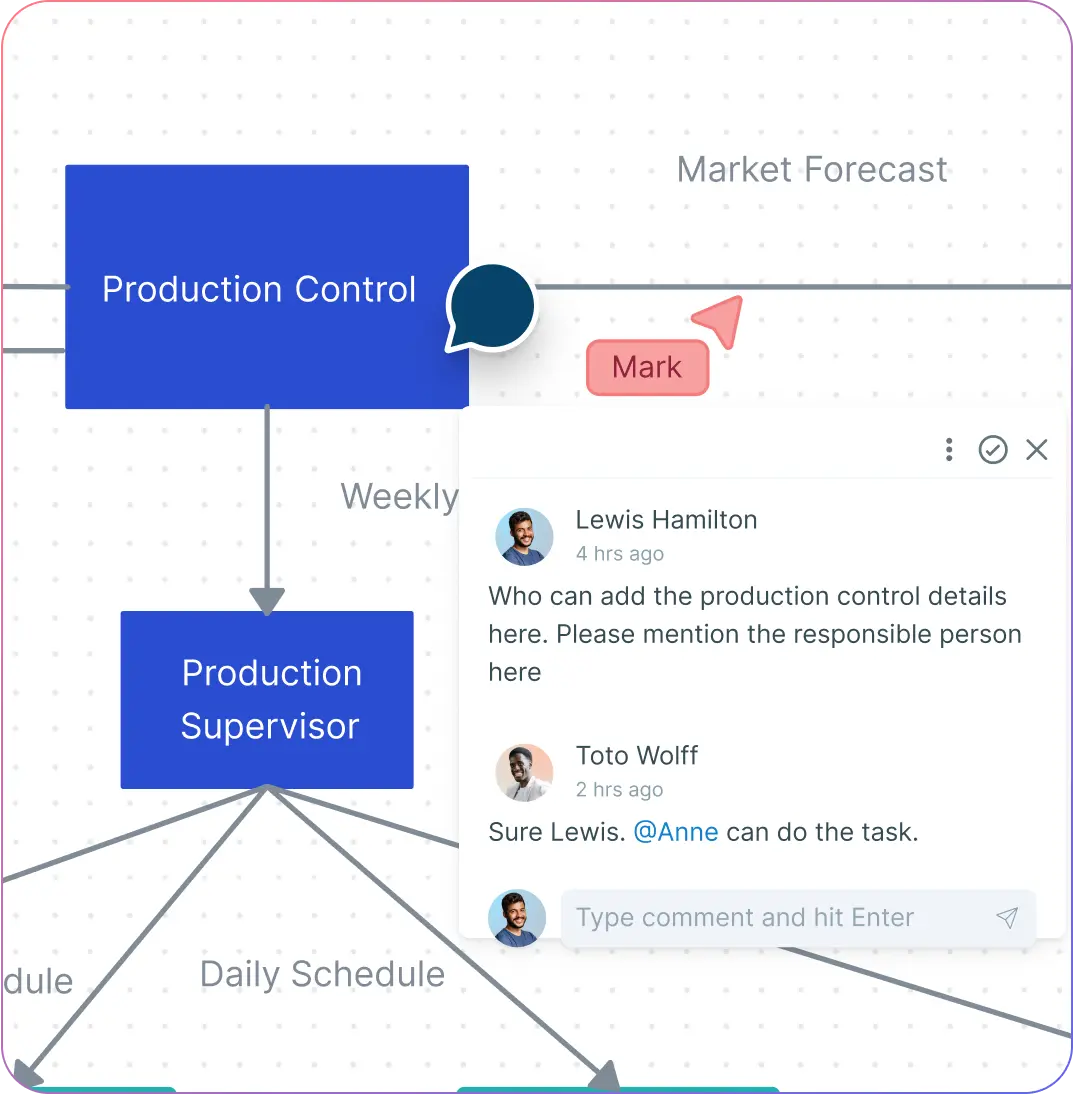
Snapshot of Creately's Supply Chain Mapping Tool with Notes Panel
Illustration of users collaborating on Creately's Supply Chain Mapping Tool
COLLABORATE

A Shared Workspace for Supply Chain Teams

Illustration of users collaborating on Creately's Supply Chain Mapping Tool
  • Control access to sensitive supply chain data with fine-grained permissions.

  • Share supply chain maps in multiple formats for presentations, documentation, or reports.

  • Add comments, suggestions, and updates directly to maps using @mentions for clear team communication.

ADAPT

A Supply Chain Chart Built for Flexibility

Snapshot of Creately's Supply Chain Mapping Tool with presentation features
  • Modify supply chain maps manually as processes or suppliers change.

  • Use built-in Slides to present specific sections of your supply chain clearly.

  • Enhance capabilities beyond traditional supply chain software with centralized notes and shared insights.

Snapshot of Creately's Supply Chain Mapping Tool with presentation features
Ideate, plan, and execute ideas better with Creately

What Is Supply Chain Mapping

What Is Supply Chain Mapping
Supply Chain Mapping is the process of visually representing a business’s supply chain to understand, analyze, and optimize the flow of goods, information, and resources across every stage, from raw material procurement to final product delivery. By creating detailed diagrams or flowcharts, companies can identify bottlenecks, inefficiencies, and delays, track key metrics, and visualize the impact of different strategies. Supply chain mapping helps teams streamline operations, improve coordination, and make informed, data-driven decisions to enhance overall supply chain performance.

How to Create a Supply Chain Map in Creately

  1. Launch Creately

Sign in and open your workspace. Choose a blank canvas or start with a customizable supply chain map template tailored to your industry or use case for a faster setup.

  1. Add and Customize Elements

Use Creately’s shape library, lines, and arrows to map suppliers, warehouses, factories, and transportation routes. Add labels, notes, and key metrics, and customize colors and styles to reflect different supply chain stages.

  1. Organize and Annotate

Use sticky notes, grouping, and layering to keep your map clear and organized. Add quick notes, annotations, or feedback directly onto components for easy reference.

  1. Collaborate in Real-Time

Invite team members via the Share button and control access with edit or view permissions. Use @mentions and commenting features to discuss and refine your supply chain map seamlessly.

  1. Enhance with Multimedia

Attach relevant images, documents, or links directly onto the canvas to provide context and enrich your supply chain visualization.

  1. Review, Update, and Share

Regularly review your map, make updates as processes change, and export your work as an image, PDF, or other formats to share with stakeholders or present in meetings.

Create a Supply Chain
What Our Customers Say About Us
A Comprehensive Tool for Visual Collaboration and Diagramming
it is ease of collaborative diagramming and real-time editing. This allows teams to brainstorm, create, and refine diagrams together in a way that feels intuitive and seamless, regardless of location.
Juan Leonardo G
Efficient and User-Friendly Diagramming Tool
I love how easy it is to create and collaborate on diagrams with Creately. The real-time collaboration feature is incredibly helpful for team projects, and the extensive library of templates and shapes saves a lot of time
Aymen G
Creately provides best diagram structure.
Creately has proven to be an incredibly creative tool, enhancing the visual appeal of our company tasks significantly. Additionally, its pricing is highly competitive, offering great value for the features it provides.
Ruchika N
Great AI features
AI Modelling capability. It gives Prompt examples so user can learn how to create effective prompts
Karma A.
User friendly and visually appealing!!
The interface is easy to use. The look is aesthetically pleasing as well. Love the functionality.
Chrisoula

FAQs About Supply Chain Mapping Software

How does a supply chain mapping tool benefit businesses?

A supply chain mapping tool improves visibility, helps identify inefficiencies, enhances collaboration among teams, and enables data-driven decision-making. By visualizing the supply chain, businesses can reduce risks, streamline processes, and improve overall efficiency.

How does supply chain mapping help with risk management?

Supply chain mapping helps businesses gain a clear view of every supplier, process, and distribution channel, making it easier to identify weak points, hidden dependencies, and potential vulnerabilities. By visualizing the entire network, companies can anticipate disruptions, evaluate risks such as delays or shortages, and build contingency plans before issues escalate. With tools like Creately’s Supply Chain Mapping Tool, teams can collaboratively identify risks, add notes or annotations to highlight critical areas, and update maps instantly as conditions change, ensuring better preparedness and resilience.

Is supply chain mapping software suitable for small businesses?

Absolutely. Modern supply chain mapping software is designed to scale for small, medium, or large enterprises. Small businesses can start with pre-built templates and simple drag-and-drop features to quickly visualize their supply chain without needing complex setups. As operations grow, advanced features like real-time collaboration, centralized data, and integrations can be added for more efficiency.

Can supply chain mapping charts support sustainability initiatives?

Yes. Supply chain mapping tools allow businesses to track sourcing, transportation, and production processes with clear visibility into every stage of the supply chain. By identifying inefficiencies such as excessive energy use, long transportation routes, or high-emission practices, organizations can take proactive steps to reduce waste, lower carbon emissions, and adopt greener alternatives.

Can supply chain mapping software improve decision-making?

Yes. By providing a visual representation of suppliers, processes, and logistics, supply chain mapping software enables teams to spot inefficiencies, assess risks, and evaluate alternative strategies. This helps stakeholders make informed, data-driven decisions quickly.
Streamline Your Workflows by Integrating with the Tools You Love
Creately integrates with the tools your teams use every day and supports your team’s workflow seamlessly.
Github
Microsoft
Google Drive
Google Sheets
Google Docs
Google Slides
Confluence
Why Creately Is a Better Supply Chain Mapping Tool
Creately is the intelligent visual platform enabling visual collaboration, knowledge management and project execution.
Why Creately Is a Better Supply Chain Mapping Tool
Infinite Visual Canvas
Real-Time Collaboration
Custom Databases
Data Driven Docs
Professional Diagramming
Project & Task Management
Enterprise Grade Security
Powerful Visual Modelling
G2
Atlassian
GetApp
Capterra
Software Advice
Trust Radius

24/7 Live Support

Live in-app chat support

Sign up for a free account today.
banner-img