CSV imports break when HRIS exports are messy - Use AI CSV mapping with confidence-scored suggestions, validation, and one-click undo for safer imports.
Org questions take hours to answer - Ask natural-language questions and highlight results on the canvas.
HR insights get buried in filters - Use one-click view presets (span of control, flight risk, succession readiness) to surface issues on the org chart.
CERTIFIED



AI Org Chart Tool
Build an HR Org Chart from CSV with AI
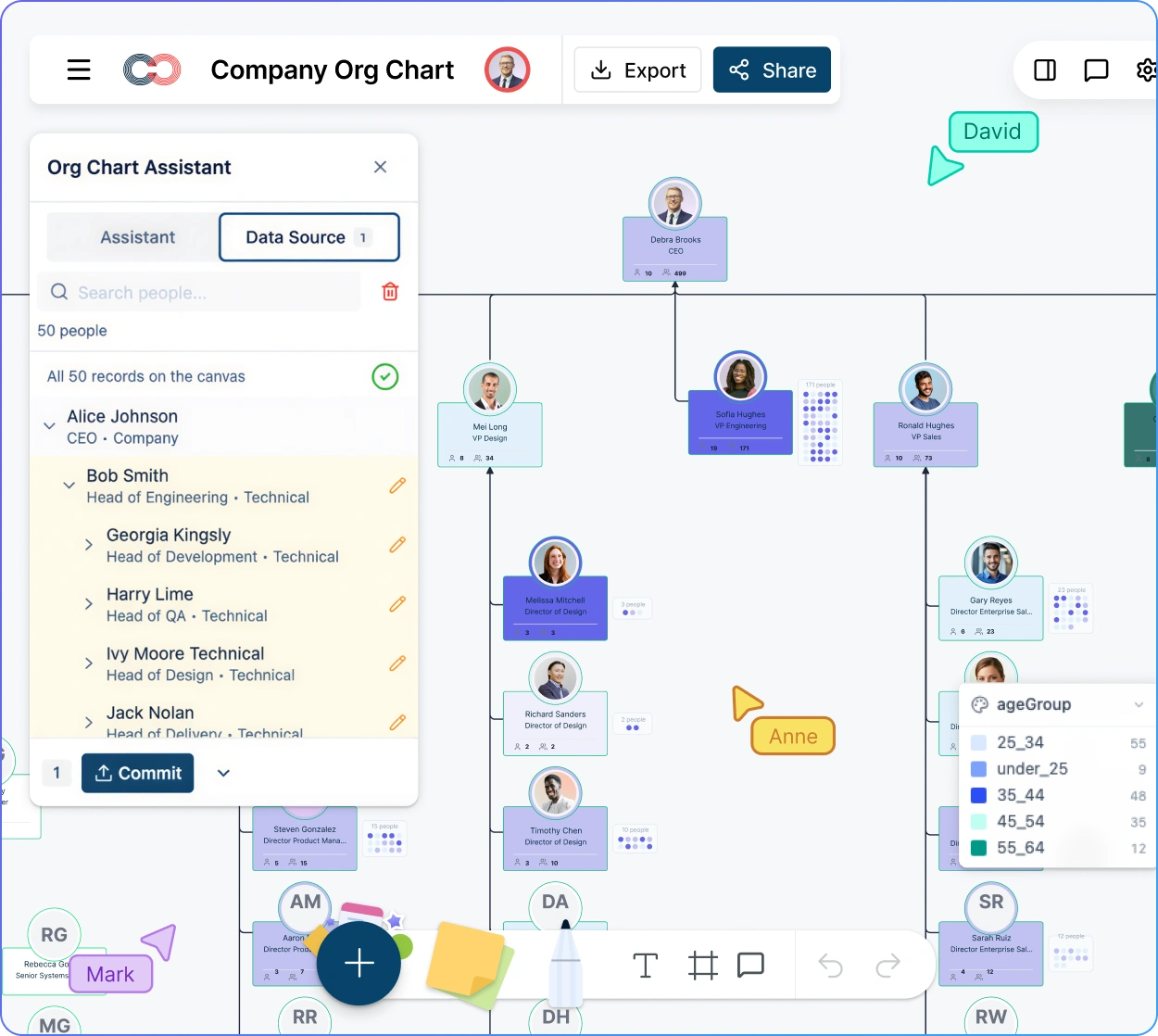
Upload your HRIS file, auto-map and clean data, then generate an org chart. Ask questions and see answers highlighted on the chart
 CSV imports break when HRIS exports are messy
Use AI CSV mapping with confidence-scored suggestions, validation, and one-click undo for safer imports.

 Org questions take hours to answer
Ask natural-language questions and highlight results on the canvas.
 HR insights get buried in filters
Use one-click view presets (span of control, flight risk, succession readiness) to surface issues on the org chart.




 Diagramming Visual Collaboration Org Chart


Why Choose Creately’s AI Org Chart Software
Import HRIS Exports with AI CSV Mapping
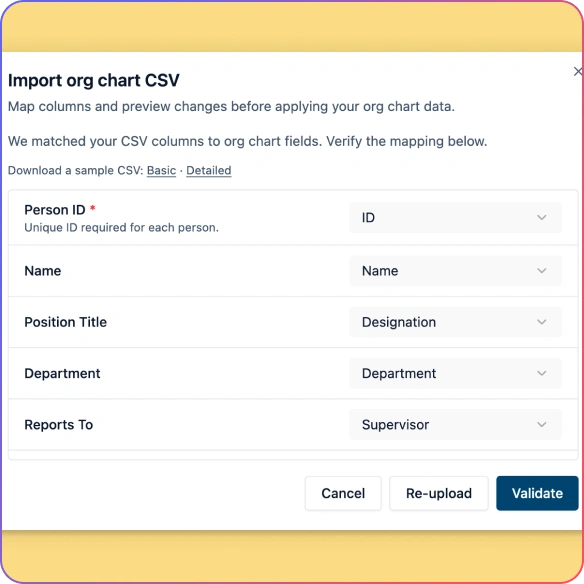
Upload a spreadsheet and let AI map your columns with confidence-scored suggestions. Validate, preview, and undo the full import in one step.
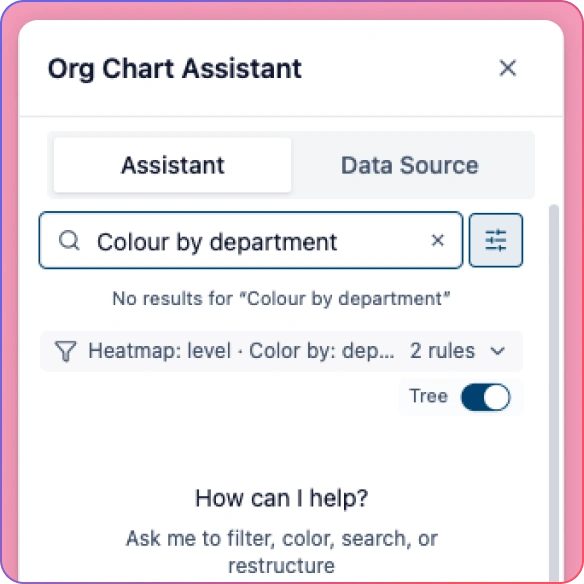
Ask Questions in Plain English
Type natural-language queries and highlight results on the online AI org chart for span of control, flight risk, tenure patterns, and more.
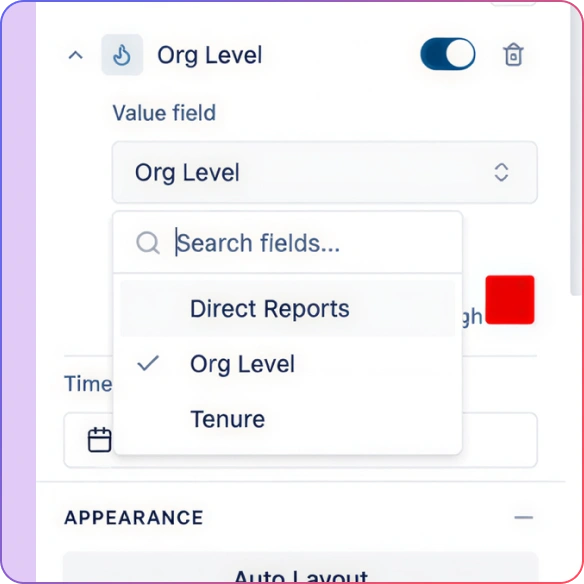
Run HR Analysis with One-Click View Presets
Use built-in presets like Span of Control, Tenure Distribution, Compensation Bands, Flight Risk, and Succession Readiness.
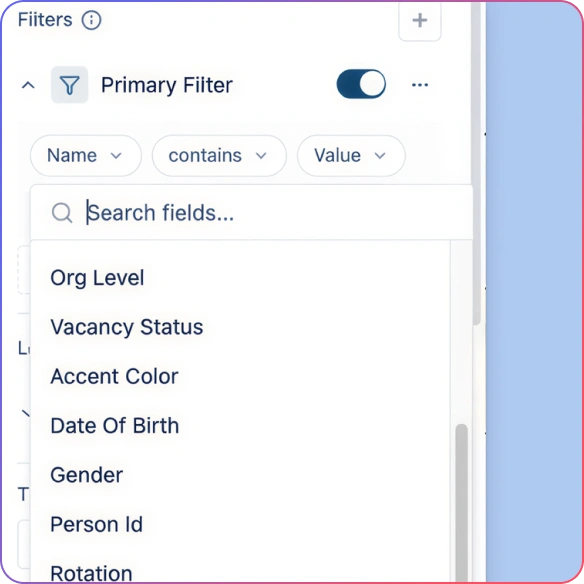
Create Focused Department Views
Generate department-specific views for HRBPs and leaders so they can review a subtree without exposing the entire org.
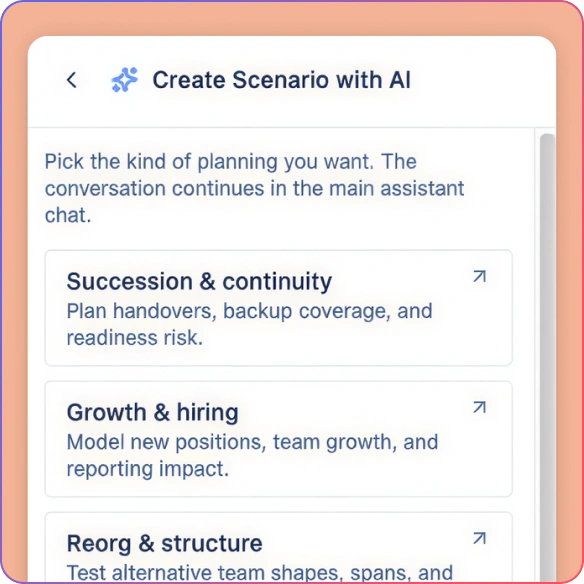
Model Reorgs with Scenarios
Create named what-if scenarios to test reorganizations, vacancies, and leadership changes without touching the live org.
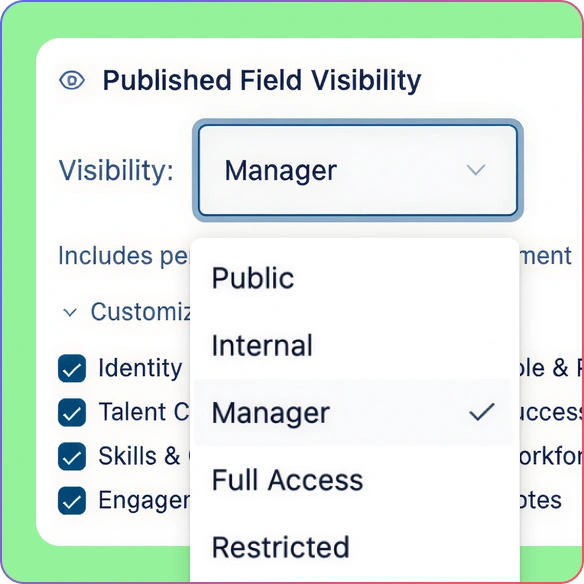
Protect Sensitive HR Data
Use role-based permissions and a 6-tier sensitivity model so compensation and talent fields stay visible only to approved leaders.
Generate an HR Org Chart from CSV
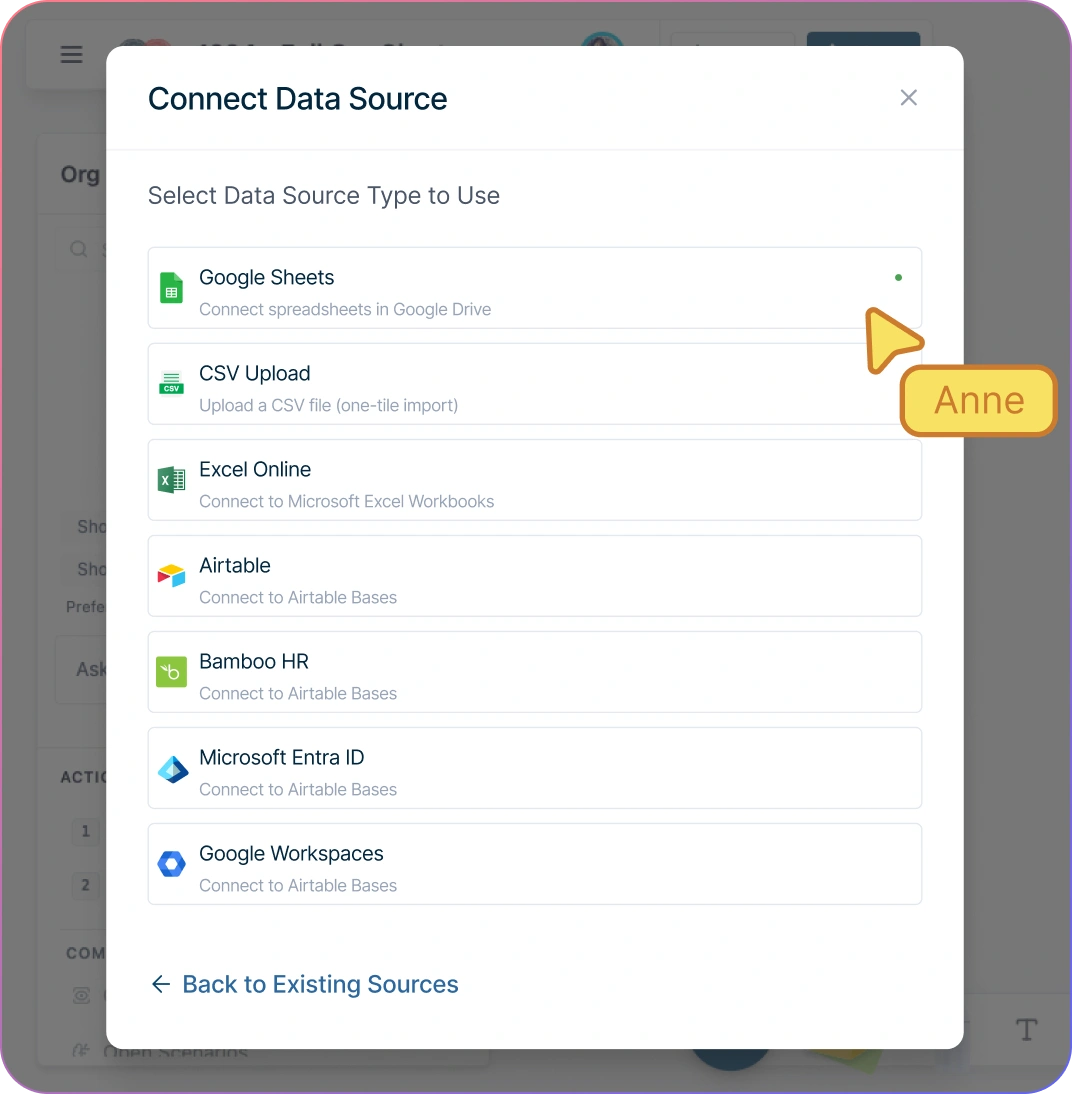
Import your org from CSV in minutes with AI-powered column mapping that suggests matches with confidence scoring and recognizes common aliases.
Catch issues before they become a broken chart with validation for missing employee IDs, unknown manager references, reporting cycles, and empty rows.
Preview your hierarchy before committing, then undo the entire import with one command if you want to roll back.
Keep the org readable as it grows with automatic hierarchical layout after imports and structural changes.
Make quick edits on the AI org chart builder without panel-hopping: double-click a person card to update name or title inline.
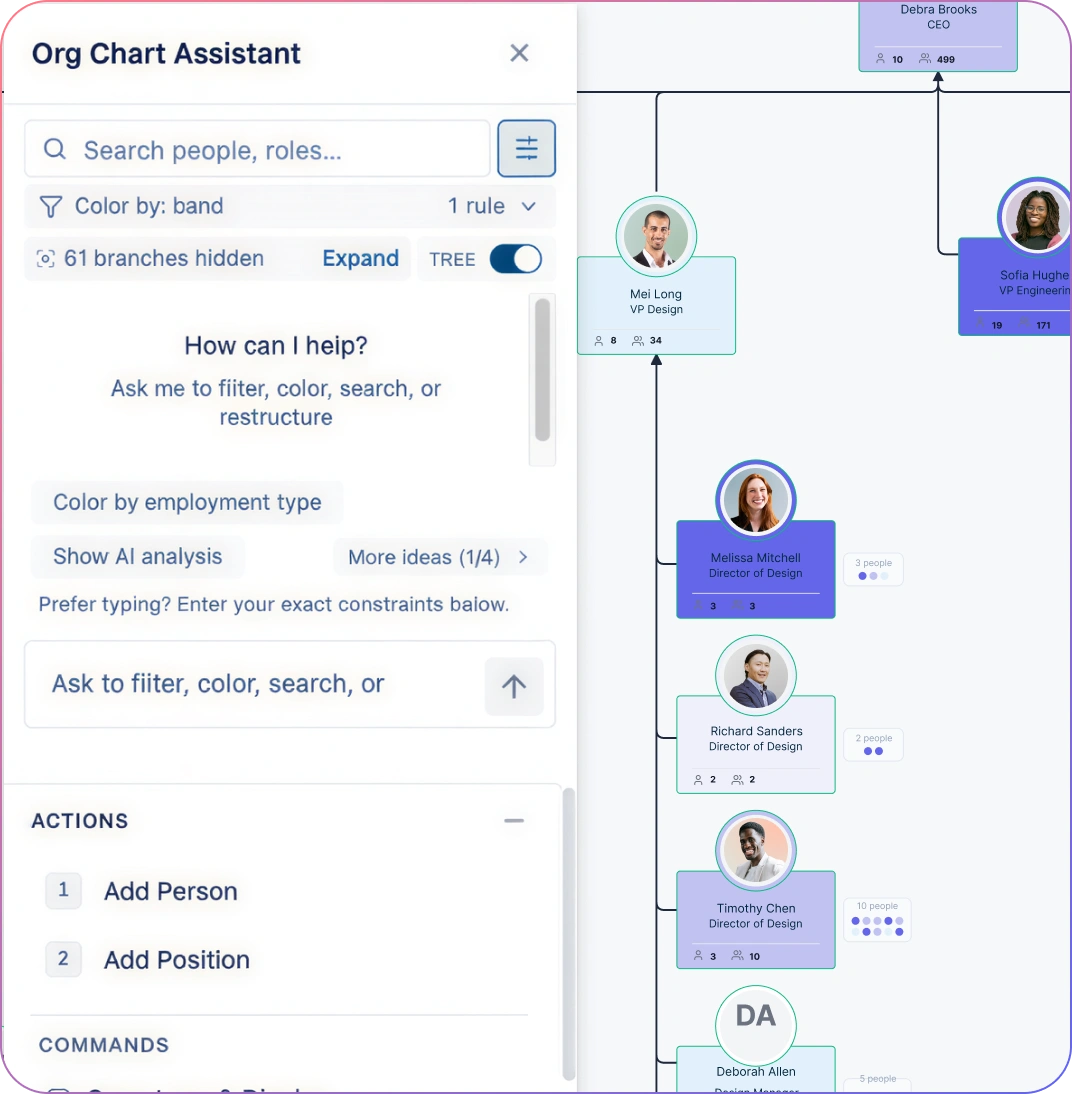
Answer Org Questions in Seconds with Natural-Language Queries
Ask questions like “Who has the widest span of control?” and highlight the result on the online AI org chart, not in a separate report.
Filter and highlight teams using plain language: “Focus on the Engineering department” isolates that subtree so your review stays on one area at a time.
Collapse branches to reduce noise while you work through org changes with leaders—without losing the full underlying counts.
Turn conversations into actions: create a department view, adjust reporting lines, or add a vacant position right from the same workspace.
Turn Your Org Chart into a Visual HR Dashboard
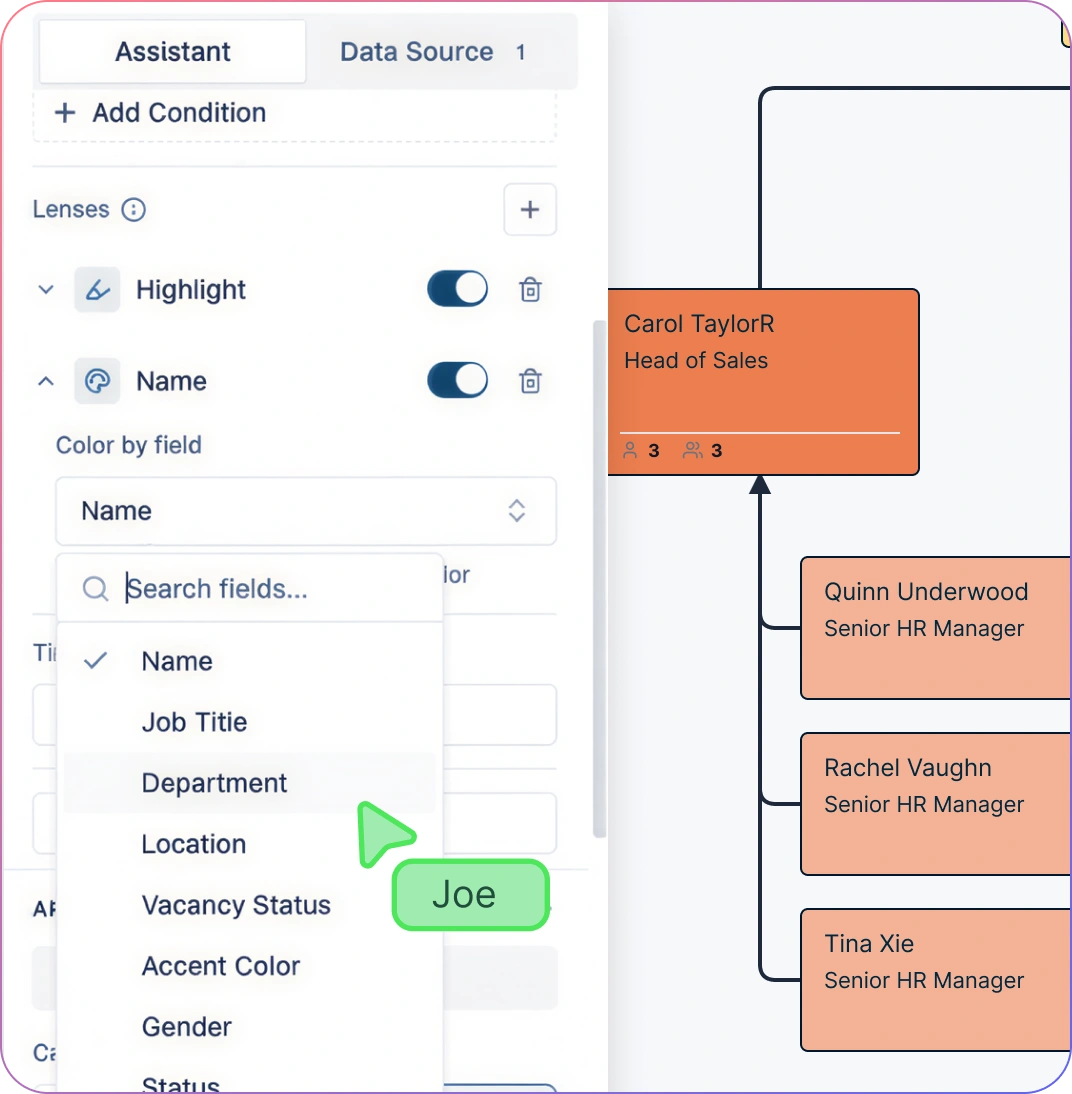
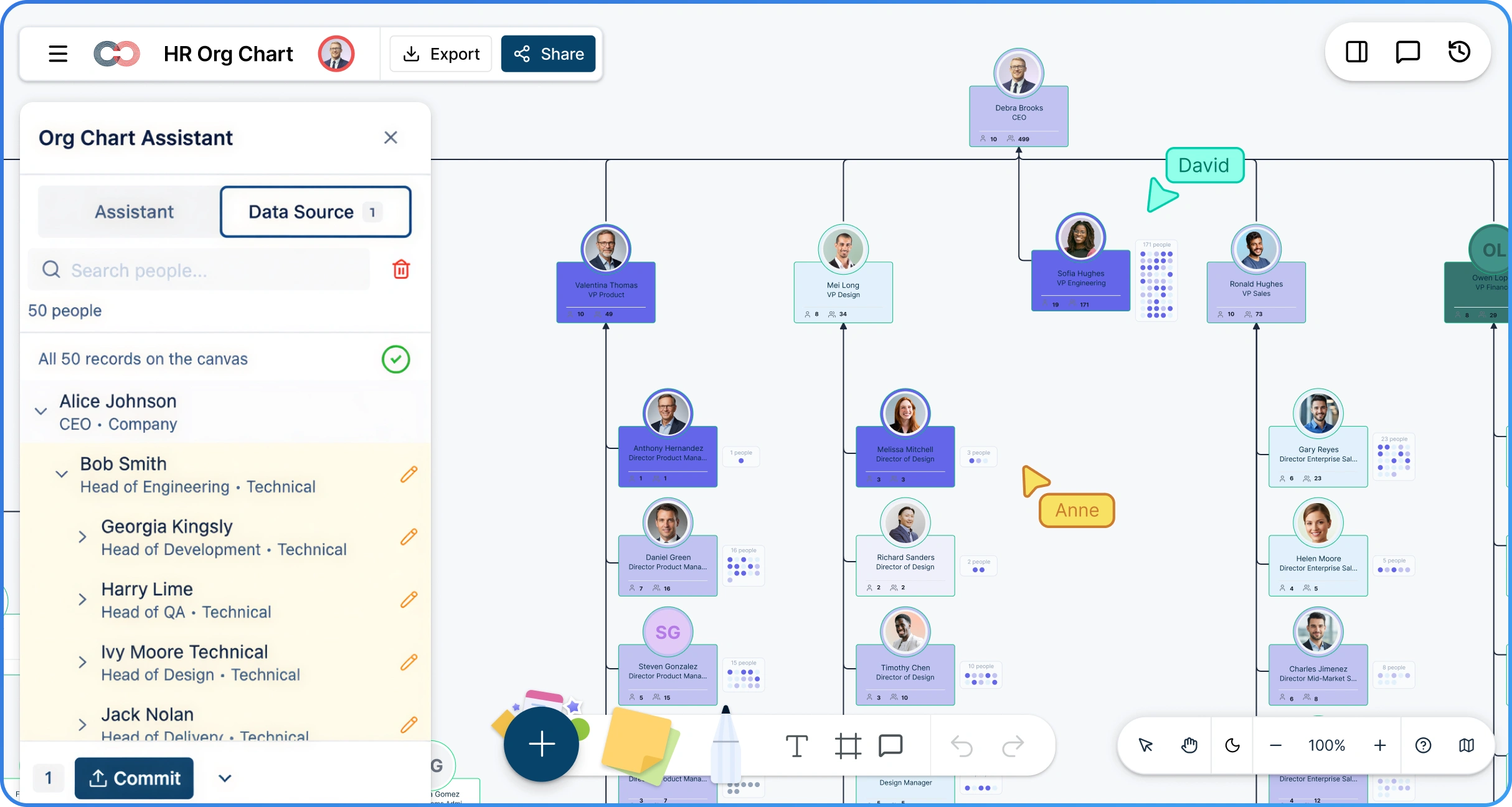
Use 9 one-click view presets for common HR reviews: Org Structure, Span of Control, Tenure Distribution, Compensation Bands, Performance Distribution, Flight Risk, Succession Readiness, Vacancy Highlight, and Employment Type.
Color by any categorical field (department, employment type, location, 9-box placement) to make patterns visible in seconds.
Heatmap numeric fields (tenure, engagement score, salary, compa-ratio) on the AI org chart app to spot outliers and clusters during planning sessions.
Use an interactive legend to see counts per category or min/max values for heatmaps while you present.
Save multi-condition filters (AND/OR) as smart groups for repeatable reviews across quarters.
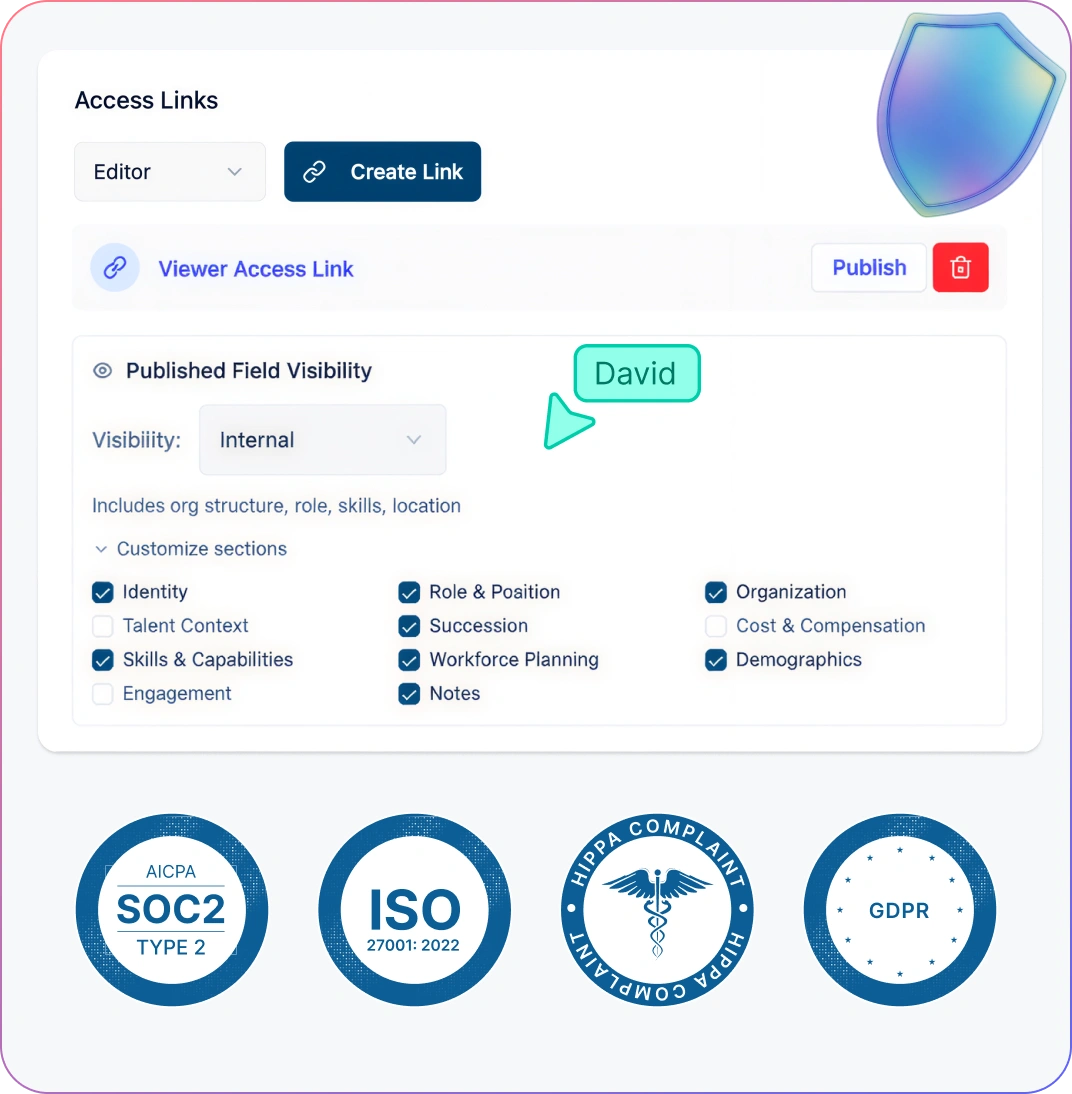
Share the Org Without Oversharing
Control who can view or edit org data on the AI org chart creator with granular Viewer, Editor, Moderator, and Owner permissions.
Protect compensation and talent data with a 6-tier sensitivity model so only HR leadership sees the fields that matter.
Give leaders a focused view without exposing the full org by sharing department views and read-only links.
Keep teams aligned on one source of truth with real-time collaboration, comments, and always-up-to-date live views.
How to Create an AI Org Chart with Creately
Export your org data from your HRIS (CSV, Google Sheets, or Excel)
Upload and map columns automatically with AI CSV mapping
Validate manager relationships and fix import errors before committing
Ask natural-language questions to highlight insights on the chart
Share role-appropriate views or export for reviews and presentations
Start Right Away with Ready-Made HR Org Chart Templates

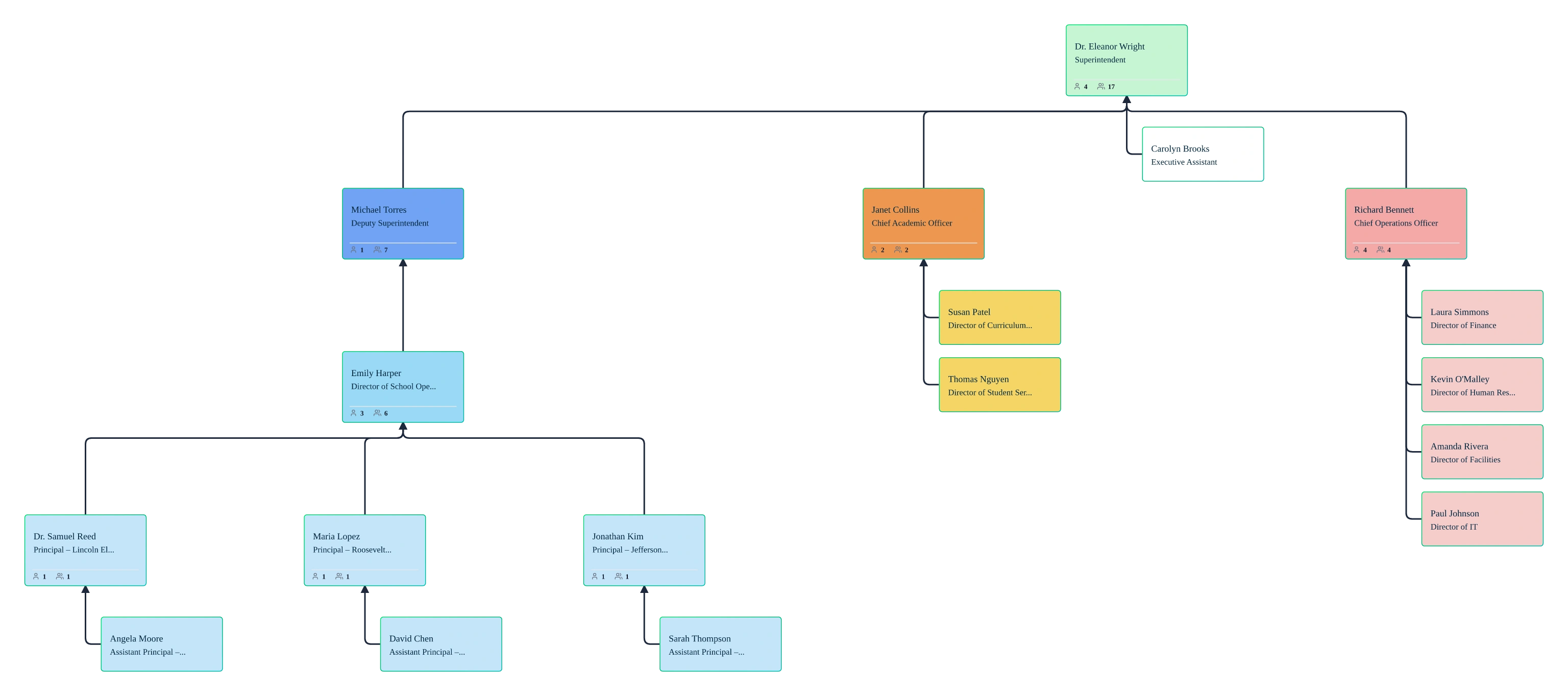
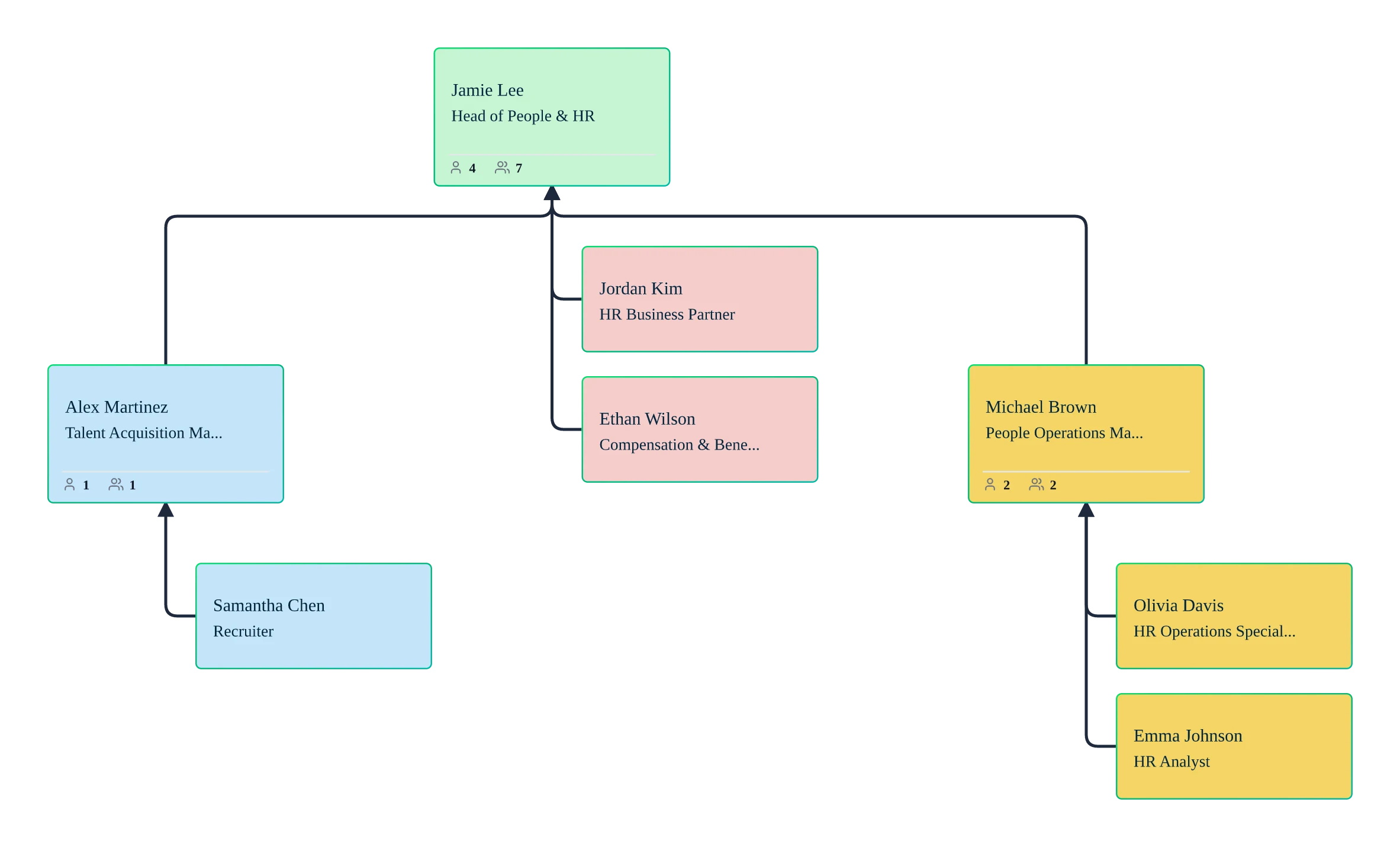
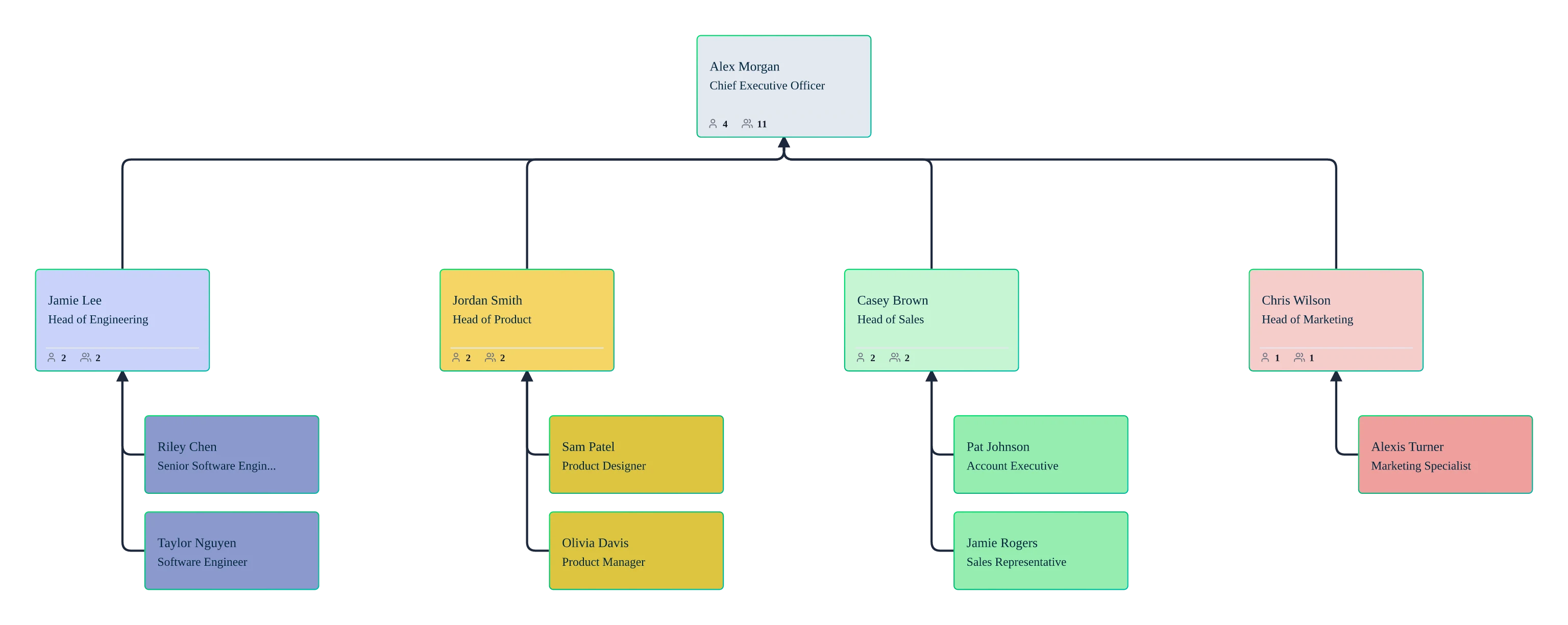
Use Cases
HRIS-to-Org Chart Setup
Import an HRIS export, map columns with AI, validate reporting lines, and get a clean hierarchy with auto-layout—ready to share the same day.
Span of Control Reviews
Highlight teams with wide spans, flattening opportunities, or overloaded managers before you walk into manager reviews.
Talent & Flight Risk Conversations
Turn questions into a visual: filter and color the org by performance, flight risk, or employment type so issues show up instantly on the chart.
Succession Planning & Bench Strength
Ask NL questions to surface readiness/coverage gaps, then model leadership transitions in scenarios before they become urgent.
FAQs About the AI Org Chart App
What are Creately’s AI org chart tool pricing plans?
- Free Plan — $0/month for basic AI org chart creation and collaboration
- Starter & Team Plans — $8/month or $5/month billed annually
- Business Plan — $149/month or $89/month billed annually
Annual billing helps you save more while unlocking advanced collaboration, workspace management, and enhanced AI org chart features. You can compare all available plans and features on the Creately Pricing Page.
How can you create AI org charts faster?
Are there templates for different AI org chart use cases?
Can teams collaborate on AI org charts?
Can I add notes, data, and files?
Can I share, present, or export AI org charts?













Support resources for HR teams using our AI org chart tool—step-by-step help for HRIS imports, data cleanup, permissions, and troubleshooting as your org changes.
 Quick Answers
 HR‑specific Guidance
 Troubleshooting & Support