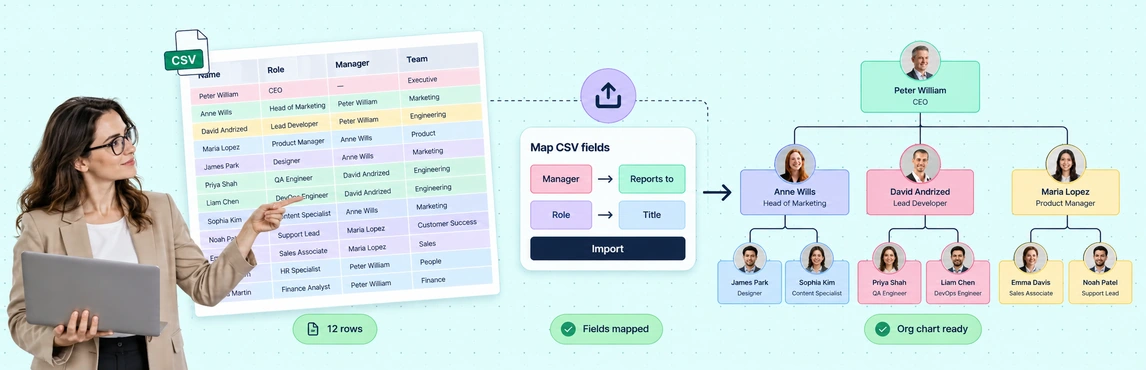
Use Creately Atlas to turn CSV data into org charts by mapping employee fields, validating manager references, and reviewing the import changes. Atlas turns an employee list or HRIS export into a visual reporting structure with automatic layout, without manually drawing each reporting line.
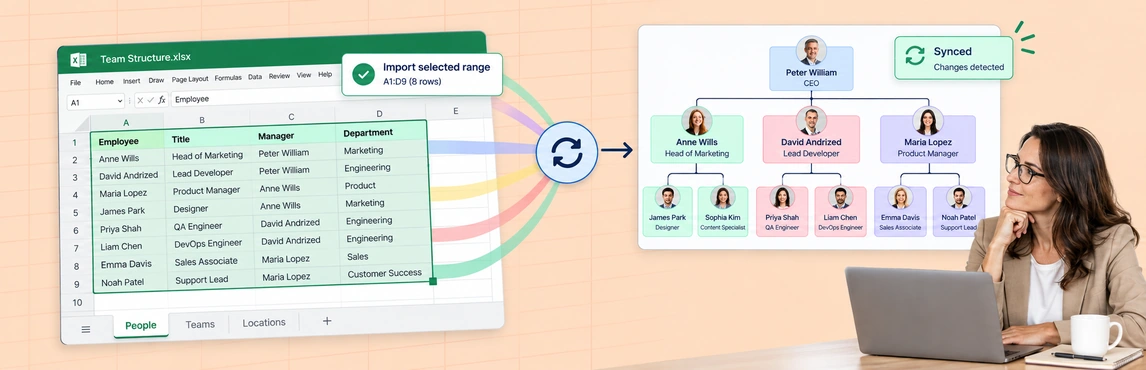
Use Creately Atlas to turn Excel employee data into org charts. Prepare one worksheet, export it as CSV, and review the column mappings, validation results, and import change counts in Atlas. After importing, check the automatically arranged reporting hierarchy before sharing it.
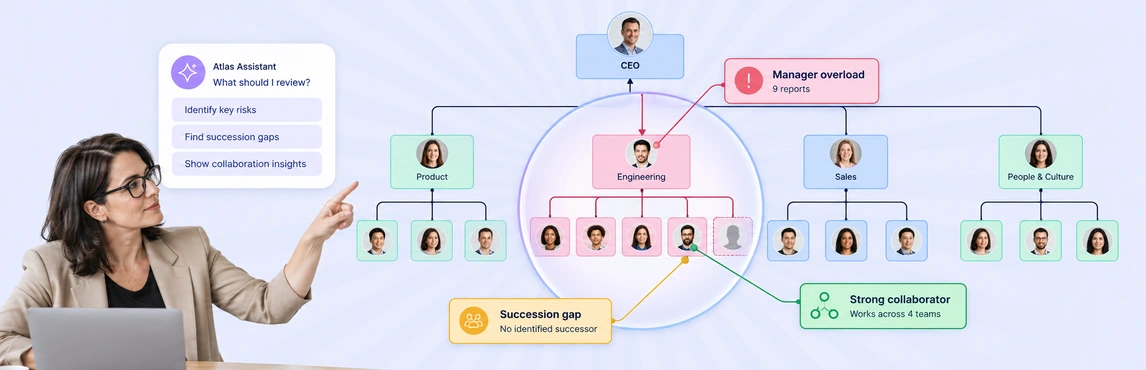
AI-driven organizational insights in Creately Atlas give CHROs a starting point for reviewing structure and data quality. The assistant surfaces issues such as wide reporting spans, while natural-language queries help you inspect the people and relationships behind a finding. Use those results to focus a leadership discussion, then check the data and business context before deciding on a change.
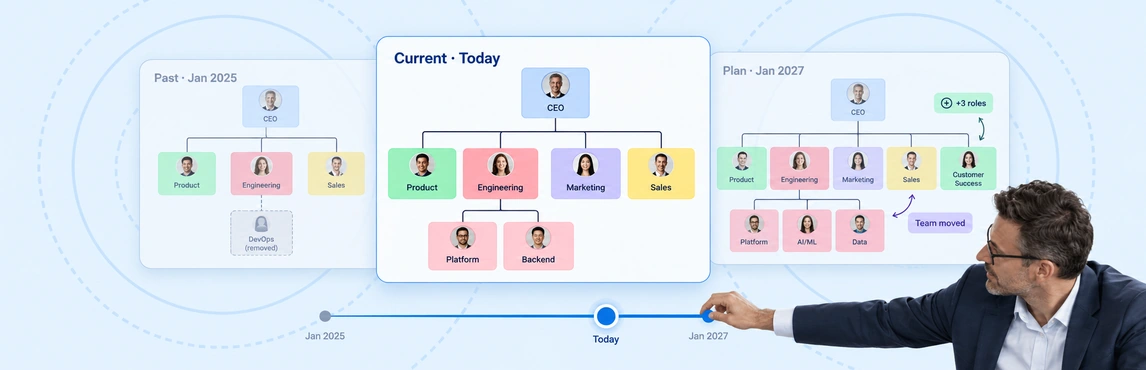
Time-travel org snapshots in Creately Atlas help you review who reported to whom at a selected date. Atlas uses dated relationships and employee join and departure dates to reconstruct that view. For a CHRO reviewing a past restructure, this gives the discussion a clear starting point: the recorded organization at the time.