Creately vs OrgChart
Compare Creately vs. OrgChart
Creately Org Charts goes beyond traditional org charting with AI insights, real-time collaboration, canvas-based scenario modeling, succession planning, and compensation analysis, all at a fraction of the cost.
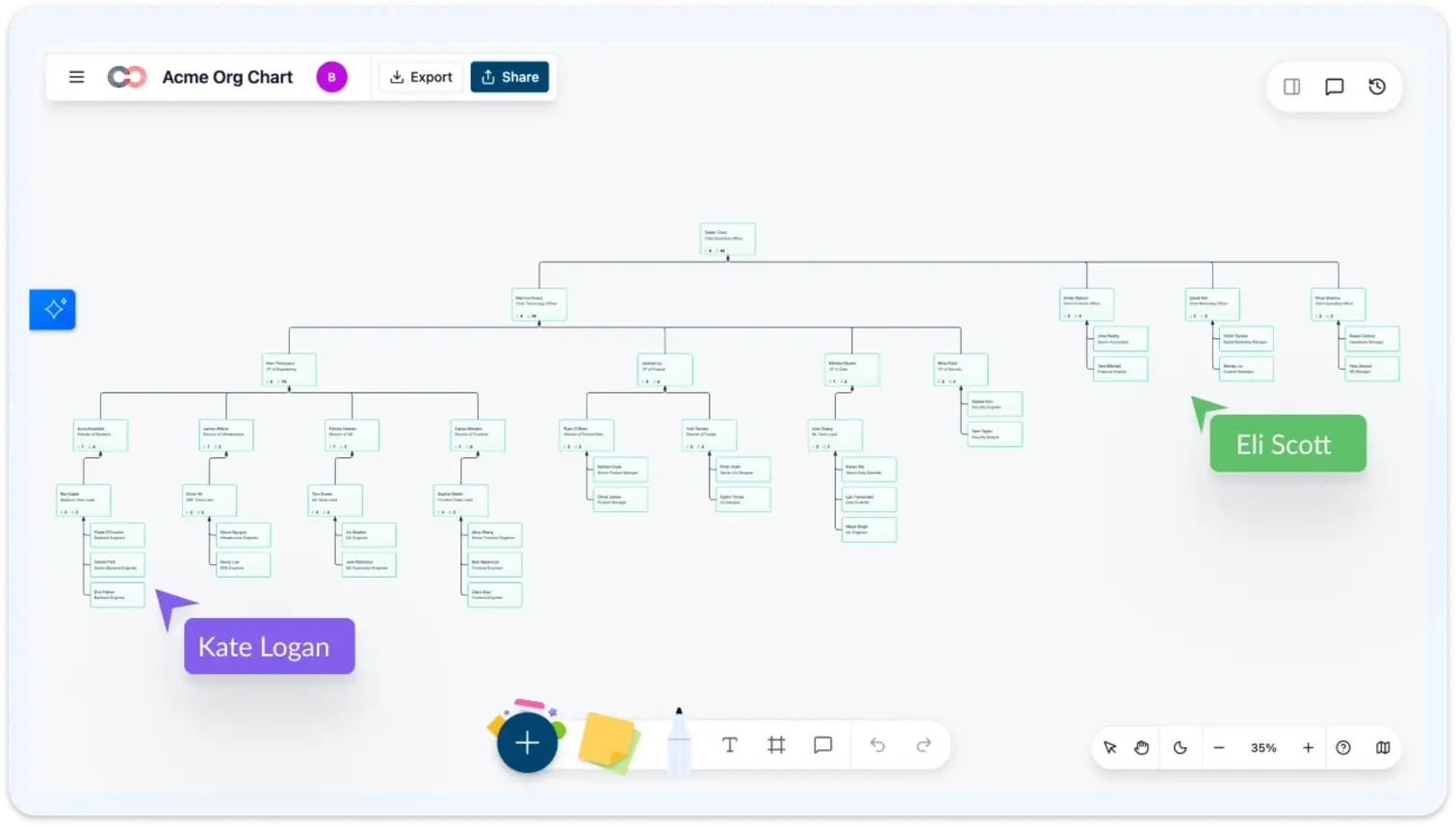
- 201 data fields across 15 field packs, covering compensation, talent, succession, and more.
- AI assistant for natural language queries, scenario modeling, and proactive insights.
- Real-time multi-user collaboration with live cursors, comments, and video chat.
OrgChart vs. Creately

 Per-user pricing (contact for quote), enterprise pricing available From $2 per employee/year, no minimum contract HRIS import with 50+ connectors AI-powered generation from CSV, HRIS, or natural language Customizable fields with HRIS-synced data 201 fields across 15 field packs. Activate only what you need No AI assistant available 7 specialized AI tools: search, filter, color, heatmap, query, scenarios, and insights No canvas-based scenario modeling Built-in delta-based scenarios with before/after comparison, included in base plan Basic succession charting Succession risk coloring, bench strength tracking, successor relationships on the canvas Standard workforce analytics reporting Compa-ratio heatmaps, pay equity analysis, merit cycle modeling (locked to HR leadership) No real-time multi-user editing Live multi-cursor editing, in-line comments, video chat, real-time sync Role-based access controls 6-tier sensitivity model. Restricted fields are invisible, not locked 50+ HRIS connectors with automated sync CSV import with AI column mapping, Google Sheets sync, database links. HRIS integrations coming soon Change logs and reporting Time travel: set an as-of date and see the org as it existed at any point Requires HRIS integration setup and onboarding CSV import with AI column mapping. Live in minutes, not weeks
Over 10 Million people and 1000s of teams already use Creately
More Than Org Charts. Full Organizational Intelligence.
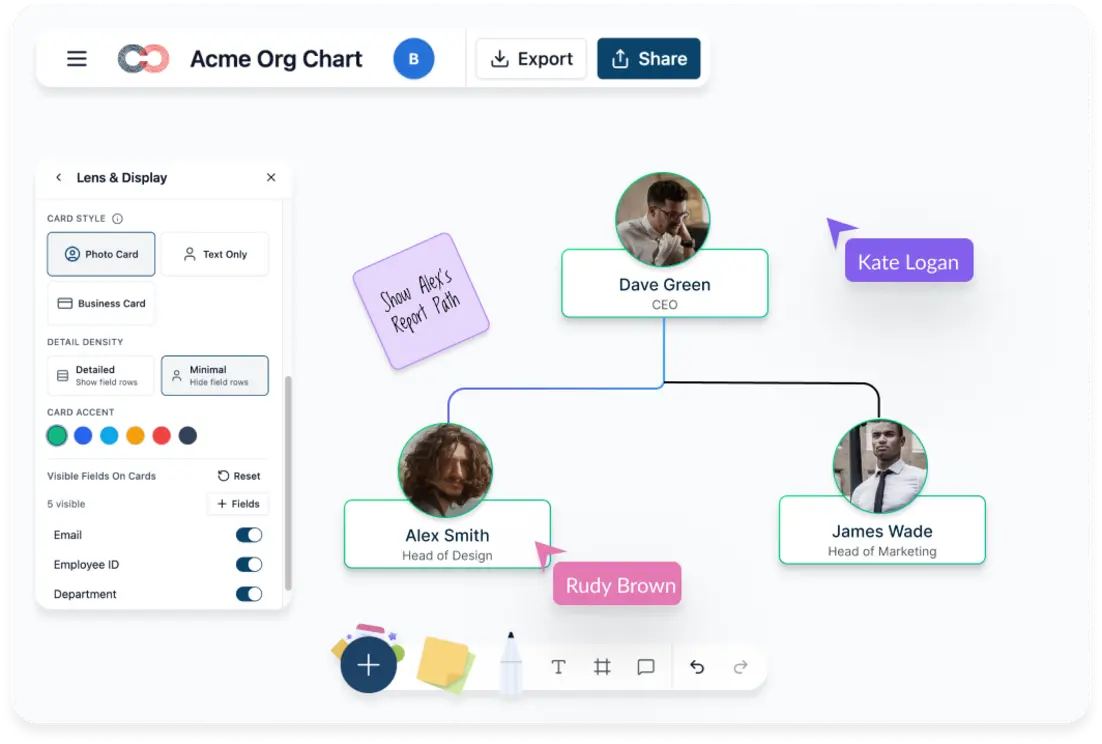
OrgChart focuses on charting and workforce analytics. Creately is a complete organizational intelligence platform.
- 201 data fields across 15 field packs covering compensation, talent, succession, and more
- Canvas-based scenario modeling to plan reorgs visually before committing
- Plan terms depend on employee count, required capabilities, and the agreed contract
- AI-powered import gets you live in minutes
AI Org Insights That OrgChart Doesn't Have
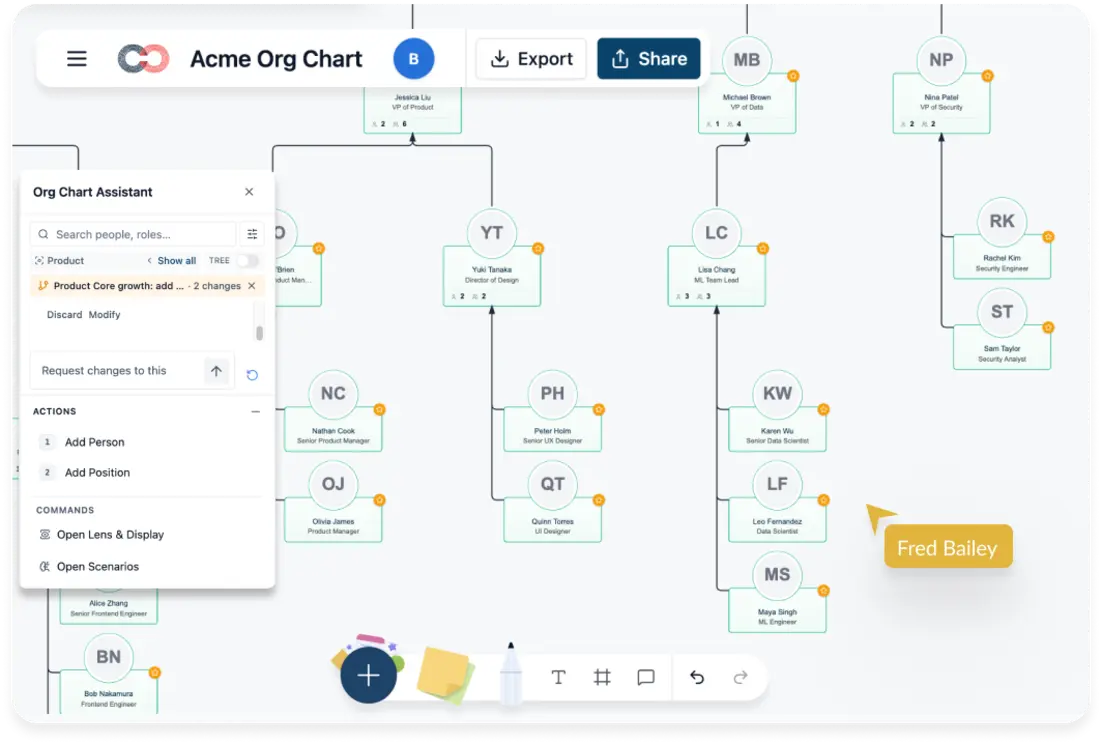
OrgChart has no AI assistant. Creately gives you 7 specialized AI tools on your live org graph.
- “Show managers with 8+ reports” highlighted instantly
- “Move James to Patricia’s team” creates a scenario you can review, apply, or discard
- “Heatmap by compa-ratio” in one command
- Proactive alerts for span issues, succession gaps, and low recorded engagement scores
Scenario Planning That Lives on the Canvas
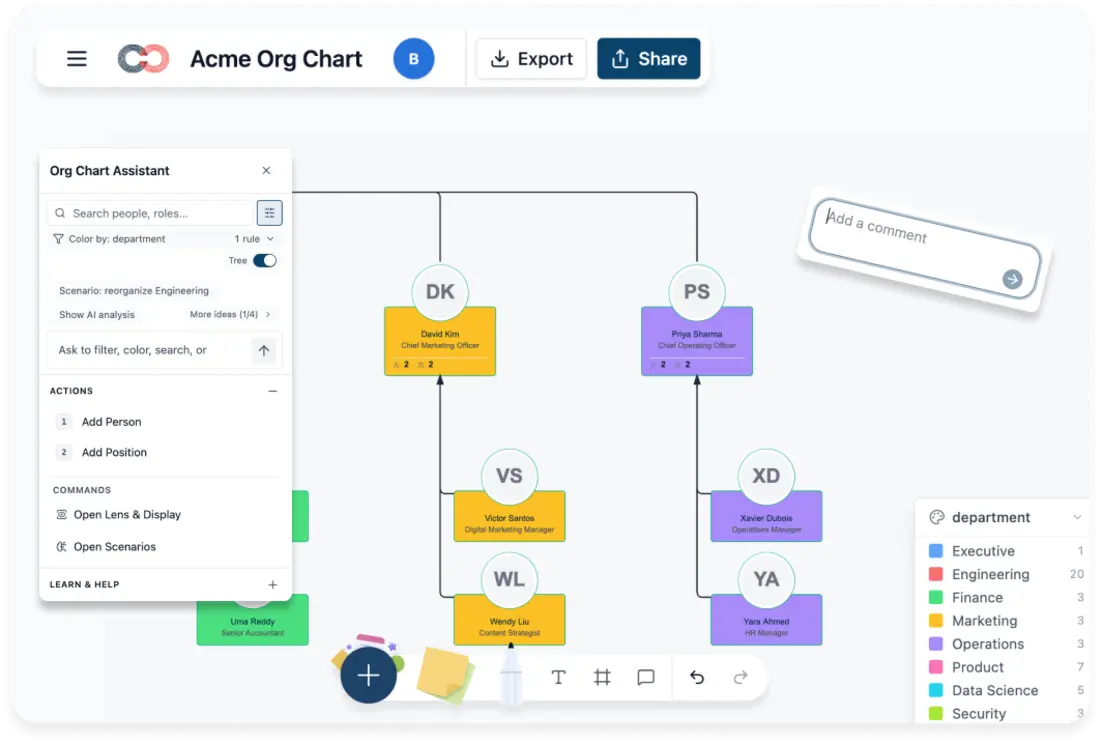
OrgChart uses a traditional reporting approach. Creately lets you model changes visually on the live org.
- What-if scenarios on the live org. Nothing changes until you commit
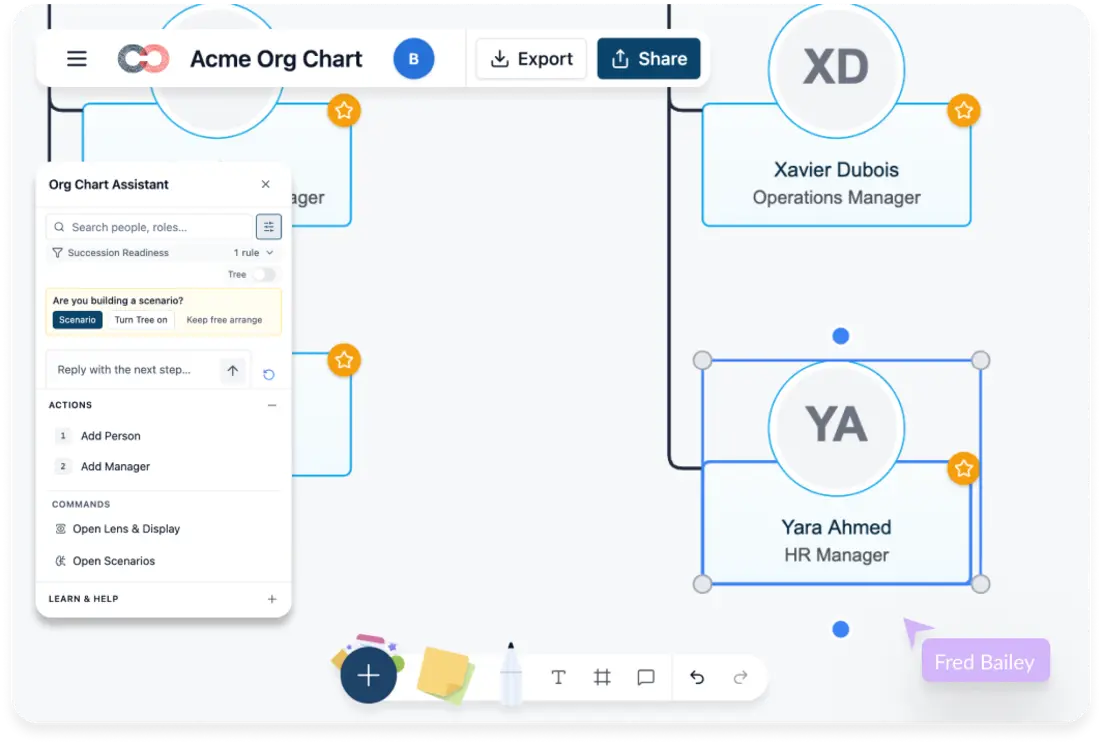
- Succession risk coloring shows no successor, weak, or strong at a glance
- Readiness timelines for now, 1yr, 2yr, 3yr+
- Side-by-side comparison of multiple scenarios
Enterprise-Grade Security with 6-Tier Data Control
Restricted fields are invisible, not locked. No padlock icons. No curiosity.
- SOC 2 Type II compliant
- ISO 27001 certified
- HIPAA ready
- 6-tier data sensitivity so each user sees only what their role allows
201 Fields. You Choose Which Ones to See.
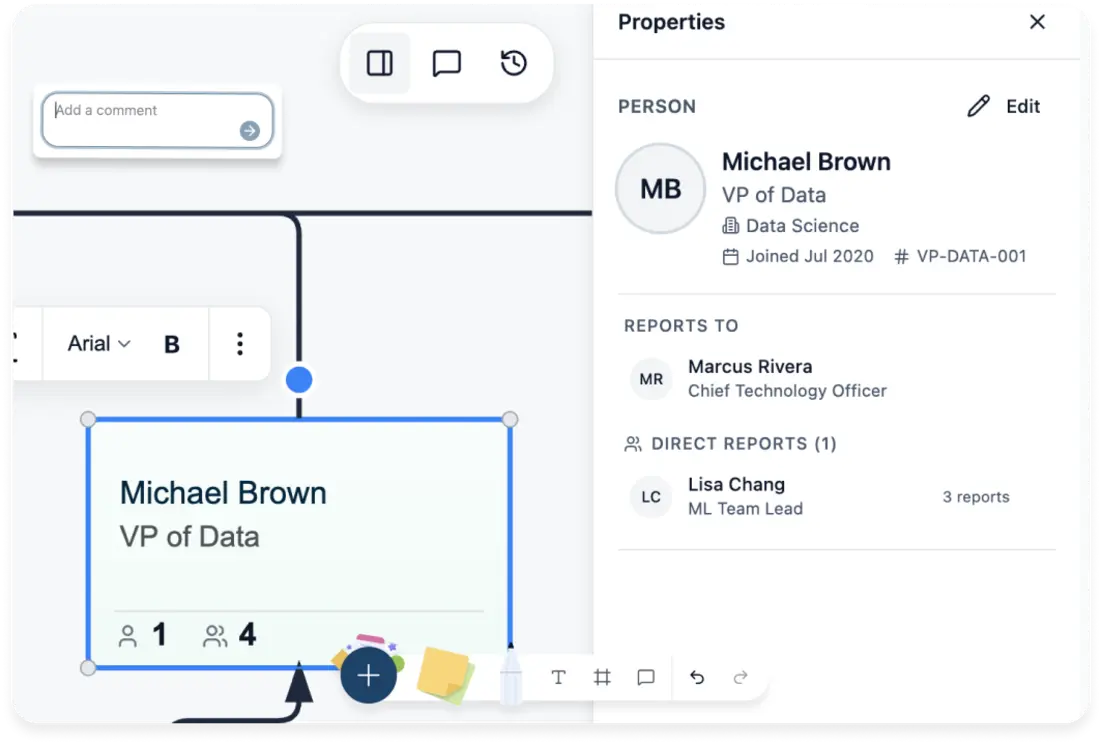
OrgChart gives you customizable fields tied to HRIS data. Creately has 15 field packs you toggle on as needed.
- HR Generalist gets ~40 fields for the basics
- HRBP adds 9-box, flight risk, engagement
- CHRO can use approved compensation and succession fields, with demographics restricted to aggregate reporting
- Toggle on/off without losing data
How to Switch from OrgChart to Creately
Export Your Org Data from OrgChart:
Go to your org chart in OrgChart and export the employee data as CSV. Include name, title, department, manager, email, and any custom fields you want to carry over.
Import into Creately with AI Column Mapping:
Upload the CSV and the AI automatically matches your columns to org chart fields with confidence scores. Review the mappings, adjust if needed, and import. You can undo the entire import with a single Ctrl+Z.
Activate the Field Packs You Need:
Start with the basics (name, title, department), then toggle on Talent, Compensation, Succession, or any of the 15 field packs as your team needs them. Fields appear instantly in the properties panel, filters, and coloring options.
Set Up Data Sensitivity Tiers:
Configure who sees what. Restrict compensation to HR Confidential access, talent fields to their assigned tiers, and demographics to authorized aggregate reporting. Unauthorized users never see restricted fields.
Invite Your Team:
Share the org chart by link or email. Control who can view, comment, or edit. Collaborators work in real time with live cursors, while field sensitivity continues to restrict employee data.
Start Planning with Scenarios:
Model proposed org changes in Creately Atlas scenarios without modifying the live chart. Compare additions, removals, reporting moves, and field updates against the same people and position records before applying the chosen scenario.
FAQs on Creately vs OrgChart
Is Creately a full alternative to OrgChart?
How much does OrgChart cost compared to Creately?
Can I import my OrgChart data into Creately?
Does Creately have AI features like OrgChart?
Does Creately support real-time collaboration like OrgChart?
How does Creately handle sensitive HR data compared to OrgChart?
Does Creately integrate with HRIS systems like OrgChart does?
Can Creately handle large organizations with 1,000+ employees?













