Diabetes Focus
Highlights diabetes details alongside family health history.
Highlights diabetes details alongside family health history.
Connects diagnoses, risks, and relevant medical notes across relatives.
Shows how health conditions or risks appear across family lines.
Leaves space for symptoms, screenings, and care notes.
Keeps parents, children, partners, and siblings easy to trace.
Supports quick review of conditions that may need follow-up.
Gives clinicians a clear visual for discussion and documentation.
Can be expanded as new relatives or health details are added.
Map diabetes diagnoses and relevant family health history across three generations using this genogram on Creately Clinical.
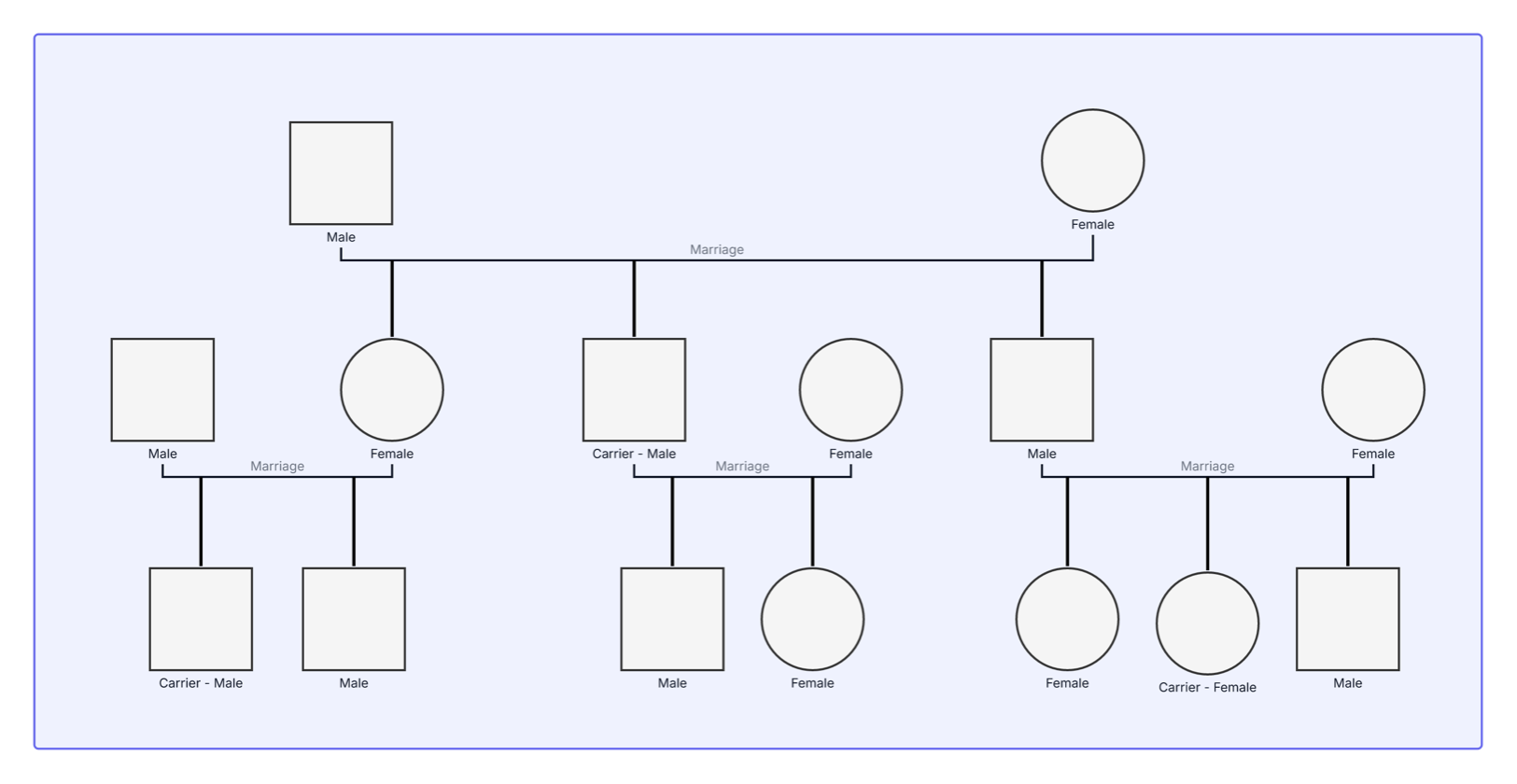
This diabetes genogram combines family structure with health-condition markers, helping individuals and care teams organize diabetes history and prepare more informed conversations about screening, prevention, and care.
The example maps 15 people across three generations. Eleven people have a red diabetes marker, making the distribution of the condition easy to see across the family’s three branches and successive generations.
Two people are labeled as carriers. Use this label when a clinically confirmed gene variant and its inheritance status are relevant, such as in an evaluated monogenic form of diabetes. For general type 1, type 2, or gestational diabetes history, record the specific diagnosis and supporting details instead of inferring genetic status from the family pattern alone.
This diabetes genogram can help healthcare professionals, counselors, researchers, and families organize diabetes history in one clear view.
Review diagnoses, ages at diagnosis, treatments, and screening conversations across generations.
Add confirmed genetic findings and coordinate family-history review when monogenic diabetes is being evaluated.
Study multigenerational health patterns using consistent medical-genogram notation.
Create a visual record of diabetes history to discuss and update with qualified healthcare professionals.
Standard genogram symbols map the family, while the red health marker and structured medical fields identify diabetes-related information.
Male family member
Female family member
Connects married partners
Connects a child to the relevant parental union
Identifies a person tagged with diabetes in this example
Records a confirmed carrier status for a specific genetic variant when clinically applicable
Capture the diabetes type, diagnosis status, and related health information
Add age or year of diagnosis, relevant test information, treatment history, and source of the family-history information
Use this example when an individual, clinician, genetic counselor, nurse, diabetes educator, or researcher wants a structured view of diabetes across a family.
Add the focus person and relatives across at least three generations when the information is available. Connect partners, parents, children, and siblings using the appropriate family lines.
Identify whether each diagnosis is type 1, type 2, gestational, monogenic, or another documented type. Add age or year of diagnosis and the information source when known.
Use the Medical & Genetic fields for confirmed conditions, genetic test results, medications, screening status, and related diagnoses. Apply carrier status only to a specific, confirmed genetic variant under appropriate clinical guidance.
Switch to the Health viewpoint to focus on diabetes across the genogram. Review the completed history with a qualified healthcare professional, who can interpret it alongside personal health information and recommend appropriate next steps.
Creately Clinical supports structured medical family-history work with clinical notation, collaborative review, and report-ready outputs. For this diabetes genogram, the Medical & Genetic field pack and Health viewpoint help teams record diagnoses and focus the diagram on relevant health patterns.
Record the specific diabetes type, diagnosis status, age or year at diagnosis, relevant pregnancy history, treatment information, and the source of each detail when available. Consistent entries make the family pattern easier to review.
Family history can be an important risk factor, but it does not by itself determine whether someone will develop diabetes. Type 2 diabetes generally reflects a combination of genetic, health, environmental, and behavioral factors, while rare monogenic forms are caused by a change in a single gene.
Use it only for a specific genetic variant with confirmed carrier status. It is most relevant to certain monogenic forms of diabetes and should be recorded from appropriate clinical or genetic-testing information.
Creately’s Medical & Genetic field pack includes medical conditions, genetic markers, medications, and other clinical fields. The Health viewpoint can focus the diagram on diabetes, while AI-assisted pattern detection and collaborative review help care teams examine information across generations.
Edit the genogram, replace the example family with the people relevant to your health-history conversation, and add confirmed diabetes types, diagnosis dates, and supporting clinical details. Use the Health viewpoint to review the pattern and share the completed genogram with an appropriate healthcare professional.