About this example
Create a clear, easy-to-read family genogram with this simple genogram from Creately Clinical.
Use this sample
Edit the genogram in Creately Clinical, then add the people, relationships, and notes relevant to your work.
Create a clear, easy-to-read family genogram with this simple genogram from Creately Clinical.
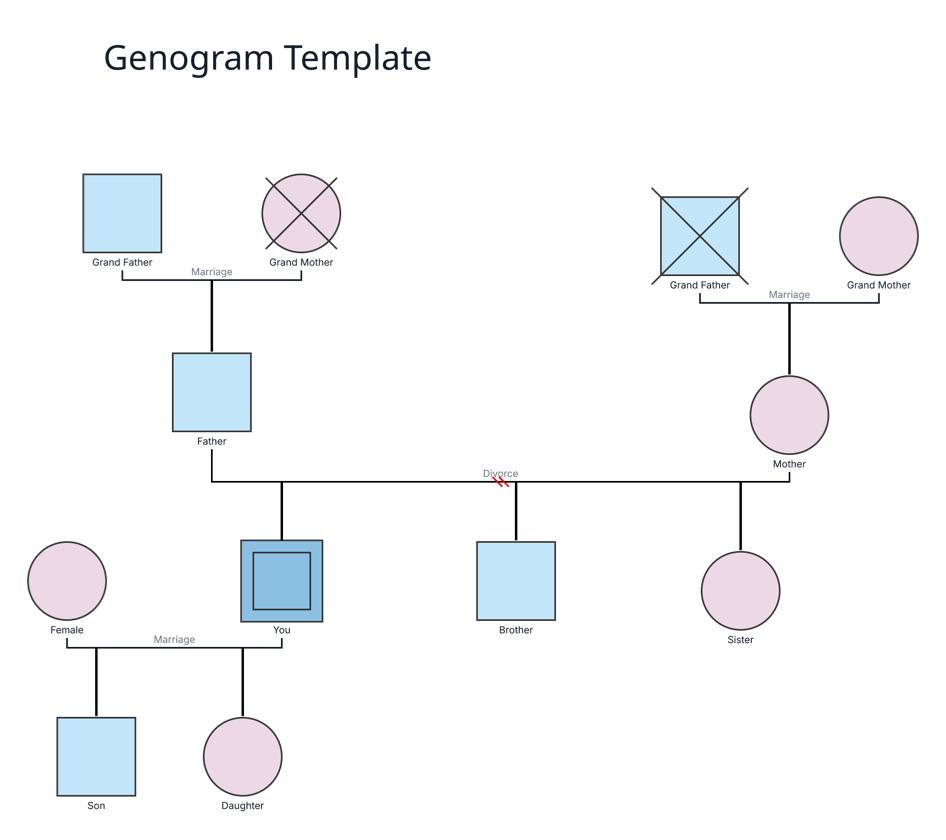
Create a clear, easy-to-read family genogram with this simple genogram from Creately Clinical.
Use this sample page as a starting point for documenting family, relationship, and care-context information in Creately Clinical.
Use this example to structure a collaborative conversation about family and relationship context.
Share a clear visual starting point for case review and documentation.
This example is for people who need a clear visual starting point for a genogram or related family-system diagram.
These core symbols make the structure easy to scan. Add specialized genogram notation as your case requires.
Represents a person in the mapped system.
Connects people and shows their relationship.
Highlights information that matters to the case.
Visualize three generations of family structure and relationships using this genogram in Creately Clinical.
Add the people and relationships that establish the context.
Use consistent notation for relationships, history, and notes.
Refine the visual with the people involved in the discussion.
Use Creately Clinical to adapt this sample into a shared, editable diagram.
Adapt the diagram to the information that matters to your case.
Keep one current visual for collaborative discussions.
Create a clear, easy-to-read family genogram with this simple genogram from Creately Clinical.
Edit the genogram in Creately Clinical, then add the people, relationships, and notes relevant to your work.
Open the example, map the structure quickly, and use Creately Clinical for AI-assisted drafting, collaborative editing, and report-ready outputs. This keeps the first draft simple while making it easy to turn the same diagram into a stronger working artifact later.