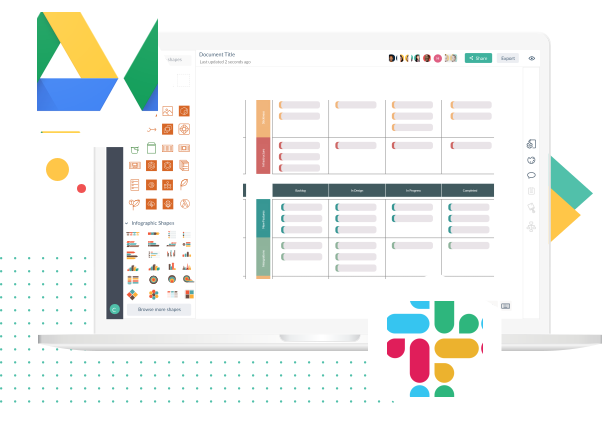
All Creately Products

Beautiful Diagrams in no time

Creately can be used across all sectors by individuals, corporate teams, developers, software architects, students and teachers alike for various diagramming purposes. Learn more about the different platforms that Creately supports. Try Creately Now : No registration required

All of Createlys products include the same great features

Real Easy

100's of thoughtful features to make creately diagramming quick and natural, its a joy to use.

Beautiful Diagrams

One click styling, pretty shapes, curvy connectors and more helps you create beautiful diagrams.

Team Collaboration

Smooth Real-Time collaboration, project management, inline commenting, one click publishing and team management.

Smart Diagramming

Smart diagrams and objects suggests connectors, draws as you type and adds data to your diagrams.

Creately is a diagramming app that allows you to create Flowcharts, Mind Maps, UML, Database diagrams, Mockups or just about anything visual and collaborate with others right from your desktop.
Download earlier version
Draw Anything

Diagramming is a breeze with Creately Desktop, making it easy to draw just about anything from your desktop or your browser. You can draw Flowcharts, UI Mockups, Mind Maps, UML diagrams, DB diagrams or just about anything to help you visually solve a problem.

Draw Anywhere

Creately Desktop is cross platform and runs on Windows, Mac or Linux. Your diagrams automatically sync to the cloud meaning no more email attachments or USB drives to worry about. It allows you to work from where ever you are, both on and offline. You can work in a way that suits you. Read More?

Clear Visual Communication

Creately helps you to avoid confusion and ensure the clarity of your projects by working with a clear set of diagrams. You can share your work and collaborate with your team through Creately. Team members can simply log-in to creately.com, for free, to comment and review diagrams.

Really Beautiful Diagrams

Give your presentations, reports and webpages the professional touch. Your diagrams can look stunning with our versatile ready-made templates, image search from Google and IconFinder.com and the complete spectrum of colours, gradients and fills. You'll want to show them off.

License Includes:

Creately Desktop Application

1 year of Free Upgrades

1 Online User for a Year

Diagrams Anywhere

Offline Usage / Offline Diagrams

Unlimited Private Diagrams

Diagram Collaboration and Sharing

Runs on Windows, Mac or Linux

Product FAQ

Creately for K-12 Education

An online diagramming software perfect for classroom collaboration and project work. Students can create and collaborate on all kinds of visual graphic organizer templates as well as mindmap, fishbone diagrams and other class assignments.

Creately Diagrams for Education

Perfect Solution for your School

Creately for Education is the best solution for Schools and other Educational Institutions around the World. Teachers and instructors can now use Creately aid in classroom lessons, assignments as well as teach writing, creative thinking and software design concepts.

Easy Project Documentation

Collaborative Learning Experience

Students can invite their friends and teachers to collaborate, comment and iterate on Cycle Diagrams, KWL Charts, Storyboards, Mind Maps, Fishbone Diagrams, T Charts, Y Charts, SWOT Templates, Flowcharts, UML Diagrams, Use cases or just about anything visual.

Report Bugs

Ready-made content for Class Projects

Creately dashboard contains a host of graphic organizers, Flowcharts, UML diagrams and Software Diagrams that can be readily used as templates. Select the most suitable template for your class project and edit it for completion in no time.

Diagramming made easy

Creately Diagrams for Notetaking

Include diagrams in your notes! Improve your grades at School or University by adopting creative notetaking methods with Creately's Mindmaps, Venn diagrams, KWL Charts, StoryBoards, T Charts, Y Charts, SWOT templates and other K-12 graphic organizers.

Draw Mindmaps, Venn Diagrams, StoryBoards, Y Charts, KWL Charts and everything else you need for your K-12 classroom projects...

Are you designated as a charity, non-profit organization, voluntary or community based sector, open-source project or as all- round do-good’er?

All you need to do is, apply for a Creately Scholarship and receive access to Creately at deeply discounted rates.

Creately's Enterprise Edition

On-premise installation of Creately, which lets everyone in your organization draw and collaborate on Business graphics and Technical diagrams like Flowcharts, Strategy Maps, UML, Mockups and more.

Creately Diagrams for Enterprise

Cost Effective Diagramming

The on-premise version is a self-hosted edition behind your own firewall. Now, you'll have full control and ownership over all your Creately diagrams since they're behind your own firewall.

Easy Project Documentation

Creately as a Virtual Appliance

Creately consists of a virtual appliance with a fully featured and self-contained version of the Creately server. This can be deployed within your organization's IT environment with little effort.

Report Bugs

LDAP Integration

Comes with a Lightweight Directory Access Protocol (LDAP) integration for faster lookups from the servers on the internet.

Diagramming made easy

Diagrams in Minutes

Interactive interface, easy to use features, smart connectors, extensive shape sets and ready-made templates make diagramming a breeze.

Add Flowcharts, Org Charts, Stakeholder Maps, Business Graphics and everything else you need...

Creately for Google Apps

Creately is now available on the Google Apps marketplace as the easiest online diagramming software used by thousands of small businesses around the world.

Creately Diagrams for Google Apps

Perfect for Small Businesses

Google Apps is a collection of web-based applications which run right in your web browser. With Creately's integration into your Google Apps Domain, everyone on your team will get 1-click access to the best online diagramming software.

Easy Project Documentation

Faster Visual Communication

Add Creately to your Apps account, and engage in faster visual communication by accessing Creately from all other Google services. Get your stuff done faster by communicating clearly with any type of business and project diagram.

Report Bugs

Diagramming made easy

Creately comes with an interactive interface that makes diagramming easy. Extensive set of smart objects, quick start templates and the easy to use contextual toolbars make diagramming so professional.

Diagramming made easy

Access all your Diagrams

Want to add Creately to Google Apps, but not sure what happens to your previous diagrams? Don't worry, add Creately to Google Apps and all your old diagrams stay with you.

Create Flowcharts, Org Charts, Stakeholder Maps and lots more for all your Business diagramming needs...

Creately Plugin for FogBugz

Creately is now available as a plugin for FogBugz On-Premise and OnDemand Editions. So your team can communicate clearly by creating and attaching diagrams within FogBugz.

Creately is fully integrated into FogBugz which means you can easily add Use Cases, UML, Mockups, Flowcharts and more to your cases and Wiki pages to clearly explain bugs and feature requests to developers.

  • 3

    Editors

    $24/mo

    $240/yr

  • 5

    Editors

    $40/mo

    $400/yr

  • 10

    Editors

    $80/mo

    $800/yr

  • 15

    Editors

    $120/mo

    $1200/yr

  • 20

    Editors

    $160/mo

    $1600/yr

  • 30

    Editors

    $240/mo

    $2400/yr

  • 40

    Editors

    $320/mo

    $3200/yr

  • 50

    Editors

    $400/mo

    $4000/yr

  • 75

    Editors

    $600/mo

    $6000/yr

  • 100

    Editors

    $800/mo

    $8000/yr

  • 1

    User

    $85

  • 5

    Users

    $395

  • 10

    Users

    $745

  • 20

    Users

    $1395

  • 50

    Users

    $3220

  • Unlimited

    Users

    $5000

Add Use Cases, mockups, flowcharts and more to your cases and wiki pages...

Documentation just got easier

Write better software specs with Creately Diagramming for FogBugz by easily including clear diagrams in your project wiki.

Fix bugs faster

Include diagrams along with your project cases to help your developers grok the issues.

Really Easy Diagramming

Creately's interactive interface, easy to use features and extensive shape sets will have your teams including diagrams in everything they do.

Creately Plugin for Confluence

An online diagramming plugin for Confluence which lets you create and add all kinds of diagrams like flowcharts, wireframes, UML diagrams and mindmaps to your wiki pages and blogs.

Creately Diagrams for FogBugz

Diagramming only one-click away

With Creately diagramming plugin for Confluence drawing all kinds of great looking diagrams and attaching them to your wiki pages and blogs is only one-click away.

Easy Project Documentation

Communicating with clarity

Creately plugin for Confluence is the best way to communicate with others on your enterprise wiki. You can convey so much more by adding diagrams to your wiki pages rather than leaving it with plain text.

Report Bugs

Integrating Seamlessly

Create diagrams, save and exit. All the diagrams you create will appear on your Confluence wiki pages, and these diagrams are stored inside Confluence as versioned attachments in both PNG and XML formats.

Diagramming made easy

Diagramming with ease

An easy to use in-browser editor with an extensive library of object sets to help you with any type of diagram. The 1-click styling features and 1-click create and connect features makes diagramming a wonder.

Take a quick screenshot tour below and learn more on how to use Creately plugin for Confluence :

Add diagrams to your Confluence Wiki pages
One click connect features make diagramming real easy
1-Click styling features for beautiful diagrams
Include UML Diagrams, Mockups and more to your Wiki pages
Your Confluence Wiki pages


Creately Plugin for JIRA

A diagramming plugin for JIRA which enables you to create and add flowcharts, mockups, UML diagrams and mindmaps to give details of your JIRA issues.

Creately Diagrams for JIRA

Explain things visually

You cannot replace a flowchart, mindmap or a mockup with text when explaining a requirement. Creately for JIRA fills this need. Anyone can easily include diagrams to complement text descriptions on any JIRA issue.

Easy Project Documentation

Diagramming for Software Teams

We’ve spent years on perfecting Creately for Software teams. The easiest diagramming experience with power features for flowcharting, UML, Wireframes and mindmaps.

Report Bugs

Collaborative Editing

The diagram and editor is right inside JIRA. If your users can edit the JIRA issue, they can edit the attached diagrams as well.

Diagramming made easy

Full Integration into JIRA

The Creately Plugin for JIRA stores all diagram data within your own JIRA installation and our easy diagram editor loads right inside the browser.

Take a quick screenshot tour below and learn more on how to use Creately plugin for JIRA :

Clarity through drawings
Add Creately diagrams to your JIRA issue
Contextual toolbar for easy diagramming
Include Flowcharts, UML Diagrams and more to your JIRA issues with ease
In-built commenting feature for easy collaboration