23
2011
A Basic intro to Use Case Diagrams
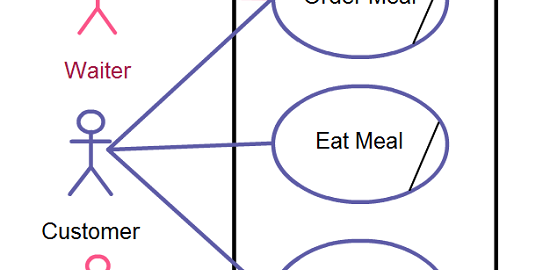
First and foremost, before delving headfirst into the basics, let’s ascertain what Use case Diagrams are in the first place. Use case diagrams can be defined as behavior diagrams that are used to illustrate a set of actions or use cases that a system or systems (subject) can perform in tandem with one or more external users of the system (actors). Each use case must offer some observable and valuable result to the actors of [...]
6
2011
Beyond the Basics of Sequence Diagrams: Part 3
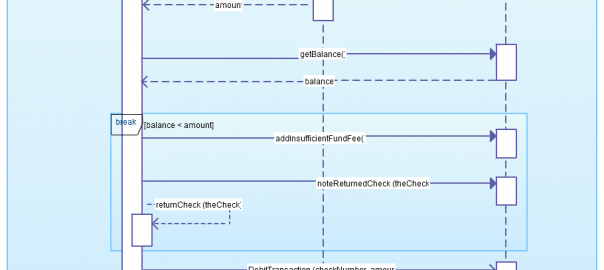
We got the final part of this series right here. While we did spend some time discussing Gates and its use or relevance to Sequence Diagrams, we now concentrate on just two elements known as Combined fragments. Combined fragments (break and parallel) If you do recall, back in the post called – The Basics & the Purpose of Sequence Diagrams ~ Part 2 – there was information on combined fragments known as “alternative,” “option,” and “loop.” [...]
31
2011
Beyond the Basics of Sequence Diagrams: Part 2
We wrap up the week with where we left off with Sequence Diagrams and a look into more advanced elements. Today we will concentrate on the use of Gates in Sequence Diagrams. Gates The previous post illustrated how to reference another sequence diagram via sending across data through parameters and also return values. Yet, there’s another way to send across data between two sequence diagrams. Gates could be regarded as being a simple way to [...]
22
2011
Beyond the Basics of Sequence Diagrams: Part 1
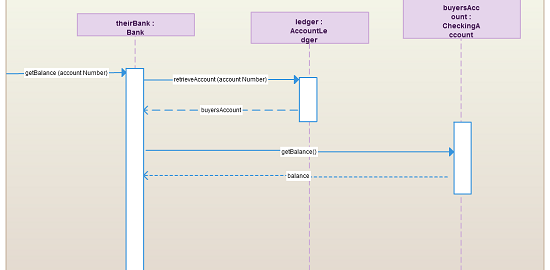
We basically looked into and covered the basics of sequence diagrams last week. This should be enough information when it comes to modeling most of the interactions that will take place in a common system. At this juncture, the natural route to take would be to look into more deeper aspects of sequence diagrams. What we will be looking at would be to cover more advanced notation elements that can be used in such diagrams. [...]
10
2011
The Basics & the Purpose of Sequence Diagrams ~ Part 2
As we mentioned in the last post – The Basics and Purpose of Sequence Diagrams ~ Part 1, we did discuss three of the main elements (i.e. Lifelines, Messages and Guards) that were related to Sequence Diagrams. In this concluding post, we will take a look at the elements known as Combined Fragments. These would consist of Alternatives, Options and Loops. 4. Alternatives This type of elements is utilized to indicate a mutually exclusive choice [...]
About Creately
Creately is an easy to use Online Diagramming software - purpose built for team collaboration. Powerful features and an intuitive interface make Creately ideal for teams working together on everything from Business Diagrams, Strategy Maps, Flowcharts, Web Mockups to UML designs.
Here we share our experiences and lessons learnt building a web-company.