posted21/07/10

Is your online Sales Funnel leaking?

Leaking Sales Funnel

You’ve got traffic?

We normally use funnel diagrams to understand the flow of a user through our website, to the application, and then onto the purchase pages (or not). Some great tools are out there and just last week @Indu blogged about using Funnels & Goals in Google Analytics to better understand your funnel and conversion rates.

This week, we went and applied the same to our traffic funnel in three steps.

  • Identify how our potential customers find out about Creately. The ‘trigger’ to visit the site.
  • What their motivations are. Why are they here?
  • Identify the pages they land on, and craft a message that resonates with the visitor’s intent and motivations. This will achieve lower bounce rates and far better conversions in a funnel.

Ok, again: Being relevant is key. but how do we know what’s relevant unless we know what you want?

Map it out!

It’s easier to map this out in a diagram, and here’s ours - How People Discover Creately. Some of the bounce rates are guesstimates though.

We first identified the source for them to come to Creately, then we break them down by their motivations and where they would go on the site to what landing pages.

The next phase is to make sure the landing pages speak to them well and address their questions. That’s another post for another day ;-)

Before I go back to more diagramming and numbers, do you find this approach useful? How do you look at your traffic funnel?

@Chandika

Image By: vrogy / CC3.0

2 Comments
read more
posted28/06/10

Effective Sitemaps for your Web Projects

At Creately we are all about increasing project efficiencies with Visual aids. We help other companies be more effective using visual tools, and now we are kicking off a series to share some insights.

Over the next few weeks we will be looking at how we use Sitemaps, User Flows, Use Cases, User Stories, Wireframes and more in delivering an effective website / software product to a client. It’s a lot to cover, and do let us know if you have more ideas at blogs@creately.com

Sitemaps

When kicking off a project its always important to settle on a content structure for the site. While some argue the sitemap is a dated artifact now as content linking happens in many ways, we believe it is really useful when used right.

It’s a great tool to help visualize how the site is broken up, what the main pages are going to be, and where in the content hierarchy they belong. We definitely think its an important tool to use in a project to bring more clarity and consensus.

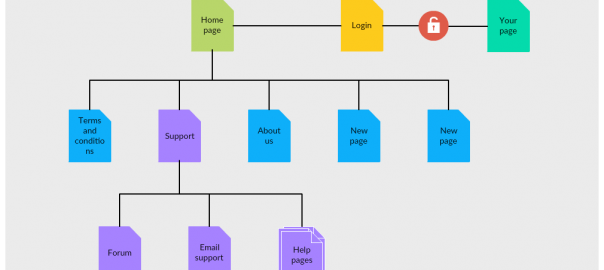
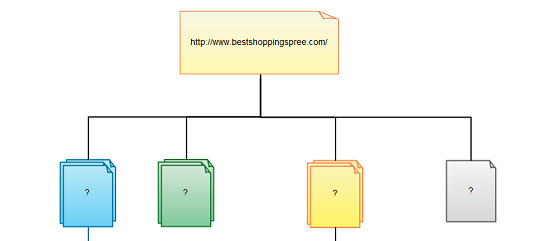
sitemap-creately

When to use

1. Creating a new site:

Use it to identify broad content areas, sub sections and a conceptual structure for the site.

2. Updating an existing site / redesign -

Go through the site and generate a map. We recommend against typical ’sitemap generators’ as they pick out all links to create the structure. Not all links are made equal!

By documenting what’s in the site now, you can start curating the content

Guiding principles

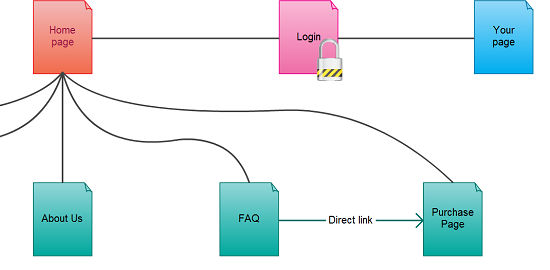
1. The site map is a organization and a planning tool. It is usually not the final outcome of the site. Use it not only to identify main areas of the site, but also page types, templates that go with them, secure/ non-secure pages etc.

2. Quickly agree on the first version of the site map and keep revisiting through out the project. Use it as a top-level view to identify what has been completed on the project, what high level decisions were made etc.

Best Practices for Sitemaps

creately-draw-share-validate-and-export-diagram-1
1. Brainstorm first. The best way to do a sitemap is actually NOT to start with a sitemap. Try working on a mindmap with your client and the team. It will be a natural structure for you to capture all the ideas, then start grouping them together.

2. Identify the main content areas and their page breakdowns.

Content headlines, subsection headings should be recorded by this time. A good idea would be to record them right in the document itself.

The earlier you get this done, the clearer your clients and teams understanding of the project.

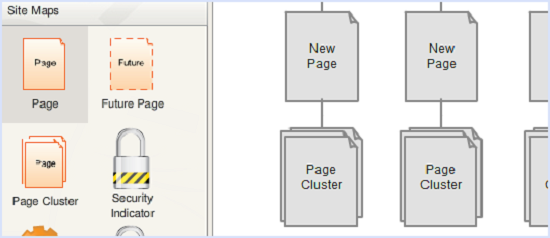
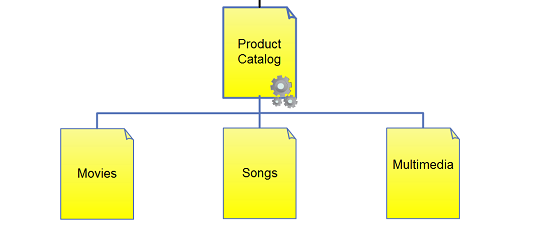
3. Mark out pages that include special functionality.

Got some pages that need to be loaded securely? some with forms? some featuring video content? mark them out in the sitemap itself.

4. Identify design variations.

Some pages in the site / app may have different theme’s or design elements. Color them differently to identify groups of these pages easily.

5. Keep it ‘Alive’

Review and revisit the site map as your understanding of the project changes. New pages, changed structure, new names; doing the simple updates to keep the document up-to date will ensure that you’ll have less confusion in your team and happier clients.

6. A High level view

Use the site map as a high level view to the project. You can link the user flows, wireframes and other documents you create on to the pages to keep track of progress and to provide a unified view to your client and team.

So how do you use Sitemaps in your projects?

@Chandika

No Comments
read more
posted13/02/10

New Project Management & Web Design Templates

Hi, it’s been awhile since we added new Templates to Creately - well at least not in this New Year. So we thought we’d hand out some treats just in time for the Lunar New Year (it is the year of the Tiger after all).

Project Management Templates

First off - a couple of new business Templates to help you with your Project Management diagrams. Every Project Manager needs a good Work Breakdown Structure (WBS) and Project Team Organizational chart - so @Induja put mouse to pad and created these templates to make your Project Management tasks a wee bit easier.

Work Breakdown Structure Template

work-breakdown-structure-template-border1


Project Team Organizational Chart

project-structure-border


Matrix Structure Template

We also know many of you today work in cross-functional teams with fairly complex reporting structures - so we’ve added a Matrix Structure Chart to help you and your managers visually capture the who’s who in your project teams.

matrix-structure-shadow


Web Design Templates

Don’t worry we never forget our Developer and Designer fans either. This week - 3 new web design templates to help to deliver on your project milestone faster.

First off, a new webpage Wireframe Template that uses a wide range of UI elements to demonstrate the extensive shapes and UI elements we support in Creately (including a Video Player, Google Maps Widget and Breadcrumbs). Besides this, we’ve added 2 new templates to quickly create web Sitemaps and web page flows.

Webpage Wireframe Template

wireframes-template-border

Website Page Flow Template

web-page-flow-border1

Web Sitemap Template

sitemap-template-border

Check out how easy it is to work on website wireframes and mockups with Creately. As always, you’ll find these new templates right there in the “Create New Diagram” window in Creately - so login to check them out.

We hope you’ll benefit from these templates. If you’ve got suggestions for new Templates - just drop us a note or send us a tweet - We’re always listening.

@Charan

2 Comments
read more
posted29/12/09

Why Sitemaps and Website Navigation Plans Matter

Working with designers, developers, clients and other stakeholders in designing a website can be a challenge, especially when working with external vendors. Its challenging enough to grok your client’s exact requirements and you want to make sure these requirements are clearly understood by the entire project team. As part of a web design project, its essential to develop a sitemap or website navigation plan in order to clearly communicate the intent and scope of your website to stakeholders and the project team.

Web site navigation plans should include all the web pages within your site and preferably be easy to navigate, update and share. But an ideal navigation plan, should allow you to easily link your sitemap to your webpage mockups - so clients can visualize and explore the entire website design even before a single line of HTML code is written.

Interactive Sitemaps with Creately

This 2-min video demonstrates how to create interactive Sitemaps and Website Navigation Plans with Creately that user’s can click-thru to review the underlying webpage mockups. With ready made easy-start templates and a fully interactive interface, Creately makes it easy to create and collaborate on sitemaps, mockups and wireframes for all your design projects.

Like what you see? Sign up for Creately - and start creating website plans and online mockups for free.

@charanjit

2 Comments
read more