We did speak quite a bit about org charts a few posts back, but in this post we thought of letting you all in on 3 simple points that can help you create organizational charts that are more clear, focused and detailed.
1. Know the Difference between a Vertical Org chart and a Horizontal One
A vertical organizational structure denotes a strict top down or bottom up structure. Typically, a rigid top down vertical organizational structure has been favored for businesses and other organization types. On the other hand, a horizontal organizational structure means a flat or semi- flat organizational structure, like a meritocracy.
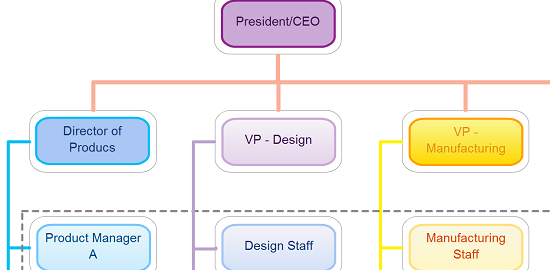
While many do design their org charts with their direct reports being positioned horizontally, the right thing to do is to be aware of what your company structure is all about, i.e. vertical or horizontal before actually attempting an Org Chart. Below image shows a basic vertical org chart. Check out article about types of org charts to understand various org chart implementations.

2. Name It and then Put a Face to It
Including images of staff in your org chart can help humanize your company intranet site, assist new employees get better acquainted, and help virtual teams that are not in close proximity to get a sense of who their co-workers are.
But you really need not limit yourself to just staff pictures. If you do have an org chart that is rather mundane and abstract, you could infuse some liveliness and color to it but plugging in some images to highlight the type of operations as well.
For instance, if you have a department called Division of Finance & Management, you could have a dollar sign image next to it. Check out how big a difference, having a picture and not having one makes below.

Checko our article about org chart with pictures to learn how you can create similar ones using Creately.
3. Go Unconventional with Colorful Org Charts
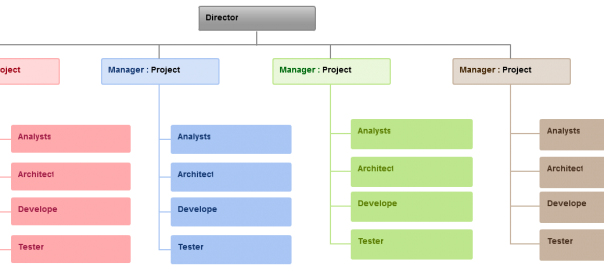
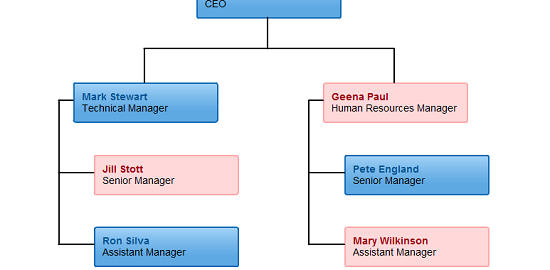
While Org Charts are conventionally used by HR to show the basic structure that is present in an organization, why not use such a diagram type to illustrate other types of information? For instance, you could use Color to showcase the gender balance or the different age groups present in an organization. Don’t stop there though, you could even use a colorful org chart to allocate staff members into different teams in the sports committee, to assess the number of senior executives present as opposed to junior executives etc. There really is no limit as to what you can do with organigrams, all it takes is some intuition and creativity.

Any Other Tips to Improve Org Charts?
Stick to these 3 tips to make your designs clear, sharp, clutter-free and offer more information. Try out these smart 3 tips on our organogram maker and see how creating org charts is as easy as peanuts. We also have many organizational chart templates for you to get started faster.

Sure hope U can help. I have a new job and one of my first tasks is to create an organization chart of about 25 roles/people for a staffing contract for the Federal govt. What I want to do is color the boxes that represent each role with a color that represents the level of authority that role has.I can’t find anyone having addressed this use of colors in a business setting specifically for an ORG CHART. Has anyone ranked colors in a level of authority schema?
Thanks
Hi Mary,
As you can see in the example above we do support adding colors to your org chart objects. If you want further help drop an email to support@creately.com and we’ll try to help as best as we can.