posted19/06/09
We’ve been hard at work over the last forthnight adding some great new features to Creately - Online Diagramming and Design. We hope you enjoy this release as much as we did getting it out to you.
- A brand new Open & Create Diagrams Dialog
Our original dialog was fine for new users but we found it got harder to use as your collection of diagrams grew. We also found there was no way to organise and find our Easy Start templates that our new users love and are great to quickly get started with UML, UI Mockup, Education, Flowcharts and Business diagrams. Here’s a screenshot of what you’ll see when you next login to Creately.

- International Keyboard and Character Support
We’re very happy to announce that we now support all international keyboards and character sets. This was one of the most requested feature after our last release and we’re proud to be able to deliver what our users want. Watch this space for more internationalisation support coming your way in upcoming releases. And to all our users across the globe, we’d love to know if this fix works for you. Drop us a mail - support [at] creately.com if you have any trouble.
- Great new Open Source Fonts
Another heavily requested feature was to include more fonts in Creately to create better looking diagrams. We heard you and thanks to the great work by the people at the Open Font Library, we’re happy to announce support for some fantastic open source fonts. If you’d like to see more fonts included in Creately - let us know!

- Scaling Issues with Creately objects
This is another fix many users requested. Now we’ve sorted out the scaling issues with our SVG based Smart Objects, so borders and edges of objects don’t scale when you scale an object in Creately.
- Create Links in Creately to other diagrams and URLs.
You asked for it, so now you can easily create links between your diagrams in Creately or to any other web URL. This is especially useful for UI mockups and Sitemaps, giving you the chance to document not only the page designs but the actual interactions and flows between your webpages and site.

- Many more features and fixes
There are lots more features and fixes we’ve put up in this release. Check out our Community Support Forum to see all the user requested features that we’ve added or fixed.
So login to Creately now so check out all these great new additions, and we’ll have another release out soon, so tell us what you’d love to see in Creately.
@charanjit
posted18/06/09
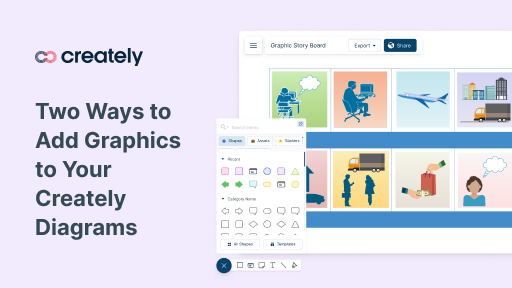
We had some users asking how they could add more images and graphics to their Creately diagrams, so I put together a quick diagram with Creately to show off how you can add more graphics to Creately diagrams.
posted08/06/09
First we brought you URL shortening for your published diagrams, and now we’ve introduced a 1-Click button that makes it easy to share your published diagrams and designs on Twitter.
We Love Twitter
We love Twitter, and we know you do too. So the next time you create a beautiful Mockup you want to share with your other designers, or are working on an open-source project and want to share your UML and DB designs with the community, Twitter provides a great way to reach out instantly to like minded people.
Easy to Use
Visual Collaboration is more than just the diagrams your draw. Here at Creately,we make the whole process of visual collaboration and sharing easy. You’ll find our new Twitter button neatly tucked away in the right-hand Share panel. Simply, select the check box to enable a public short-URL for your diagram and click the “Share on Twitter” button to publish your diagram directly to Twitter.

And if Twitter is not quite your cup of tea, remember you can always invite your friends and co-workers to share and collaborate on your diagrams securely within Creately.
Give it a try, and watch this space… we’re only days away from a spanking new release that we hope will answer some of the feature requests we’ve been getting on our User Support Community. Check it out for a sneak preview of what’s coming your way this week.
Thanks for all the great feedback and for helping us get one step closer to public.
@creately
posted02/06/09
With the bug fixes that went into production last week, we introduced a whole new bunch of Smart Shapes to help make your UML diagrams faster and easier than ever before to draw and share in Creately.
You can check out the new features for online UML and Class Diagrams on our site, but I’d like to give you a quick run through of all the new UML capabilities.
More UML Shapes
Many more smart shapes for UML including KObject sets for:
- Class Diagrams
- Activity Diagrams
- Collaboration Diagrams
- Component Diagrams
- Deployment Diagrams
- Entity Relationship Diagrams (ERD)
- Object Diagrams
- State Chart
- Use Case Diagrams
New Smarter Connectors
UML diagrams are easier than ever before. With Creately’s Smart Connectors, the right arrowheads, line types and object relationship types are automatically selected depending on the UML diagram you’re creating.
1-Click Twitter Button
Sharing you UML designs has never been easier. Invite your team to collaborate on directly Creately or just publish your diagrams to a special short-URL to Tweet your diagrams directly from Creately.
So if you haven’t tried it yet, check out Creately for collaborative UML diagramming.
@creately
Photo: Adapted from joone4u